Hootsuite vs Buffer: Honest Comparison for Teams Who Just Want to Post
Hootsuite vs Buffer compared on pricing, features, ease of use, and platform support. Find which social media management tool matches your actual workflow.

Quick answer
Hootsuite ($99/month) offers enterprise features and analytics, while Buffer ($6/channel/month) is simpler and cheaper for small teams.
- •Hootsuite: $99/month for 1 user, 10 accounts with advanced analytics and streams
- •Buffer: $6/channel/month ($60/month for 10 channels) with clean scheduling UI
- •Hootsuite includes social listening and team approval workflows on higher plans
- •Schedulala offers one account on each of 12 platforms for $9/month with unlimited posts as an alternative to both
Hootsuite and Buffer sit at opposite ends of the social media management spectrum. Hootsuite tries to be everything — publishing, analytics, listening, customer care. Buffer tries to do one thing well — getting your posts out the door. Check out our social media automation guide.
That philosophical difference shapes every decision you'll face when choosing between them. Price, complexity, features, team workflows — they all trace back to this core tension between comprehensive and focused.
Here's the breakdown, minus the affiliate-driven bias you'll find in most comparison posts.
Try Schedulala for free
Schedule posts to Bluesky, Twitter, and 8 other platforms from one dashboard.
Get started for free→Platform Overview
Hootsuite: The Enterprise Swiss Army Knife
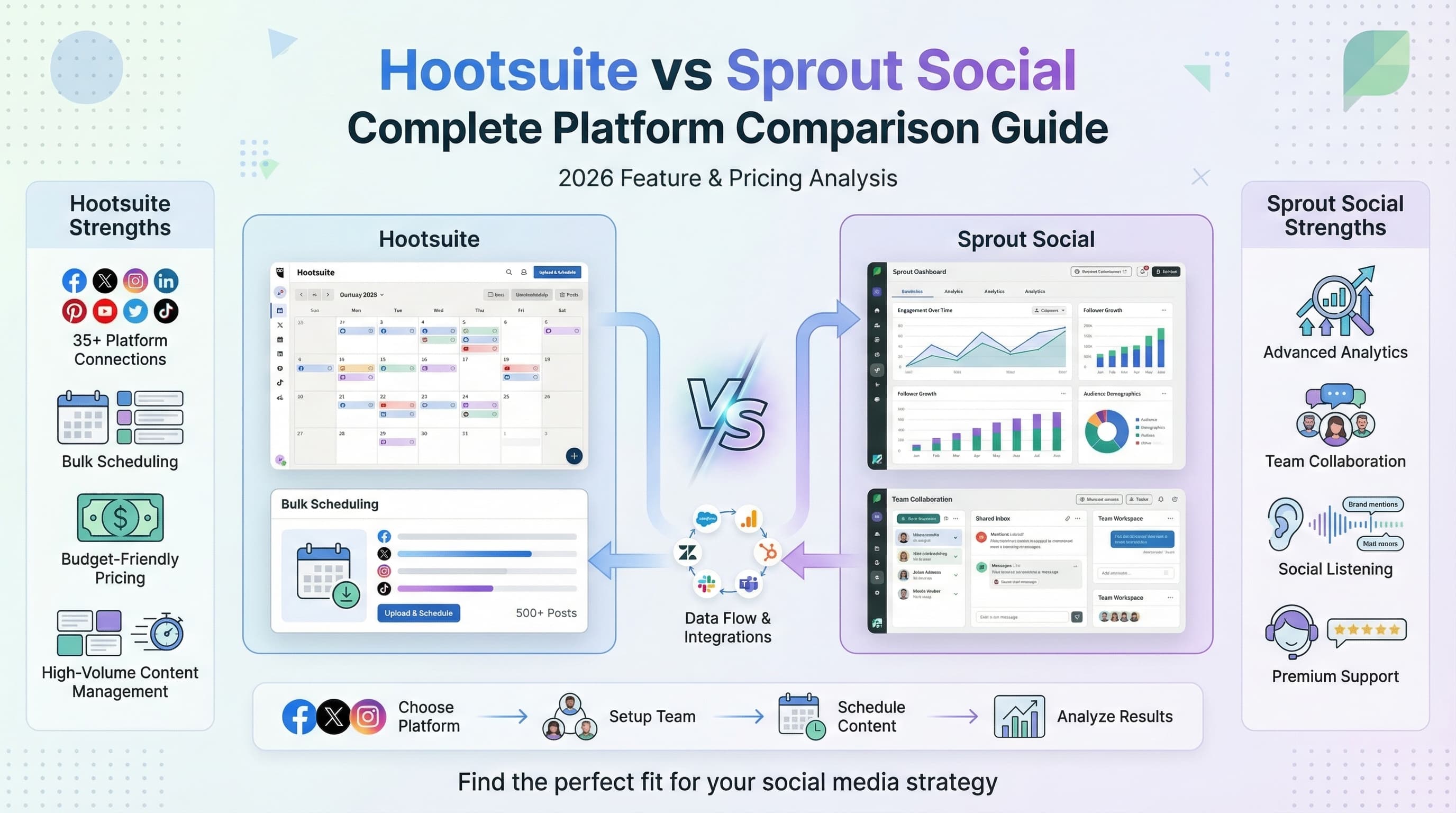
Hootsuite launched in 2008 as a Twitter management tool and evolved into a full social media command center. The platform supports 35+ social networks, includes social listening, ad management, and customer care tools. It targets agencies and marketing teams willing to invest $99+/month for a comprehensive solution.
The Streams dashboard lets you monitor multiple feeds, mentions, and keyword searches simultaneously. It's powerful for teams who need real-time awareness of social conversations alongside their publishing workflow. Learn about scheduling across platforms.
Hootsuite's complexity is both its strength and weakness. It can do almost anything, but finding and configuring the right features takes time and training.
Buffer: The Minimalist Publisher
Buffer launched in 2010 with a radical premise: social media scheduling should be simple. Fourteen years later, that mission hasn't changed much. The platform focuses on publishing, with recent additions in analytics, engagement, and landing pages.
The queue-based system defines Buffer's workflow. Set your posting times, add content to the queue, and it publishes in order. No streams, no social listening, no ad management — just clean, predictable publishing across 8 platforms.
Buffer's per-channel pricing means you pay only for what you use. A small business managing 3 platforms might pay $18/month versus Hootsuite's minimum of $99/month. That math matters for bootstrapped teams.
Feature Comparison
| Feature | Hootsuite | Buffer |
|---|---|---|
| Social Networks | 35+ platforms | 8 platforms |
| Starting Price | $99/month | $6/channel/month |
| Free Plan | No (30-day trial) | 3 channels, 10 posts each |
| Social Listening | Included (paid plans) | Not available |
| Streams/Monitoring | Real-time streams | Not available |
| Ad Management | Available | Not available |
| Analytics | Comprehensive + add-on | Basic post analytics |
| Bulk Scheduling | CSV upload | Not available |
| Team Collaboration | Advanced roles + approval | Approval workflows |
| AI Features | OwlyWriter AI | AI assistant |
| Mobile App | Full featured | Full featured |
| Link in Bio | No | Start Page |
The table tells the story clearly. Hootsuite offers more features in every category, but Buffer delivers the core scheduling experience at a fraction of the cost. The question is whether you need those extra capabilities.
Pricing: The Elephant in the Room
Pricing is where these platforms diverge most dramatically. Let's break down what you'd actually pay.
Hootsuite Pricing
Professional: $99/month for 1 user, 10 social accounts. Team: $249/month for 3 users, 20 accounts. Business: $739/month for 5 users, 35 accounts. Enterprise: custom pricing.
Advanced analytics costs an additional $49/month. Extra team members on higher plans run $99 per user per month. These add-ons push the real cost well above the base price.
Hootsuite eliminated its free plan in 2023. You can try the platform with a 30-day trial, but there's no way to use it long-term without paying.
Buffer Pricing
Free: 3 channels, 10 scheduled posts per channel. Essentials: $6/channel/month with unlimited scheduling. Team: $12/channel/month with approval workflows and unlimited team members.
A 5-channel setup costs $30/month on Essentials. Adding team features brings it to $60/month. There are no hidden add-ons or per-seat surprises beyond the published prices.
The free plan is genuinely usable for solo creators who post a few times per week. No trial period, no credit card required, no bait-and-switch.
Publishing and Scheduling
Both platforms handle basic publishing well, but the workflow feels different.
Buffer's Queue Approach
Buffer's queue system works like a content conveyor belt. You define time slots for each day of the week (say, 9 AM, 12 PM, and 5 PM). Then you add posts to the queue, and they publish in order at your next available slot.
This approach removes the mental load of picking specific dates and times for every post. You focus on creating content, and the queue handles distribution. You can also schedule posts at custom times when needed for time-sensitive content.
The composer is clean and fast. Write your caption, add media, select channels, and you're done. Platform-specific previews show exactly how your post will appear on each network. The AI assistant can help generate captions or repurpose existing content.
Hootsuite's Calendar Approach
Hootsuite uses a traditional calendar view where you schedule posts at specific dates and times. The Planner shows your content spread across days and weeks, making it easy to visualize your publishing cadence and spot gaps.
Bulk scheduling via CSV upload lets you prepare dozens or hundreds of posts in a spreadsheet and upload them at once. AutoSchedule picks optimal times based on your audience's engagement patterns. For high-volume operations, these features save significant time.
The composer supports more complex post types including multi-image posts, tagged products, and platform-specific customizations. The additional options add power at the cost of a busier interface.
Analytics and Insights
Analytics is where Hootsuite's higher price starts to justify itself — if you actually use the data.
Buffer's analytics show individual post performance: impressions, engagement, clicks, and reach. You can compare performance across channels and identify your top-performing content. The data is clean and actionable for optimizing your content strategy at a basic level.
Hootsuite's analytics go significantly deeper. Standard reports cover post performance, audience demographics, and publishing activity. The paid Analytics add-on unlocks competitive benchmarking, custom report builder, and best-time-to-publish recommendations.
For agencies and larger teams who need client-ready reports with custom branding and detailed breakdowns, Hootsuite is the clear choice. For solo creators who just want to know which posts resonated, Buffer provides enough insight without information overload.
The analytics gap narrows if you use third-party tools like Google Analytics for deeper tracking. Buffer's analytics plus GA4 can cover most small business needs. Hootsuite's built-in analytics reduce the need for separate tools.
Social Listening and Monitoring
This category belongs entirely to Hootsuite. Buffer doesn't offer social listening, keyword monitoring, or real-time stream management.
Hootsuite's Streams dashboard monitors mentions, keywords, hashtags, and competitor activity across multiple platforms simultaneously. You see what people say about your brand, your industry, and your competitors in real time.
For brands that need to respond quickly to customer mentions or track industry conversations, this capability alone might justify Hootsuite's higher price. Customer service teams particularly benefit from the unified inbox and assignment features.
If social listening matters to your strategy, Hootsuite wins by default. If you only need to publish and check post performance, Buffer handles that without the complexity of monitoring tools you won't use.
Team Collaboration
Both platforms support teams, but the depth of collaboration features differs substantially.
Buffer's Team plan adds approval workflows where team members submit posts for review before publishing. An admin approves or requests changes. The system is straightforward and works well for small teams with clear roles. Unlimited team members on the Team plan keep costs predictable.
Hootsuite provides more granular role-based permissions, content assignment, task management within the platform, and audit trails showing who did what. The structured workflow supports larger teams where multiple people create, review, and publish content.
For teams of 2-3 people, Buffer's collaboration is sufficient. For teams of 5+ people or agencies managing client approvals, Hootsuite's workflow management prevents the chaos that comes with scale.
Who Should Choose What
Choose Buffer If You:
Run a small team or work solo: Buffer's simplicity and pricing make it the obvious choice when you don't need enterprise features.
Want a free plan that actually works: 3 channels with 10 posts each is genuinely useful, not just a teaser.
Prioritize ease of use: If learning curves frustrate you, Buffer's minimal interface gets you publishing in minutes.
Need affordable scaling: $6/channel means you add platforms without budget anxiety.
Choose Hootsuite If You:
Need social listening: Brand monitoring and real-time streams don't exist in Buffer.
Manage 10+ social accounts: Hootsuite's bulk tools and platform breadth handle high-volume operations efficiently.
Require detailed analytics: Client reports, competitive benchmarking, and custom dashboards justify the premium price.
Run an agency with multiple clients: The workspace separation, role permissions, and reporting features serve agency workflows well.
Consider Schedulala If You:
Want 12 platforms at a flat price: No per-channel math. Instagram, Facebook, LinkedIn, TikTok, X, Bluesky, Threads, YouTube, Pinterest, Telegram, Mastodon, and Google Business Profile all included. Try our free trial.
Need carousel support everywhere: Post carousels to every platform that supports them from one composer.
Like simple tools that cover all platforms: Buffer's simplicity plus Hootsuite's platform count, without the enterprise price tag.
Final Verdict
Hootsuite and Buffer serve different users at different stages. Buffer is the right first scheduler for most small businesses and creators. Hootsuite earns its price when you need monitoring, enterprise analytics, or platform breadth that simpler tools can't match.
Don't pay for features you won't use. If you need simple scheduling across a few platforms, start with Buffer. If you've outgrown simple scheduling and need a social media command center, look at Hootsuite. And if you want broad platform support without the enterprise complexity, check out Schedulala.
Try Schedulala for free
Schedule posts to Bluesky, Twitter, and 8 other platforms from one dashboard.
Get started for free→