Social Media Automation: The Complete Beginner's Guide for 2026
Learn social media automation from scratch. This guide covers tools, workflows, and strategies to save 10+ hours weekly while growing your audience.

Quick answer
Automate social media by scheduling posts in advance, setting up content queues, and using tools that cross-post to multiple platforms at once.
- •Scheduling and queuing are the foundation of social media automation
- •Cross-posting saves time but customize captions for each platform's audience
- •Automate posting, not engagement: replies and comments should stay manual
- •Schedulala automates posting across 12 platforms for $9/month with unlimited posts
You're spending three hours a day on social media. Posting, responding, checking analytics, posting again. Your phone buzzes at dinner. You're scheduling tweets at midnight. And somehow, your follower count barely moves.
Sound familiar? You're not alone.
Here's the thing: the most successful creators and brands aren't grinding away manually. They're using automation to handle the repetitive stuff while they focus on what actually matters—creating content people care about and building real connections.
This guide will show you exactly how to set up social media automation from scratch, even if you've never used a scheduling tool before. We'll cover what to automate, what to keep human, and how to build a system that runs while you sleep.
Try Schedulala for free
Schedule posts to Bluesky, Twitter, and 8 other platforms from one dashboard.
Get started for free→What social media automation actually means
Let's clear something up first. Social media automation isn't about turning your accounts into robot farms. It's not about auto-following thousands of people or blasting the same message across every platform. That stuff doesn't work, and it'll get your accounts flagged.
Real automation is about eliminating the mechanical, repetitive tasks that eat your time without adding value. Think of it as removing the busywork so you can focus on the creative work.
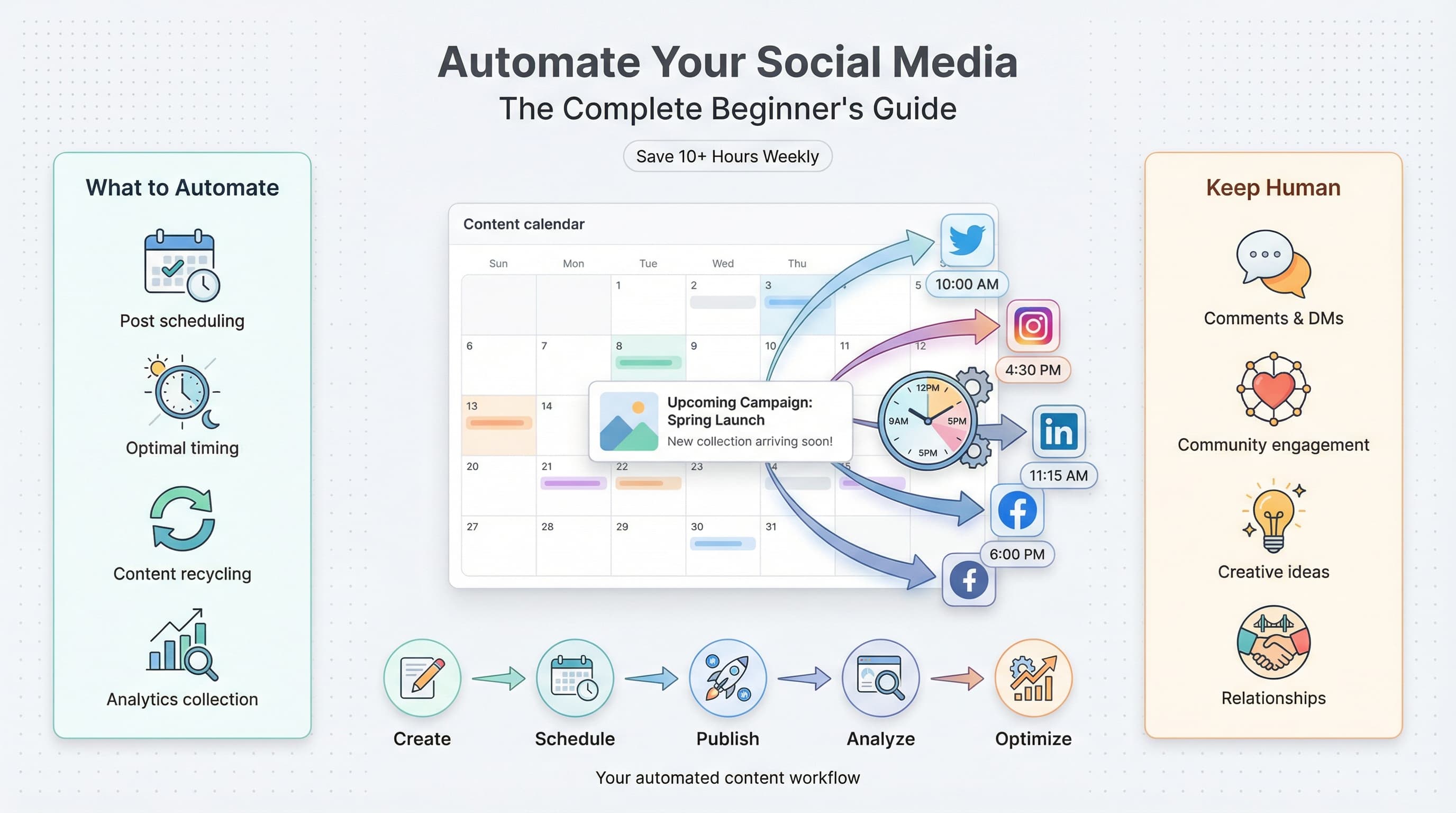
Tasks you should automate
- Scheduling posts across multiple platforms
- Cross-posting content with platform-specific adjustments
- Publishing at optimal times (even when you're asleep)
- Collecting analytics into unified dashboards
- Recycling evergreen content on a rotation
- Auto-saving mentions and comments for later review
- Generating first-draft captions and hashtag suggestions
Tasks you should keep human
- Responding to comments and DMs personally
- Engaging with your community's content
- Creating original content ideas
- Making decisions about brand voice and strategy
- Handling customer complaints or sensitive issues
- Building relationships with other creators
The goal is simple: automate the clock-watching so you can invest that time in being genuinely present when it counts.
Why manual posting is costing you more than time
I know what you're thinking. "I only manage two accounts. How bad can manual posting really be?" Let me break down the actual cost.
The time math
Say you post three times daily on two platforms. That's six posts per day. Each post takes about 8 minutes when you factor in logging in, uploading media, writing captions, adding hashtags, and double-checking everything.
That's 48 minutes just on posting. Now add 20 minutes reviewing analytics, 15 minutes finding content to share, and 30 minutes engaging with comments. You're looking at nearly two hours daily—minimum.
Over a month? That's 60+ hours. Over a year? You've spent more than 700 hours on tasks that could run automatically.
But time is only part of the equation. There's also the cognitive cost.
The mental load problem
Every time you think "I need to post something at 3pm," that's a mental note taking up space in your brain. These micro-tasks create what psychologists call "attention residue"—part of your mind stays focused on the pending task even when you're doing something else.
Manual posting turns social media into a constant background hum of obligations. Automation silences that hum. You batch your content creation, schedule everything in one session, and then your brain is free.
There's also consistency to consider. When you post manually, you're at the mercy of your schedule, your mood, and your memory. Miss a few days because life got busy? Your algorithm rankings drop, engagement decreases, and you're back to square one.
Automated schedules don't forget. They don't get sick. They don't have bad days. They just work.
| Posting Method | Time per Week | Posts Missed Monthly | Consistency Score |
|---|---|---|---|
| Manual posting | 10-14 hours | 8-12 posts | 65-75% |
| Basic automation | 3-5 hours | 1-2 posts | 90-95% |
| Advanced automation | 2-3 hours | 0 posts | 98-100% |
The essential tools for social media automation
Not all automation tools are created equal. Some are overpriced enterprise solutions designed for teams of 50. Others are free apps that break constantly. Here's what actually works for beginners and growing creators.
Scheduling tools
Your scheduling tool is the foundation of your automation stack. This is where you'll spend most of your time, so it needs to be reliable and intuitive.
Schedulala handles scheduling across Instagram, TikTok, LinkedIn, Bluesky, and other platforms from one dashboard. You upload your content once, customize it for each platform, and set your posting times. The tool handles the rest.
Key features to look for in any scheduling tool: visual calendar view, bulk uploading, auto-publishing (not just reminders), and analytics integration. Avoid tools that only send you push notifications to post manually—that's not real automation.
Content creation assistants
AI writing tools can help generate caption ideas, suggest hashtags, and create first drafts. They're not replacements for your voice, but they're useful for overcoming blank-page syndrome.
Use these tools to generate options, then edit heavily. Your audience follows you for your perspective, not for generic AI-generated content. The best workflow is: AI generates five caption options, you pick the best one, then rewrite it in your voice.
Analytics dashboards
Native platform analytics are fine, but switching between five different apps to check your numbers is tedious. Look for tools that consolidate your metrics in one place.
The metrics that actually matter: engagement rate (not just likes), follower growth rate, click-through rate on links, and best-performing content types. Ignore vanity metrics like impressions unless you're running brand awareness campaigns.
Automation connectors
Tools like Zapier and Make (formerly Integromat) let you connect different apps together. For example: when you publish a YouTube video, automatically create a LinkedIn post linking to it. Or when someone mentions your brand, add them to a spreadsheet for follow-up.
These are advanced tools, but even beginners can set up simple automations. Start with one or two "zaps" and expand as you get comfortable.
Setting up your first automated workflow: step by step
Theory is great, but let's get practical. Here's exactly how to set up a working automation system in one afternoon.
Step 1: Audit your current posting
Before automating anything, you need to know what you're working with. Open a spreadsheet and track your last two weeks of posting. For each post, note: platform, post type (image, video, text), time posted, and engagement metrics.
This audit reveals patterns. Maybe you post consistently on Instagram but forget about LinkedIn. Maybe your videos outperform your images 3:1. Maybe you never post on weekends even though your analytics show weekend engagement is highest.
You can't automate chaos. First, understand your current state.
Step 2: Define your posting schedule
Based on your audit and platform analytics, create a weekly posting schedule. Be specific: which days, which times, which content types.
Here's a sample schedule for someone managing Instagram and LinkedIn:
- Monday 8am: LinkedIn thought leadership post
- Monday 12pm: Instagram carousel
- Tuesday 9am: Instagram Reel
- Wednesday 8am: LinkedIn article share
- Wednesday 6pm: Instagram Story (manual—behind the scenes)
- Thursday 12pm: Instagram single image
- Friday 8am: LinkedIn engagement post (question or poll)
- Friday 3pm: Instagram Reel
- Saturday 10am: Instagram carousel (evergreen content)
Notice how different content types are spread throughout the week. This prevents audience fatigue and tests what resonates best.
Step 3: Batch create your content
This is where the magic happens. Instead of creating content daily, you'll create an entire week (or month) of content in one focused session.
Block 3-4 hours on your calendar. Gather your content themes, open your design tool, and create everything at once. It sounds intense, but context-switching is what kills productivity. Staying in "creation mode" for a few hours beats jumping in and out all week.
For a deep dive on this approach, check out our guide on batch creating content for social media.
During your batch session, create more content than you need. If your schedule calls for 10 posts, create 15. This buffer protects you when life gets busy or inspiration runs dry.
Step 4: Upload and schedule everything
Now take all that content and load it into your scheduling tool. This is the satisfying part—watching your calendar fill up with scheduled posts.
A few tips for efficient scheduling:
- Use bulk upload features to add multiple pieces at once
- Write captions directly in the scheduler, not separately
- Preview how posts will look on each platform before finalizing
- Double-check dates and times—timezone errors are common
- Tag scheduled posts with categories for later analysis
If you're managing multiple platforms, look at our guide on scheduling posts to multiple platforms for platform-specific tips.
Step 5: Set up your engagement routine
Automation handles posting, but engagement stays manual. Create a daily engagement routine—15-30 minutes where you respond to comments, reply to DMs, and interact with other creators' content.
Schedule this like any other task. Maybe it's 9am with your coffee, or 7pm while watching TV. Consistency matters more than duration. Fifteen minutes daily beats one hour once a week.
The best creators separate creation time, scheduling time, and engagement time into distinct blocks. Mixing them leads to distraction and inefficiency.
Step 6: Review and adjust weekly
Every week, spend 20 minutes reviewing what worked. Check your analytics: which posts got the most engagement? Which flopped? What time slots performed best?
Use these insights to adjust next week's content. Automation doesn't mean set-it-and-forget-it. It means set-it-and-optimize-it. For a deeper dive into timing, frequency, and engagement strategies, check out our social media scheduling best practices guide.
Platform-specific automation strategies
Each social platform has quirks. What works on LinkedIn fails on TikTok. Here's how to tailor your automation approach for each major platform.
Instagram automation
Instagram rewards consistency and variety. Your automation strategy should include a mix of feed posts, Reels, and Stories.
Feed posts and Reels can be fully automated—schedule them in advance and they'll publish automatically. Stories are trickier. While some tools offer Story scheduling, the format works best for spontaneous, behind-the-scenes content. Consider automating your "planned" Stories (like product announcements) while keeping daily Stories manual.
Hashtag research deserves its own time slot. Spend 30 minutes monthly researching relevant hashtags in your niche. Create hashtag sets of 15-20 tags each, organized by theme. Then apply these sets when scheduling rather than researching hashtags for every single post.
Instagram's algorithm favors accounts that post Reels, so weight your schedule toward video content. A good ratio is 3 Reels : 2 carousels : 1 single image per week.
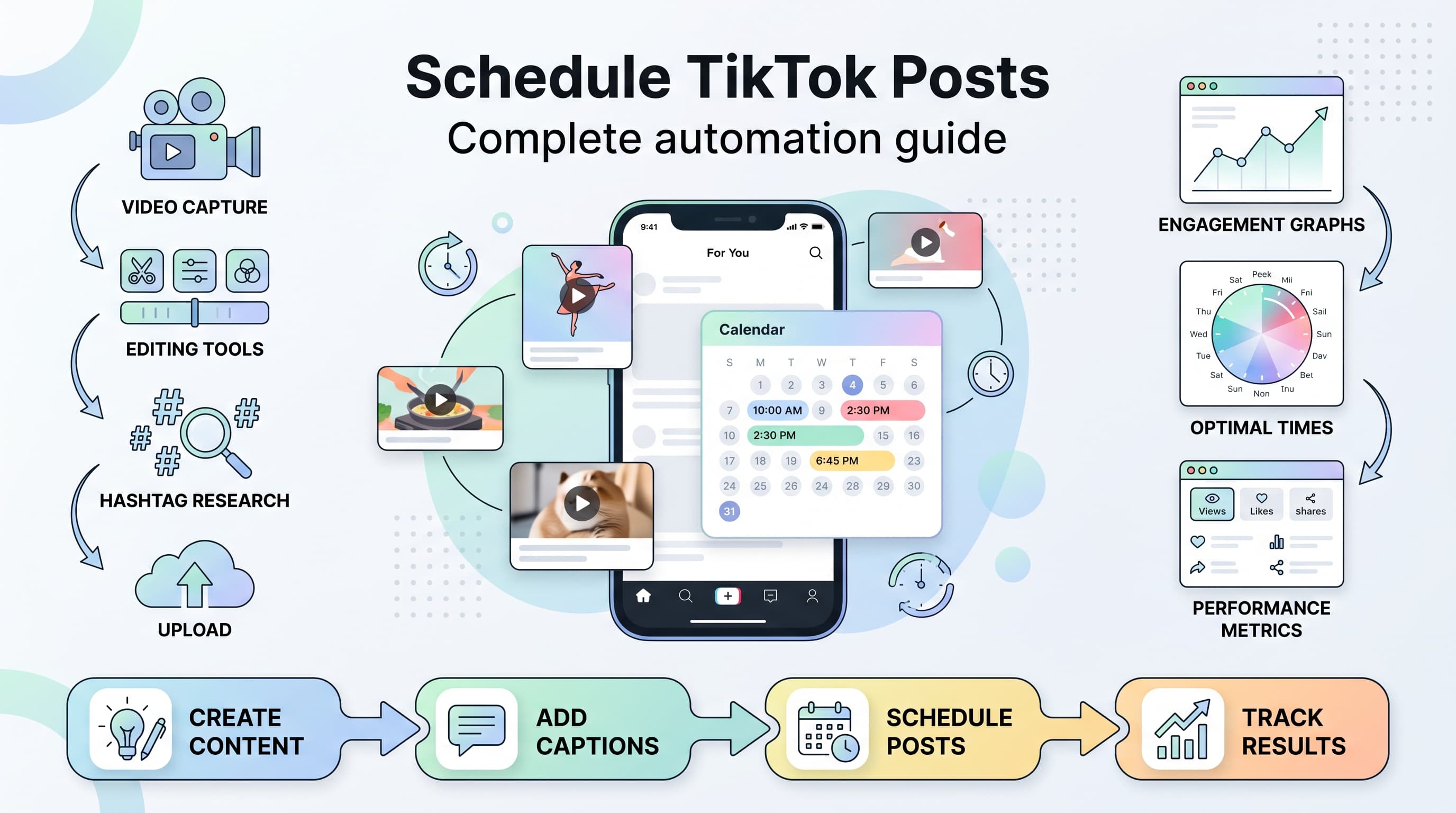
TikTok automation
TikTok is video-only and moves fast. Trends emerge and die within days. This makes TikTok harder to automate than other platforms—you need to stay current.
The best approach: automate your "evergreen" TikTok content while leaving room for trend-jumping. Evergreen content includes tutorials, tips, behind-the-scenes, and story-based videos that don't depend on trending sounds or formats.
Schedule your evergreen content in advance, then batch-create trend-based content weekly. When you spot a trending sound that fits your niche, create and post quickly while it's hot.
Posting times matter less on TikTok than other platforms because the For You Page algorithm surfaces content based on engagement, not recency. That said, posting when your audience is active gives you an initial engagement boost that helps the algorithm notice your video.
LinkedIn automation
LinkedIn has the longest content lifespan of any platform. A post can get engagement for days or even weeks after publishing. This makes it ideal for automation—you can schedule content further in advance without worrying about it feeling stale.
Content that performs well on LinkedIn: personal stories with professional lessons, industry hot takes, carousel posts with tactical advice, and polls that spark debate. Pure promotional content flops.
Schedule your LinkedIn posts for weekday mornings, ideally Tuesday through Thursday between 8-10am in your target audience's timezone. Weekend posting rarely makes sense unless your audience includes entrepreneurs who work seven days a week.
One LinkedIn-specific tip: the first hour after posting determines reach. If possible, be online to respond to early comments. This signals to the algorithm that your post is sparking conversation.
Twitter/X automation
Twitter moves fast. The half-life of a tweet is about 18 minutes. This means you need to post more frequently than other platforms—3-5 times daily for serious growth.
Automation is essential here. Nobody has time to manually post five tweets daily while also doing their actual job. Schedule your core content, then supplement with real-time engagement and replies.
Thread automation is particularly valuable. Write a 10-tweet thread, schedule it to post automatically with proper threading, and you've got content that can drive significant engagement without any same-day effort.
Evergreen content recycling works well on Twitter because of the platform's ephemeral nature. A great tweet from six months ago can be reposted—most of your current followers never saw it the first time.
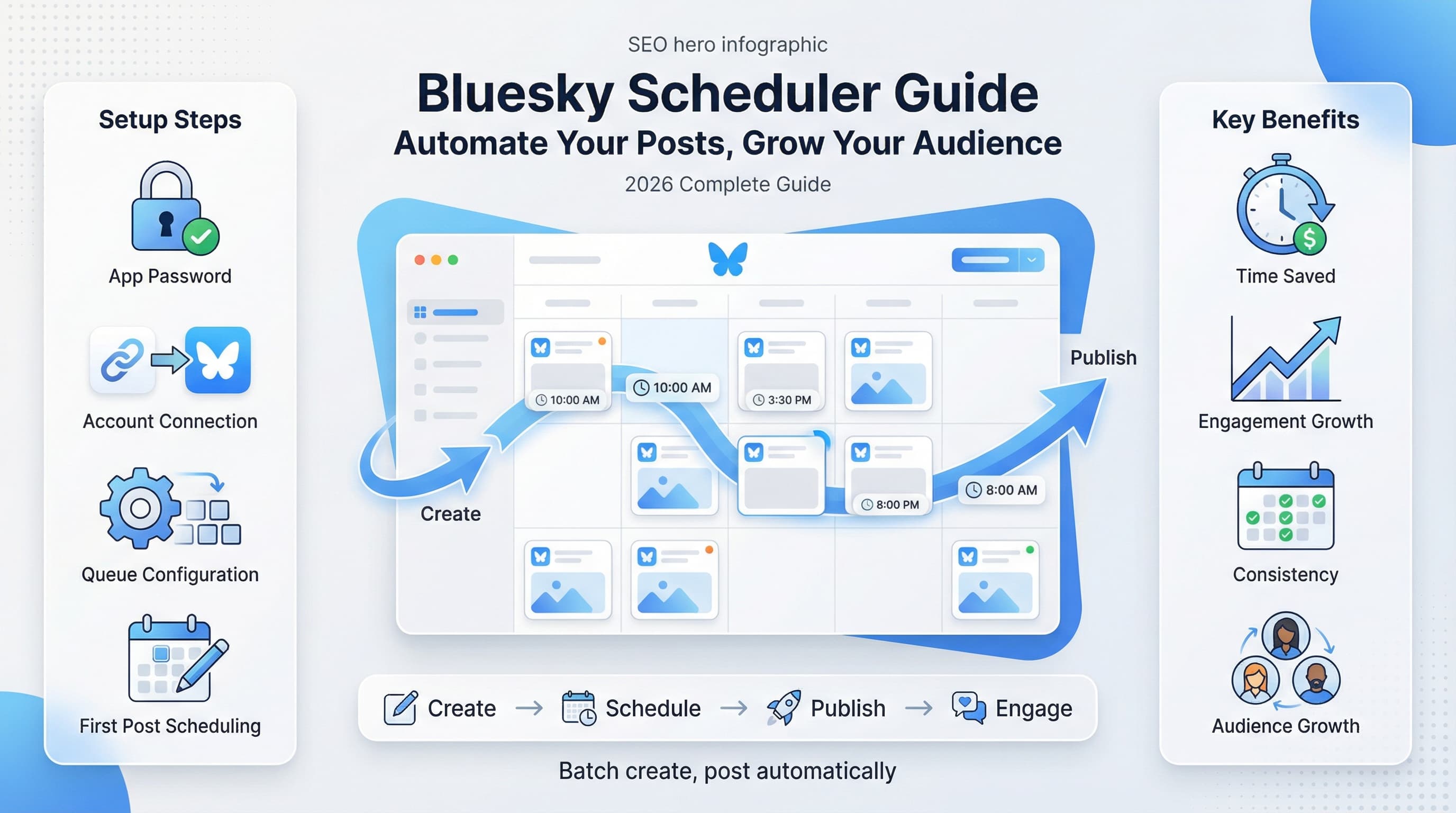
Bluesky automation
Bluesky is the newer decentralized platform that's been growing quickly. Its automation options are still developing, but the basics work: schedule posts, publish automatically, and maintain consistency.
The platform rewards authentic engagement and original content. Avoid purely promotional posts—they get ignored. Focus on thoughts, observations, and conversations. Automation should handle the posting mechanics while you focus on genuine community interaction.
Since Bluesky is still growing, there's less competition for attention. Consistent posting through automation can help you build an audience before the platform gets crowded.
| Platform | Ideal Post Frequency | Best Automation Focus | Keep Manual |
|---|---|---|---|
| 1-2 feed posts/day, 3-5 Stories | Feed posts, Reels | Stories, comments | |
| TikTok | 1-3 videos/day | Evergreen content | Trend content, duets |
| 1 post/day | All post types | Comment responses | |
| Twitter/X | 3-5 tweets/day | Tweets, threads | Quote tweets, replies |
| Bluesky | 2-4 posts/day | All post types | Conversations |
Building a content calendar that actually works
A content calendar is the backbone of any automation strategy. Without one, you're just randomly throwing content into a scheduler. With one, you have a strategic plan that builds toward your goals.
The monthly planning session
Set aside two hours at the start of each month for planning. During this session, you'll map out your content themes, important dates, and posting schedule for the next 30 days.
Start with fixed dates: holidays, product launches, events, campaigns. These are non-negotiable content opportunities. Then fill in with your regular content pillars—the recurring themes and topics your audience expects from you.
For a complete walkthrough, see our content calendar guide.
Content pillars explained
Content pillars are the 3-5 core topics you consistently post about. They give your content strategy structure and help your audience know what to expect.
For example, a fitness coach might have these pillars:
- Workout tutorials (educational)
- Nutrition tips (educational)
- Client transformations (social proof)
- Day-in-the-life (personal connection)
- Myth-busting (thought leadership)
When you sit down to create content, you're not staring at a blank page wondering what to post. You're choosing which pillar to focus on and creating within that framework.
Rotate through your pillars throughout the week. If you post daily, you might hit each pillar once per week with two flex days for timely content.
Calendar templates that work
Your calendar doesn't need to be complicated. A simple spreadsheet with columns for date, platform, content type, pillar, caption, and status works fine for most creators.
The key fields to include:
- Date and time: When the post goes live
- Platform: Where it's being posted
- Content type: Image, video, carousel, text
- Pillar: Which content theme
- Caption: The actual copy
- Hashtags: Pre-researched and ready
- Media link: Where the asset lives
- Status: Drafted, scheduled, posted
As you scale, you might move to dedicated calendar tools built into your scheduling platform. But start simple and add complexity only when needed.
The buffer system
Always maintain a content buffer—posts that are created and ready to schedule but not yet assigned to specific dates. This buffer saves you when content creation sessions get interrupted or when you need to take unexpected time off.
I recommend a two-week buffer minimum. That means if you stopped creating content today, you'd have two weeks of posts ready to go. This cushion removes the pressure and panic that leads to low-quality rushed content.
Build your buffer gradually. Create one extra post per batch session until you reach your target buffer size, then maintain it.
Common automation mistakes (and how to avoid them)
I've seen creators make the same automation mistakes repeatedly. Here's what to watch out for so you don't join them.
Mistake #1: Set it and forget it completely
Automation doesn't mean absence. Some people schedule a month of content, then disappear from their accounts entirely. No engagement, no comment responses, no real-time presence.
The result? Followers can tell. Engagement drops because the account feels like a billboard, not a person. The algorithm notices too—platforms reward accounts that actively engage.
The fix: Schedule your posts, but show up daily for engagement. Even 15 minutes makes a difference. Respond to every comment in the first hour after posting.
Mistake #2: Identical cross-posting
Posting the exact same content to every platform simultaneously looks lazy and performs poorly. Each platform has different audiences, different formats, and different cultures.
A LinkedIn post shouldn't look like a TikTok caption. An Instagram carousel doesn't translate directly to Twitter threads. Cross-posting the same thing everywhere shows you don't understand your audience on each platform.
The fix: Start with one core piece of content, then adapt it for each platform. Change the caption tone, adjust the hashtags, modify the format. The core message can be the same—the packaging should differ.
Mistake #3: Ignoring analytics
Some creators automate their posting but never check whether it's working. They keep doing the same thing month after month regardless of results.
Automation without analysis is just efficient failure. You're posting consistently, but you're not learning anything.
The fix: Weekly analytics reviews, minimum. Know your top-performing posts, worst-performing posts, and best posting times. Adjust your strategy based on data, not hunches.
Mistake #4: Automating too much too fast
New users often try to automate everything at once. They sign up for six tools, set up complex multi-step workflows, and create elaborate systems on day one.
Then something breaks. They don't know which part failed or how to fix it. The whole system collapses and they go back to manual posting, convinced automation "doesn't work."
The fix: Start with one platform and basic scheduling. Master that. Then add another platform. Then try more advanced features. Build your automation system incrementally.
Mistake #5: Forgetting timezone differences
This one catches more people than you'd expect. You schedule a post for 9am, but the tool is set to a different timezone than your audience. Your post goes live at 6am their time when nobody's online.
The fix: Double-check your timezone settings in every tool. If your audience is global, pick a primary timezone based on where most of your followers live, then schedule secondary posts for other regions.
Mistake #6: Using automation to spam
Automation tools make it easy to post constantly. Some people take this too far—posting 10+ times daily, auto-following hundreds of accounts, auto-liking everything, auto-commenting generic messages.
This behavior violates platform terms of service and will get your accounts restricted or banned. Beyond the risk, it just doesn't work. People recognize and ignore spam.
The fix: Automate human-frequency posting. If a normal person couldn't manually post at that pace, you shouldn't be automating it either.
Advanced automation techniques
Once you've mastered the basics, these advanced strategies can take your automation to the next level.
Evergreen content recycling
Your best content deserves more than one posting. Evergreen posts—content that stays relevant regardless of when it's seen—can be scheduled to repeat every few months.
Identify your top 10-20 performing evergreen posts. Create a rotation schedule where each gets reposted every 60-90 days. Most of your current followers didn't see it the first time, and new followers definitely didn't.
When recycling, make small tweaks each time: update the caption slightly, change the hashtags, or adjust the hook. This prevents exact duplication while capturing the same value.
Content repurposing workflows
One piece of content can become many. A blog post becomes a LinkedIn article, then a Twitter thread, then an Instagram carousel, then a TikTok video, then a YouTube Short.
Build repurposing into your automation workflow. When you create something substantial, immediately plan its derivatives. Schedule the original and all repurposed versions across platforms and time.
For detailed repurposing strategies, our social media automation guide covers advanced workflows.
Conditional posting
Advanced automation tools let you set conditions for posting. For example: only post this content if the previous post hit a certain engagement threshold. Or: skip this scheduled post if there's breaking news in the industry.
These conditional workflows require more setup but add intelligence to your automation. You're not just posting blindly—you're posting contextually.
Multi-account management
If you manage multiple brands, client accounts, or personal and professional profiles, automation becomes essential. Handling three accounts manually is a full-time job.
Use tools that support multi-account switching without logging in and out constantly. Create separate content calendars for each account but manage them from one dashboard. Batch create content for all accounts in one session, then schedule across all of them.
Integration automation
Connect your social media automation to other business tools. When you publish a blog post, automatically create and schedule social announcements. When you get a new email subscriber, add them to a list for personalized social outreach.
These integrations use tools like Zapier or Make. Start with simple connections—new blog post triggers Twitter thread creation—then build more complex workflows as you learn.
Measuring your automation success
How do you know if your automation is actually working? Focus on these metrics.
Time saved
Track how long you spend on social media weekly. Before automation, note your hours. After implementing automation, track again. The difference is your time savings.
Most creators save 5-10 hours weekly with basic automation. Advanced users report 15+ hours saved. Calculate your hourly rate and multiply—that's the financial value of your automation investment.
Consistency metrics
Compare your posting consistency before and after automation. Count missed posts, late posts, and gaps in your schedule. Automation should drive this number toward zero.
Also look at content variety. Are you posting across all your content pillars regularly? Automation makes it easier to maintain balanced content mixes instead of always defaulting to what's easiest.
Engagement quality
Watch for changes in engagement rate—not just total engagement, but engagement relative to your follower count. Automation done right should maintain or improve this rate because you're posting at optimal times and maintaining consistency.
If engagement drops after implementing automation, investigate. Maybe you're posting too frequently, or your content feels less authentic, or you're not engaging enough in comments.
Growth rate
Track follower growth rate monthly. Automation alone won't drive massive growth, but the consistency and optimal timing should contribute to steady improvement.
More importantly, track what you're doing with the time you've saved. If automation frees up 10 hours weekly but you're not reinvesting that time in content quality or engagement, you're missing the point.
| Metric | What to Track | Target Improvement |
|---|---|---|
| Time spent | Weekly hours on social media tasks | 40-60% reduction |
| Posting consistency | Percentage of planned posts published | 95%+ compliance |
| Engagement rate | Engagements / followers per post | Maintain or increase |
| Follower growth | Net new followers per month | Steady positive trend |
| Content quality | Average engagement on best posts | Increase over time |
Your first week automation action plan
Let's turn everything you've learned into a concrete action plan. Here's exactly what to do in your first week of automation.
Day 1: Setup and audit
- Sign up for a scheduling tool (Schedulala's 7-day free trial is a solid start)
- Connect your primary social accounts
- Review your posting history for the past month
- Note your current posting frequency and engagement rates
Day 2: Strategy definition
- Define your 3-5 content pillars
- Set your target posting frequency per platform
- Identify your best posting times based on analytics
- Create a basic weekly content template
Day 3-4: Content creation
- Block 3-4 hours for batch content creation
- Create 7-10 posts covering your content pillars
- Write captions and prepare hashtag sets
- Export all assets to a organized folder
Day 5: Scheduling
- Upload all content to your scheduler
- Assign posts to specific dates and times
- Preview each post to catch errors
- Verify timezone settings are correct
Day 6-7: Engagement and monitoring
- Establish your daily engagement routine (15-30 minutes)
- Monitor your first automated posts going live
- Respond to comments within the first hour
- Note any issues or adjustments needed
The bottom line on social media automation
Social media automation isn't about removing the human element from your online presence. It's about removing the parts that don't require a human—the scheduling, the timing, the repetitive posting—so you can invest more energy in the parts that do.
The creators winning on social media in 2026 aren't the ones posting manually at midnight. They're the ones who batched a month of content in one afternoon, scheduled it all in an hour, and now spend their social media time actually being social.
Start with the basics. One platform, one scheduling tool, one week of content. Master that before adding complexity. The goal isn't to build the most sophisticated automation system—it's to build one that works reliably while you focus on what only you can do: creating valuable content and building real relationships with your audience.
The time you save is yours. Use it to make better content, engage more deeply, or just live your life without the constant pressure of needing to post. That's what automation is really about.
Try Schedulala for free
Schedule posts to Bluesky, Twitter, and 8 other platforms from one dashboard.
Get started for free→