Social Media Automation: Complete Guide for 2026
Learn how to automate social media the right way. What to automate, what not to, best tools, and strategies that save time without losing authenticity.

Quick answer
Social media automation means using tools to schedule posts, manage queues, and cross-post content automatically while keeping engagement manual and authentic.
- •Automate scheduling, queuing, and cross-posting to save 10+ hours per week
- •Keep replies, comments, and DMs manual to maintain authentic engagement
- •AI hashtag suggestions and optimal posting times add smart automation features
- •Schedulala automates posting across 12 platforms for $9/month with unlimited posts
Social media automation used to mean one thing: looking like a robot. Generic posts. Obvious scheduling. Zero personality.
That's changed. Today's automation tools let you save hours every week while keeping your content authentic and engaging.
But here's the thing — automation works best when you know what to automate and what to leave alone. Get it right, and you'll wonder how you ever managed without it. Get it wrong, and your audience will notice.
Try Schedulala for free
Schedule posts to Bluesky, Twitter, and 8 other platforms from one dashboard.
Get started for free→What Is Social Media Automation?
Social media automation means using software to handle repetitive tasks on your social accounts. Instead of manually posting every day, you schedule content in advance. Instead of checking analytics one platform at a time, you see everything in one dashboard. If you're new to these concepts, our guide on what is social media scheduling covers the fundamentals.
The goal isn't to remove yourself from social media. It's to spend less time on tasks that don't require your creativity or judgment, so you have more time for the stuff that does.
- Scheduling posts across multiple platforms
- Cross-posting content to different networks
- Aggregating analytics from all accounts
- Republishing evergreen content
- Auto-posting RSS feeds or blog updates
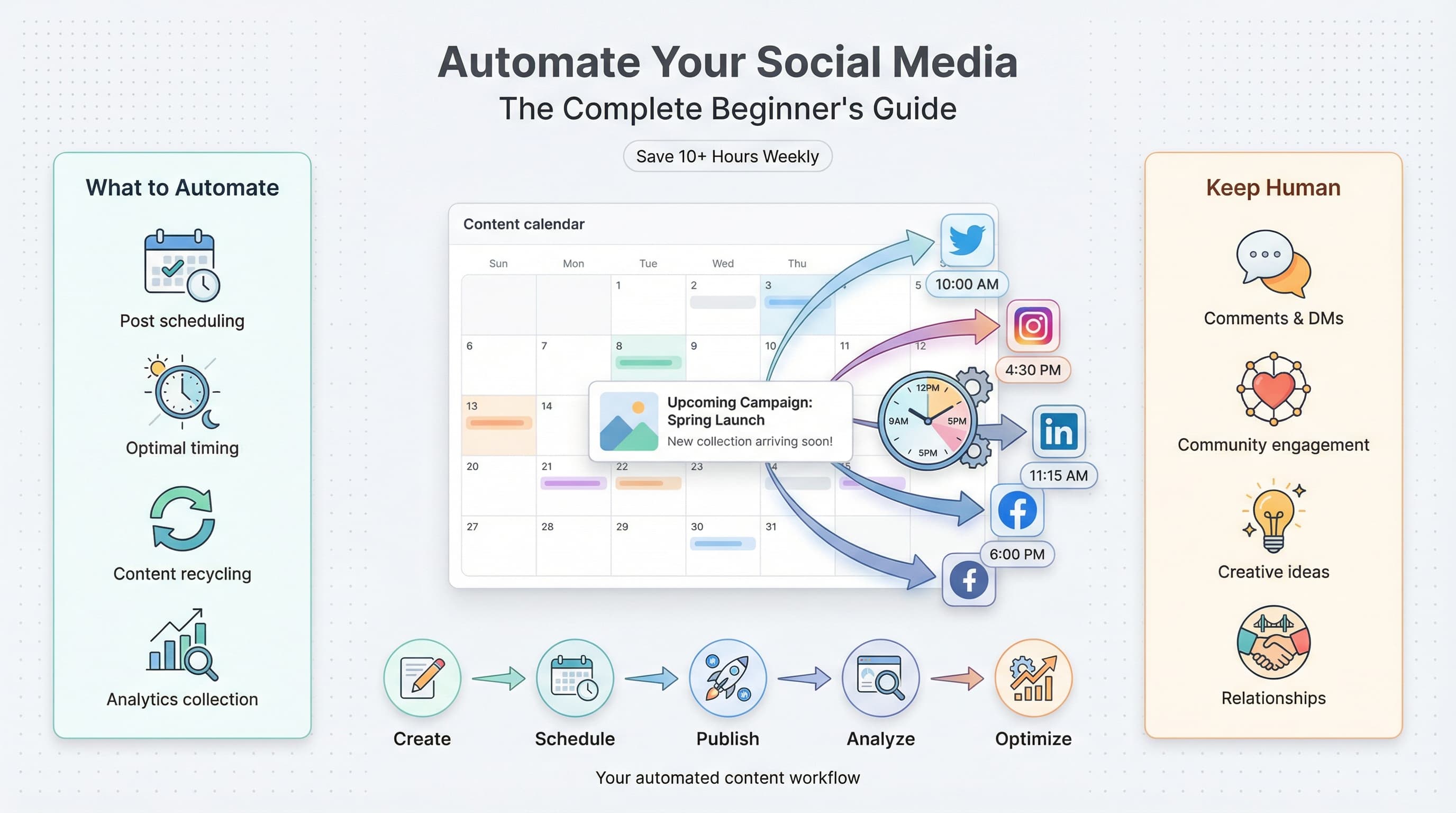
What You Should Automate
Some tasks are perfect for automation. They're repetitive, time-consuming, and don't require real-time thinking.
Post Scheduling
This is the big one. Scheduling lets you batch your content creation, plan weeks ahead, and post at optimal times without being glued to your phone.
Write your posts when you're in the zone, then schedule them for when your audience is most active. See our guide on scheduling to multiple platforms to get started.
Cross-Platform Posting
Managing 10 different social accounts manually is a recipe for burnout. Automation tools let you post to multiple platforms from one place.
Create once, distribute everywhere — with platform-specific tweaks when needed.
Analytics Collection
Checking each platform's native analytics is tedious. Automated dashboards pull all your metrics into one view.
Track engagement, follower growth, and best-performing content without logging into five different apps.
Evergreen Content Recycling
Your best content deserves more than one shot. Automation tools can resurface high-performing posts so new followers see them too.
Set rules for what gets recycled and how often — keep your feed fresh without creating from scratch every time.
RSS to Social
Every time you publish a blog post, podcast episode, or YouTube video, automation can share it automatically to your social channels.
No more forgetting to promote new content. It goes out the moment it's published.
Content Calendar Management
Visual calendars let you see what's going out and when, spot gaps in your schedule, and maintain a consistent posting rhythm.
Drag and drop to reschedule, color-code by platform or content type, and never double-post by accident.
What You Should NOT Automate
Automation has limits. Some things require a human touch, and trying to automate them will backfire.
Direct Conversations
Automated DMs and replies feel impersonal and often miss context entirely. People can tell when they're talking to a bot.
Handle conversations yourself. That's where real relationships are built.
Real-Time Engagement
Trending topics, breaking news, and viral moments require quick thinking. Automation can't respond to the unexpected.
Schedule your baseline content, but stay available to jump on opportunities.
Crisis Response
When something goes wrong — whether it's your company or the world — scheduled posts can look tone-deaf or worse.
Always have a way to pause scheduled content quickly when needed.
Community Comments
Replying to comments builds community and signals that you're actually present. Automated replies come across as lazy.
Set aside time to respond personally. Even short replies make a difference.
Anything Requiring Context
If a task requires understanding nuance, reading the room, or making judgment calls, automation isn't the answer.
Save automation for the predictable stuff. Handle the rest yourself.
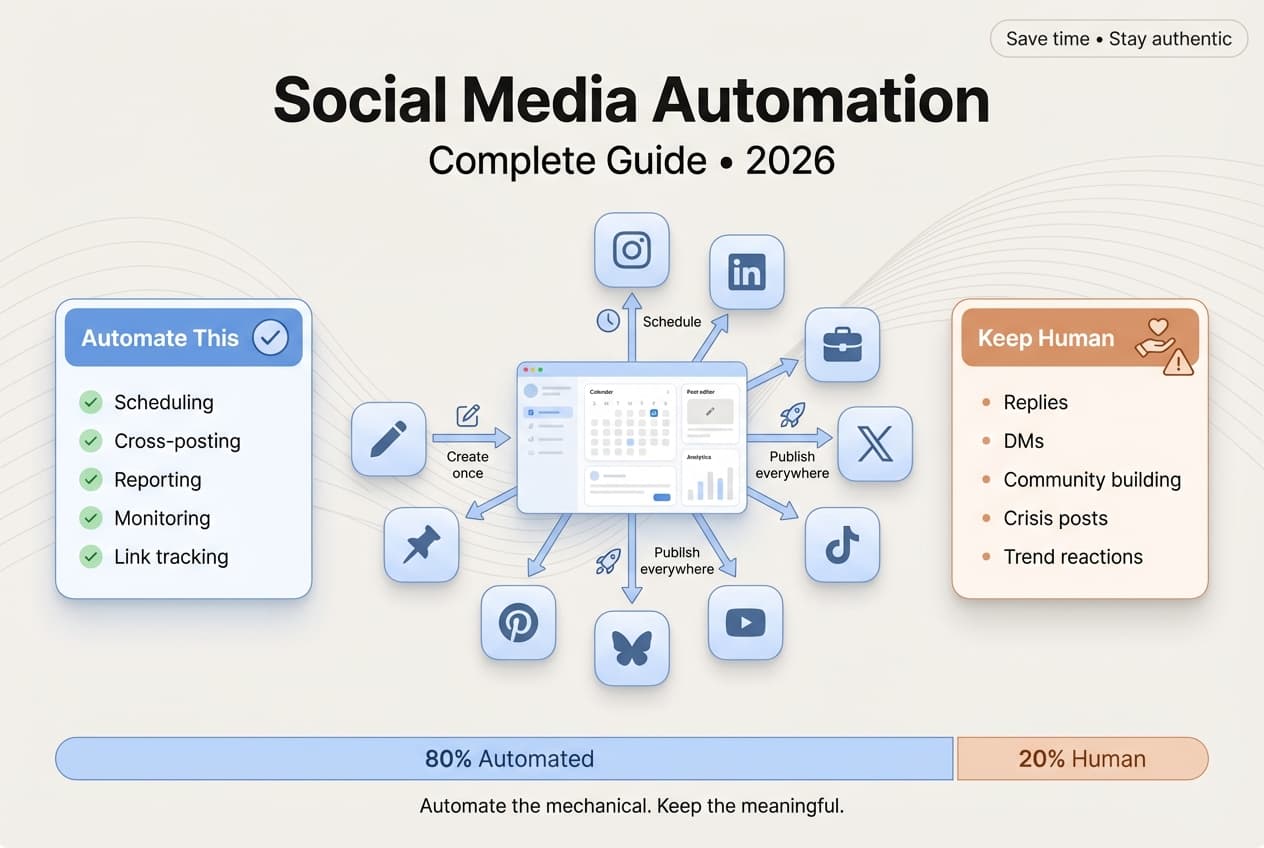
The 80/20 Rule for Social Automation
Here's a framework that works: automate 80% of your content distribution, but keep 20% manual for real-time engagement and spontaneous posts.
Automate (80%): Scheduled posts, cross-platform publishing, evergreen recycling, analytics reports, content calendar management.
Stay Manual (20%): DMs, comment replies, trending topics, Stories, live content, community building.
This ratio keeps you efficient without sacrificing authenticity. Your scheduled content keeps your feed active while you focus your real-time energy on engagement and opportunities.
Social Media Automation Tools
The market has plenty of options. Here's how the main players stack up:
| Tool | Best For | Platforms | Starting Price |
|---|---|---|---|
| Schedulala | Multi-platform scheduling | 12 platforms | $9/month |
| Buffer | Simple scheduling | 8 platforms | $6/channel/month |
| Hootsuite | Enterprise teams | 10+ platforms | $99/month |
| Later | Instagram-focused | 6 platforms | $25/month |
| Sprout Social | Analytics & reporting | 8 platforms | $249/month |
For most creators and small businesses, you don't need enterprise features. A tool that covers your platforms, offers reliable scheduling, and has a clean interface is enough.
Building Your Automation System
Ready to set up your own automation workflow? Follow these steps:
Step 1: Audit Your Current Process
Before automating anything, map out what you're doing now. How much time do you spend posting, checking analytics, and managing each platform?
Identify the repetitive tasks eating most of your time. That's where automation will have the biggest impact.
Step 2: Choose Your Platforms
You don't need to be everywhere. Pick the platforms where your audience actually is and focus your efforts there.
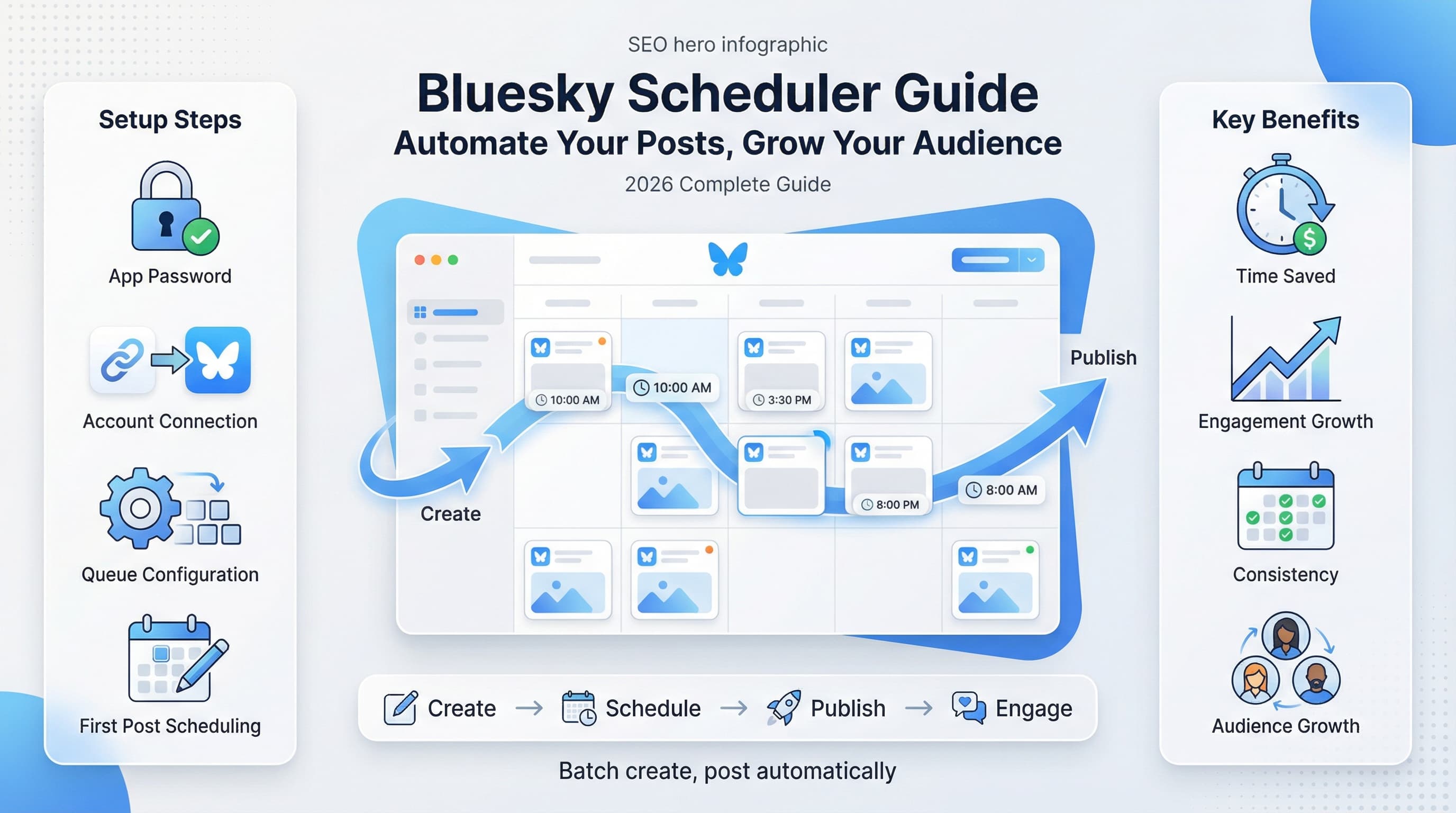
Scheduling to Bluesky and nine other platforms becomes manageable with the right tool.
Step 3: Set Up Your Scheduling Tool
Connect all your accounts to your automation tool. Most tools guide you through the OAuth process for each platform.
Test with a single scheduled post before going all-in. Make sure it posts correctly with the right formatting.
Step 4: Create Content in Batches
Block time for content creation. Write a week's worth of posts in one session instead of scrambling every day.
Batching puts you in creative mode once, then you can schedule everything and move on.
Step 5: Build Your Calendar
Plan your posting schedule based on when your audience is most active. Most tools show optimal times based on your follower data.
Mix content types throughout the week — educational posts, promotional content, engagement-focused questions, and entertainment.
Step 6: Set Up Recurring Slots
Create time slots for specific content types. Monday tips, Wednesday product highlights, Friday community posts.
Recurring slots give you a framework to fill rather than staring at a blank calendar.
Step 7: Monitor and Adjust
Automation isn't set-and-forget. Review your analytics weekly. See what's working and what's not.
Adjust your content mix, posting times, and platforms based on actual performance data.
Automation Mistakes to Avoid
Learn from others' failures. These are the most common automation missteps:
Over-Automation
Automating everything makes your presence feel robotic. Your audience wants to know there's a real person behind the account.
Identical Cross-Posts
Posting the exact same content to every platform ignores how each one works. Twitter has character limits. LinkedIn favors longer form. Instagram needs visuals.
Adapt your content for each platform's format and audience expectations.
Ignoring Platform Updates
Social platforms change constantly. Features get added, algorithms shift, best practices evolve. Automation set up a year ago might not work today.
Review your automation setup quarterly. Update strategies as platforms change.
Set-and-Forget Mindset
Scheduling weeks of content and disappearing is a recipe for disaster. What happens when a scheduled post becomes inappropriate due to current events?
Check your scheduled queue regularly. Stay ready to pause or edit when needed.
Automating Without a Strategy
Posting for the sake of posting wastes time, even when automated. Every post should serve a purpose — engagement, education, promotion, or entertainment.
Define your content pillars before automating. Know what you're trying to achieve with each post.
Automation and Authenticity
The fear with automation is losing authenticity. If everything is scheduled, how can it feel genuine?
Here's the reality: scheduling when a post goes live doesn't change the content itself. A thoughtful post is thoughtful whether you wrote it ten minutes ago or ten days ago.
Authenticity Tips
- Write in your natural voice, not "marketing speak"
- Share real experiences and opinions
- Respond to comments personally
- Mix scheduled content with real-time posts
- Show behind-the-scenes moments in Stories
Automation handles distribution. Authenticity comes from what you say and how you engage.
ROI of Social Media Automation
Is automation worth it? Let's look at typical time savings:
| Task | Manual Time/Week | Automated Time/Week | Savings |
|---|---|---|---|
| Posting to 5 platforms | 5 hours | 1 hour | 4 hours |
| Checking analytics | 2 hours | 20 minutes | 1.5 hours |
| Content planning | 3 hours | 1.5 hours | 1.5 hours |
| Cross-posting | 2 hours | 10 minutes | 1.8 hours |
At $9/month for a tool like Schedulala, the ROI is obvious if your time is worth anything at all.
Frequently Asked Questions
Does automation hurt engagement?
No, if you do it right. Scheduled posts perform just as well as manual posts. What hurts engagement is poor content or ignoring your community — automation has nothing to do with that.
Can I automate Stories and Reels?
Some platforms restrict this, but tools like Schedulala support Instagram Stories and Reels scheduling through Meta's official API.
How far ahead should I schedule?
A week or two is the sweet spot for most people. Far enough to stay consistent, close enough to stay relevant. Schedule your evergreen content further out, but keep timely posts within a few days.
Will followers know I'm using automation?
Not unless you make it obvious. Posts from scheduling tools appear exactly like manual posts. The only giveaway is if you're posting at odd hours or ignoring comments.
Should I automate all my platforms?
Start with your core platforms and expand from there. Better to automate a few platforms well than all of them poorly.
Start Automating Today
Social media automation isn't about becoming a robot. It's about reclaiming your time so you can focus on what matters — creating great content and building real connections.
Start small. Schedule your next week of posts and see how it feels. Once you experience the freedom of a scheduled queue, you won't want to go back to manual posting.
Try Schedulala for free
Schedule posts to Bluesky, Twitter, and 8 other platforms from one dashboard.
Get started for free→