What is Social Media Scheduling? The Complete Guide for 2026
Learn what social media scheduling is, how it works, and why it saves hours weekly. Step-by-step guide to scheduling posts across all platforms.

Quick answer
Social media scheduling is the practice of planning and queuing posts in advance so they publish automatically at set dates and times.
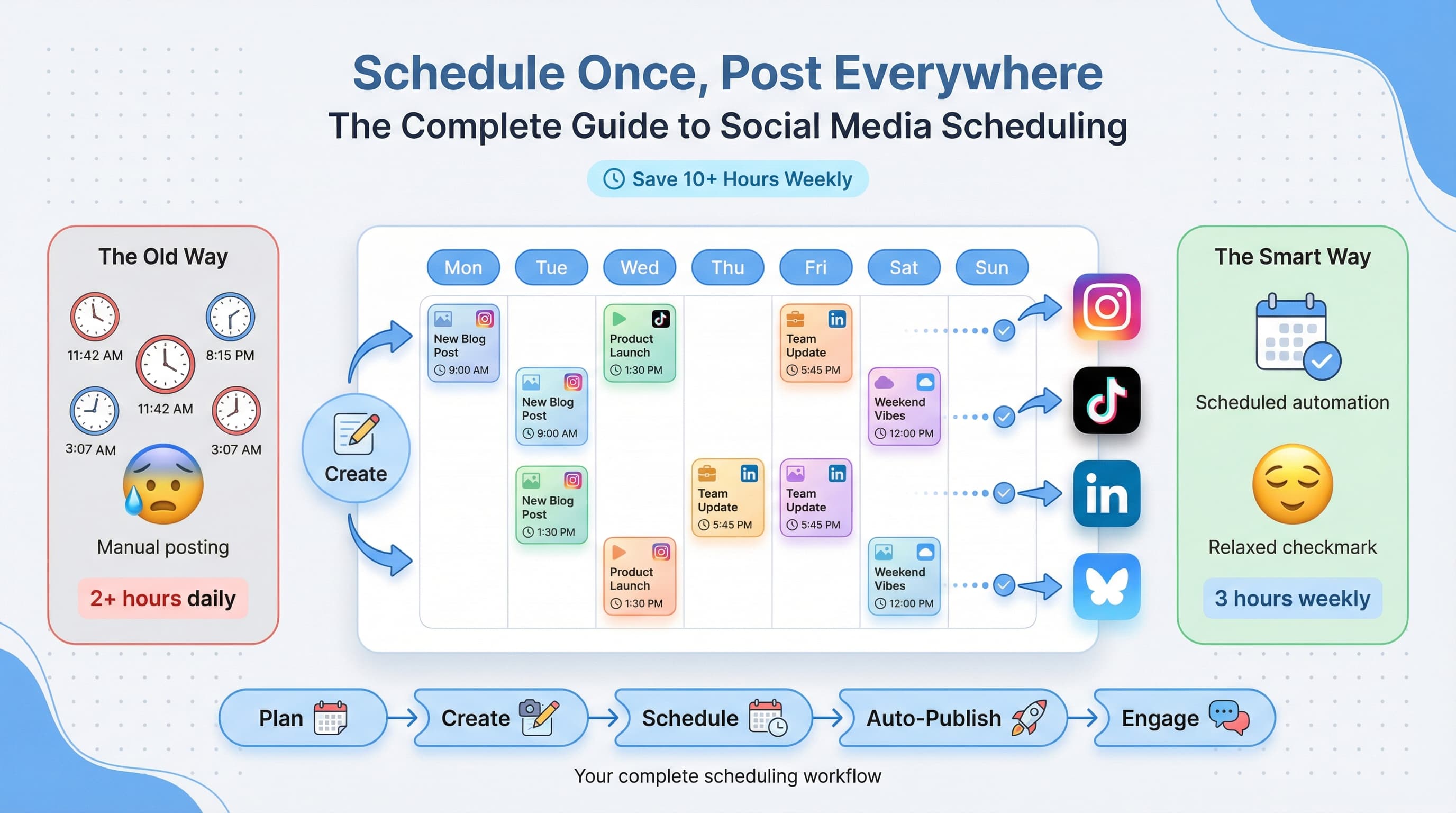
- •Scheduling saves 5-10 hours per week compared to posting manually in real time
- •Most schedulers support multiple platforms from one dashboard
- •Schedulala supports scheduling across 12 platforms for $9/month with unlimited posts
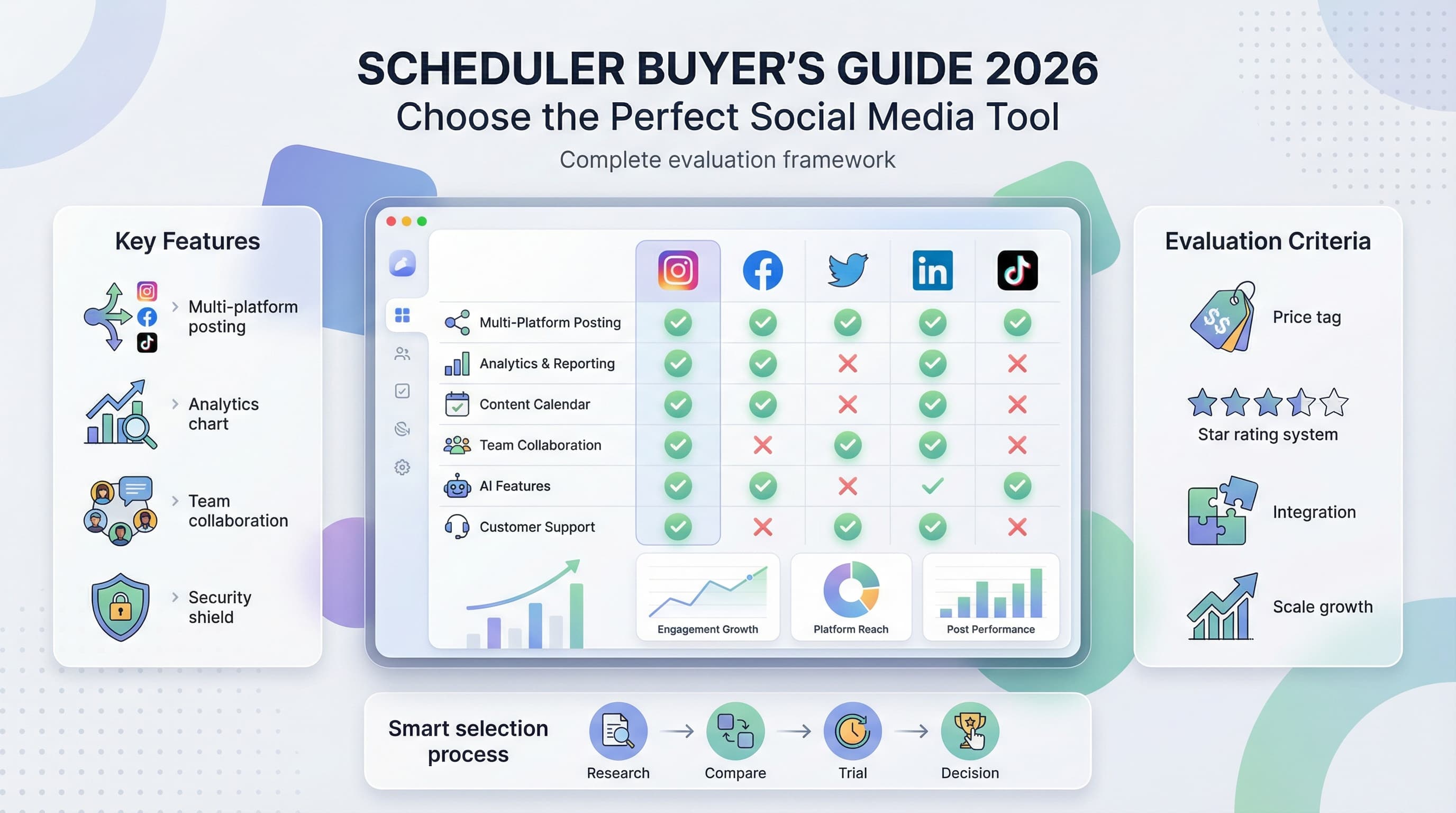
- •Key features to look for: calendar view, queue management, cross-platform posting, and analytics
You just spent 45 minutes crafting the perfect Instagram post. Now you need to post it at 7pm when your audience is actually online. But you have dinner plans. So you set an alarm, interrupt your meal, and scramble to hit publish while your food gets cold.
This is the life of someone who hasn't discovered social media scheduling yet.
What if you could create that post whenever inspiration strikes, then have it automatically publish at the perfect time? That's exactly what social media scheduling does, and it's about to change how you think about content creation entirely.
Try Schedulala for free
Schedule posts to Bluesky, Twitter, and 8 other platforms from one dashboard.
Get started for free→Social media scheduling explained in plain english
Social media scheduling is the practice of creating content ahead of time and setting it to publish automatically at a future date and time. Instead of manually posting in real-time, you use software to queue up your posts and let technology handle the actual publishing.
Think of it like scheduling emails. You write the email now, but it sends tomorrow morning when you know your recipient will see it. Same concept, different platform.
The basic mechanics
Here's how the process typically works. You create your content, whether that's an image, video, carousel, or text post. You write your caption, add hashtags, and include any links. Then you select the date and time you want it to go live. The scheduling tool connects to your social media accounts through official APIs and publishes the content exactly when you specified.
The scheduling tool stores your content securely until the appointed time. When that moment arrives, the software uses the platform's API (Application Programming Interface) to post on your behalf. From your audience's perspective, it looks exactly like you manually hit the publish button yourself.
What you can schedule
Modern scheduling tools support virtually every content type across major platforms. On Instagram, you can schedule feed posts, carousels, Reels, and Stories. LinkedIn supports text posts, articles, documents, and video. TikTok scheduling includes videos with sounds and effects. Facebook covers posts, videos, Stories, and Reels. X (Twitter) handles tweets, threads, and media posts. Bluesky supports posts with images, links, and quote posts.
Some platforms have restrictions on what can be scheduled. For example, Instagram Stories scheduled through third-party tools may have limited interactive features. But for the vast majority of content, scheduled posts are identical to manually published ones.
Why scheduling matters more than ever in 2026
The social media game has changed dramatically. Algorithms now favor consistent posting over sporadic viral attempts. Audiences expect regular content from brands and creators they follow. And the number of platforms worth maintaining a presence on keeps growing.
Let's look at the numbers. The average social media manager handles 3-7 platforms simultaneously. Posting consistently to each platform requires 2-4 hours daily if done manually. That's before you even factor in engagement, analytics, or strategy work.
The consistency problem
Algorithms on every major platform reward accounts that post regularly. Instagram's algorithm specifically tracks posting frequency when deciding how much reach to give your content. TikTok's For You Page algorithm considers account activity levels. LinkedIn's feed prioritizes active creators over dormant accounts.
But here's the thing: humans aren't consistent. We get sick. We go on vacation. We have busy weeks where content creation falls to the bottom of the priority list. We forget. We oversleep. We get pulled into meetings that run long.
Scheduling removes human inconsistency from the equation. Your content goes out whether you're having a great day or a terrible one. Your audience gets the reliable posting schedule they've come to expect, and algorithms reward you accordingly.
The timing advantage
Every platform has optimal posting times, and they're rarely convenient. The best time to post on LinkedIn is often 7-8am when professionals check their feeds before work. Instagram engagement peaks around lunch (11am-1pm) and evening (7-9pm). TikTok's sweet spot varies by audience but often falls during commute times and late night scrolling hours.
If you're managing a global audience, the complexity multiplies. Your Australian followers are awake when your American followers are asleep. Posting manually to catch both audiences would mean setting alarms for 3am.
Scheduling tools let you post at optimal times regardless of your own schedule or timezone. You can hit peak engagement windows on every platform without restructuring your entire life around posting times.
How social media scheduling actually works: step by step
Let's walk through the actual process of scheduling content. I'll use a practical example to make this concrete.
Step 1: Connect your accounts
First, you'll link your social media accounts to your scheduling tool. This involves logging into each platform and granting the tool permission to post on your behalf. The tool uses OAuth authentication, which means it never actually sees your password. You're granting specific, limited permissions that you can revoke anytime.
Most tools support connecting multiple accounts per platform. So if you manage your personal brand plus your company's accounts, you can connect all of them in one place.
Step 2: Create your content
This is where you do the actual creative work. Write your caption, upload your media, and craft your message. Good scheduling tools let you preview exactly how your post will appear on each platform before it goes live.
Many creators prefer to batch create content during dedicated creative sessions. You might spend one morning creating a week's worth of posts, then schedule them all at once. This approach lets you stay in creative flow rather than context-switching between creation and publishing throughout the week.
Step 3: Choose your timing
Select when you want each post to go live. You can pick specific dates and times, or use features like "queue slots" that automatically assign posts to your pre-defined optimal times.
Some tools offer AI-powered timing suggestions based on your historical engagement data. Others let you set up recurring time slots, like "every Tuesday at 9am" for your weekly tips series.
Step 4: Review and confirm
Before finalizing, review your scheduled content. Check for typos, verify your images look correct, and confirm your timing makes sense. Most tools show a calendar view so you can see your entire content schedule at a glance.
This is also when you'd check that you're not accidentally scheduling conflicting content. You don't want a serious industry commentary post going live right after a meme, for example.
Step 5: Let it run
Once confirmed, your content enters the queue. The scheduling tool monitors the clock and publishes each post at its designated time. You'll typically get notifications confirming successful publication, and alerts if anything fails.
After posts go live, most tools provide analytics so you can track performance. This data helps you refine your timing and content strategy for future posts.
The real benefits of scheduling (beyond saving time)
Everyone talks about time savings, and yes, scheduling definitely gives you hours back each week. But the benefits go much deeper than that.
Better content quality
When you're rushing to post something "right now," quality suffers. You settle for a mediocre image because you don't have time to find a better one. You skip proofreading because you're already running late. You post without a clear strategy because you just need to get something up.
Scheduling gives you the luxury of intention. You can draft a post, step away, and return with fresh eyes before it ever goes live. You can show it to a colleague for feedback. You can test different caption variations. The pressure of immediate publishing disappears, and your content improves as a result.
Strategic thinking over reactive posting
Without scheduling, social media becomes a daily scramble. What should we post today? Quick, we need something! This reactive approach leads to disjointed content that lacks cohesion.
When you schedule ahead, you can think strategically. You might plan a month-long campaign with interconnected posts. You can ensure your content mix includes the right balance of educational, entertaining, and promotional posts. You can align your social content with product launches, seasonal events, or industry happenings.
Using a social media content calendar alongside your scheduling tool transforms random posting into strategic communication.
Team collaboration becomes possible
If multiple people contribute to your social media, scheduling tools become essential for coordination. Team members can draft posts for review. Managers can approve content before it goes live. Everyone can see what's scheduled and avoid duplication or conflicts.
Without scheduling, team collaboration is chaotic. Who's posting today? Did anyone handle the Tuesday post? Is that already live or still a draft? These questions disappear when everything lives in a shared scheduling queue with clear visibility.
Mental health and work-life balance
This benefit doesn't get discussed enough. The pressure of constant real-time posting is exhausting. You can never fully disconnect because the algorithm demands feeding. Weekends, holidays, evenings, all become potential posting times that pull you back to work.
Scheduling lets you maintain an active social presence while actually living your life. Your accounts stay active while you're on vacation. Your content posts on Saturday morning while you sleep in. The mental relief of knowing your social media is handled cannot be overstated.
Native scheduling vs third-party tools
Most social platforms now offer some form of native scheduling. Meta Business Suite lets you schedule Facebook and Instagram posts. LinkedIn has a built-in scheduling feature. YouTube Studio allows scheduled video uploads. So why would you use a third-party scheduling tool?
| Feature | Native scheduling | Third-party tools |
|---|---|---|
| Platform coverage | One platform only | Multiple platforms |
| Content calendar view | Basic or none | Visual calendar |
| Cross-posting | Not available | Post to all platforms at once |
| Team collaboration | Limited | Full workflows and approvals |
| Analytics | Platform-specific | Unified cross-platform data |
| Bulk scheduling | Rarely supported | Upload dozens at once |
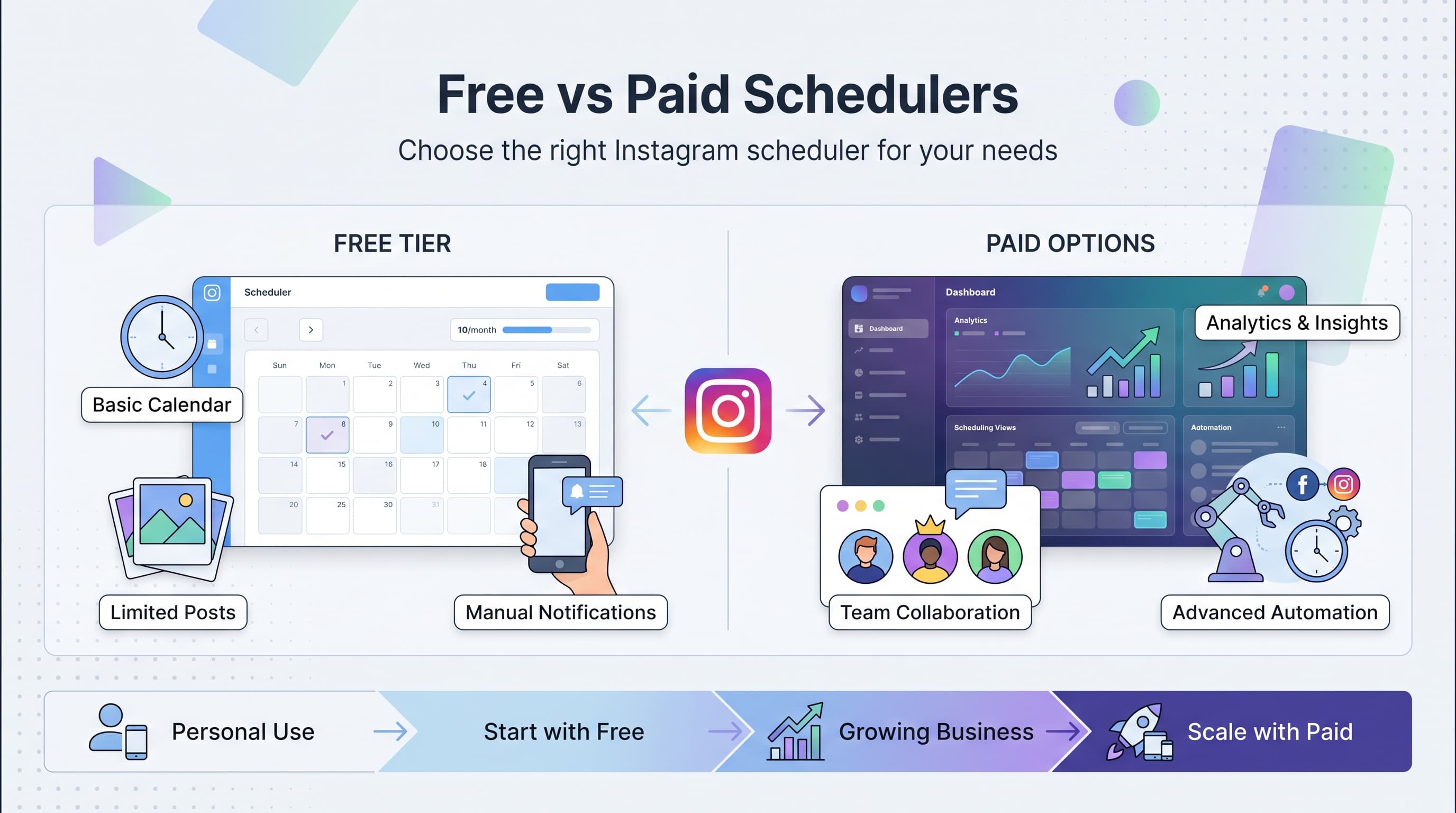
| Price | Free | Free to paid tiers |
When native scheduling works
If you only use one or two platforms and have simple needs, native scheduling might be enough. It's free, it's built right into the platform, and there's no additional tool to learn.
Native tools also sometimes support features that third-party tools can't access. Instagram's native scheduling through Meta Business Suite, for example, may support newer features before third-party tools get API access.
When third-party tools make sense
The moment you're managing more than two platforms, third-party tools become significantly more efficient. Instead of logging into Meta Business Suite, then LinkedIn, then TikTok's creator portal, you manage everything from one dashboard.
When you need to schedule posts to multiple platforms simultaneously, third-party tools save enormous amounts of time. Create one post, customize it slightly for each platform's format, and schedule it everywhere with a few clicks.
Third-party tools also excel at providing a unified view of your content strategy. You can see everything you have scheduled across all platforms in one calendar, making it easy to spot gaps or overlaps in your posting schedule.
Common scheduling mistakes to avoid
Scheduling is powerful, but it's not foolproof. Here are the mistakes that trip up even experienced social media managers.
Mistake 1: Schedule and forget
The biggest mistake is treating scheduled content as "done" the moment you queue it. Scheduling handles publishing, but it doesn't handle engagement. If someone comments on your scheduled post and you don't respond for three days, the scheduling tool isn't to blame, you are.
Build time into your schedule for engagement, not just creation. Check your notifications daily. Respond to comments promptly. Scheduling frees up time, but some of that time needs to go back into genuine interaction with your audience.
Mistake 2: Ignoring context changes
You scheduled a lighthearted meme for Friday. Then a major news event happens on Thursday. Suddenly your frivolous content feels tone-deaf or insensitive.
Always review your scheduled content when significant events occur. Most tools let you pause or quickly reschedule posts. Keep an eye on the news and be ready to adjust your queue when context demands it.
Mistake 3: Scheduling too far ahead
Some people get excited about scheduling and queue up three months of content. The problem? A lot can change in three months. Your product might pivot. Industry trends might shift. That reference that was relevant when you wrote it might be outdated by the time it posts.
I recommend scheduling no more than 2-4 weeks ahead for most content. Evergreen content can go further out, but anything topical or timely needs a shorter horizon.
Mistake 4: Same content everywhere
Cross-posting the exact same content to every platform is lazy, and audiences notice. What works on LinkedIn (professional, longer-form) doesn't work on TikTok (casual, trend-driven). Instagram's visual-first approach differs from X's text-first format.
Use scheduling to adapt content for each platform, not to blast identical posts everywhere. Most tools let you customize captions, hashtags, and even media for each platform while scheduling from one central post.
Mistake 5: Scheduling during platform outages
Social platforms have outages. APIs go down. Authentication expires. Your scheduled post might fail to publish, and if you're not monitoring, you won't know until hours later.
Choose scheduling tools that notify you of failed posts. Check your scheduled content actually went live, especially for important posts. Have a backup plan for critical announcements.
Getting started with scheduling: a practical approach
Ready to start scheduling? Here's how to begin without overwhelming yourself.
Week 1: Audit and prepare
Start by documenting your current posting situation. Which platforms are you on? How often are you posting to each? When does your audience seem most engaged? What types of content perform best?
This audit gives you a baseline and helps you identify where scheduling will have the biggest impact. If you're posting to Instagram daily but LinkedIn only sporadically, you know LinkedIn consistency should be a priority.
Week 2: Choose your tool and connect accounts
Select a scheduling tool that fits your needs and budget. Most offer free trials, so you can test before committing. Connect your social accounts and familiarize yourself with the interface.
Don't try to learn every feature immediately. Focus on the basics: creating a post, selecting timing, and scheduling. Advanced features can come later.
Week 3: Schedule your first week of content
Create and schedule one week of content. This is your training ground. Pay attention to what feels clunky, what questions arise, and how long the process takes.
Monitor your scheduled posts carefully this first week. Confirm they're publishing correctly. Check how they look on each platform. Note any issues to troubleshoot.
Week 4 and beyond: Refine and expand
Based on your first week's experience, refine your process. Maybe you need to set up queue slots for faster scheduling. Maybe you want to explore the analytics features. Maybe you need to adjust your posting times based on early results.
Gradually extend your scheduling horizon. Move from one week ahead to two weeks. Experiment with batch creation sessions. Build workflows that fit your natural creative rhythms.
Scheduling and automation: where's the line?
Scheduling is a form of social media automation, but it's important to understand where helpful automation ends and problematic automation begins.
Good automation
Scheduling posts at optimal times? Good automation. It handles a logistical task that doesn't require human judgment at the moment of execution. The human input happened during content creation; automation just handles the delivery.
Auto-publishing RSS feeds to share your blog posts? Generally fine, as long as you're adding value and not just spamming links. Sending yourself notifications about engagement spikes? Helpful automation that keeps you informed without requiring constant manual checking.
Problematic automation
Auto-responding to comments with generic messages? Problematic. It's obvious to users and damages trust. Auto-following/unfollowing to game follower counts? Violates most platforms' terms of service and risks account suspension.
Auto-DMing new followers with sales pitches? Annoying at best, spam at worst. Any automation that pretends to be human interaction when it isn't crosses the line.
The bottom line on social media scheduling
Social media scheduling is simply the practice of creating content now and having it publish later. But that simple capability unlocks enormous benefits: better content quality, strategic consistency, improved work-life balance, and more effective use of your limited time.
The tools have matured significantly. Whether you use native platform features or third-party solutions like Schedulala, scheduling has become reliable, feature-rich, and accessible at every budget level.
If you're still posting everything manually in real-time, you're working harder than necessary. The time you spend interrupting your day to post could be spent on strategy, engagement, or simply living your life while your content handles itself. Whether you focus on Instagram, TikTok, or any other platform, scheduling gives you back control of your time.
Try Schedulala for free
Schedule posts to Bluesky, Twitter, and 8 other platforms from one dashboard.
Get started for free→