Social Media Scheduler Buyer's Guide 2026: Choose the Right Tool for Your Business
Complete social media scheduler guide for 2026. Compare features, pricing, and find the perfect tool for your business needs. Expert recommendations inside.

Quick answer
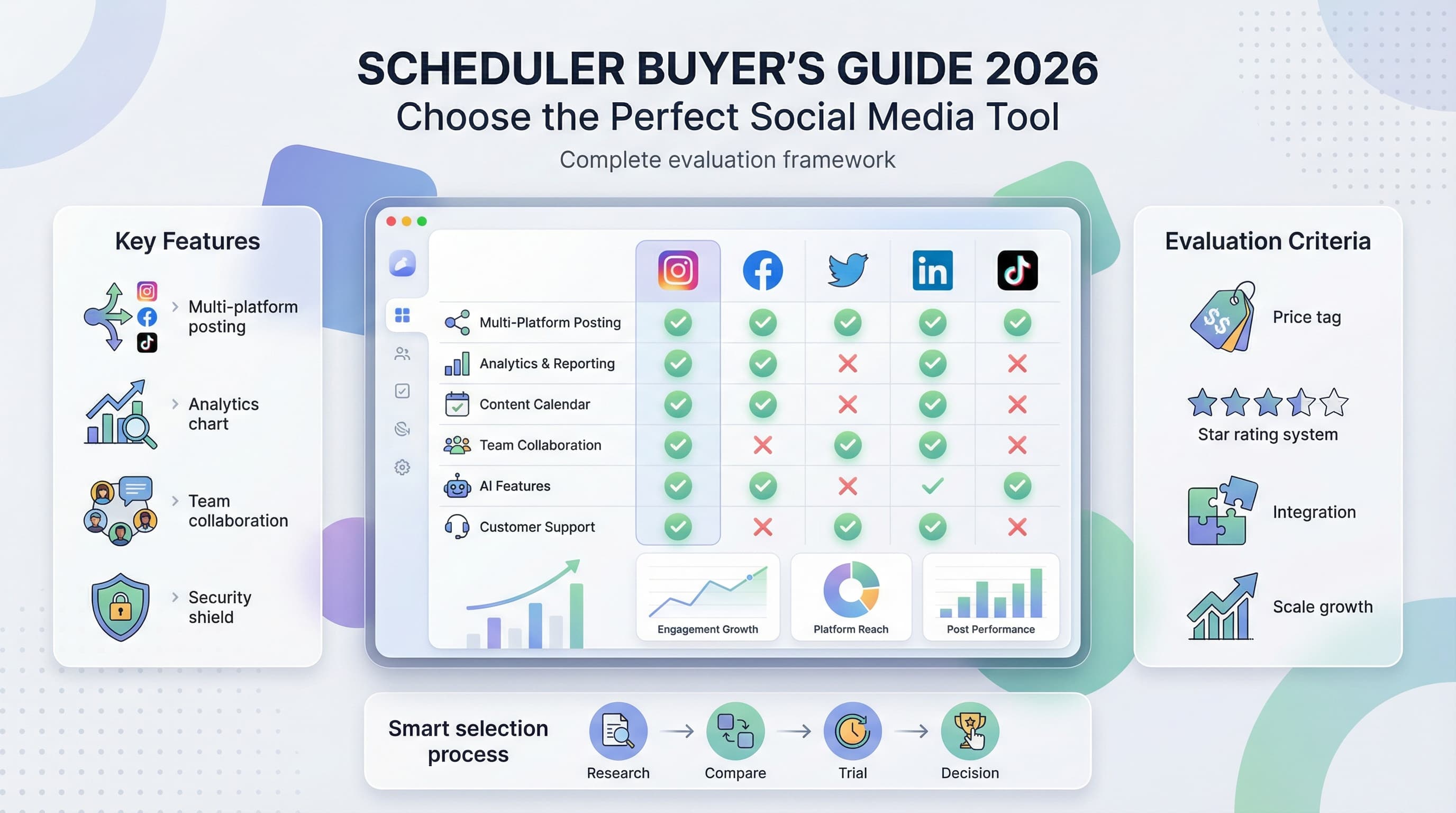
Choose a social media scheduler based on platform support, post limits, pricing, analytics, and team collaboration features.
- •Schedulala covers 12 platforms for $9/month with unlimited posts and no per-channel fees
- •Enterprise tools like Sprout Social ($199/month) and Hootsuite ($99/month) add advanced analytics
- •Look for official API approvals (Meta, TikTok, Pinterest) to ensure reliable auto-publishing
- •Team features matter for agencies: role permissions, approval workflows, and shared calendars
Posting content manually across multiple social platforms at optimal times? That's like trying to water your garden with a teaspoon during a thunderstorm. See our Instagram scheduling guide.
See It in Action
This is what scheduling an Instagram post looks like in Schedulala
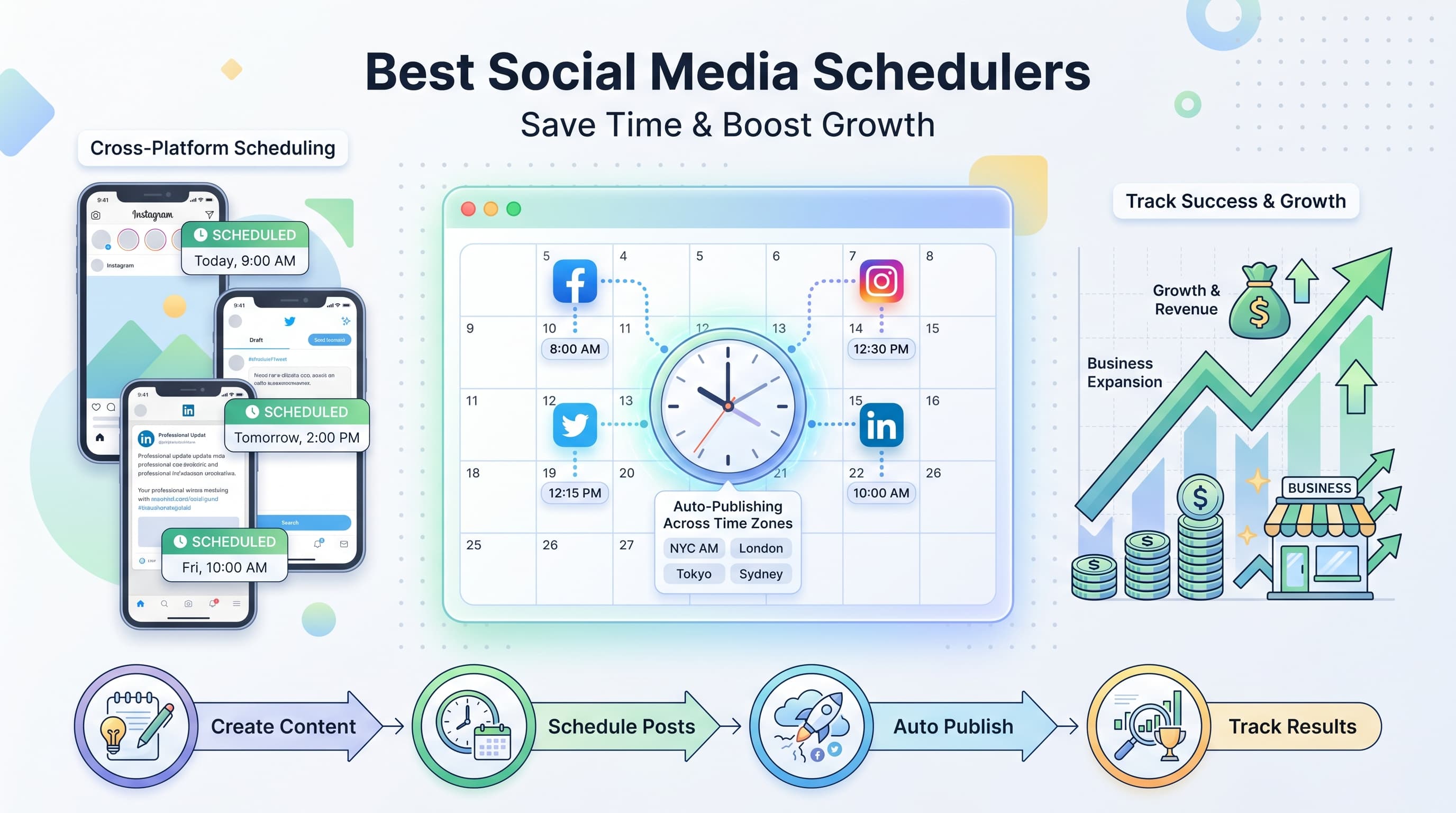
The social media scheduler market has exploded with options, making it harder than ever to pick the right tool for your needs. Our social media scheduling tools can help.
How do you cut through the marketing noise and find a scheduler that actually delivers results without breaking your budget? See our how to automate bluesky guide.
Try Schedulala for free
Schedule posts to Bluesky, Twitter, and 8 other platforms from one dashboard.
Get started for free→What Makes a Great Social Media Scheduler in 2026
The social media scheduling landscape has matured significantly. Gone are the days when simply posting at predetermined times was enough. Modern schedulers need to be smart, adaptable, and integrated with the broader marketing ecosystem. Learn more about how to repurpose content.
Essential Features Every Scheduler Must Have
Multi-platform support isn't optional anymore. Your scheduler should handle at least the big five: Facebook, Instagram, Twitter, LinkedIn, and TikTok. But the real test is how well it adapts to each platform's unique requirements. Learn more about best time to post on instagram.
Instagram Stories need different treatment than LinkedIn articles. TikTok videos require hashtag strategies that don't work on Twitter. A good scheduler understands these nuances and adjusts accordingly. Try our instagram engagement calculator.
Advanced Analytics That Actually Matter
Basic metrics like reach and impressions are table stakes. What separates premium schedulers from basic ones is actionable analytics. Look for tools that track engagement rates by content type, optimal posting times based on your actual audience behavior, and competitor benchmarking.
The best schedulers learn from your data. They suggest content improvements, identify your top-performing hashtags, and even recommend posting schedules based on when your audience is most active.
Content Creation and Curation Tools
Scheduling is only half the battle. Creating engaging content consistently is where most businesses struggle. Look for schedulers that include content creation tools, template libraries, and AI-powered caption suggestions.
Some advanced tools integrate with stock photo libraries, offer basic graphic design capabilities, or connect with content curation sources. These features can save hours of work each week.
Platform-Specific Requirements You Can't Ignore
Each social platform has evolved its own ecosystem of features, limitations, and best practices. Your scheduler needs to keep up with these changes, often in real-time.
Instagram's Complex Requirements
Instagram remains one of the most challenging platforms to automate effectively. Stories, Reels, IGTV, carousel posts, and shopping tags all require different approaches. Many schedulers still struggle with Instagram's API limitations.
Look for tools that offer Instagram-specific features like first comment scheduling (for your hashtags), story templates, and Reels optimization. The ability to preview exactly how your content will look in the Instagram feed is crucial.
Auto-posting to Instagram Stories is still limited due to API restrictions. Most schedulers send push notifications instead, which means you'll still need manual intervention for Stories.
LinkedIn's Professional Edge
LinkedIn has become the powerhouse for B2B marketing, but it requires a completely different content strategy than other platforms. Your scheduler should support LinkedIn articles, company page posting, and personal profile management.
Advanced LinkedIn features include employee advocacy tools, lead generation forms, and LinkedIn Event promotion. If B2B marketing is important to your business, these features can significantly impact your results.
TikTok's Rapid Evolution
TikTok support is relatively new for most schedulers, and the quality varies dramatically. The platform's algorithm heavily favors recent, trending content, making timing critical.
Look for schedulers that understand TikTok's unique hashtag culture, trending sound integration, and the importance of vertical video optimization. Some tools now offer TikTok-specific analytics that track video completion rates and trending hashtag suggestions.
Twitter's Real-Time Nature
Twitter's fast-paced environment makes scheduling both easier and more complex. While the platform is straightforward for basic posting, advanced features like Twitter Threads, Twitter Spaces promotion, and real-time engagement require sophisticated tools.
Thread scheduling has become essential for thought leadership content. Your scheduler should handle multi-tweet threads seamlessly, including proper numbering and thread continuation.
Pricing Models Decoded: What You're Really Paying For
Social media scheduler pricing has become increasingly complex, with various tiers, feature limitations, and hidden costs that can catch you off guard.
Per-Profile vs Per-User Pricing
Most schedulers charge based on the number of social profiles you connect. This seems straightforward until you realize that some count each platform separately, while others count by business account.
For example, if you manage Instagram, Facebook, and Twitter for one business, that might count as three profiles with some tools, or one account with others. Always clarify this before signing up.
Per-user pricing becomes important as your team grows. Some tools charge $50 per month for unlimited profiles but add $20 for each additional team member. Others offer unlimited team members but limit profiles.
Post Volume Limitations
Many schedulers advertise unlimited posting, but read the fine print. Some have daily posting limits, others restrict certain post types, and some throttle posting speed during peak times.
If you're managing multiple clients or running high-volume campaigns, these limitations can be deal-breakers. Test the tool with your actual posting volume before committing to annual plans.
Analytics and Reporting Costs
Basic analytics are usually included, but detailed reporting often costs extra. Advanced features like competitor analysis, custom reporting, or white-label reports typically require premium tiers.
Consider whether you need these features immediately or can grow into them. Some businesses are better off starting with basic plans and upgrading as their needs evolve.
| Pricing Model | Best For | Watch Out For |
|---|---|---|
| Freemium | Testing and small businesses | Severe limitations, branding |
| Per-Profile | Agencies and multi-brand management | Profile counting methods |
| Per-User | Large teams, single brand | Limited collaboration features |
| Flat Rate | Predictable budgeting | Feature limitations at scale |
| Usage-Based | Variable posting volumes | Unexpected overage charges |
Team Collaboration Features That Make or Break Productivity
Social media management is rarely a one-person job. Whether you're working with internal teams, external agencies, or clients, collaboration features can dramatically impact your workflow efficiency.
Approval Workflows and Content Review
Content approval processes vary widely between tools. Some offer simple binary approval (yes/no), while others support multi-stage workflows with different approval levels for different types of content.
The best systems allow you to set up custom approval workflows. For example, you might want all posts over $100 in ad spend to require manager approval, while routine social posts can be approved by team leads.
Look for tools that send clear notifications, allow approval via mobile apps, and maintain approval histories for compliance purposes.
Role-Based Permissions and Access Control
Not everyone on your team should have access to everything. Interns shouldn't be able to delete published posts, and external contractors shouldn't see your analytics data without explicit permission.
Advanced schedulers offer granular permission controls. You can restrict access by social platform, content type, or specific features like analytics or account settings.
Client management becomes much easier when you can create client-specific dashboards that show only their accounts and data.
Content Asset Management
Shared media libraries save tremendous time, but only if they're well-organized. Look for tools that support folder structures, tagging systems, and search functionality for your images, videos, and other assets.
Version control becomes important when multiple team members are editing content. Some schedulers track changes and allow you to revert to previous versions of posts.
Communication and Feedback Tools
Internal commenting systems keep feedback organized and prevent important discussions from getting lost in email chains. The best tools allow threaded conversations on specific posts and tag team members for attention.
Some advanced schedulers integrate with communication tools like Slack or Microsoft Teams, sending notifications and updates directly to your existing workflow channels.
Content Creation Tools: Built-in vs Integrated vs External
The line between social media schedulers and content creation tools continues to blur. Many schedulers now include basic design tools, while others integrate deeply with external creative platforms.
Built-in Design Tools
Basic graphic design capabilities are becoming standard in premium schedulers. These typically include template libraries, text overlay tools, and simple image editing functions like filters and cropping.
The quality varies dramatically. Some tools offer genuinely useful design features that can replace simpler tasks you might normally do in Canva or Photoshop. Others provide such basic functionality that you'll still need external tools for most creative work.
Video editing capabilities are still rare but growing. A few schedulers now offer basic video trimming, text overlays for videos, and simple animation effects.
Integration with Creative Platforms
Deep integrations with tools like Canva, Adobe Creative Suite, or Figma can streamline your creative workflow significantly. Look for schedulers that allow you to edit designs directly within the platform or import assets seamlessly.
Stock photo integrations save time and ensure you're using licensed images. Some schedulers include credits for stock photos as part of their subscription, while others connect to your existing accounts with Shutterstock, Unsplash, or Getty Images.
AI-Powered Content Assistance
Artificial intelligence features are rapidly improving in social media schedulers. Current capabilities include caption writing assistance, hashtag suggestions, and optimal posting time recommendations.
More advanced AI tools can analyze your best-performing content and suggest similar topics or formats. Some can even generate image captions automatically by analyzing the visual content of your photos.
Be realistic about AI capabilities. While these tools can speed up content creation, they still require human oversight to ensure quality and brand consistency.
Content Curation and RSS Integration
Curating relevant industry content can fill gaps in your content calendar, but it needs to be done strategically. Look for schedulers that can pull content from RSS feeds, industry publications, or curated content libraries.
The best curation tools allow you to add your own commentary, modify headlines, and ensure curated content matches your brand voice before posting.
Analytics and Reporting: Beyond Vanity Metrics
Pretty dashboards with impressive-looking numbers are easy to create. Actionable insights that actually improve your social media performance are much harder to deliver.
Engagement Quality vs Quantity Metrics
Likes and follows are easy to measure but don't necessarily indicate business value. The best schedulers focus on engagement quality metrics like comment sentiment, click-through rates to your website, and conversion tracking.
Look for tools that can track the customer journey from social media post to website visit to conversion. This requires integration with your website analytics and possibly your CRM system.
Competitor Analysis and Benchmarking
Understanding your competitive landscape is crucial for social media success. Advanced schedulers offer competitor tracking that goes beyond basic follower counts and posting frequency.
The most useful competitor analysis includes content performance comparisons, hashtag strategy analysis, and posting time optimization based on when competitors are most active.
Some tools can identify trending topics in your industry before they become mainstream, giving you opportunities to create timely, relevant content.
Custom Reporting and White Labeling
Standard reports work for internal use, but client reporting often requires customization. Look for schedulers that allow you to create branded reports with your logo, color scheme, and selected metrics.
Automated reporting saves significant time. The best tools can generate and email reports on predetermined schedules, ensuring clients and stakeholders stay informed without manual intervention.
ROI Tracking and Business Impact
Connecting social media activities to business outcomes requires sophisticated tracking. Look for schedulers that integrate with Google Analytics, CRM systems, and e-commerce platforms to provide complete funnel analysis.
Attribution modeling becomes important when customers interact with multiple touchpoints before converting. Some advanced schedulers offer last-click, first-click, and multi-touch attribution models.
| Metric Type | Good For | Business Value |
|---|---|---|
| Engagement Rate | Content optimization | Medium - indicates content quality |
| Click-through Rate | Traffic generation | High - directly measures interest |
| Conversion Rate | Business impact | Very High - measures ROI |
| Share/Save Rate | Content virality | High - indicates valuable content |
| Follower Growth | Brand awareness | Low - vanity metric without context |
Integration Ecosystem: Making Your Tools Work Together
Your social media scheduler doesn't exist in isolation. It needs to play well with your existing marketing technology stack to maximize efficiency and data consistency.
CRM and Customer Data Integration
Connecting your social media activities to customer data provides powerful insights into which social campaigns generate the highest-value customers. Look for direct integrations with popular CRM systems like Salesforce, HubSpot, or Pipedrive.
Advanced integrations can trigger social media campaigns based on CRM events. For example, you might automatically share customer success stories when deals close, or launch retargeting campaigns when leads go cold.
Email Marketing Platform Connections
Email and social media marketing work best when coordinated. Some schedulers integrate with email platforms to ensure consistent messaging across channels or to trigger social campaigns based on email engagement.
Cross-channel reporting becomes possible when your tools share data. You can track customer journeys that span email, social media, and website interactions.
E-commerce and Shopping Integration
Product-based businesses need schedulers that understand e-commerce. Look for direct integrations with Shopify, WooCommerce, or other e-commerce platforms that can automatically create social posts for new products, sales, or inventory updates.
Shopping tag management across platforms requires sophisticated integration. The best schedulers can sync product catalogs and pricing information automatically.
Analytics and Business Intelligence Tools
Marketing teams using advanced analytics tools like Google Analytics 4, Adobe Analytics, or business intelligence platforms need schedulers that export clean, structured data.
API access becomes important for custom integrations. Some businesses need to pull social media data into custom dashboards or combine it with other business metrics.
Project Management and Team Tools
Integration with project management tools like Asana, Monday.com, or Trello can streamline content production workflows. Some schedulers can create tasks automatically when content needs approval or when posts fail to publish.
Communication tool integration keeps teams synchronized. Slack, Microsoft Teams, or Discord integrations can notify relevant team members about important social media events.
Security, Compliance, and Data Protection
Social media schedulers handle sensitive business data, customer information, and brand reputation. Security should be a primary consideration, not an afterthought.
Data Privacy and GDPR Compliance
European businesses and those serving European customers must ensure their schedulers comply with GDPR requirements. This includes data processing transparency, right to deletion, and data portability.
Look for schedulers that provide clear data processing agreements, maintain detailed privacy policies, and offer tools for managing customer data requests.
Platform API Security and Token Management
Your scheduler needs access to your social media accounts through API tokens. These tokens should be encrypted, regularly rotated, and revocable if compromised.
Two-factor authentication should be mandatory, not optional. The best schedulers also support single sign-on (SSO) integration with your existing identity management system.
Content Backup and Recovery
What happens to your scheduled content if the scheduler experiences technical issues? Look for tools that maintain backups of your content calendar and can quickly restore service after outages.
Data export capabilities are crucial. You should be able to extract your content, analytics, and settings if you decide to switch tools.
Team Access Control and Audit Trails
Comprehensive audit logs track who did what and when. This becomes important for compliance purposes and troubleshooting issues with published content.
Access control should include time-based permissions, IP address restrictions, and the ability to quickly revoke access when team members leave.
Mobile Experience: Managing Social Media on the Go
Social media is inherently mobile, and your scheduler's mobile experience can make or break your workflow. Many users spend more time in the mobile app than the desktop version.
Mobile App Feature Parity
Too many schedulers treat mobile apps as afterthoughts, offering limited functionality compared to their desktop counterparts. The best mobile apps provide full feature access, including analytics, team collaboration, and account management.
Content creation on mobile should be intuitive and efficient. Look for apps that take advantage of mobile-specific capabilities like camera integration, location services, and push notifications for optimal posting times.
Offline Capabilities and Sync
Reliable internet isn't always available when inspiration strikes. The best scheduler apps allow you to create and queue content offline, syncing automatically when connectivity returns.
Draft synchronization across devices ensures you can start a post on mobile and finish it on desktop without losing work.
Push Notifications and Alert Management
Smart notification systems keep you informed without overwhelming you. Look for apps that let you customize notification types, timing, and frequency based on your role and preferences.
Critical alerts for failed posts, unusual engagement spikes, or negative sentiment should be immediate and prominent. Routine updates can be batched and delivered at convenient times.
Scalability: Growing with Your Business
Your social media needs will evolve as your business grows. The scheduler you choose should accommodate growth in team size, content volume, and platform diversity without requiring complete migration.
Performance at Scale
Publishing hundreds of posts daily requires robust infrastructure. Some schedulers slow down or become unreliable at high volumes. Test the tool with your projected peak usage, not just current needs.
Database performance affects everything from content search to analytics loading times. Ask about the scheduler's technical architecture and performance benchmarks.
Team and Client Management Growth
Adding team members shouldn't require complete workflow restructuring. Look for schedulers with flexible user management, custom role creation, and client portal capabilities.
Multi-client agencies need schedulers that can handle complex permission structures, separate billing, and isolated data access between clients.
API and Custom Development Options
Growing businesses often need custom integrations or specialized functionality. Schedulers with robust APIs and developer documentation enable custom solutions when out-of-the-box features aren't sufficient.
Webhook support allows real-time data synchronization with other business systems, enabling sophisticated automation workflows.
Common Pitfalls and How to Avoid Them
Even experienced marketers make predictable mistakes when choosing social media schedulers. Learning from others' experiences can save you time, money, and frustration.
The Feature Overload Trap
It's tempting to choose the scheduler with the longest feature list, but complexity often hurts more than it helps. Focus on features you'll actually use regularly, not impressive-sounding capabilities you might need someday.
Start with core functionality: reliable posting, basic analytics, and team collaboration. You can always upgrade or switch tools as your needs become more sophisticated.
Ignoring Team Adoption Factors
The most powerful scheduler is worthless if your team won't use it. Involve team members in the evaluation process and prioritize ease of use over advanced features if necessary.
Training requirements vary dramatically between tools. Factor in the time and cost of getting your team up to speed when calculating total cost of ownership.
Platform Integration Assumptions
Don't assume all schedulers support all platforms equally. Instagram scheduling still has limitations, TikTok support is inconsistent, and newer platforms like Threads or BeReal may not be supported at all.
Test posting to all your platforms during the trial period. Pay attention to formatting limitations, feature restrictions, and posting reliability.
Analytics Comparison Confusion
Different schedulers calculate metrics differently, making direct comparisons difficult. Engagement rates, reach calculations, and follower growth metrics may vary between tools even when measuring the same accounts.
Focus on trends and improvements within a single tool rather than absolute numbers. Consistency in measurement methodology matters more than precise accuracy.
Contract and Cancellation Oversights
Read the fine print on annual contracts, data export policies, and cancellation requirements. Some schedulers make it difficult to export your data or charge significant fees for early cancellation.
Understand what happens to scheduled posts if you cancel your subscription. Some tools delete scheduled content immediately, while others provide grace periods.
Making the Final Decision: A Strategic Framework
With dozens of viable options and complex feature sets to evaluate, making a final decision can feel overwhelming. A structured approach helps you focus on what matters most for your specific situation.
Priority Matrix Development
List your requirements in order of importance, then weight each factor based on your business priorities. Reliable posting might be non-negotiable, while advanced analytics could be nice-to-have.
Involve stakeholders in prioritization discussions. Sales teams might prioritize lead tracking features, while creative teams focus on content creation tools.
Total Cost of Ownership Calculation
Go beyond subscription fees to calculate true costs. Include setup time, training expenses, potential integration costs, and the value of features that could replace other tools.
Factor in switching costs if you're migrating from an existing tool. Content migration, team retraining, and workflow disruption all have real business impact.
Risk Assessment and Mitigation
Consider what happens if the scheduler fails during critical campaigns or if the company goes out of business. Evaluate the vendor's financial stability, technical reliability, and backup options.
Have contingency plans for platform outages or API changes. The best schedulers communicate proactively about issues and maintain transparent status pages.
| Decision Factor | Questions to Ask | Red Flags |
|---|---|---|
| Reliability | What's the uptime guarantee? How do they handle platform API changes? | No SLA, frequent unexplained outages |
| Support Quality | What support channels exist? How quickly do they respond? | Email-only support, outsourced help desk |
| Company Stability | How long have they been in business? Who are their investors? | Frequent pivots, financial uncertainty |
| Roadmap Alignment | What features are planned? How do they gather feedback? | No public roadmap, ignoring user requests |
| Data Ownership | Can you export your data? What format is it provided in? | No export options, proprietary formats |
Implementation and Onboarding Best Practices
Choosing the right scheduler is only half the battle. Successful implementation requires careful planning, systematic approach, and realistic expectations.
Migration Planning and Content Audit
Before switching tools, audit your existing content calendar, scheduled posts, and analytics history. Determine what needs to be migrated, what can be archived, and what should be recreated.
Create a migration timeline that minimizes disruption to your posting schedule. Consider running both tools in parallel during the transition period to ensure continuity.
Team Training and Change Management
Develop training materials specific to your workflow and use cases. Generic tutorials rarely address the specific ways your team will use the tool.
Start with a small group of power users who can become internal experts and help train the broader team. This approach often works better than company-wide training sessions.
Workflow Optimization
Take the opportunity to improve your existing processes rather than simply replicating old workflows in new tools. Question assumptions about approval processes, content creation methods, and team responsibilities.
Document new processes clearly and update them regularly as you discover more efficient approaches.
The Verdict: Choosing Your Social Media Scheduler
The social media scheduler landscape offers solutions for every business size, budget, and complexity level. The key is matching your specific needs with the right tool's strengths.
Small businesses and solopreneurs should prioritize ease of use and reliable basic functionality over advanced features they won't use. Growing businesses need scalability and integration capabilities. Large enterprises require sophisticated collaboration, security, and customization options.
Don't get overwhelmed by feature comparisons. Focus on the fundamentals: reliable posting, platform support for your channels, analytics that help you improve, and a user experience that your team will actually enjoy using.
The social media scheduling space continues to evolve rapidly. New platforms emerge, APIs change, and user expectations rise. Choose a scheduler with a track record of adaptation and a clear vision for the future.
Remember that no scheduler will magically improve your content or strategy. These tools amplify good marketing practices but can't compensate for poor content or inconsistent messaging. Invest in your content strategy and team skills alongside your tool selection.
Try Schedulala for free
Schedule posts to Bluesky, Twitter, and 8 other platforms from one dashboard.
Get started for free→