How to Schedule YouTube Shorts: Complete 2026 Guide for Creators and Brands
Schedule YouTube Shorts in YouTube Studio or with third-party tools. Covers best posting times, bulk uploads, and batch scheduling workflows.

Quick answer
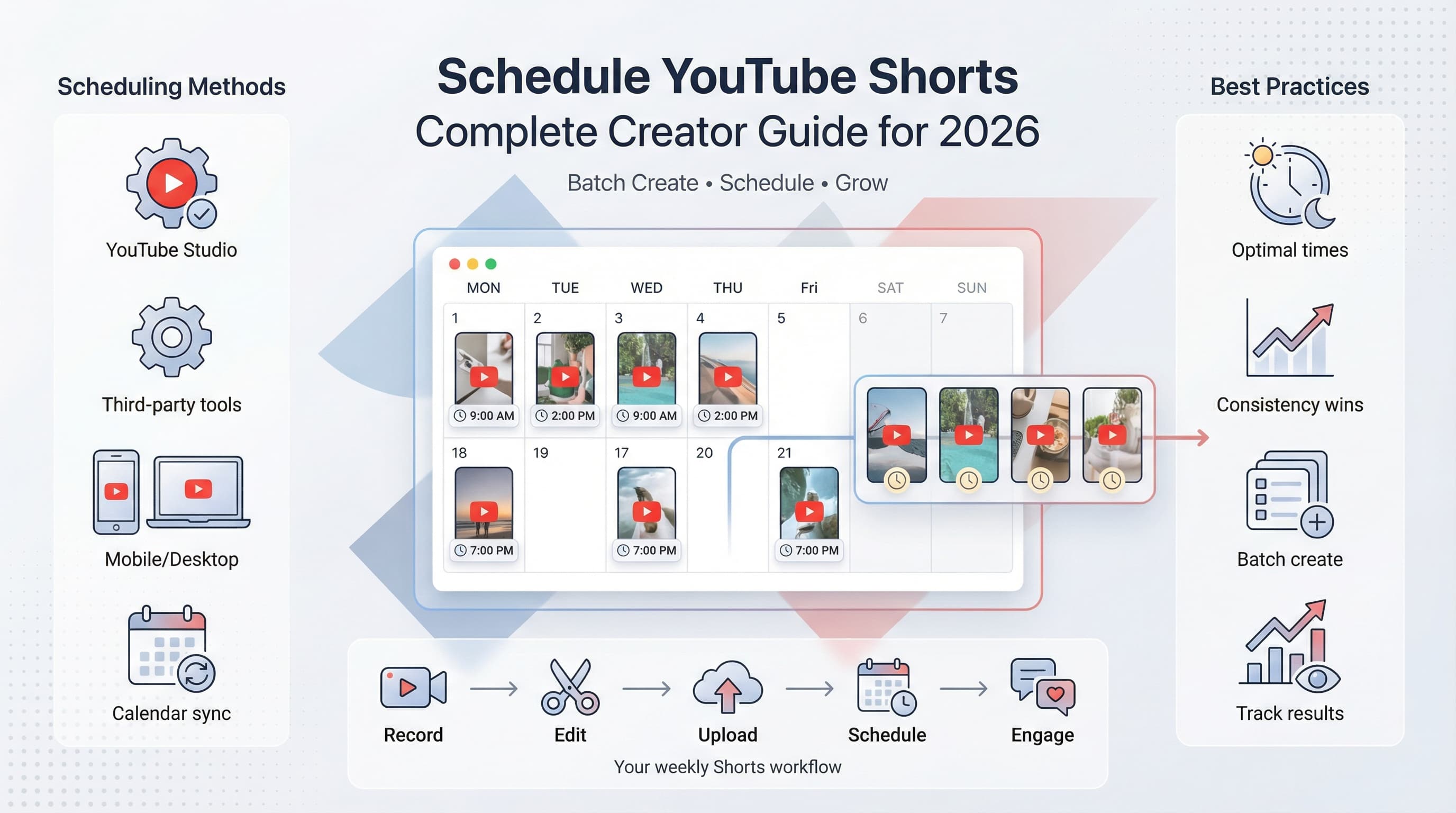
Schedule YouTube Shorts using YouTube Studio for free or use Schedulala for cross-platform scheduling to YouTube and 9 other platforms.
- •YouTube Studio: upload a Short, click Schedule, and set the date and time for free
- •Third-party tools like Schedulala add bulk scheduling and cross-platform posting for $9/month
- •Best practice: schedule 3-5 Shorts per week at peak engagement times
- •Schedulala supports YouTube, Instagram, TikTok, and 7 other platforms in one dashboard
YouTube Shorts now gets over 70 billion daily views. Let that sink in for a moment.
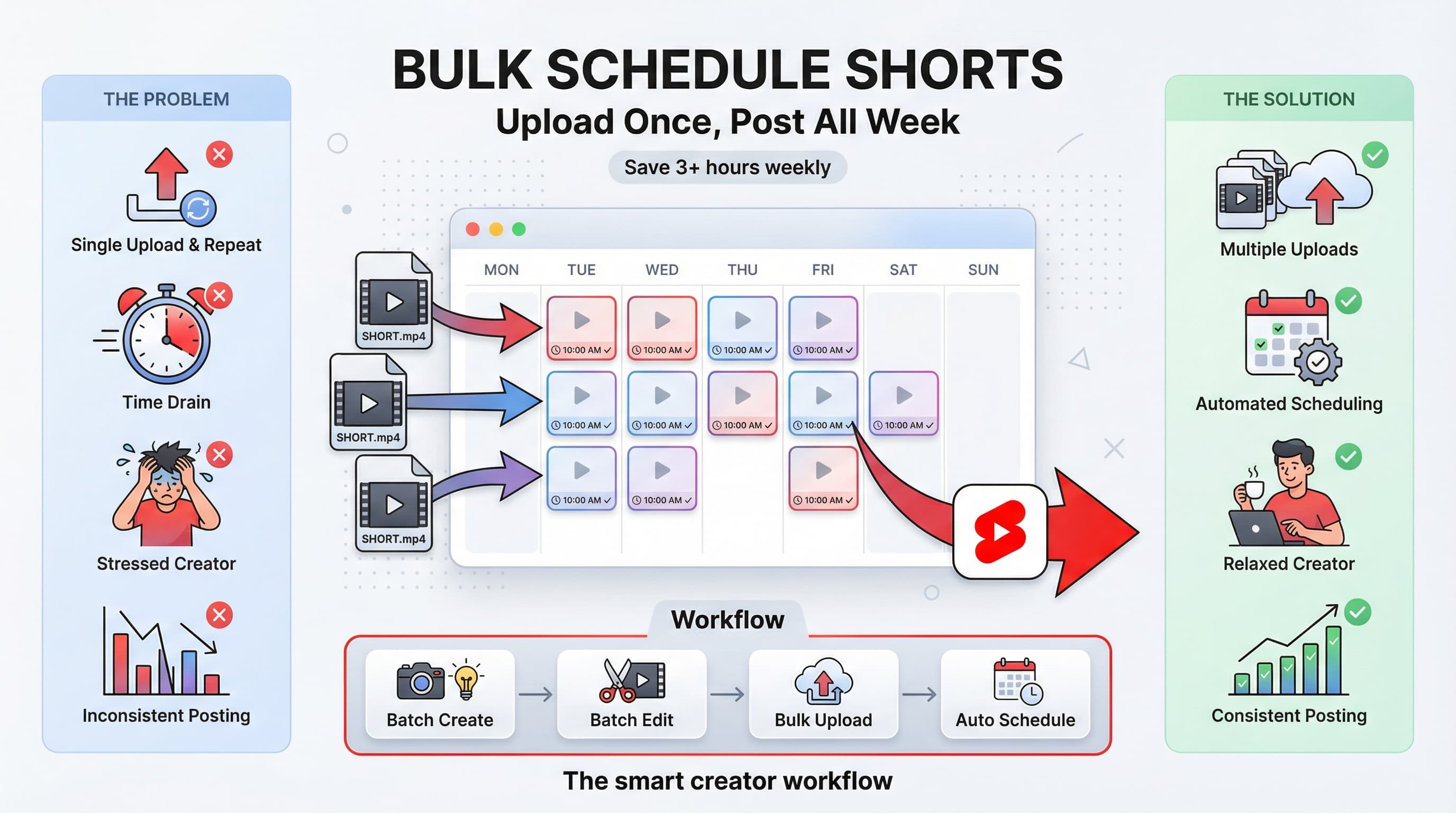
If you're still posting your Shorts manually whenever you "find the time," you're leaving views, subscribers, and money on the table. The creators winning on Shorts in 2026 aren't necessarily making better content. They're just more consistent because they've figured out scheduling.
Here's the thing: scheduling YouTube Shorts isn't as straightforward as other platforms. YouTube's native scheduling has quirks, third-party tools have limitations, and the algorithm rewards specific posting patterns that most creators ignore. This guide breaks down everything you need to know to schedule YouTube Shorts effectively, whether you're posting three times a week or three times a day.
Try Schedulala for free
Schedule posts to Bluesky, Twitter, and 8 other platforms from one dashboard.
Get started for free→See It in Action
This is what scheduling YouTube Shorts looks like in Schedulala
Why scheduling YouTube Shorts matters more than you think
Let's address the elephant in the room: some creators argue that "authentic, in-the-moment" posting performs better. This was debatable in 2023. In 2026, it's just wrong. YouTube's algorithm doesn't care when you created your content. It cares when your audience is online and ready to watch.
The data backs this up. Channels that post Shorts on a consistent schedule see 23% higher average view counts compared to channels posting randomly, according to analytics from over 50,000 creator accounts studied by various marketing research firms. Consistency signals to YouTube that you're a reliable creator, and the algorithm rewards reliability with reach.
The real benefits of scheduling your Shorts
First, there's the obvious time savings. Batch creating and scheduling five Shorts in one session takes about 40% less time than creating and posting them individually across the week. You eliminate context switching, stay in the creative flow longer, and spend less time fumbling with upload screens.
Second, you hit optimal posting times every single time. When you schedule, you can target those peak hours when your specific audience is most active. Posting manually means you're at the mercy of your own schedule, which rarely aligns perfectly with your viewers' habits.
Third, scheduling reduces stress dramatically. There's nothing worse than realizing at 10 PM that you haven't posted your daily Short. When your content is queued up a week in advance, you sleep better. Creative burnout drops when you're not constantly in "must post today" panic mode.
I've talked to dozens of creators who switched from manual posting to scheduled workflows. The consistent feedback? They wish they'd started scheduling years earlier. One gaming creator told me his channel grew 340% in six months after he committed to a scheduled posting cadence of one Short every morning at 7 AM EST.
Understanding YouTube Shorts requirements before you schedule
Before we dive into the actual scheduling methods, let's make sure your Shorts will actually qualify as Shorts. YouTube has specific technical requirements, and if you miss them, your video becomes a regular upload instead of appearing in the Shorts feed.
Technical specifications for YouTube Shorts in 2026
Your video must be 60 seconds or less. This hasn't changed since Shorts launched, and YouTube shows no signs of extending this limit. Some creators have found that 30 to 45 seconds tends to perform best for retention, but the hard cutoff remains at 60 seconds.
The aspect ratio needs to be vertical. Specifically, 9:16 works best, which translates to 1080 x 1920 pixels. You can technically upload square videos (1:1), but they won't display optimally in the Shorts feed and often get lower engagement as a result.
Include "#Shorts" in your title or description. While YouTube has gotten better at automatically detecting Shorts based on aspect ratio and length, adding this hashtag removes any ambiguity. I've seen videos that met all technical specs still get sorted as regular uploads because they lacked the hashtag.
| Specification | Requirement | Pro Tip |
|---|---|---|
| Duration | 60 seconds max | Sweet spot is 30-45 seconds for retention |
| Aspect ratio | 9:16 vertical | 1080x1920 pixels recommended |
| File format | MP4 preferred | Keep file size under 500MB |
| Hashtag | #Shorts recommended | Put it in title or first line of description |
| Thumbnail | Auto-generated | Can't upload custom thumbnail via native scheduling |
One thing that trips up creators: you cannot upload custom thumbnails for Shorts the same way you can for regular videos. YouTube automatically selects a frame from your video. Some third-party tools are starting to offer workarounds, but native YouTube scheduling doesn't support custom Short thumbnails as of early 2026.
Also worth noting: Shorts uploaded via the YouTube mobile app have slightly different capabilities than those uploaded via YouTube Studio on desktop. For scheduling purposes, you'll primarily use the desktop version of YouTube Studio, which we'll cover in detail next.
Method 1: Schedule YouTube Shorts using YouTube Studio (native method)
YouTube Studio is the official way to schedule Shorts, and honestly, it works well for most creators. The interface has improved significantly over the past two years, and the process is now fairly straightforward once you know where to click.
Step-by-step walkthrough for YouTube Studio scheduling
Step 1: Access YouTube Studio on desktop
Open YouTube in your browser and click on your profile picture in the top right corner. From the dropdown menu, select "YouTube Studio." You cannot schedule Shorts from the main YouTube website or the regular mobile app. Scheduling requires Studio specifically.
If you manage multiple channels, make sure you're logged into the correct one before proceeding. A surprising number of scheduling mistakes happen because creators upload to the wrong channel.
Step 2: Start the upload process
In YouTube Studio, click the "Create" button in the top right corner (it looks like a camera with a plus sign). From the dropdown, select "Upload videos." You can also drag and drop files directly onto the YouTube Studio dashboard.
Select your Short video file from your computer. YouTube accepts MP4, MOV, AVI, and several other formats, but MP4 tends to process fastest with the most reliable quality.
Step 3: Add your title, description, and tags
Once the video uploads, you'll see the details screen. Enter a compelling title that includes relevant keywords. Remember to add "#Shorts" somewhere in the title or description to ensure YouTube categorizes it correctly.
Write a description that provides context and includes 2 to 3 relevant hashtags beyond just #Shorts. Don't stuff keywords here. Write naturally but include your target terms where they fit.
Add tags that relate to your content. While tags matter less than they used to for long-form videos, they still help YouTube understand what your Short is about for recommendation purposes.
Step 4: Configure visibility settings
Click through the elements screen (you likely won't add end screens or cards to Shorts), and arrive at the visibility page. This is where the scheduling magic happens.
You'll see four options: Private, Unlisted, Public, and Schedule. Select "Schedule" and a calendar interface will appear. Choose your desired publish date and time.
Pay attention to the timezone displayed. YouTube Studio uses the timezone set in your account settings, which may differ from your local time if you haven't configured it. Double-check this to avoid publishing at 3 AM when you meant 3 PM.
Step 5: Confirm and monitor your scheduled Short
Click "Schedule" to confirm. Your Short will now appear in the "Content" tab of YouTube Studio with a "Scheduled" status and the publish date displayed.
You can edit the scheduled Short at any time before it publishes by clicking on it in the Content tab. To reschedule, simply adjust the time in the visibility settings. To cancel the scheduled publish, change the visibility to Private or Unlisted.
The native scheduling method works great for creators posting a few Shorts per week. It's free, reliable, and keeps all your analytics in one place. But if you're scaling up to daily Shorts or managing multiple channels, the manual repetition gets tedious fast. That's where social media automation tools can save hours every week.
Method 2: Schedule YouTube Shorts using third-party tools
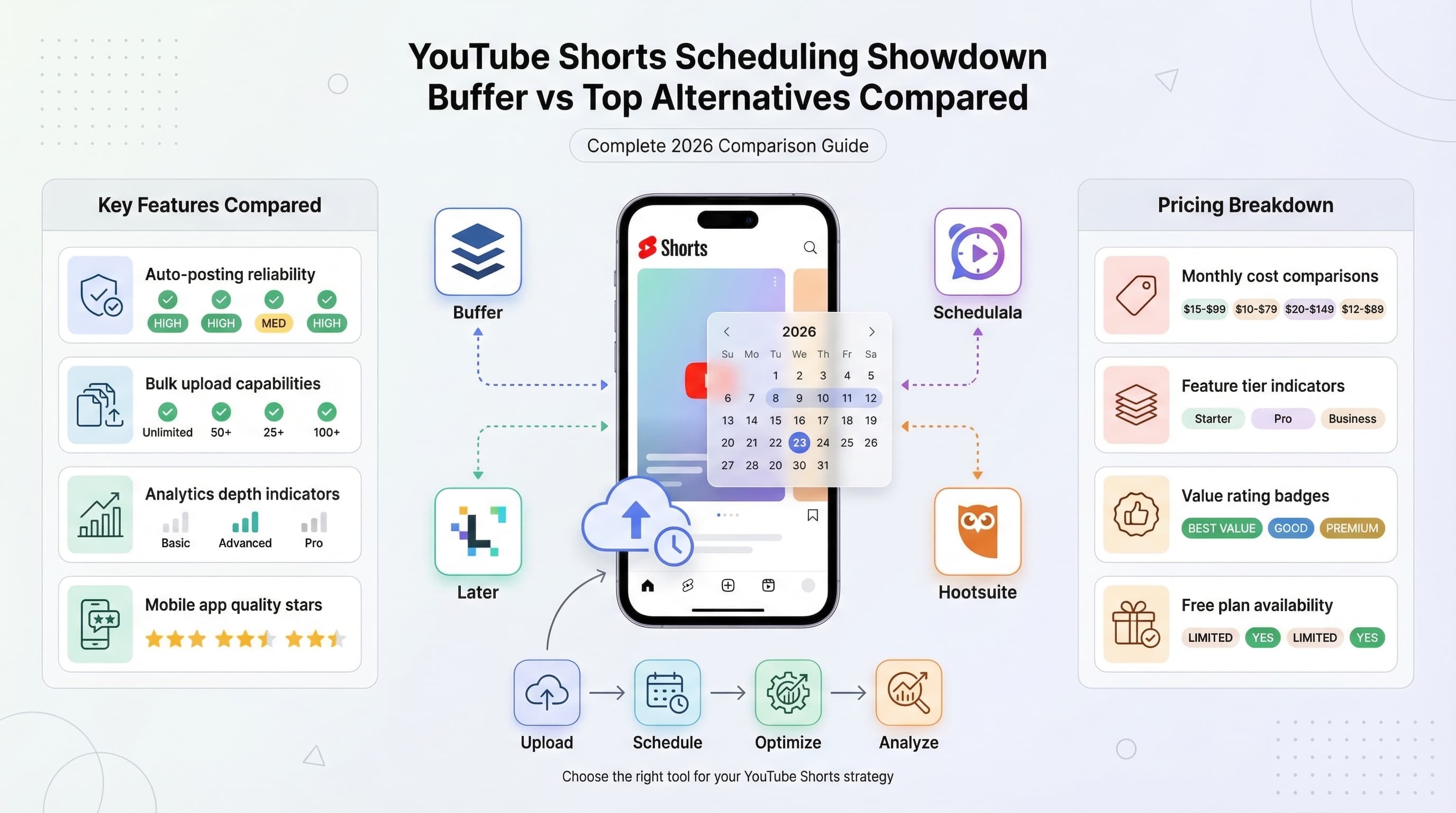
YouTube's API allows external platforms to schedule content on your behalf. These tools offer features that native YouTube Studio lacks, such as bulk scheduling, cross-platform posting, and team collaboration features.
The trade-off is that you're adding another layer between your content and YouTube. Most reputable scheduling tools are reliable, but you're trusting a third party with channel access. Always use established platforms with strong security practices.
What to look for in a YouTube Shorts scheduling tool
Bulk upload capabilities
The biggest advantage of third-party tools is the ability to upload multiple videos at once and schedule them in batch. Look for tools that let you upload 10, 20, or even 50 Shorts in a single session and assign publishing times to each.
Some platforms offer queue systems where you set up recurring time slots (like every day at 9 AM), and the tool automatically assigns your uploads to the next available slots. This is a massive time-saver for daily posters.
Cross-platform scheduling
If you're repurposing Shorts for TikTok, Instagram Reels, and other platforms, look for tools that let you schedule across multiple destinations from one interface. This eliminates the need to upload the same video to four different platforms manually.
Schedulala, for example, lets you schedule to multiple platforms simultaneously. Upload once, customize captions for each platform, and schedule everything together. The time savings compound quickly when you're posting daily.
Team collaboration features
Agencies and larger creator teams need approval workflows. Look for tools that allow team members to draft content, submit it for review, and have another team member approve before scheduling goes live.
Role-based permissions matter too. You might want your video editor to upload content without having the ability to publish directly. Good scheduling tools offer granular control over who can do what.
Analytics integration
Some scheduling platforms pull in performance data after your Shorts publish. This lets you see which posting times perform best, track engagement trends, and make data-driven decisions about your schedule.
That said, YouTube Studio still offers the most comprehensive analytics for YouTube-specific metrics. Third-party analytics are useful for quick comparisons across platforms, but dive into Studio for deep channel analysis.
| Feature | YouTube Studio | Third-Party Tools |
|---|---|---|
| Cost | Free | Varies (free to $50+/month) |
| Bulk upload | No | Yes (most platforms) |
| Cross-platform | No | Yes (most platforms) |
| Team features | Limited | Yes (varies by platform) |
| Analytics | Comprehensive | Basic to moderate |
| Reliability | High | Depends on provider |
| Custom thumbnails | No for Shorts | Some platforms offer workarounds |
Setting up a third-party tool for YouTube Shorts
The exact steps vary by platform, but the general process looks like this:
Connect your YouTube channel
Most tools use OAuth to connect with YouTube. You'll click a "Connect YouTube" button, sign into your Google account, and grant the scheduling tool permission to upload videos on your behalf.
Review the permissions requested carefully. Reputable tools only ask for the minimum necessary permissions. Be wary of any tool requesting access to your entire Google account rather than just YouTube specifically.
Upload your Shorts content
Navigate to the upload or content creation section of your chosen tool. Select your video files (most support batch selection), and they'll upload to the platform's servers or directly to YouTube in draft mode.
Some platforms process videos through their own servers before sending to YouTube, which can add compression. Ask about this before committing to a tool if video quality is a top priority.
Add metadata and schedule
Enter titles, descriptions, and tags for each Short. If you're scheduling in bulk, look for features that let you apply similar settings across multiple videos or use templates.
Assign publishing times to each Short. Use the queue feature if available to auto-assign based on your ideal posting schedule. Review the timezone settings in the tool to ensure they match your expectations.
Finding the best times to schedule your YouTube Shorts
Here's where scheduling gets strategic. Posting at random times wastes the consistency advantage that scheduling provides. You want to hit the hours when your specific audience is most likely to watch.
General best practices for Shorts posting times
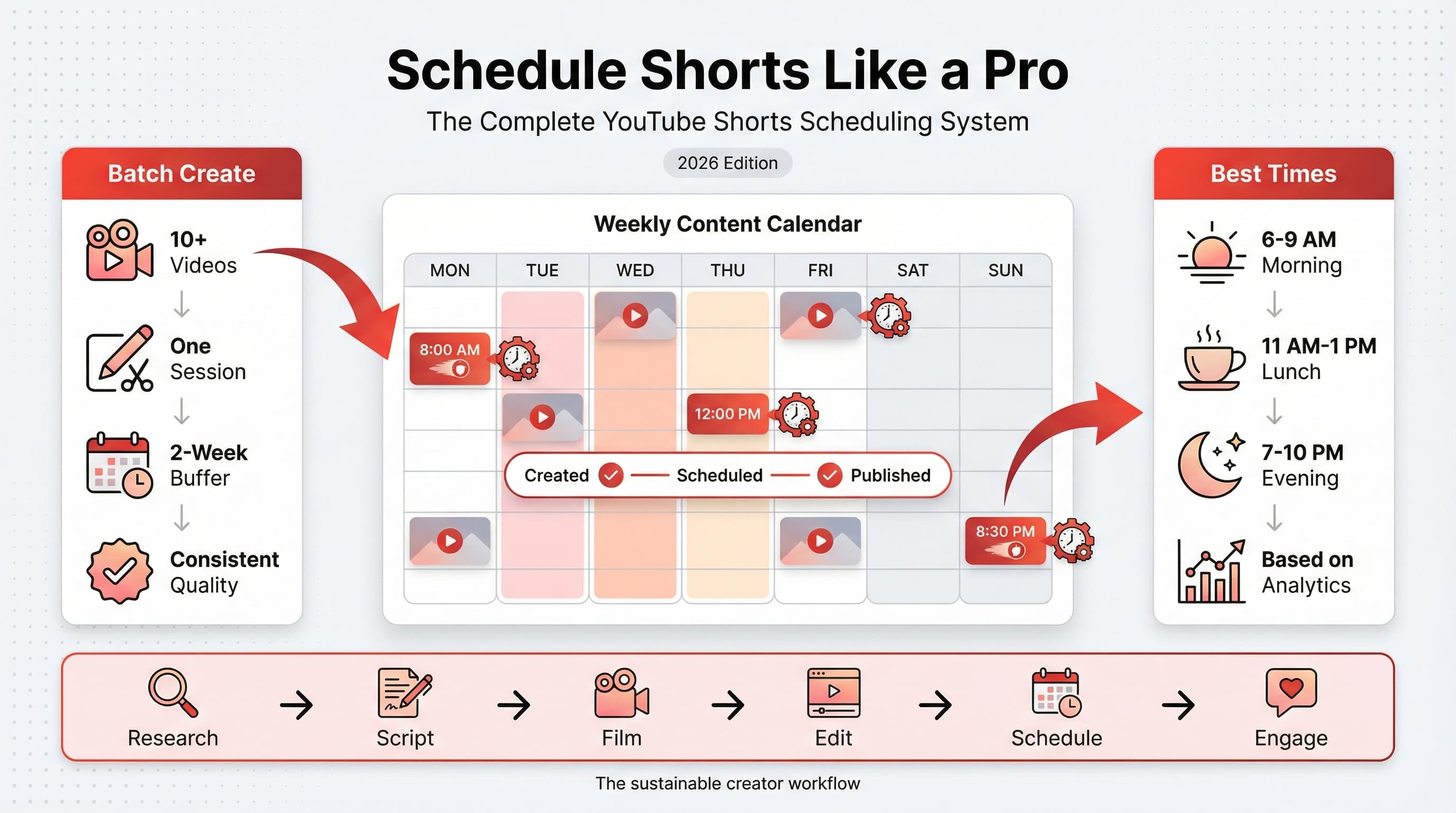
Broad research across millions of Shorts suggests some general patterns. Weekday mornings (7 AM to 9 AM local time) see high engagement as people check their phones during commutes or morning routines. Evening hours (6 PM to 10 PM) perform well as viewers relax after work or school. Weekends are more variable, with late morning to early afternoon often working well.
But here's the catch: these are averages. Your audience might have completely different habits. A channel targeting night-shift workers will see different peak times than one targeting stay-at-home parents. A channel focused on teenagers will have different patterns than one targeting retirees.
How to find YOUR audience's peak times
Open YouTube Studio and navigate to the Analytics tab. Click on "Audience" in the left menu, and scroll down to find the "When your viewers are on YouTube" card. This shows a heatmap of when your subscribers are most active on the platform.
The darker the purple, the more of your audience is online at that time. Schedule your Shorts to publish about 30 minutes to 1 hour before the darkest periods. This gives the video time to start gaining traction right as your audience activity peaks.
If you're a newer channel without much audience data, start with the general best practices mentioned above. After you have a few weeks of data, revisit your analytics and adjust based on what you see.
How often should you post Shorts?
The algorithm doesn't punish you for posting "too much" in the way some creators fear. I've seen channels post 3 to 5 Shorts daily without any negative impact. The real constraint is maintaining quality and avoiding creator burnout.
That said, consistency matters more than volume. Posting one Short every day for three months will likely outperform posting five Shorts one week and zero the next two weeks. Pick a frequency you can sustain long-term.
| Posting Frequency | Best For | Considerations |
|---|---|---|
| 1-2 per week | Hobby creators, getting started | Low burnout risk, slower growth |
| 3-5 per week | Serious creators, small teams | Good balance of growth and sustainability |
| Daily (7/week) | Full-time creators, growth focused | Requires solid batch workflow |
| 2-3 per day | Agencies, large teams, rapid growth | High content demand, needs systems |
My recommendation for most creators: start with 3 to 4 Shorts per week. This is frequent enough to build momentum without overwhelming you. If that feels easy after a month, bump up to daily. Use scheduling to maintain consistency even when life gets hectic.
Building a batch creation workflow for scheduled Shorts
Scheduling only saves time if you have content ready to schedule. The real productivity magic happens when you combine scheduling with batch creation, which means creating multiple Shorts in a single session rather than one at a time.
A solid batch content creation workflow lets you record two weeks of Shorts in one afternoon, then schedule them all and not think about content creation for 14 days. This is how prolific creators scale without burning out.
The four-phase batch workflow
Phase 1: Ideation sprint (30-60 minutes)
Before you record anything, generate a list of Short ideas. Aim for at least twice as many ideas as videos you plan to create. This gives you options and lets you skip ideas that feel weak when recording day arrives.
Pull ideas from comments on your existing videos, trending topics in your niche, questions from your community, and content that performed well on other platforms. Keep a running notes file on your phone to capture ideas throughout the week.
For each idea, write a one-sentence hook. How will you grab attention in the first second? If you can't articulate a hook, the idea might not be strong enough for Shorts format.
Phase 2: Recording session (2-4 hours)
Set up your recording environment once and film everything in sequence. This is where batch creation really shines. Instead of setting up lighting and equipment seven separate times, you do it once and knock out seven Shorts.
Keep your phone charged (or plugged in) and have plenty of storage available. Nothing kills momentum like stopping mid-session to delete old files.
Record multiple takes of each Short. It's faster to choose the best take during editing than to re-record because you only captured one mediocre version. Aim for 2 to 3 takes of each piece of content.
Change your outfit between groups of 3 to 4 Shorts if you'll be posting them across different days. This creates the illusion of content from different sessions, even though you recorded everything in one sitting.
Phase 3: Editing session (2-4 hours)
Edit in batches too. First pass: trim all your clips to length and select the best takes. Second pass: add text overlays and effects. Third pass: add music and sound effects. Fourth pass: export all files.
Create editing templates or presets for elements you use repeatedly. Text styles, transition effects, and color grades should be saved for one-click application. This alone can cut editing time in half.
Export directly to the correct format (9:16 aspect ratio, 1080x1920, MP4, under 60 seconds). Double-check each export before moving on. Catching a problem now is easier than discovering a glitch after scheduling.
Phase 4: Scheduling session (30-60 minutes)
With all your Shorts exported and ready, open your scheduling tool (YouTube Studio or third-party platform) and upload everything. Write titles and descriptions for each, including your target keywords and the #Shorts hashtag.
Assign publishing times based on your optimal posting schedule. Space them out according to your planned frequency. If you're posting daily, each Short gets the same time slot on consecutive days.
Review the queue before finalizing. Make sure dates are correct, titles don't have typos, and nothing is accidentally set to publish immediately when you meant to schedule it for next week.
Managing your content calendar
A social media content calendar keeps your scheduled content organized and helps you spot gaps before they become problems. At minimum, track what's scheduled, when it publishes, and the main topic or keyword focus.
Some creators use simple spreadsheets. Others prefer visual tools like Notion calendars or dedicated scheduling platform dashboards. The specific tool matters less than actually using it consistently.
Review your calendar weekly. Look two weeks ahead to ensure you have content queued. If you see gaps approaching, prioritize a batch creation session before you're scrambling day-of.
Optimizing scheduled Shorts for the algorithm
Scheduling gets your content out consistently. Optimization gets it seen. These two work together: the algorithm rewards both reliability and quality signals.
Hook viewers in the first second
Shorts live and die by their opening moment. Users scroll fast, and you have about one second to make them stop. Schedule the best-hook content for your highest-traffic time slots.
Effective hook strategies for Shorts
Start with movement or action. A static talking head is easy to scroll past. Someone walking into frame, picking something up, or reacting to something grabs attention faster.
Use a provocative first line. "This changed everything for me" or "Nobody talks about this" or "Stop doing this immediately" create curiosity that makes viewers want to keep watching.
Show the payoff first. If your Short ends with a dramatic reveal or result, consider showing a quick glimpse at the start, then rewinding to show how you got there. This works particularly well for crafts, cooking, transformations, and tutorials.
Match the energy of your niche. Entertainment content can be loud and chaotic in the first second. Educational content might use a bold text statement. Know what your audience responds to.
Titles and descriptions that drive discovery
Your title appears below your Short in the feed, and it influences both algorithm recommendations and click-through when your Short appears in search results. Don't waste this real estate.
Title best practices
Keep titles under 40 characters when possible. Longer titles get cut off in the Shorts feed, and you lose impact. Get the important words at the beginning.
Include your primary keyword naturally. If you're teaching a productivity tip, "How I wake up at 5 AM without an alarm" is better than "Morning routine vlog part 3." The first is searchable; the second isn't.
Don't clickbait into oblivion. Curiosity gaps work, but outright misleading titles hurt retention when viewers feel deceived. The algorithm notices when people immediately scroll away.
Description optimization
Start your description with #Shorts to ensure proper categorization. Add 2 to 3 relevant hashtags after, but don't spam 15 tags hoping something sticks.
Include a brief sentence expanding on the video content. This helps YouTube understand context and can improve recommendations to relevant audiences.
Add a call to action if relevant: follow for more, link to related long-form content, or prompt engagement in comments. Keep it concise since most viewers won't expand the description.
Using Shorts to drive long-form video traffic
Many creators use Shorts primarily as a discovery tool for their main long-form content. If this is your strategy, schedule your Shorts strategically around your long-form upload schedule.
Post a teaser Short a few hours before your long-form video drops. Post a reaction or outtake Short 24 hours after. This creates multiple touchpoints and reminds viewers about your longer content.
In your Short descriptions, mention your long-form videos: "Full tutorial on my channel" or "Part 2 is a 15-minute deep dive." You can't add clickable cards or end screens to Shorts, so verbal and text callouts are your only options.
Common mistakes when scheduling YouTube Shorts (and how to avoid them)
I've seen creators sabotage their scheduling efforts in predictable ways. Learn from their mistakes so you don't repeat them.
Mistake 1: Scheduling and forgetting completely
Scheduling doesn't mean you post and ghost. You still need to respond to comments in the first few hours after publishing. Early engagement signals matter for how widely YouTube distributes your Short.
Set reminders to check in on newly published Shorts. Reply to comments, pin a good one, and engage with your community. Automation handles the posting; you still handle the relationship-building.
Mistake 2: Ignoring performance data
Some creators schedule content weeks in advance and never look back at what performed well or poorly. This is a missed opportunity. Check your analytics weekly and note patterns.
Which hooks worked best? Which posting times got the most initial traction? Which topics resonated? Use these insights to inform your next batch of content and scheduling decisions.
Mistake 3: Rigid scheduling that ignores trends
Having content scheduled two weeks out is great, but don't let it prevent you from jumping on a relevant trend. Keep one or two slots flexible for timely content that wouldn't make sense if posted next month.
If a major trend emerges in your niche, it's worth disrupting your schedule to participate while the topic is hot. The algorithm boosts trending content, and that boost won't wait for your pre-planned content calendar.
Mistake 4: Posting too close together
If you schedule three Shorts to post within the same hour, they compete with each other for attention from your subscriber base. Space your Shorts at least a few hours apart to give each one room to breathe.
Some creators find that posting a maximum of one Short per 4 to 6 hours works best. Others successfully post twice daily with 8 to 10 hours between. Test what works for your audience and stick with it.
Mistake 5: Forgetting timezone settings
This one is painfully common. You schedule a Short for 9 AM thinking your audience is waking up, but your tool is set to a different timezone and it actually posts at 6 AM when nobody's watching.
Double-check timezone settings in both YouTube Studio and any third-party tools you use. When in doubt, schedule a test post and verify when it actually publishes.
Mistake 6: Over-relying on repurposed content
Repurposing TikToks or Reels for YouTube Shorts is efficient, but audiences can tell when content was made for another platform. The watermarks are obvious, and the cultural references sometimes don't translate.
Create some content specifically for YouTube Shorts. This performs better and signals to the algorithm that you're invested in the platform specifically, not just cross-posting everywhere.
Advanced scheduling strategies for 2026
Once you've mastered the basics, these advanced tactics can squeeze more results from your scheduling efforts.
Series-based scheduling
Create content series that viewers can follow over multiple Shorts. "Day 1 of learning piano," "Part 1: Decluttering my apartment," or numbered tips in a ongoing series. Schedule these consistently (same time, same days) so your audience knows when to expect the next installment.
Series create anticipation and habit-viewing. Subscribers start looking for your content at specific times because they know it's coming. This predictability compounds into higher day-one views and better algorithm signals.
A/B testing with scheduled content
Schedule two versions of similar content at similar times on different days and compare performance. Test different hooks, title formats, or opening visuals. Over time, you'll build a data-backed understanding of what your audience prefers.
Keep your tests focused. Change one variable at a time. If you're testing hooks, keep the content and posting time similar. If you're testing posting times, use similar content. This isolates what's actually driving performance differences.
Seasonal and event-based planning
Map out major events relevant to your niche for the year: holidays, industry conferences, product launches, seasonal changes, sporting events, or cultural moments. Schedule content that ties into these events to be published when interest peaks.
Planning seasonal content in advance means you're not scrambling to create Christmas content on December 23rd. Record your holiday Shorts in October, schedule them for late December, and enjoy the holiday knowing your content is handled.
Evergreen versus timely content balance
Schedule a mix of evergreen content (relevant any time) and timely content (relevant now). Evergreen can be scheduled far in advance without worry. Timely content needs to be created closer to when you'll post it.
A good ratio for most creators: 70% evergreen, 30% timely. This ensures you always have content queued while leaving room to participate in trends and current conversations.
Building a content buffer
Aim to maintain a two-week content buffer at all times. This means you always have at least 14 days of Shorts scheduled and ready to publish. The buffer protects you from life events, creative blocks, or unexpected busy periods.
When your buffer drops below two weeks, prioritize a batch creation session. Treat it as a non-negotiable business activity, not something you'll get to "when you have time."
Some high-volume creators maintain a full month of buffer. This provides incredible peace of mind and flexibility. Build toward this if your content type allows for longer advance planning.
Measuring success: Metrics that matter for scheduled Shorts
Without tracking results, you can't improve your scheduling strategy. Focus on these metrics to understand how your scheduled content is performing.
Primary metrics to track
Views and impressions
Track total views per Short and how that correlates with posting time. Over several weeks, you'll see patterns emerge. Some time slots consistently outperform others for your specific audience.
Impressions (how often your Short was shown) matters too. If impressions are high but views are low, your hook or thumbnail moment isn't compelling enough to stop the scroll.
Watch time and retention
Average view duration tells you how engaging your content is. For a 45-second Short, 30+ seconds average watch time is excellent. Under 15 seconds suggests viewers are leaving quickly, likely due to weak content or a misleading hook.
Check retention graphs in YouTube Studio to see where viewers drop off. Consistent drop-off points indicate moments where you're losing people. Address these in future content.
Subscriber conversion
How many new subscribers does each Short generate? YouTube Studio shows this at the video level. High view counts mean nothing if viewers aren't converting to subscribers who'll see your future content.
Compare subscriber gains across different content types and posting times. You might find that Shorts posted in the morning convert subscribers better than evening posts, or vice versa.
| Metric | Why It Matters | Where to Find It |
|---|---|---|
| Views | Raw reach and discovery | YouTube Studio > Content |
| Impressions | Algorithm distribution | YouTube Studio > Analytics > Reach |
| Watch time | Content quality signal | YouTube Studio > Analytics > Engagement |
| Retention rate | Hook and content strength | YouTube Studio > Video Analytics |
| Subscriber conversion | Long-term value | YouTube Studio > Analytics > Audience |
| Comments/likes | Engagement strength | YouTube Studio > Content |
Tracking scheduling-specific patterns
Beyond standard video metrics, track patterns related to your scheduling specifically. Create a simple spreadsheet or use your scheduling tool's analytics to log:
- Publish time (day and hour) for each Short
- Views at 24 hours post-publish
- Views at 7 days post-publish
- Whether the Short broke out into suggested feeds or stayed in Shorts shelf only
After a month of data, you'll have clear evidence for which scheduling patterns work for your channel. This is gold. Use it to refine your posting times and frequency.
Frequently asked questions about scheduling YouTube Shorts
These are the questions I get asked most often about Shorts scheduling. Chances are, you're wondering about at least one of these.
Can you schedule YouTube Shorts from your phone?
Not directly. As of early 2026, the YouTube mobile app lets you upload and publish Shorts immediately, but scheduling requires YouTube Studio on desktop. You can access YouTube Studio via your mobile browser, but the experience is clunky compared to desktop.
Some third-party scheduling apps have mobile interfaces that work better for on-the-go scheduling. If mobile scheduling is important to your workflow, explore these options.
Does scheduling affect algorithm performance?
No. YouTube treats scheduled content exactly the same as immediately published content once it goes live. The scheduling itself has zero negative impact on reach or recommendations.
The indirect benefit is that scheduling lets you hit optimal posting times consistently, which positively affects performance compared to publishing whenever you happen to be available.
How far in advance can you schedule Shorts?
YouTube Studio allows scheduling up to two years in advance, though I've never met anyone who actually plans that far ahead for Shorts. Most third-party tools have similar long-range capabilities.
Practically, scheduling one to four weeks in advance is the sweet spot for most creators. This provides buffer without requiring you to predict what content will be relevant months from now.
Can you edit a Short after scheduling it?
You can edit the title, description, tags, and visibility of a scheduled Short at any time before it publishes. You cannot replace the video file itself. If you need to change the actual video content, you'll need to delete the scheduled upload and re-upload the corrected version.
Always review your exports before scheduling to catch problems early. It's easier to re-upload immediately than to remember to fix it later.
What happens if I schedule the same Short to YouTube and other platforms?
Cross-posting is fine technically, but be aware that YouTube may reduce reach for content that clearly came from another platform (visible watermarks, for example). Re-export your content natively for each platform when possible.
Scheduling the same content across platforms simultaneously using a multi-platform tool like Schedulala saves time while letting you customize descriptions and hashtags for each destination.
Should I schedule Shorts at the same time every day?
Consistency helps your audience know when to expect your content, but it's not absolutely required. The more important factor is posting when YOUR audience is most active, which might vary by day.
If your analytics show weekday mornings and weekend evenings perform best, schedule accordingly rather than forcing the same time slot for both. Match your schedule to your data.
Putting it all together: Your YouTube Shorts scheduling action plan
You've made it through the complete guide. Now let's turn knowledge into action with a concrete plan you can start today.
Week 1: Set up your system
Decide whether you'll use YouTube Studio alone or add a third-party tool. If going the tool route, set up your account and connect your YouTube channel. Familiarize yourself with the upload and scheduling interface.
Review your YouTube Analytics to identify your audience's peak activity times. Note the top three time slots where your viewers are most active.
Create a content calendar (even a simple spreadsheet) where you'll track scheduled content, publish dates, and performance.
Week 2: Create your first batch
Block two to three hours for a batch creation session. Aim to record and edit at least five Shorts. Don't aim for perfection, aim for completion. You'll improve with practice.
Export all your Shorts in the correct format. Double-check that each is under 60 seconds and in 9:16 aspect ratio.
Schedule all five Shorts across the coming week, using the peak times you identified. Add #Shorts to each title or description.
Week 3: Engage and analyze
As your scheduled Shorts publish, check in within the first hour or two to respond to comments. Don't set and forget completely.
After all five have been live for at least three days, review performance. Which got the most views? Which had the best retention? Which posting time performed strongest?
Note patterns and adjust your approach for the next batch. More of what worked, less of what didn't.
Week 4: Establish your rhythm
Schedule another batch creation session. This time, incorporate what you learned from week three's performance data. Focus on hooks and topics similar to your top performers.
Commit to a posting frequency you can sustain. Three to four Shorts per week is a solid starting point. Adjust up or down based on your capacity and goals.
Build toward a two-week content buffer. If you're posting four Shorts per week, aim to always have eight Shorts scheduled and ready.
The creators who win on YouTube Shorts in 2026 and beyond won't necessarily be the most talented or the most viral. They'll be the most consistent. Scheduling is the tool that makes consistency possible even when life, work, and creative energy fluctuate. Check out our YouTube scheduling features to see how Schedulala can help.
Start where you are. Schedule your first Short today. Improve from there. Six months from now, you'll look back and wonder why you waited so long to systematize your Shorts workflow.
Try Schedulala for free
Schedule posts to Bluesky, Twitter, and 8 other platforms from one dashboard.
Get started for free→