The Ultimate YouTube Shorts Scheduling Guide: Everything You Need to Know in 2026
Master YouTube Shorts scheduling with our complete guide. Learn optimal posting times, batch creation workflows, and tools to grow your channel faster.

Quick answer
Schedule YouTube Shorts using YouTube Studio's built-in scheduler or third-party tools like Schedulala for cross-platform batch scheduling.
- •YouTube Studio's built-in scheduler lets you set a publish date and time for free
- •Third-party tools add bulk upload, cross-platform scheduling, and queue management
- •Schedulala supports YouTube Shorts scheduling for $9/month across 12 platforms
- •Batch-create and schedule a week of Shorts in one session to save hours
You uploaded a YouTube Short at 3 AM because that's when you finished editing. Three views. Your friend posted almost identical content at noon and got 50,000 views. The algorithm isn't random. You're just working against it. Learn more about YouTube scheduling.
See It in Action
This is what scheduling YouTube Shorts looks like in Schedulala
YouTube Shorts has become the fastest-growing content format on the platform, with over 70 billion daily views as of late 2025. That's billion with a B. The opportunity is massive, but so is the competition. The creators winning right now aren't necessarily the most talented. They're the most consistent, and consistency comes from having a real scheduling system. Learn more about scheduling across platforms.
So here's the question: are you still manually uploading Shorts whenever you happen to finish them? Or are you ready to build a system that works even while you're asleep? Learn more about scheduling across platforms.
Try Schedulala for free
Schedule posts to Bluesky, Twitter, and 8 other platforms from one dashboard.
Get started for free→Why scheduling YouTube Shorts actually matters
Let's get something straight: scheduling isn't about being lazy. It's about being strategic. The YouTube algorithm favors consistency more than almost any other factor. Creators who post at predictable intervals train the algorithm to expect their content, which means faster initial distribution to subscribers and the Shorts shelf. Try our how to automate bluesky.
I've talked to dozens of Shorts creators over the past year. The ones growing fastest share one common trait: they batch create and schedule. They don't wake up every morning wondering what to post. They spent Sunday afternoon filming 10 Shorts, edited them Monday, and scheduled them for the whole week by Tuesday morning. The rest of the week? They're engaging with comments, researching trends, or just living their lives. See our best time to post on youtube guide.
The consistency advantage in numbers
A 2025 study of 500 YouTube Shorts channels found that creators who posted on a consistent schedule (same days, same times) grew subscribers 3.2x faster than those who posted randomly, even when posting the same number of videos per week. The algorithm rewards predictability because predictable creators keep viewers coming back. See our youtube line break generator guide.
Think about it from YouTube's perspective. They want users to open the app habitually. If your subscribers know you post every day at 6 PM, they might check YouTube at 6 PM every day. That's valuable behavior YouTube wants to encourage, so they'll push your content harder.
Here's what random posting actually costs you. Every time you post when your audience is asleep, at work, or otherwise unavailable, you're wasting that precious 72-hour window. The algorithm shows your Short to a sample of your subscribers. They don't engage because they don't see it until 8 hours later when it's buried under newer content. YouTube concludes your Short isn't interesting. It dies with 200 views instead of 200,000.
Scheduling solves this completely. You figure out when your audience is most active (more on that later), and you make sure every single Short goes live during those peak windows. No exceptions. No "I'll just post this one at midnight because I'm excited about it." Discipline beats talent when talent doesn't show up on time.
Understanding YouTube's native scheduling features
YouTube does offer built-in scheduling, and for some creators, it's enough. Let's walk through exactly how it works, what it can and can't do, and when you might need something more robust.
How to schedule a Short in YouTube Studio
The process is straightforward once you know where to look. Open YouTube Studio (either the website or mobile app), tap the create button, and select "Upload Video." Choose your Short (remember, it needs to be vertical and 60 seconds or less). Fill in your title, description, and other metadata.
Here's where scheduling happens: instead of clicking "Publish," look for the "Visibility" section. Select "Schedule," then pick your date and time. YouTube will automatically publish at that moment. You'll get a notification when it goes live.
Step by step: scheduling through YouTube Studio desktop
Let me walk you through this more specifically because the interface can be confusing if you've never used it.
- Step 1: Go to studio.youtube.com and sign in to your channel
- Step 2: Click the "Create" button in the top right (it looks like a camera with a plus sign)
- Step 3: Select "Upload videos" from the dropdown menu
- Step 4: Drag your Short file into the upload window or click to browse your files
- Step 5: While it uploads, fill in the "Details" section with your title and description
- Step 6: Add your thumbnail if you want one (optional for Shorts but can help on the main feed)
- Step 7: Click through to "Video elements" if you want to add end screens or cards
- Step 8: On the "Visibility" page, select "Schedule" and set your date and time
- Step 9: Click "Schedule" to confirm
Your Short will now appear in your "Content" tab with a clock icon, indicating it's scheduled. You can edit it anytime before the scheduled publish time.
Step by step: scheduling through the YouTube mobile app
The mobile process is slightly different and, honestly, a bit clunkier. But if you're creating Shorts directly on your phone (which many creators do), it's worth knowing.
- Step 1: Open the YouTube app and tap the plus (+) button at the bottom
- Step 2: Select "Create a Short" or "Upload a video" depending on your content
- Step 3: If uploading existing content, select your video from your camera roll
- Step 4: Trim and edit as needed using YouTube's built-in tools
- Step 5: Tap "Next" to get to the details screen
- Step 6: Add your title, description, visibility settings, and other metadata
- Step 7: Look for "Schedule" option under visibility (note: this may require you to switch to YouTube Studio app on some devices)
- Step 8: Set your date and time
- Step 9: Tap "Schedule" to confirm
What YouTube's native scheduling lacks
YouTube's built-in scheduling works fine for one-off uploads, but it falls apart when you're trying to build a real content system. Here are the gaps:
No bulk scheduling. You have to upload and schedule each Short individually. If you've batch-created 14 Shorts for the next two weeks, that means going through the entire upload process 14 times. That's easily an hour of tedious work.
No calendar view. You can see your scheduled content in a list, but there's no visual calendar showing your posting schedule for the month. This makes it hard to spot gaps or ensure consistent coverage.
No cross-platform support. If you're posting the same Shorts to TikTok, Instagram Reels, and YouTube (which you should be, by the way), you need separate apps for each. That's three different scheduling workflows for the same piece of content.
Limited analytics integration. You can't easily see which scheduled times have historically performed best. YouTube shows you audience activity in a separate analytics section, but it doesn't connect to the scheduling interface in any meaningful way.
| Feature | YouTube Studio | Third-Party Tools |
|---|---|---|
| Single video scheduling | Yes | Yes |
| Bulk upload/scheduling | No | Yes |
| Visual calendar view | No | Yes |
| Cross-platform posting | No | Yes |
| Optimal time suggestions | Limited | Yes |
| Team collaboration | Basic | Advanced |
| Content library/drafts | Basic | Advanced |
| Analytics integration | Separate | Unified |
Finding your optimal posting times
Everyone wants to know: when should I post? The honest answer is that it depends on your specific audience. But I can give you frameworks to figure it out, plus some general guidelines based on aggregate data.
Start with your analytics
YouTube tells you when your audience is online. Go to YouTube Studio, click Analytics, then Audience. Scroll down to "When your viewers are on YouTube." You'll see a heatmap showing activity by day and hour. The darker the purple, the more of your subscribers are active.
This data is specific to your channel. If you have a gaming audience, they might peak at 4 PM when school ends. If you have a business audience, they might peak during lunch breaks at noon. If you have an international audience, you might see activity spread across multiple time zones.
Here's the catch: YouTube's audience data has a 48-hour delay. So you're always looking at slightly stale information. Also, this data shows when your current audience is active, not when the broader YouTube audience is active. If you're trying to grow and reach new people, you need to think beyond just your existing subscribers.
General best posting times (2026 data)
Based on studies of millions of YouTube videos, including Shorts specifically, here are the general patterns we're seeing:
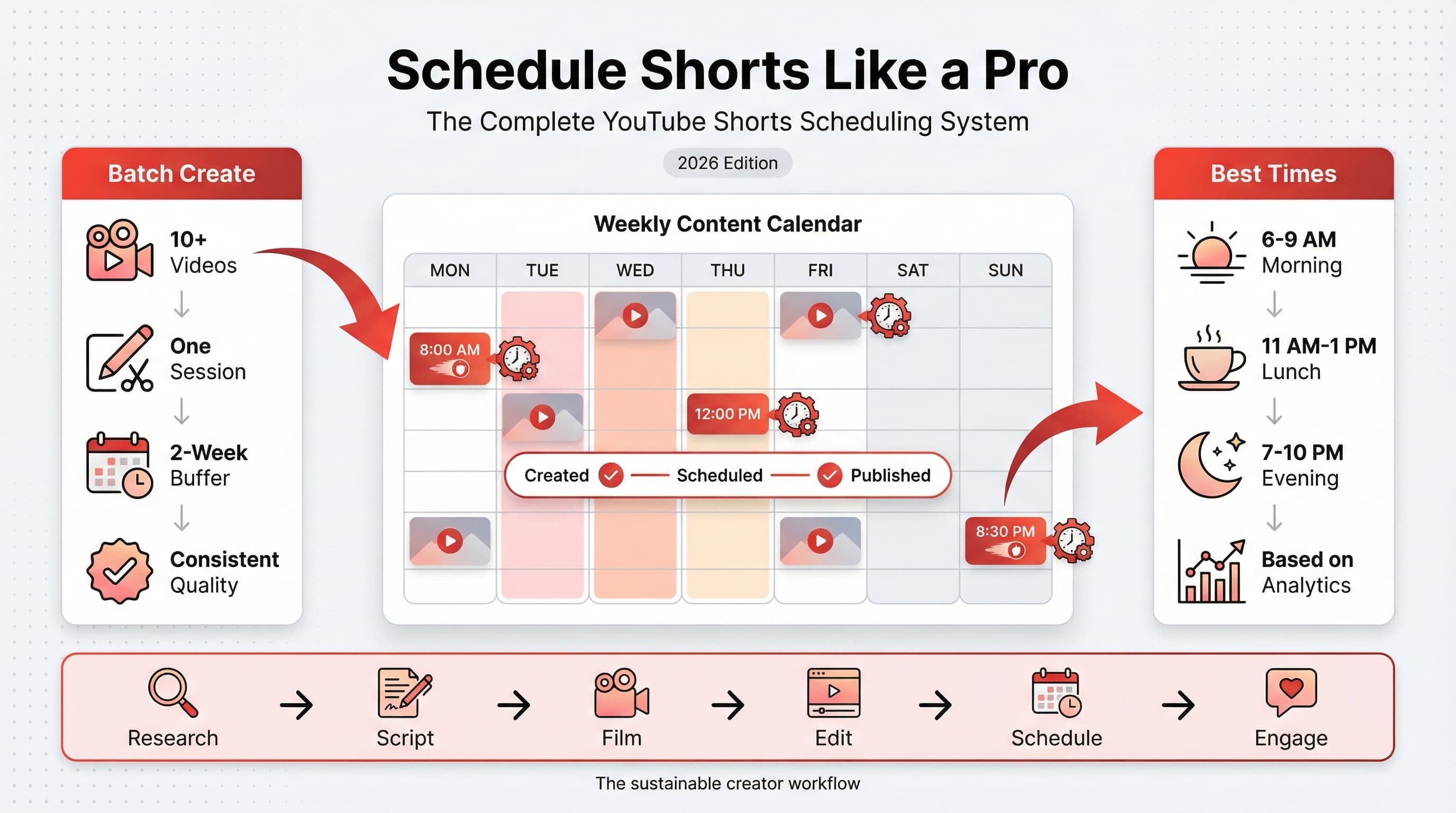
Weekday mornings between 6 AM and 9 AM local time tend to perform well. People check their phones first thing, often still in bed. Shorts are perfect for this quick-hit consumption.
Lunch breaks between 11 AM and 1 PM see another spike. Office workers and students scrolling during downtime.
Evening prime time from 7 PM to 10 PM is the biggest window for most audiences. People are home, relaxed, and have time to watch content.
Weekends are trickier. Saturday mornings can work well, especially for younger audiences. Sunday evenings around 5 PM to 8 PM tend to perform as people prepare for the week ahead.
How to test and refine your posting times
Don't just trust general data. Run your own experiments. Here's a systematic approach:
Week 1-2: Post all Shorts at 8 AM in your primary audience's time zone. Track views at 24 hours and 7 days.
Week 3-4: Post all Shorts at 12 PM. Same tracking.
Week 5-6: Post all Shorts at 6 PM. Same tracking.
Week 7-8: Post all Shorts at 9 PM. Same tracking.
After eight weeks, you'll have real data on what works for your specific content and audience. Some creators discover that their best time is completely counterintuitive. One tech creator I know found that 5 AM performed best because early risers were watching his content before the day got busy.
The early posting theory
There's a school of thought that says you should post 2-3 hours before your audience's peak activity time. The reasoning: YouTube needs time to process and distribute your content. By the time the algorithm has tested it with initial audiences and decided to push it, your main audience is coming online to see it.
This is worth testing. If your analytics show peak activity at 7 PM, try posting at 4 PM or 5 PM and see if your 24-hour view counts improve.
One thing I'd caution against: changing your posting time constantly. If you post at 8 AM for a week, then 6 PM the next week, then 11 PM the week after, you're not giving the algorithm (or your audience) any chance to learn your pattern. Pick a time based on your best hypothesis, commit to it for at least 4-6 weeks, then evaluate.
Building your batch creation workflow
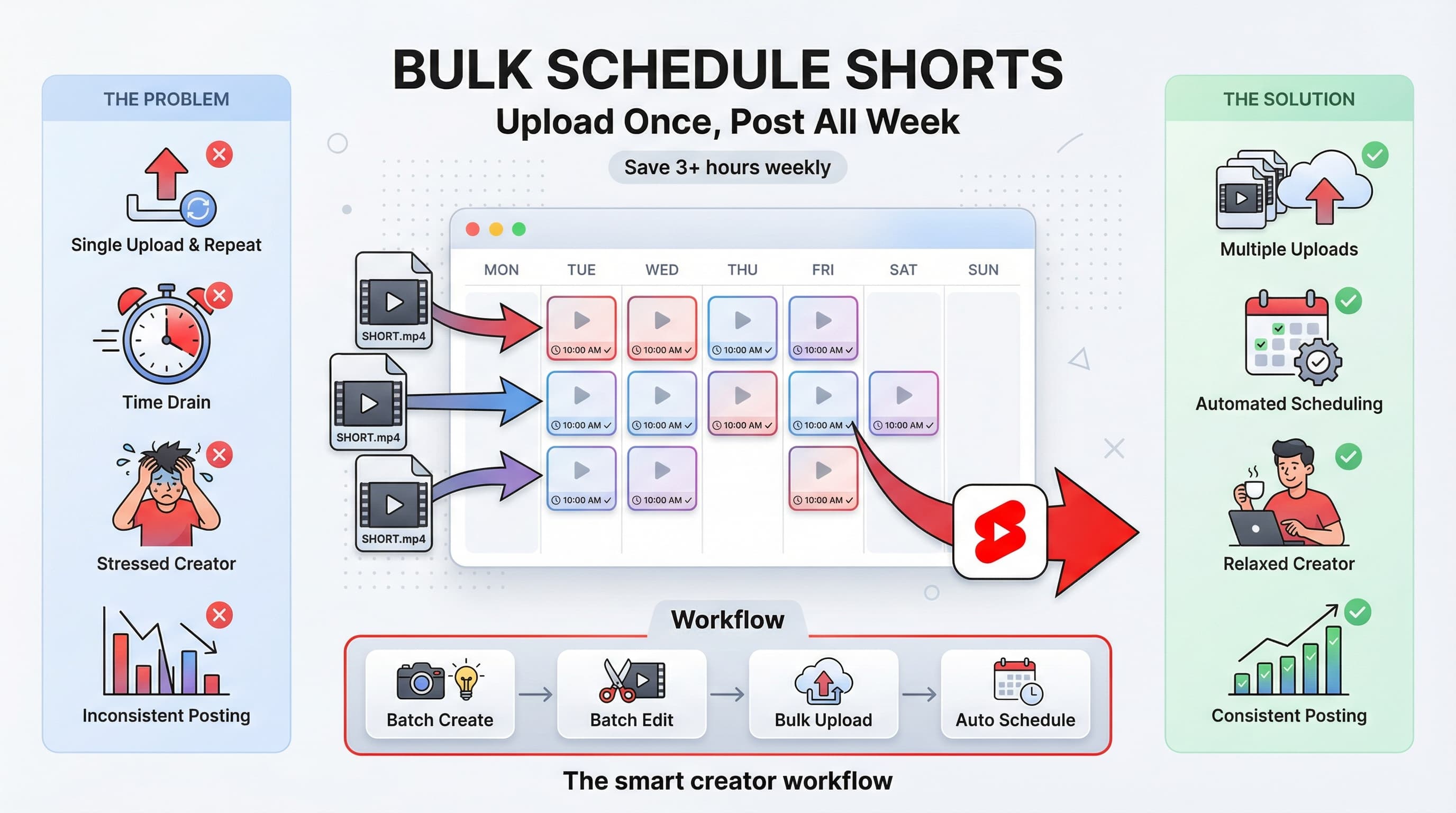
Scheduling is worthless without content to schedule. The creators who thrive with scheduling are the ones who batch create, producing many Shorts in concentrated sessions rather than creating one at a time as needed.
I'm going to walk you through building a batch creation system that feeds your scheduling pipeline. This is where the real efficiency gains happen.
The ideal batch creation setup
Most successful Shorts creators I've studied follow some variation of this weekly rhythm:
Day 1: Research and ideation
Spend 1-2 hours reviewing what's trending in your niche. Check your analytics to see which of your recent Shorts performed best. Make a list of 10-15 video ideas. Don't filter too hard at this stage. Bad ideas can lead to good ideas.
Tools that help here: Google Trends, YouTube search suggestions, TikTok's trending sounds and hashtags, your own comment sections, competitor analysis. Write everything in a single document so nothing gets lost.
Day 2: Scripting and shot planning
Shorts might be short, but they still need structure. For each of your 10-15 ideas, write a quick outline: hook (first 2 seconds), main content, payoff/ending. Decide what you need for filming: locations, props, wardrobe changes.
Group videos that need similar setups. If five of your Shorts can be filmed at your desk, batch those together. If three require outdoor footage, batch those together. This planning saves enormous time on filming day.
Day 3: Filming day
This is where batch creation pays off massively. Instead of setting up lights and equipment 10 separate times, you do it once and film everything in sequence. Professional YouTubers call this "knocking out content."
A solid filming session for Shorts might take 3-4 hours and produce 10-12 usable videos. Compare that to filming one Short per day (including setup and breakdown), which might take 30-45 minutes each, totaling 5-7 hours for the same amount of content.
Day 4: Editing marathon
Batch editing is even more efficient than batch filming. When you edit multiple videos in one session, you develop a rhythm. You get faster at cuts, transitions, and text overlays because you're doing them repeatedly.
Some creators use templates in CapCut, Premiere Pro, or DaVinci Resolve to speed this up further. Same intro, same text style, same color grading across all videos. Consistency in editing also helps with brand recognition.
Day 5: Scheduling and metadata
With 10-12 edited Shorts ready, now you schedule them. Write titles, descriptions, and tags for each. Upload in bulk if your tool supports it. Set posting times based on your optimal schedule.
This is also when you might queue up the same content for TikTok and Instagram Reels, tweaking captions as needed for each platform.
Days 6 and 7? Rest, engage with your community, or work on longer-form content if that's part of your strategy. The batch workflow compresses all the creation work into focused sessions, freeing up the rest of your week.
Tools for batch creation and organization
You need systems to manage all this content. Here's what works:
For ideation: Notion or Airtable let you build databases of video ideas with status tracking (idea, scripted, filmed, edited, scheduled, published). You can filter by category, see what's in your pipeline, and never lose a good idea.
For scripting: Google Docs works fine. Some creators prefer dedicated apps like Descript or Scripted.com for video scripts specifically. The key is having all scripts in one searchable place.
For file organization: Create a folder structure that makes sense. Something like: YouTube Shorts > 2026 > February > [Video Name]. Inside each video folder: raw footage, edited version, thumbnail, script. When you need to find something later, you won't be digging through a chaos of random files.
For scheduling itself: You can use YouTube Studio's native scheduling for a single platform, or tools like Schedulala that let you upload once and schedule across YouTube, TikTok, Instagram, and other platforms simultaneously. The time savings add up quickly when you're posting 10+ Shorts per week.
Try Schedulala for free
Schedule posts to Bluesky, Twitter, and 8 other platforms from one dashboard.
Get started for free→Third-party scheduling tools compared
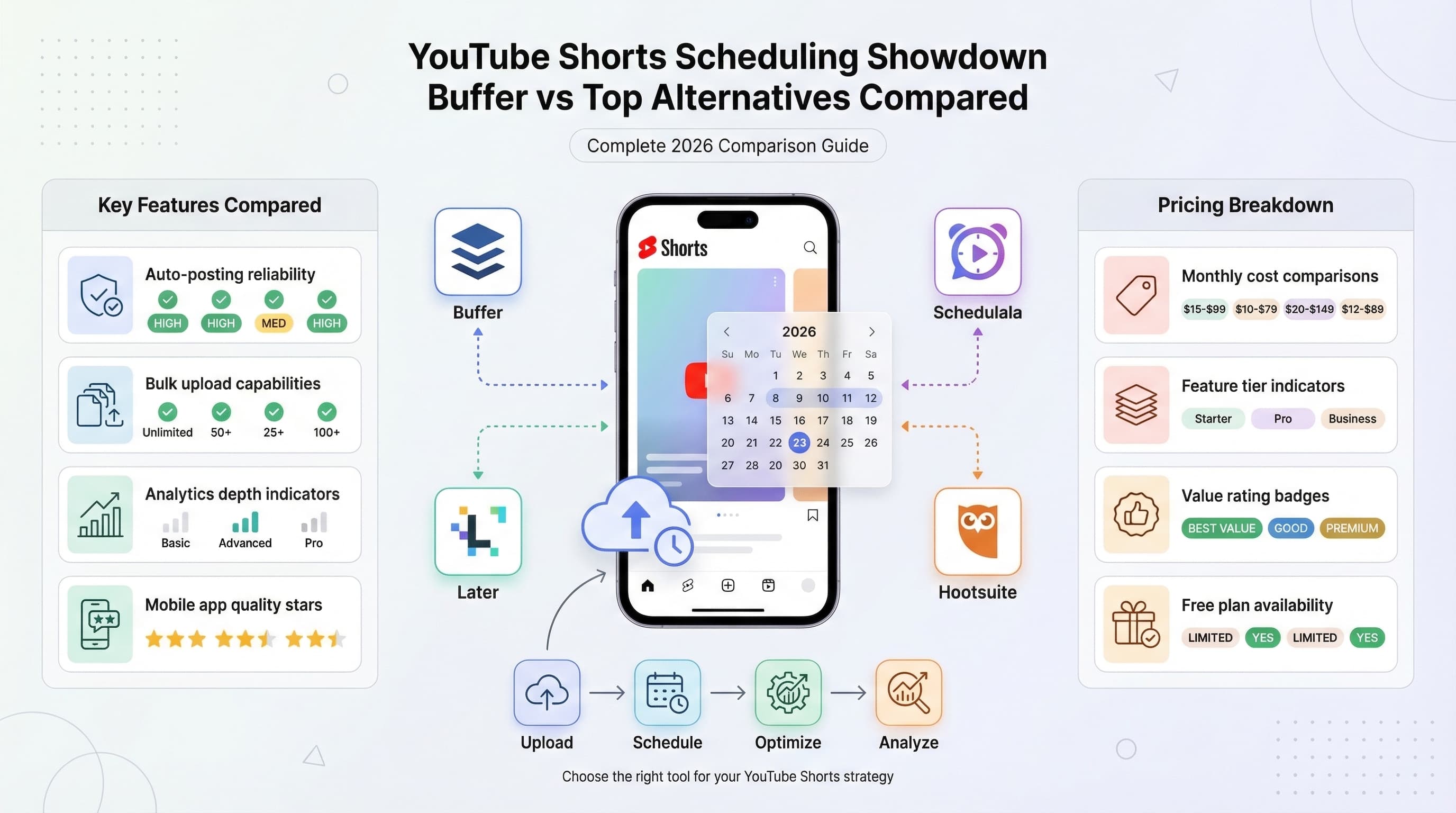
Let's be direct about your options. YouTube's native scheduling works but has significant limitations for serious creators. Third-party tools solve most of these problems, but they come with their own tradeoffs.
What to look for in a Shorts scheduler
Before comparing specific tools, here are the features that actually matter:
Bulk uploading is non-negotiable if you're batch creating. You should be able to drag 10 videos into the tool and schedule them all with one workflow, not one at a time.
Calendar visualization lets you see your entire posting schedule at a glance. Gaps become obvious. You can drag and drop to rearrange. This is essential for planning.
Cross-platform support matters if you're repurposing Shorts to TikTok and Reels (which, again, you probably should be). Scheduling everything from one dashboard saves significant time.
Optimal time suggestions based on your historical performance can improve results. Some tools analyze your past posts and recommend specific times, taking the guesswork out of scheduling.
Team collaboration becomes important if you have editors, managers, or partners involved. Approval workflows, role-based permissions, and shared calendars prevent chaos.
Reliability is foundational. If a tool fails to post at the scheduled time even 5% of the time, that's unacceptable. Check reviews for reliability issues before committing.
Popular scheduling tools for YouTube Shorts
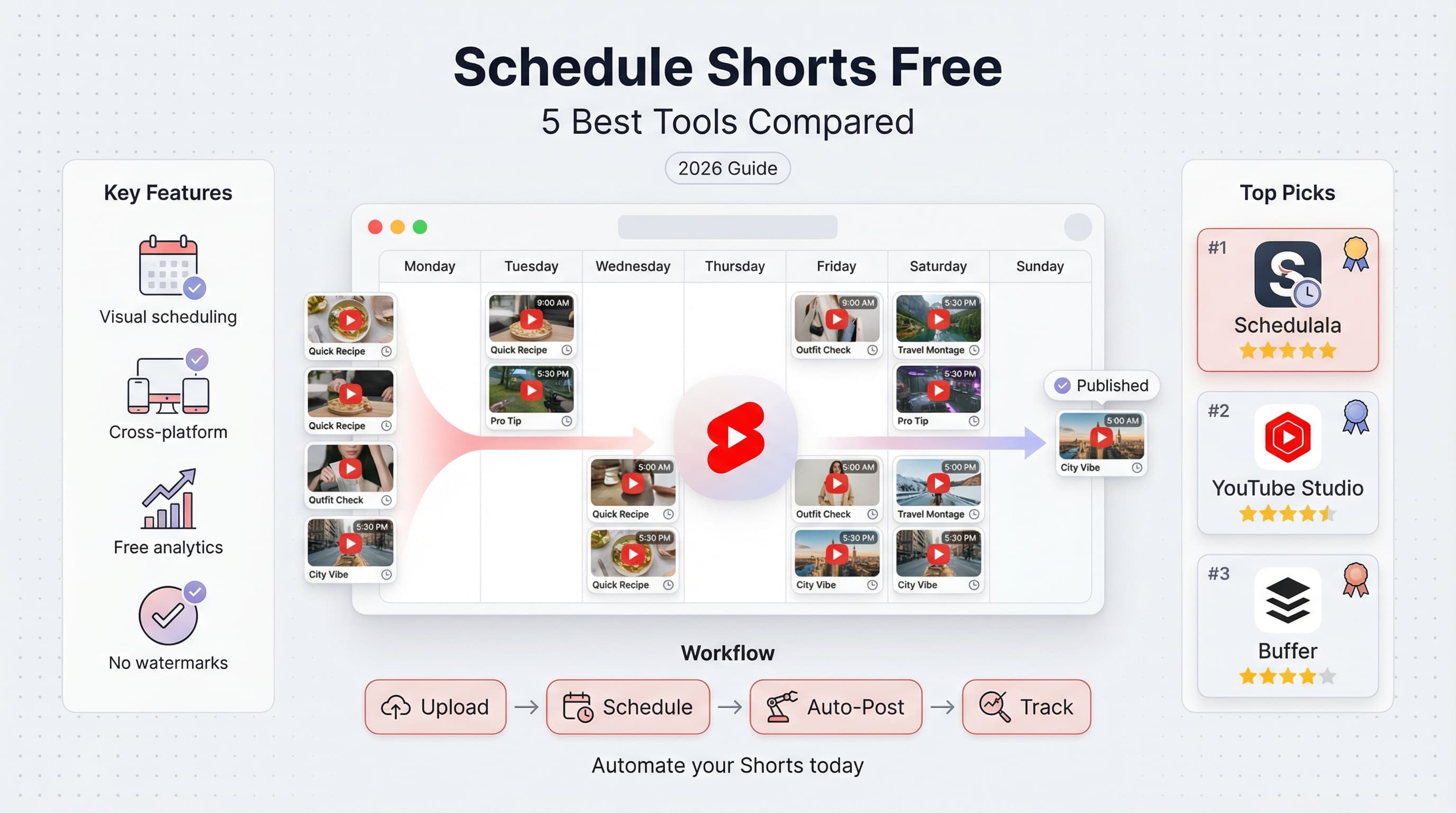
Schedulala
Full disclosure: you're reading the Schedulala blog, so I'm biased. But here's why we built our tool the way we did. Schedulala supports YouTube Shorts, TikTok, Instagram Reels, and other platforms from a unified dashboard. You upload content once, customize captions for each platform, and schedule across all of them in a single workflow.
The calendar view shows your entire content schedule with color coding by platform. Bulk upload handles multiple videos at once. Analytics show cross-platform performance so you can see which content works where. Pricing scales based on usage, so solo creators and small teams aren't overpaying for enterprise features they don't need.
Hootsuite
Hootsuite has been around forever and supports YouTube among many other platforms. The interface is comprehensive but can feel overwhelming for creators who just need video scheduling. Pricing starts higher than some competitors, which makes sense for agencies managing many clients but may be overkill for individual creators.
Their YouTube Shorts support has improved over the past year, though it started slower than some newer tools. Worth considering if you're already using Hootsuite for other social platforms.
Later
Later focuses heavily on visual content and has built a strong reputation with Instagram and Pinterest users. Their YouTube support, including Shorts, has expanded but still feels secondary to their image-based features. If you're primarily an Instagram creator who also posts Shorts, Later's interface might feel natural.
The visual calendar is genuinely excellent. Drag-and-drop scheduling, preview grids, and content organization are all well-designed. Analytics are solid but not as deep as some competitors.
Sprout Social
Sprout is an enterprise-grade tool with enterprise-grade pricing. If you're a creator with a team and budget, their features are comprehensive. If you're a solo creator, you're paying for capabilities you won't use.
Their YouTube scheduling works well, and reporting is excellent. Team workflows and approval processes are mature. But the price point puts it out of reach for most individual YouTubers.
TubeBuddy
TubeBuddy is specifically built for YouTube, which is both its strength and limitation. They understand YouTube deeply, with features like thumbnail A/B testing, SEO suggestions, and bulk processing. However, if you want cross-platform scheduling, you'll need another tool for TikTok and Instagram.
Their scheduling feature is straightforward and reliable. The browser extension integrates directly into YouTube Studio, which some creators prefer over a separate dashboard.
| Tool | YouTube Shorts | Cross-Platform | Bulk Upload | Best For |
|---|---|---|---|---|
| Schedulala | Full support | TikTok, Reels, more | Yes | Video-first creators |
| Hootsuite | Full support | Many platforms | Yes | Agency/multi-client |
| Later | Supported | Instagram focus | Yes | Visual content creators |
| Sprout Social | Full support | Many platforms | Yes | Enterprise teams |
| TubeBuddy | Full support | YouTube only | Yes | YouTube specialists |
Setting up your scheduling system step by step
Enough theory. Let's build your actual system. I'm going to walk through this assuming you want to post one Short per day, seven days a week. Adjust the numbers if your cadence is different.
Phase 1: Establish your content calendar (Week 1)
Before you schedule anything, you need a plan. Create a simple spreadsheet or use a tool like Notion. Your calendar should include:
- Date and time each Short will post
- Working title or topic
- Content pillar/category (if you organize content into themes)
- Status (idea, scripted, filmed, edited, scheduled, live)
- Performance notes (add after posting)
Fill this out for at least the next month. Yes, you might not have content ready for all those slots yet. That's fine. Having the slots defined creates pressure and clarity. You know exactly what you need to create.
Phase 2: Set your posting times (Week 1)
Based on your analytics or general best practices, decide on your posting times. Be specific. Not "morning" but "7:30 AM EST." Here's a sample schedule for daily posting:
- Monday through Friday: 7:00 AM EST (catch early risers before work)
- Saturday: 10:00 AM EST (weekend sleep-in audience)
- Sunday: 6:00 PM EST (evening before the work week)
Write these times into your calendar template. Every Monday slot says 7:00 AM. Every Saturday says 10:00 AM. This becomes your standard schedule that you don't have to think about.
Phase 3: Build your content backlog (Weeks 1-2)
Here's where batch creation comes in. Your goal: create enough content to fill your calendar at least two weeks out, preferably more.
If you're posting daily, that's 14 Shorts. Use the batch workflow I described earlier. Research and ideate Monday, script Tuesday, film Wednesday, edit Thursday, schedule Friday. By the end of week 2, you should have two weeks of content scheduled and ready.
The first time you do this, it will feel like a lot of work. That's because you're building the initial buffer from scratch. Once your system is running, you only need to create one week of content to stay two weeks ahead.
Phase 4: Schedule everything (End of Week 2)
With your content created and edited, open your scheduling tool (YouTube Studio or third-party). Upload all 14 videos. For each one:
- Enter the title (keep it punchy, front-load keywords)
- Write the description (include relevant hashtags like #Shorts)
- Add tags if you use them (less important for Shorts than regular videos)
- Select the scheduled date and time from your calendar
- Confirm and move to the next video
If you're using a bulk scheduling tool, this process is much faster. Upload all videos at once, enter metadata in a batch interface, and drag videos to slots on a calendar view.
Phase 5: Weekly maintenance routine (Ongoing)
Once your system is running, you need a weekly maintenance routine to keep it going. Here's a sample:
Monday: Review last week's performance. Which Shorts did well? Which flopped? Note patterns in your content calendar.
Tuesday: Research and ideate for the next batch. Add ideas to your backlog.
Wednesday: Film day. Knock out all the Shorts you need for the next week (or two if you're ambitious).
Thursday: Edit all footage from Wednesday's filming session.
Friday: Schedule everything for the coming week. Update your content calendar.
Weekend: Rest, engage with comments, or work on other projects.
This routine takes maybe 6-8 hours total per week for daily posting. Compare that to the chaos of creating and posting one Short per day reactively, which easily takes 10-12 hours due to context switching and lack of batching efficiency.
Advanced scheduling strategies
Once you have the basics running, here are more sophisticated approaches to consider.
Content pillars on specific days
Some creators assign content types to specific days. For example: Monday is tips, Wednesday is reactions, Friday is Q&A. This helps audience expectations (they know what's coming when) and makes planning easier (you know you need a tip video for Monday).
This approach also provides natural variety in your content mix without having to think about it. You're not accidentally posting five tips in a row because your calendar forces diversity.
Evergreen vs. trending content slots
Most of your scheduled content should be evergreen, meaning it's relevant regardless of when it posts. But you also want flexibility for trending topics or timely content.
One approach: schedule evergreen content for 6 out of 7 days, but leave one slot per week for trending content that you create closer to posting time. This gives you consistency while maintaining relevance.
Time zone rotation for global audiences
If analytics show significant audience in multiple time zones, you might post at different times on different days. Monday might be timed for US audiences, Wednesday for European audiences, Friday for Asian audiences.
This is advanced and only worth pursuing if you have genuinely global reach. For most creators, optimizing for your primary audience's time zone is sufficient.
A/B testing posting times
Some tools let you split-test posting times. Post similar content at different times and compare performance. Over a month of testing, you can develop a data-driven optimal schedule specific to your audience.
The key is controlling variables. Don't test posting time while also testing different content types. Change one thing at a time so you know what's actually driving results.
Cross-platform scheduling considerations
If you're posting the same Shorts to TikTok and Instagram Reels (and you probably should be), should they all post at the same time?
Not necessarily. Each platform has different peak times because each has different user demographics. TikTok skews younger and might peak later in the evening. Instagram might peak during lunch breaks. YouTube Shorts might peak in the morning.
My suggestion: schedule each platform for its own optimal time, even if that means the same video posts on YouTube at 7 AM, TikTok at 9 PM, and Instagram at noon. The content is the same, but the timing is platform-appropriate.
Also consider staggering by a day or two. If a Short goes viral on TikTok, you can use that information before the YouTube version posts. Maybe you update the title to match what resonated, or you know to push it harder on YouTube because it's proven content.
Common scheduling mistakes (and how to avoid them)
I've seen plenty of creators fail with scheduling, often in predictable ways. Learn from their mistakes.
Mistake 1: Scheduling too far ahead without flexibility
Having a month of content scheduled sounds great until a major trending topic hits your niche and all your scheduled content is suddenly irrelevant. Or worse, tone-deaf if something serious happens in the world.
The fix: keep 1-2 slots per week flexible for timely content. Schedule evergreen content but build in release valves for trending opportunities.
Mistake 2: Set it and forget it mentality
Scheduling isn't autopilot. You still need to engage with comments on your Shorts, respond to trending content, and monitor performance. Creators who schedule and then ignore their channel miss engagement opportunities and let problems fester.
The fix: schedule content, but still check your channel daily. Respond to comments within the first few hours of posting. Be present even when you're not actively creating.
Mistake 3: Prioritizing quantity over quality
Batch creation can become a trap where you're cranking out content just to fill slots. Ten mediocre Shorts won't outperform three excellent ones. The algorithm rewards engagement, not just posting frequency.
The fix: if you're struggling to create quality content at your posting frequency, reduce frequency. Better to post 4 great Shorts per week than 7 forgettable ones.
Mistake 4: Ignoring the data
Some creators establish a schedule based on general best practices and never revisit it. Your audience evolves. Platform algorithms change. What worked six months ago might not work now.
The fix: review your analytics monthly. Look at posting time vs. performance correlations. Adjust your schedule based on actual data, not assumptions.
Mistake 5: Not having a backup plan
What happens if your scheduling tool goes down? Or YouTube's API has issues? Or your computer dies with all your scheduled content on it?
The fix: keep copies of all content in cloud storage (Google Drive, Dropbox, etc.). Have a manual backup plan for posting if your tool fails. Don't store everything in one place.
Mistake 6: Inconsistent posting after building expectations
You posted daily for three months. Then you got busy and missed a week. Then two weeks. Your subscribers who got used to daily content feel abandoned. Engagement drops. You've trained both the audience and algorithm to expect consistency, and now you're breaking that expectation.
The fix: only commit to a posting frequency you can realistically maintain long-term. It's better to commit to 3x per week consistently than 7x per week followed by burnout.
The burnout trap
This deserves its own discussion because it's the most common failure mode I see. Creator burnout from over-scheduling.
The pattern goes like this: New creator gets excited about Shorts. Reads that daily posting is optimal. Commits to 7 days a week. First month is energizing. Second month is tiring. Third month is exhausting. By month four, they're dragging themselves through content creation, quality is dropping, they start missing days, then they disappear entirely.
Here's my honest take: daily posting is great if you can sustain it. Most people cannot sustain it long-term. I think 4-5 Shorts per week is a more sustainable target for solo creators. You still get the consistency benefits without the grinding misery.
If you have a team, daily posting becomes more feasible. One person films, another edits, someone else handles scheduling and engagement. The workload is distributed. Solo creators don't have that luxury.
Be honest with yourself about your capacity. Scheduling is supposed to reduce stress, not increase it.
Optimizing your Shorts for scheduled success
Scheduling puts your content in front of people at the right time. But the content itself still needs to perform. Here are optimization tips specifically for scheduled Shorts.
Hook optimization for cold audiences
When your Short posts at 7 AM, the first people seeing it might not be existing fans. They're browsing the Shorts feed, seeing you for the first time. Your hook needs to grab strangers, not just warm subscribers.
The first frame and first second of audio are everything. Text on screen should be visible immediately. Say something unexpected in the first second. Ask a question. Make a bold claim. Create visual intrigue.
Test different hooks on similar content. Track which opening styles get people to watch past the first 3 seconds (you can see this in YouTube's retention graphs). Double down on what works.
Title strategies for scheduled content
Titles for Shorts work differently than regular YouTube videos. Many viewers never see the title because they're swiping through the Shorts feed. But titles still matter for search and for the main YouTube feed where your Shorts also appear.
Keep titles short (under 40 characters if possible). Front-load keywords. Be specific rather than vague. "How I got 1M views on Shorts" beats "My YouTube Journey."
Hashtag optimization
Always include #Shorts in your description. This signals to YouTube that your content should be pushed to the Shorts shelf. Also include 2-3 niche-relevant hashtags.
Don't overdo hashtags. YouTube isn't Instagram. More than 5-6 hashtags looks spammy and probably doesn't help. Focus on the most relevant, highest-volume tags for your content.
Retention optimization
YouTube's algorithm cares deeply about watch time, even for Shorts. A Short that gets watched to completion and rewatched will outperform one that gets swiped away after 5 seconds.
Some tactics that improve retention:
- Loop your endings into your beginnings so viewers watch multiple times without realizing
- Build suspense toward a payoff at the end so people watch to see the resolution
- Use visual variety (cuts, zooms, text popups) to maintain attention
- Keep the pace fast but not chaotic
- End with a question or cliffhanger that makes people comment
When batch creating, review your analytics for patterns. Which videos have highest average view duration? Reverse engineer what made them sticky and apply those principles to future batches.
Thumbnail considerations for Shorts
YouTube Shorts auto-generate thumbnails from video frames, but you can also upload custom thumbnails. These thumbnails appear when your Shorts show up on your channel page and in search results.
For the Shorts feed specifically, thumbnails don't matter much because people are watching the actual video. But for discovery through search or your channel page, a clear, eye-catching thumbnail can increase click-through rate.
If you're batch creating, batch create thumbnails too. Use a consistent style across your Shorts for brand recognition. Many creators skip this step, which is an opportunity for you to stand out.
Measuring and improving your scheduling strategy
You're scheduling consistently now. How do you know if it's working? And how do you improve over time?
Key metrics to track
Views are the obvious metric, but they're not the only one that matters. Here's what to monitor:
Average view duration tells you if people are watching your whole Short or swiping away. Target 70%+ average view duration for a Short. Below 50% means your hook or content isn't holding attention.
Engagement rate (likes + comments / views) indicates how compelling your content is. Higher engagement tells YouTube to push your content further. Track which posting times correlate with higher engagement.
Click-through rate from impressions shows how effectively your thumbnail and title are converting to views. This matters more for Shorts appearing in search or on your channel page.
Subscriber conversions reveal whether your Shorts are driving channel growth. Each Short should include a call to action for subscribing when natural.
Swipe-away rate (available in YouTube Studio) shows exactly where viewers are leaving. If everyone swipes away at the 3-second mark, your hook isn't working.
Creating your analytics dashboard
Build a simple tracking system. Spreadsheet works fine. For each Short, record: post date/time, views at 24 hours, views at 7 days, average view duration, engagement rate, subscriber change.
After 30 posts, you'll have enough data to see patterns. Which posting days perform best? Which times? Which content types? Let data guide your strategy adjustments.
Monthly strategy reviews
Set a calendar reminder for the first of each month: Strategy Review Day. Look at the previous month's data and ask:
- Which 3 Shorts performed best? What do they have in common?
- Which 3 Shorts performed worst? What went wrong?
- Are there clear patterns around posting times?
- Is my posting frequency sustainable?
- What content pillars are working vs. underperforming?
Based on answers, make one or two specific changes to your strategy for the next month. Don't overhaul everything at once. Small, iterative improvements compound over time.
When to change your posting times
You shouldn't constantly tweak your schedule, but there are signals that a change is needed:
Consistent underperformance at a specific time. If your Tuesday 7 AM posts always underperform compared to other days, experiment with a different time slot.
Audience shift. If your analytics show your audience's peak activity times have changed (maybe you gained a lot of international subscribers), adjust accordingly.
Platform changes. When YouTube updates its algorithm or Shorts features, established best practices might no longer apply. Stay aware of platform news.
Life changes. If you're now creating content for a different demographic (say, you pivoted from gaming to business content), your audience's behavior will be different.
When you do change posting times, commit to the new schedule for at least 4-6 weeks before evaluating. Short-term fluctuations are normal. You need enough data to identify real patterns.
Real-world scheduling case studies
Theory is helpful, but seeing how real creators implement scheduling makes it concrete. Here are three examples from different niches.
Case study: The fitness creator
Maria runs a fitness channel with 85,000 subscribers. She posts 5 Shorts per week, all scheduled for 6 AM in US Eastern time. Her reasoning: her audience is fitness-motivated and tends to check their phones first thing in the morning for workout motivation.
Her batch workflow: Sunday afternoon she films 5-7 workout clips. Monday evening she edits and adds captions. Tuesday morning she schedules the week. She maintains a 2-week buffer and uses Schedulala to cross-post to Instagram Reels and TikTok, each with different posting times optimized per platform.
Results: Her consistency has driven a 340% subscriber increase over 8 months. Average views per Short went from 2,000 to 45,000. She credits scheduling with maintaining consistency even during busy periods when she's traveling for fitness competitions.
Case study: The tech reviewer
James reviews gadgets and tech products. He posts daily Shorts but varies timing based on content type. Product reviews post at 8 AM (catch people before work). Quick tips post at 12 PM (lunch break content). Hot takes on tech news post at 6 PM (evening browsing).
His batch workflow is less structured because tech news requires timely responses. He batch-creates evergreen tips and reviews during weekly sessions, but leaves 2-3 slots per week for timely content he creates closer to posting.
Results: This hybrid approach lets him be both consistent and relevant. His timely content often outperforms his evergreen content because it captures search interest around breaking news. But the evergreen content keeps his channel active even during slow news periods.
Case study: The educational creator
Dr. Priya creates science education Shorts. She posts 3x per week on Monday, Wednesday, and Friday at 4 PM EST. Her audience is mostly students who check YouTube after school.
Her workflow is highly structured. She plans the entire month's content on the first weekend. She films one day per week, batching everything for the following week. Her two-person team (herself and one editor) splits the workload, allowing her to maintain quality while also running her teaching career.
Results: Despite posting less frequently than many Shorts creators, her content performs exceptionally well because of high quality and perfect timing for her audience. She averages 150,000 views per Short with 3x per week posting, outperforming creators in her niche who post daily but with lower quality.
The common thread across these case studies: each creator built a system that works for their specific situation. They didn't copy someone else's schedule blindly. They tested, measured, and refined until they found what worked for their content and audience.
The technical side of scheduling: API access and automation
For creators who want to go deeper, understanding how scheduling tools actually work can be valuable. This section gets slightly technical, but it's useful context.
How third-party tools post to YouTube
YouTube provides an API (Application Programming Interface) that allows authorized tools to upload and schedule videos on your behalf. When you connect a tool like Schedulala to your YouTube account, you're granting limited permissions for the tool to post content for you.
The process works like this: You upload your video to the scheduling tool's servers. At the scheduled time, the tool uses your authorized connection to upload the video to YouTube with your specified metadata. From YouTube's perspective, it's essentially the same as if you uploaded it yourself through YouTube Studio.
This is important to understand because it means third-party scheduling has no penalty or disadvantage compared to native scheduling. YouTube can't actually tell the difference. The algorithm treats scheduled posts identically regardless of whether you scheduled through YouTube Studio or through an external tool.
OAuth and security considerations
When you connect a scheduling tool to YouTube, you're using a protocol called OAuth. This lets you grant specific permissions without sharing your password. The tool can post videos on your behalf but can't access your payment information or change your channel settings.
Stick to reputable scheduling tools with clear privacy policies. Check what permissions they're requesting before authorizing. You can revoke access anytime through your Google account settings if you're concerned.
API quotas and limitations
YouTube's API has usage quotas. This is rarely an issue for individual creators, but if you're scheduling dozens of videos daily, you might run into limits. Most scheduling tools handle quota management automatically, spreading uploads across the day to avoid hitting limits.
If you're ever in a situation where scheduled posts aren't going through, API quota exhaustion is one possible cause. Good scheduling tools monitor their quota usage and alert you if there's an issue. This is another reason to use established tools rather than obscure ones that might have quota management issues.
Automation beyond scheduling
Some creators take automation further. Tools like Make (formerly Integromat) or Zapier can trigger actions based on your YouTube activity. Examples: automatically tweet when a new Short goes live, send yourself a Slack notification when a video hits 10,000 views, update a spreadsheet with performance data.
This level of automation is overkill for most creators, but if you're running a content operation at scale, it can save significant time. The principle remains the same as scheduling: automate the repetitive stuff so you can focus on creative work.
Frequently asked questions about Shorts scheduling
Let me address the questions I hear most often from creators setting up their scheduling systems.
Can I edit a scheduled Short before it posts?
Yes, both in YouTube Studio and most third-party tools. Find the scheduled video in your content library and make your changes. Just be aware that if you're changing the video file itself (not just metadata), you may need to re-upload entirely.
What happens if I schedule a Short but then want to post something else at that time?
You can either reschedule the original Short to a different time, delete it from the schedule entirely, or (in some tools) simply schedule the new content for the same time. Most tools will warn you about conflicts.
Should I schedule Shorts at the exact same time every day?
There's no hard rule. Same time every day builds audience expectations, which can help. But if your analytics show different optimal times for different days (weekends vs. weekdays, for example), vary accordingly.
Does scheduling affect the algorithm?
No. YouTube's algorithm evaluates content based on performance after posting, not how it was posted. A scheduled video is treated identically to a manually uploaded video.
Can I schedule Shorts to premiere instead of publish immediately?
Premieres are typically used for longer content where you want viewers to watch together in real-time. For Shorts, standard scheduling (publish at scheduled time) makes more sense. The premiere functionality exists but isn't common practice for short-form content.
How far in advance can I schedule Shorts?
YouTube Studio allows scheduling up to about a year in advance, though I've never heard of anyone actually doing that. Third-party tools vary but typically support at least several months of advance scheduling. For practical purposes, scheduling more than a month ahead creates flexibility and evergreen content concerns.
What if YouTube's servers are down when my Short is scheduled to post?
If you scheduled through YouTube Studio, the Short will post when servers recover, though potentially slightly late. Third-party tools typically retry for a period and alert you if posting fails. YouTube outages are rare, but it's worth having a backup plan for critical content.
Can multiple team members schedule content to the same channel?
Yes, if you've granted them appropriate access. In YouTube Studio, you can add channel managers with permission to upload and schedule. Most third-party tools support team collaboration with role-based permissions. Establish clear communication about who's scheduling what to avoid conflicts.
Building sustainable content systems
I want to close with some perspective that goes beyond tactics. Scheduling is a tool, not a goal. The goal is building a sustainable creative practice that serves your audience and achieves your objectives.
I've seen creators get so obsessed with their scheduling systems that they lose sight of why they're creating in the first place. They've got perfect content calendars, elaborate batch workflows, and multiple tools, but they're miserable and their content feels lifeless.
Don't let that be you. Systems exist to support creativity, not replace it.
Signs your system is working
- You feel less stressed about content creation, not more
- You have time for creative exploration alongside your scheduled content
- Your posting consistency has improved without quality suffering
- You can take a vacation without your channel going dark
- You're growing, even if slowly
Signs your system needs adjustment
- You're constantly scrambling to fill content slots
- Quality is dropping because you're prioritizing quantity
- You dread your "creation days"
- Your buffer keeps shrinking instead of growing
- You're posting but not engaging with your community
If you recognize those warning signs, step back and simplify. Reduce posting frequency. Take a week off if you need to. A sustainable 3x per week is infinitely better than an unsustainable daily pace that leads to burnout and quitting entirely.
One more thing: don't compare your system to what successful creators with teams are doing. A creator with a full-time editor, manager, and assistant can post daily without burning out because they're not doing everything themselves. If you're a solo creator, your system will look different, and that's okay.
Build the system that works for you, your life, and your creative process. Then trust the system and focus on making the best content you can.
Your scheduling action plan
You've made it through this entire guide. Now it's time to actually implement. Here's your step-by-step action plan for the next two weeks.
This week (Days 1-7)
Day 1: Set up your content calendar. Spreadsheet or Notion, doesn't matter. Include dates, times, content ideas, and status columns.
Day 2: Analyze your YouTube analytics. Find your audience's peak activity times. Decide on your posting schedule (days and times).
Day 3: Choose your scheduling tool. YouTube Studio native or a third-party option. Sign up and connect your channel.
Day 4-5: Create your first content batch. Aim for at least 7 Shorts. Research, script, film, edit.
Day 6: Schedule your content for the next week. Upload everything, write metadata, set posting times.
Day 7: Rest and reflect. Your first week of scheduled content is ready to go.
Next week (Days 8-14)
Day 8: Monitor your scheduled posts. Check that they're going live on time. Engage with comments.
Day 9-10: Create your next content batch. You're building your buffer now.
Day 11: Schedule week 3's content. You should now have two weeks scheduled ahead.
Day 12: Review performance of your first scheduled posts. Note what's working.
Day 13-14: Refine your system based on early learnings. Adjust if needed.
After these two weeks, you'll have a working system. From there, it's about maintaining the rhythm and iteratively improving based on data.
The best time to start scheduling was when you started creating. The second best time is right now. Stop reading, open your calendar, and plan your first batch. Your future, consistent, less-stressed creator self will thank you.
Try Schedulala for free
Schedule posts to Bluesky, Twitter, and 8 other platforms from one dashboard.
Get started for free→