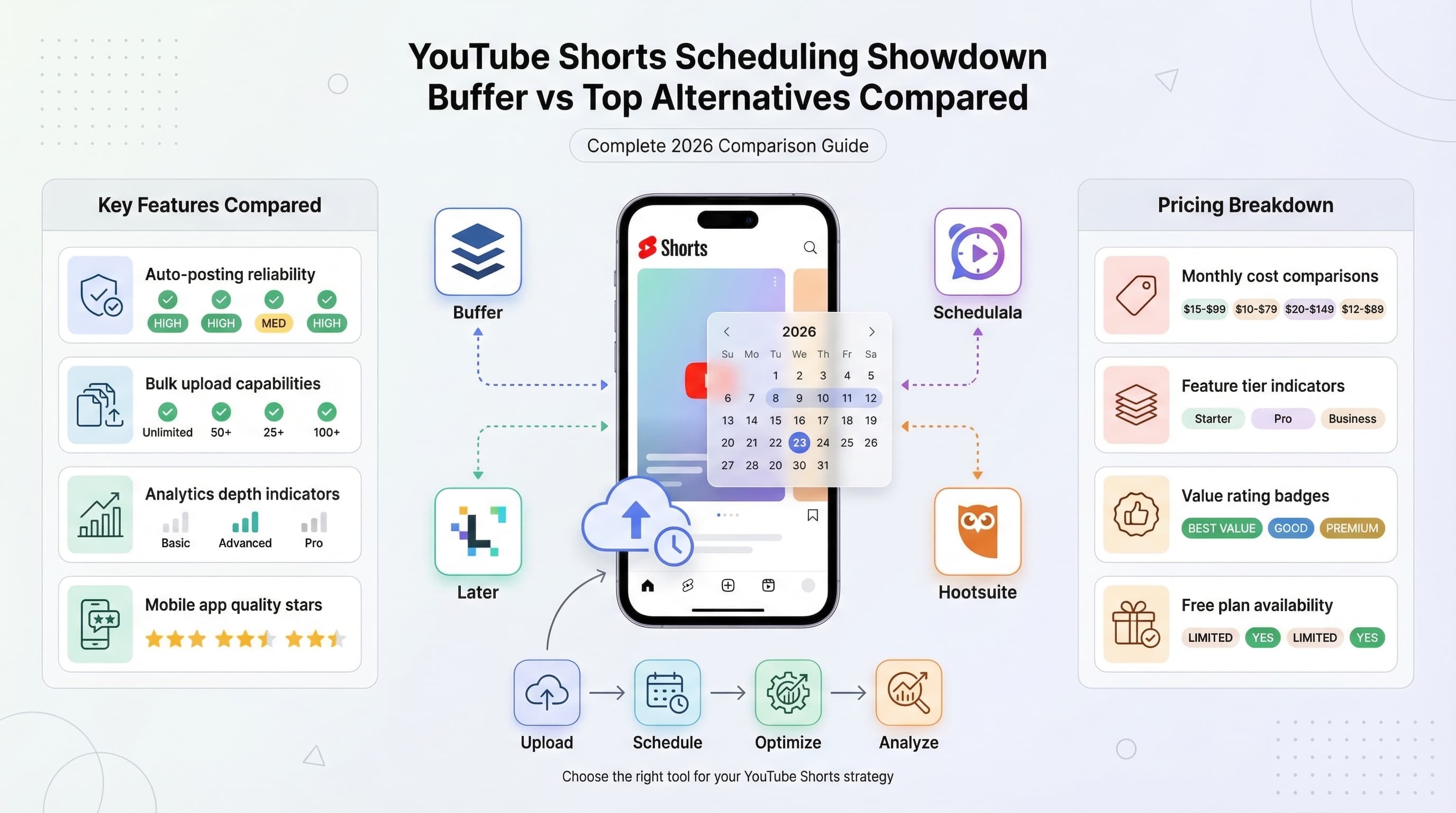
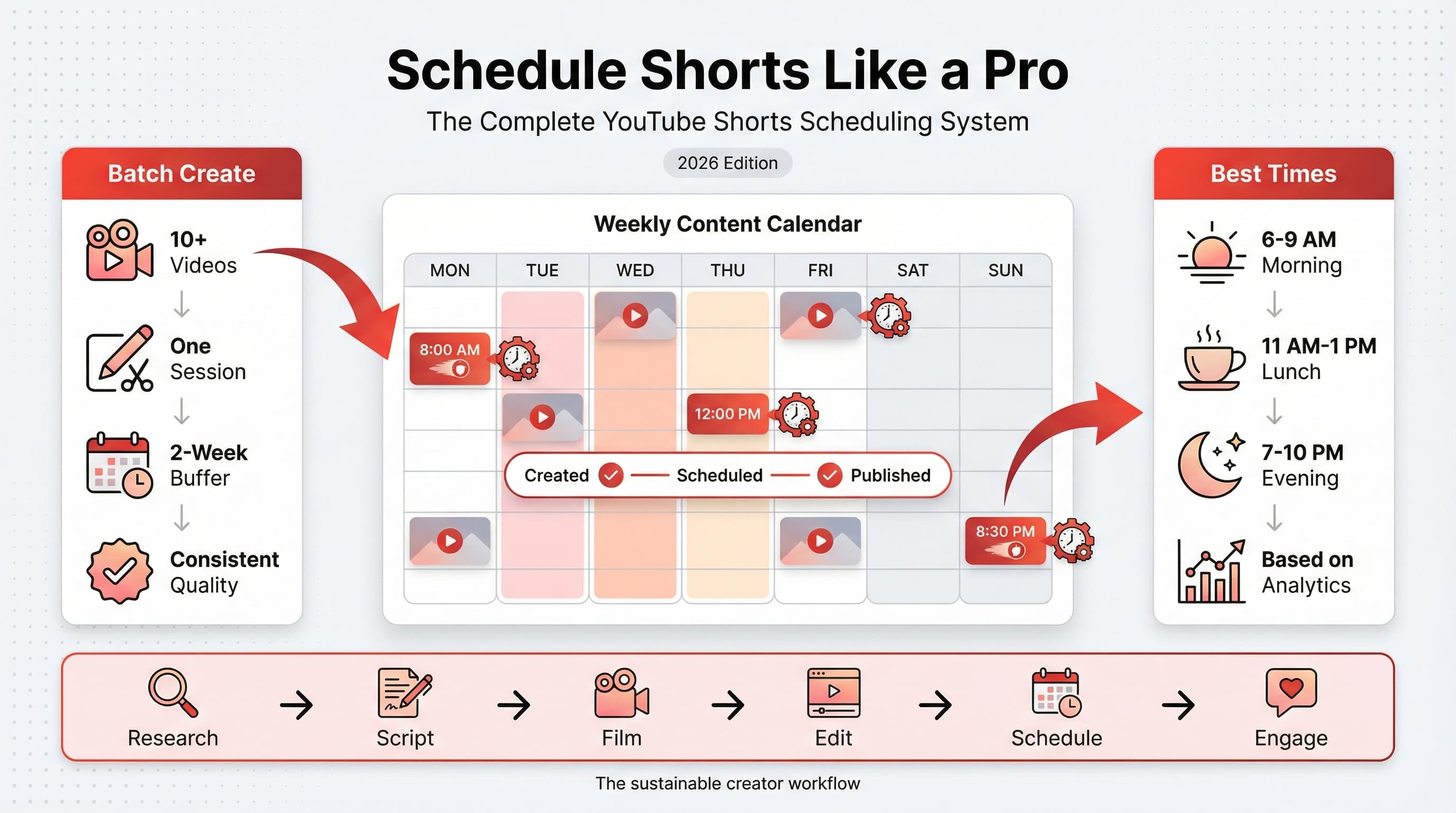
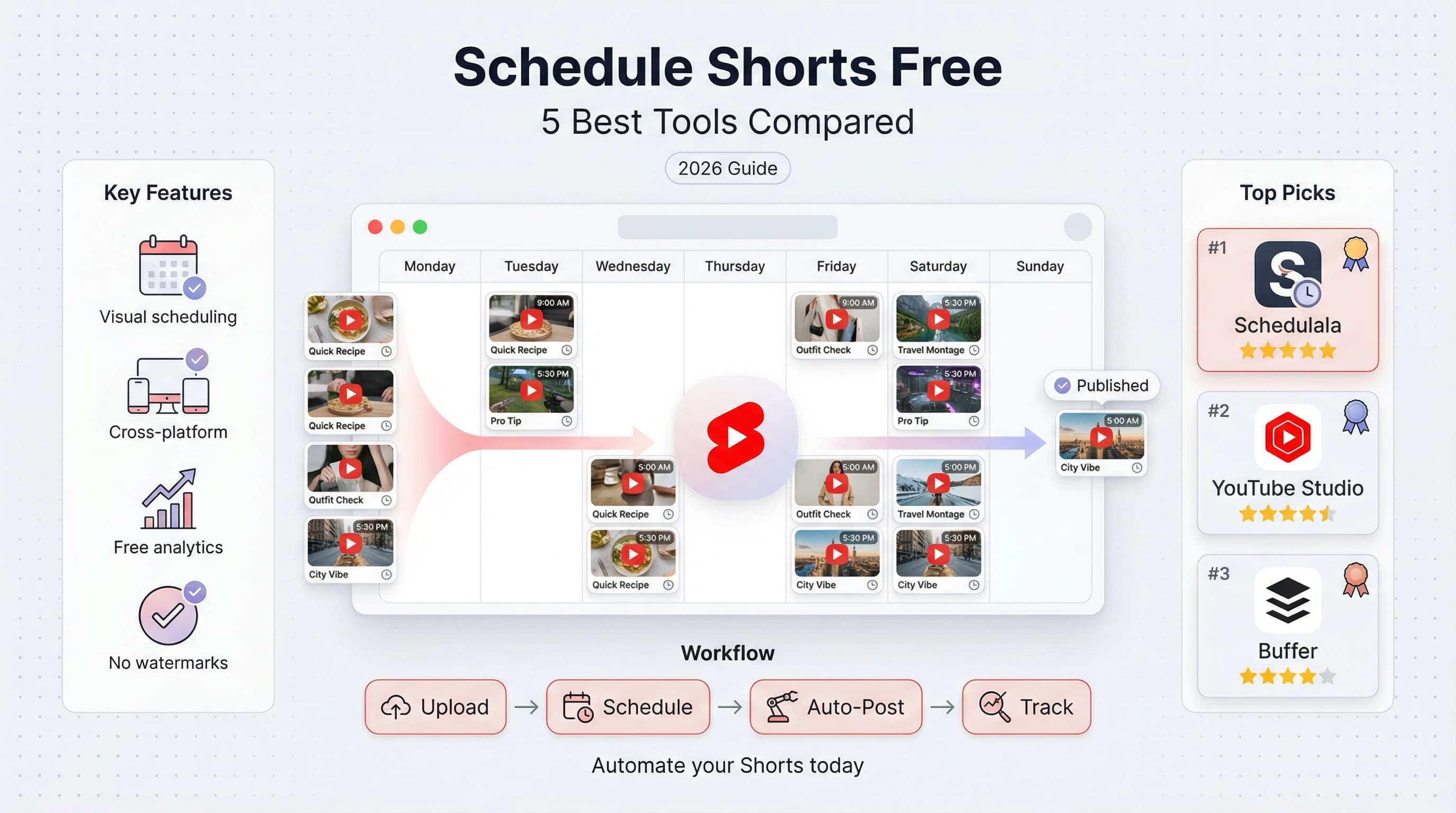
Free YouTube Shorts Scheduler: 5 Best Options to Automate Your Uploads in 2026
Looking for a free YouTube Shorts scheduler? We tested the top 5 tools that let you schedule Shorts without paying. Here's what actually works.

Quick answer
Free YouTube Shorts schedulers include YouTube Studio (fully free), Buffer (3 channels free), and Schedulala's free trial with unlimited posts.
- •YouTube Studio's built-in scheduler is 100% free for all YouTube creators
- •Buffer Free: 3 channels, 10 scheduled posts each, limited features
- •Schedulala offers a free trial, then $9/month for one account on each platform across 12 platforms
- •YouTube Studio is best for YouTube-only creators; Schedulala is better for multi-platform
You've been grinding out YouTube Shorts at 2 AM because that's when your audience in Tokyo is awake. There has to be a better way. Learn more about YouTube scheduling.
Good news: there is. Free scheduling tools exist that let you queue up your Shorts and post them at the perfect time, even while you're sleeping, eating, or doing literally anything other than staring at the upload button. See our scheduling across platforms guide.
But here's the catch: not all free schedulers are created equal. Some have brutal limitations. Others don't actually support Shorts properly. And a few will spam your channel with watermarks or force you into a paid plan before you've even gotten started. Try our how to repurpose content.
I spent the last month testing every free YouTube Shorts scheduler I could find. I uploaded hundreds of test videos, pushed against free tier limits, and documented everything that went wrong (and right). Here are the five tools that actually deliver on their promises. Try our batch content creation.
Try Schedulala for free
Schedule posts to Bluesky, Twitter, and 8 other platforms from one dashboard.
Get started for free→See It in Action
This is what scheduling YouTube Shorts looks like in Schedulala
What to look for in a free YouTube Shorts scheduler
Before diving into the list, let's get clear on what actually matters when choosing a free scheduler. Because "free" can mean a lot of different things, and some of those things are pretty annoying. Our best time to post on youtube can help.
The features that actually matter
First, you want real scheduling, not just drafts. Some tools claim to "schedule" but really just save your video as a draft with a reminder. That's not scheduling. That's a glorified to-do list. Our youtube line break generator can help.
Second, check the post limits. A tool might be free, but if you can only schedule three videos per month, is it really useful? Most serious Shorts creators post daily or even multiple times per day. You need a tool that can keep up.
Third, look at what platforms are included. If you're cross-posting your Shorts to TikTok, Instagram Reels, or other platforms, a multi-platform scheduler saves you hours every week. Single-platform tools have their place, but versatility is valuable.
Now let's get into the actual tools. I've ranked these based on a combination of free tier generosity, ease of use, reliability, and how well they handle the specific quirks of YouTube Shorts.
1. Schedulala: best overall option (free trial)
What makes it stand out
Schedulala gives you a 7-day free trial with full access to everything, no feature gates. During the trial you get unlimited scheduled posts across all 10 supported platforms, so you can genuinely test the workflow before committing.
The interface is refreshingly simple. You upload your Short, pick a date and time, add your title and description, and hit schedule. No confusing menus, no hidden settings you need to configure first. It just works.
What I particularly like is the multi-platform support. If you're repurposing your Shorts as TikToks or Instagram Reels (and you probably should be), you can schedule all three from the same dashboard. Upload once, distribute everywhere.
The scheduling calendar gives you a visual overview of your content pipeline. You can see at a glance when your Shorts are going live, spot gaps in your schedule, and drag posts around if you need to reschedule. It's the kind of feature that feels obvious once you have it, but many schedulers skip it entirely.
One thing worth mentioning: Schedulala doesn't add watermarks to your videos. Your content stays your content.
| Feature | Details |
|---|---|
| Free trial | 7 days, full access |
| Monthly posts | Unlimited |
| Platforms supported | All 10 (YouTube, TikTok, Instagram, etc.) |
| Scheduling calendar | Yes |
| Paid plans from | $9/month |
Pricing after the trial
After the 7-day trial, plans start at $9/month (or $90/year — two months free). That gets you unlimited posts across all platforms. For the amount of time it saves, most creators find it pays for itself within the first week. Compared to Buffer or Later's paid tiers, it's significantly cheaper for what you get.
2. YouTube Studio: the native option
What makes it stand out
This one's obvious but often overlooked: YouTube's own Studio app lets you schedule Shorts for free. No third-party tools needed, no account connections to manage, no worrying about API changes breaking your workflow.
The scheduling process is built right into the upload flow. After selecting your video and adding metadata, you can switch from "Public" to "Scheduled" and pick your publish time. YouTube handles the rest.
Because it's native, you get access to every YouTube feature without limitations. Custom thumbnails, end screens, cards, premiere options, community posts: everything works exactly as you'd expect.
The reliability factor is significant here. Third-party schedulers occasionally fail due to API issues, authentication problems, or service outages. YouTube Studio doesn't have these concerns. When you schedule through Studio, it's basically guaranteed to work.
For creators who only post on YouTube (not cross-posting to other platforms), Studio might be all you need. The interface is familiar if you've ever uploaded a video, and there's zero learning curve.
The downsides
YouTube Studio only works for YouTube. That's the biggest limitation. If you're repurposing content across TikTok, Instagram, and other platforms, you'll need separate tools for each one. That adds up to a lot of manual work.
The scheduling interface is also pretty basic. There's no visual calendar, no content queue view, no way to see your scheduled posts at a glance. You have to dig into the "Content" tab and filter by scheduled videos to see what's coming up. It works, but it's clunky.
Bulk scheduling doesn't exist either. Every video needs to be uploaded and scheduled individually. For creators batch-producing content, this gets tedious fast.
3. Buffer: the established player
What makes it stand out
Buffer has been in the scheduling game since 2010, which gives them a level of polish and stability that newer tools can't match. Their free plan supports YouTube alongside several other platforms, making it a solid choice for multi-channel creators.
The queue system is Buffer's signature feature. Instead of scheduling specific times for each post, you set up a posting schedule (like "9 AM and 6 PM on weekdays") and then just add content to your queue. Buffer automatically posts the next item when the time slot hits.
This approach is surprisingly freeing. You don't have to think about specific dates and times. Just keep your queue full, and Buffer handles the timing.
The free tier includes three connected channels and 10 scheduled posts per channel. That means you could have YouTube, TikTok, and Instagram connected, with 10 queued posts on each. For a free tool, that's reasonably generous.
Buffer's analytics are helpful even on the free plan. You can see engagement metrics for your posts and identify patterns over time. The data isn't as deep as dedicated analytics tools, but it's useful for spotting trends.
Where Buffer falls short
The 10-post queue limit per channel constrains how far ahead you can plan. If you're a batch creator who likes to schedule two weeks of content at once, you'll hit that ceiling quickly.
Video uploads through Buffer can also be slower than native uploads. The platform needs to process your video before scheduling, which adds a few extra minutes to each upload. Not a huge deal for occasional use, but noticeable when you're uploading multiple Shorts back to back.
Some users report occasional posting failures, especially when YouTube makes API changes. Buffer is generally good about fixing these issues, but there's a window where things can be unreliable. Always double-check that your scheduled posts actually went live.
| Pros | Cons |
|---|---|
| Established, reliable platform | 10-post queue limit per channel |
| Queue-based scheduling is intuitive | Video processing adds upload time |
| Multi-platform support on free tier | Occasional API-related failures |
| Useful free analytics | Limited customization options |
4. Later: visual-first scheduling
What makes it stand out
Later built its reputation on Instagram scheduling, but they've expanded to support YouTube Shorts and other platforms. Their visual content calendar is genuinely excellent, giving you a grid view of all your scheduled content across platforms.
For creators who think visually, this is huge. You can see your content thumbnails laid out by date, spot gaps in your schedule, and ensure you're not accidentally posting similar content back to back. It's like having a content mood board that also does the posting.
The media library feature is another standout. Upload your videos once, and they're stored in Later's cloud. You can then schedule them whenever you want without re-uploading. For creators who repurpose content or re-share evergreen Shorts, this saves significant time.
Later's free plan includes one social set (one account per platform) and 5 posts per month. That's on the lower end compared to other tools, but the visual planning features might make it worth the tradeoff for some creators.
The platform also offers basic analytics on the free tier, including best time to post suggestions based on your audience's activity patterns. These insights get more detailed on paid plans, but even the free version gives you actionable data.
The catch
Five posts per month is pretty restrictive. Most Shorts creators post at least weekly, and serious creators post daily. At five posts, you're scheduling less than two per week. For anything beyond light usage, you'll need to upgrade.
The YouTube integration is also newer than Later's Instagram features, which means it occasionally feels less polished. I've noticed the occasional UI glitch when scheduling Shorts specifically, though nothing that prevents the core functionality from working.
Later's strength is really in visual content planning for Instagram. If YouTube Shorts is your primary focus, other tools on this list might serve you better. But if you're cross-posting to Instagram Reels as well, Later's visual calendar becomes more valuable.
5. Metricool: analytics-focused scheduling
What makes it stand out
Metricool takes a different approach by combining scheduling with robust analytics. While other tools treat analytics as an afterthought, Metricool makes it central to the experience. You're not just posting content; you're tracking its performance in detail.
The free plan includes scheduling for one brand (which can include multiple platforms) with up to 50 posts per month. That's significantly more generous than most competitors, making it viable for daily posting without upgrading.
Where Metricool really shines is competitor analysis. Even on the free tier, you can track competitors' performance and see how your content stacks up. For creators trying to grow in a competitive niche, this intelligence is valuable.
The scheduling interface is straightforward. You can either schedule individual posts or use the autolists feature to queue multiple pieces of content at once. The visual calendar shows all your scheduled content across platforms, though it's not quite as polished as Later's version.
Metricool's reporting features stand out from other free tools. You get detailed breakdowns of engagement, reach, and audience growth over time. For creators who want to understand what's working (and what isn't), this data is genuinely useful.
What's missing
The interface can feel overwhelming at first. Metricool packs a lot of features into the dashboard, and it takes some time to figure out where everything is. If you just want simple scheduling without the analytics bells and whistles, simpler tools might be less confusing.
Video upload speeds are decent but not exceptional. Large Shorts files can take a while to process, especially during peak hours. Plan accordingly if you're uploading multiple videos at once.
The mobile app exists but isn't as smooth as the desktop experience. For scheduling on the go, I've found it easier to use the mobile browser version than the app itself.
| Feature | Metricool Free Tier |
|---|---|
| Monthly posts | 50 |
| Brands/accounts | 1 |
| Analytics depth | Detailed |
| Competitor tracking | Basic |
| Reporting | Full access |
How to choose the right scheduler for your needs
With five solid options, picking the right one comes down to your specific situation. Here's a quick framework for making the decision.
Choose based on your posting frequency
If you post 2-3 Shorts per week, almost any tool on this list will work. The free tier limits won't constrain you, so pick based on features and interface preference.
If you post daily or multiple times daily, Metricool's 50-post limit gives you the most headroom. YouTube Studio is also unlimited if you don't need multi-platform support.
If you post sporadically, Later's visual planning might help you be more consistent even with just 5 posts per month.
Choose based on your platforms
YouTube only: Use YouTube Studio. It's free, unlimited, and native. No reason to complicate things.
YouTube plus one or two other platforms: Schedulala's free trial lets you test multi-platform scheduling with full access. Buffer's free tier also covers a few channels.
Heavy cross-posting (4+ platforms): Start with Schedulala's free trial to test the workflow. At $9/month after the trial, you get unlimited cross-platform posting with no per-channel fees.
Choose based on your skills
Beginner: Start with YouTube Studio or Schedulala's free trial. Both have minimal learning curves and get you scheduling within minutes.
Intermediate: Buffer or Later add useful features without overwhelming complexity.
Analytics-focused: Metricool gives you the deepest insights, but expect to spend some time learning the interface.
Common mistakes when scheduling YouTube Shorts
Picking the right tool is only half the battle. How you use it matters just as much. Here are mistakes I see creators make constantly, and how to avoid them.
Mistake 1: scheduling without testing times first
Scheduling is powerful, but it's not magic. Posting at 3 AM because a generic article said that's "the best time" won't help if your specific audience is asleep.
Before committing to a schedule, experiment. Post at different times for a few weeks and track which slots get the best engagement. Use YouTube Analytics to see when your subscribers are online. Then build your schedule around actual data, not assumptions.
Mistake 2: setting and forgetting
Scheduling frees up your time, but it doesn't mean you can completely disengage. YouTube's algorithm rewards early engagement on new posts. If you schedule a Short and then ignore it for hours after it goes live, you're missing the critical window when comments and engagement have the most impact.
Set a reminder to check your channel when scheduled posts go live. Respond to early comments, pin the best ones, and engage with your audience. The scheduling handles posting; you still need to handle community building.
Mistake 3: not leaving buffer time
Tech fails sometimes. Schedulers experience outages. API connections break. If you're scheduling posts for exactly when you need them with zero margin, a single failure can throw off your entire content calendar.
Build buffer time into your schedule. If a Short absolutely needs to go live on Tuesday, schedule it for Monday evening. If the scheduler fails, you have time to manually post before your deadline.
Mistake 4: ignoring time zones
Most schedulers default to your local time zone, but your audience might be spread across multiple regions. A Short scheduled for 9 AM PST is midnight in London and 8 AM in Tokyo.
Check your YouTube Analytics to see where your viewers are located. If you have a significant international audience, consider scheduling posts at times that work for multiple time zones, or create separate content for different regions.
Maximizing your free scheduler (without upgrading)
Free tiers have limits, but you can stretch them further than you might think. Here are strategies for getting maximum value without paying.
Stack multiple free tools
Nothing says you can only use one scheduler. Use Schedulala's 7-day free trial to test your workflow, then combine Metricool's 50 free posts with YouTube Studio's unlimited native scheduling for ongoing free coverage. Yes, it's more work to manage multiple platforms, but if your budget is zero, this approach covers a lot of ground.
Use YouTube Studio for overflow as well. If you've hit your limits on third-party tools, Studio has no cap. It's clunkier for bulk scheduling, but it works.
Prioritize what you schedule
Not every Short needs to be scheduled. Use your limited scheduled slots for time-sensitive content (trend responses, holiday posts, coordinated launches) and post evergreen content manually whenever you have time.
This prioritization ensures your scheduling capacity goes toward posts where timing actually matters.
Batch your scheduling sessions
Instead of scheduling one Short every day, set aside one hour per week to schedule everything at once. This batching approach is more efficient and helps you spot gaps or overlaps in your content calendar.
I typically schedule all my Shorts for the upcoming week every Sunday evening. It takes about 30 minutes, and then I don't think about scheduling again until the next Sunday.
Reset dates strategically
Most free tiers reset monthly. If you're running low on scheduled posts near the end of the month, wait until the reset before scheduling your next batch. A few days of manual posting is worth preserving your slots for when you really need them.
The bottom line: which scheduler should you pick?
After testing all five tools extensively, here's my honest take.
For most creators, Schedulala hits the sweet spot. The 7-day free trial gives you full access to test everything, and at $9/month after that you get unlimited posts across all 12 platforms. The interface is intuitive, and the multi-platform support saves time if you're cross-posting. Start here unless you have a specific reason not to.
For YouTube-only creators, YouTube Studio is genuinely fine. It's free, unlimited, and doesn't require trusting third parties with your account. The interface is basic, but basic works.
For high-volume posters, Metricool's 50-post limit gives you the most runway. The learning curve is steeper, but if you're posting daily, it's worth the investment to learn the platform.
For visual planners, Later's content calendar is the best in class. The 5-post limit is restrictive, but if seeing your content visually helps you plan better, it might be worth working around the limitation.
For established creators, Buffer's reliability and polish make it a safe choice. The queue-based system is particularly good if you prefer consistent posting without micromanaging specific times.
Getting started today
You've read about the options. Now it's time to actually pick one and start scheduling. Here's a quick action plan.
Step one: Choose a tool from this list. Don't overthink it. Any of these will work for getting started. You can always switch later.
Step two: Connect your YouTube account. Every tool on this list requires OAuth authentication with YouTube. This is safe and standard, but make sure you're connecting to the right channel if you manage multiple.
Step three: Schedule your first Short. Pick something you've already created, set a publish time for tomorrow, and let the scheduler handle it. Seeing a scheduled post go live successfully builds confidence in the tool.
Step four: Build your content calendar. Once you trust the scheduler, plan out your next week or two of Shorts. Use the visual calendar (if your tool has one) to ensure consistent spacing.
Step five: Evaluate after one month. Did the free tier meet your needs? Did posts go live reliably? Did you hit any frustrating limits? Use this data to decide whether to stick with your choice, upgrade, or switch tools.
The best scheduler is the one you actually use consistently. Features don't matter if you never log in. Pick something, start scheduling, and refine your approach over time.
Your future self (the one who's sleeping while Shorts post automatically) will thank you.
Try Schedulala for free
Schedule posts to Bluesky, Twitter, and 8 other platforms from one dashboard.
Get started for free→