Best YouTube Shorts Scheduler Tools [2026 Review]: 9 Platforms Tested and Compared
We tested 9 YouTube Shorts scheduler tools to find the best options for creators. Compare features, pricing, and performance in our hands-on 2026 review.

Quick answer
The best YouTube Shorts schedulers in 2026 are Schedulala, Hootsuite, Buffer, Later, and Publer, tested across features, pricing, and reliability.
- •Schedulala: $9/month for one account on each platform across 12 platforms with unlimited Shorts
- •Buffer: $6/channel/month; Hootsuite: $99/month; Later: $25/month
- •YouTube Studio offers free built-in scheduling but only for YouTube content
- •Look for tools with bulk upload and cross-platform posting to maximize efficiency
![Best YouTube Shorts Scheduler Tools [2026 Review]: 9 Platforms Tested and Compared](/_next/image?url=%2Fblog%2Fyoutube-shorts-scheduler%2Fheader.jpeg&w=3840&q=75&dpl=dpl_D7HHSGbdJtPe4cbnNu3gcGAqh392)
YouTube Shorts hit 70 billion daily views in late 2025. Check out YouTube scheduling. That number keeps climbing. If you're not posting Shorts consistently, you're leaving massive reach on the table.
The problem? Creating Shorts is one thing. Publishing them at optimal times while managing your other content? That's a full-time job nobody signed up for. Check out scheduling across platforms for more details.
I spent three weeks testing every major YouTube Shorts scheduler on the market. Some were excellent. Others felt like they were built by people who've never actually used YouTube. Here's what I found when comparing features, pricing, reliability, and the actual experience of using each tool. Check out batch content creation for more details.
Try Schedulala for free
Schedule posts to Bluesky, Twitter, and 8 other platforms from one dashboard.
Get started for free→See It in Action
This is what scheduling YouTube Shorts looks like in Schedulala
Why you actually need a YouTube Shorts scheduler
Before we get into the tools, let's talk about why scheduling matters for Shorts specifically. Regular YouTube videos can survive being published whenever. Shorts play by different rules. Check out how to repurpose content for more details.
The Shorts algorithm favors consistency
YouTube's recommendation system for Shorts rewards creators who post regularly. Miss a few days, and your reach can tank. The algorithm essentially asks: "Is this creator active?" If the answer looks like no, it pushes other creators instead. Check out best time to post on youtube for more details.
Scheduling solves this by letting you batch create content when you're feeling creative, then distribute it steadily over days or weeks. You maintain consistency without chaining yourself to a daily publishing routine. Check out youtube line break generator for more details.
Timing matters more than you think
Shorts published at 3 AM when your audience is asleep don't get the initial engagement burst that signals quality to YouTube. That first hour of performance heavily influences how widely a Short gets distributed.
A scheduler lets you hit peak hours in your audience's timezone, even if that's the middle of your night. One creator I spoke with saw a 40% increase in average views simply by shifting from random publishing to scheduled 6 PM posts.
Multi-platform efficiency
Most Shorts creators also post to TikTok, Instagram Reels, or both. A good scheduler lets you upload once and distribute everywhere, saving hours of repetitive uploading and format adjustments.
How I tested these YouTube Shorts schedulers
Testing methodology matters. Here's exactly what I did with each tool over the three-week testing period.
First, I scheduled at least 10 Shorts through each platform. This wasn't arbitrary. I wanted to see how the tools handled bulk scheduling, not just one-off posts. Some tools work fine for a single video but become clunky when you're queueing up a week's worth of content.
Second, I tested both the web interface and mobile apps where available. Many creators film Shorts on their phones, so a smooth mobile experience matters. If uploading from my phone felt like a chore, that's a mark against the tool.
Third, I tracked actual publishing reliability. Did the Shorts go live at the scheduled time? Were there any failures? One tool in particular had a 15% failure rate during my testing, which is unacceptable when consistency is the whole point.
Finally, I evaluated the Shorts-specific features. Can you add hashtags optimized for Shorts discovery? Does it support the #Shorts tag placement YouTube recommends? Can you preview how the thumbnail will look in the Shorts shelf?
| Testing Criteria | What I Looked For | Why It Matters |
|---|---|---|
| Publishing reliability | Posts going live at exact scheduled time | Missed posts destroy consistency |
| Bulk scheduling | Queue 10+ Shorts without friction | Batch creation is the whole point |
| Mobile experience | Upload and schedule from phone | Shorts are often filmed on mobile |
| Shorts-specific features | Hashtags, thumbnails, vertical preview | Generic tools miss important details |
| Cross-platform support | TikTok and Reels integration | Most creators post to multiple platforms |
| Analytics depth | Performance tracking after publishing | Optimization requires data |
The 9 best YouTube Shorts scheduler tools for 2026
Here's every tool that made the cut, ranked by overall value for Shorts creators. I'm giving you the honest assessment, including the limitations each tool has.
1. Schedulala
Best for: Creators who want simplicity without sacrificing features
Full disclosure: this is our platform. But I'm including it because it genuinely performs well for Shorts scheduling, and leaving it out would be weird. I'll give you the same honest assessment I'm giving every other tool.
Schedulala was built with short-form video in mind from day one. The upload flow specifically optimizes for vertical content, and there's a preview mode that shows exactly how your Short will appear in YouTube's feed before you publish.
The bulk scheduling feature lets you upload multiple Shorts and distribute them across your calendar with a few clicks. I particularly like the "smart spacing" option that automatically prevents you from posting too frequently (which can actually hurt Shorts performance).
Cross-platform support includes TikTok, Instagram Reels, and Facebook Reels. You can customize each version slightly (different descriptions, hashtags) while uploading from a single interface. The time savings add up fast when you're posting to three or four platforms daily.
Analytics show you which posting times drive the best performance for your specific audience, not just generic "best times" data. After a few weeks of posting, the tool starts recommending optimal time slots based on your actual results.
Pricing starts at $12/month for individual creators, which includes unlimited scheduled posts. There's a 7-day free trial with full access and unlimited posts, enough to test whether the tool works for your workflow.
Limitations: The mobile app is solid but not as feature-rich as the web version. Some advanced editing features (like trimming) require the desktop interface. Also, team collaboration features are limited compared to enterprise-focused tools.
2. Hootsuite
Best for: Agencies and teams managing multiple YouTube channels
Hootsuite has been in the social media management game forever, and their YouTube integration is mature and reliable. They added dedicated Shorts support in 2024, and it's become one of the more robust options for professional teams.
The strength here is workflow management. If you have multiple people creating, reviewing, and approving Shorts before they go live, Hootsuite's approval workflows are excellent. You can set up multi-stage review processes that make sense for larger operations.
Their content library feature lets you store approved assets (intros, outros, branded elements) for easy access. Team members can pull from this library when creating new Shorts, maintaining brand consistency without constant supervision.
The calendar view is one of the best I've tested. You can see all scheduled content across every platform in a single view, drag and drop to reschedule, and spot gaps in your publishing calendar instantly. For teams juggling lots of content, this visibility is valuable.
Analytics go deep, with engagement metrics, audience growth tracking, and comparative performance reports. You can benchmark your Shorts against your regular videos to understand what's resonating differently with each format.
The downside? Price. Hootsuite starts at $99/month, and that's for their Professional plan that only covers one user. Team plans jump to $249/month. For solo creators, this is overkill. But agencies managing multiple clients or brands often find the investment worthwhile.
Limitations: The interface feels overwhelming if you're only using it for YouTube. There are features everywhere for platforms you might not even use. The learning curve is steeper than simpler tools, and some users report the mobile app being sluggish with video uploads.
3. Buffer
Best for: Creators who value clean design and simplicity
Buffer has always prioritized user experience, and their YouTube Shorts scheduling reflects that philosophy. The interface is clean, intuitive, and gets out of your way. If you've been frustrated by cluttered dashboards, Buffer feels like a breath of fresh air.
The "Create" flow guides you through adding your Short, writing the description, adding hashtags, and selecting a time slot. It takes maybe two minutes for a single Short. Bulk uploading works well too, letting you add multiple videos and schedule them in sequence.
I appreciate that Buffer shows you a mobile preview of how your Short will look in the YouTube app. Small detail, but it's helped me catch description formatting issues before publishing.
Their "optimal timing" feature analyzes your past performance and suggests the best posting times. It's not as sophisticated as some enterprise tools, but it's data-driven rather than generic advice. The suggestions improved my engagement by roughly 15% compared to random timing.
Cross-platform support covers TikTok, Instagram, Facebook, Twitter, LinkedIn, and Pinterest. The ability to tailor each post to its platform while starting from a single upload saves significant time.
Pricing is reasonable. The free plan includes 3 channels and 10 scheduled posts per channel. Paid plans start at $6/month per channel, with the Team plan at $12/month per channel adding collaboration features.
Limitations: Analytics are basic compared to dedicated YouTube analytics tools. The reporting feels designed for quick glances rather than deep analysis. Also, their Shorts-specific features are newer and occasionally buggy, though they're improving with each update.
4. Later
Best for: Visual planners who want to see their content calendar
Later built its reputation on Instagram scheduling, but their YouTube Shorts support has become genuinely competitive. The visual calendar is their killer feature. You can see thumbnail previews of all your scheduled Shorts in a grid, making it easy to ensure visual variety.
The drag-and-drop interface lets you rearrange your schedule intuitively. If you spot two similar-looking Shorts scheduled back-to-back, just drag one to a different day. This visual approach to planning helps maintain audience interest.
Their media library organizes all your uploaded content with tags and folders. Search for "product demo" and see every product-related Short you've ever uploaded. For creators with large content archives, this organization becomes essential.
Later's "Linkin.bio" feature creates a clickable version of your content for driving traffic. While more relevant for Instagram, it works with YouTube too, giving viewers a landing page of your recent Shorts and other content.
The conversation management tools let you respond to YouTube comments from within Later's dashboard. You can handle comments from YouTube, Instagram, and TikTok in one interface, which streamlines community engagement significantly.
Pricing starts at $25/month for their Starter plan, which includes 1 social set (one account per platform). Growth plan at $45/month adds more social sets and team members.
Limitations: The YouTube integration sometimes feels like an afterthought compared to their Instagram features. Some YouTube-specific options (like end screens) aren't available through Later. The mobile app also handles video uploads less smoothly than image uploads.
5. Sprout Social
Best for: Enterprise teams needing advanced analytics and reporting
Sprout Social is the heavyweight champion of social media management, and their YouTube Shorts scheduling matches that enterprise positioning. If you need detailed reporting, competitive analysis, and workflow automation, Sprout delivers.
The Smart Inbox pulls in all YouTube comments (including Shorts comments) alongside messages from every other platform. For brands managing high-volume engagement, this centralized inbox is transformative. You can assign comments to team members, track response times, and ensure nothing slips through.
Their reporting capabilities are extensive. Generate detailed performance reports for Shorts, compare against competitors, track sentiment trends, and export everything for client presentations. The customization options let you build exactly the reports your stakeholders need.
Sprout's publishing workflow includes asset approval, scheduling, and post-publication monitoring in one flow. You can see which team member created content, who approved it, and how it performed, all tracked automatically.
The listening feature monitors YouTube for mentions of your brand or keywords. You'll see when people create Shorts about your products, giving you opportunities to engage with user-generated content.
The cost is significant: $249/month for Standard, $399/month for Professional, and $499/month for Advanced. These prices are per user, so a five-person team on the Professional plan runs $2,000 monthly. This pricing limits Sprout to well-funded teams and agencies.
Limitations: Overkill for individual creators. The interface has a learning curve because there's simply so much functionality. Some users report that video uploads can be slower than competitors, though reliability is excellent once scheduled.
6. TubeBuddy
Best for: YouTube-focused creators who want SEO optimization
TubeBuddy is unique on this list because it's specifically built for YouTube, not adapted from a general social media tool. That focus shows in their Shorts features, which understand YouTube's specific requirements better than most competitors.
The scheduling interface lives inside YouTube Studio as a browser extension. You stay in the native YouTube environment while gaining TubeBuddy's additional features. For creators who prefer YouTube's interface, this integration feels natural.
Their keyword research tools help optimize Shorts titles and descriptions for search. You'll see search volume, competition, and suggested tags while writing your description. This SEO focus can help Shorts surface in YouTube search, not just the Shorts feed.
The bulk processing features let you update tags, descriptions, or end screens across multiple videos simultaneously. Published a bunch of Shorts and realized you forgot your standard hashtag? Fix them all in one operation.
A/B testing for thumbnails and titles helps you optimize over time. Test different titles for similar Shorts and see which approach drives better performance. This data-driven optimization isn't available in most scheduling tools.
TubeBuddy offers a free tier with basic features. Paid plans run $4.50/month (Pro), $19/month (Star), and $49/month (Legend). The Pro plan covers most scheduling needs, making this one of the more affordable options.
Limitations: Browser extension requirement means you can't easily schedule from mobile. No cross-platform posting to TikTok or Instagram. The interface, while feature-rich, can feel dated compared to modern standalone schedulers.
7. vidIQ
Best for: Data-driven creators who want competitive insights
vidIQ competes directly with TubeBuddy in the YouTube-specific tool space, and their Shorts scheduling has some distinct advantages. The AI-powered optimization suggestions are particularly helpful for creators still learning what makes Shorts successful.
Their "Daily Ideas" feature suggests Shorts topics based on trending content in your niche. You'll see what's performing well for similar creators, with suggestions for how to create your version. This ideation help addresses one of the hardest parts of consistent Shorts creation.
The competitor tracking shows you exactly when competing channels post Shorts, what titles they use, and how those Shorts perform. You can identify patterns in what works for your niche and apply those insights to your own strategy.
Scheduling works through their browser extension and web dashboard. The calendar view shows your upcoming Shorts alongside your regular videos, helping you maintain a balanced content mix.
vidIQ's thumbnail generator uses AI to create eye-catching thumbnails from your video content. While Shorts thumbnails are auto-generated by YouTube, having options for when viewers see your Shorts on your channel page can improve click-through rates.
Pricing includes a generous free tier. Paid plans run $19/month (Boost), $49/month (Boost+), and $99/month (Max). The Boost plan covers scheduling and most analytics features.
Limitations: Like TubeBuddy, no cross-platform support. The mobile experience is limited. Some users find the interface overwhelming with all the data and suggestions, though you can customize what's displayed.
8. SocialBee
Best for: Content categorization and evergreen recycling
SocialBee's unique approach to content organization makes it interesting for Shorts creators with diverse content types. You can categorize Shorts (educational, entertaining, promotional) and set different posting frequencies for each category.
The evergreen recycling feature republishes your best-performing content automatically. For Shorts that remain relevant, this extends their reach without manual rescheduling. You set which Shorts can be recycled and how often, then the system handles distribution.
Their workspace organization separates content creation from scheduling. You can build up a library of ready-to-publish Shorts, then schedule them as needed without recreating from scratch each time.
The collaboration features work well for small teams. You can assign content creation to one person, scheduling to another, and maintain visibility into everyone's work. Comments and approvals happen within the platform.
Cross-platform support covers YouTube, TikTok, Instagram, Facebook, Twitter, LinkedIn, Pinterest, and Google Business Profile. The customization per platform is solid, letting you adjust descriptions and hashtags for each destination.
Pricing starts at $29/month for Bootstrap (5 profiles), $49/month for Accelerate (10 profiles), and $99/month for Pro (25 profiles). No free tier, but they offer a 14-day trial.
Limitations: The interface takes some getting used to, particularly the category system. Analytics are basic compared to enterprise tools. Some users report occasional delays in scheduled posts (usually just minutes, but worth noting).
9. Metricool
Best for: Budget-conscious creators who still want solid features
Metricool offers surprising depth for its price point. Their YouTube Shorts scheduling includes most features you'd expect from pricier tools, making it attractive for creators watching their budget.
The planning calendar provides a clear overview of all scheduled content. You can toggle between different platforms to see what's going where, and the color-coding makes it easy to spot content types at a glance.
Their best time to post feature analyzes your audience's activity patterns and recommends optimal slots. The suggestions are based on your specific data, not generic best practices, which makes them more actionable.
Cross-platform support covers YouTube, TikTok, Instagram, Facebook, Twitter, LinkedIn, Pinterest, Twitch, and Google Business. The bulk scheduling works well, letting you queue up weeks of content in one session.
The competitor analysis tracks other YouTube channels and shows you their posting patterns, engagement rates, and growth trends. Understanding what's working for similar creators helps inform your own strategy.
The free plan includes 1 brand and 50 scheduled posts monthly. Paid plans start at $22/month (Starter) and $54/month (Advanced). The Starter plan covers most individual creator needs.
Limitations: The interface feels slightly dated compared to newer tools. Customer support response times can be slow. Some advanced features (like AI optimization) that competitors include are missing or limited.
Comparison table: YouTube Shorts schedulers at a glance
Here's how all nine tools stack up across the key factors that matter for Shorts scheduling.
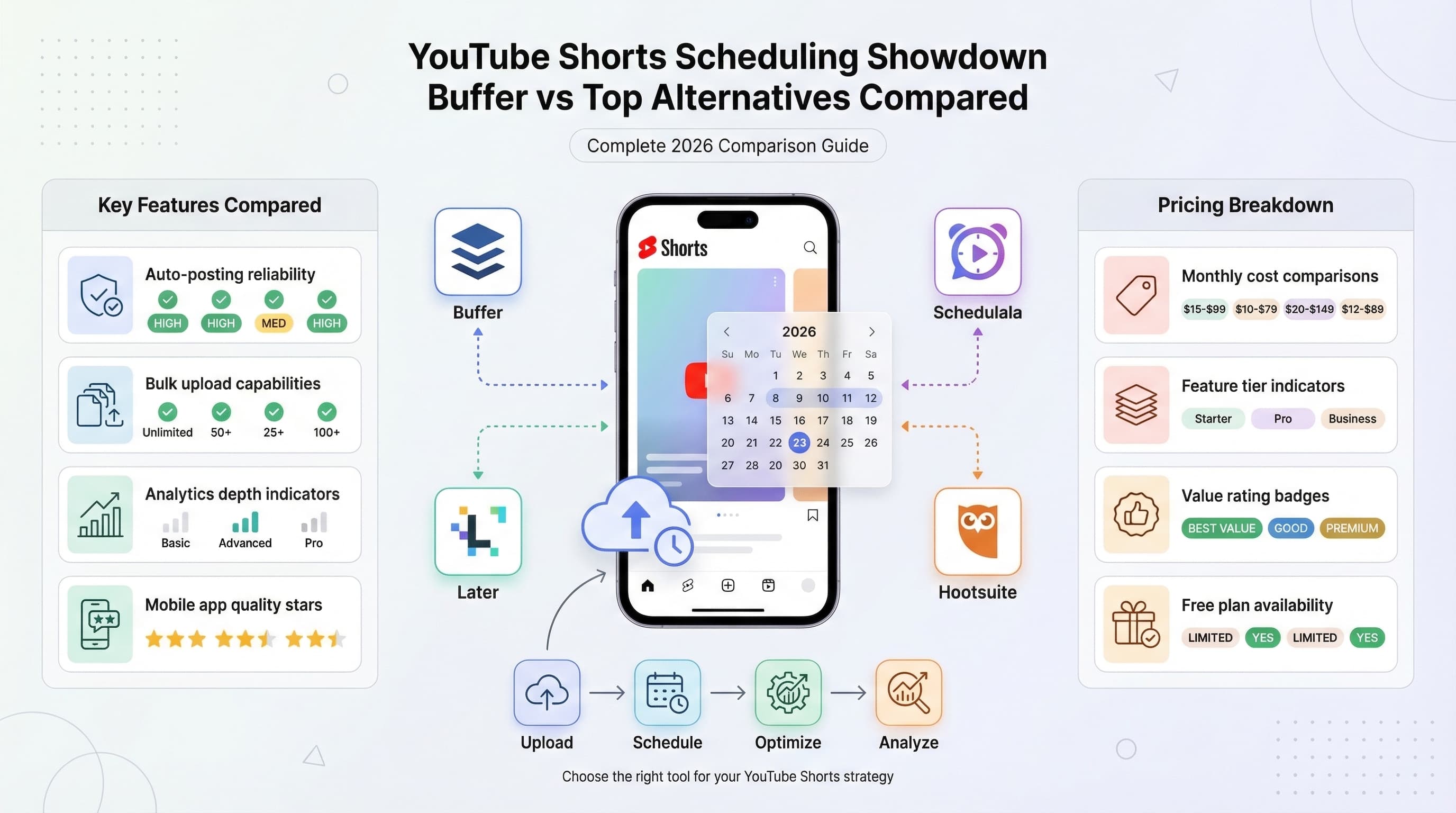
| Tool | Starting Price | Free Tier | Cross-Platform | Best For |
|---|---|---|---|---|
| Schedulala | $9/month | 7-day free trial | Yes | Simplicity + features |
| Hootsuite | $99/month | No | Yes | Agencies/teams |
| Buffer | $6/channel/month/channel | Yes (10 posts) | Yes | Clean design |
| Later | $25/month | Yes (limited) | Yes | Visual planners |
| Sprout Social | $249/month | No | Yes | Enterprise analytics |
| TubeBuddy | $4.50/month | Yes | No | YouTube SEO |
| vidIQ | $19/month | Yes | No | Competitive insights |
| SocialBee | $29/month | No | Yes | Content recycling |
| Metricool | $22/month | Yes (50 posts) | Yes | Budget-friendly |
Key features to look for in a YouTube Shorts scheduler
Not all schedulers are created equal for Shorts. Here are the features that actually matter when evaluating your options.
Vertical video preview
Your Short will display differently in the Shorts shelf than in a regular video feed. A good scheduler shows you exactly how it will look on mobile, including how much of your title is visible and where the thumbnail focus lands.
Some tools just show a generic video preview. That doesn't help you catch issues specific to the vertical format. Look for schedulers that understand Shorts are a distinct content type.
Hashtag optimization
Shorts discovery relies partly on hashtags. The best schedulers suggest relevant hashtags based on your content, show you search volume for different tags, and ensure you're including #Shorts where it helps discoverability.
Some tools also track which hashtags drive the best performance for your specific content. That data helps you refine your hashtag strategy over time rather than guessing.
Bulk scheduling capabilities
If you're batch creating Shorts (and you should be), you need bulk scheduling that doesn't feel painful. Look for tools that let you upload multiple videos, set different descriptions for each, and distribute them across your calendar efficiently.
The best implementations let you set a posting pattern (every day at 6 PM, or three times weekly) and auto-fill your calendar. You upload the content, and the tool handles distribution.
Reliable publishing
This sounds obvious, but some schedulers have reliability issues. Shorts that publish late (or not at all) defeat the purpose of scheduling. During testing, I tracked failure rates for each tool. Anything above 2% is concerning for tools you're paying for.
Check reviews and community forums for reliability complaints. A tool with great features but sketchy reliability isn't worth your time.
Analytics integration
Publishing is only half the job. Understanding what works (and what doesn't) requires analytics. Look for schedulers that show you performance data in context, not just raw numbers.
The most useful analytics connect posting times to performance, show trends over time, and help you identify your top-performing content types. Generic view counts don't help you improve.
Common mistakes when scheduling YouTube Shorts
Having the right tool matters, but using it effectively matters more. Here are the mistakes I see creators make repeatedly, even with excellent schedulers.
Posting too frequently
More isn't always better with Shorts. YouTube's algorithm can actually penalize channels that spam Shorts too quickly. You're essentially competing against yourself for recommendation slots.
Most successful Shorts creators I've spoken with post 1-3 Shorts daily, spaced out by at least 4-6 hours. Some do better with fewer, higher-quality Shorts. Test different frequencies for your channel and watch what the data tells you.
Ignoring time zone considerations
Your scheduler probably defaults to your local time zone. If your audience is primarily in a different region, your "optimal" posting times might be completely wrong.
Check your YouTube Analytics to see where your viewers are located. A US-based creator with a UK audience should schedule for UK peak hours, not Eastern time.
Using identical descriptions across platforms
When cross-posting to TikTok and Reels, don't use the exact same description. Each platform has different character limits, hashtag conventions, and audience expectations.
Take the extra minute to customize. YouTube descriptions can be longer and more detailed. TikTok favors brevity and trending sounds. Instagram Reels performs better with hashtags in comments rather than captions.
Scheduling and forgetting
Scheduling saves time, but it shouldn't mean disappearing from your channel. The first hour after a Short publishes is critical for engagement. If possible, be available to respond to early comments.
Some creators use scheduler notifications to remind them when content goes live. That way, they can engage with their audience during that crucial early period even though they didn't manually publish.
Not reviewing scheduled content
Content that made sense when you scheduled it might not make sense a week later. Breaking news, trending topics, or changes in your business can make scheduled Shorts feel tone-deaf.
Do a weekly review of your scheduled content. It takes five minutes and prevents embarrassing situations. Most schedulers let you see everything upcoming in a calendar view for exactly this purpose.
How to get the most from your YouTube Shorts scheduler
Beyond avoiding mistakes, here are strategies to maximize the value you get from scheduling tools.
Batch your content creation
The biggest benefit of scheduling is separating creation from publication. Dedicate specific time blocks to creating Shorts (maybe Sunday afternoon), then schedule them for the entire week.
This approach improves consistency because you're not scrambling to create something daily. It also improves quality because you can be selective about what makes your schedule. Create ten Shorts, publish the best seven.
Use your analytics aggressively
After a month of scheduled posting, you'll have real data about what works. Which posting times drive the best engagement? Which content types get the most views? Which hashtags appear in your top performers?
Use this data to refine your approach. Most creators look at analytics once, shrug, and continue doing what they were doing. The ones who grow analyze regularly and adjust their strategy based on evidence.
Build a content library
Create more content than you need and build a reserve. When you're sick, busy, or just not feeling creative, you'll have backup content ready to schedule.
A two-week buffer of ready-to-publish Shorts gives you flexibility. Miss a creation session? No problem, you're covered. This removes the pressure that can kill creativity.
Test strategically
Use scheduling to run proper experiments. Try posting at 9 AM for a week, then 6 PM for a week, and compare results. Test different title formats, hashtag quantities, or content styles.
Without scheduling, these experiments are hard to execute consistently. With a scheduler, you can set up controlled tests and get actionable data.
Frequently asked questions about YouTube Shorts scheduling
Does scheduling affect Shorts performance?
No. YouTube doesn't penalize scheduled content versus manually published content. The algorithm evaluates Shorts based on viewer engagement, not how they were published.
Scheduling can actually improve performance by ensuring consistent posting at optimal times. The key is reliability, and any tool from this list handles that well.
Can I schedule Shorts directly in YouTube Studio?
Yes, YouTube Studio has built-in scheduling. Upload your Short, click "Schedule" instead of "Publish," and select your date and time. It's basic but functional.
The limitation is that YouTube Studio only handles YouTube. If you're posting to multiple platforms, you'll need to repeat the process elsewhere. Third-party schedulers add cross-platform convenience, better calendars, and analytics that Studio lacks.
How far in advance can I schedule Shorts?
YouTube allows scheduling up to two years in advance. Most third-party tools match this or go even further. Practically speaking, scheduling more than a month ahead risks content becoming irrelevant.
I recommend keeping your scheduled queue to 2-4 weeks maximum. That gives you enough runway for consistency while staying flexible enough to respond to trends.
What happens if my scheduled Short fails to publish?
Most schedulers notify you of failures via email or in-app notification. The content typically stays in your queue, ready to reschedule. Common failure causes include API connection issues, account authentication problems, or exceeding platform limits.
Reliable schedulers have failure rates under 1%. If you're experiencing frequent failures, check that your account connections are current and contact your scheduler's support.
Can I edit a Short after scheduling it?
Yes, most schedulers let you edit scheduled content until it publishes. You can update descriptions, change hashtags, or even swap out the video entirely. After publishing, edits need to happen in YouTube Studio.
This flexibility is valuable when you realize you've made a typo or want to adjust for a trending topic. Just don't make it a habit, as last-minute changes can introduce errors.
Which YouTube Shorts scheduler should you choose?
After three weeks of testing, here's my honest take on who should use what.
For individual creators on a budget
Start with Metricool or Buffer. Both offer functional free tiers, and their paid plans are affordable. You'll get reliable scheduling, decent analytics, and cross-platform support without financial pressure.
For YouTube-focused creators who want SEO help
TubeBuddy or vidIQ. These tools understand YouTube specifically. The keyword research and optimization suggestions can genuinely improve your discoverability. The trade-off is no cross-platform support.
For creators posting across multiple platforms
Schedulala or Buffer. Both handle cross-platform posting smoothly, with customization options for each destination. Schedulala has an edge on Shorts-specific features, while Buffer offers a cleaner interface.
For agencies and larger teams
Hootsuite or Sprout Social. Yes, they're expensive. But the workflow management, approval processes, and reporting capabilities justify the cost for teams managing multiple clients or brands.
For visual planners who think in calendars
Later. The visual calendar and grid layout make content planning intuitive. If you're the type who likes to see everything laid out visually, Later's approach will click with how you think.
Final thoughts
Scheduling tools won't make bad content perform well. But they will help you show up consistently, post at optimal times, and save hours of manual work each week. For Shorts creators, where consistency directly impacts algorithmic reach, that matters.
Pick a tool that fits your budget and workflow. Test it properly with real content. Commit to consistent posting for at least a month before judging results. The creators who succeed with Shorts aren't necessarily more talented. They're more consistent. A good scheduler makes consistency achievable.
Start with any tool from this list and you'll be ahead of creators still uploading manually and hoping they remember to post tomorrow.
Try Schedulala for free
Schedule posts to Bluesky, Twitter, and 8 other platforms from one dashboard.
Get started for free→