The Ultimate Bluesky Scheduler Guide: Master Automated Posting in 2026
Learn how to use a Bluesky scheduler to automate your posts, grow your audience, and save hours weekly. Complete guide with strategies and tools.

Quick answer
Schedule Bluesky posts using Schedulala, one of the few scheduling tools with native Bluesky API support, for $9/month with unlimited posts.
- •Schedulala supports Bluesky scheduling including text posts, images, and threads
- •Most major schedulers (Hootsuite, Sprout Social) do not support Bluesky yet
- •Bluesky's AT Protocol API is open, enabling third-party scheduling tools
- •Schedule Bluesky alongside 11 other platforms for $9/month with Schedulala
Bluesky hit 30 million users in early 2026. If you're still manually posting every update, you're working harder than you need to.
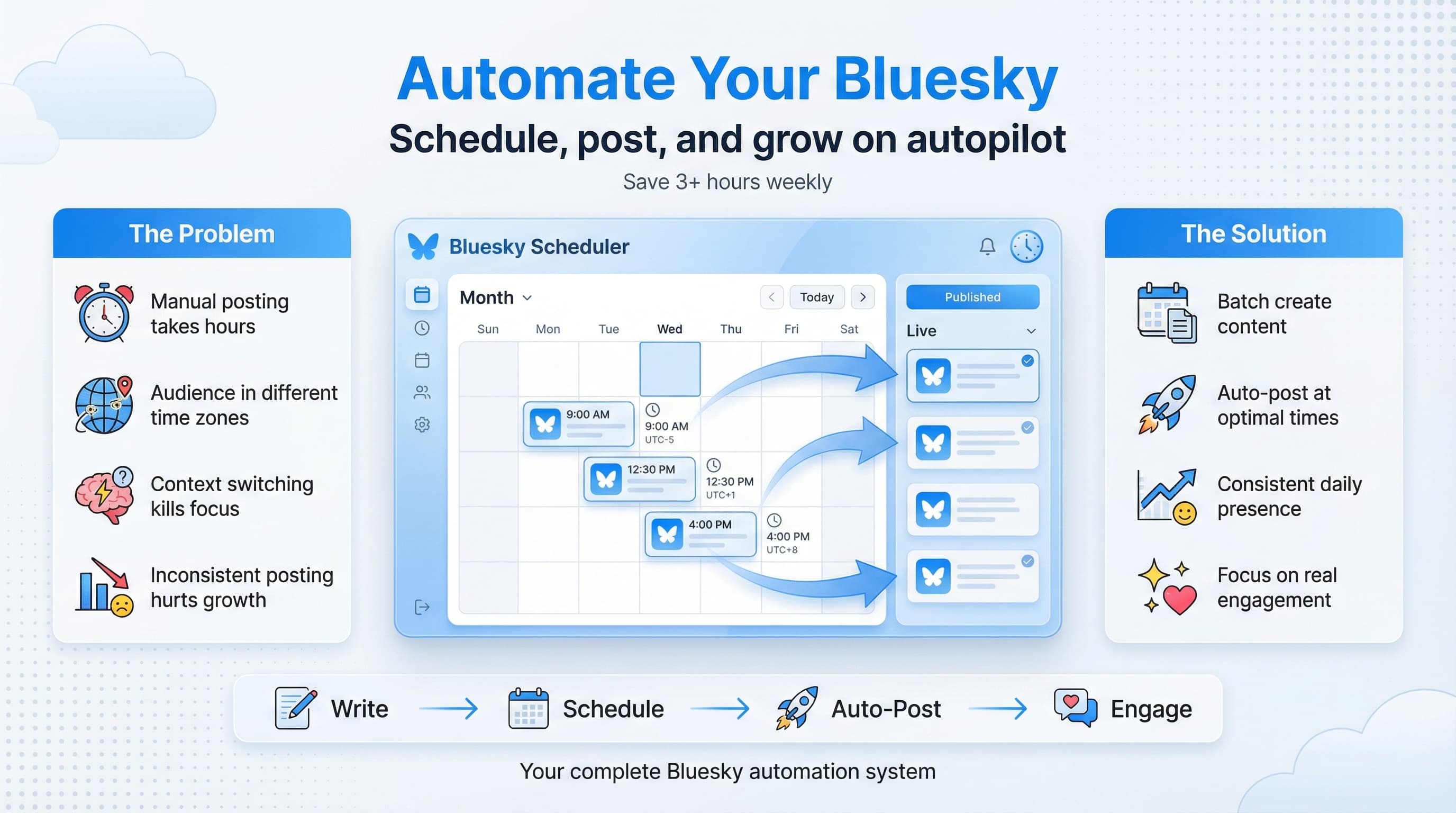
A Bluesky scheduler changes everything about how you approach this platform. Instead of interrupting your day to post at peak times, you batch your content creation and let automation handle the timing.
But here's what most guides won't tell you: scheduling on Bluesky is different from other platforms. The algorithm, the culture, the posting patterns that actually work are all unique. Get it wrong, and you'll look like a bot. Get it right, and you'll build an engaged following while spending less time on the platform.
This guide covers everything from choosing your first Bluesky scheduler to advanced strategies that the top creators use. Whether you're a solopreneur trying to maintain a presence or a marketing team managing multiple accounts, you'll find specific, actionable tactics you can implement today.
Try Schedulala for free
Schedule posts to Bluesky, Twitter, and 8 other platforms from one dashboard.
Get started for free→Why Bluesky scheduling matters more than ever
The Bluesky user base grew 340% in 2025. That growth brought competition for attention, and the creators who post consistently win. But consistency doesn't mean being glued to your phone.
Here's what the data shows: accounts that post 2-4 times daily see 67% more engagement than those posting once a day. But posting 4 times manually? That's interrupting your focus 4 times. With a scheduler, you create all 4 posts in one 30 minute session, then get back to actual work.
The time math that should convince you
Let's break down real numbers. The average person spends 23 minutes getting back to deep work after an interruption. If you're posting manually 3 times per day, that's potentially 69 minutes of lost productivity, not counting the actual posting time.
With a scheduler, you spend maybe 2 hours once a week creating and scheduling content. That's 10 hours monthly versus the 30+ hours you'd lose to interruption-based posting. The math isn't close.
And there's a quality argument too. When you batch create content, you're in creative mode. You make better posts because you're focused on content, not scrambling to think of something between meetings.
The algorithm factor
Bluesky's algorithm in 2026 rewards consistent posting patterns. The platform's feed algorithms notice when accounts post regularly at similar times, and they're more likely to surface that content to followers.
This is different from the early days of Bluesky when chronological feeds dominated. Now, with custom feeds and algorithmic discovery, the platforms' systems are learning user preferences. Regular posting trains the algorithm to show your content.
I've seen accounts double their reach simply by moving from random posting to scheduled, consistent posting at the same times each day. The content quality didn't change, just the timing and consistency.
Understanding how Bluesky scheduling actually works
Before picking a tool, you need to understand what happens behind the scenes when you schedule a Bluesky post. This knowledge will help you avoid common mistakes and set realistic expectations.
The AT Protocol and API access
Bluesky runs on the AT Protocol (Authenticated Transfer Protocol), which is an open, decentralized social networking protocol. Unlike closed platforms, AT Protocol allows third-party tools to interact with your account through well-documented APIs.
When you use a Bluesky scheduler, you're authorizing that tool to post on your behalf using these APIs. The tool stores your scheduled posts and, at the designated time, makes an API call to publish the content as if you'd posted it yourself.
The posts appear native because they are native. There's no special marking or indicator that a post came from a scheduler. Your followers see exactly the same thing they'd see if you posted manually.
Authentication and security
Most Bluesky schedulers use app passwords for authentication. This is a security feature Bluesky built specifically for third-party tools. An app password gives limited access to your account without exposing your main login credentials.
To create an app password, go to Settings, then App Passwords in Bluesky. Generate a unique password for each scheduling tool you use. If you ever need to revoke access, you can delete that specific app password without changing your main credentials.
This system is actually more secure than OAuth implementations on some other platforms because you maintain granular control over which apps have what level of access.
What schedulers can and can't do
A Bluesky scheduler can publish text posts, images, links with previews, and quote posts. Most support adding alt text to images, which you should always do for accessibility.
What schedulers can't do yet: reply to posts automatically (most don't support this intentionally to prevent spam), edit posts after publishing (Bluesky doesn't support editing at all yet), or schedule reposts of others' content.
Some advanced schedulers are starting to support thread scheduling, where you can queue up a series of connected posts that publish in sequence. This feature is particularly valuable for longer-form content that doesn't fit in a single post.
Choosing the right Bluesky scheduler for your needs
The Bluesky scheduling market exploded in 2025 as the platform grew. You've got options ranging from free basic tools to enterprise-grade platforms. Here's how to think about the decision.
Questions to ask before choosing
Start with your actual needs, not the feature lists. How many Bluesky accounts are you managing? Are you also scheduling for other platforms? Do you need team collaboration features? What's your budget?
A freelancer managing their personal brand has completely different requirements than a marketing agency handling 20 client accounts. The "best" scheduler depends entirely on your situation.
Also consider your workflow. Do you prefer a mobile app or desktop? Do you create content in batches or throughout the week? Some tools are optimized for batch scheduling while others work better for on-the-fly planning.
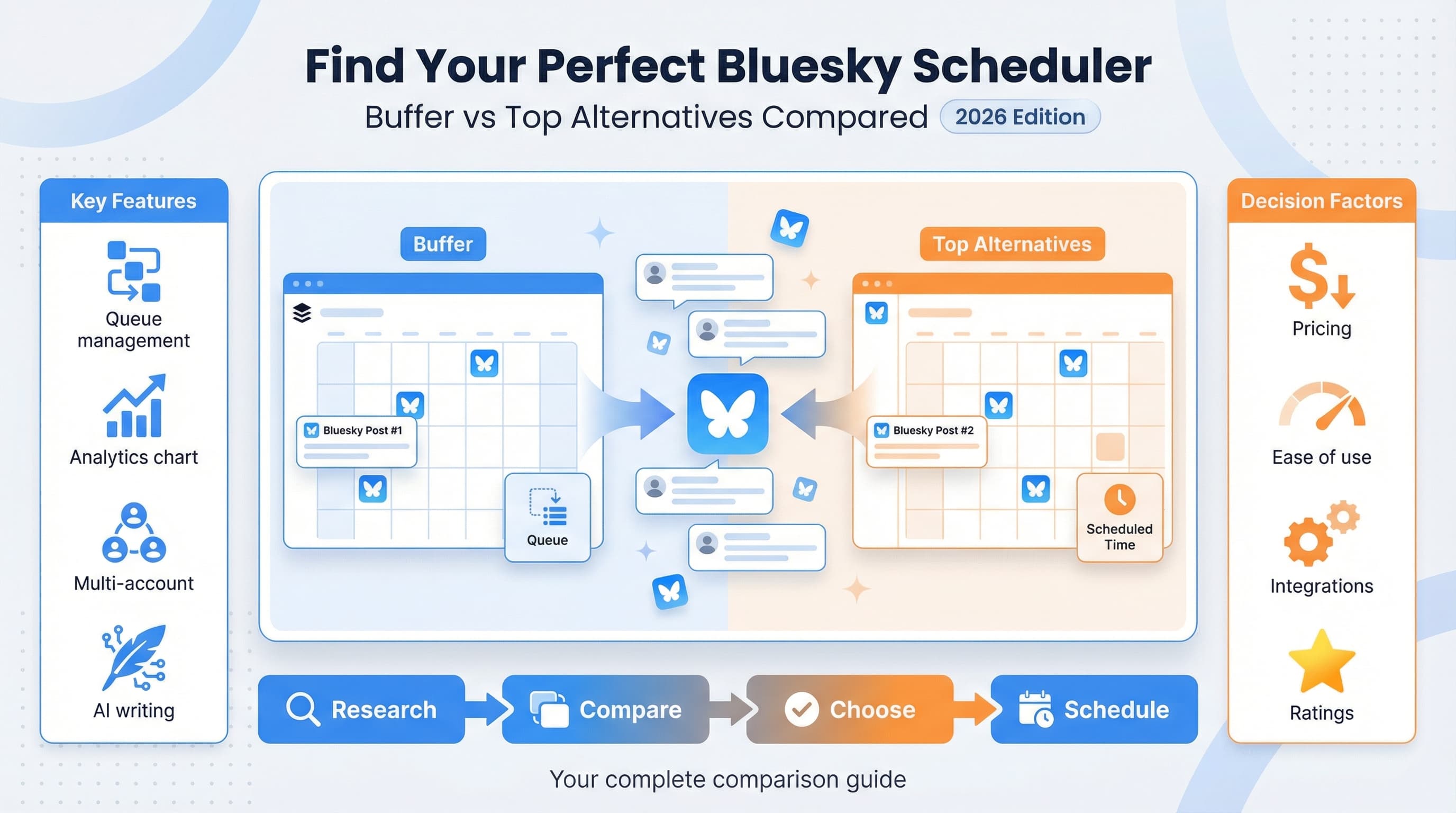
Scheduler comparison: what to look for
| Feature | Why it matters | What to check |
|---|---|---|
| Multi-platform support | Schedule Bluesky alongside other networks | Which platforms besides Bluesky |
| Queue management | Organize and reorder scheduled posts | Drag-and-drop, calendar view |
| Media handling | Images, alt text, link previews | File size limits, format support |
| Analytics | Track what's working | Depth of metrics, export options |
| Team features | Collaboration and approval workflows | User roles, approval queues |
| Pricing structure | Cost at your usage level | Per-user vs per-account pricing |
| API reliability | Posts actually go out on time | User reviews, uptime history |
Schedulala for Bluesky
Schedulala supports Bluesky scheduling alongside Instagram, TikTok, LinkedIn, and other major platforms. The unified dashboard means you can plan your entire social media presence from one place.
For Bluesky specifically, Schedulala offers queue scheduling, image posts with alt text, and link preview support. The calendar view lets you visualize your posting schedule across all platforms, so you can see how your Bluesky content fits into your broader strategy.
The pricing works for individuals and teams. You're not paying per platform, so adding Bluesky to your existing scheduling workflow doesn't increase your costs.
Other options in the market
Buffer added Bluesky support in late 2025. If you're already using Buffer for other platforms, keeping everything there makes sense. Their interface is clean and simple, though some advanced features require higher-tier plans.
Later also supports Bluesky now, with particular strength in visual content planning. If your Bluesky strategy involves lots of images, their visual calendar might appeal to you.
For free options, some Bluesky-specific tools exist, though they tend to be more limited and less reliable than established platforms. You generally get what you pay for in scheduling reliability.
See It in Action
This is what scheduling a Bluesky post looks like in Schedulala
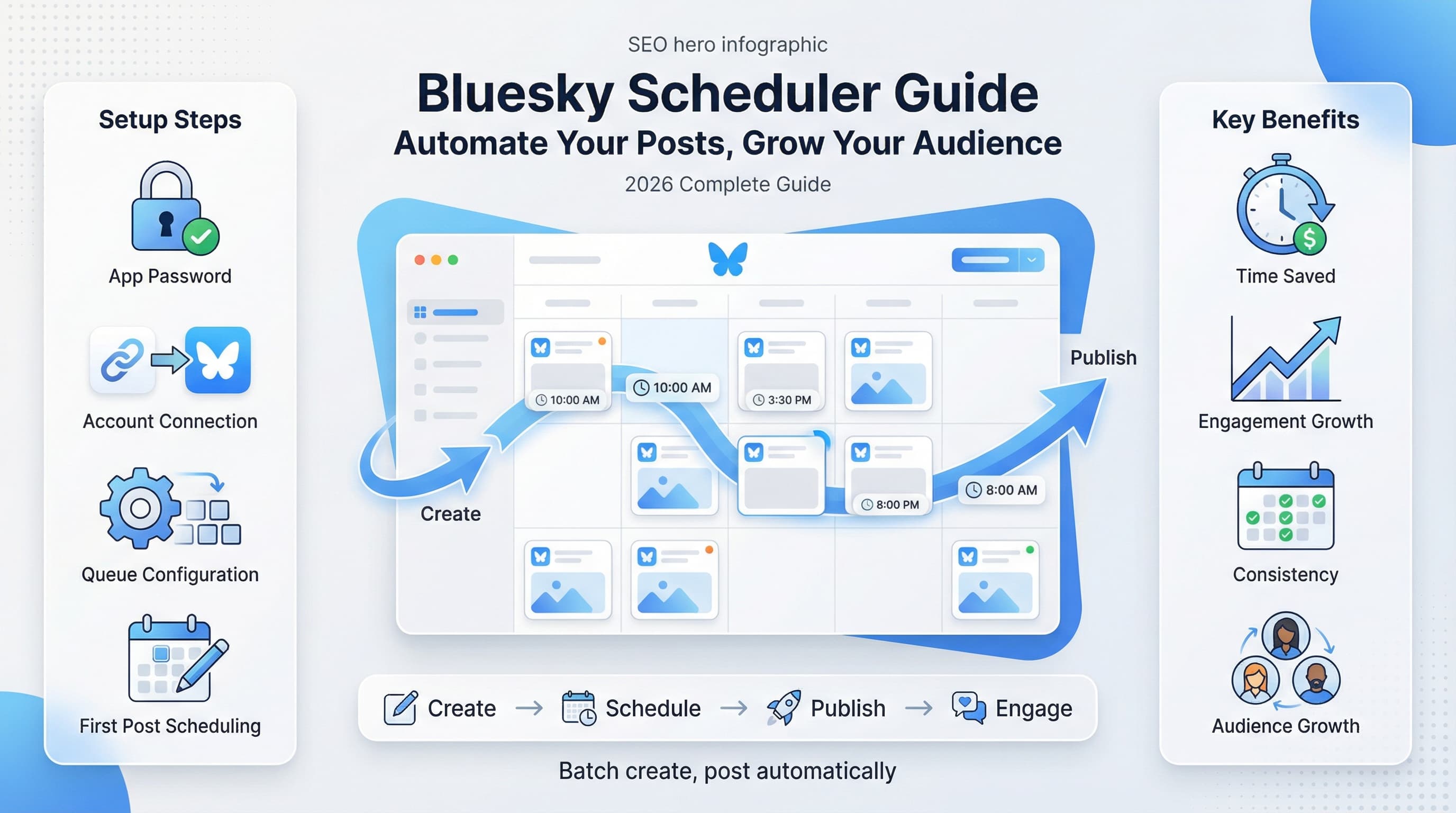
Setting up your Bluesky scheduler: step by step
Let's walk through the actual process of getting started with Bluesky scheduling. I'll use general steps that apply to most tools, with specific notes where platforms differ.
Step 1: Create your app password
Before touching any scheduler, set up an app password in Bluesky. Open the Bluesky app or website, go to Settings, find Privacy and Security, then App Passwords.
Click "Add App Password" and give it a descriptive name like "Schedulala" or "Buffer" so you remember what it's for. Copy the generated password immediately because you won't be able to see it again.
Store this password securely, like in a password manager. You'll need it to connect your scheduler, and if you lose it, you'll have to revoke it and create a new one.
Step 2: Connect your account
In your chosen scheduler, find the option to add a new account or connect Bluesky. You'll typically need to enter your Bluesky handle (the @username.bsky.social or your custom domain) and the app password you just created.
Some schedulers might ask for additional permissions or verification. Follow their specific instructions. The connection usually happens instantly, with the scheduler confirming it can read your account details.
If the connection fails, double-check that you're using an app password, not your main account password. Also verify your handle is correct, including any custom domain if you're using one.
Step 3: Configure your posting settings
Most schedulers have account-specific settings worth configuring. Set your timezone first because scheduled times depend on it. A post scheduled for 9 AM needs to know which 9 AM you mean.
If your scheduler supports default hashtags or mentions, set those up now. Some tools let you create post templates or categories, which speeds up content creation later.
Check notification settings too. You probably want to know if a scheduled post fails, but you might not need alerts for every successful publication.
Step 4: Plan your posting schedule
Before scheduling your first post, decide on your posting cadence. How many times per day will you post? What days of the week? What times?
Some schedulers let you set up a posting queue with preset time slots. You add content to the queue, and it automatically posts at the next available slot. This is incredibly efficient for batch content creation.
For Bluesky specifically, I'll cover optimal posting times in detail later. For now, start with something sustainable. Three posts per day at 8 AM, 12 PM, and 6 PM is a solid starting point for most accounts.
Step 5: Create and schedule your first post
Now the fun part. Create a post in your scheduler. Write your text, add any images or links, and select the date and time you want it to publish.
Before confirming, preview how the post will look. Check character counts, image cropping, and link previews. What you see in the scheduler should match what followers will see on Bluesky.
Schedule it and watch the confirmation. Your first scheduled post is now waiting in the queue. The scheduler will publish it automatically at the designated time.
Best times to post on Bluesky in 2026
Timing matters, but probably not as much as you think. Bluesky's algorithm means good content surfaces regardless of exact posting time. That said, posting when your audience is active gives you an initial engagement boost that helps algorithmic distribution.
General peak engagement times
Based on aggregate data from millions of Bluesky posts, these patterns emerge. Weekday mornings between 8-10 AM local time see strong engagement as people check social media with morning coffee. Lunch hours from 12-1 PM get another spike.
Evening hours, particularly 6-9 PM, show the highest overall engagement. People are winding down from work and scrolling more leisurely. Weekend patterns differ, with late morning (10 AM-12 PM) performing well.
But here's the catch: "local time" depends on where your audience is. If you're in New York posting to a primarily European audience, your optimal times are completely different than these US-centric patterns.
| Day | Best times (EST) | Engagement level | Notes |
|---|---|---|---|
| Monday | 8-9 AM, 12 PM, 7-8 PM | Medium-High | People easing into the week |
| Tuesday | 8-10 AM, 12 PM, 6-9 PM | High | Peak engagement day |
| Wednesday | 8-10 AM, 12 PM, 6-9 PM | High | Consistent strong performance |
| Thursday | 8-9 AM, 12-1 PM, 7-9 PM | High | Pre-weekend energy |
| Friday | 8-9 AM, 12 PM, 5-7 PM | Medium | Earlier evening drop-off |
| Saturday | 10 AM-12 PM, 8-10 PM | Medium | Leisure browsing |
| Sunday | 10 AM-12 PM, 7-9 PM | Medium-High | Pre-week prep browsing |
Finding your specific best times
The table above is a starting point, not a final answer. Your audience might have completely different habits. A Bluesky account focused on Asian markets needs Asian timezone optimization, not US patterns.
To find your best times, look at your existing engagement data. Which of your posts got the most replies and reposts? When were they published? Pattern recognition over 50+ posts gives you reliable insights.
If you're new to Bluesky, start with general best practices, then adjust based on your results. Schedule posts at different times and track performance. Within a month, you'll have personalized data.
Time zones and global audiences
Managing time zones is one of the trickiest parts of Bluesky scheduling, especially for accounts with international audiences. You can't be posting at peak times for everyone.
The solution: identify your primary audience location and optimize for that timezone. If your engagement data shows most interaction comes from Europe, schedule for European times even if you're based in the US.
For truly global audiences, spread your posts across the day to hit different timezone windows. A post at 8 AM EST catches US morning viewers. Another at 3 PM EST reaches European evening. A third at 10 PM EST hits Asian morning.
Content strategies for scheduled Bluesky posts
Having a scheduler is useless without content worth scheduling. Let's talk about what actually performs well on Bluesky and how to batch create it efficiently.
Understanding Bluesky content culture
Bluesky's culture differs from X, even though the format is similar. The community values authenticity and genuine conversation over performative engagement. Obvious engagement bait ("repost if you agree!") gets called out and often backfires.
The platform skews toward thoughtful commentary, humor, and niche expertise. Hot takes work, but they need substance behind them. Empty provocation gets ignored or ratioed.
This has implications for scheduling. You can't just recycle your X content directly. Posts need to match Bluesky's vibe, which is more conversational and less "hustle culture."
Content types that perform well
Threads explaining complex topics do extremely well on Bluesky. The community appreciates depth. A well-researched thread about your expertise area can earn thousands of reposts.
Behind-the-scenes content resonates because it feels authentic. Show your work process, share struggles alongside wins, let people into your actual life. Polished perfection is less interesting than genuine humanity.
Commentary on current events gets attention, but be thoughtful. Add your specific perspective rather than just reacting. What do you know or see that others don't?
Questions that spark discussion perform well because Bluesky's users love to share opinions. Ask something your audience has thoughts about, then actually engage with the replies.
The batch creation workflow
Batch creating content for Bluesky scheduling works best when you separate ideation from writing. First, brainstorm 20-30 post ideas in one session. Don't write them yet, just capture the concepts.
Later, in a separate focused session, turn those ideas into actual posts. Having the ideas ready removes the "what should I write about" friction. You just execute.
Aim to create a week's worth of content in one 2-3 hour session. If you're posting 3 times daily, that's 21 posts. Sounds like a lot, but you'll find your pace once you've done it a few times.
As you're learning more about efficient content creation, check out our guide on batch content creation for detailed workflows that work across platforms.
Content mix framework
Don't post the same type of content repeatedly. Mix it up to keep your feed interesting. Here's a framework that works:
| Content type | Frequency | Purpose | Example |
|---|---|---|---|
| Value posts | 40% | Teach something useful | How-to tips, insights, tutorials |
| Engagement posts | 20% | Start conversations | Questions, polls, debates |
| Personal posts | 20% | Build connection | Behind-scenes, stories, opinions |
| Curated content | 10% | Add value through curation | Links to great resources |
| Promotional posts | 10% | Drive business goals | Your products, services, content |
Notice promotional content is only 10%. Bluesky users will tolerate some self-promotion, but not constant selling. Earn the right to promote by providing genuine value first.
Advanced scheduling strategies
Once you've mastered basic scheduling, these advanced techniques will take your Bluesky presence to the next level.
Thread scheduling for long-form content
Threads let you share detailed content that exceeds single-post limits. Scheduling threads requires planning because each post needs to connect logically to the next while also making sense if someone sees just one part.
Write the entire thread first, then break it into individual posts. Number them (1/7, 2/7, etc.) so readers know where they are. The first post is critical because it determines whether people read the rest.
When scheduling, time the posts close together (1-2 minutes apart) so the thread appears as a unit. Some schedulers have thread-specific features that handle this automatically.
See It in Action
This is what scheduling a Bluesky thread looks like in Schedulala
Content recycling and evergreen posting
Your best content deserves multiple appearances. That post that got 500 reposts three months ago? Most of your current followers never saw it. Schedule it again with slight modifications.
Create an "evergreen queue" of your top-performing posts. Rotate them back into your schedule every 2-3 months. Update any dated references, but the core content can stay the same.
This isn't lazy, it's smart. No one follows your account closely enough to remember every post. Recycling proven content ensures new followers see your best work.
Cross-platform content adaptation
If you're scheduling for multiple platforms (which you should consider), don't just copy-paste the same post everywhere. Each platform has different norms and audiences.
For Bluesky specifically, posts can be more conversational and longer than X. You have more character room and a community that appreciates depth. Take advantage of that when adapting content.
A scheduling tool like Schedulala that supports multiple platforms lets you adapt the same core idea for different networks in one workflow. Write the Bluesky version, then tweak it for LinkedIn, then adjust for Instagram.
Seasonal and event-based scheduling
Plan content around known events in advance. Industry conferences, holidays, cultural moments that matter to your audience, these are all schedule-able.
Create a content calendar marking these events, then batch create the related content weeks ahead. When the event arrives, your posts are ready while competitors scramble.
Be careful with time-sensitive content though. Schedule it, but review before it goes live. News can change, making a scheduled post inappropriate or tone-deaf.
A/B testing with scheduled posts
Test what works by scheduling variations. Same content, different hooks. Same idea, different posting times. Same format, different images.
Schedule Test A for Tuesday at 9 AM, Test B for Thursday at 9 AM. Keep everything else equal. After both posts, compare engagement. You're running controlled experiments on your audience.
Document your findings. Over time, you'll build a playbook of what works for your specific audience. Data beats guessing.
Managing multiple Bluesky accounts
Many people manage more than one Bluesky account. Maybe you have a personal brand and a business account. Or you're an agency managing client accounts. Scheduling becomes even more valuable at scale.
Account organization strategies
First, clearly separate accounts in your scheduler. Use naming conventions that make it obvious which account you're posting to. "Personal - @yourname" vs "Business - @company" prevents embarrassing cross-posts.
Create separate content queues for each account. The posting schedule, content types, and voice should differ between accounts. A unified scheduler lets you manage both from one dashboard while maintaining separation.
Color coding helps if your scheduler supports it. Assign different colors to different accounts so you can visually scan your calendar and immediately know what's posting where.
Agency and team workflows
For teams managing multiple accounts, approval workflows become necessary. You don't want junior team members accidentally posting unapproved content to major client accounts.
Set up roles in your scheduler. Content creators draft posts. Managers review and approve. Only approved content enters the schedule. This adds a step but prevents disasters.
Create account-specific style guides documenting voice, approved topics, posting frequency, and escalation procedures. When multiple people touch an account, consistency requires documentation.
Avoiding the "wrong account" nightmare
Every social media manager's nightmare: posting personal content to a client account. Schedulers help prevent this, but only if you use them carefully.
Always verify the account before scheduling. Double-check before clicking schedule. Some tools have confirmation dialogs showing exactly which account will post, always review these.
Consider using separate browser profiles or scheduler workspaces for vastly different accounts. The extra friction is worth avoiding a reputation-damaging mistake.
Common Bluesky scheduling mistakes (and how to avoid them)
I've seen a lot of Bluesky scheduling go wrong. Here are the most common mistakes and how to avoid them.
Mistake 1: Schedule and forget
The biggest mistake is treating scheduled posts as "done" once they're in the queue. Scheduling is not a set-it-and-forget-it solution. You need to monitor, engage, and adjust.
When a scheduled post goes live, check the engagement. Respond to replies. If something isn't landing, adjust future posts. The scheduler handles timing, but you still handle community management.
Set reminders to check your scheduled content weekly. Circumstances change. A post that made sense when you scheduled it might be inappropriate by publish time.
Mistake 2: Ignoring real-time events
Your scheduled post about productivity tips looks tone-deaf when it publishes during a breaking news event that has everyone's attention. Context matters.
Build awareness of major events into your workflow. Check the news before scheduled posts go live. Have a pause button ready for when the internet is focused on something serious.
Some schedulers let you pause entire queues. Know where that feature is so you can quickly stop scheduled content if needed.
Mistake 3: Over-scheduling
Just because you can post 10 times per day doesn't mean you should. Over-posting annoys followers and can actually decrease engagement because your posts compete with each other.
Quality beats quantity. Three excellent posts outperform ten mediocre ones. If you don't have enough good content to fill your schedule, post less, not worse.
Watch your unfollow rate. If it spikes after you increase posting frequency, you've probably found your audience's limit.
Mistake 4: Robotic, repetitive content
Scheduled content can feel mechanical if you're not careful. When you batch create posts, it's easy to fall into formulas. Same structure, same hooks, same patterns.
Vary your posts deliberately. Different lengths, formats, and tones. Inject personality. Your scheduled content should feel like a human wrote it, because a human did.
Read your scheduled queue as a feed. Does it feel natural? Would you follow this account? If something feels off, revise before it publishes.
Mistake 5: Not tracking what works
Scheduling without analytics is flying blind. You need to know which posts perform, what times work best, and what content your audience wants more of.
Most schedulers have built-in analytics. Use them. Set a weekly review to check performance and adjust your strategy based on data, not guesses.
Track the right metrics. Engagement rate matters more than raw numbers. A post seen by 100 people with 20 replies is better than a post seen by 1000 with 5 replies.
Bluesky scheduler FAQ and troubleshooting
Let's address the questions people most commonly ask about Bluesky scheduling.
Why didn't my scheduled post publish?
Failed posts usually stem from authentication issues. Your app password might have been revoked, or there's a temporary API issue with Bluesky itself.
First, check if your account is still connected in the scheduler. Try reconnecting with a fresh app password. Then check Bluesky's status page for any ongoing issues.
Some schedulers have retry logic, so a temporary failure might resolve itself. Check your scheduler's failed post queue or notifications to see what happened.
Can Bluesky tell if I'm using a scheduler?
Bluesky can technically see that posts come from third-party applications through the API. However, they don't penalize scheduled content or mark it differently for users.
The AT Protocol is designed to support third-party tools. Bluesky actively wants developers building on the platform. Using a scheduler is completely within intended platform use.
Your followers see no difference between a manually posted update and a scheduled one. The post content and metadata look identical.
How far in advance can I schedule?
Most schedulers let you schedule months in advance. The practical limit depends more on your content than the tool. Content scheduled too far ahead risks becoming stale or irrelevant.
I recommend scheduling 1-2 weeks ahead for most content. Evergreen content can go further, maybe a month. Anything time-sensitive should be scheduled closer to publication.
Leave room for spontaneous posts and real-time engagement. A schedule packed months out leaves no flexibility.
What happens if Bluesky changes their API?
API changes can temporarily break scheduling tools. This is rare but does happen. When it does, scheduler providers typically fix issues within hours to days.
Use established scheduling tools with good track records. They have dedicated teams monitoring API changes and updating integrations quickly.
Have a backup plan. Know how to manually post if needed. Don't schedule something critical (like a product launch announcement) without being available to post manually as backup.
Can I edit a post after it's scheduled?
Yes, you can edit scheduled posts before they publish. This is one of the main advantages of scheduling, you can refine content up until publication time.
Once a post is published, editing depends on Bluesky's features. Currently, Bluesky doesn't support post editing. If you need to fix a published post, you'd need to delete and repost.
Use the scheduled but not yet published window to proofread. Many errors are caught during the review period before posts go live.
Do scheduled posts get less engagement?
No. There's no engagement penalty for scheduled posts on Bluesky. The algorithm treats them identically to manual posts.
If your scheduled posts seem to underperform, the issue is likely content or timing, not the fact that they're scheduled. Experiment with different approaches.
In fact, scheduled posts often perform better because they publish at optimal times rather than whenever you happen to be available.
Building a sustainable Bluesky content system
Scheduling is just one piece of a larger content system. Here's how to build something sustainable that won't burn you out.
The content creation rhythm
Establish a weekly rhythm for content creation. Maybe you brainstorm ideas on Monday, write posts on Tuesday, schedule them on Wednesday. A predictable routine makes the work feel lighter.
Protect your content creation time. Block it on your calendar. Treat it as seriously as any other business meeting. Consistent content requires consistent time investment.
If you're interested in streamlining your entire social media workflow, our guide on social media automation covers how to systematize beyond just scheduling.
Content sources and ideation
Running out of post ideas is the biggest threat to consistent scheduling. Build systems to capture ideas throughout your week.
Keep a running notes file of post ideas. When something interesting happens in your work, note it. When you see a great post and think "I could add to that," note it. When someone asks you a question, note it.
Draw from multiple sources: your expertise, industry news, conversations with peers, questions from your audience, behind-the-scenes moments, and your reactions to current events. Variety keeps your content fresh.
Creating a content calendar
A content calendar gives you a bird's-eye view of what's posting when. It helps you balance content types, avoid repetition, and plan around events.
Your scheduler's calendar view can serve this purpose, or you can maintain a separate planning document. What matters is having visibility into your future content.
Map out themes by week or month. "This week I'll focus on beginner tips. Next week, advanced strategies." Themes create coherence and make batch creation easier.
Knowing when to adjust
Your content system should evolve as you learn. What works in month one might not work in month six. Stay flexible.
Regular review reveals necessary adjustments. Maybe your audience wants more of certain topics. Maybe your posting frequency is too high or too low. Let data guide changes.
Don't change too much at once. Adjust one variable, measure the impact, then adjust the next. Otherwise you won't know what caused any change in results.
Measuring your Bluesky scheduling success
What gets measured gets improved. Here's how to track whether your Bluesky scheduling strategy is actually working.
Key metrics to track
Engagement rate is your primary metric. Calculate it as total engagements (likes, reposts, replies) divided by impressions. This normalizes for audience size and reach variations.
Follower growth rate shows whether your content attracts new audience members. Track weekly or monthly growth, not daily fluctuations which are too noisy to be useful.
Reply quality matters as much as reply quantity. Are people having real conversations or just dropping emojis? Meaningful replies indicate content that resonates.
If you're driving traffic to a website, track click-through rates on your links. Not all engagement needs to stay on platform, some should convert to off-platform action.
| Metric | What it tells you | Good benchmark | How to improve |
|---|---|---|---|
| Engagement rate | Content resonance | 3-6% is solid | Better hooks, stronger opinions |
| Follower growth | Audience appeal | 5-15% monthly | More shareable content |
| Reply count | Conversation starting | Varies by size | Ask questions, be controversial |
| Repost ratio | Share-worthiness | 0.5-2% of reach | More quotable, valuable content |
| Link clicks | Traffic driving | 2-5% CTR | Better CTAs, clearer value |
Using scheduler analytics
Most schedulers provide analytics dashboards. At minimum, you should see which posts performed best, optimal posting times for your account, and engagement trends over time.
Compare scheduled post performance to spontaneous posts. If there's a significant gap, investigate why. Maybe your scheduled content is too polished and lacks authenticity.
Export your data regularly. Having historical records lets you spot long-term trends that aren't visible in short time windows.
Setting realistic goals
Bluesky growth takes time. Set goals that are ambitious but achievable. "Double my followers in a month" is probably unrealistic unless you're starting from very few.
Better goals focus on actions you control. "Post consistently 3x daily for the next month" is achievable through scheduling. "Increase engagement rate by 20% this quarter" gives you time to experiment.
Review goals monthly. Celebrate wins, analyze misses, and adjust targets based on what you've learned.
The future of Bluesky scheduling
Bluesky is still evolving rapidly. Here's what's coming that will affect how we schedule content.
Upcoming Bluesky features
Bluesky has signaled plans for video support, which will change content strategies significantly. Scheduling tools will need to add video upload capabilities.
Direct messaging is another rumored feature. This won't directly affect scheduling but will change how you engage with your audience after scheduled posts go live.
The custom feeds ecosystem continues to grow. Understanding how different feeds surface content will become important for scheduling optimization.
AI and scheduling evolution
AI-powered scheduling suggestions are becoming more sophisticated. Tools are starting to recommend optimal posting times based on your specific audience patterns, not just general best practices.
Content suggestion features are emerging too. AI can analyze your top-performing posts and recommend topics or formats likely to succeed. Use these as starting points, not finished content.
The key is using AI to augment your strategy, not replace your voice. Authenticity matters on Bluesky. AI-generated content without human refinement often feels off.
Protocol-level changes
The AT Protocol is still developing. Future changes might enable new scheduling capabilities or change how third-party tools integrate.
The decentralized nature of the protocol means Bluesky isn't the only place your content might appear. Content posted to Bluesky could show up on other AT Protocol applications.
Stay informed about protocol developments. The Bluesky team and AT Protocol developers are active on the platform and share updates regularly.
Putting it all together: your Bluesky scheduling action plan
Let's synthesize everything into a concrete action plan you can start implementing today.
Week 1: Setup and foundation
Day 1-2: Choose and set up your scheduler. Create an app password in Bluesky, connect your account, and explore the interface. Schedule a test post to confirm everything works.
Day 3-4: Define your posting schedule. Pick 2-3 posting times based on the best practices outlined earlier. Set up your queue or calendar with these time slots.
Day 5-7: Brainstorm 15-20 post ideas. Don't write them yet, just capture concepts. Use the content types framework to ensure variety.
Week 2: Content creation and scheduling
Batch create your first two weeks of content. Schedule posts for the coming 14 days using the queue system or calendar scheduling.
Set up your monitoring routine. Decide when you'll check on scheduled posts and engage with replies. Put it on your calendar.
Create your evergreen content list. Identify 5-10 post ideas that will stay relevant and can be recycled later.
Week 3-4: Optimization and learning
Monitor your scheduled posts' performance. Note what's working and what isn't. Adjust your content approach based on early data.
Experiment with timing. Try posting at different times within your chosen windows. Track whether small timing changes affect engagement.
Refine your batch creation process. Was two weeks of content too much or too little to create at once? Adjust your rhythm.
Month 2 and beyond: Scaling and sustaining
Establish your ongoing content creation routine. Weekly brainstorming, batch creation sessions, and scheduling should become automatic habits.
Build your content recycling system. Start rotating your best-performing evergreen content back into the schedule.
Monthly reviews become your optimization engine. Analyze performance, update your strategy, and continuously improve.
| Phase | Duration | Focus | Key deliverable |
|---|---|---|---|
| Setup | Week 1 | Tool configuration, planning | Connected scheduler, posting schedule |
| Launch | Week 2 | Content creation, first posts | 2 weeks of scheduled content |
| Learn | Weeks 3-4 | Monitor, analyze, adjust | Initial performance insights |
| Optimize | Month 2+ | Refine strategy continuously | Sustainable content system |
Final thoughts on Bluesky scheduling
A Bluesky scheduler is a tool, not a strategy. The tool handles timing and consistency. You handle the thinking, creativity, and genuine engagement that makes your presence valuable.
The best Bluesky accounts use scheduling to free up time for what matters: creating better content and having real conversations with their community. They don't use scheduling to disappear from the platform.
Start simple. Pick one scheduler, set a sustainable posting frequency, and create content you're proud of. As you get comfortable, add complexity: more content types, threading, cross-platform scheduling, advanced analytics.
The compound effect of consistent, quality posting is powerful. Accounts that show up reliably for months build audiences that accounts posting sporadically never achieve. Scheduling makes that consistency possible without consuming your life. Explore our Bluesky scheduling features to get started.
Try Schedulala for free
Schedule posts to Bluesky, Twitter, and 8 other platforms from one dashboard.
Get started for free→