Instagram Post Scheduler: Free vs Paid Options - Complete 2026 Guide
Compare free vs paid Instagram post schedulers. Discover which option works best for your needs, budget, and growth goals in 2026.

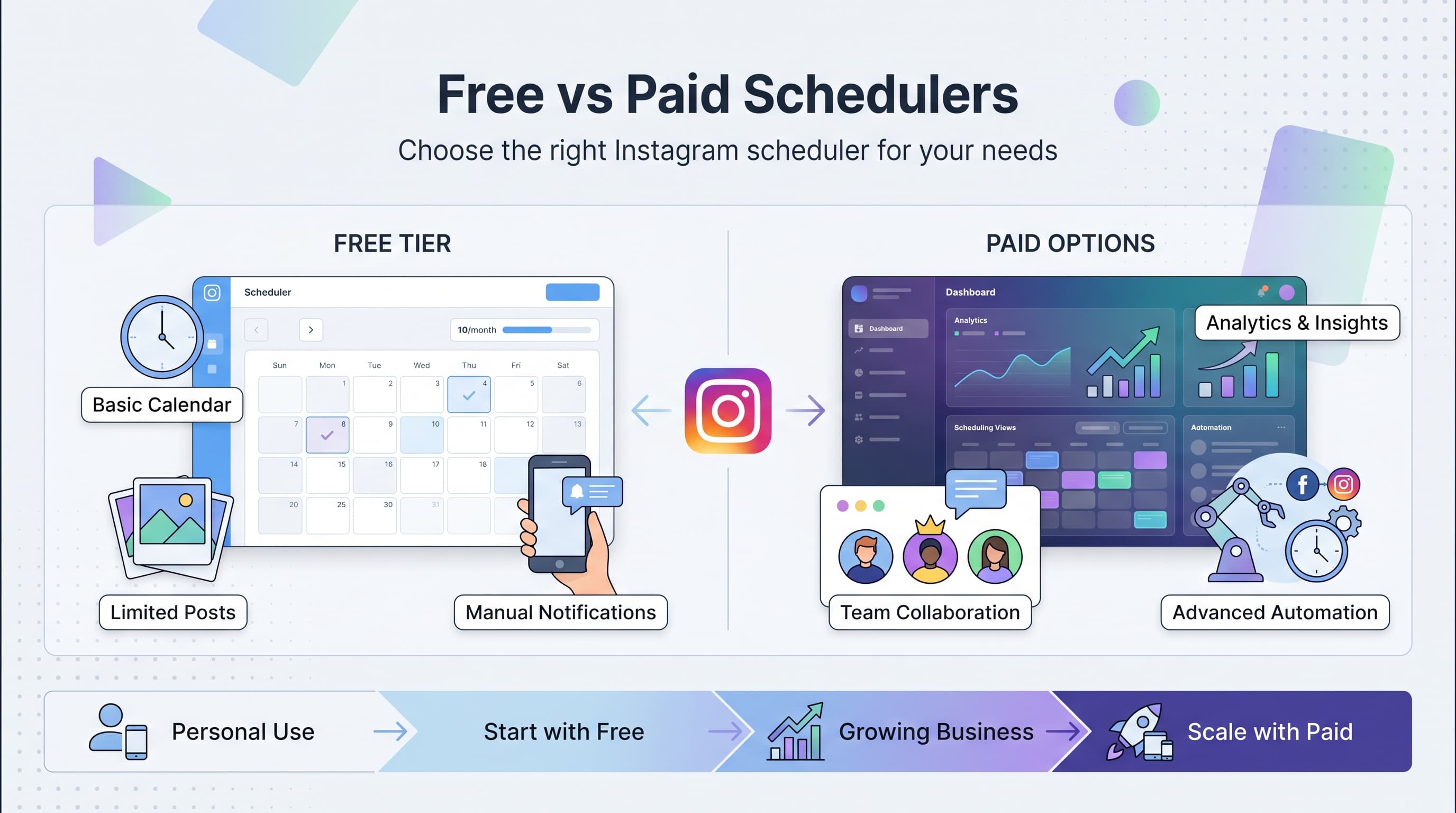
Choosing the right Instagram post scheduler can make or break your social media strategy. With hundreds of options flooding the market, the biggest question isn't which tool to pick, but whether you should stick with free options or invest in a paid solution. Learn more about Instagram scheduling.
See It in Action
This is what scheduling an Instagram post looks like in Schedulala
The answer isn't as straightforward as you might think. Free schedulers can work brilliantly for some creators while completely failing others. Paid tools offer powerful features but might be overkill for your needs. Let's break down exactly what you get with each option and when it makes sense to upgrade. Try our scheduling across platforms.
Try Schedulala for free
Schedule posts to Bluesky, Twitter, and 8 other platforms from one dashboard.
Get started for free→Free Instagram schedulers: what you actually get
Meta Business Suite (Facebook's Official Tool)
Meta's free scheduler handles basic Instagram posting with direct publishing to both feed and Stories. You can schedule up to 25 posts in advance and get basic insights about your audience. Try our batch content creation.
The catch? It only works with Instagram Business accounts, and the interface feels clunky compared to third-party alternatives. Analytics are bare-bones, showing reach and engagement without deeper insights. See our scheduling across platforms guide.
Best for: Small business owners who only need basic scheduling and already use Facebook for business. Learn more about best time to post on instagram.
Later (Free Plan)
Later's free tier allows 30 posts per month across all social platforms, including Instagram feed, Stories, and Reels. The visual content calendar makes planning posts intuitive, and you can store up to 30 media files. Our instagram engagement calculator can help.
However, free users can't access analytics, hashtag suggestions, or user-generated content tools. You're also limited to one social set (one account per platform).
Best for: Solo creators or small businesses just starting with social media scheduling.
Buffer (Free Plan)
Buffer's free plan includes 10 scheduled posts per month and supports three social accounts total. The clean interface makes scheduling straightforward, and you get basic analytics for published posts.
The major limitation is the low post limit. If you're posting daily to Instagram, you'll hit the cap in just over a week. No team collaboration features or advanced scheduling options either.
Best for: Individuals testing social media scheduling or very light users.
Paid Instagram schedulers: premium features breakdown
Schedulala (Starting at $9/month)
Schedulala offers unlimited Instagram scheduling with auto-posting to feed, Stories, and Reels. Advanced features include hashtag optimization, competitor analysis, and detailed performance analytics.
The platform supports multiple Instagram accounts, team collaboration, and bulk upload capabilities. Content approval workflows help maintain brand consistency across team members.
Best for: Growing businesses, agencies, and content creators who need reliable automation and detailed analytics.
Sprout Social (Starting at $249/month)
Sprout Social combines scheduling with comprehensive social listening and CRM features. Advanced analytics include competitor benchmarking, optimal posting times, and ROI tracking.
Team features include message assignment, approval workflows, and detailed reporting. The platform integrates with major business tools like Salesforce and HubSpot.
Best for: Large enterprises and agencies managing multiple client accounts with complex workflows.
Hootsuite (Starting at $49/month)
Hootsuite provides comprehensive social media management beyond just scheduling. Features include social listening, team collaboration, and extensive third-party app integrations.
The platform handles bulk scheduling, automatic hashtag suggestions, and detailed analytics. Advanced plans include social advertising management and custom reporting.
Best for: Medium to large businesses needing full social media management capabilities.
Feature comparison: free vs paid Instagram schedulers
| Feature | Free Plans | Paid Plans |
|---|---|---|
| Monthly post limit | 10-30 posts | Unlimited |
| Auto-posting | Limited/notifications | Full automation |
| Analytics | Basic metrics | Advanced insights + ROI |
| Multiple accounts | 1-3 accounts | Unlimited |
| Team collaboration | Not available | User roles + approval |
| Hashtag tools | Manual entry | AI suggestions + research |
| Content calendar | Basic view | Advanced planning tools |
| Customer support | Email only | Priority support + phone |
| Bulk uploading | Not available | CSV + batch uploads |
| Story scheduling | Limited | Full Stories + highlights |
Posting volume: when free stops working
The biggest differentiator between free and paid schedulers is posting volume. Here's when you'll hit the limits:
1-5 Posts Per Week
Free schedulers handle this volume easily. Later's 30 monthly posts or Buffer's 10 posts work fine if you're posting sporadically or focusing on quality over quantity.
Recommendation: Stick with free tools like Meta Business Suite or Later. The basic features cover your needs without additional costs.
Daily Posting (7+ Posts Per Week)
Daily posting pushes most free plans to their limits. Buffer's 10-post limit lasts just over a week, while Later's 30 posts cover daily posting for a month but nothing else.
Recommendation: Consider upgrading to paid plans or using free tools strategically for your most important posts only.
Multiple Daily Posts (15+ Per Week)
Heavy posting requires paid schedulers. Free plans simply can't accommodate this volume, and manual posting becomes unsustainable for consistent growth.
Recommendation: Invest in paid scheduling tools. The time savings alone justify the monthly cost.
Analytics and insights: what you miss with free tools
Free schedulers provide basic metrics like likes, comments, and reach. Paid tools dig much deeper into actionable insights that actually grow your account.
Free Analytics Limitations
- Surface-level metrics: Views, likes, comments without context
- No competitor analysis: Can't see how you compare to similar accounts
- Limited historical data: Usually 30-90 days maximum
- No optimization suggestions: Raw data without actionable recommendations
- Basic demographics: Age and gender without deeper audience insights
You'll know what happened but not why or how to improve it.
Paid Analytics Advantages
- Optimal posting times: Data-driven recommendations for maximum engagement
- Hashtag performance: Which tags drive real engagement vs vanity metrics
- Audience growth tracking: Follower quality and engagement rate trends
- Content performance analysis: Which post types and topics resonate most
- Competitor benchmarking: How your metrics compare to similar accounts
- ROI tracking: Connect social media efforts to actual business results
These insights help you create better content and grow faster, often justifying the tool cost through improved results.
Team collaboration: solo vs business needs
Account management complexity determines whether you need paid collaboration features. Here's how different scenarios play out:
Solo Creator Workflow
Individual creators can usually manage everything themselves using free tools. You control content creation, scheduling, and engagement without coordination challenges.
Free tool challenges: Limited content planning, no backup access if something happens to your account, and difficulty maintaining consistency during busy periods.
When to upgrade: If you're generating significant income from Instagram or treat it as a serious business asset.
Small Team Management
Teams of 2-5 people need shared access, approval workflows, and clear responsibility assignment. Free tools typically don't support multiple user access or collaboration features.
Essential features: User roles (admin, editor, viewer), content approval processes, shared media libraries, and activity logs for accountability.
Cost consideration: Paid tools prevent costly mistakes and ensure brand consistency, often saving more money than they cost.
Agency or Enterprise Scale
Managing multiple client accounts or large team structures requires advanced collaboration tools, detailed reporting, and white-label options.
Must-have features: Client access controls, custom reporting, team performance tracking, and integration with business systems.
ROI focus: Time savings and professional capabilities often generate enough additional revenue to cover tool costs multiple times over.
Content creation and planning capabilities
The gap between free and paid schedulers becomes obvious when planning and creating content at scale.
Free Tool Content Workflow
Free schedulers typically offer basic upload and text editing. You'll manually create posts one by one, add hashtags manually, and rely on Instagram's built-in editing tools.
- Manual hashtag research: Using external tools or guesswork
- Limited media editing: Basic cropping and filters only
- Individual post creation: No batch or template options
- Basic content calendar: Simple grid view without advanced planning
- No content templates: Starting from scratch for each post
This approach works for occasional posting but becomes time-consuming at scale.
Paid Tool Content Advantages
Premium schedulers streamline content creation with templates, bulk editing, and AI-powered optimization suggestions.
- Hashtag optimization: AI-suggested tags based on content and performance data
- Bulk content upload: CSV imports and batch processing
- Content templates: Reusable formats for consistent branding
- Advanced editing: Built-in photo editing and video tools
- Content approval workflows: Review processes before publishing
- Auto-resizing: Automatic formatting for different post types
- Content recycling: Easy reposting of high-performing content
These features dramatically reduce content creation time while improving quality and consistency.
Customer support and reliability differences
When your Instagram strategy drives real business results, scheduler downtime or issues become costly problems.
Free Tool Support Limitations
- Email-only support: 24-48 hour response times typical
- Limited troubleshooting: Basic FAQ and documentation
- No priority handling: Issues handled in order received
- Feature requests ignored: No influence over development priorities
- Downtime acceptance: Expected to tolerate occasional service interruptions
Free users essentially get what they pay for in terms of support quality and responsiveness.
Paid Tool Support Benefits
- Multiple contact options: Phone, chat, email, and priority tickets
- Faster response times: Often same-day or hours vs. days
- Dedicated account management: Personal contacts for enterprise plans
- Proactive monitoring: Alerts about potential issues before they affect you
- Service level agreements: Guaranteed uptime and response commitments
- Feature influence: Paying customers get priority for feature requests
When Instagram scheduling directly impacts revenue, professional support becomes essential rather than nice-to-have.
Integration capabilities: connecting your marketing stack
Mature businesses need their Instagram scheduler to work seamlessly with existing tools and workflows.
Free Tool Integration Reality
Free schedulers typically offer minimal integrations, if any. You'll manually move data between tools and duplicate work across platforms.
Common missing connections include CRM systems, email marketing platforms, analytics tools, and content management systems. This creates data silos and prevents cohesive marketing campaigns.
Paid Tool Integration Ecosystem
- CRM integration: Sync Instagram leads with Salesforce, HubSpot, or Pipedrive
- Analytics platforms: Connect with Google Analytics, Mixpanel, or custom dashboards
- Email marketing: Trigger campaigns based on Instagram engagement
- E-commerce platforms: Track social media ROI through Shopify, WooCommerce connections
- Content management: Pull content from WordPress, Contentful, or DAM systems
- Team tools: Integrate with Slack, Microsoft Teams, or project management platforms
These integrations eliminate manual work and provide unified reporting across your entire marketing funnel.
Security and compliance considerations
Business Instagram accounts often require higher security standards and compliance features that free tools simply can't provide.
Enterprise Security Requirements
Large organizations need two-factor authentication, SSO integration, user access logs, and data encryption both in transit and at rest.
Free tools typically lack these enterprise-grade security features, creating potential vulnerabilities in your social media workflow.
Compliance needs: GDPR, CCPA, SOX, or industry-specific regulations often require detailed audit trails and data handling documentation.
IP and Brand Protection
Paid schedulers often include content approval workflows, brand asset management, and publishing controls that prevent costly mistakes or off-brand content.
Advanced user permissions ensure only authorized team members can publish content, while audit logs track all account activity for security and compliance purposes.
ROI calculation: when paid tools pay for themselves
The decision between free and paid scheduling ultimately comes down to return on investment. Here's how to calculate the real costs:
Time Value Analysis
Free tool time investment: Manual hashtag research (20 min/post), individual scheduling (5 min/post), basic analytics review (30 min/week), manual posting reminders (10 min/post).
For daily posting: 35 minutes × 7 posts = 4.1 hours weekly, plus 30 minutes analytics = 4.6 hours total weekly time investment.
Paid tool efficiency: Bulk scheduling (10 min/week), automated hashtags (included), advanced analytics (15 min/week), zero manual posting.
Same posting frequency: 25 minutes weekly time investment. Time savings: 4.1 hours weekly or 17.7 hours monthly.
Revenue Impact Factors
Consistency improvement: Paid tools typically increase posting consistency by 60-80%, leading to better engagement and growth rates.
Analytics-driven optimization: Advanced insights often improve engagement rates by 30-50% compared to guesswork-based posting.
Professional appearance: Consistent branding and optimized posting times can increase follower conversion rates and business inquiries.
Platform-specific limitations to consider
Instagram's API restrictions affect free and paid schedulers differently, creating important functionality gaps.
Instagram API Restrictions
Stories limitations: Third-party tools can't auto-post Stories with polls, questions, or interactive stickers. These require manual posting regardless of your scheduler.
Reels publishing: Auto-posting Reels works but often lacks advanced editing features available in Instagram's native app.
Shopping tags: Product tagging typically requires manual posting or special API access that most free tools don't have.
Workarounds and Solutions
Paid scheduler advantages: Premium tools often have better API relationships with Instagram, enabling more reliable auto-posting and faster adoption of new features.
Hybrid approaches: Many businesses use schedulers for regular posts but manually publish Stories and Reels to take advantage of platform-specific features.
Feature development: Paid tools typically get access to new Instagram features months before free alternatives.
Migration challenges and switching costs
Moving between schedulers involves hidden costs and complications that affect the free vs paid decision.
Free Tool Migration Risks
Data lock-in: Many free tools don't offer data export options. Historical analytics, scheduled content, and media libraries may be lost when switching.
Learning curve repetition: Each tool has different interfaces and workflows. Switching frequently wastes time learning new systems.
Reliability concerns: Free tools may shut down or change features without notice, forcing sudden migrations.
Paid Tool Stability Benefits
Data portability: Professional tools typically offer comprehensive export options and migration assistance when needed.
Business continuity: Paid services have stronger incentives to maintain consistent features and provide advance notice of changes.
Investment protection: Once you've integrated a paid tool into your workflow, providers work to retain your business rather than forcing changes.
Decision framework: choosing your Instagram scheduler
Use this framework to determine whether free or paid scheduling makes sense for your specific situation:
Stick with Free Schedulers If:
- Low posting volume: Less than 5 posts per week consistently
- Personal account: Not generating revenue or business leads from Instagram
- Solo management: Only one person handles the account
- Basic needs: Just need scheduling without analytics or advanced features
- Testing phase: Experimenting with Instagram marketing before committing
- Tight budget: Less than $50 monthly available for social media tools
Free tools work perfectly for casual users and businesses in early Instagram experimentation phases.
Upgrade to Paid Schedulers When:
- High posting frequency: Daily posting or multiple posts per day
- Revenue generation: Instagram drives meaningful business results
- Team collaboration: Multiple people need account access
- Growth focus: Serious about expanding Instagram presence
- Time constraints: Social media management takes too much manual time
- Professional brand: Consistency and optimization matter for brand image
- Integration needs: Must connect with other business tools
- Advanced analytics: Need detailed insights for optimization
Paid tools become essential when Instagram transforms from experiment to core business channel.
Common mistakes when choosing Instagram schedulers
Overestimating Free Tool Capabilities
Many users assume free schedulers offer similar features to paid versions with just lower limits. The reality is that free tools often lack entire feature categories like advanced analytics, team collaboration, and automation.
Solution: Test free tools thoroughly before building them into your workflow. Understand exactly what you get and what you'll lose compared to paid alternatives.
Undervaluing Time Investment
Free doesn't mean costless. The time spent on manual hashtag research, individual post scheduling, and basic analytics often exceeds the cost of paid tools when valued properly.
Solution: Track time spent on Instagram scheduling for one week. Calculate the hourly cost based on your time value to make informed upgrade decisions.
Choosing Based on Features Instead of Outcomes
Comparing feature lists without considering actual business impact leads to poor decisions. More features don't always equal better results.
Solution: Define your Instagram goals first, then choose tools that best support those specific outcomes rather than offering the most features.
Try Schedulala for free
Schedule posts to Bluesky, Twitter, and 8 other platforms from one dashboard.
Get started for free→