Pinterest vs Instagram: Which Platform Actually Grows Your Brand?
Pinterest vs Instagram compared on discovery, algorithm, content lifespan, and shopping to help you pick the right platform for 2026.

You've got limited hours in the week and two platforms fighting for your attention. Instagram wants Reels three times a week. Pinterest wants fresh Pins with keyword-rich descriptions. Both promise reach, both eat your time, and picking wrong can mean months of effort going nowhere. Our Instagram scheduling can help.
See It in Action
This is what scheduling an Instagram post looks like in Schedulala
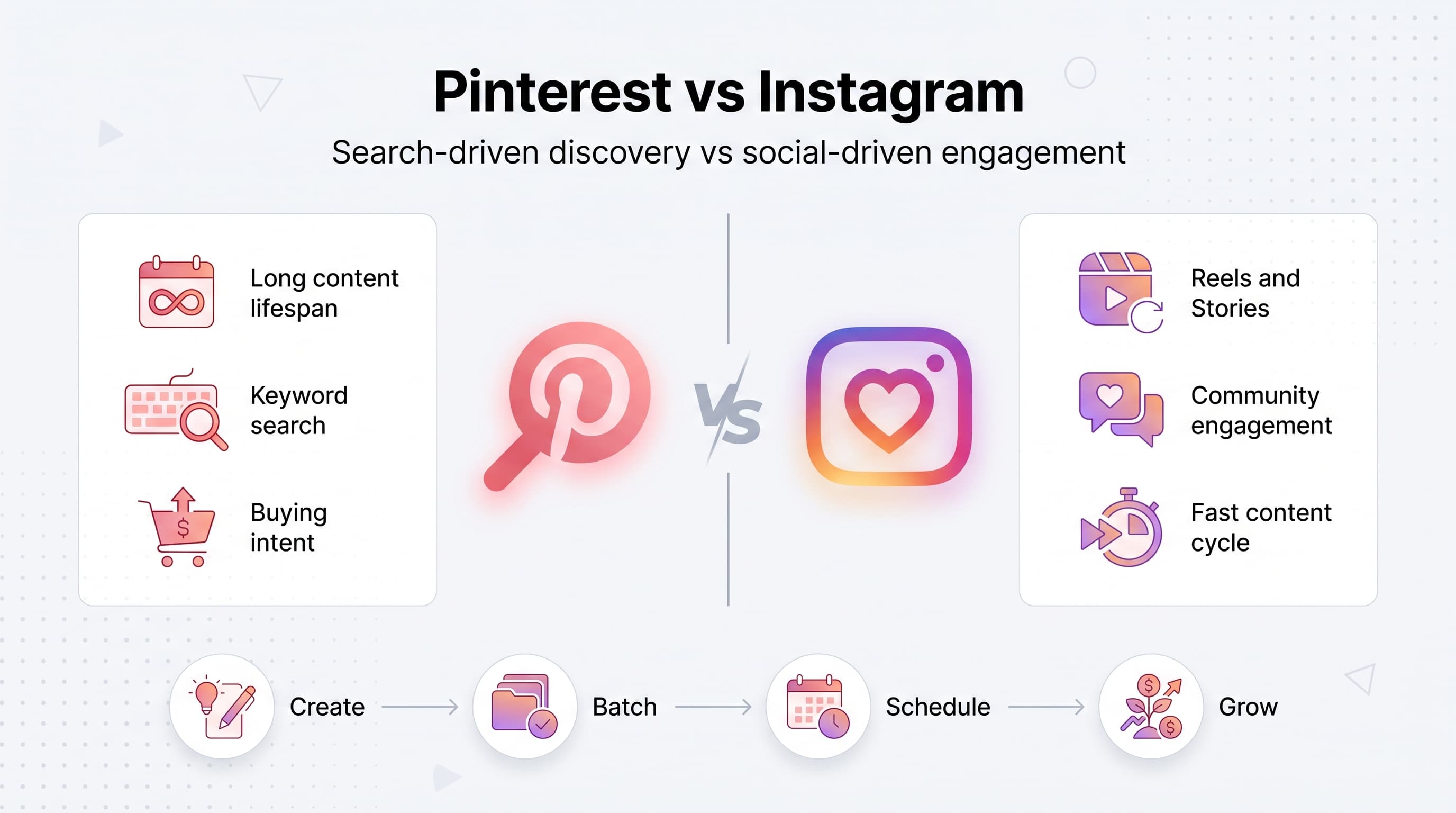
Here's the thing nobody tells you upfront: Pinterest and Instagram aren't really competitors. They're built for different jobs. One is a social network where people scroll to be entertained by friends and creators they follow. The other is a visual search engine where people go to plan, shop, and save ideas for later. Confusing the two is why so many brands post the same content to both and wonder why one platform underperforms. Our scheduling across platforms can help.
This comparison breaks down how each platform actually works, where your content lives longest, which one drives more sales, and which one makes more sense depending on what you sell. No fluff, just the specifics you need to decide where to put your energy. Our batch content creation can help.
Try Schedulala for free
Schedule posts to Bluesky, Twitter, and 8 other platforms from one dashboard.
Get started for free→What each platform is actually built for
Instagram: the social network
Instagram is a photo and video sharing app where people follow accounts and scroll a feed populated by an algorithm that's part interest graph, part social graph. It rewards consistency, native video (Reels especially), and content that keeps people watching or commenting. Instagram has over 2 billion monthly active users and functions as a full-blown ecosystem: Feed posts, Stories, Reels, Live, and Shopping tags all live under one roof. Our pinterest content strategy what can help.
The core behavior on Instagram is passive scrolling punctuated by active engagement. People aren't usually searching for something specific; they're being served content based on what they've engaged with before. That makes Instagram fantastic for building brand awareness, personality, and community, but it also means your content has a short shelf life. A Reel that doesn't get traction in the first 48 hours is basically dead. See our best time to post on instagram guide.
Pinterest: the visual search engine
Pinterest calls itself a "visual discovery engine," and that's accurate. People come to Pinterest to search for ideas: recipes, outfits, home renovations, wedding décor, business tips, workout routines. It functions more like Google Images with a save button than a social network. There's no requirement to build a following before your content gets seen; a well-optimized Pin from a brand-new account can outrank a Pin from an account with 100,000 followers if it matches search intent better. Learn more about instagram engagement calculator.
Pinterest's user base skews toward people in active planning or buying mode. Roughly 85% of weekly Pinners say they've made a purchase based on content from brands on the platform, according to Pinterest's own advertiser data. That intent-driven behavior is the single biggest reason ecommerce brands often see Pinterest outperform Instagram on referral traffic and conversion rate, even with a fraction of the followers.
Head-to-head comparison
| Factor | ||
|---|---|---|
| Primary use case | Visual search and discovery | Social networking and entertainment |
| Content lifespan | Weeks to years | 24-72 hours typically |
| Best content format | Static Pins, Idea Pins (video) | Reels, Carousels, Stories |
| Discovery method | Keyword search + algorithm | Algorithm + hashtags + follows |
| Audience intent | Planning, researching, buying | Browsing, connecting, entertainment |
| Follower requirement to be seen | Low, SEO matters more | High, existing audience matters |
| Shopping features | Product Pins, catalogs | Shop tab, product tags, checkout |
| Best for | Products, blogs, evergreen niches | Personal brands, services, community |
| Effort to maintain | Batch-friendly, front-loaded work | Ongoing daily engagement needed |
Content lifespan: why this matters more than you think
This is the single biggest structural difference between the two platforms, and it should shape your entire content strategy. An Instagram post has a functional lifespan measured in hours. Reels get most of their reach in the first two to three days, and after that, they're buried under newer content in everyone's feed. If you stop posting for two weeks, your reach drops and it takes time to recover once you start again.
A Pin, on the other hand, can keep driving traffic for months or years after you publish it. Pinterest's own data shows that a significant chunk of engagement on any given Pin happens well after the first week, sometimes months later, because the platform's search index keeps surfacing relevant Pins regardless of publish date. I've seen Pins from over a year ago still sending steady traffic simply because they rank for a search term people keep typing in.
What this means practically: on Instagram, you're feeding a fire that needs constant fuel. On Pinterest, you're building a library that keeps paying you back. If you have limited bandwidth and can only commit to a batch-content workflow (say, creating a month of visuals in one sitting), Pinterest rewards that approach far better than Instagram does.
Algorithm behavior: search vs social signals
Instagram's algorithm looks at signals like watch time, shares, saves, comments, and how quickly people engage after a post goes live. It's optimized to keep you inside the app longer, which means content that sparks reaction (controversy, humor, relatability, trends) tends to get rewarded. Hashtags matter less than they used to; what matters more is whether your content matches the format Instagram is currently pushing (right now, that's Reels).
Pinterest's algorithm is closer to a search engine's ranking system. It reads your Pin title, description, board names, and even the text layered on the image itself (yes, Pinterest can read text in images now) to figure out what search terms your content matches. Fresh Pins get a temporary boost, but ranking is driven heavily by relevance and quality signals like click-through rate and save rate, not by how new your account is.
This means keyword research matters enormously on Pinterest in a way it simply doesn't on Instagram. If you write Pin titles and descriptions the way you'd write a blog post title for Google, you'll outperform someone who treats Pinterest like another social feed. Skip the personality-driven captions here; save that energy for Instagram.
Shopping and monetization: where does the money actually flow?
Both platforms have invested heavily in shopping features, but they serve different points in the buyer journey. Instagram Shopping puts products directly in front of people who already follow you or who discover you through Explore, and it works well for impulse purchases, drops, and limited releases. The path from "I saw it" to "I bought it" can be extremely short on Instagram, especially with product tags and in-app checkout.
Pinterest shopping works differently. People are usually browsing several weeks or even months before a purchase (think wedding planning, home renovation, or holiday gift research), which means Pinterest often gets credit for the discovery, but the purchase might happen later through a saved Pin or a search that leads back to your site. That's why Pinterest referral traffic tends to skew toward higher average order values in several ecommerce studies: the audience isn't impulse-buying, they're planning-buying.
For service-based businesses (coaches, consultants, freelancers), Instagram tends to convert better because trust-building through Stories, DMs, and consistent face-to-face content builds the relationship that leads to a sale. Pinterest struggles here because there's no equivalent to a DM conversation or a Story where you show up as a person; it's fundamentally about visual content, not personal connection.
Audience and demographics
Instagram's audience skews slightly younger and is roughly balanced between men and women, though usage patterns vary a lot by niche. It's genuinely global and covers nearly every industry, from gaming to B2B software to local restaurants.
Pinterest's audience skews female (historically around 60-70% of users), though male usage has grown steadily, especially in categories like DIY, finance, and outdoor gear. Pinterest users also tend to have higher average household incomes compared to some other platforms, which matters if you're selling premium products. If your target customer is planning a wedding, redecorating a kitchen, meal-prepping, or building a capsule wardrobe, there's a good chance they're already on Pinterest actively searching for exactly what you sell.
One thing that surprises people: Pinterest isn't shrinking or aging out. It's added tens of millions of users in recent years, particularly among Gen Z, who use it for aesthetic inspiration and mood-boarding in a way that looks a lot like how millennials used it a decade ago. If you wrote Pinterest off as "a platform for moms planning parties," it's time to look again.
Content creation effort: what does it actually cost you in time?
Instagram, especially with Reels dominating reach, demands more hands-on production. You need hooks in the first second, trending audio, decent editing, and ideally a face on camera. That's a real time and skill investment, and burnout from constant content creation is one of the top reasons small business owners quit posting altogether.
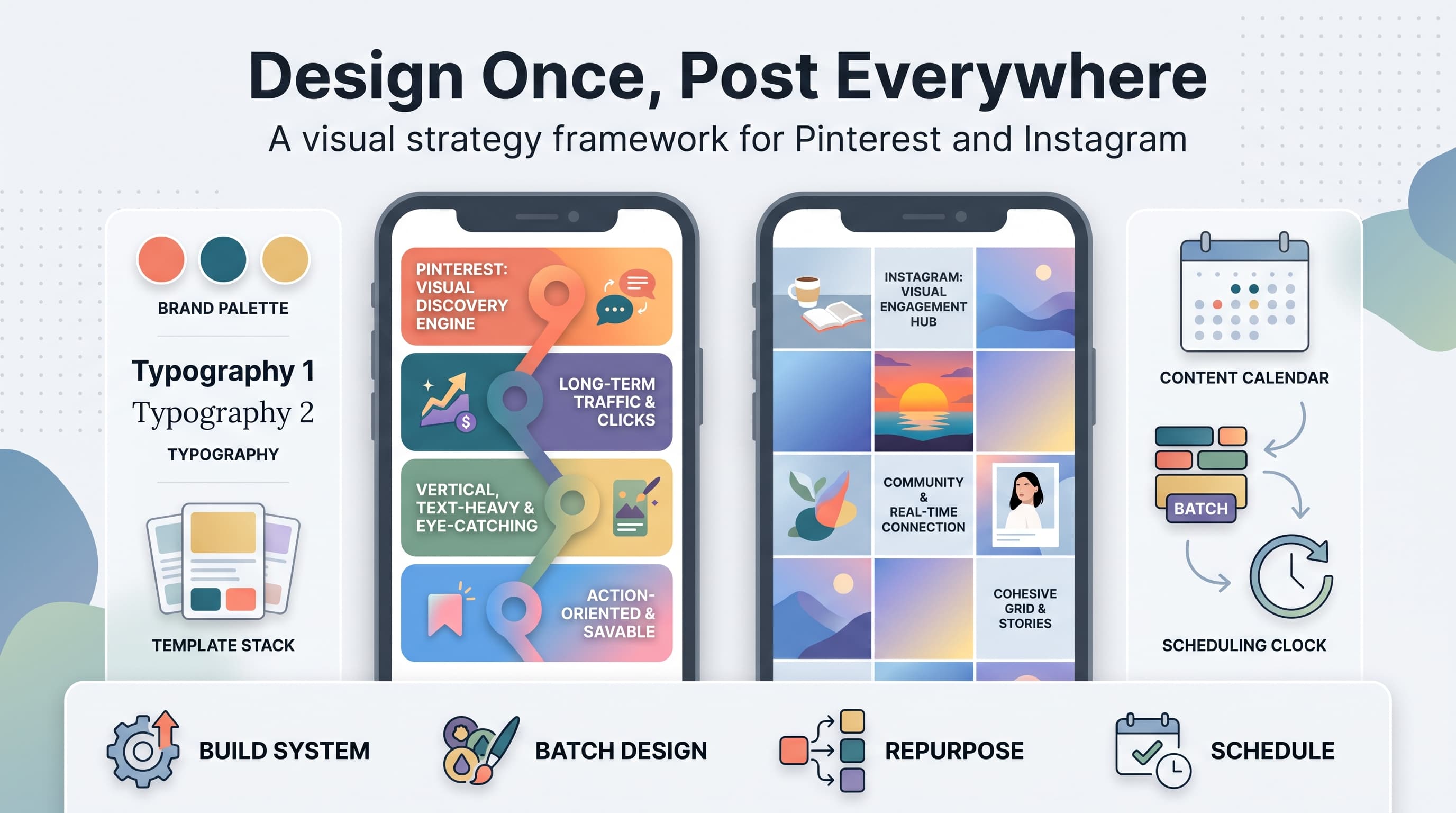
Pinterest is much friendlier to a batch workflow. A single blog post or product photo can be turned into five or six different Pin designs (different templates, different headline angles, different color variations) and scheduled out over weeks. You don't need to be on camera, you don't need trending sounds, and you don't need to post daily to maintain momentum. Canva templates and a decent keyword list will get you further on Pinterest than a expensive camera setup ever will.
This is where a scheduling tool earns its keep. Trying to remember to post fresh Pins three to five times a day manually is a great way to give up within two weeks. Batching a month of Pinterest content and Instagram posts in one sitting, then queuing it all through a scheduler, is the difference between a strategy that survives a busy month and one that quietly dies.
Try Schedulala for free
Schedule posts to Bluesky, Twitter, and 8 other platforms from one dashboard.
Get started for free→Who should choose what
Choose Instagram if you're a personal brand or service business
Coaches, consultants, freelancers, local businesses, and anyone whose sales depend on people trusting them as a person should prioritize Instagram. The Stories, Reels, and DM ecosystem builds the kind of relationship that turns a follower into a client. Pinterest can't replicate that personal connection.
Choose Pinterest if you sell physical products or run a content site
Ecommerce brands in home décor, fashion, beauty, food, weddings, and DIY should weight Pinterest heavily. Bloggers and content creators monetizing through ads or affiliate links also see outsized returns from Pinterest because of its long content lifespan and search-driven traffic.
Run both if you have the bandwidth
Most brands that succeed long-term don't pick one; they let Instagram build community and brand recognition while Pinterest quietly compounds traffic in the background. The key is treating them as separate strategies with separate content, not copy-pasting the same square image to both.
Choose neither (for now) if your audience isn't there
B2B SaaS companies, enterprise software, and highly technical services often see better ROI from LinkedIn or even Twitter/X before Pinterest or Instagram make sense. Don't force a visual platform if your buyer isn't scrolling for inspiration; they're researching on LinkedIn or reading case studies.
Common mistakes brands make with each platform
- Posting the exact same square image to both platforms instead of designing vertical Pins (1000x1500px) separately from Instagram's square or 4:5 format.
- Ignoring Pinterest SEO entirely and writing captions instead of keyword-rich titles and descriptions.
- Expecting Pinterest to build a community the way Instagram does; it won't, and trying to force engagement metrics there wastes effort.
- Posting to Instagram inconsistently and expecting the algorithm to forgive gaps; reach tanks fast when you go quiet.
- Never re-pinning or refreshing old blog content on Pinterest, missing out on months of free evergreen traffic.
- Treating Instagram Reels like TV commercials instead of native, quick, low-production content that matches how people actually scroll.
A realistic weekly workflow for both
If you're running both platforms without a big team, here's a workflow that actually holds up. Set aside one batch session per week (60-90 minutes) to create 4-6 Instagram Reels or Carousels and 10-15 Pinterest Pins from the same core content (a blog post, a product shoot, a tutorial). Write Pinterest titles and descriptions with actual keyword research, not just vibes. Schedule everything at once instead of logging in daily.
On Instagram, still plan to check in a couple times a week to respond to comments and DMs manually, since relationship-building can't be automated. On Pinterest, you can largely set it and forget it once your boards and keywords are dialed in, checking analytics monthly to see which topics are ranking and doubling down there.
This is exactly the kind of workflow a scheduling tool like Schedulala is built for. Instead of juggling two separate native schedulers with different upload requirements, you queue Reels, Carousels, and Pins from one calendar, across any combination of your 10, 25, or 100 connected accounts depending on your plan, with unlimited scheduled posts included even on the entry-level Personal tier.
Final verdict
Try Schedulala for free
Schedule posts to Bluesky, Twitter, and 8 other platforms from one dashboard.
Get started for free→