Pinterest Content Strategy: What to Pin, When to Pin It, and Why Most Boards Fail
Learn what to pin on Pinterest in 2026: content pillars, design specs, keyword strategy, and a posting calendar that actually drives traffic.

Most brands treat Pinterest like a smaller, prettier Instagram. That's the first mistake, and it's why so many accounts sit at a few hundred followers with pins that get ten saves and zero clicks. See our Pinterest scheduling guide.
Pinterest isn't a social network. It's a visual search engine that happens to have a follow button. People come there to plan, shop, and solve problems, not to catch up on what their friends had for lunch. If your content strategy doesn't reflect that, no amount of posting frequency will save it. Try our content calendar.
This guide breaks down exactly what to pin, how to structure your content mix, and how to build a repeatable system so Pinterest becomes a real traffic source instead of a chore you avoid. Try our 25 social media content.
Try Schedulala for free
Schedule posts to Bluesky, Twitter, and 8 other platforms from one dashboard.
Get started for free→Pinterest is a search engine, not a feed
Before you plan a single pin, you need to shift how you think about the platform. Instagram and TikTok reward recency. Something you posted an hour ago competes with something posted a week ago, and the older post loses almost every time. Pinterest works differently. A well-optimized pin can keep driving traffic for months, sometimes years, because Pinterest's algorithm treats pins more like search results than social posts. Try our youtube shorts ideas 100.
That means your content strategy has to answer a search intent, not just look nice. Someone searching "small bathroom storage ideas" or "budget wedding centerpieces" is actively trying to solve a problem. Your job is to be the answer, and to make it obvious at a glance that you're the answer, because Pinterest users scroll fast and decide whether to click in under two seconds. Our best time to post on pinterest can help.
The content pillars that actually perform
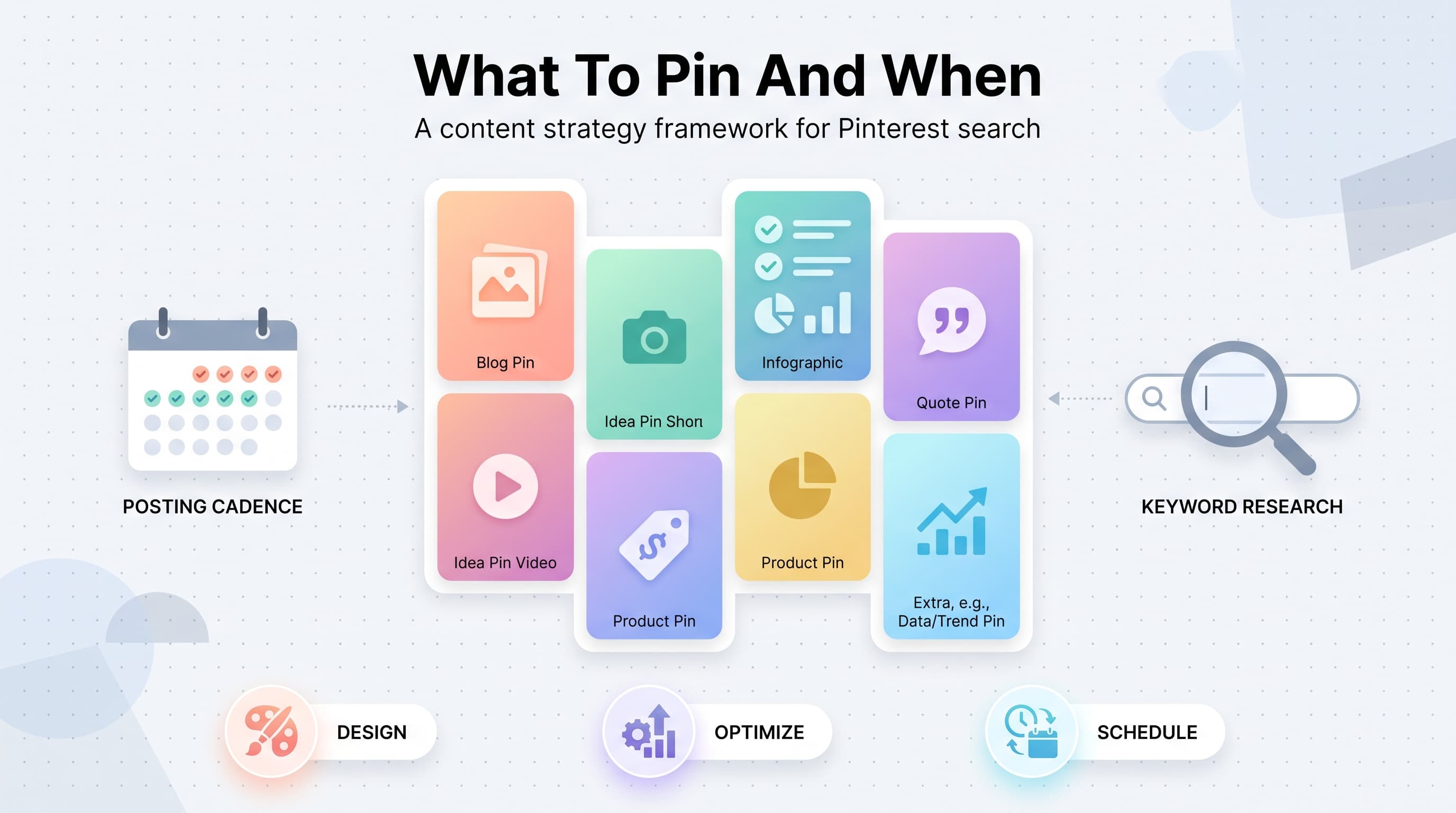
A strong Pinterest account isn't one pin type repeated forever. It's a mix of formats that each serve a different job: driving clicks, building brand recognition, and showing up for a wider range of searches. Here's the breakdown we'd recommend building your monthly calendar around. Learn more about pinterest font generator.
1. Blog post and article pins
These are still the backbone of Pinterest for most content businesses. A tall, text-overlay graphic with a clear headline ("15 minute weeknight dinners for busy parents") pointing back to a blog post. Pinterest users pin these to plan for later, and a single evergreen post can generate clicks for years.
The key is matching the pin headline to how people actually search, not how you'd title a blog for SEO on Google. Pinterest search behavior tends to be more specific and more aspirational: "cozy fall living room ideas" performs better than "living room decorating tips."
2. Idea pins (video and multi-page)
Idea pins are Pinterest's short-form video and carousel format, and Pinterest's own data has consistently shown they get more distribution than static pins because the platform wants to compete with TikTok and Reels for watch time.
Use these for process content: a recipe walkthrough, a step-by-step DIY, a before-and-after room reveal, or a quick styling tip. They don't link out the way standard pins do, so treat them as a discovery and brand-building tool rather than a direct traffic driver.
3. Product pins
If you sell physical products, product pins with pricing and availability pulled from your catalog convert shopping-intent searches directly. These perform best when the image looks like a real photo of the product in use, not a sterile studio shot on a white background.
Lifestyle context matters here more than almost any other platform. A candle on a styled shelf next to a book and a coffee cup will consistently outperform the same candle photographed alone.
4. Infographics and round-ups
Long, vertical infographics that summarize a list ("10 plants that survive full shade") do exceptionally well because they're save-worthy on their own, even without a click. High saves signal quality to Pinterest's algorithm and increase future distribution.
Round-up pins linking to a "best of" list post are also efficient because one blog post can generate multiple pin variations, each targeting a slightly different keyword angle.
5. Quote and text-based pins
Simple, bold text on a clean background works surprisingly well in niches like personal finance, self-improvement, parenting, and small business. These pins are cheap to produce (a template and a good quote is often enough) and they tend to be highly shareable.
Use these sparingly if you're an ecommerce brand, but lean into them if you're a coach, consultant, or content creator building authority.
6. Seasonal and trend-aligned content
Pinterest users plan far ahead of the actual season. People search for Halloween costume ideas in July and Christmas gift guides in September. If your content calendar only reacts to the current month, you're publishing seasonal content to an audience that already moved on.
We'll go deeper on lead times below, but the short version: pin seasonal content 45 to 90 days before the actual holiday or event.
Designing pins that stop the scroll
Pinterest is unforgiving about specs. Get the format wrong and your pin gets cropped, cut off, or buried below better-formatted competitors in the same search. A few non-negotiables:
- Use a 2:3 aspect ratio (1000x1500px is the standard). Pinterest actively prioritizes this ratio in search results and feed placement over square or landscape formats.
- Put text in the top third. Pinterest's mobile app crops previews from the bottom in some placements, so critical headline text needs to sit high on the image.
- Use large, legible fonts. Most Pinterest browsing happens on a phone screen roughly the size of a deck of cards. If you can't read your headline at thumbnail size, rewrite it or resize it.
- Keep branding consistent but small. A logo or watermark in a corner builds recognition over time without distracting from the main visual.
- Design 2-3 variations per piece of content. Different headlines, colors, or layouts pointing to the same URL let you test what resonates and reach different search queries without duplicating your content.
Keyword research: the part everyone skips
Because Pinterest is a search engine, keyword placement matters as much as it does for a blog post targeting Google. Skipping this step is the single biggest reason otherwise well-designed pins get no traffic.
Start by typing your core topic into the Pinterest search bar and note the autocomplete suggestions. These come directly from real user search behavior and are your first keyword list, no tool required. Then check the guided search pills that appear above the results (the little rounded buttons with related terms) for related long-tail phrases.
Once you have a keyword list, place your primary keyword in four spots: the pin title field, the pin description, the board title it's saved to, and naturally within the image text overlay itself. Pinterest's algorithm reads all four, and mismatched or missing keywords in any one of them weakens how many searches your pin shows up in.
Board strategy: organize for discovery, not tidiness
Boards are still a ranking signal on Pinterest, even though the platform has shifted a lot of weight toward keyword matching over the years. A pin saved to a board with a relevant, specific title gets a small relevance boost compared to the same pin dumped into a vague catch-all board.
Skip generic board names like "Inspo" or "Favorites." Name boards the way you'd title a page you want to rank: "Small Space Apartment Decor Ideas" beats "Home Stuff." Write a two or three sentence board description using your target keywords naturally, and pin consistently to it over time rather than filling it once and abandoning it.
A good starting structure for most niches is 10 to 15 boards, each covering a distinct sub-topic your audience searches for, with your best and newest content mixed in alongside relevant repins from other creators.
How often to pin (and why consistency beats volume)
Pinterest has said publicly that consistency matters more than raw volume, and their internal testing has shown accounts that pin regularly over months outperform accounts that binge-post and then go quiet for weeks. A sustainable cadence beats an aggressive one you'll abandon by week three.
| Account stage | Recommended frequency | Content mix focus |
|---|---|---|
| New account (0-3 months) | 3-5 pins/day | Mostly fresh content, establish board topics |
| Growing account (3-12 months) | 5-10 pins/day | 60% fresh, 20% seasonal, 20% curated |
| Established account (12+ months) | 10-15 pins/day | Higher ratio of fresh content, aggressive seasonal push |
Notice that even a brand new account should be pinning daily, not weekly. Sporadic posting sends a weaker signal to Pinterest's recommendation system than steady, moderate volume, and it makes it harder to build the habit in the first place.
Seasonal planning: pin ahead of the calendar
This is the part of Pinterest strategy most brands get backwards. On Instagram, you post about a holiday the week it happens. On Pinterest, by the time the holiday arrives, the search volume for it has already peaked and started declining because your audience already made their plans.
| Event/season | When to start pinning |
|---|---|
| Valentine's Day | Late December |
| Spring cleaning / organization | Early January |
| Mother's Day | Mid-March |
| Summer weddings | Late February |
| Back to school | Late June |
| Halloween | Early July |
| Thanksgiving | Late August |
| Christmas / holiday gifting | Mid-September |
If that timeline feels aggressive, that's because it is, and it's exactly why most small brands lose the seasonal traffic to bigger publishers who plan further ahead. You don't need a massive content library to compete here. You need three or four genuinely useful seasonal pins published two to three months early, and repinned consistently as the actual date approaches.
Common mistakes that quietly kill Pinterest performance
- Reposting the same pin design over and over. Pinterest's algorithm can suppress reach when it sees identical or near-identical images repeated too frequently. Vary the headline, layout, or color each time you repin a piece of content.
- Linking to broken or slow-loading pages. If your website takes more than a few seconds to load, or the pin links to a page that's since been removed, Pinterest's crawler notices and your future pins from that domain get less reach.
- Treating Pinterest as an afterthought in the content calendar. If your only Pinterest activity is an auto-share from Instagram, your pins will look like Instagram posts, wrong ratio, no text overlay, no keyword strategy, and they'll perform accordingly.
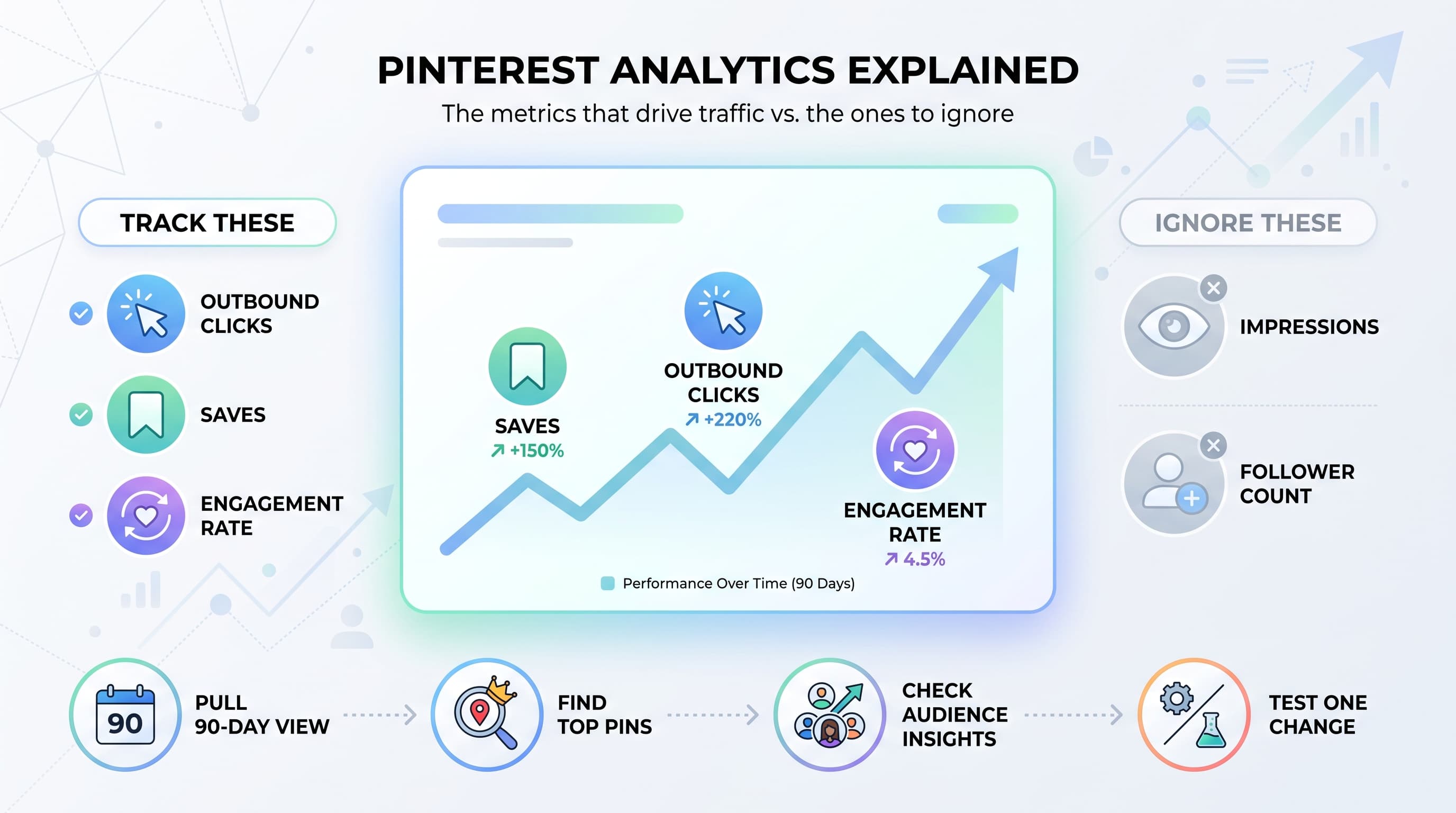
- Ignoring analytics. Pinterest's own analytics dashboard shows which pins and topics are driving impressions versus outbound clicks. Check it monthly and double down on what's actually working instead of guessing.
- Pinning only your own content. A board that's 100% self-promotional reads as spammy to both users and Pinterest's own quality signals. Mix in genuinely useful content from other creators.
Building a repeatable workflow
Once you know what to pin, the next problem is logistics. A healthy Pinterest presence means dozens of pins going out every week across a dozen or more boards, and doing that manually is one of the fastest ways to burn out on the platform.
The workflow that tends to hold up over time looks like this: batch your pin design once a week or once a month using a template system, write your titles and descriptions with your keyword list next to you, then load everything into a scheduler so it drips out at a steady, human pace instead of dumping 40 pins in a single afternoon.
Schedulala supports Pinterest alongside 11 other platforms (Instagram, TikTok, Twitter/X, LinkedIn, YouTube, Facebook, Threads, Bluesky, Telegram, Mastodon, and Google Business Profile), and every plan includes unlimited scheduled posts, so you're never stuck rationing how many pins you queue up in a given month. That matters a lot for Pinterest specifically, since the recommended daily volume is higher than almost any other platform.
If you're running Pinterest for a single brand, the Solo plan at $9/month covers one account on each of 12 platforms, which is plenty of room to run Pinterest plus your other channels from one dashboard. Agencies managing Pinterest for multiple clients can scale up to the Agency plan at $99/month for 100 accounts, usable in whatever combination makes sense for your client list. There's no free tier, but every plan starts with a 7-day free trial so you can test the workflow with your own content before committing.
See It in Action
This is what scheduling a Pinterest post looks like in Schedulala
A simple monthly content plan you can copy
If you want a starting framework rather than building one from scratch, here's a simple structure to run for 30 days and adjust from there based on your analytics.
- Week 1: Audit your top-performing existing content and create 2 new pin designs for each of your best 5 blog posts or product pages.
- Week 2: Research and publish 3-4 pins targeting a seasonal event 60-90 days out, using the lead-time table above.
- Week 3: Create one idea pin (video or multi-page) walking through a process related to your niche.
- Week 4: Review Pinterest Analytics, note which pins drove the most outbound clicks, and create 2-3 new variations of your top performer with different headlines.
Repeat that cycle monthly and layer in daily curated repins from other creators to hit your volume targets. Within two or three months you should have a clear sense of which content pillars and topics actually convert for your specific audience, and you can shift your ratio accordingly.
The bottom line
Pinterest is one of the few platforms left where a solid content strategy compounds instead of decaying within a day. A pin you design well this month can still be sending traffic to your site next year. That's worth the upfront effort of getting the keyword research, design specs, and seasonal timing right, and it's worth building a scheduling system that keeps the volume steady without eating your entire week.
Try Schedulala for free
Schedule posts to Bluesky, Twitter, and 8 other platforms from one dashboard.
Get started for free→