How to Create a Social Media Calendar That Actually Works (Free Template Included)
Learn how to create a social media calendar that boosts engagement. Step-by-step guide with free template, best practices, and proven strategies.

Staring at a blank Instagram feed wondering what to post next? You're not alone. See our Instagram scheduling guide.
See It in Action
This is what scheduling an Instagram post looks like in Schedulala
Most content creators waste 2+ hours daily scrambling for post ideas, writing captions on the fly, and posting at random times. The result? Inconsistent messaging, poor engagement, and burnout within months. See our cross-platform analytics track 9 guide.
A well-planned social media calendar changes everything. It transforms chaotic posting into a strategic system that saves time, improves content quality, and delivers measurable results. Try our batch content creation.
Try Schedulala for free
Schedule posts to Bluesky, Twitter, and 8 other platforms from one dashboard.
Get started for free→Why you need a social media calendar
Think of your social media calendar as the GPS for your content strategy. Without it, you're driving blind through the digital landscape, hoping to stumble upon engagement. Our the best social media can help.
Here's what happens when you wing it versus when you plan ahead:. Our best time to post on instagram can help.
| Without Calendar | With Calendar |
|---|---|
| 2+ hours daily on content | 30 minutes daily max |
| Inconsistent posting | Regular, predictable schedule |
| Random engagement | Strategic audience building |
| Stress and burnout | Confidence and control |
| No content themes | Cohesive brand messaging |
The data backs this up. Brands that plan content in advance see 60% higher engagement rates and 40% more consistent posting frequency compared to those that don't. Our instagram engagement calculator can help.
What makes a social media calendar effective
Not all social media calendars are created equal. I've seen plenty that look impressive but fall apart after two weeks because they're overly complicated or missing key elements.
An effective calendar needs five core components:
1. Content categories and themes
Your calendar should organize content into clear categories that serve different purposes. For example, a fitness brand might use:
- Educational: Workout tips and nutrition facts
- Inspirational: Success stories and motivational quotes
- Behind-the-scenes: Gym culture and trainer spotlights
- Product-focused: Equipment reviews and promotional content
- Community: User-generated content and challenges
This prevents your feed from becoming a random collection of posts and ensures you're consistently delivering value to your audience.
2. Optimal posting schedule
Timing isn't just about when your audience is online. It's about when they're most likely to engage with your specific type of content.
Use your analytics to identify patterns, but here are some baseline recommendations:
- Instagram: Tuesday-Thursday, 11 AM - 1 PM and 7-9 PM
- LinkedIn: Tuesday-Thursday, 8-10 AM and 12 PM
- TikTok: Tuesday-Thursday, 6-10 AM and 7-9 PM
- Twitter: Wednesday-Friday, 9 AM - 3 PM
Test these times for 2-3 weeks, then adjust based on your actual engagement data.
3. Platform-specific adaptations
The same content doesn't work across all platforms. Your calendar should account for each platform's unique audience behavior and content formats.
For instance, a single blog post can become:
- Instagram: Carousel post with key takeaways
- LinkedIn: Professional insight with industry context
- Twitter: Thread breaking down main points
- TikTok: Quick video summarizing the topic
Plan one piece of core content, then adapt it for each platform rather than creating entirely new content for each.
4. Flexibility for real-time opportunities
Your calendar should be structured but not rigid. Leave 20-30% of your posting schedule open for trending topics, user-generated content, and timely responses.
Smart brands keep a 'content bank' of evergreen posts they can swap in when they want to pivot for trending topics or breaking news.
5. Performance tracking integration
Your calendar isn't just a publishing tool, it's a performance measurement system. Include space to track:
- Engagement rates by content type
- Best-performing posting times
- Hashtag performance
- Click-through rates to your website
- Follower growth attribution
This data feeds back into your planning process, making each month's calendar more effective than the last.
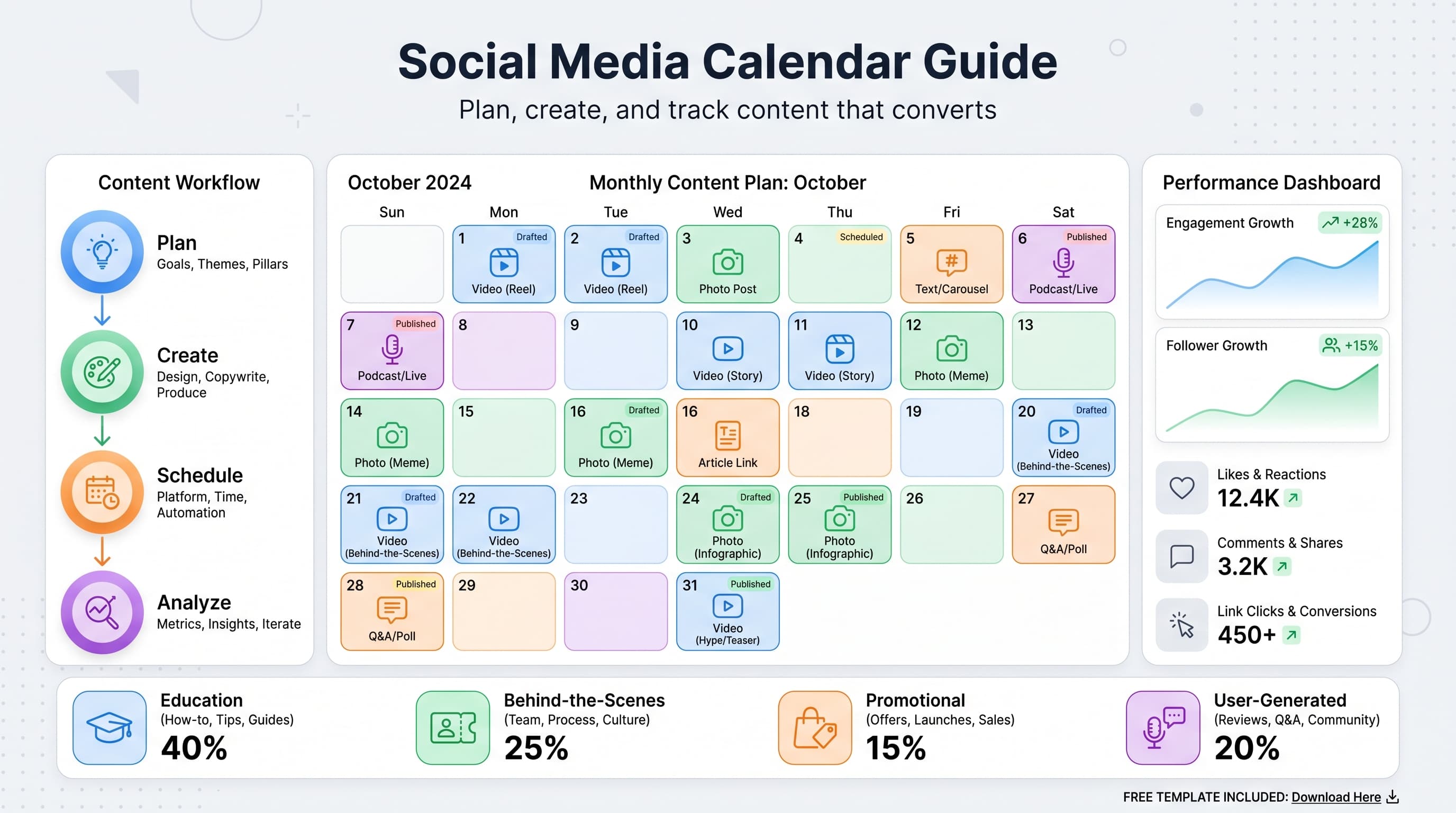
Step-by-step calendar creation process
Ready to build your calendar? This process takes about 2-3 hours upfront but will save you 10+ hours every month.
Step 1: Audit your current content performance
Before planning future content, understand what's already working. Pull data from the last 30-60 days and identify:
- Your top 10 performing posts (by engagement rate, not just likes)
- Content types that consistently perform well
- Topics your audience engages with most
- Posting times that generate the most activity
- Days of the week when your audience is most active
Most platforms provide this data in their native analytics. For Instagram, check your Insights under 'Content.' For LinkedIn, use the analytics section of your company page.
Don't just look at vanity metrics. A post with 100 likes but 20 comments and 5 shares is more valuable than one with 500 likes and 2 comments.
Step 2: Define your content pillars
Content pillars are the 3-5 core themes that guide all your content creation. They should align with your business goals and audience interests.
Here's how different types of businesses might structure their pillars:
SaaS company: Product education (30%), Industry insights (25%), Customer success (20%), Company culture (15%), Thought leadership (10%)
E-commerce brand: Product showcases (35%), User-generated content (25%), Behind-the-scenes (20%), Educational content (20%)
Personal brand: Expertise sharing (40%), Personal stories (25%), Industry commentary (20%), Community engagement (15%)
The percentages matter. They prevent you from over-posting promotional content or neglecting valuable educational posts.
Step 3: Map your posting frequency and timing
Quality beats quantity every time. It's better to post 3 high-quality posts per week consistently than 10 mediocre posts that you can't maintain.
Start with this baseline frequency:
- Instagram: 4-5 posts per week (mix of feed posts, Stories, Reels)
- LinkedIn: 3-4 posts per week
- Twitter: 5-7 posts per week (can include retweets and replies)
- TikTok: 3-5 videos per week
- Facebook: 3-4 posts per week
For timing, use the data from your audit, but test systematically. Pick 2-3 time slots and test each for a full week before making conclusions.
Step 4: Create your content template
Templates speed up content creation and ensure consistency. Create a standard template for each content type:
Educational post template:
- Hook (problem or question)
- 3-5 key points with actionable advice
- Call-to-action (comment, share, or visit link)
- 2-3 relevant hashtags
Behind-the-scenes template:
- Context setting (what you're showing)
- Personal insight or lesson learned
- Question to engage audience
- Brand-related hashtags
Product showcase template:
- Customer problem addressed
- Product benefit (not feature)
- Social proof or result
- Clear next step
Having these templates doesn't make your content robotic. They provide structure so you can focus on creating valuable, engaging content instead of figuring out format every time.
Step 5: Plan your first month
Now comes the actual calendar building. Start with a simple spreadsheet or use a dedicated tool, but include these columns:
- Date and time
- Platform
- Content pillar
- Post type (image, video, carousel, etc.)
- Caption/copy
- Visual assets needed
- Hashtags
- Status (planned, created, scheduled, published)
Fill in your high-priority dates first: product launches, company events, industry conferences, holidays relevant to your audience.
Then work backwards from your content pillars. If you're posting 4 times per week and want 30% educational content, that's roughly 5 educational posts per month.
Don't try to write every caption immediately. Start with topics and headlines, then batch-write similar content types together.
Step 6: Set up your production workflow
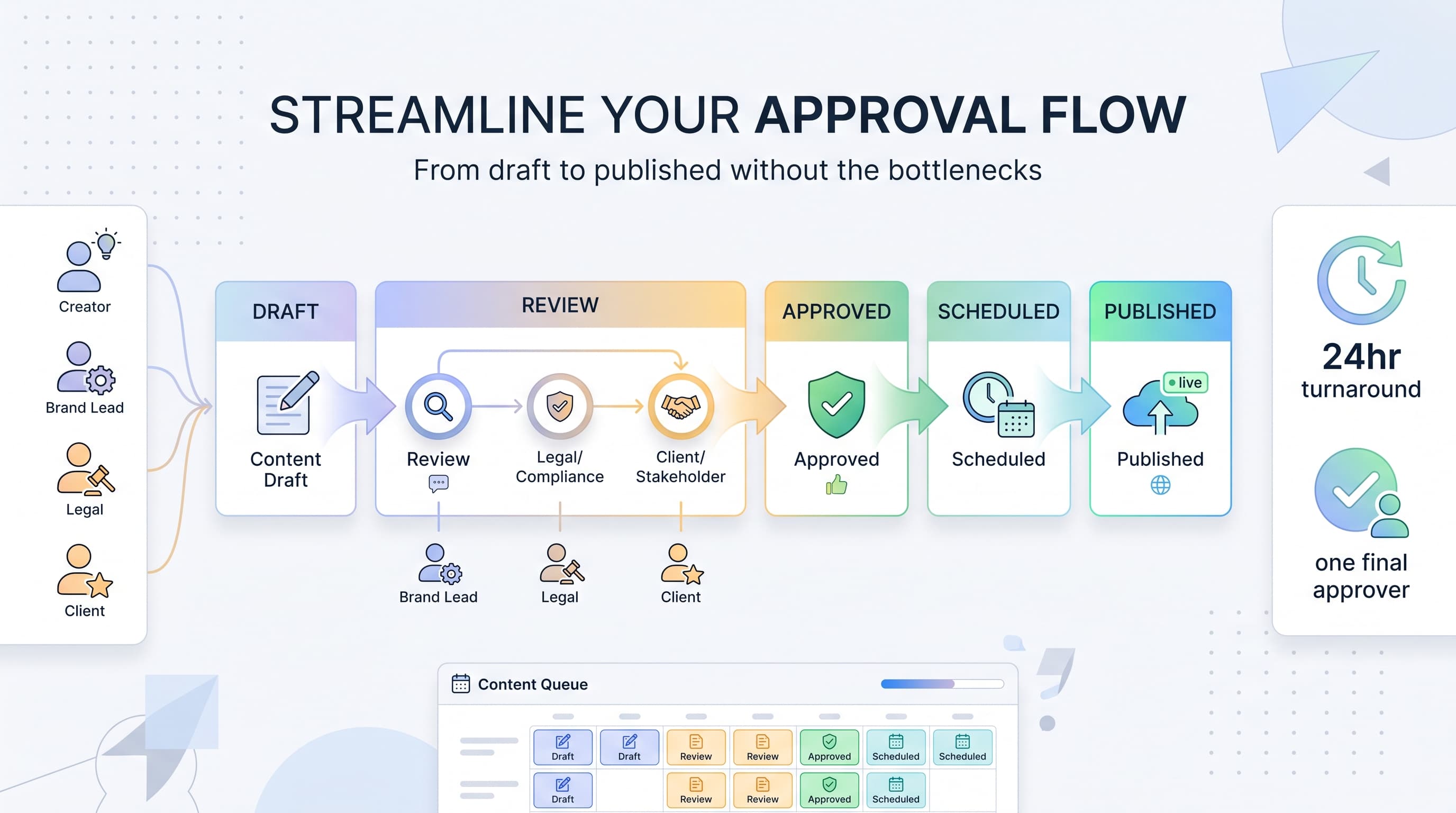
A calendar is only as good as your ability to execute it. Create a weekly workflow that turns planned content into published posts:
Monday: Review week's content, make final adjustments based on current events
Tuesday-Wednesday: Create visual assets and write captions
Thursday: Schedule all posts for the following week
Friday: Analyze previous week's performance and note insights for future planning
This workflow keeps you 1-2 weeks ahead of your publishing schedule, giving you flexibility to pivot when needed without missing posts.
Tools and platforms for calendar management
The right tool can make or break your calendar system. You need something that's powerful enough to handle multiple platforms but simple enough that you'll actually use it.
Here's how different tools stack up:
Spreadsheets (Google Sheets, Excel)
Best for: Beginners, small teams, tight budgets
Pros: Free, highly customizable, familiar interface, good for data analysis
Cons: No direct publishing, limited collaboration features, becomes unwieldy with scale
Spreadsheets work well when you're just starting out or managing 1-2 platforms. You can create detailed templates and even use formulas to track posting frequency across different content pillars.
All-in-one scheduling platforms
Best for: Growing businesses, multiple platforms, team collaboration
Pros: Direct publishing, visual calendar view, team workflows, analytics integration
Cons: Monthly cost, learning curve, platform limitations
Tools like Schedulala excel here because they combine calendar planning with smart scheduling. You can see your entire month at a glance, drag and drop to reschedule, and let the platform optimize posting times based on your audience activity.
The key advantage is workflow efficiency. Instead of planning in one tool, creating in another, and publishing manually, everything happens in one place.
Project management tools adapted for social media
Best for: Teams already using project management tools, content-heavy workflows
Pros: Advanced collaboration, detailed workflows, integration with other business tools
Cons: Overkill for simple scheduling, no direct publishing, steep learning curve
Platforms like Asana or Monday can work for social media calendar management, especially if you're already using them for other projects. You can create detailed content briefs, assign tasks to team members, and track approval workflows.
Content planning strategies that work
Having a calendar structure is just the beginning. The content you put in it determines whether you'll build an engaged community or post to crickets.
Here are proven strategies for filling your calendar with content that performs:
The 80/20 content rule
80% of your content should provide value to your audience without asking for anything in return. This builds trust and establishes your expertise.
20% can be promotional - product announcements, sales, direct calls-to-action.
Most brands get this backwards. They post promotional content 60-70% of the time, then wonder why engagement is low and followers are dropping.
Value-first content includes:
- Educational: How-to guides, industry insights, skill-building content
- Entertaining: Memes, behind-the-scenes, relatable stories
- Inspirational: Success stories, motivational quotes, community highlights
- Conversational: Polls, questions, discussion starters
Content batching and themes
Instead of creating content randomly, batch similar types together and assign themes to specific days:
Monday: Motivation Monday (inspirational content)
Wednesday: Wisdom Wednesday (educational content)
Friday: Feature Friday (product or team spotlights)
Themes create anticipation and make content creation more efficient. When you sit down to write, you already know the general direction.
Batching means creating multiple pieces of similar content in one session. Write all your educational posts for the month in one afternoon, then create all your behind-the-scenes content in another session.
Seasonal and trending content integration
Your calendar should account for predictable seasonal trends and leave room for unexpected viral moments.
Plan 3 months ahead for major seasons, holidays, and industry events relevant to your audience.
Reserve 20-30% of your calendar for real-time content - trending topics, news reactions, user-generated content.
For example, a fitness brand might plan New Year resolution content in October, but keep slots open for trending workout challenges that pop up unexpectedly.
Repurposing and content multiplication
One piece of core content can become 5-10 social media posts across different platforms and formats:
Source: Blog post about email marketing tips
Becomes:
- Instagram carousel with 5 key tips
- LinkedIn article with professional insights
- Twitter thread breaking down each tip
- TikTok video demonstrating one tip
- Instagram Story highlights saving all tips
- Quote cards featuring best advice
- Poll asking which tip followers want to try
This approach ensures consistent messaging while maximizing the value of your content creation time.
Try Schedulala for free
Schedule posts to Bluesky, Twitter, and 8 other platforms from one dashboard.
Get started for free→Common calendar mistakes to avoid
I've seen hundreds of social media calendars over the years. The ones that fail usually make the same predictable mistakes.
Over-planning without flexibility
Some people create calendars that plan every single post 3 months in advance, down to the exact caption and hashtags.
This backfires when:
- Industry news makes your planned content irrelevant
- Trending topics offer better engagement opportunities
- Your audience's interests shift
- Your business priorities change
Solution: Plan themes and topics in advance, but write final captions and choose visuals 1-2 weeks before publishing.
Ignoring platform differences
The biggest mistake is treating all platforms the same. Your LinkedIn audience wants different content than your TikTok followers, even if they're in the same industry.
LinkedIn users expect professional insights, industry analysis, and career advice.
Instagram users want visually appealing content, behind-the-scenes glimpses, and lifestyle integration.
TikTok users prefer entertaining, authentic, and trend-based content.
Solution: Adapt your core message for each platform's audience and content style, don't just copy-paste.
Focusing on quantity over quality
Many brands think more posts equal better results. They fill their calendar with mediocre content just to maintain posting frequency.
The algorithm on every major platform rewards engagement, not posting volume. One highly engaging post per week beats seven posts that get no interaction.
Solution: Start with 3-4 high-quality posts per week. Increase frequency only after you're consistently creating content that resonates.
Not tracking what actually works
Creating a calendar is step one. Optimizing based on performance data is where most brands fail.
Without tracking, you'll keep posting content types that don't work and miss opportunities to double down on what does.
Solution: Review performance weekly. Note which content types, topics, and posting times generate the most engagement, then adjust your calendar accordingly.
Free social media calendar template
Ready to start planning? Here's a template you can copy and customize for your business.
Monthly Overview Template:
| Week | Content Focus | Key Campaigns | Special Dates |
|---|---|---|---|
| Week 1 | Educational content | Product launch prep | Industry conference |
| Week 2 | Behind-the-scenes | User-generated content | Team milestone |
| Week 3 | Customer success stories | Seasonal promotion | Holiday tie-in |
| Week 4 | Industry insights | Month recap | Next month preview |
Daily Planning Template:
For each post, include:
- Date & Time: Specific publishing schedule
- Platform: Where this will be posted
- Content Pillar: Which theme this supports
- Format: Image, video, carousel, text-only
- Topic/Headline: Main message or hook
- CTA: What action you want users to take
- Hashtags: Platform-specific tags
- Visual Notes: Photo/video requirements
- Status: Planned, in progress, scheduled, published
Content Ratio Tracking:
Keep a running tally to ensure you're maintaining your content pillar ratios:
- Educational: __ posts (target: 30%)
- Behind-the-scenes: __ posts (target: 25%)
- Customer stories: __ posts (target: 20%)
- Product-focused: __ posts (target: 15%)
- Industry commentary: __ posts (target: 10%)
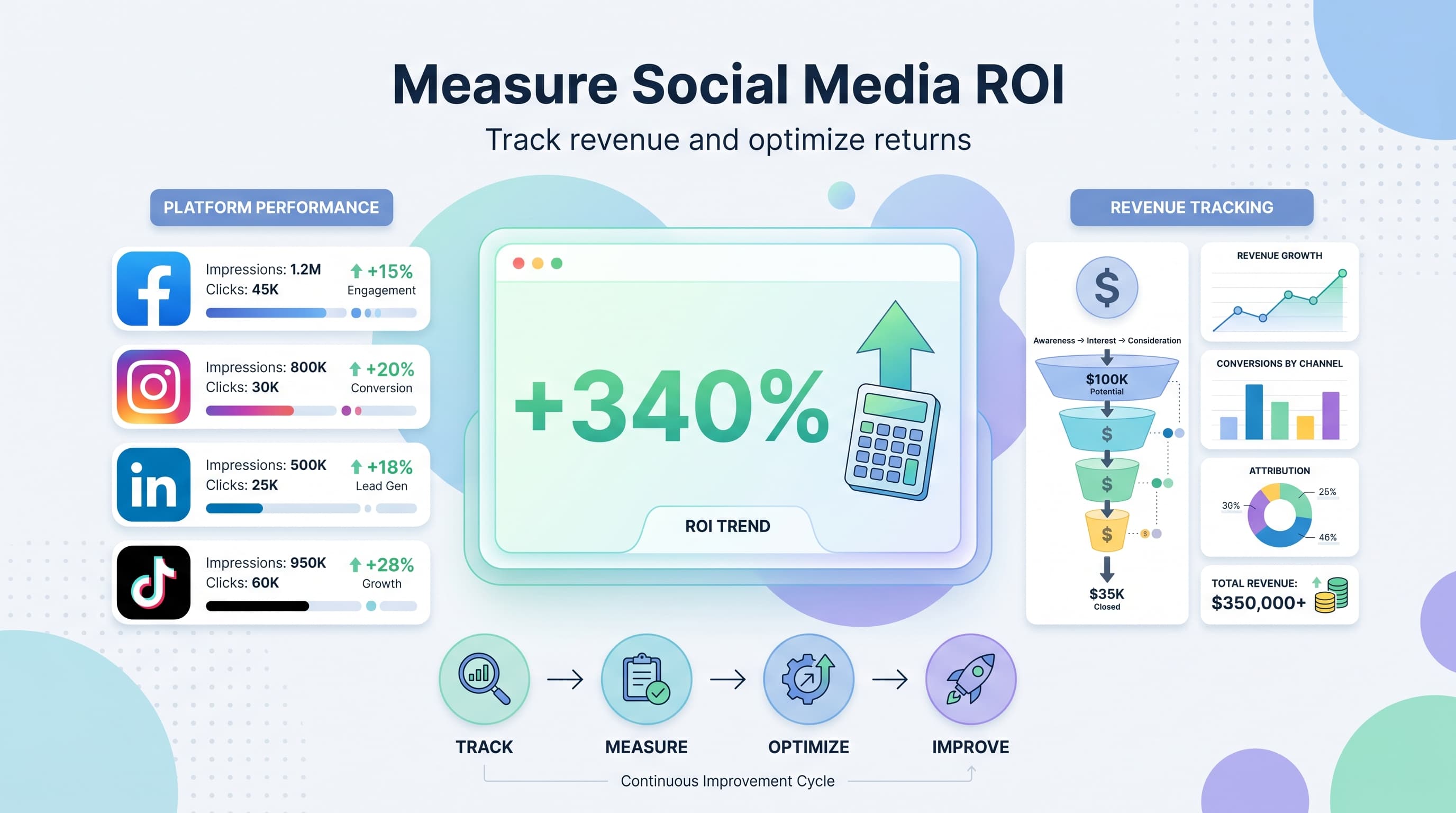
Measuring calendar success
A social media calendar isn't successful just because you stick to it. Success means driving real business results.
Track these metrics monthly to gauge your calendar's effectiveness:
Engagement metrics
Engagement rate: Total interactions divided by follower count
Comments per post: Higher comment rates indicate content that sparks conversation
Saves and shares: Shows content valuable enough to reference later
Story completion rates: For Instagram and Facebook Stories
Don't just track totals - look for patterns. Which content types consistently get the most engagement? What topics generate the most discussion?
Growth metrics
Follower growth rate: New followers gained divided by total followers
Reach expansion: How many unique accounts see your content
Hashtag performance: Which tags bring new audience discovery
Quality matters more than quantity here. 100 engaged followers who fit your target audience are more valuable than 1000 random accounts.
Business impact metrics
Website traffic from social: Use UTM parameters to track clicks
Lead generation: Email signups, demo requests, contact form submissions
Sales attribution: Revenue directly tied to social media campaigns
Brand awareness: Mentions, branded hashtag usage, direct searches
These metrics connect your social media efforts to actual business outcomes, not just vanity metrics.
Review these metrics monthly and adjust your calendar based on what you learn. If educational posts drive the most website traffic, increase their frequency. If behind-the-scenes content gets the most engagement but doesn't drive business results, consider how to better connect that content to your business goals.
Advanced calendar strategies
Once you've mastered the basics, these advanced strategies can take your social media calendar to the next level.
Cross-platform content sequences
Instead of treating each platform independently, create content sequences that guide followers through a journey across multiple platforms.
Example sequence:
Day 1: Instagram post introducing a topic
Day 2: LinkedIn article diving deeper into the topic
Day 3: Twitter thread with quick takeaways
Day 4: Instagram Stories highlighting key points
Day 5: TikTok video making the concept entertaining
This approach increases the chances of your message resonating and encourages followers to connect with you on multiple platforms.
Audience-specific content tracks
If you serve multiple audience segments, create separate content tracks within your calendar for each group.
A marketing agency might have tracks for:
- Small business owners: Budget-friendly tips, DIY strategies
- Marketing managers: Advanced tactics, team management
- C-suite executives: Industry trends, ROI insights
Use platform targeting and scheduling to ensure the right content reaches the right audience at the right time.
Reactive content planning
Prepare content templates for common reactive scenarios:
- Industry news: Templates for commenting on breaking news
- Trending topics: Frameworks for joining relevant conversations
- Competitor actions: Response strategies that highlight your advantages
- Customer feedback: Templates for addressing both positive and negative responses
Having these prepared lets you respond quickly while maintaining brand consistency.
Try Schedulala for free
Schedule posts to Bluesky, Twitter, and 8 other platforms from one dashboard.
Get started for free→