DIY Social Media Management: Complete Guide to Managing Your Own Channels
Learn DIY social media management with our complete guide. Master strategy, content creation, scheduling, and analytics without hiring an agency.

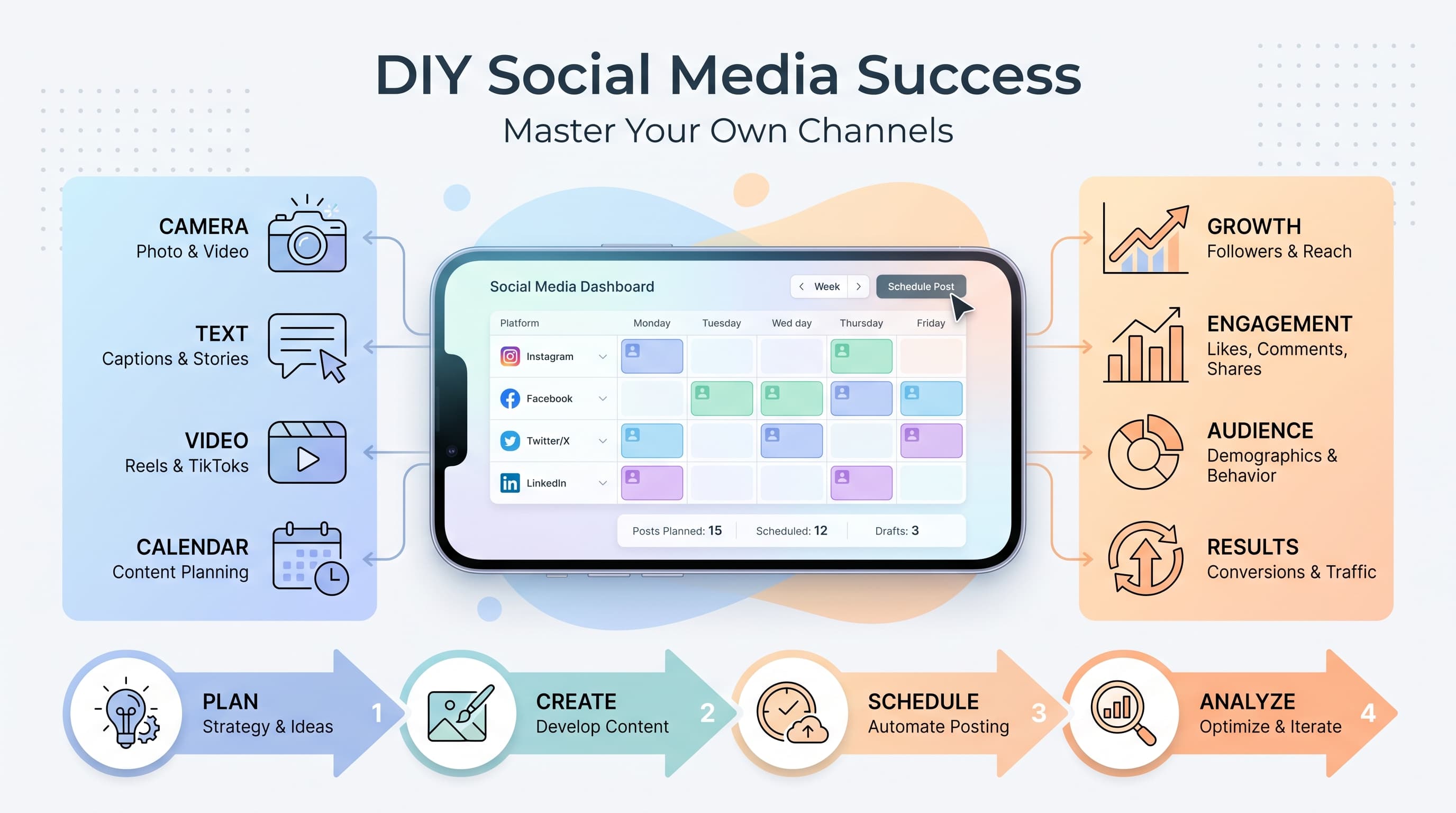
You've watched competitors gain thousands of followers while your business posts get three likes and a comment from your mom. The marketing budget doesn't stretch to a $3,000 monthly agency retainer, but you know social media could transform your business. Try our Instagram scheduling.
See It in Action
This is what scheduling an Instagram post looks like in Schedulala
DIY social media management isn't just about saving money. It's about building authentic connections with your audience, understanding your customers directly, and creating content that actually converts. This guide will show you exactly how to manage your social media like a pro, without the pro budget. Our social media automation can help.
Try Schedulala for free
Schedule posts to Bluesky, Twitter, and 8 other platforms from one dashboard.
Get started for free→Why DIY social media management beats hiring an agency
Before jumping into tactics, let's address the elephant in the room. You've probably been told that social media is too complex for business owners to handle alone. That's marketing from agencies who want your monthly retainer. Learn more about cross-platform analytics track 9.
Cost savings that actually matter
The average social media agency charges between $1,500 and $5,000 monthly for basic management across 3-4 platforms. That's $18,000 to $60,000 annually. Most small businesses can achieve better results spending $500 yearly on tools and investing sweat equity. Try our ai social media post.
I've seen bakeries with 50,000 Instagram followers built entirely by the owner posting behind-the-scenes content during slow afternoon hours. No agency would capture that authentic energy or know exactly when the fresh bread comes out of the oven. Try our best time to post on instagram.
Authenticity you can't outsource
Your business has a story, personality, and unique perspective that generic content creators struggle to capture. When you manage your own social media, every post reflects your actual voice and values. Customers sense the difference between authentic owner-generated content and sterile agency posts. Our instagram engagement calculator can help.
Consider how Gary Vaynerchuk built Wine Library TV or how Rand Fishkin shares transparent business insights on LinkedIn. Their personal involvement in content creation became their competitive advantage. You don't need their scale to apply the same principle.
Direct customer feedback loop
When you personally respond to comments, direct messages, and reviews, you gather invaluable market research. You'll discover which products customers actually want, common pain points, and opportunities for improvement. Agencies filter this feedback through account managers who've never run your business.
A restaurant owner I know discovered that customers were confused about their gluten-free options by reading Instagram comments directly. She created a dedicated highlights section showcasing safe menu items, which increased orders from customers with dietary restrictions by 40%.
Essential tools and platforms for DIY success
The right tools eliminate 80% of the tedious work that makes social media feel overwhelming. Here's the exact stack successful DIY managers use to compete with agencies.
Content creation and design tools
Canva Pro ($120/year) handles all your visual content needs. The templates are actually good now, and the brand kit feature ensures consistent colors and fonts across every post. The magic resize feature alone saves hours when adapting content for different platforms.
iPhone or Android camera beats expensive equipment for most businesses. Modern phones shoot 4K video and have built-in editing capabilities. The key is consistent lighting and steady hands, not expensive gear.
Unsplash and Pexels provide free stock photos when you need professional imagery. But customer photos, behind-the-scenes shots, and product images you take yourself typically perform better than generic stock content.
Scheduling and automation platforms
Schedulala connects all major platforms in one dashboard and costs significantly less than enterprise tools like Hootsuite or Sprout Social. The bulk scheduling feature lets you prepare a week's content in one focused session.
Buffer offers a clean interface and strong analytics. Their free plan covers three social accounts, which works for many small businesses just starting with DIY management.
Later excels for visual content planning, especially Instagram. The visual calendar view helps you maintain aesthetic consistency and spot gaps in your posting schedule.
Analytics and monitoring
Native platform analytics (Instagram Insights, Facebook Analytics, Twitter Analytics) provide the most accurate data since they come directly from the source. Third-party tools often miss nuanced metrics or have delayed reporting.
Google Analytics tracks how social media drives website traffic and conversions. Set up UTM parameters for social media posts to see which platforms and content types generate actual business results.
Google Alerts monitors mentions of your brand across the web. You'll catch conversations about your business on blogs, forums, and news sites that social media monitoring alone misses.
| Tool Category | Free Option | Premium Option | Best For |
|---|---|---|---|
| Design | Canva Free | Canva Pro ($120/yr) | Templates and brand consistency |
| Scheduling | Buffer Free | Schedulala ($49/yr) | Multi-platform posting |
| Analytics | Native Insights | Google Analytics | Performance tracking |
| Stock Photos | Unsplash | Shutterstock ($29/mo) | Professional imagery |
Building your content strategy from scratch
Random posting kills social media ROI faster than bad content. Your strategy should answer three questions: who you're targeting, what problems you solve, and why people should follow you instead of competitors.
Define your content pillars
Content pillars are 3-5 themes that guide every post you create. They prevent random posting and ensure your audience knows what to expect. Here's how successful businesses structure their pillars:
- Educational content (40%): Tips, tutorials, industry insights that position you as an expert
- Behind-the-scenes (25%): Team photos, process videos, company culture that builds personal connection
- Product showcase (20%): New offerings, customer testimonials, use cases that drive sales
- Industry news (10%): Trending topics, news commentary that keeps you relevant
- Personal/fun (5%): Memes, personal stories, light content that shows personality
A local gym might focus on workout tips, member success stories, trainer spotlights, nutrition advice, and motivational content. Every post fits one of these categories, making content planning systematic rather than stressful.
Content calendar planning
Plan content monthly but create it weekly. This gives you strategic direction while maintaining flexibility to respond to trending topics or business developments.
Start with a simple spreadsheet or Google Calendar. Include the platform, post type, content pillar, and key message for each post. Batch similar tasks together: write all captions on Monday, take photos on Tuesday, design graphics on Wednesday.
Theme your daily content to simplify creation. Many businesses use formulas like Motivation Monday, Tutorial Tuesday, Wisdom Wednesday, Throwback Thursday, and Feature Friday. The structure gives followers something to anticipate.
Platform-specific adaptations
Each platform rewards different content styles and posting frequencies. Adapt your core message rather than posting identical content everywhere.
Instagram: Visual storytelling works best. Use high-quality photos, engaging captions with 3-5 relevant hashtags, and Stories for behind-the-scenes content. Post 3-5 times weekly.
Facebook: Longer-form content and community building. Share blog posts, customer stories, and engage in meaningful conversations. Post daily but focus on quality engagement over reach.
LinkedIn: Professional insights and thought leadership. Share industry trends, business lessons, and connect with other professionals. Post 2-3 times weekly with substantial, value-driven content.
Twitter: Real-time conversation and quick insights. Share quick tips, respond to trending topics, and engage in industry discussions. Post multiple times daily but keep it conversational.
Content creation workflows that save time
The biggest DIY social media mistake is creating content randomly when you have spare time. Professional results require systematic creation processes that work even when you're busy.
Batch content creation
Dedicate specific time blocks to content creation rather than spreading it throughout the week. This approach leverages focus and momentum while reducing the mental overhead of constantly switching between business operations and content creation.
Photo batch days: Schedule monthly photo shoots covering multiple content needs. Take product shots, team photos, office spaces, and process documentation in one focused session. Consistent lighting and backgrounds create professional cohesion.
Writing sessions: Block two hours weekly for caption writing. Research shows creative writing flows better in focused sessions rather than scattered 10-minute intervals. Write 10-15 captions at once, then schedule them throughout the following weeks.
Video content days: If video is part of your strategy, film multiple pieces in single sessions. Change outfits or backgrounds between takes to create variety. A one-hour filming session can produce weeks of content.
Content repurposing systems
Every piece of content should serve multiple purposes across different platforms and timeframes. This maximizes your creative investment while reaching audiences who prefer different content formats.
Blog post breakdown: Transform one 1,500-word blog post into 15 social media posts: key statistics as graphic posts, main points as carousel slides, quotes as inspirational graphics, and the introduction as a video script.
Customer success stories: One customer interview provides content for months. Use quotes for Instagram graphics, the full story for LinkedIn articles, behind-the-scenes photos for Stories, and video testimonials for multiple platforms.
Evergreen content recycling: Great content deserves multiple audiences. Repost your best-performing content every 3-6 months with updated captions or formats. Most followers won't remember, and new followers definitely haven't seen it.
Quick daily content ideas
When batch creation falls behind, these quick content types maintain posting consistency without major time investment:
- Quote graphics: Industry insights or motivational quotes with your branding take 5 minutes in Canva
- Behind-the-scenes photos: Snap pictures during regular business activities and add context in captions
- Question posts: Ask your audience for opinions, recommendations, or experiences to boost engagement
- Curated content: Share and comment on relevant industry articles or competitor posts
- Quick tips: Transform daily business problems into educational content for your audience
A restaurant could photograph each day's special with a brief story about ingredients or preparation. A consultant could share one lesson learned from client work. Simple, authentic content often outperforms elaborate productions.
| Content Type | Time Investment | Platforms | Shelf Life |
|---|---|---|---|
| Blog post breakdown | 2 hours initial | All platforms | 3-6 months |
| Photo batch | 3 hours monthly | Instagram, Facebook | 2-3 months |
| Quote graphics | 15 minutes each | All platforms | Evergreen |
| Video content | 1 hour filming | Instagram, TikTok | 1-2 months |
Mastering the art of scheduling and automation
Consistent posting beats perfect content every time. Scheduling tools transform social media from a daily stress into a systematic business process that works whether you're in meetings, traveling, or focused on other priorities.
Optimal posting times and frequency
Generic best posting times ignore your specific audience behavior. Start with platform recommendations, then adjust based on your analytics data over 30-60 days of consistent posting.
Instagram: Tuesday through Thursday, 6-9 AM and 7-9 PM typically see highest engagement. But a B2B service might find better response during lunch hours when professionals scroll social media.
Facebook: Wednesday through Friday, 1-4 PM works for most businesses. However, restaurants often see better engagement during evening hours when people plan dinner.
LinkedIn: Tuesday through Thursday, 9 AM-12 PM aligns with professional browsing habits. Avoid posting during early morning or late evening when people focus on personal content.
Twitter: Monday through Friday, 8-10 AM and 7-9 PM capture commuting and evening browsing patterns. Breaking news or trending topics can override optimal timing.
Advanced scheduling strategies
Smart scheduling goes beyond posting at optimal times. It considers content flow, audience journey, and business goals to create cohesive social media experiences.
Content sequencing: Plan post order to guide followers through your customer journey. Start with educational content to build trust, follow with behind-the-scenes content for connection, then share product content when followers are warmed up.
Cross-platform timing: Don't post identical content simultaneously across platforms. Stagger posts by 30-60 minutes to avoid overwhelming followers who follow you everywhere and to test which platforms perform better.
Seasonal and event planning: Schedule content around holidays, industry events, and business milestones months in advance. This prevents scrambling for relevant content during busy periods.
Automation boundaries and best practices
Automate content publishing but never automate engagement. Customers immediately recognize automated responses, and they damage relationships faster than no response at all.
Safe to automate: Content posting, initial story sharing, cross-platform publishing, and basic analytics reporting. These tasks maintain consistency without requiring real-time human judgment.
Never automate: Comment responses, direct message replies, customer service interactions, and crisis management. These require human empathy, context understanding, and business judgment.
Semi-automation approaches: Use tools that notify you of mentions and comments but don't respond automatically. This gives you reaction time while ensuring nothing falls through cracks.
Analytics that actually drive business decisions
Most businesses track vanity metrics that feel good but don't connect to revenue. Focus on analytics that reveal what content drives customers through your sales funnel and generates actual business results.
Metrics that matter for business growth
Website traffic from social media: Track how many visitors each platform sends to your website using Google Analytics. This metric connects social media activity to business outcomes like newsletter signups, product purchases, or consultation requests.
Conversion rates by platform: Different social media platforms attract different customer mindsets. LinkedIn traffic might convert better for B2B services, while Instagram drives more e-commerce sales. Allocate time to platforms that generate customers, not just followers.
Cost per customer acquisition: Calculate how much time and money you invest in social media divided by customers gained through social channels. This helps you decide whether DIY management beats paid advertising or other marketing investments.
Customer lifetime value from social: Track not just immediate sales from social media but the total value of customers discovered through social channels. Social media customers often become repeat buyers and referral sources.
Content performance analysis
Analyze your best-performing content monthly to identify patterns you can replicate. Look beyond likes and shares to comments, saves, and clicks that indicate genuine interest.
Engagement quality assessment: A post with 50 thoughtful comments often drives more business than one with 500 likes. Comments show active interest, while likes require minimal commitment. Prioritize content formats that generate conversation.
Content pillar performance: Track which content themes (educational, behind-the-scenes, product showcases) generate the most engagement and website traffic. Double down on winning themes while testing new approaches.
Hashtag and timing analysis: Identify which hashtags expand your reach to relevant audiences versus vanity hashtags that attract random followers. Similarly, track posting times that generate engagement from your target market.
Competitor benchmarking
Study competitor social media strategies monthly to identify content gaps and opportunities in your market. Focus on what works in your industry rather than copying tactics from unrelated businesses.
Content gap analysis: What topics do competitors avoid that your customers care about? These gaps represent opportunities to own conversation space and attract followers seeking specific information.
Engagement rate comparisons: Calculate competitor engagement rates (total engagement divided by follower count) to benchmark your performance. Higher engagement rates often matter more than larger follower counts for business results.
Platform strategy observation: Which platforms do successful competitors prioritize? How often do they post? What content formats work best in your industry? Use this intelligence to optimize your own platform allocation.
| Metric Type | Tracking Tool | Review Frequency | Business Impact |
|---|---|---|---|
| Website traffic | Google Analytics | Weekly | Lead generation |
| Conversion rates | Platform insights | Monthly | Sales attribution |
| Engagement quality | Native analytics | Weekly | Audience building |
| Competitor performance | Manual research | Monthly | Strategy optimization |
Common DIY social media mistakes to avoid
Learning from others' mistakes accelerates your success and prevents costly errors that damage relationships with potential customers. Here are the most common DIY social media pitfalls and how to avoid them.
Posting without strategy
Random posting is worse than no posting because it confuses your audience about what you stand for. Followers unfollow accounts that lack consistent value or personality.
The mistake: Posting whatever feels good in the moment without considering how it fits your overall brand message or customer journey. This creates scattered content that doesn't build toward business goals.
The fix: Develop content pillars and stick to them for at least 90 days before making adjustments. Every post should advance one of your strategic themes and provide clear value to your target audience.
Ignoring platform-specific best practices
Each social media platform has distinct cultures, content preferences, and engagement patterns. Using the same approach everywhere wastes opportunities and often violates unwritten platform rules.
The mistake: Posting identical content across all platforms or using LinkedIn like Facebook. Each platform attracts different audiences with different expectations and browsing behaviors.
The fix: Adapt your core message for each platform's style and audience. Professional insights for LinkedIn, visual storytelling for Instagram, conversational updates for Twitter, and community building for Facebook.
Over-promoting products and services
Social media users expect value before considering purchases. Constant promotional content triggers unfollows and trains algorithms to limit your organic reach.
The mistake: Following the 'spray and pray' approach where every post pushes products or services. This approach treats social media like traditional advertising rather than relationship building.
The fix: Follow the 80/20 rule: 80% valuable, educational, or entertaining content that serves your audience, 20% promotional content that invites business action. Build trust before asking for sales.
Inconsistent posting and engagement
Social media algorithms reward consistent activity and engagement. Sporadic posting and delayed responses signal low commitment to platforms and audiences.
The mistake: Posting five times in one day when motivated, then disappearing for two weeks. Or posting consistently but never responding to comments and messages from potential customers.
The fix: Maintain steady posting schedules using scheduling tools, and check platforms daily for engagement opportunities. Consistent moderate effort beats irregular bursts of activity.
Buying followers and using spam tactics
Artificial growth tactics destroy social media ROI and often violate platform terms of service. Fake followers don't buy products, and spam tactics damage your business reputation.
The mistake: Purchasing followers, using follow/unfollow schemes, or participating in engagement pods to inflate metrics. These tactics create hollow metrics that don't translate to business results.
The fix: Focus on attracting genuine followers through valuable content and authentic engagement. 1,000 real followers interested in your business beat 10,000 fake followers every time.
Scaling your DIY efforts for long-term success
As your business grows, your social media strategy needs to evolve from survival mode to systematic growth engine. Smart scaling maintains personal authenticity while building processes that support larger audiences and business objectives.
Building systems for sustainable growth
Document your successful processes so you can delegate parts of social media management without losing quality or brand voice. This preparation positions you for eventual team expansion.
Content creation workflows: Write step-by-step guides for photo shoots, caption writing, graphic design, and video production. Include brand guidelines, approved hashtags, and tone of voice examples that others can follow.
Response templates: Create templates for common customer questions, complaints, and engagement scenarios. Templates ensure consistent brand voice while speeding up response times during busy periods.
Analytics reporting: Develop monthly reporting templates that track your most important metrics. This creates accountability and helps you spot trends that require strategy adjustments.
When to consider hiring help
Smart business owners recognize when DIY social media management becomes a growth bottleneck rather than a cost-saving strategy. Several signals indicate it's time to add team members or outsource specific tasks.
Time investment exceeds return: If social media requires more than 10-15 hours weekly, evaluate whether that time generates better ROI than other business activities. Your hourly rate for social media should beat your normal business hourly rate.
Content quality declining: When rushed content creation leads to typos, off-brand posts, or decreased engagement, it's time to either improve your systems or hire specialized help.
Missing growth opportunities: If you're turning down speaking engagements, partnership opportunities, or customer meetings because social media consumes too much time, the cost-benefit equation has flipped.
Hybrid approaches that maintain control
You don't need to choose between complete DIY management and full outsourcing. Hybrid approaches let you maintain strategic control while delegating time-intensive tasks.
Content creation assistance: Hire freelancers for graphic design, video editing, or photography while maintaining control over strategy, captions, and engagement. This preserves your voice while improving visual quality.
Virtual assistant support: Delegate scheduling, basic research, and administrative tasks to virtual assistants while handling strategy, content creation, and customer engagement personally.
Specialized consultants: Work with social media strategists on quarterly planning and optimization while maintaining day-to-day execution control. This combines expertise with authenticity.
Your 90-day DIY implementation roadmap
Transform your social media from random posting to strategic business asset with this proven 90-day implementation plan. Each phase builds systematically toward sustainable, profitable social media management.
Days 1-30: Foundation building
Week 1: Audit current social media presence, research competitor strategies, and choose 2-3 primary platforms. Install analytics tracking and establish baseline metrics for improvement measurement.
Week 2: Define content pillars, create brand guidelines document, and set up content creation tools. Choose scheduling platform and connect your social media accounts.
Week 3: Create content calendar template and plan first month of posts. Focus on quality over quantity while establishing posting rhythm and voice consistency.
Week 4: Launch consistent posting schedule and begin engaging with followers, industry peers, and potential customers. Document what works and what doesn't.
Days 31-60: Optimization and growth
Week 5-6: Analyze first month's performance and identify top-performing content types, optimal posting times, and most engaging topics. Adjust strategy based on real data rather than assumptions.
Week 7-8: Implement content batching workflows and experiment with different post formats (videos, carousels, polls). Test cross-platform promotion and content repurposing systems.
Days 61-90: Scaling and systematization
Week 9-10: Develop standard operating procedures for all social media tasks. Create templates for common responses and establish crisis management protocols.
Week 11-12: Evaluate ROI and plan next quarter's strategy. Identify opportunities for growth, potential team additions, or platform expansion based on proven results.
Try Schedulala for free
Schedule posts to Bluesky, Twitter, and 8 other platforms from one dashboard.
Get started for free→
![Social Media Proposal Template [Free Download] - Win More Clients](/_next/image?url=%2Fblog%2Fsocial-media-proposal-template%2Fheader.jpeg&w=3840&q=75&dpl=dpl_6RiKV7dz1EjMEbYgqheh1pc2YPwv)