Social Media Automation for Beginners: How to Automate Your Social Media Strategy Without Losing Your Soul
Learn social media automation for beginners. Step-by-step guide to automate posting, save time, and grow your audience without losing authenticity.

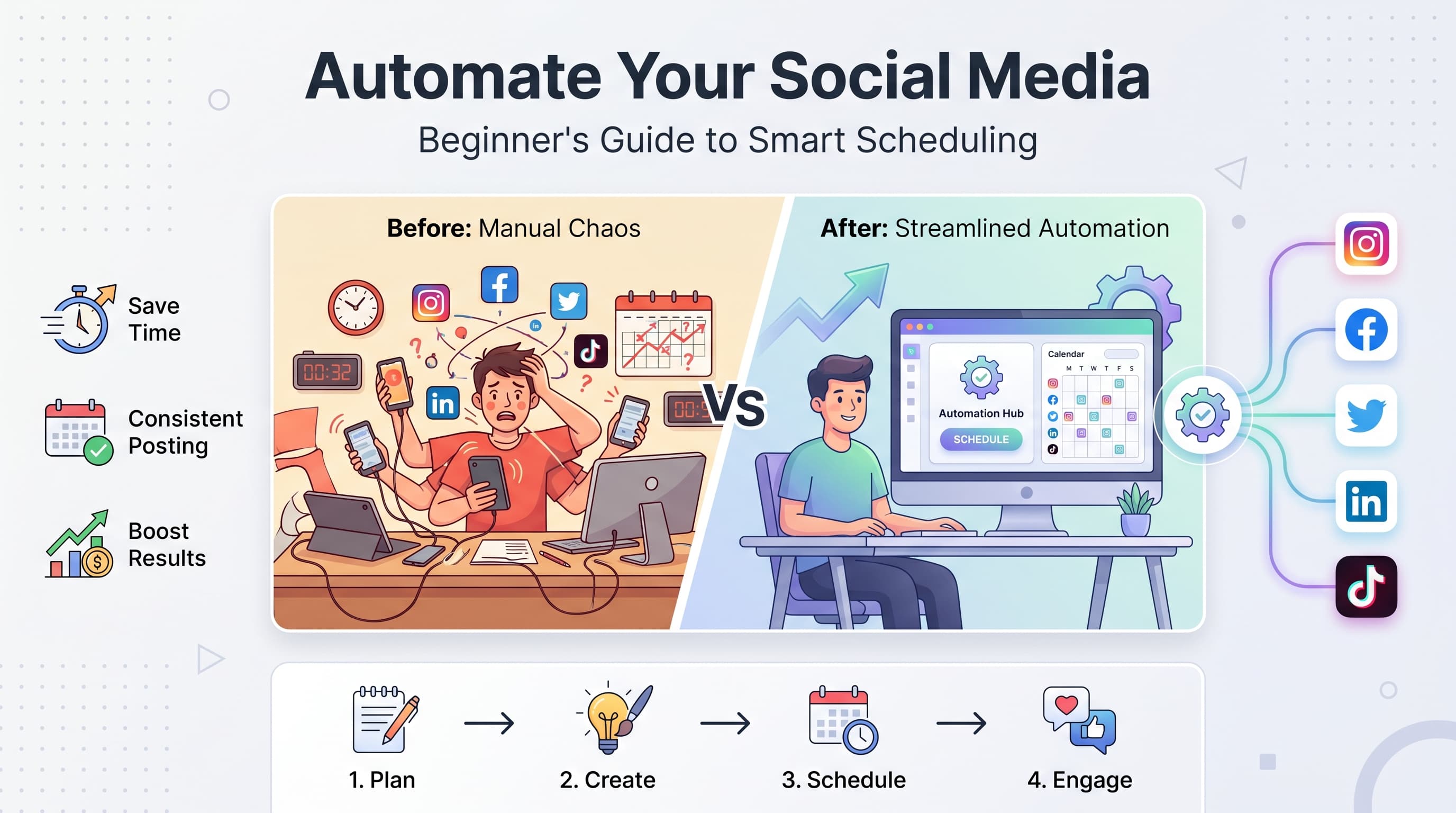
You're posting on five platforms every day, responding to comments, creating stories, and planning tomorrow's content. Sound exhausting? It is. Try our LinkedIn scheduling.
See It in Action
This is what scheduling a LinkedIn post looks like in Schedulala
Here's what nobody tells you about social media automation: it's not about becoming a robot. It's about freeing yourself from the repetitive stuff so you can focus on what actually grows your business. Try our ai social media post.
This guide walks you through everything you need to know about social media automation as a complete beginner. No technical jargon, no overwhelming feature lists, just practical steps you can implement today. Learn more about cross-platform analytics track 9.
Try Schedulala for free
Schedule posts to Bluesky, Twitter, and 8 other platforms from one dashboard.
Get started for free→What is social media automation (and what it isn't)
Social media automation uses software to handle repetitive tasks like scheduling posts, responding to comments with quick replies, and tracking mentions of your brand. Think of it as hiring a virtual assistant who never sleeps and never forgets to post. Our content calendar can help.
But here's what automation isn't: it's not about completely removing the human element from your social media. Nobody wants to follow a brand that feels like talking to a chatbot. Try our best time to post on linkedin.
The best automated social media strategies feel completely natural to your audience. They don't realize you scheduled that post two weeks ago or that your quick reply came from a preset template. Our linkedin hashtag generator can help.
Why beginners need automation more than anyone
When you're just starting out, you wear every hat in your business. You're the content creator, community manager, customer service rep, and social media strategist all rolled into one overwhelmed person.
Time savings that actually matter
Manual posting takes about 15 minutes per platform per day. If you're on Instagram, Facebook, Twitter, and LinkedIn, that's one hour daily just clicking 'post.' Multiply that by 365 days, and you've spent 365 hours on a task a computer can do in seconds.
That's 9 full work weeks you could spend creating better content, talking to customers, or growing your business instead of copying and pasting the same post across platforms.
Consistency without burnout
The biggest mistake beginners make? They start strong, posting daily for two weeks, then life happens. A busy week at work, a family emergency, or just general overwhelm means their social media goes silent.
Social media algorithms reward consistency above almost everything else. A steady stream of automated posts keeps your audience engaged even when you can't be glued to your phone.
Professional results on day one
Your competition probably includes businesses with dedicated social media teams. Automation levels the playing field. You can maintain a professional presence across multiple platforms without hiring anyone.
When you post at optimal times in every time zone, respond quickly to mentions, and maintain consistent branding across platforms, you look like you have a team even if it's just you and some smart software.
Types of social media automation every beginner should know
Not all automation is created equal. Some tasks are perfect for automation, while others should stay firmly in human hands. Here's how to tell the difference.
1. Post scheduling
This is automation 101. Instead of logging into each platform throughout the day, you create your content in batches and schedule it to go live at specific times.
Perfect for: Regular posts, promotional content, blog announcements, motivational quotes, and educational content that doesn't require real-time relevance.
Avoid for: Breaking news responses, real-time events, or content that requires immediate context.
2. Cross-platform posting
Write your content once, then automatically adapt it for different platforms. Each platform gets the right format, hashtags, and tone while you only create the content once.
The key is customization. Your LinkedIn post should sound professional while your Instagram version can be more casual, but they can share the same core message.
3. Content curation and RSS feeds
Automatically share relevant industry news, blog posts, or content from trusted sources. This keeps your feed active even when you're not creating original content.
Set up RSS feeds from industry blogs, news sites, or your own blog to automatically generate posts. Always add your own commentary to curated content to maintain your voice.
4. Basic response automation
Automatically thank new followers, send welcome messages to people who comment for the first time, or provide quick answers to frequently asked questions.
Keep these responses simple and genuine. 'Thanks for following!' works better than a paragraph-long automated message that screams 'robot.'
Choosing your first automation tool
The automation tool market is overwhelming. Hundreds of options, from free basic schedulers to enterprise platforms that cost thousands per month. Here's how to pick the right one as a beginner.
Start with your actual needs
Don't choose a tool based on features you might need someday. Focus on what you need right now:
- How many social media platforms do you actively use?
- How often do you post per platform?
- Do you need team collaboration features?
- What's your realistic budget for automation tools?
If you're posting to three platforms twice a week, you don't need enterprise-level analytics and team management features. Start simple.
| Feature | Beginner Priority | Why It Matters |
|---|---|---|
| Multi-platform scheduling | High | Save time posting to multiple platforms |
| Visual content calendar | High | See your posting schedule at a glance |
| Basic analytics | Medium | Track what's working |
| Team collaboration | Low | Only needed if you have help |
| Advanced analytics | Low | Too complex for beginners |
| Social listening | Low | Nice to have, not essential |
Platform compatibility matters
Make sure your chosen tool supports all the platforms you use. Some tools excel at certain platforms but treat others as afterthoughts.
Instagram: Look for tools that support both feed posts and Stories. Many basic schedulers only handle feed posts.
LinkedIn: Business-focused tools often have better LinkedIn integration than consumer-focused ones.
TikTok: Newer platform, so not all automation tools support it yet.
Try Schedulala for free
Schedule posts to Bluesky, Twitter, and 8 other platforms from one dashboard.
Get started for free→Setting up your first automated posting schedule
This is where beginners often get overwhelmed. They try to automate everything at once and end up with a chaotic mess. Instead, start with one platform and one type of content.
1. Choose your anchor platform
Pick the social media platform where you get the most engagement or where your audience is most active. This becomes your 'anchor' platform where you put the most effort.
Create your best content for this platform first, then adapt it for others. This ensures you're always putting your best foot forward where it matters most.
2. Find your optimal posting times
Don't rely on generic 'best times to post' articles. Your audience might be different. Look at your existing post analytics to see when your audience is most active.
If you don't have enough data yet, start with these general guidelines and adjust based on your results:
- Instagram: 6-9 AM and 7-9 PM on weekdays
- Facebook: 9 AM-10 AM and 3-4 PM on weekdays
- LinkedIn: 8-9 AM and 5-6 PM on weekdays
- Twitter: 8-9 AM and 7-9 PM daily
3. Create content batches
Content batching is the secret weapon of successful automation. Instead of creating content daily, set aside 2-3 hours once a week to create all your content for the following week.
Start with these content categories:
- Educational posts: Tips, tutorials, or industry insights
- Behind-the-scenes: Your process, workspace, or team
- User-generated content: Customer posts, reviews, or mentions
- Promotional: New products, services, or special offers (limit to 20% of your content)
4. Schedule your first week
Start small. Schedule 3-5 posts for the upcoming week across your chosen platforms. Don't try to fill every time slot immediately.
Use this simple formula for your first week:
- Monday: Educational tip or industry insight
- Wednesday: Behind-the-scenes content
- Friday: User-generated content or community spotlight
- Optional: Add promotional content if you have something to announce
Creating content that works on autopilot
Not all content is suitable for automation. The best automated content feels natural, provides value, and doesn't require real-time context. Here's how to create content that works perfectly on autopilot.
Evergreen content is your best friend
Evergreen content stays relevant regardless of when it's posted. Tips, tutorials, inspirational quotes, and educational posts work just as well today as they will next month.
Great evergreen content examples:
- "5 ways to improve your email open rates"
- "Common mistakes when starting a business"
- "How to stay motivated during tough times"
- "The best tools for small business accounting"
Avoid time-sensitive references like 'this week,' 'recently,' or 'just announced' in automated posts. These phrases make it obvious the content was scheduled in advance.
The 5-4-1 content formula
For every 10 posts you schedule, use this proven formula:
- 5 posts: Educational or entertaining content (your expertise, tips, insights)
- 4 posts: Curated content from others (industry news, interesting articles, user-generated content)
- 1 post: Promotional content (your products, services, or special offers)
This ratio ensures you're providing value consistently while occasionally promoting your business. Your audience won't feel like they're being sold to constantly.
Platform-specific adaptations
The same content idea can work across platforms, but it needs to be adapted for each platform's culture and format expectations.
Example: Sharing a business tip
- LinkedIn: Professional tone, industry-specific language, detailed explanation
- Instagram: Casual tone, visual-first approach, story-like format
- Twitter: Concise, punchy, with relevant hashtags
- Facebook: Conversational, encouraging comments and discussion
Common automation mistakes (and how to avoid them)
Even with the best intentions, beginners often make mistakes that make their automation obvious and ineffective. Here are the biggest mistakes and how to avoid them.
Mistake 1: Over-automating everything
The biggest mistake is trying to automate every aspect of your social media presence. This includes responses to comments, direct messages, and even engagement with other accounts.
Why it backfires: Your audience can tell when responses are automated. Generic 'Thanks for your comment!' responses feel impersonal and can actually hurt your engagement.
Better approach: Only automate posting and basic welcome messages. Keep all meaningful interactions manual and personal.
Mistake 2: Ignoring time zones and context
Scheduling 'Happy Monday!' posts that go live on Tuesday in your audience's time zone, or posting about sunny weather during a local storm.
Why it backfires: It's immediately obvious that you're not actually present and engaged with your audience's experience.
Better approach: Use location-neutral content for automated posts. Save location or time-specific content for manual posting.
Mistake 3: Set-and-forget mentality
Scheduling a month of content and then completely ignoring your social media accounts. Your automated posts are running, but you're not responding to comments or engaging with your community.
Why it backfires: Social media is about being social. If people comment on your posts and you never respond, they'll stop engaging.
Better approach: Check your accounts daily for 10-15 minutes to respond to comments, engage with mentions, and interact with your community.
Mistake 4: Using the same content across all platforms
Posting identical content across LinkedIn, Instagram, Twitter, and Facebook without any customization for each platform's audience and format.
Why it backfires: Each platform has different expectations, audiences, and optimal content formats. What works on LinkedIn might flop on Instagram.
Better approach: Adapt your core message for each platform. Change the tone, format, hashtags, and even the call-to-action to match platform expectations.
Measuring success and optimizing your automation
Automation isn't a 'set it and forget it' solution. The most successful automated social media strategies are constantly refined based on performance data. Here's what to track and how to improve.
Essential metrics for beginners
Don't get overwhelmed by analytics dashboards with dozens of metrics. Focus on these core measurements:
Engagement rate: Comments, likes, and shares divided by total followers. This tells you if your content resonates with your audience.
Reach and impressions: How many people see your content. If this is declining, your posting times or content quality might need adjustment.
Click-through rate: For posts with links, track how many people actually click through to your website or landing pages.
Follower growth: Are you gaining followers consistently? Rapid growth isn't always the goal, but steady growth indicates healthy content strategy.
A/B testing your automated content
Test different versions of your content to see what works best with your audience. This is easier with automation because you can schedule tests in advance.
Test these elements:
- Posting times: Try the same content at different times to find peak engagement hours
- Content formats: Compare carousel posts vs. single images vs. video content
- Caption length: Test short, punchy captions against longer, detailed ones
- Hashtag strategies: Compare branded hashtags vs. popular hashtags vs. niche hashtags
Only test one element at a time. If you change both posting time and content format, you won't know which change caused any improvement or decline in performance.
Monthly optimization routine
Set aside 30 minutes each month to review your automation performance and make adjustments. This small investment of time can dramatically improve your results.
Your monthly checklist:
- Review your top 5 performing posts and identify common elements
- Check your worst performing posts and figure out what went wrong
- Adjust your posting schedule based on engagement data
- Update your content calendar with new ideas based on what's working
- Clean up any scheduled content that might be outdated or irrelevant
Advanced automation strategies for growing accounts
Once you've mastered basic scheduling and cross-platform posting, these advanced strategies can help you scale your social media presence without proportionally increasing your time investment.
Content recycling and evergreen campaigns
Your best content deserves more than one moment in the spotlight. Content recycling means strategically resharing your top-performing content after enough time has passed.
The 90-day rule: Wait at least 90 days before resharing the same content. Most of your audience won't remember seeing it, and you'll reach new followers who joined since the original post.
Reformatting strategy: Turn a popular blog post into an infographic, then into a video, then into a series of quote cards. Same core content, different formats for different audiences.
RSS automation for consistent content
RSS automation pulls content from your blog, industry news sources, or other trusted websites and automatically creates social media posts. This keeps your accounts active even during busy periods.
Best practices for RSS automation:
- Always add your own commentary to auto-generated posts
- Set up moderation so you can review posts before they go live
- Mix RSS content with original content (never let it dominate your feed)
- Choose high-quality sources that align with your brand values
Seasonal and holiday automation
Plan and schedule seasonal content months in advance. Create templates for major holidays, industry events, and seasonal trends that you can customize and reuse each year.
Annual automation calendar: Build a yearly calendar of important dates for your industry. Schedule placeholder posts for major holidays, industry conferences, awareness months, and seasonal trends.
This strategy works especially well for evergreen businesses like fitness (New Year resolutions), finance (tax season), and retail (holiday shopping).
Multi-language and multi-timezone automation
If you have a global audience, automation can help you reach different time zones and language groups without staying awake 24/7.
Create content variations for different regions and schedule them for optimal times in each timezone. Use automation tools that support multiple time zone scheduling to reach your entire audience when they're most active.
Try Schedulala for free
Schedule posts to Bluesky, Twitter, and 8 other platforms from one dashboard.
Get started for free→Building a sustainable automation workflow
The difference between successful automation and overwhelming complexity is having a clear, repeatable workflow. Here's how to build a system that grows with your business without consuming your life.
The weekly content production system
Dedicate specific days and times to different aspects of your social media automation. This prevents the work from bleeding into every day of your week.
Monday: Content planning and research. Look at trending topics, plan your content themes for the week, and gather any resources you'll need.
Tuesday: Content creation day. Write all your captions, create or source images, and prepare any video content.
Wednesday: Scheduling day. Load everything into your automation tool, schedule posts, and set up any automated responses.
Thursday-Sunday: Engagement and community management. Respond to comments, engage with other accounts, and handle any real-time posting opportunities.
Content bank strategy
Build a library of evergreen content that you can schedule whenever you need to fill gaps in your calendar. This prevents the panic of having nothing to post.
Your content bank should include:
- 10-15 motivational quotes relevant to your industry
- 5-10 tips or tutorials that never go out of date
- Behind-the-scenes photos that don't include dates or time-sensitive information
- User-generated content that you have permission to repost
- FAQ answers that address common customer questions
Emergency content protocol
Sometimes you need to pause or modify your scheduled content due to breaking news, company emergencies, or cultural events. Have a plan for these situations.
Create emergency protocols for:
- How to quickly pause all scheduled posts
- A list of neutral, safe content you can post during sensitive times
- Contact information for team members who can manage social media if you're unavailable
- Guidelines for when to post vs. when to stay silent during major events
Your action plan for getting started today
Knowledge without action is just entertainment. Here's your step-by-step plan to implement social media automation starting today, even if you only have 30 minutes.
Week 1: Foundation setup
Day 1-2: Choose and set up your automation tool. Start with a free trial to test functionality before committing to a paid plan.
Day 3-4: Connect your social media accounts and explore the interface. Don't try to use every feature immediately, just get comfortable with basic scheduling.
Day 5-7: Create your first week of content. Start with 3-5 posts across your main platforms. Focus on quality over quantity.
Week 2: Optimization and expansion
Day 8-10: Review the performance of your first automated posts. Note which ones got the most engagement and try to identify why.
Day 11-12: Increase your posting frequency slightly. If you started with 3 posts per week, try 4-5.
Day 13-14: Experiment with different content types. If you've only posted images, try a video or carousel post.
Month 1: Building consistency
By the end of your first month, you should have:
- A reliable posting schedule that you can maintain long-term
- At least 20 pieces of evergreen content in your content bank
- Basic analytics data to inform future content decisions
- A workflow that takes no more than 2-3 hours per week
Social media automation isn't about replacing human connection with robotic posting. It's about creating space for the meaningful interactions that actually grow your business by handling the repetitive tasks that drain your energy.
Start small, focus on consistency over perfection, and remember that the best automation feels completely natural to your audience. Your future self will thank you for the time you save and the professional presence you maintain.
The businesses that thrive on social media aren't necessarily the ones with the biggest teams or budgets. They're the ones that use smart systems to show up consistently and authentically for their audience.