How to Schedule Telegram Posts: Complete Guide to Automated Messaging
Learn how to schedule Telegram posts automatically. Step-by-step guide with tools, best practices, and timing strategies for maximum engagement.

Quick answer
Schedule Telegram posts using the built-in timer in the app, a scheduling bot, or a third-party tool like Schedulala.
- •Telegram's built-in scheduler lets you set exact date and time for up to 100 pending messages
- •Bots like ControllerBot add recurring schedules and content queues
- •Schedulala connects to Telegram channels via the official API for $9/month
- •Cross-platform scheduling lets you post to Telegram plus 9 other platforms simultaneously
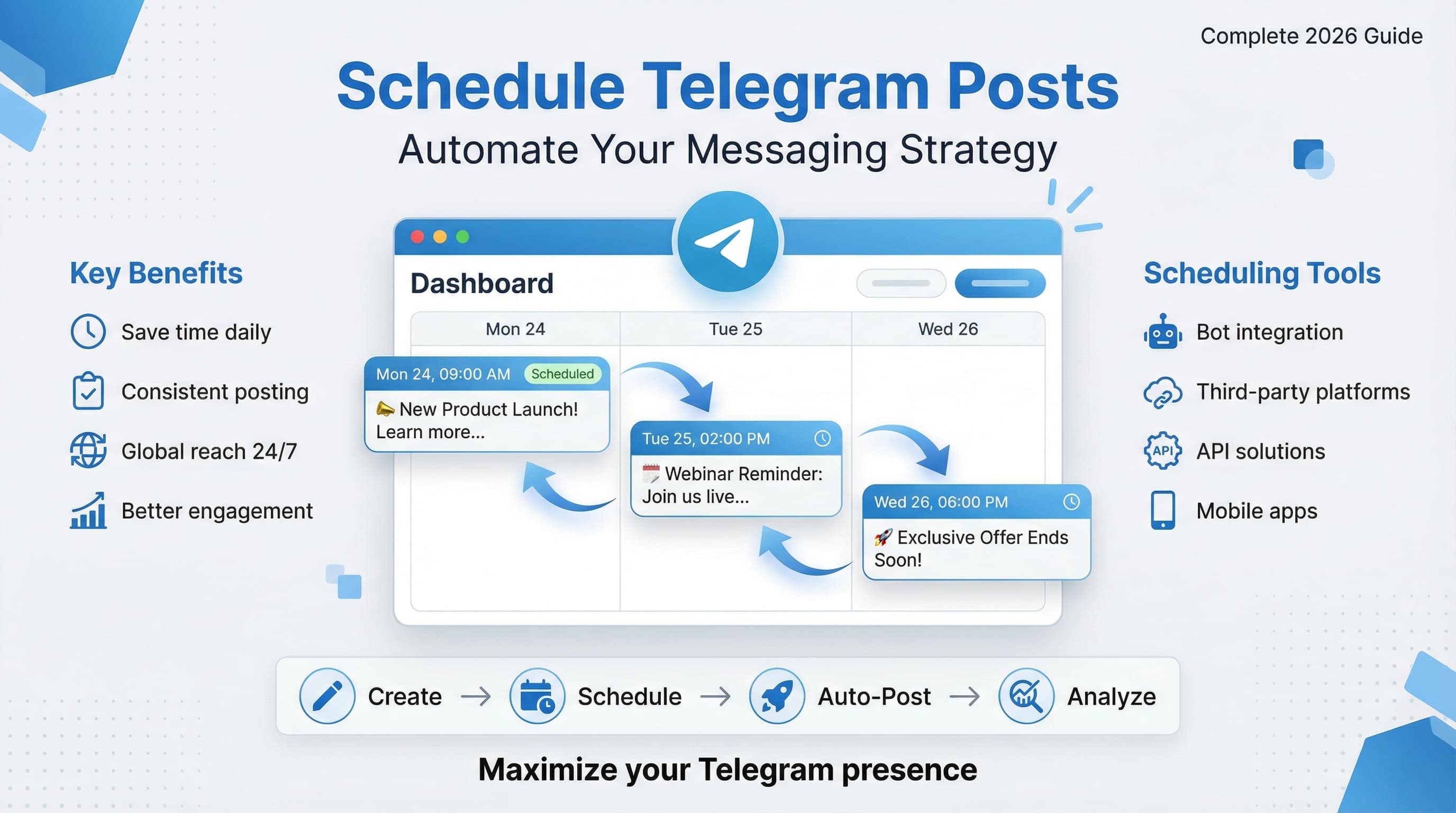
Managing a Telegram channel or group means staying active around the clock. Your audience spans different time zones, and posting manually at peak hours isn't realistic long-term. Try our Telegram scheduling.
See It in Action
This is what scheduling a Telegram post looks like in Schedulala
Telegram has grown to over 800 million active users, making it a powerful platform for businesses, communities, and content creators. But success requires consistent posting. Try our social media scheduling tools.
What if you could automate your entire Telegram posting schedule while maintaining that personal touch your audience loves? Try our scheduling across platforms.
Try Schedulala for free
Schedule posts to Bluesky, Twitter, and 8 other platforms from one dashboard.
Get started for free→Why schedule Telegram posts
Time zone challenges
Your Telegram audience likely spans multiple continents. A post that goes live at 9 AM in New York hits London at 2 PM and Sydney at midnight. Scheduling lets you hit peak hours for each region without setting 3 AM alarms. See our how to repurpose content guide.
Research shows Telegram engagement peaks during commute hours and lunch breaks. In most markets, that's 7-9 AM, 12-1 PM, and 6-8 PM local time. Manual posting means missing these windows or burning out trying to catch them all. See our telegram line break generator guide.
Consistency builds audiences
The Telegram algorithm favors channels that post regularly. Inconsistent posting confuses subscribers and reduces your content's reach. When people expect your content at specific times, they're more likely to engage immediately. Learn more about telegram font generator.
Successful Telegram channels post 3-5 times per week minimum. That's sustainable only with automation. Scheduling also prevents content droughts during busy periods, vacations, or emergencies.
Telegram scheduling methods
Official Telegram features
Telegram Desktop offers basic scheduling for individual messages. Click the send button's dropdown arrow and select "Schedule Message." You can set any date and time up to one year in advance.
This works for channels, groups, and private chats. The message stays in drafts until the scheduled time, then sends automatically. However, you can only schedule one message at a time, making bulk scheduling tedious.
Mobile apps have the same feature. Long-press the send button on iOS or tap the attachment icon on Android to find scheduling options. The interface varies slightly between platforms but functionality remains consistent.
Telegram bots for scheduling
Several Telegram bots can schedule posts to your channels. Add them as administrators with posting permissions. Popular options include @SchedulerBot, @PostSchedulerBot, and @DelayedMessageBot.
These bots accept commands like "/schedule 2h Your message here" to post content after a delay. Some support complex scheduling with recurring posts, timezone conversion, and content libraries.
Bot limitations include dependence on third-party reliability, potential security concerns, and basic formatting options. Most don't support rich media scheduling or analytics integration.
Third-party scheduling platforms
Professional social media management tools offer robust Telegram scheduling. Platforms like Schedulala, Buffer, and Hootsuite integrate with Telegram's API for advanced automation.
These tools provide calendar views, bulk uploading, post templates, and performance analytics. You can schedule weeks of content in minutes and adjust timing based on engagement data.
Pricing varies from free tiers with basic features to enterprise plans supporting multiple channels, team collaboration, and advanced reporting. Most offer free trials to test functionality.
Step by step scheduling guide
Step 1: Choose your scheduling tool
Evaluate your posting volume and complexity needs. If you post 2-3 times weekly with simple text, Telegram's native scheduler suffices. For daily posting with media, consider professional tools.
Test free options first. Most scheduling platforms offer 14-30 day trials. Use this period to schedule a week's content and monitor delivery reliability. Check if posts send on time and formatting appears correctly.
Consider your budget and team size. Solo creators might prefer simple, affordable solutions. Marketing teams need collaboration features, approval workflows, and detailed analytics.
Step 2: Connect your Telegram account
For third-party tools, you'll create a Telegram bot to connect your channels. Start by messaging @BotFather on Telegram. Send "/newbot" and follow prompts to create your scheduling bot.
Choose a descriptive name like "YourBrand Scheduler Bot" and a unique username ending in "bot." BotFather provides an API token you'll enter into your scheduling platform.
Add your new bot as an administrator to target channels. Grant posting permissions but restrict admin rights for security. Most scheduling tools provide detailed setup guides for this process.
Step 3: Plan your content calendar
Successful scheduling starts with strategic planning. Map your content themes to days of the week. Monday motivation, Wednesday tutorials, Friday entertainment creates audience expectations.
Batch content creation improves efficiency. Spend one session writing a week's posts, another editing and scheduling. This approach maintains consistent voice and reduces daily decision fatigue.
Plan around important dates, holidays, and industry events. Schedule promotional content strategically and prepare evergreen posts for busy periods when creating fresh content is challenging.
Step 4: Create and schedule posts
Start with high-priority content during peak engagement hours. Use your scheduling tool's calendar view to visualize posting frequency and avoid overwhelming followers with back-to-back posts.
Write compelling captions with clear calls-to-action. Include relevant hashtags if your audience uses them for discovery. Preview posts before scheduling to catch formatting errors or broken links.
Upload media files and verify they display correctly. Test different content types including images, videos, documents, and polls. Some scheduling tools compress media differently than direct posting.
Step 5: Monitor and optimize
Track which scheduled posts generate highest engagement. Note timing patterns, content types, and caption lengths that resonate with your audience. Use this data to refine your scheduling strategy.
Set up notifications for scheduling failures or unusual engagement drops. Quick responses to technical issues prevent audience loss and maintain posting consistency.
Review analytics weekly to identify trends. Adjust posting times seasonally as audience behavior changes. Successful scheduling requires ongoing optimization, not set-and-forget automation.
Best practices for scheduled posts
Optimal posting frequency
Most successful Telegram channels post 3-7 times per week. Daily posting works for news and entertainment channels with dedicated audiences. Educational or business channels often perform better with 3-4 quality posts weekly.
Monitor unsubscribe rates as posting frequency increases. Rapid audience loss indicates over-posting. Conversely, declining engagement might signal under-posting or poor timing.
Test different frequencies with your audience. Some communities thrive on multiple daily updates while others prefer concentrated value in fewer posts. Let engagement data guide your decision rather than copying competitors.
Content variety strategies
Mix content formats to maintain interest. Alternate between text posts, images, videos, documents, and polls. Different formats appeal to different learning styles and consumption preferences.
Plan educational content alongside entertainment. The 80/20 rule works well: 80% valuable information, 20% promotional content. This balance keeps audiences engaged without feeling marketed to constantly.
Repurpose content across formats. Turn successful text posts into infographics, break long videos into shorter clips, or expand popular topics into detailed guides. This maximizes content ROI while serving different audience preferences.
Engagement timing optimization
Telegram users in different regions show distinct activity patterns. European audiences peak at 8-10 AM and 7-9 PM CET. American users are most active 6-9 AM and 5-8 PM EST. Asian markets often show lunch-time spikes around 12-2 PM local time.
Business channels perform better during weekdays, while entertainment content often peaks on weekends. Educational content sees highest engagement Tuesday through Thursday when attention spans are typically longer.
Test posting times systematically. Schedule identical content at different hours across several weeks. Measure views, forwards, and comments to identify your audience's peak activity windows.
Tools and platforms comparison
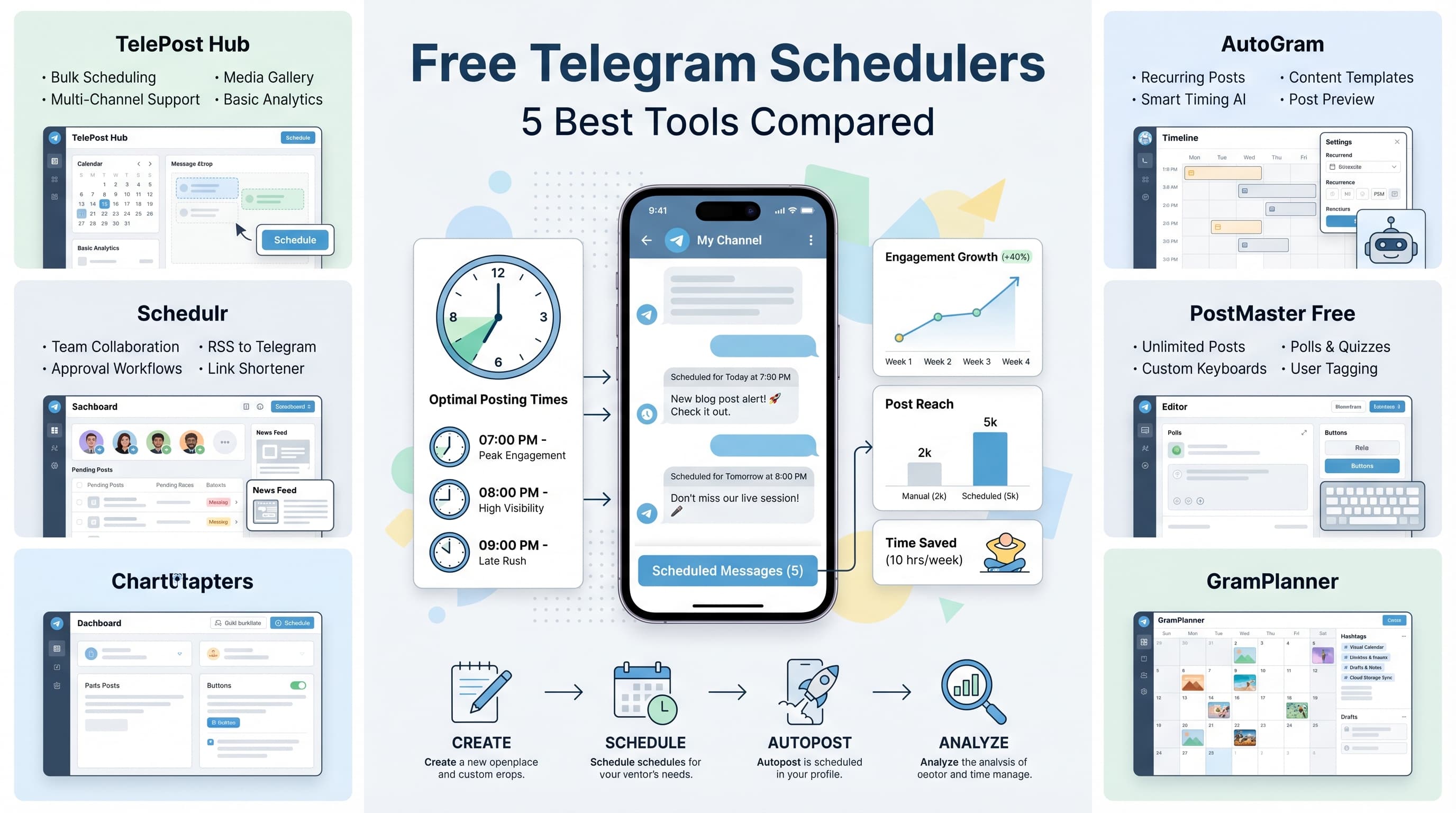
| Platform | Free Tier | Telegram Support | Key Features | Best For |
|---|---|---|---|---|
| Telegram Native | Yes | Built-in | Basic scheduling | Simple needs |
| Schedulala | Limited | Full API | Calendar, analytics, teams | Growing channels |
| Buffer | 3 channels | Via integration | Multi-platform, reports | Cross-platform posting |
| Hootsuite | Trial only | Limited | Enterprise features | Large organizations |
| TelegramBot | Varies | Native | Command-based | Tech-savvy users |
Free vs paid considerations
Free tools typically limit posting volume, channels, or advanced features. Telegram's native scheduler has no restrictions but lacks bulk operations and analytics. Free bots may have reliability issues or disappear unexpectedly.
Paid platforms offer customer support, uptime guarantees, and feature roadmaps. For business use, the cost of lost posts due to free tool failures often exceeds subscription fees. Consider paid options as soon as Telegram becomes revenue-critical.
Most platforms offer granular pricing based on channels, posts, or team members. Start with minimal plans and scale as your needs grow. Annual subscriptions typically offer significant discounts over monthly billing.
Security and reliability factors
Third-party scheduling requires sharing API access to your channels. Research platform security practices, data handling policies, and compliance certifications before connecting valuable channels.
Look for platforms with redundant infrastructure and status pages showing uptime history. Scheduling failures during critical campaigns can damage audience relationships and business outcomes.
Enable two-factor authentication on your Telegram account and scheduling platform accounts. Regular audit bot permissions and remove access for unused tools. Set up backup posting methods for critical content.
Automation strategies
Recurring post templates
Create templates for regularly posted content types. Weekly newsletters, daily quotes, or Monday motivation posts benefit from consistent formatting. Templates ensure brand consistency while speeding content creation.
Use placeholder text for variable elements. A template might include "Good morning! Today's tip: [TIP_CONTENT]. What's your experience with [TOPIC]?" This structure guides content creation while maintaining personalization.
Advanced scheduling tools support template libraries with media placeholders, automated hashtag insertion, and dynamic content based on posting time or date. These features significantly reduce manual work for routine posts.
Content batching workflows
Dedicate specific times for content creation versus scheduling. Many creators find success with weekly or monthly batching sessions. Spend one morning writing all posts, another afternoon editing and scheduling.
Use content planning spreadsheets to track themes, posting dates, and performance metrics. This overview helps balance content types and identify gaps in your editorial calendar.
Prepare evergreen content during slow periods for use during busy times. Holiday posts, industry insights, and educational content can be created months in advance and scheduled strategically.
Cross-platform integration
Many businesses post similar content across multiple social platforms. Tools that support Telegram alongside Twitter, Facebook, and LinkedIn enable efficient cross-platform scheduling with platform-specific customization.
Adapt content for each platform's culture and technical limitations. Telegram supports longer captions than Twitter but different formatting than LinkedIn. Good scheduling tools help customize automatically while maintaining core messaging.
Stagger posting times across platforms to maximize reach without appearing automated. Post to Telegram at 8 AM, Twitter at 9 AM, and LinkedIn at 10 AM to catch different audience segments at their peak attention times.
Common scheduling mistakes
Over-automating interactions
Scheduling posts is smart, but automating responses to comments or messages feels impersonal. Audiences notice when replies lack context or timing feels off. Reserve automation for content publishing, not community engagement.
Avoid scheduling posts too far in advance without review mechanisms. A promotional post about summer services scheduled in January might be irrelevant by posting time due to business changes or market shifts.
Don't ignore real-time opportunities for relevant content. Breaking news, trending topics, or viral moments require immediate response. Over-reliance on scheduled content can make your channel feel disconnected from current events.
Poor timing research
Many creators schedule posts based on their personal availability rather than audience activity. Just because you're online at 6 AM doesn't mean your audience is. Use analytics, not convenience, to guide timing decisions.
Forgetting timezone differences leads to suboptimal posting times. If your audience spans multiple regions, consider scheduling duplicate posts at regional peak hours rather than compromising with globally mediocre times.
Seasonal timing changes affect engagement patterns. Summer schedules differ from winter habits. Vacation periods, school years, and cultural holidays shift when audiences are active. Review and adjust timing quarterly.
Inconsistent brand voice
Batch content creation can lead to varying writing styles, especially when rushed. Create style guides with tone examples, preferred phrases, and formatting standards. Review batched content for voice consistency before scheduling.
Different team members scheduling content without coordination can create jarring transitions. Implement approval workflows and content calendars so team members see what others have scheduled around their posts.
Overusing scheduling can make content feel robotic. Mix scheduled posts with spontaneous content to maintain authenticity. Perfect timing isn't worth sacrificing genuine personality.
Advanced scheduling techniques
Dynamic content personalization
Advanced scheduling platforms support dynamic content insertion based on posting time, audience location, or current events. Variables like [DATE], [DAY_OF_WEEK], or [WEATHER] can make scheduled posts feel more timely and relevant.
Conditional posting rules allow content to adapt automatically. Schedule different messages for weekday versus weekend audiences, or alternate between promotional and educational content based on posting frequency.
RSS feed integration can automatically schedule new blog posts, news updates, or product announcements to Telegram. This creates consistent content flow without manual intervention while ensuring your channel stays current.
A/B testing scheduled content
Test different versions of important posts by scheduling alternatives at different times or to different audience segments. Compare engagement rates, click-through rates, and conversion metrics to identify top-performing approaches.
Vary caption lengths, hashtag usage, and call-to-action phrasing systematically. Small changes in scheduling copy can significantly impact engagement. Document successful patterns for future content creation.
Test posting frequencies by scheduling different cadences for test periods. One month try daily posts, the next try every other day. Measure subscriber growth, engagement rates, and unsubscribe patterns to find your optimal frequency.
Crisis management protocols
Scheduled content can become inappropriate due to breaking news, company crises, or cultural events. Establish protocols for quickly reviewing and pausing scheduled posts during sensitive periods.
Create content approval chains for important posts. Promotional content, announcement posts, or potentially controversial topics should require multiple approvals before scheduling to reduce risk of inappropriate timing.
Monitor competitor activity and industry news to catch context that might affect your scheduled content. Set up Google Alerts or news monitoring tools to flag relevant developments that might require schedule adjustments.
Measuring scheduling success
Key performance indicators
Track view rates, engagement rates, and forward rates for scheduled versus manually posted content. Scheduling should maintain or improve these metrics. If scheduled posts consistently underperform, review your timing and content quality.
Monitor subscriber growth patterns relative to posting consistency. Channels with regular scheduling typically see steadier growth compared to sporadic manual posting. Track weekly and monthly growth rates to identify trends.
Measure time savings from scheduling workflows. Calculate hours spent on content creation, scheduling, and management. This data helps justify scheduling tool costs and identify further automation opportunities.
Analytics interpretation
Different content types show varying sensitivity to timing. Educational posts might perform consistently across time slots while entertainment content shows sharper peak-hour preferences. Analyze by content category, not just overall averages.
Seasonal patterns affect scheduling effectiveness. Holiday periods, school schedules, and industry cycles influence when audiences engage with scheduled content. Review performance quarterly and adjust timing strategies accordingly.
Compare scheduling consistency against engagement consistency. Irregular posting often correlates with variable engagement rates. Consistent scheduling should produce more predictable performance metrics.
Optimization strategies
Use performance data to refine scheduling templates and timing strategies. High-performing post formats should be templated for reuse. Successful timing patterns should guide future scheduling decisions.
Implement feedback loops where analytics inform content creation. If scheduled posts about specific topics consistently outperform others, prioritize similar content in your editorial calendar.
Set up automated reporting dashboards that track scheduling effectiveness over time. Monthly reports on posting consistency, engagement trends, and growth patterns help identify long-term improvements or issues requiring attention.
Final recommendations
Getting started checklist
Begin with Telegram's native scheduling to understand your basic needs. Schedule one week of content manually to identify pain points and workflow preferences. This experience guides tool selection decisions.
Research your audience's activity patterns before committing to posting schedules. Use Telegram's built-in analytics or ask followers directly about their preferred content timing. Data-driven scheduling outperforms guesswork consistently.
Start small and scale gradually. Schedule 3-4 posts weekly initially, then increase frequency as you develop efficient content creation workflows. Sustainable scheduling practices matter more than aggressive launch strategies.
Tool selection priorities
Choose scheduling tools based on your specific needs rather than feature lists. Solo creators need simplicity and affordability. Growing businesses require scalability and analytics. Large organizations need team collaboration and approval workflows.
Test thoroughly during trial periods. Schedule diverse content types, test customer support responsiveness, and verify posting reliability. Tool failures during important campaigns can damage audience relationships significantly.
Consider long-term needs when selecting platforms. Migrating scheduled content and historical data between tools is complex. Choose platforms that can grow with your channel rather than requiring frequent switches.
Telegram scheduling transforms channel management from reactive to strategic. Whether you're running a business channel, community group, or personal brand, consistent automated posting helps you reach more people without burning out.
The key is finding the right balance between automation efficiency and authentic engagement. Schedule the routine stuff, but stay present for real-time interactions and trending topics that require immediate human response.
Try Schedulala for free
Schedule posts to Bluesky, Twitter, and 8 other platforms from one dashboard.
Get started for free→