Free Telegram Scheduler: 5 Best Options to Automate Your Messages in 2024
Discover the best free telegram scheduler tools to automate your messages. Compare features, pricing, and find the perfect solution for your needs.

Quick answer
The best free Telegram schedulers include Telegram's built-in timer, Schedulala's 7-day free trial, and Combot for basic automation.
- •Telegram has a built-in scheduled message feature for channels and groups (up to 100 pending messages)
- •Schedulala offers Telegram scheduling with a free trial, then $9/month for one account on each platform across 12 platforms
- •Third-party bots like ControllerBot and Combot add scheduling but lack cross-platform support
- •Schedulala is one of the few tools with official Telegram API support for channel scheduling
Managing a Telegram channel or group manually is exhausting. You're constantly checking the clock, trying to post at optimal times, and struggling to maintain consistency across multiple channels. Try our Telegram scheduling.
See It in Action
This is what scheduling a Telegram post looks like in Schedulala
What if you could schedule all your Telegram messages in advance and never worry about missing a post again? Free Telegram schedulers make this possible, letting you plan weeks of content in just a few hours. Learn more about batch content creation.
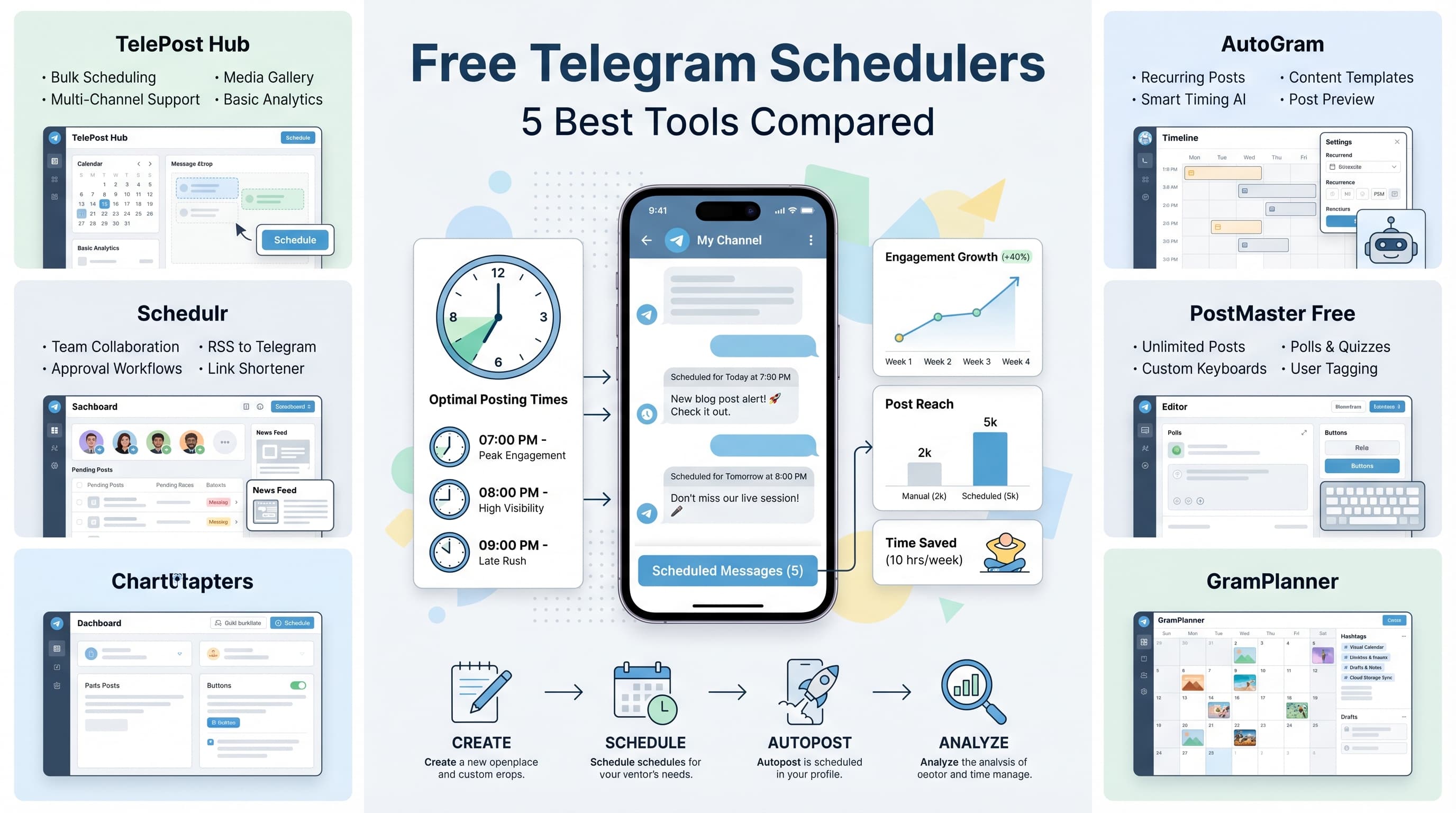
We've tested dozens of Telegram scheduling tools to find the ones that actually deliver on their promises. These five options won't cost you a penny and will transform how you manage your Telegram presence. Learn more about buffer vs later which.
Try Schedulala for free
Schedule posts to Bluesky, Twitter, and 8 other platforms from one dashboard.
Get started for free→Why you need a Telegram scheduler
Before diving into the tools, let's talk about why scheduling matters. Telegram has over 700 million active users, and the platform sees peak activity between 7-9 PM in most time zones. If you're posting randomly throughout the day, you're missing your audience when they're most engaged. Learn more about scheduling across platforms.
Manual posting also creates consistency problems. Maybe you post three times one day, then forget completely the next day. Your followers notice these gaps, and inconsistent posting hurts your channel growth. Our telegram font generator can help.
Scheduling solves both problems. You can batch-create content when inspiration strikes, then spread it out strategically. Your audience gets regular, timely updates, and you get your life back. Our telegram line break generator can help.
The 5 best free Telegram schedulers
1. Schedulala
Schedulala stands out as the most comprehensive free Telegram scheduler available. The platform was built specifically for social media automation, and their Telegram integration is rock-solid.
The free plan includes unlimited Telegram channels, 50 scheduled posts per month, and a visual content calendar. The interface feels modern and intuitive. You can upload images, format text with bold and italic styling, and even schedule polls.
What makes Schedulala special is their bulk scheduling feature. Upload a CSV file with hundreds of posts, and the system will distribute them automatically based on your preferred posting schedule. This is perfect for news channels or educational content creators who need to maintain high posting volumes.
The analytics dashboard shows which posts performed best, helping you refine your content strategy. You can see click-through rates on links, engagement patterns by time of day, and follower growth trends.
The only limitation is the 50-post monthly cap, but for most small to medium channels, this is plenty to get started.
2. TeleMe
TeleMe takes a different approach, focusing purely on simplicity. If you find other schedulers overwhelming, TeleMe might be perfect for you.
The entire interface fits on one screen. You type your message, pick a date and time, select your channel, and hit schedule. That's it. No complex menus, no overwhelming feature lists, just straightforward scheduling.
The free version allows 30 scheduled messages per month across up to 5 channels. Messages can include text, images, videos, and documents. You can also schedule recurring posts, which is great for daily motivational quotes or weekly updates.
TeleMe excels at handling different time zones. If you have followers in multiple countries, you can schedule the same message to post at optimal times in each region. The system automatically handles the time zone conversions.
The downside is limited formatting options. You can use basic Telegram markdown, but there's no rich text editor or preview function. You'll need to know the markdown syntax by heart or keep a reference handy.
3. Combot
Combot started as a Telegram bot management tool but has expanded into scheduling territory. Their approach integrates directly with Telegram through a bot interface, which feels native to the platform.
Setting up Combot requires adding their bot to your channel as an admin. Once connected, you can schedule messages by sending them to the bot with specific commands. Type \`/schedule 2024-04-15 14:30 Your message here\` and the bot handles the rest.
This command-line approach might sound archaic, but it's incredibly fast once you learn the syntax. Power users love being able to schedule posts without leaving Telegram. You can even schedule messages from your phone while on the go.
The free version supports unlimited channels and 100 scheduled messages per month. Combot also includes moderation features like spam filtering and user management, making it a complete channel management solution.
The learning curve is steep if you're not comfortable with command syntax. There's no graphical interface, and error messages can be cryptic. But for technical users, Combot offers unmatched speed and flexibility.
Combot also provides detailed analytics about message performance, including view counts, forwards, and engagement rates. This data helps you optimize posting times and content types for maximum reach.
4. Buffer
Buffer is primarily known for Twitter and Facebook scheduling, but their Telegram integration is surprisingly robust. The platform brings enterprise-level features to individual creators through their free plan.
Buffer's strength lies in cross-platform coordination. You can create one piece of content and adapt it for Telegram, Twitter, LinkedIn, and other platforms simultaneously. This saves enormous time if you're maintaining presence across multiple social networks.
The content creation interface includes a media library for storing frequently used images, hashtag suggestions based on your niche, and link shortening with click tracking. Posts can be scheduled individually or added to a queue that distributes content at predetermined intervals.
Buffer's free plan includes 3 social accounts (including Telegram channels), 10 scheduled posts per account, and basic analytics. The analytics are particularly strong, showing optimal posting times based on your audience's activity patterns.
The main limitation is the 10-post restriction per account. For active Telegram channels, this fills up quickly. Buffer is best suited for businesses that post selectively but want professional-grade scheduling and analytics.
Buffer also offers team collaboration features, even on the free plan. Multiple team members can draft posts, leave comments, and approve content before it goes live. This is valuable for businesses with multiple people managing social media.
5. Postpone
Postpone is a Telegram-specific scheduling bot that works entirely within the Telegram app. There's no external website or separate app to manage, which makes it incredibly convenient for mobile-first users.
To use Postpone, you add the bot to your channel and forward messages you want to schedule. The bot asks when you want the message posted, and that's it. The simplicity is refreshing after dealing with complex scheduling platforms.
Postpone handles all content types that Telegram supports: text, photos, videos, documents, polls, and even voice messages. You can schedule recurring posts by setting up patterns like 'every Monday at 9 AM' or 'daily at 6 PM'.
The free version allows unlimited channels and 50 scheduled posts per month. Postpone also includes a content backup feature that saves copies of all your scheduled posts, protecting against accidental deletions.
One unique feature is the ability to schedule message edits. If you notice a typo in a scheduled post, you can edit it even after it's been posted. Postpone will automatically update the live message at the scheduled time.
The bot interface can feel limiting compared to web-based schedulers. There's no visual calendar view, no bulk upload options, and analytics are basic. But for users who live in Telegram, Postpone offers unmatched convenience.
Feature comparison
Here's how these five schedulers stack up across the features that matter most:
| Feature | Schedulala | TeleMe | Combot | Buffer | Postpone |
|---|---|---|---|---|---|
| Monthly posts (free) | 50 | 30 | 100 | 10 | 50 |
| Channel limit | Unlimited | 5 | Unlimited | 3 | Unlimited |
| Visual calendar | Yes | No | No | Yes | No |
| Bulk scheduling | Yes | No | No | No | No |
| Analytics | Advanced | Basic | Advanced | Advanced | Basic |
| Mobile app | Yes | Yes | Telegram only | Yes | Telegram only |
| Team features | Yes | No | No | Yes | No |
| Learning curve | Easy | Very easy | Hard | Medium | Very easy |
How to choose the right scheduler
Your ideal Telegram scheduler depends on your specific needs and technical comfort level. Here's how to decide:
Choose Schedulala if you want comprehensive features with room to grow. The 50-post limit works for most creators, and the analytics help you improve over time. The bulk scheduling feature is unmatched among free tools.
Choose TeleMe if you value simplicity above all else. Perfect for beginners or anyone who finds other tools overwhelming. The multi-timezone support is excellent for global audiences.
Choose Combot if you're technical and want maximum control. The command interface is powerful but requires learning. Great for high-volume posting with the 100-message monthly limit.
Choose Buffer if you manage multiple social platforms and want unified scheduling. The cross-platform features save time, but the 10-post limit is restrictive for active Telegram users.
Choose Postpone if you prefer working entirely within Telegram. The bot interface is convenient for mobile users, and the unlimited channels support works well for managing multiple projects.
Consider your posting frequency
Think honestly about how often you post. If you share 3-4 times per week, any of these tools will work. But if you run a news channel posting 5+ times daily, you'll hit limits quickly with TeleMe or Buffer.
For high-volume channels, Combot's 100-post limit makes it the clear choice among free options. Schedulala's 50-post limit works for moderate posting schedules.
Think about your workflow
Do you create content in batches or post spontaneously? Batch creators benefit from tools like Schedulala with visual calendars and bulk upload features. Spontaneous posters might prefer Postpone's quick bot interface.
If you work with a team, Buffer and Schedulala offer collaboration features that prevent scheduling conflicts and ensure content approval workflows.
Setting up your first scheduler
Once you've chosen a scheduler, setup follows a similar pattern across all platforms. Here's the general process:
- Create an account with your chosen scheduler (except for Telegram-based bots)
- Connect your Telegram channel by providing API access or adding a bot as admin
- Verify the connection by sending a test message
- Set your posting schedule and timezone preferences
- Create your first scheduled post to familiarize yourself with the interface
Most schedulers require you to add them as administrators to your Telegram channel. This seems scary at first, but it's necessary for the service to post on your behalf. All reputable schedulers use secure authentication and don't store your messages longer than necessary.
Security considerations
When granting admin access to third-party schedulers, review their privacy policies and security practices. Look for services that use encrypted connections, don't store message content permanently, and have clear data deletion policies.
Never share your main Telegram account credentials with scheduling services. Instead, create a dedicated bot token through Telegram's BotFather for each scheduler you use. This limits access and makes it easy to revoke permissions if needed.
Best practices for Telegram scheduling
Having a scheduler is just the first step. Using it effectively requires strategy and consistent habits.
Find your optimal posting times
Most Telegram channels see peak engagement between 7-9 PM local time, but your audience might be different. Use your scheduler's analytics to identify when your followers are most active.
Test different posting times over several weeks. Schedule identical content at various hours and compare engagement rates. You might discover that your audience prefers morning updates or lunchtime entertainment.
Consider your content type too. Educational content often performs better in the morning when people are mentally fresh. Entertainment content works well in evening hours when people are relaxing.
Batch content creation
Scheduling is most effective when combined with batch content creation. Set aside 2-3 hours weekly to create a week's worth of posts. This approach maintains consistency even during busy periods.
Create content templates for recurring post types. If you share daily tips, develop a standard format that makes writing faster. Templates also ensure visual consistency that builds brand recognition.
Use content themes for different days. Maybe Monday is motivation, Wednesday is industry news, and Friday is behind-the-scenes content. Themes give structure to your content calendar and help followers know what to expect.
Don't over-schedule
Having a scheduler doesn't mean you should never post spontaneously. Breaking news, trending topics, or timely responses often require immediate posting.
Leave gaps in your schedule for spontaneous content. If you normally post twice daily, schedule one post and leave space for reactive content. This keeps your channel feeling current and responsive.
Monitor your scheduled posts regularly. If a scheduled post becomes outdated due to breaking news or changing circumstances, don't hesitate to delete or modify it before it goes live.
Common scheduling mistakes to avoid
Even with the best scheduler, poor strategy can hurt your channel growth. Here are the biggest mistakes we see creators make:
Ignoring time zones
If your audience spans multiple time zones, scheduling for your local time zone alienates followers elsewhere. Use your scheduler's analytics to identify where your audience is located, then schedule posts for peak times in those regions.
Some schedulers let you duplicate posts across time zones automatically. This is useful for important announcements that should reach everyone at optimal times.
Scheduling too far in advance
Planning ahead is good, but scheduling months in advance creates problems. Your content might become outdated, you might change your mind about messaging, or current events might make posts inappropriate.
Stick to weekly or bi-weekly scheduling cycles. This maintains consistency while keeping content fresh and relevant.
Set-and-forget mentality
Schedulers aren't autopilot systems. You still need to monitor performance, engage with comments, and adjust your strategy based on results. The best channels combine automated posting with active community management.
Check your scheduled posts daily to ensure they're still appropriate and timely. Technical issues can also prevent posts from going live, so regular monitoring catches problems quickly.
Try Schedulala for free
Schedule posts to Bluesky, Twitter, and 8 other platforms from one dashboard.
Get started for free→Making the final decision
After testing all five schedulers extensively, Schedulala emerges as the top choice for most users. The combination of generous free limits, comprehensive features, and user-friendly design makes it ideal for growing channels.
However, the 'best' scheduler is the one you'll actually use consistently. If Combot's command interface appeals to you or TeleMe's simplicity feels right, go with your instincts. Consistent posting with a basic scheduler beats inconsistent posting with the most advanced tool.
Start with one scheduler and give it at least a month of regular use before switching. This gives you time to learn the interface, develop workflows, and see real results from consistent posting.