How to Schedule TikTok Posts: Complete Guide to Automated Publishing
Learn how to schedule TikTok posts effectively with our complete guide. Save time, boost engagement, and maintain consistency with automated publishing.

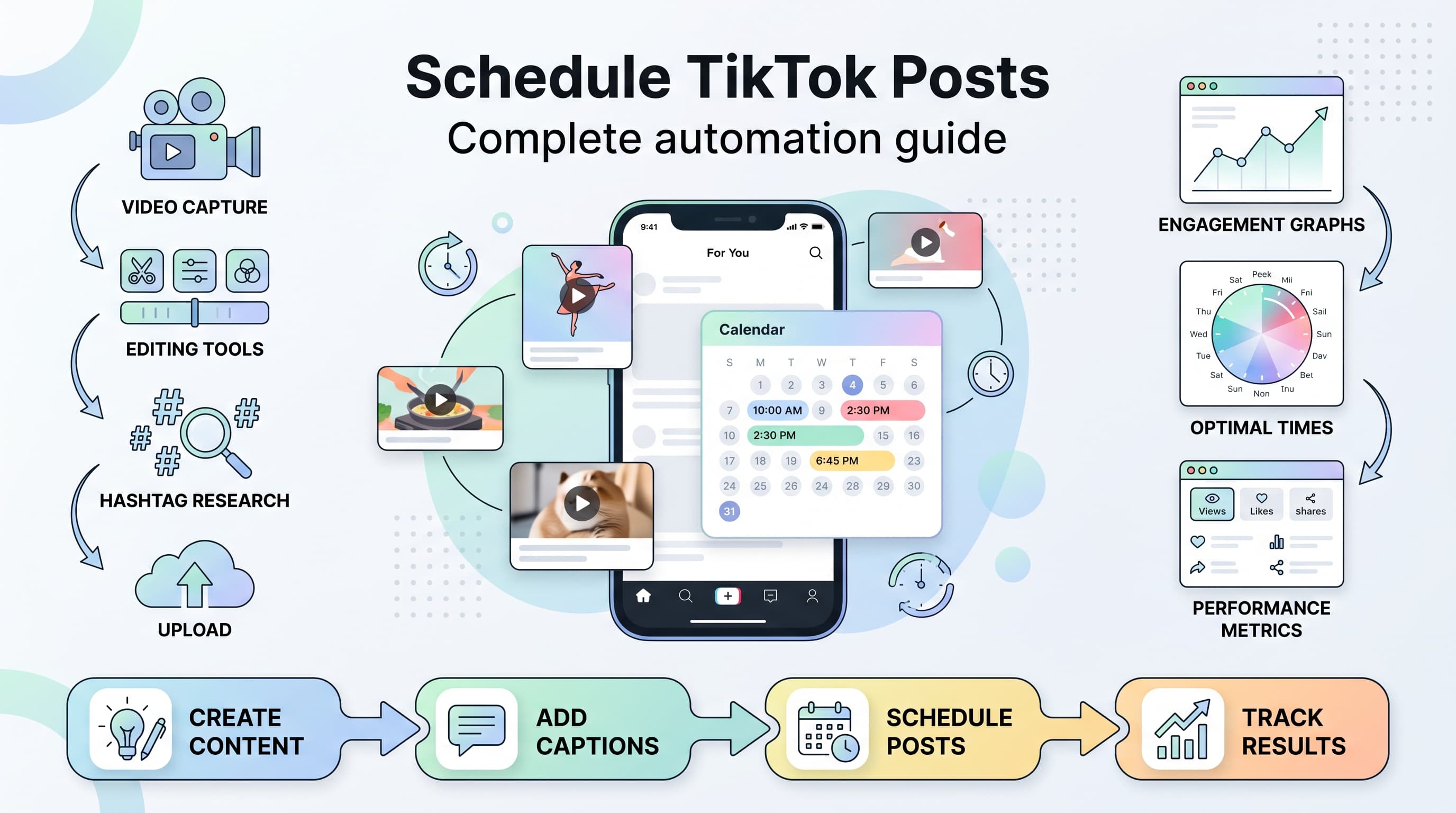
Posting on TikTok at the right time shouldn't mean setting alarms at 6 AM. Yet millions of creators still manually publish every single video, hoping they'll catch their audience at peak engagement hours. Try our TikTok scheduling.
See It in Action
This is what scheduling a TikTok post looks like in Schedulala
What if you could upload your content once and have it go live automatically when your followers are most active? That's exactly what TikTok post scheduling does, and it's about to transform how you approach content creation. Try our scheduling across platforms.
Try Schedulala for free
Schedule posts to Bluesky, Twitter, and 8 other platforms from one dashboard.
Get started for free→Why schedule TikTok posts instead of posting live
The difference between scheduled and manual posting goes beyond convenience. When you schedule TikTok posts, you're making a strategic choice that impacts your content's performance in measurable ways. See our social media scheduling tools guide.
1. Consistency drives algorithmic favor
TikTok's algorithm rewards creators who post consistently. When you schedule content, you maintain regular posting intervals even during busy weeks, travel, or personal commitments. This consistency signals to TikTok that you're an active creator worth promoting. Learn more about scheduling across platforms.
Creators who post at random times see 40% less engagement compared to those with consistent schedules. The algorithm learns your posting pattern and begins showing your content to followers who are typically online during those windows. Learn more about best time to post on tiktok.
2. Global audience optimization
If your audience spans multiple time zones, scheduling becomes essential. A creator in Los Angeles with followers in New York, London, and Sydney can't manually post at optimal times for each region. Scheduling tools let you target peak hours across different markets without staying awake all night. Try our tiktok engagement calculator.
This geographic optimization can increase your reach by 200-300% compared to posting only when it's convenient for you locally.
3. Content quality improvement
When you're not rushing to post at a specific time, you can focus on creating better content. You have time to review captions, check video quality, and ensure hashtags align with current trends. This attention to detail often translates to higher engagement rates.
Many creators report that their scheduled posts perform 15-25% better than hastily published manual posts because they had time to optimize every element.
Understanding TikTok's native scheduling features
TikTok introduced native scheduling in 2023, but it comes with significant limitations that many creators discover only after diving in. Let's examine what works, what doesn't, and when you need alternatives.
1. TikTok Creator Tools scheduling basics
TikTok's built-in scheduler appears in Creator Tools under the 'Content' section. You can schedule posts up to 10 days in advance, choose specific times, and add captions with hashtags. The interface is clean and straightforward, making it accessible for beginners.
To access native scheduling, you need either a TikTok Pro account (free upgrade) or TikTok Business account. Personal accounts don't have scheduling capabilities, which immediately limits who can use this feature.
2. What native scheduling can't do
The native scheduler has several frustrating limitations. You can't schedule more than one post per time slot, can't bulk upload content, and can't schedule posts more than 10 days out. There's no analytics integration to suggest optimal posting times based on your audience data.
Most importantly, you can't manage multiple TikTok accounts from one dashboard. If you run business accounts across different brands or manage client accounts, you'll need to log in and out constantly.
3. When native scheduling works well
TikTok's native scheduler excels for casual creators with simple needs. If you post once or twice daily to a single account, rarely travel across time zones, and don't need detailed analytics, the built-in tool might suffice.
It's also useful for testing scheduled posting before investing in third-party tools. You can gauge whether scheduling improves your engagement rates without additional costs.
Third-party scheduling tools comparison
When TikTok's native features aren't enough, third-party platforms fill the gaps with advanced functionality. Each tool has strengths and weaknesses depending on your specific needs and budget.
| Platform | Price Range | Key Strength | Best For |
|---|---|---|---|
| Schedulala | $15-99/month | Multi-platform management | Agencies and power users |
| Later | $18-80/month | Visual content calendar | Visual-first brands |
| Buffer | $15-99/month | Analytics depth | Data-driven creators |
| Hootsuite | $49-739/month | Team collaboration | Large organizations |
| Sprout Social | $99-399/month | Customer service integration | Enterprise brands |
1. Schedulala for comprehensive management
Schedulala stands out for creators managing multiple platforms simultaneously. You can schedule TikTok posts alongside Instagram Reels, YouTube Shorts, and other social content from one dashboard. The platform automatically adjusts video formatting for each platform's requirements.
The analytics integration shows cross-platform performance, helping you identify which content types work best on TikTok versus other channels. This insight is invaluable for repurposing content strategically.
Schedulala's team collaboration features make it excellent for agencies or brands with multiple content creators. You can assign approval workflows, track content performance across team members, and maintain brand consistency.
2. Later for visual planning
Later excels at visual content planning with its drag-and-drop calendar interface. You can see how your TikTok content fits into your overall social media aesthetic and adjust timing based on visual flow.
The platform's auto-publishing feature for TikTok is reliable, though it sometimes experiences delays during high-traffic periods. Later's strength lies in planning rather than real-time execution.
3. Buffer for analytics enthusiasts
Buffer provides deeper TikTok analytics than most competitors, tracking engagement patterns, optimal posting times, and audience demographics. If data drives your content strategy, Buffer's reporting capabilities justify the investment.
The platform's queue system automatically spaces out your posts for optimal timing, reducing the manual work of scheduling each piece of content individually.
Step-by-step guide to scheduling your first TikTok post
Let's walk through the complete process of scheduling a TikTok post, from content preparation to publication. This example uses Schedulala, but the principles apply to most scheduling platforms.
1. Prepare your video content
Start with a vertical video (9:16 aspect ratio) that's 15-180 seconds long. TikTok accepts MP4 and MOV files up to 10GB, but smaller files (under 100MB) upload faster and have fewer compression issues.
Check your video quality on multiple devices before scheduling. What looks sharp on your phone might appear pixelated on tablets or computers. Export at 1080x1920 resolution minimum for best results.
Name your video file descriptively (e.g., 'morning-routine-tips-may2026.mp4') rather than using default camera names. This organization becomes crucial when managing multiple scheduled posts.
2. Craft your caption strategically
Write captions that work without sound, since many users browse TikTok with audio off initially. Include context, ask questions, or tease the video's value proposition in the first line.
Keep captions under 2,200 characters (TikTok's limit) but aim for 100-150 characters for mobile optimization. Longer captions get truncated in feeds, potentially hiding your call-to-action.
End captions with clear calls-to-action like 'Save this for later,' 'Try this and tag me,' or 'What's your experience with [topic]?' These prompts encourage engagement that TikTok's algorithm values.
3. Research and select hashtags
Use 3-5 hashtags maximum for TikTok. Unlike Instagram, TikTok performs better with fewer, more targeted hashtags rather than the maximum allowed. Mix popular hashtags (1M+ posts) with niche ones (10K-100K posts).
Check hashtag performance before scheduling by searching each tag and noting recent post engagement rates. Avoid hashtags where recent posts have unusually low engagement, as they might be shadowbanned.
Include one branded hashtag if you're building a campaign or series. Create unique hashtags for challenges or recurring content themes to build community around your content.
4. Choose optimal posting time
Log into your scheduling platform and navigate to the TikTok scheduling section. Upload your video file and wait for processing to complete before setting your publish time.
Select a time when your target audience is most active. For general audiences, Tuesday through Thursday between 6-9 PM local time typically performs well. B2B content often succeeds during lunch hours (12-1 PM) on weekdays.
Avoid scheduling posts during major holidays, breaking news events, or when competing content might overshadow yours. Check trending topics before finalizing your schedule.
5. Set up monitoring and backup plans
Enable push notifications from your scheduling platform to confirm successful publication. Many tools send alerts when posts go live or encounter errors.
Create a backup publishing method in case your scheduled post fails. Keep the original video file accessible on your phone so you can manually publish if needed.
Schedule important posts at least 30 minutes before your target time to account for potential delays or technical issues.
Advanced scheduling strategies for maximum engagement
Basic scheduling is just the beginning. These advanced techniques separate successful creators from those who struggle to gain traction despite consistent posting.
1. Time zone stacking for global reach
Instead of posting once daily, schedule the same content to go live during peak hours in different major markets. Post at 8 PM EST for American audiences, then again at 8 PM GMT for European followers, and 8 PM JST for Asian markets.
This strategy works best for evergreen content that doesn't reference specific times or current events. Educational content, tutorials, and entertainment perform well with time zone stacking.
Track performance by geographic region to identify which markets respond best to your content. Double down on successful regions while adjusting strategy for underperforming areas.
2. Content series scheduling
Plan and schedule entire content series weeks in advance. If you're creating a '30 Days of Quick Recipes' series, schedule all 30 videos at once with consistent posting times.
Use progressive hashtags that build on each other (#QuickRecipeDay1, #QuickRecipeDay2, etc.) alongside consistent series hashtags (#30DayRecipes). This creates trackable content threads that encourage binge-watching.
Include references to previous and upcoming videos in your captions. Phrases like 'Yesterday we covered pasta, tomorrow we're making dessert' create anticipation and increase follower retention.
3. Trend-responsive scheduling
Create multiple versions of similar content and schedule them based on trending topics. If you run a fitness account, prepare videos for both 'New Year motivation' and 'summer body prep' trends, then publish whichever becomes relevant first.
Use scheduling platforms that let you quickly modify or replace scheduled posts. When unexpected trends emerge, you can swap out planned content for more timely material.
Build a content library of flexible videos that can be captioned for different trends. A generic workout video can become relevant for #MondayMotivation, #FitnessChallenge, or #HealthyHabits depending on current trends.
4. Engagement-driven posting patterns
Analyze when your audience engages most with your content, not just when they're online. These aren't always the same timeframes. Some audiences browse during lunch but engage (comment, share) during evening hours.
Schedule follow-up content based on engagement patterns. If tutorial videos get the most saves on Wednesdays, schedule your how-to content for Tuesday evenings so it's fresh in feeds during peak save times.
Create engagement cascades by scheduling related content 2-3 hours apart. Post a teaser video, then the full tutorial, then a behind-the-scenes clip. This keeps your content visible in feeds longer.
Optimizing posting times with data analysis
Generic 'best time to post' advice doesn't account for your specific audience behavior. Here's how to find your optimal posting windows using actual data rather than industry averages.
1. Gathering your baseline data
Export your TikTok analytics for the past 30 days, focusing on posting times and engagement rates. Don't just look at likes; include comments, shares, saves, and completion rates for a complete picture.
Create a spreadsheet tracking post time, day of week, engagement rate, and content type. This manual work pays dividends when you identify patterns that automated tools might miss.
Note external factors that might skew your data. Holiday posts, viral content, or collaboration videos perform differently than your typical content and should be analyzed separately.
2. Identifying audience activity patterns
TikTok's Creator Tools show when your followers are online, but this data can be misleading. High online activity doesn't guarantee high engagement if users are passively scrolling rather than actively interacting.
Cross-reference online activity with your actual engagement data. If your followers are online at 3 PM but your 3 PM posts get low engagement, they might be browsing during work breaks without time to comment or share.
Look for consistency across multiple weeks. A single high-performing Tuesday post doesn't mean Tuesday is your best day; you need at least 3-4 data points to identify reliable patterns.
3. Testing and refining posting windows
Once you identify potential optimal times, test them systematically. Schedule identical content types at different times and compare performance. Use similar videos to eliminate content quality as a variable.
Test posting windows in 2-hour blocks rather than specific times. Your audience might be most active between 7-9 PM rather than exactly at 8 PM. Broader windows give you scheduling flexibility while maintaining effectiveness.
Adjust your testing based on seasonal changes. Back-to-school periods, holiday seasons, and summer schedules all impact when your audience is active and engaged.
4. Using scheduling tools for A/B testing
Advanced scheduling platforms let you automatically test different posting times with similar content. Set up A/B tests where identical videos post at different times to different audience segments.
Track not just immediate engagement but 24-hour and 7-day performance metrics. Some posts gain traction slowly, and early metrics might not reflect long-term success.
Document your findings and update your scheduling strategy monthly. Audience behavior shifts over time, and what worked three months ago might not be optimal today.
Content batching and bulk scheduling workflows
Creating content one post at a time is inefficient and leads to inconsistent quality. Batching content creation and bulk scheduling transforms your productivity while improving your content's overall standard.
1. Planning your content batches
Dedicate specific days to content creation rather than trying to create something every day. Many successful creators film 5-10 videos in one session, then schedule them throughout the week.
Choose batching themes to maintain consistency. Film all your 'Monday Motivation' content for a month, then switch to 'Tutorial Tuesday' videos. This approach ensures visual and tonal consistency across your series.
Plan your batches around your energy levels and schedule. If you're most creative in the mornings, batch filming sessions for early hours when your energy and lighting are optimal.
2. Efficient filming techniques
Set up your filming space once and shoot multiple videos without changing the setup. Use consistent lighting, background, and camera angles to maintain visual cohesion across your batched content.
Create outfit changes and prop variations to make batched videos feel like they were filmed on different days. Small visual changes prevent your audience from realizing everything was shot in one session.
Film multiple versions of similar content with slight variations. If you're demonstrating a recipe, film versions with different ingredients or presentations to give yourself scheduling options.
3. Post-production workflow optimization
Edit all your batched videos using consistent templates, transitions, and music choices. Create editing presets in your software to speed up the process and maintain visual consistency.
Write all captions for your batch during one focused writing session. This maintains tonal consistency and lets you plan hashtag strategies across multiple posts rather than thinking about each post in isolation.
Export all videos in the same format and quality settings, naming them systematically (date-topic-version) so you can easily identify content when uploading to your scheduling platform.
4. Bulk scheduling setup process
Upload all your batched videos to your scheduling platform in one session. This bulk approach reduces the mental overhead of logging in daily and helps you visualize your content calendar as a complete strategy.
Space your scheduled posts strategically, considering trending topics and seasonal relevance. Don't just schedule posts at regular intervals; align content with when it will be most relevant to your audience.
Build buffer time into your schedule. If you batch content for two weeks, schedule it across three weeks to account for viral posts that deserve extended visibility or trending topics that require fresh content.
Common scheduling mistakes to avoid
Even experienced creators make scheduling errors that hurt their engagement rates. Learning from these common mistakes helps you avoid performance drops and wasted content opportunities.
1. Over-scheduling without audience consideration
The biggest mistake is treating scheduling like set-and-forget automation. Your audience's behavior changes, trends shift, and major events impact engagement patterns. Blindly following a predetermined schedule ignores these dynamics.
Review your scheduled posts weekly and adjust based on current events, trending topics, and performance data. A post scheduled for Friday afternoon might need moving if breaking news dominates that day's social media conversation.
Don't schedule sensitive or time-specific content too far in advance. References to 'today's weather' or current events look awkward when auto-published days later.
2. Ignoring platform-specific optimization
TikTok's requirements differ from Instagram Reels or YouTube Shorts. Many creators make the mistake of using identical content across platforms without optimizing for each platform's audience and algorithm preferences.
TikTok favors authentic, less-polished content compared to Instagram's highly-curated aesthetic. If you're cross-posting, adjust your captions, hashtags, and even video editing style for each platform.
Don't use the same posting times across different platforms. Your TikTok audience might be most active at different times than your Instagram followers, even if there's significant overlap between the two groups.
3. Neglecting engagement after publication
Scheduling your post is only half the strategy. The first hour after publication is crucial for engagement momentum, and many creators miss this window because they're not actively monitoring their scheduled content.
Set reminders to check and engage with comments within 30 minutes of your scheduled posts going live. Early engagement signals to TikTok that your content is worth showing to more users.
Respond to comments promptly and meaningfully. Generic responses like 'Thanks!' don't encourage further engagement, while thoughtful replies often spark longer comment threads that boost your post's performance.
4. Inconsistent scheduling patterns
Posting randomly, even with scheduling tools, confuses both the algorithm and your audience. If you normally post at 8 PM daily, suddenly posting at 2 PM breaks the pattern your followers expect.
Maintain consistent intervals between posts. If you post every 48 hours, stick to that schedule rather than posting daily one week and every third day the next week.
When you need to change your posting schedule, communicate the change to your audience. A simple 'New posting schedule!' video helps maintain follower expectations and engagement.
Measuring and improving your scheduling success
Tracking the right metrics determines whether your scheduling strategy actually improves your TikTok performance. Many creators focus on vanity metrics while missing the data points that indicate real success.
1. Key performance indicators for scheduled content
Track engagement rate (likes + comments + shares ÷ views) rather than raw view counts. Scheduled posts should maintain or improve your average engagement rate compared to manual posting.
Monitor completion rates and average watch time for your scheduled videos. If these metrics decline after implementing scheduling, your posting times might not align with when your audience has time to watch full videos.
Measure follower growth rate during scheduled posting periods. Consistent, well-timed content should accelerate follower acquisition compared to sporadic manual posting.
2. Comparing scheduled versus manual post performance
Create a spreadsheet comparing your last 30 manual posts with your first 30 scheduled posts. Control for content type, length, and topic to ensure fair comparison.
Look beyond immediate performance metrics. Some scheduled posts perform better over longer periods because they hit optimal timing, while manual posts might start strong but fade quickly.
Track time-to-engagement metrics. Well-scheduled posts often reach their peak engagement faster because they go live when your audience is most active and likely to interact.
3. Using analytics to refine your strategy
Weekly analytics reviews help you identify patterns in your scheduled content performance. Look for days of the week, times, or content types that consistently over or underperform.
Use TikTok's Creator Fund dashboard (if eligible) to track revenue per scheduled post versus manual posts. This metric matters for creators monetizing their content through TikTok's programs.
Document external factors that affect your scheduled posts' performance. Weather events, holidays, viral trends, or platform algorithm changes all impact engagement and should inform future scheduling decisions.
4. Iterating based on performance data
Adjust your posting schedule monthly based on performance data rather than making daily changes based on individual post performance. Short-term fluctuations don't indicate strategy problems.
Test seasonal adjustments to your scheduling strategy. Your optimal posting times might shift during school years, holidays, or seasonal events that change your audience's daily routines.
Experiment with posting frequency based on engagement data. If your audience engages well with daily posts but you're currently posting every other day, test increasing frequency. Conversely, if engagement drops with daily posts, try spacing content further apart.
Advanced automation and integration strategies
Beyond basic scheduling, advanced automation helps serious creators scale their TikTok presence while maintaining quality and engagement. These strategies work best for creators managing multiple accounts or producing high volumes of content.
1. Cross-platform content adaptation
Use scheduling platforms that automatically adapt your TikTok content for other platforms. Upload once and have the system create versions for Instagram Reels, YouTube Shorts, and Twitter videos with platform-specific optimizations.
Set up automated caption variations for different platforms. Your TikTok caption might use trending hashtags and casual language, while the LinkedIn version includes professional context and industry-specific terms.
Configure automatic video formatting adjustments. The same content might need different aspect ratios, duration limits, or quality settings depending on where it's being published.
2. Trend monitoring and content alerts
Set up automated trend monitoring that alerts you when specific hashtags or topics gain traction. This allows you to quickly modify scheduled content to capitalize on emerging trends.
Create content libraries organized by themes that can be quickly deployed when relevant trends emerge. Having 'workout Wednesday' content ready lets you capitalize on fitness trends without scrambling to create new videos.
Use scheduling tools with trend integration that suggest optimal hashtags based on current TikTok trends and your content topic. This keeps your scheduled posts relevant even when planned weeks in advance.
3. Engagement automation setup
Configure automated responses for common comments on your scheduled posts, but keep them personal and relevant. Generic auto-responses hurt engagement more than they help.
Set up alerts for when scheduled posts receive unusual engagement spikes, allowing you to manually engage during peak activity periods. High-performing posts deserve immediate attention to maximize their reach.
Create automated follow-up sequences for viral content. If a scheduled post exceeds specific engagement thresholds, automatically schedule related content to capitalize on increased visibility.
4. Team collaboration and approval workflows
For brands or agencies, set up approval workflows where scheduled content requires sign-off before publication. This prevents potentially problematic content from going live without review.
Create role-based access controls where content creators can schedule posts but managers can modify or cancel scheduled content. This maintains creative freedom while ensuring brand safety.
Implement automated reporting that tracks scheduled post performance across team members or client accounts, making it easy to identify top performers and replicate successful strategies.
Troubleshooting common scheduling problems
Even the best scheduling setups encounter occasional problems. Knowing how to quickly diagnose and fix common issues prevents content gaps and maintains your posting consistency.
1. Failed post publication issues
When scheduled posts fail to publish, the most common cause is authentication problems between your scheduling platform and TikTok. Check that your accounts remain connected and that you haven't changed passwords recently.
Video file corruption during upload can cause publishing failures. Always keep original video files accessible so you can quickly re-upload if needed. Consider reducing file sizes if you experience frequent upload issues.
TikTok's content policies may flag certain videos for review, causing publishing delays or failures. Review community guidelines before scheduling content, especially videos with music, text overlays, or trending topics.
2. Timing and time zone problems
Scheduling platforms sometimes default to their server time zones rather than your local time. Always verify the actual publication time before finalizing scheduled posts, especially after daylight saving time changes.
Account for TikTok's processing delays, which can range from 5-30 minutes depending on server load. Build buffer time into your scheduling, especially for time-sensitive content.
If you travel frequently, set your scheduling platform to use consistent time zones rather than adjusting to your current location. This prevents confusion and accidental double-posting.
3. Content quality degradation
Some scheduling platforms compress videos more aggressively than manual uploads. Test your scheduled posts' quality against manual uploads to ensure acceptable video quality standards.
Audio synchronization issues sometimes occur during scheduled uploads. Preview scheduled content before publication to catch audio-video timing problems that could hurt engagement.
Caption formatting may not transfer correctly from scheduling platforms to TikTok. Line breaks, emojis, and special characters sometimes display incorrectly in published posts.
4. Engagement and reach problems
If scheduled posts consistently perform worse than manual posts, check that you're not accidentally posting to limited audiences. Some platforms have privacy settings that restrict post visibility.
Hashtag bans or restrictions might affect scheduled content differently than manual posts. Regularly audit your hashtag list and remove any tags that have been restricted or shadowbanned.
Algorithm changes can impact scheduled content more than manual posts if your scheduling strategy doesn't adapt quickly. Stay informed about TikTok updates and adjust your approach accordingly.
Future-proofing your TikTok scheduling strategy
TikTok's rapid evolution means your scheduling strategy needs to adapt to algorithm changes, new features, and shifting user behavior. Building flexibility into your approach ensures long-term success.
1. Staying adaptable to platform changes
Follow TikTok's official creator channels and beta testing programs to learn about upcoming features that might affect scheduling. New post types, engagement features, or algorithm updates can impact your optimal posting strategy.
Diversify your scheduling approach rather than relying on a single platform or strategy. Use multiple tools, maintain manual posting skills, and keep backup content creation workflows ready.
Build relationships with other creators to share insights about platform changes and scheduling effectiveness. Creator communities often identify algorithm shifts before official announcements.
2. Evolving with audience behavior
Regularly survey your audience about their TikTok usage patterns, preferred content types, and engagement preferences. Direct feedback often reveals changes that analytics miss.
Monitor broader social media trends that might affect TikTok usage. Economic changes, seasonal patterns, or competing platforms can shift when and how your audience engages with content.
Adjust your scheduling strategy for different audience segments as your following grows. New followers might have different activity patterns than your original audience.
3. Integrating new TikTok features
Test new TikTok features immediately after release to understand how they affect content performance. Early adoption often provides algorithmic advantages before features become saturated.
Modify your content creation and scheduling workflows to incorporate new features like live streaming integration, shopping tools, or collaboration features.
Update your scheduling tools when they add support for new TikTok features. Don't let tool limitations prevent you from leveraging platform innovations.
4. Scaling your content operations
Plan for growth by choosing scheduling platforms and workflows that can handle increased content volume. Your current solution might not work when you're posting multiple times daily across multiple accounts.
Develop standard operating procedures for your scheduling process that others can follow if you need team help. Document your strategies, tool preferences, and troubleshooting steps.
Consider the long-term costs of your scheduling tools and factor growth pricing into your creator business planning. Free tools might become expensive as your needs expand.
Building your sustainable scheduling system
Creating a scheduling system that works long-term requires balancing automation with authenticity, efficiency with engagement, and planning with flexibility. The most successful creators develop systems they can maintain consistently without burning out.
1. Creating your content calendar framework
Design a repeatable weekly template that includes different content types for different days. Monday motivation, Tuesday tutorials, Wednesday behind-the-scenes, Thursday Q&A, Friday fun content, weekend lifestyle. This framework provides structure while allowing creative flexibility.
Plan seasonal content themes months in advance. Summer fitness content, back-to-school preparation, holiday tutorials, New Year motivation. Having themes planned lets you create relevant content without scrambling for ideas.
Build flexibility into your calendar for trending topics, collaboration opportunities, or viral moments that require immediate attention. Reserve 20% of your posting schedule for spontaneous content.
2. Developing efficient content creation habits
Establish regular content creation sessions that align with your peak creativity and energy levels. Some creators work best filming multiple videos on weekend mornings, while others prefer daily 30-minute creation sessions.
Create templates for your most successful content types. If your 'day in the life' videos perform well, develop a filming checklist and editing template that speeds up production while maintaining quality.
Build a content idea backlog during low-inspiration periods. Keep a running list of video concepts, trending audio clips, and collaboration ideas so you're never stuck without content to create.
3. Maintaining authenticity while scaling
As you automate more of your TikTok process, ensure your personality and authentic voice remain central to your content. Scheduling tools should enhance your creativity, not replace your unique perspective.
Regularly review your scheduled content to ensure it still represents your current interests, values, and brand direction. Content scheduled weeks ago might not reflect where you are today.
Balance scheduled content with spontaneous posts that capture real-time moments or reactions. Your audience needs to feel connected to the real you, not just your planned content persona.
4. Long-term sustainability practices
Build rest periods into your content calendar to prevent creator burnout. Schedule lighter content weeks during holidays, personal events, or when you need creative breaks.
Develop systems for content repurposing that extend the life of your best-performing videos. Turn popular TikToks into Instagram Reels, YouTube Shorts, blog posts, or podcast topics to maximize your content investment.
Create backup content for emergencies when you can't create new material due to illness, travel, or life events. Having 5-10 evergreen videos ready prevents gaps in your posting schedule.
Try Schedulala for free
Schedule posts to Bluesky, Twitter, and 8 other platforms from one dashboard.
Get started for free→