Pinterest Affiliate Marketing: The Complete Guide to Earning Commissions Through Pins
Learn how to do Pinterest affiliate marketing the right way: setup, best programs, pin design, SEO, and scheduling tips that actually drive clicks.

Pinterest sends more purchase-intent traffic than almost any other social platform, and yet most affiliate marketers still treat it like an afterthought. That's a mistake. People come to Pinterest already looking to buy something, whether it's a kitchen gadget, a planner template, or a skincare routine. They're not scrolling to be entertained. They're scrolling to plan a purchase. See our Pinterest scheduling guide.
See It in Action
This is what scheduling a Pinterest post looks like in Schedulala
That intent is exactly what makes Pinterest affiliate marketing so effective when you do it right, and such a waste of time when you don't. This guide walks through the entire process: setting up your account correctly, finding affiliate programs that actually perform on Pinterest, designing pins that get clicked, and building a posting rhythm that keeps your content showing up in search for months (sometimes years) after you hit publish. Our scheduling across platforms can help.
Why Pinterest works differently for affiliate marketers
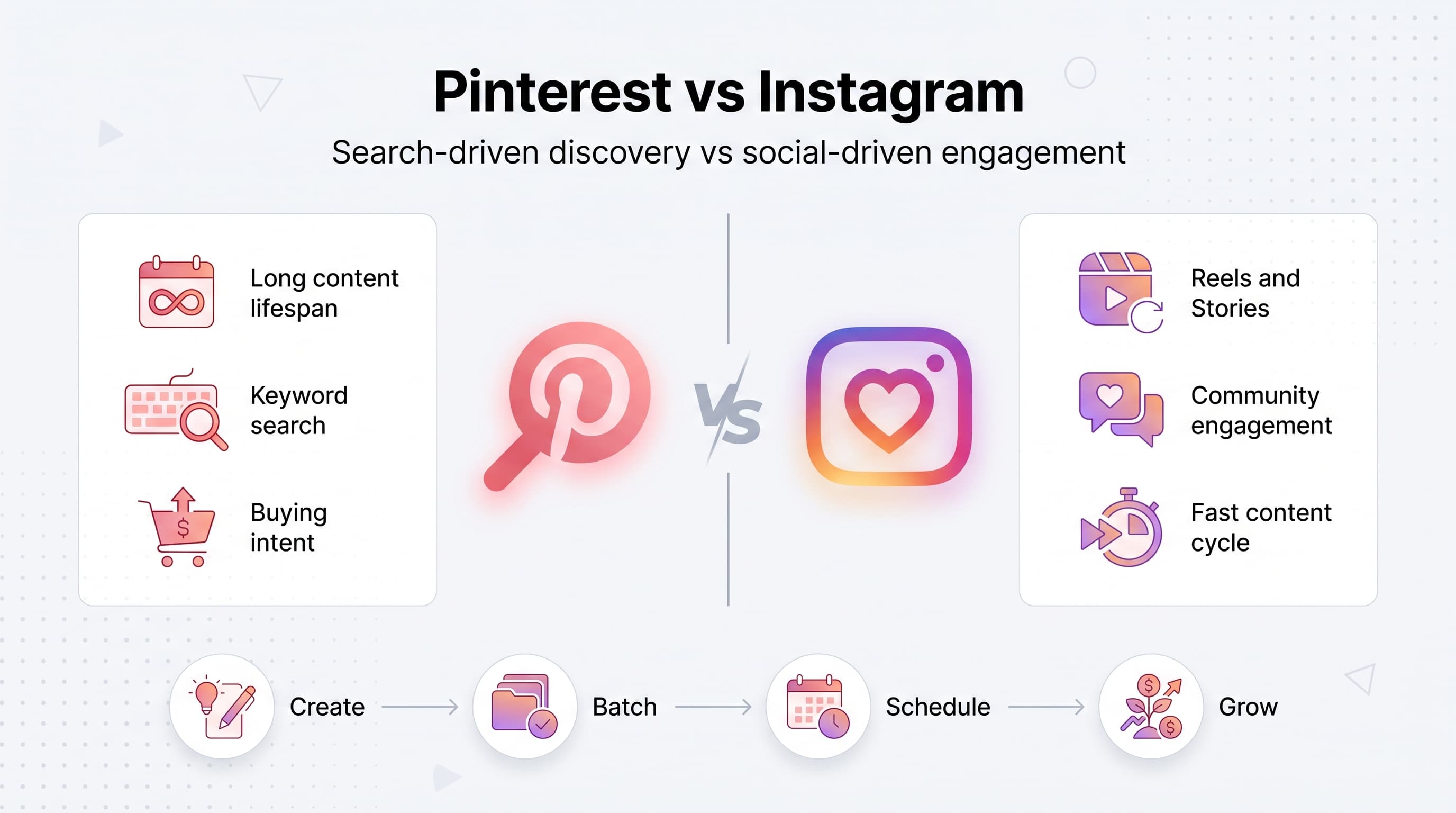
Instagram and TikTok are built around the feed. Post something, get a burst of engagement in the first 24 to 48 hours, then it disappears into the archive forever. Pinterest doesn't work that way. It behaves more like a visual search engine than a social network, which means a well-optimized pin can keep generating clicks 6, 12, even 24 months after you publish it. Our batch content creation can help.
I've seen affiliate pins that were created over a year ago still driving daily traffic because they rank for a search term like "best budget planner 2026" or "amazon finds for small apartments." That's the real advantage. You're not chasing an algorithm that resets every day. You're building a library of searchable assets that compound over time. Learn more about cross-platform analytics track 11.
This also means Pinterest rewards a different kind of effort. It's less about being clever or timely and more about being consistent, specific, and searchable. If you're used to the fast pace of Reels or Stories, Pinterest will feel slower at first. Stick with it. The payoff curve is different, but it's often steeper in the long run. See our best time to post on pinterest guide.
Try Schedulala for free
Schedule posts to Bluesky, Twitter, and 8 other platforms from one dashboard.
Get started for free→How Pinterest affiliate marketing actually works
The mechanics are simple: you create a pin (an image or short video) linked to a page containing your affiliate link, someone clicks it, and if they buy through your link within the retailer's cookie window, you earn a commission. Pinterest itself doesn't handle payments or track sales. It's purely the discovery layer that sends traffic to your link or landing page. Learn more about pinterest line break generator.
There are two common structures for this. The first is direct linking, where the pin links straight to your affiliate URL or a product page. The second, and increasingly the more sustainable option, is linking to a blog post or landing page you control, which then contains the affiliate links. Direct linking is faster to set up, but routing through your own content gives you more control, better tracking, and a buffer if a retailer changes its affiliate terms.
Pinterest's own policies require you to disclose affiliate relationships. You can do this by turning on the "paid partnership" or affiliate link toggle when creating a pin, and by adding a clear disclosure in your pin description or on the landing page. Skipping disclosure isn't just a legal risk under FTC guidelines, it can also get your account flagged or restricted by Pinterest, so don't skip this step to save five seconds.
Setting up your account for affiliate success
1. Switch to a Pinterest business account
A personal Pinterest account won't give you access to analytics, Rich Pins, or the ability to run ads later if you decide to. Converting to a business account is free and takes about two minutes. Go to your settings, select "convert to business account," and pick a category that matches your niche.
Business accounts also unlock Pinterest Trends and audience insights, both of which are useful for figuring out what people in your niche are actually searching for before you spend hours designing pins nobody wants.
2. Claim your website and enable Rich Pins
Claiming your website tells Pinterest that the content you're pinning is legitimately yours, which boosts your credibility in the algorithm and unlocks analytics on how your pins perform when they link to your site. Rich Pins go a step further by automatically pulling in metadata like product price, availability, and description, which makes your pins look more trustworthy and complete.
If you're pinning directly to affiliate URLs rather than your own site, Rich Pins won't apply to those individual pins, which is one more reason routing traffic through a blog post or landing page you control tends to perform better long term.
3. Set up disclosure and compliance from day one
Turn on Pinterest's affiliate link disclosure toggle for every pin that contains a monetized link. Add "affiliate link" or "this post contains affiliate links" in your pin description and on your landing page. This isn't optional busywork, it's the difference between building a sustainable account and getting your pins deprioritized or your account suspended down the line.
Finding affiliate programs that actually perform on Pinterest
Not every affiliate program is a good fit for Pinterest's visual, search-driven audience. Programs with strong product imagery, clear pricing, and broad appeal tend to outperform niche B2B software or subscription services that require a lot of explanation before someone will click.
Amazon Associates remains one of the most popular starting points because of its massive product catalog and name recognition, even though the commission rates are modest (often 1% to 10% depending on category). It's a good way to test what content resonates before committing to higher-effort partnerships. Once you have traction, look at direct affiliate programs run by individual brands, which often pay better commissions (10% to 30% is common in categories like home goods, beauty, and digital products) and let you build a more distinctive brand voice around specific products.
Affiliate networks like ShareASale, Awin, Impact, and CJ Affiliate aggregate thousands of brand programs in one dashboard, which makes it easier to find products that match your niche without applying to each one individually. If you create content around courses, templates, or digital tools, look for programs with recurring commissions, since a single referral can pay out monthly instead of once.
| Program type | Typical commission | Best for |
|---|---|---|
| Amazon Associates | 1% to 10% | Broad product roundups, gift guides, home finds |
| Individual brand programs | 10% to 30% | Beauty, home decor, fashion, wellness |
| Affiliate networks (ShareASale, Impact) | Varies by brand | Testing multiple niches at once |
| Digital product / SaaS affiliates | Often recurring, 15% to 40% | Planners, courses, software with monthly billing |
Whatever programs you choose, prioritize ones with a landing page that actually looks good on mobile. A huge share of Pinterest traffic comes from phones, and a clunky, ad-heavy landing page will tank your conversion rate even if the pin itself is great.
Designing pins that actually get clicked
1. Use the right dimensions
Pinterest favors a vertical aspect ratio, ideally 2:3, which works out to 1000 by 1500 pixels. Square or horizontal images get cropped or shown smaller in the feed, which quietly kills their performance before anyone even reads the text on them.
2. Lead with a clear, benefit-driven headline
The overlay text on your pin matters more than the image in a lot of cases, especially for affiliate content. Instead of "My Favorite Desk Setup," try "7 Amazon Desk Finds Under $30 That Actually Look Expensive." Specific numbers, prices, and outcomes outperform vague, feeling-based headlines almost every time.
3. Design 3 to 5 variations of every pin
Instead of pinning one image and hoping for the best, create multiple versions of the same core content with different headlines, colors, or layouts, then pin them over a few weeks to the same or related boards. This gives Pinterest's algorithm more data on what resonates and extends the shelf life of a single piece of content without looking like spam.
4. Test video pins
Short video pins (10 to 15 seconds showing a product in use, a quick tutorial, or a before-and-after) tend to get more reach right now because Pinterest is actively pushing video in the feed. If you're doing product roundups, a quick unboxing or demo clip often converts better than a static graphic.
Pinterest SEO for affiliate content
Since Pinterest functions like a search engine, keyword research matters just as much here as it does for a blog or YouTube channel. Start by typing your general topic into the Pinterest search bar and note what autocomplete suggests. Those are real, high-volume search terms coming directly from Pinterest's own data.
Use those keywords in three places: your pin title, your pin description, and your board titles and descriptions. A pin titled "Best Affordable Skincare Products for Sensitive Skin" with a description that naturally works in related phrases like "drugstore skincare routine" or "gentle skincare for beginners" gives Pinterest way more context than a pin titled simply "My Skincare" with no description at all.
Board strategy matters too. Rather than one giant "Shopping" board, break your content into specific, searchable boards like "Budget Home Office Decor," "Minimalist Skincare Finds," or "Amazon Kitchen Gadgets Under $25." Specific boards rank for specific searches, and they also make it easier for you to stay organized as your affiliate content library grows.
Don't ignore your profile bio either. Include your niche and a couple of relevant keywords there, since it's one more signal Pinterest uses to understand what your account is about and who should see your pins in their recommendations.
Consistency beats bursts: building a posting rhythm
One of the biggest mistakes people make with Pinterest affiliate marketing is treating it like a launch platform, pinning 20 things in one day and then going quiet for two weeks. Pinterest's algorithm rewards steady, predictable activity far more than sporadic bursts. Accounts that post 3 to 5 pins a day, every day, consistently outperform accounts that dump content once a week.
The problem, obviously, is that manually logging into Pinterest every single day to pin content isn't realistic for most people running an affiliate business alongside everything else in their life. This is where scheduling tools become less of a nice-to-have and more of a requirement if you're serious about growing this channel.
With Schedulala, you can batch-create a month's worth of affiliate pins in a single sitting, queue them up with staggered posting times, and let them publish consistently without you touching the app every day. Schedulala works across all 12 supported platforms, including Pinterest, so if your affiliate strategy also includes Instagram, TikTok, or a blog you promote on Facebook and Threads, you're managing everything from one calendar instead of five separate apps.
Every Schedulala plan includes unlimited scheduled posts, including the entry-level Personal plan at $29 a month for 10 social accounts. That matters a lot for Pinterest specifically, since the strategy depends on volume, posting consistently every single day rather than occasionally. A tool that caps how much you can queue up defeats the purpose.
Common mistakes that quietly kill affiliate pin performance
Linking directly to a retailer with no context
A pin that jumps straight from Pinterest to an Amazon product page with no landing page in between misses a huge opportunity to build trust, add more affiliate links, and collect data on what's actually converting. Route traffic through a blog post or curated landing page whenever possible.
Ignoring seasonal timing
Pinterest users plan far in advance. Search interest for holiday gift guides starts climbing in August, and back-to-school content peaks in June and July, months before the actual events. If you're creating seasonal affiliate content the week of the holiday, you've already missed most of the traffic window.
Skipping the description field
A lot of creators fill in a headline and stop there. The description field is prime real estate for keywords and context, and leaving it blank or generic ("check this out!") wastes a major ranking signal.
Treating every pin as one-and-done
Repinning your best-performing content with a fresh image or headline every few months keeps it circulating in the algorithm instead of letting it fade. Your highest-converting pin from six months ago is often worth revisiting rather than abandoning for something new.
Forgetting disclosure
As mentioned earlier, this is non-negotiable both for legal compliance and account health. Pinterest has gotten stricter about flagging undisclosed affiliate content, and it's simply not worth the risk to your account for the sake of a cleaner-looking pin.
A simple weekly workflow to get started
- Pick one niche and one affiliate program to focus on for your first 30 days, rather than spreading across five programs at once.
- Research 5 to 10 Pinterest search terms related to your niche using autocomplete suggestions.
- Write one blog post or landing page per week that naturally incorporates 2 to 3 affiliate products, with your own honest take on each.
- Design 4 to 5 pin variations per piece of content, mixing static images and at least one short video pin.
- Batch-schedule pins for the week using Schedulala, spacing them out across each day rather than posting them all at once.
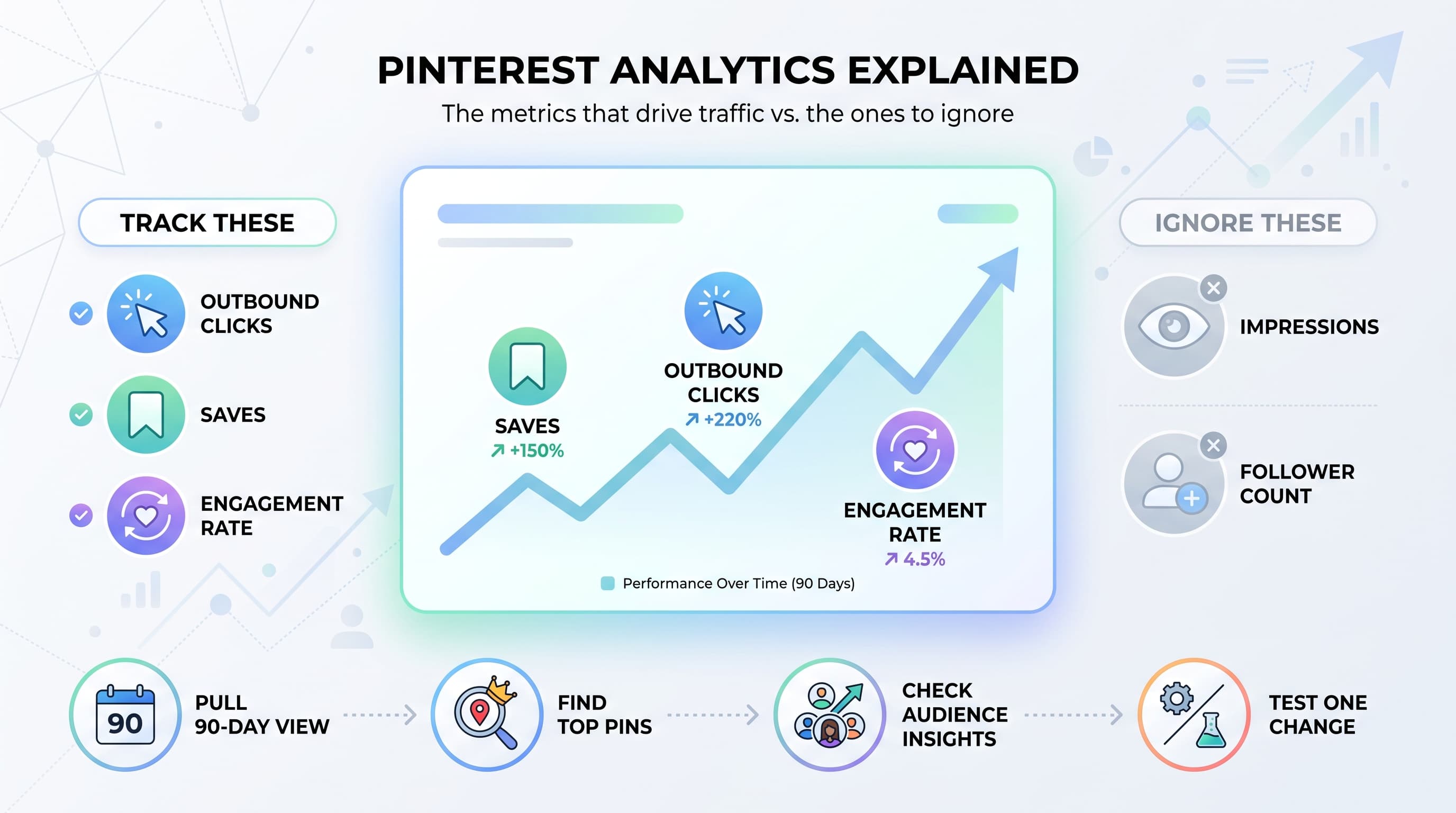
- Check Pinterest Analytics weekly to see which pins and boards are getting saves and outbound clicks, then double down on what's working.
- Repin or refresh your top 3 performing pins from prior weeks with a new headline or image roughly once a month.
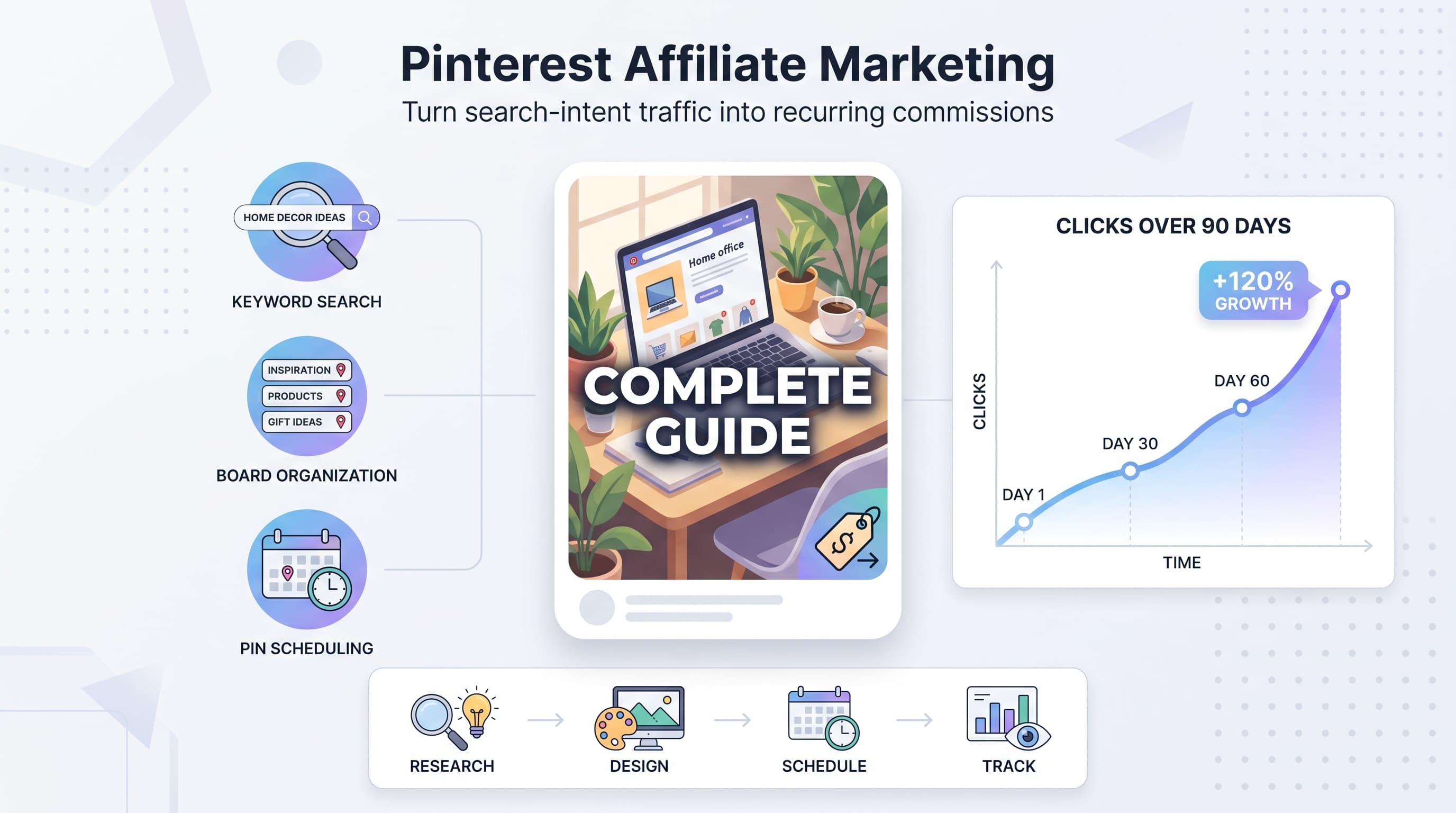
This rhythm sounds simple because it is. The hard part isn't the strategy, it's sticking with it for the 60 to 90 days it usually takes before Pinterest's algorithm starts sending meaningful traffic your way. Most people quit right before that inflection point.
How long until you see actual results
This is the question everyone asks, and the honest answer is: it depends on your niche, but expect a slow start. Unlike a viral TikTok that can drive thousands of clicks overnight, Pinterest tends to build momentum gradually over 8 to 12 weeks. Early pins might get a handful of impressions a day. If you stay consistent with keyword-rich descriptions, regular posting, and reasonably good design, most accounts see a noticeable jump in impressions and clicks somewhere around month three.
Once a pin starts ranking well for a search term, it can keep driving clicks with almost no additional effort for a long time. This is the compounding effect that makes Pinterest worth the patience. A pin you made in January can still be earning you commissions the following December if it's well-optimized and the product is still relevant.
The accounts that struggle are almost always the ones that post for three weeks, don't see instant results, and abandon the channel right before it would have started paying off. If you're going to commit to Pinterest affiliate marketing, commit to at least a full quarter before judging whether it's working.
Bringing it all together
Pinterest affiliate marketing rewards the people who treat it like a search engine, not a social feed. That means real keyword research, specific and honest product recommendations, mobile-friendly landing pages, and a posting schedule you can actually sustain for months, not days.
You don't need to be a designer or a full-time content creator to make this work. You need a repeatable process: research a keyword, create a few pin variations, link to a page you control, disclose your affiliate relationship, and post consistently. Everything else is refinement.
Try Schedulala for free
Schedule posts to Bluesky, Twitter, and 8 other platforms from one dashboard.
Get started for free→