Free Social Media Scheduler: 10 Best Options for 2026
We tested 10 free social media schedulers and ranked them. See which ones let you schedule posts without paying — features, limits, and our picks.

Quick answer
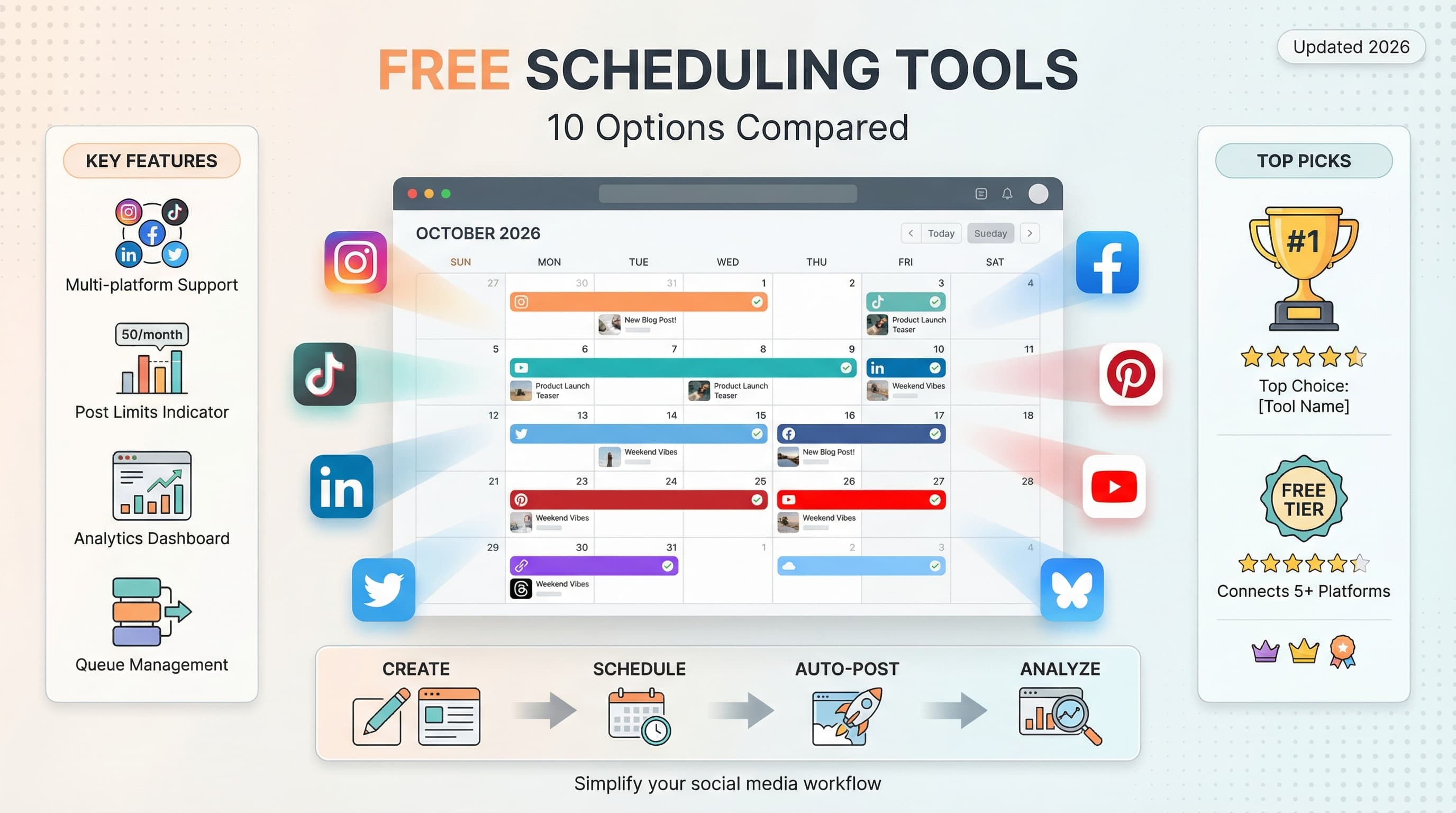
The best free social media schedulers include Buffer (3 channels), Meta Business Suite (Facebook/Instagram), and YouTube Studio for Shorts.
- •Buffer Free: 3 channels, 10 posts each, no analytics or team features
- •Meta Business Suite: fully free for Facebook and Instagram scheduling
- •YouTube Studio: free scheduling for YouTube videos and Shorts
- •Schedulala offers a free trial, then $9/month for one account on each platform across 12 platforms with unlimited posts
Your social media strategy shouldn't require a second mortgage. Yet here we are in 2026, with some scheduling tools charging upwards of $100 per month for features that were free three years ago.
The good news? Plenty of genuinely useful free social media schedulers still exist. The catch is that "free" means wildly different things depending on which tool you pick.
I spent the last month testing every free social media scheduler I could find. Some impressed me. Others made me want to throw my laptop out the window. Here's what actually works, what doesn't, and which free tier deserves your time.
Try Schedulala for free
Schedule posts to Bluesky, Twitter, and 8 other platforms from one dashboard.
Get started for free→What makes a free scheduler actually useful
Before we get into the list, let's talk about what separates a usable free tier from a glorified demo. Because some companies slap "free" on their pricing page while giving you approximately zero functional features.
A free social media scheduler worth your time needs to deliver on three things. First, you need enough scheduled posts to actually make a difference. If a tool limits you to 10 posts per month, you're basically getting a free trial that never expires, not a free tool. Second, the platforms you actually use need to be included. A scheduler that only works with Facebook in 2026 isn't solving anyone's problems. Third, the core scheduling functionality should work without constant upsell prompts interrupting your workflow.
I also looked at factors like ease of use, reliability (does your post actually go live when scheduled?), and whether the free tier includes any analytics worth checking. Some tools nail the basics but fall apart when you try to do anything beyond simple scheduling.
1. Schedulala
Best for: Multi-platform scheduling with a generous free trial
I'll be upfront: you're reading this on the Schedulala blog. While Schedulala doesn't offer a permanent free tier, the 7-day free trial gives you full access to test everything before committing.
During the trial, you get unlimited scheduled posts across all 9 major platforms: Instagram, TikTok, LinkedIn, Twitter/X, YouTube, Pinterest, Facebook, Threads, and Bluesky. Most competitors limit trial users significantly, so this is genuinely useful time to build out your content calendar.
The interface focuses on getting your content scheduled quickly. Upload your media, write your caption, pick your time, and you're done. The experience is identical to what paying users get, so you'll know exactly what you're signing up for.
One thing I particularly appreciate is the lack of watermarks or branding on your posts. Some free schedulers add "Scheduled with [Tool Name]" to your content, which looks unprofessional. Schedulala doesn't do this on any plan.
| Feature | 7-Day Free Trial |
|---|---|
| Monthly scheduled posts | Unlimited |
| Social profiles | Up to 10 |
| Platforms supported | All 9 major platforms |
| Analytics | Full access |
| Team members | 1 |
| Media library | Full access |
The free trial is genuinely useful for testing whether Schedulala fits your workflow. You can schedule your next week or two of content, see how the interface handles your specific platforms, and make an informed decision about subscribing.
After the trial, plans start at $9/month for one person. If you're looking for a permanent free option, the other tools on this list have you covered. But if you want to test a premium experience before committing, Schedulala's trial is worth your time.
2. Buffer
Best for: Simple, no-frills scheduling
Buffer has been around since 2010, making it one of the oldest social media schedulers still actively maintained. Their free tier has shrunk over the years (it used to be more generous), but it remains a solid option for basic needs.
The current free plan gives you 3 social channels and 10 scheduled posts per channel. That's 30 total posts if you're using all three channels, which sounds comparable to Schedulala until you realize you can't move posts between channels or schedule more heavily on one platform while ignoring another. The per-channel limit creates rigidity that can be frustrating.
Buffer's interface is clean and intuitive. If you've never used a scheduling tool before, you'll figure out Buffer within five minutes. The browser extension makes sharing content from anywhere on the web quick and painless. See an article worth sharing? Click the extension, add your thoughts, and schedule it.
One thing Buffer does well is reliability. In my testing, every single scheduled post went live exactly when expected. No failures, no delays, no weird formatting issues. For a free tool, that consistency matters more than fancy features that don't work half the time.
| Feature | Free Tier |
|---|---|
| Monthly scheduled posts | 10 per channel (30 total) |
| Social profiles | 3 |
| Platforms supported | Facebook, Instagram, Twitter, LinkedIn, Pinterest, TikTok |
| Analytics | None |
| Team members | 1 |
| Media library | None |
The biggest downside to Buffer's free tier is the complete lack of analytics. You can schedule posts, but you have zero visibility into how they performed without upgrading. For anyone trying to improve their social media strategy over time, this creates a blind spot that's hard to work around.
Buffer also doesn't support Threads, Bluesky, or YouTube on any tier. If these platforms matter to your strategy, you'll need to look elsewhere or use multiple tools.
3. Later
Best for: Visual content planning
Later started as an Instagram-focused tool and still shows that heritage in its design. The visual content calendar lets you drag and drop posts to see exactly how your feed will look before anything goes live. For brands where visual consistency matters, this preview functionality is genuinely helpful.
The free plan includes one social set (one profile per platform) and 5 posts per social profile per month. Yes, you read that right. Five posts per profile. That's enough to maybe test the tool, but calling it a functional free tier feels generous. You're essentially getting a permanent trial.
That said, Later's interface is excellent. The visual planning grid makes scheduling Instagram content intuitive in a way that spreadsheet-style schedulers can't match. You can preview your grid, rearrange posts to get the aesthetic flow right, and plan your visual strategy weeks in advance.
Later also includes a basic Linkin.bio feature on the free tier, which creates a clickable landing page for your Instagram bio link. Each post can link to a different URL, letting you drive traffic to multiple destinations from your Instagram profile. For accounts without 10,000 followers (and thus no swipe-up access), this partially bridges that gap.
| Feature | Free Tier |
|---|---|
| Monthly scheduled posts | 5 per profile |
| Social profiles | 1 per platform |
| Platforms supported | Instagram, Facebook, Twitter, Pinterest, LinkedIn, TikTok |
| Analytics | Basic |
| Team members | 1 |
| Linkin.bio | Yes (basic) |
The severe post limitations make Later hard to recommend as a primary free scheduler. But if visual planning is your priority and you're willing to supplement with another tool (or eventually upgrade), Later's free tier gives you a taste of its strongest features.
I found Later's mobile app particularly well-designed. If you do most of your social media work from your phone, Later's app experience beats most competitors, including some paid tools I've tested.
4. Hootsuite
Best for: Enterprise features (if you can live with limits)
Hootsuite is the name most people think of when social media management comes up. They've been in the game since 2008 and serve everyone from solo creators to Fortune 500 companies. The free tier? It's... complicated.
As of 2026, Hootsuite's free plan gives you 2 social accounts and 5 scheduled posts at a time. Not per month. At a time. Once a post publishes, you can schedule another one. This rolling limit makes batch scheduling nearly impossible, which defeats much of the purpose of using a scheduler in the first place.
The interface itself is powerful but overwhelming. Hootsuite tries to be everything for everyone, which means the dashboard includes features you'll never use on a free tier (or possibly ever). New users often feel lost in the sea of tabs, streams, and options. There's a learning curve here that simpler tools avoid entirely.
Where Hootsuite shines is in its monitoring capabilities. Even on the free tier, you can create streams to monitor mentions, hashtags, and competitor accounts. This social listening functionality barely exists in most free tools, so if monitoring matters to you, Hootsuite delivers value the others don't.
| Feature | Free Tier |
|---|---|
| Monthly scheduled posts | 5 at a time (rolling) |
| Social profiles | 2 |
| Platforms supported | Major platforms |
| Analytics | Very basic |
| Team members | 1 |
| Social listening | Basic streams |
The honest assessment: Hootsuite's free tier feels designed to frustrate you into upgrading. The 5-post rolling limit actively works against productive scheduling workflows. If you're comparing free options purely on scheduling capability, Hootsuite loses to almost every competitor on this list.
However, if you specifically need social listening features and can work around the scheduling limitations, Hootsuite's free tier offers something unique. Just don't expect a smooth scheduling experience.
5. Canva Content Planner
Best for: Design-to-publish workflow
Most people know Canva as a design tool, but their Content Planner turns it into a basic social media scheduler. If you're already using Canva to create your social graphics (and millions of people are), publishing directly to social platforms eliminates the download-upload cycle that eats up time.
Canva's free tier includes the Content Planner with scheduling for one channel per platform. You design your post in Canva, click the share button, and schedule it directly. The integration feels seamless because design and scheduling happen in the same tool.
The scheduling features themselves are basic. You pick a date and time, and that's about it. No optimal time suggestions, no analytics, no advanced publishing options. Canva is a design tool with scheduling bolted on, not a scheduler with design features.
For the Canva Pro subscribers (which many creators already pay for), the Content Planner becomes more useful with multiple brand kits, background remover, and other design features. But on the free tier, you get basic designs published to basic scheduling. It works, but it won't replace a dedicated scheduling tool for serious social media managers.
| Feature | Free Tier |
|---|---|
| Monthly scheduled posts | Unlimited (but limited designs) |
| Social profiles | 1 per platform |
| Platforms supported | Facebook, Instagram, Twitter, LinkedIn, Pinterest, TikTok |
| Analytics | None |
| Team members | Limited |
| Design templates | 250,000+ |
The real value proposition here is eliminating friction. If you're creating graphics in Canva anyway, adding scheduling to your existing workflow takes seconds. For creators who don't need advanced scheduling features, this integration saves time without adding another tool to manage.
What Canva lacks: any ability to schedule content you didn't create in Canva, advanced scheduling features like queues or recycling, meaningful analytics, and support for newer platforms like Threads or Bluesky. It's a narrow use case, but within that use case, it works well.
6. SocialBee
Best for: Content categorization and recycling
SocialBee takes a different approach than most schedulers. Instead of just queuing posts chronologically, it organizes your content into categories. You might have categories for promotional content, educational posts, curated articles, and engagement questions. SocialBee then pulls from each category according to your schedule.
The free tier is relatively new (SocialBee was paid-only until recently) and includes 1 workspace, 1 social profile, and 50 posts total. The category system works on free, which makes this an interesting option for anyone who wants more structure in their posting strategy.
Content recycling is where SocialBee really differentiates itself. Evergreen posts can automatically recycle, so that helpful blog post you shared six months ago goes out again without manual rescheduling. For businesses with libraries of evergreen content, this automation saves serious time.
The interface takes some getting used to. SocialBee's category system requires more upfront planning than simple queue-based schedulers. You need to think about content buckets, set up your category schedule, and organize posts accordingly. For some users, this structure is exactly what they need. For others, it's unnecessary complexity.
| Feature | Free Tier |
|---|---|
| Monthly scheduled posts | 50 total |
| Social profiles | 1 |
| Content categories | Yes |
| Content recycling | Limited |
| Analytics | Basic |
| Team members | 1 |
The 50-post limit across a single profile is workable but not generous. If you're posting twice daily, you'll hit the limit in less than a month. The single profile restriction also means you can't test the multi-platform benefits that make scheduling tools valuable.
SocialBee's free tier works best as an extended trial to see if the category-based approach fits your workflow. If it clicks for you, the paid tiers are reasonably priced. If not, simpler tools will feel less like fighting against the system.
7. Publer
Best for: Platform variety and watermark-free posting
Publer flies under the radar compared to bigger names, but its free tier punches above its weight. You get 3 social accounts (they call them "social pages") and scheduling capabilities that rival tools charging $20 or more per month.
What sets Publer apart is platform support. Beyond the usual suspects, Publer supports Google Business Profile, Telegram, WordPress, and Mastodon. If you're managing presence across niche or emerging platforms, Publer probably supports them when bigger competitors don't.
The free tier includes their "Auto Schedule" feature, which fills your calendar based on time slots you define. Set your preferred posting times for each day, and Publer automatically assigns scheduled content to the next available slot. This simplifies the scheduling process significantly, especially when batch-creating content.
Publer also includes a built-in image editor, link shortener, and basic analytics on the free tier. These extras don't sound groundbreaking individually, but having them built into your scheduler eliminates jumping between tools for common tasks.
| Feature | Free Tier |
|---|---|
| Monthly scheduled posts | Unlimited (queue limit applies) |
| Social profiles | 3 |
| Platforms supported | 15+ including niche platforms |
| Analytics | Basic |
| Built-in tools | Image editor, link shortener |
| Team members | 1 |
The main limitation is the queue size rather than monthly posts. You can have a certain number of posts queued at once, which means planning far in advance requires upgrading. For most free users, this limit won't be a practical issue unless you're trying to schedule months of content at once.
Publer's interface is straightforward without being simplistic. It won't win design awards, but everything works as expected, and I encountered zero bugs during my testing period. Sometimes reliable and functional beats pretty but buggy.
8. Zoho Social
Best for: Users already in the Zoho ecosystem
Zoho Social is part of the massive Zoho software suite, which includes CRM, email, project management, and approximately 47 other business tools. If your business already uses Zoho products, Social integrates smoothly with the rest of your workflow.
The free tier includes 1 brand (with one profile per platform) and 7 channels total. You're limited to publishing manually or scheduling, with no access to the bulk scheduling or queue features that make managing social media efficient. Still, for Zoho users, having social media management in the same ecosystem as your CRM creates useful connections.
The interface follows Zoho's design language, which is functional but dated compared to newer tools. If you're used to Zoho's aesthetic from other products, you'll feel at home. If not, it takes adjustment. The mobile app exists but isn't as polished as the desktop experience.
One genuinely useful feature: Zoho Social's free tier includes social listening basics. You can monitor brand mentions and relevant keywords across platforms. Combined with CRM integration (if you're using Zoho CRM), you can turn social interactions into leads without manually copying information between systems.
| Feature | Free Tier |
|---|---|
| Monthly scheduled posts | Limited |
| Social profiles | 7 (1 per platform) |
| Zoho integration | Full |
| Analytics | Basic |
| Social listening | Basic |
| Team members | 1 |
The honest take: Zoho Social's free tier makes sense only if you're already using other Zoho products. As a standalone social media scheduler, better options exist. The integration benefits don't materialize unless you're invested in the Zoho ecosystem.
For small businesses using Zoho CRM and wanting to add social media management without introducing yet another vendor, Zoho Social's free tier offers a reasonable starting point. Everyone else should look elsewhere.
9. Crowdfire
Best for: Content discovery and curation
Crowdfire started as a Twitter follower management tool (back when that was a thing people cared about) and has evolved into a content curation and scheduling platform. The free tier focuses heavily on helping you find content to share, which makes it unique among schedulers.
You get 3 social accounts and 10 scheduled posts per account on the free plan. But the real feature is content suggestions. Tell Crowdfire your topics of interest, and it surfaces articles, images, and posts you might want to share with your audience. For curators who share third-party content regularly, this discovery engine saves research time.
The interface prioritizes content discovery over scheduling. Your dashboard shows suggested content front and center, with scheduling tucked into the workflow after you've selected what to share. This design works if curation is your primary use case. If you're mostly posting original content, the emphasis feels misplaced.
Crowdfire also includes a "best time to post" feature on the free tier, analyzing when your audience is most active. These suggestions aren't as sophisticated as paid analytics tools, but they're better than guessing randomly.
| Feature | Free Tier |
|---|---|
| Monthly scheduled posts | 10 per account |
| Social profiles | 3 |
| Content suggestions | Yes |
| Best time to post | Yes |
| Analytics | Basic |
| Team members | 1 |
The 10-post limit per account is restrictive, but if you're using Crowdfire primarily for content discovery and supplementing with another tool for scheduling, the combination works. The content suggestions alone can save hours of hunting for shareable content each week.
Worth noting: Crowdfire's content suggestions skew toward articles and news rather than visual content. For Instagram-heavy strategies or visual-first brands, the suggestions may not align with your content style.
10. Meta Business Suite
Best for: Facebook and Instagram only (but unlimited)
Meta Business Suite is completely free and comes directly from Meta (the company formerly known as Facebook). If your social media strategy focuses exclusively on Facebook and Instagram, this is the only tool that gives you unlimited scheduling at no cost.
The functionality is straightforward: schedule posts and reels to Facebook and Instagram, view analytics, manage your inbox, and run ads (if you're paying for ads separately). Everything works reliably because Meta built it to work with their own platforms. No third-party API issues, no unexpected feature deprecations.
Analytics in Meta Business Suite are surprisingly detailed for a free tool. You get audience insights, post performance data, and trend analysis that would cost money on any third-party platform. If you're serious about optimizing your Facebook and Instagram presence, this data is valuable.
The major limitation is obvious: it only works with Meta platforms. No Twitter, no LinkedIn, no TikTok, no Pinterest. If you're managing presence across multiple platforms, Meta Business Suite is only one piece of your toolkit. But for that piece, it's the best free option available.
| Feature | Free Tier |
|---|---|
| Monthly scheduled posts | Unlimited |
| Social profiles | Unlimited (Meta only) |
| Platforms supported | Facebook, Instagram only |
| Analytics | Detailed |
| Inbox management | Yes |
| Team members | Roles available |
The interface can be clunky and unintuitive, especially compared to purpose-built schedulers. Meta updates Business Suite frequently, sometimes moving features around without warning. But free is free, and unlimited scheduling to two major platforms represents genuine value.
Many social media managers use Meta Business Suite for Facebook and Instagram while using a separate tool for other platforms. This hybrid approach maximizes free features while covering all your channels.
Comparison: All 10 free social media schedulers
Here's how all ten options stack up against each other on the most important factors. This quick comparison helps you narrow down which tools fit your specific needs.
| Tool | Post Limit | Profiles | Platforms | Best For |
|---|---|---|---|---|
| Schedulala | 7-day trial (unlimited) | 10 | All 9 major | Trial before buying |
| Buffer | 30/month (10 per channel) | 3 | 6 platforms | Simplicity |
| Later | 5/profile/month | 1 per platform | 6 platforms | Visual planning |
| Hootsuite | 5 at a time | 2 | Major platforms | Social listening |
| Canva | Unlimited (design limits) | 1 per platform | 6 platforms | Design workflow |
| SocialBee | 50 total | 1 | Major platforms | Content categories |
| Publer | Unlimited (queue limit) | 3 | 15+ platforms | Platform variety |
| Zoho Social | Limited | 7 | Major platforms | Zoho users |
| Crowdfire | 30/month (10 per account) | 3 | Major platforms | Content curation |
| Meta Business Suite | Unlimited | Unlimited | Facebook, Instagram only | Meta-only strategy |
The right choice depends on your specific situation. Someone managing only Instagram needs different features than someone juggling presence across eight platforms. Let's break down the recommendations by use case.
Which free scheduler should you choose?
After testing all ten options extensively, here's my honest recommendation based on different scenarios.
For multi-platform scheduling
Publer wins here for permanent free access. The extensive platform list (15+ platforms including niche ones) and unlimited posts (with queue limits) gives you flexibility that other free tiers don't match.
If you're managing social media automation across multiple platforms, Publer's free tier handles it well. For a premium experience, Schedulala's 7-day free trial lets you test all 12 platforms with no restrictions before deciding.
For Facebook and Instagram only
Meta Business Suite is the obvious choice. Unlimited scheduling, detailed analytics, and direct integration with the platforms themselves. Why pay for something Meta gives away for free?
The only reason to choose something else: if you value a cleaner interface over unlimited posting. Later and Buffer both offer better user experiences, but you'll pay in post limits.
For visual content planning
Later's visual calendar remains the best in class for planning Instagram grids and visual strategies. The post limits hurt, but if visual planning is your priority, the 5 posts per profile might be enough to plan your aesthetic before upgrading or supplementing with another tool.
For absolute beginners
Buffer's simplicity makes it ideal for someone scheduling social media posts for the first time. The interface is so intuitive that you'll be scheduling within minutes of signing up. The lack of analytics hurts, but beginners often need to focus on consistency before optimization anyway.
For content curators
Crowdfire's content discovery engine saves time finding shareable content. If your strategy involves significant amounts of curated third-party content, the suggestion feature alone justifies using Crowdfire alongside another scheduler for original content.
For Canva users
If you're already paying for Canva Pro and create all your social graphics there, the Content Planner eliminates extra tools from your workflow. It's not a powerful scheduler, but the convenience of design-to-publish integration matters.
Common mistakes when choosing a free scheduler
I've watched dozens of people pick social media tools, and the same mistakes keep happening. Avoid these traps to save yourself frustration.
Mistake 1: Ignoring platform support
People sign up for a scheduler because it has great reviews, then discover it doesn't support Threads, Bluesky, or whatever platform they actually need. Always check platform support before creating an account. A tool that doesn't support your platforms isn't a tool at all.
Mistake 2: Underestimating post volume needs
"30 posts seems like plenty" until you're managing three platforms and posting daily to each. Do the math before committing. If you're posting twice daily to two platforms, you need 120 posts per month. Most free tiers won't cover that.
Mistake 3: Focusing on features you won't use
Advanced analytics, AI writing assistants, and team collaboration features sound impressive but don't matter if you're a solo creator scheduling twice a week. Choose based on what you'll actually use, not what sounds most sophisticated.
Mistake 4: Not testing reliability
Some schedulers fail silently. Your post just... doesn't go live, and you don't find out until you check manually. Before committing to a tool, schedule a few test posts and verify they publish when expected. This five-minute test can save significant headaches later.
Mistake 5: Assuming free means forever
Free tiers change. What's generous today might be restricted tomorrow. I've seen tools cut their free plans dramatically after building a user base. Don't build your entire workflow around a free tool without a backup plan.
Making the most of any free scheduler
Whichever tool you choose, these strategies help you extract maximum value from limited free resources.
Batch your content creation
Free tiers limit scheduling, not planning. Set aside dedicated time to batch create content for the entire month. Write all your captions, create all your graphics, and then schedule in one session. This approach is more efficient than creating content ad-hoc and helps you stay within post limits by being intentional about what you schedule.
Prioritize high-impact platforms
With limited posts, don't spread yourself thin across every platform. Identify where your audience actually engages and focus your scheduled posts there. It's better to post consistently on two platforms than sporadically on six.
Use native posting for real-time content
Save your scheduled posts for planned, evergreen content. Post trending content, news reactions, and time-sensitive material natively. This hybrid approach extends your post limits significantly.
Combine multiple free tools
There's no rule saying you can only use one scheduler. Meta Business Suite for Instagram and Facebook, plus a paid tool like Schedulala (7-day free trial, then $9/month) for everything else, gives you broader coverage than any single free tier. Managing two tools is slightly more complex, but the expanded capabilities often justify it.
Track what works manually
Most free tiers have limited analytics. Keep a simple spreadsheet tracking what you post, when, and how it performed. This manual tracking takes a few minutes weekly but gives you insights that restricted analytics dashboards won't show.
When to upgrade from free
Free tiers are starting points, not permanent solutions for everyone. Here's when upgrading makes financial sense.
You're hitting limits weekly
If you consistently max out your post limits before the month ends, the free tier isn't serving you. Calculate how much time you spend working around limits versus how much a paid plan costs. If a $15/month upgrade saves you two hours of workarounds, the math favors upgrading.
You need team access
Almost every free tier is single-user. If you're collaborating with team members, VAs, or clients, you need a paid plan with proper permissions. Sharing login credentials is a security risk and logistical nightmare.
You're making money from social media
If your social media presence generates revenue, investing in better tools makes business sense. The analytics, advanced features, and time savings of paid plans directly impact your bottom line. Staying on free to save $20/month while leaving money on the table isn't frugal; it's shortsighted.
Analytics matter for your strategy
Free tier analytics are typically limited to basic metrics. If you're making data-driven decisions about content strategy, the deeper analytics in paid plans provide insights worth paying for. You can't optimize what you can't measure.
Final verdict: The best free social media schedulers in 2026
After testing all ten options, here are the standouts for different needs.
Every tool on this list has a legitimate use case. The worst choice isn't picking the "wrong" scheduler; it's not using any scheduler at all. Start with whichever option fits your current needs, and upgrade or switch as those needs evolve. Once you've chosen a tool, follow our scheduling best practices to get the most out of it.
Social media scheduling doesn't need to be expensive. These free tools prove that effective scheduling is accessible to everyone, regardless of budget. Pick one, start scheduling, and build consistency. That matters more than which specific tool you use.
Try Schedulala for free
Schedule posts to Bluesky, Twitter, and 8 other platforms from one dashboard.
Get started for free→