Telegram Analytics: Track Your Channel Growth and Boost Performance
Learn how to track Telegram analytics, measure channel growth, and optimize your content strategy with comprehensive metrics and data insights.

Quick answer
Track Telegram channel growth using the built-in analytics dashboard available for channels with 50 or more subscribers.
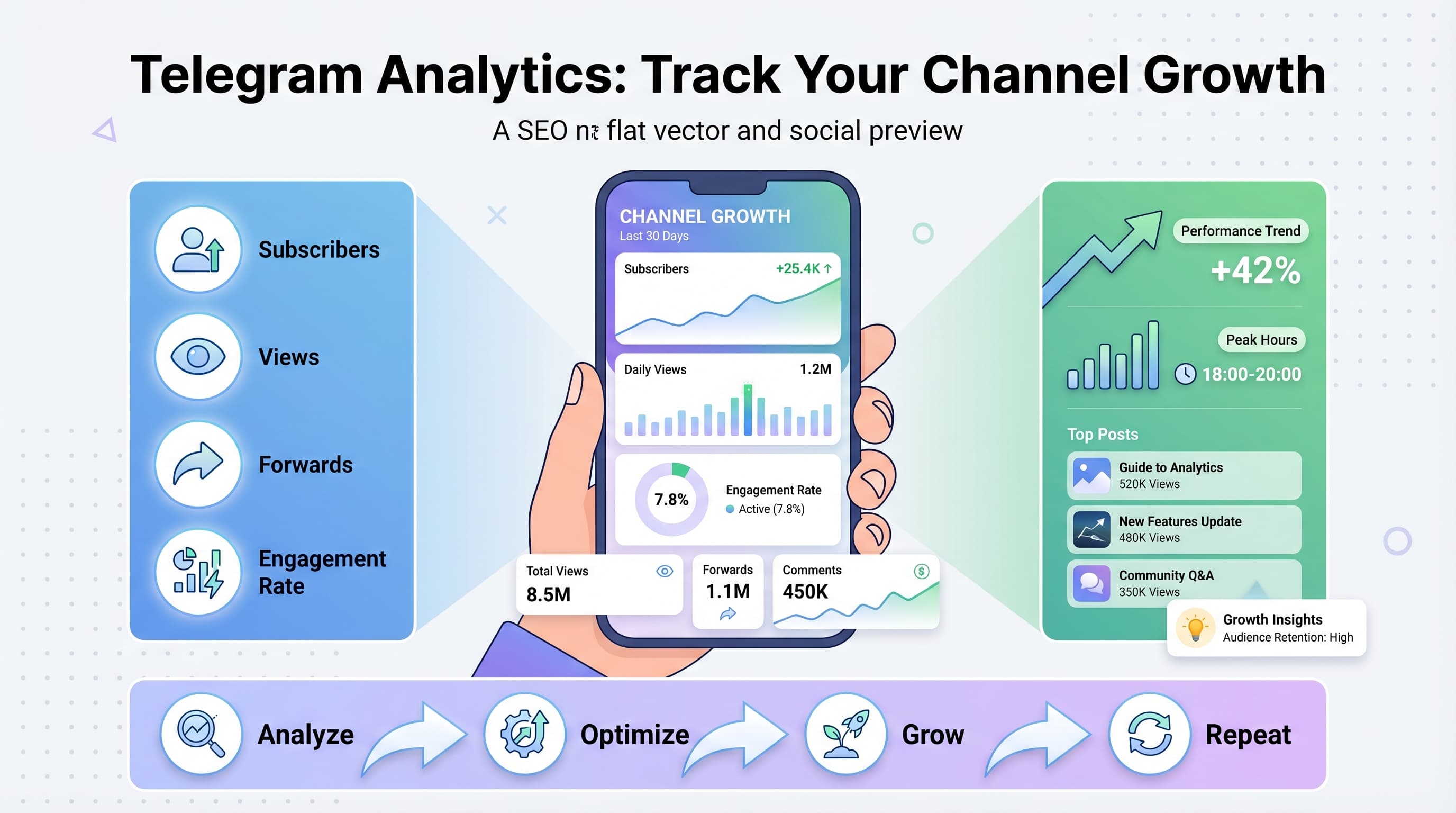
- •Telegram's native analytics show views, forwards, shares, and subscriber growth trends
- •Third-party tools like Schedulala add scheduling plus analytics for Telegram channels
- •Key metrics to track: view rate, forward rate, subscriber growth, and peak engagement hours
- •Schedulala supports Telegram scheduling and analytics starting at $9/month across 12 platforms
Your Telegram channel has been running for months, but you're flying blind. You post content daily, hoping something sticks, but have no idea what's actually working. Try our YouTube scheduling.
See It in Action
This is what scheduling YouTube Shorts looks like in Schedulala
Without proper analytics, you're wasting time creating content that doesn't resonate with your audience. Smart channel owners track every metric, optimize their strategy based on data, and see explosive growth as a result. Try our the best time to.
Try Schedulala for free
Schedule posts to Bluesky, Twitter, and 8 other platforms from one dashboard.
Get started for free→Why Telegram analytics matter for channel growth
Telegram channels can reach massive audiences, but only if you understand what drives engagement. Unlike other social platforms that hand you detailed analytics on a silver platter, Telegram keeps things minimal. This creates both a challenge and an opportunity. See our scheduling across platforms guide.
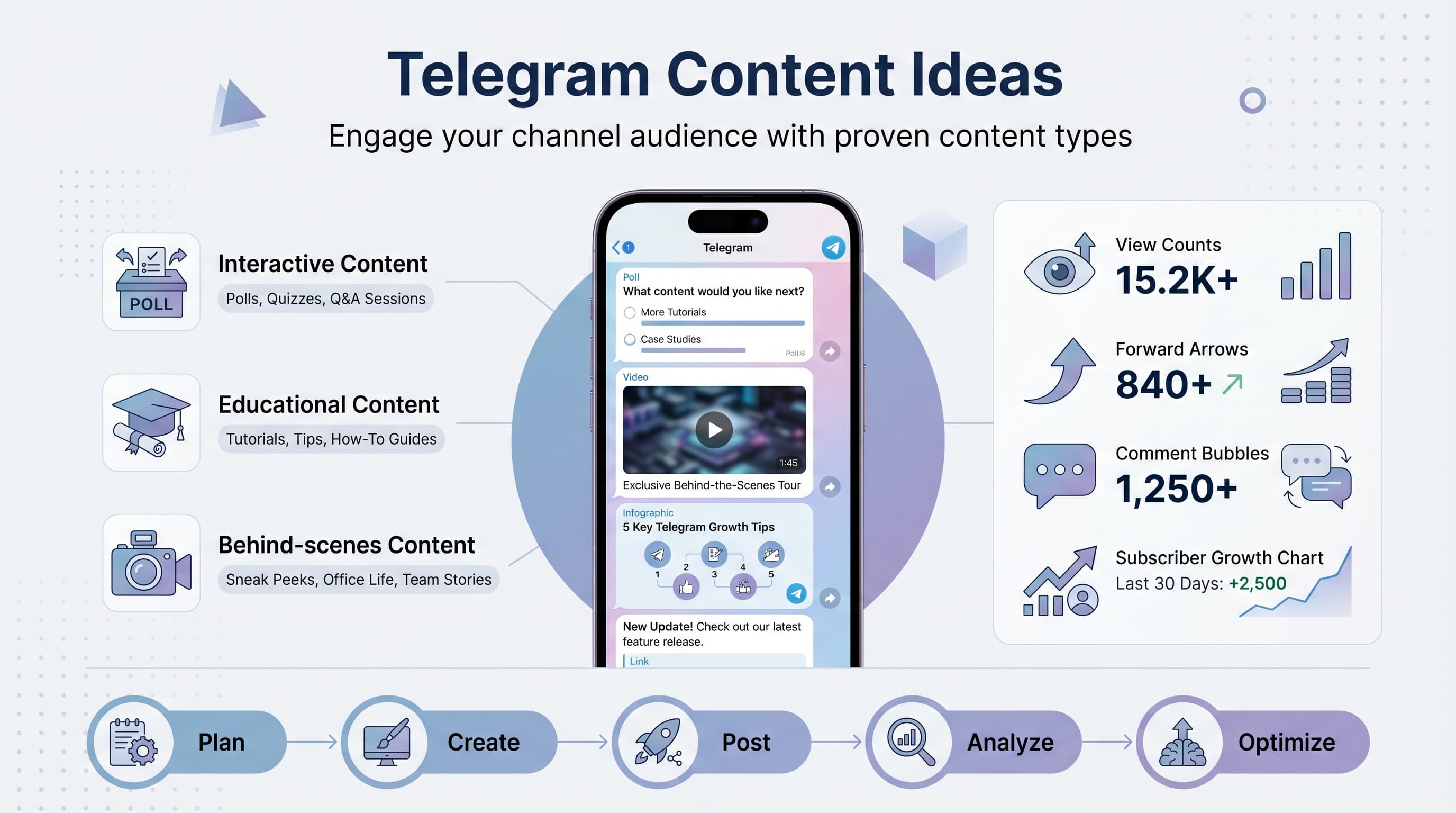
Channel owners who master Telegram analytics typically see 3x higher engagement rates and faster subscriber growth compared to those posting blindly. The difference? They know exactly when their audience is online, what content formats perform best, and which posts drive the most channel joins. See our telegram content ideas what guide.
What you can track on Telegram
Telegram's built-in analytics provide essential metrics, but they're just the starting point. You can track subscriber growth, post views, shares, and engagement patterns. See our best time to post on youtube guide.
- Subscriber count and growth rate over time
- Post views for each piece of content
- Shares and forwards to other chats
- Join/leave patterns throughout the day
- Top-performing content by engagement
- Audience activity and peak hours
Setting up Telegram's native analytics
Before diving into third-party tools, you need to master Telegram's built-in analytics. These are free, accurate, and give you the foundation for understanding your channel's performance. Try our youtube character counter.
1. Access your channel statistics
Open your Telegram channel and tap the channel name at the top. Look for 'Statistics' in the menu. If you don't see this option, your channel needs at least 50 subscribers to unlock analytics.
The statistics page shows your subscriber count, growth rate, and recent performance metrics. This data updates in real-time, giving you immediate feedback on your content performance.
2. Understanding the growth graph
The growth graph shows your subscriber count over time, with clear indicators of gains and losses. Pay attention to the net growth rate rather than just total subscribers.
Sharp increases usually correlate with viral posts or external mentions. Sharp decreases might indicate content that didn't resonate or posting too frequently. Use this data to identify your content sweet spots.
3. Analyzing post performance
Each post shows view counts, but dig deeper. Look at views per subscriber to understand engagement rates. A post with 1,000 views from 500 subscribers performs better than 2,000 views from 2,000 subscribers.
Track which content types get the highest view-to-subscriber ratios. These insights will guide your content strategy and help you create more engaging posts consistently.
Advanced tracking with third-party tools
Native analytics only tell part of the story. To really understand your channel's performance and optimize for growth, you need more sophisticated tracking tools.
1. TGStat for comprehensive analytics
TGStat provides detailed channel analytics including subscriber demographics, posting frequency analysis, and competitor comparisons. Their free tier covers basic metrics, while paid plans unlock advanced features.
The platform tracks engagement rate evolution, optimal posting times, and content performance patterns. You can also monitor competitor channels to identify successful content strategies in your niche.
2. Combot for real-time monitoring
Combot specializes in real-time channel monitoring and automated reporting. Set up alerts for subscriber milestones, unusual activity, or viral posts.
The tool excels at growth trend analysis and can predict future subscriber counts based on current patterns. This helps with planning content calendars and setting realistic growth targets.
3. Google Analytics integration
Link your Telegram channel to Google Analytics using UTM parameters in shared links. This tracks how much website traffic your channel generates and which posts drive the most conversions.
Create custom UTM codes for different post types: utm_source=telegram&utm_medium=channel&utm_campaign=post_type. This granular tracking reveals which content formats drive business results.
Key metrics to track for channel optimization
Not all metrics are created equal. Focus on the data points that actually predict channel growth and audience engagement. Here are the metrics that matter most for Telegram channel success.
| Metric | Good Performance | Poor Performance | Impact on Growth |
|---|---|---|---|
| View Rate | 70-90% | Below 50% | High |
| Forward Rate | 5-15% | Below 2% | Very High |
| Daily Growth | 1-3% | Below 0.5% | High |
| Engagement Time | Peak hours | Random | Medium |
| Unsubscribe Rate | Below 2% | Above 5% | High |
Forward rate: The ultimate growth metric
Forward rate measures how often your content gets shared to other chats and channels. This is pure word-of-mouth marketing and the fastest way to grow your subscriber base organically.
Content with forward rates above 10% typically goes viral within 24-48 hours. Track which post formats, topics, and timing generate the highest forward rates, then double down on those strategies.
Subscriber velocity patterns
Monitor not just total growth, but growth velocity – how fast you're gaining subscribers relative to your channel size. A 1,000-subscriber channel gaining 50 daily subscribers outperforms a 10,000-subscriber channel gaining 100.
Track subscriber sources when possible. Growth from forwards and shares is more valuable than growth from directory listings, as it indicates organic audience interest and higher engagement potential.
Content optimization based on analytics
Raw data means nothing without action. The most successful Telegram channels use analytics to continuously refine their content strategy, posting schedule, and audience targeting.
1. Identify your content sweet spots
Analyze your top-performing posts from the last 30 days. Look for patterns in content type, length, media usage, and posting time. Your analytics will reveal clear preferences in your audience behavior.
Create a content scoring system based on views, forwards, and subscriber growth. Posts scoring in the top 20% should influence your future content strategy significantly.
2. Optimize posting frequency
Most channels post too often or not enough. Use your unsubscribe rate data to find the perfect balance. If unsubscribes spike after posting 3+ times per day, you're overwhelming your audience.
Test different frequencies over 2-week periods: once daily, twice daily, every other day. Track engagement rates and net subscriber growth for each approach. The winning frequency becomes your baseline.
3. Timing optimization
Your analytics show when subscribers are most active, but this doesn't always match peak engagement times. Test posting 1-2 hours before peak activity to catch the early wave of engagement.
Create a posting schedule based on audience time zones if you have international followers. Use scheduling tools to maintain consistent timing even across multiple time zones.
Competitive analysis and benchmarking
Your channel doesn't exist in a vacuum. Understanding how you stack up against competitors and industry leaders provides context for your performance and reveals growth opportunities.
1. Identify relevant competitors
Find 5-10 channels in your niche with similar or larger audiences. Use tools like TGStat or Telegram channel directories to discover competitors you might have missed.
Focus on channels with similar subscriber counts rather than just the biggest players. A channel with 5,000 subscribers provides more actionable insights than one with 500,000 if you're at 2,000 subscribers.
2. Analyze their content strategy
Track competitor posting frequency, content types, and engagement rates. Look for patterns in their most successful posts and identify gaps in their content coverage.
Pay special attention to content formats they're not using. If competitors focus heavily on text posts, experiment with video or audio content to differentiate your channel.
3. Growth rate benchmarking
Compare your monthly growth rate to competitors in similar niches. Healthy growth rates vary by industry: tech channels might grow 10-20% monthly, while niche hobby channels might see 3-5%.
If you're significantly underperforming, analyze the gap. Are competitors posting more frequently? Using different content formats? Engaging with their audience differently?
Common analytics mistakes to avoid
Even experienced channel owners make critical mistakes when interpreting Telegram analytics. These errors can lead to poor decisions that actually hurt channel growth.
1. Vanity metrics obsession
Total subscriber count feels important, but active subscriber rate matters more. A channel with 1,000 engaged subscribers outperforms one with 10,000 passive followers every time.
Focus on engagement metrics like view rates, forward rates, and subscriber retention instead of just growth numbers. Quality beats quantity in building a valuable channel.
2. Short-term thinking
Judging content performance after just a few hours leads to wrong conclusions. Some posts gain traction slowly as they get forwarded and discovered over days or weeks.
Analyze performance over 7-day and 30-day windows to understand true content impact. What looks like a flop on day one might become your most successful post by week's end.
3. Ignoring context
Analytics don't exist in isolation. A sudden subscriber drop might correlate with posting controversial content, algorithm changes, or external events affecting your niche.
Keep notes about external factors that might influence your metrics: holidays, news events, competitor actions, or changes in your posting strategy.
Building an analytics-driven growth strategy
Transform your analytics insights into a systematic growth strategy. The most successful Telegram channels use data to make every decision, from content creation to posting schedules.
1. Create your analytics dashboard
Build a simple spreadsheet or dashboard tracking your key metrics weekly. Include subscriber count, growth rate, top post performance, and engagement trends.
Set up automated data collection where possible. Many third-party tools can export data to Google Sheets or send weekly reports to your email automatically.
2. Monthly strategy reviews
Schedule monthly reviews to analyze trends and adjust your strategy. Look for patterns in successful content, optimal posting times, and subscriber behavior changes.
Create action items based on your findings. If video content consistently outperforms text, shift more resources to video creation. If morning posts get higher engagement, adjust your schedule accordingly.
3. Goal setting and tracking
Set realistic growth targets based on your historical performance and industry benchmarks. A channel growing 3% monthly shouldn't suddenly expect 20% growth without major strategy changes.
Break down annual goals into monthly milestones. This makes large goals manageable and helps you identify problems early when you're falling behind targets.
Try Schedulala for free
Schedule posts to Bluesky, Twitter, and 8 other platforms from one dashboard.
Get started for free→Tools and resources for advanced tracking
Beyond basic analytics, these tools and techniques help you build a comprehensive understanding of your channel's performance and growth potential.
Analytics tools comparison
Free tools like Telegram's native analytics and TGStat's basic plan provide essential metrics for most channels. They're perfect for channels under 10,000 subscribers.
Paid tools like TGStat Pro, Combot Premium, or Social Blade offer deeper insights, competitor analysis, and automated reporting. Consider upgrading when analytics become critical to your business strategy.
Integration strategies
Connect your Telegram analytics with other business metrics. Track how channel growth correlates with website traffic, email subscriptions, or sales if you're using the channel for business.
Use webhook integrations or Zapier to automatically log key metrics in your CRM or business dashboard. This creates a complete picture of how your Telegram channel contributes to business goals.