Bluesky Custom Feeds: How to Find, Use & Create Them
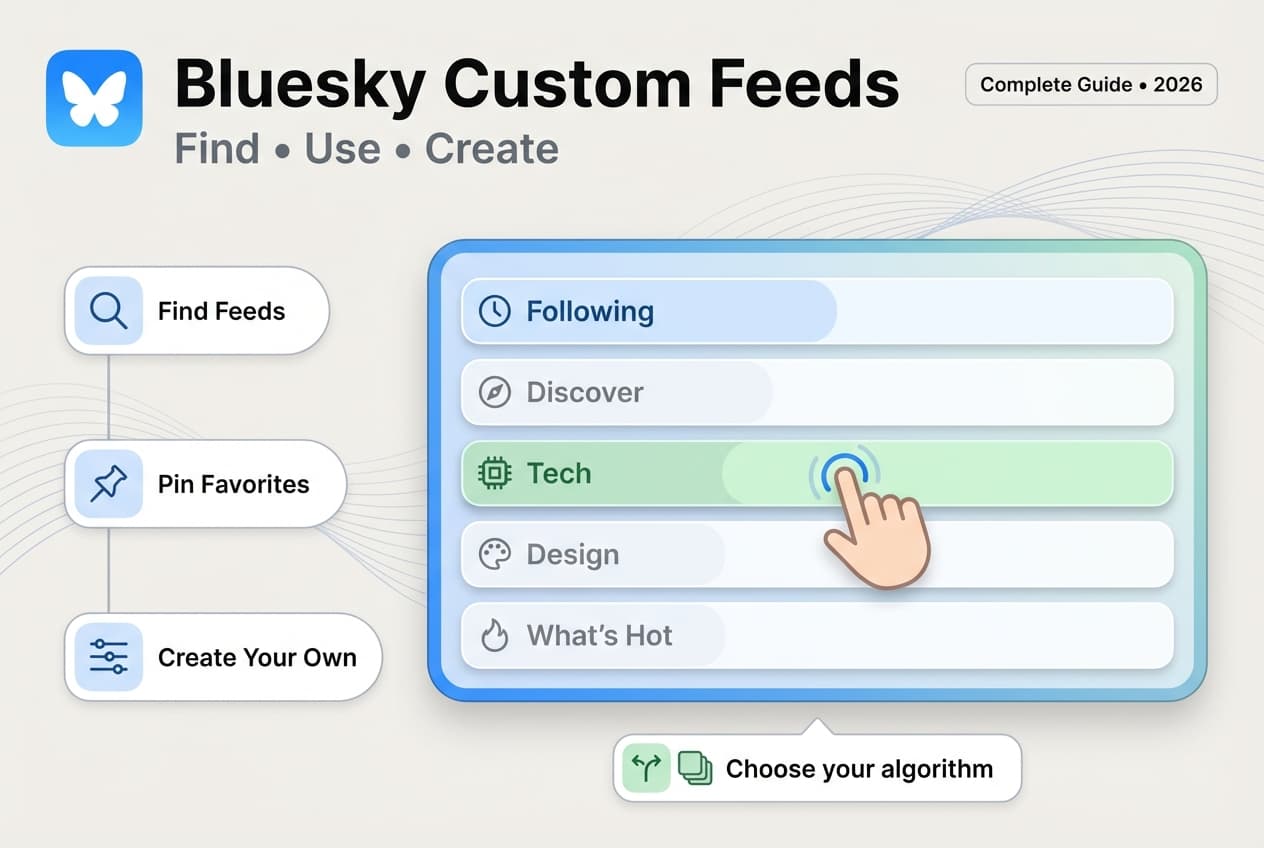
Custom feeds are Bluesky's killer feature. Find feeds by topic, pin your favorites, or build your own. Here's how to set them up.

Quick answer
Bluesky custom feeds are user-created algorithmic timelines that filter posts by keywords, users, or engagement signals.
- •Anyone can create a custom feed using Bluesky's open feed generator framework
- •Pin up to 10 custom feeds to your home screen alongside your Following timeline
- •Popular feeds cover topics like tech, news, art, sports, and specific communities
- •Getting your posts into popular custom feeds increases your reach on Bluesky significantly
Your Bluesky timeline is boring. The same posts. The same people. Nothing fresh.
Sound familiar? You're probably only using the default Following feed.
Custom feeds change everything. They're Bluesky's secret weapon — curated algorithmic timelines built by the community. Tech news only. Cat pics exclusively. Trending posts you actually care about.
This is what makes Bluesky's algorithm different from other platforms: you choose the algorithms, or build your own.
Try Schedulala for free
Schedule posts to Bluesky, Twitter, and 8 other platforms from one dashboard.
Get started for free→What Are Bluesky Custom Feeds?
The Basics
Custom feeds are algorithmic timelines that show posts matching specific criteria. Unlike your Following feed (which shows posts from accounts you follow), custom feeds pull from across all of Bluesky based on rules their creators define.
Think of them as "saved searches" that continuously update with new matching content.
Lists show posts from specific accounts you've added. Feeds show posts matching specific topics, keywords, or behaviors — from anyone on Bluesky. Lists are about who. Feeds are about what.
Why Custom Feeds Matter
Custom feeds solve the discovery problem that plagues most social networks.
On Other Platforms
- You're stuck with one algorithm controlled by the platform
- Discovery depends on what the company wants you to see
- Engagement bait and controversy get prioritized
- You can't escape content you don't want
On Bluesky
- Choose from hundreds of community-built algorithms
- Switch between feeds anytime with one tap
- Create your own feeds with your own rules
- Pin your favorites for easy access
This is what makes Bluesky's algorithm different — you're in control.
Popular Types of Custom Feeds
The Bluesky community has created thousands of feeds. Here are the most useful categories:
| Feed Type | What It Shows | Examples |
|---|---|---|
| Topic Feeds | Posts about specific subjects | Science, Tech, Art, Gaming, Politics |
| Media Feeds | Posts with specific content types | Photos only, Videos only, Links only |
| Engagement Feeds | Popular or trending content | What's Hot, Most Liked, Viral Posts |
| Language Feeds | Posts in specific languages | Japanese, Spanish, Portuguese, German |
| Community Feeds | Posts from specific groups | Journalists, Developers, Artists, Writers |
| Quiet Feeds | Posts without certain content | No Politics, No Sports, Text Only |
How to Find Custom Feeds
There are several ways to discover feeds that match your interests:
1. The Discover Tab
Bluesky's built-in discover section shows popular feeds. Go to Settings → Feeds (or tap the gear icon in your feed selector) to browse curated recommendations.
2. Bluesky Feed Directory
Visit blueskydirectory.com/feeds for a categorized, searchable directory of community feeds. Filter by topic, language, or popularity.
3. Goodfeeds
Goodfeeds.co catalogs and rates Bluesky feeds. Browse by category, see subscriber counts, and read community reviews.
4. Ask Your Network
Post asking for feed recommendations. People love sharing their favorite feeds, and you'll often get suggestions perfectly matched to your interests.
5. Check Profiles
Many feed creators mention their feeds in their bio or pinned posts. If you find content you like, check that creator's profile — they may have built a feed around that topic.
How to Add Feeds to Your Account
Once you find a feed you want, adding it takes seconds:
Step 1: Open the Feed
Click on any feed link or feed name. You'll see a preview of what the feed contains, plus the feed's description and subscriber count.
Step 2: Add or Pin
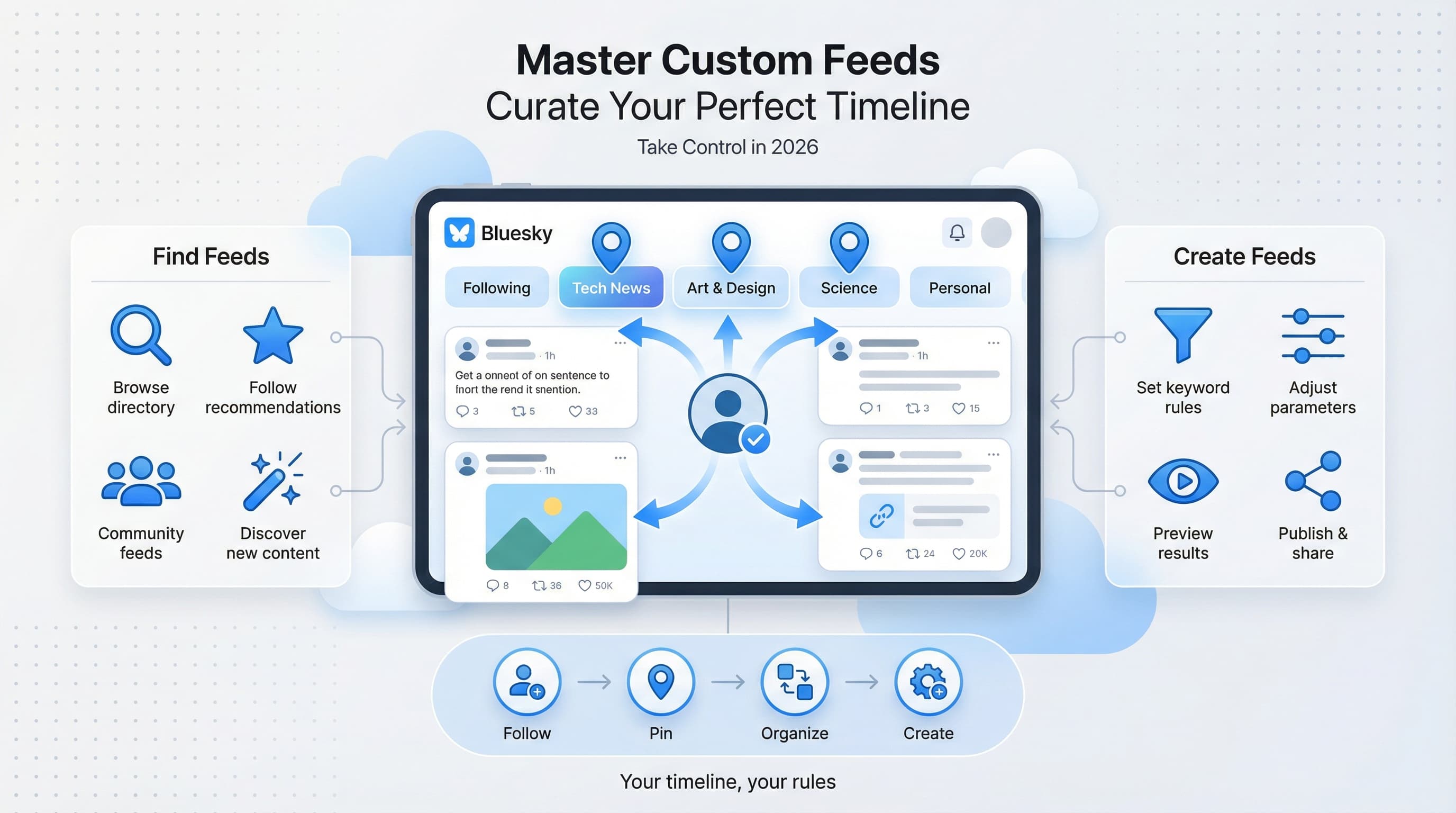
Click "Add" to save the feed to your account. Click the pin icon to add it to your tab bar for quick access. You can have multiple pinned feeds.
Step 3: Access Your Feeds
Swipe left/right on mobile or use the feed selector on desktop to switch between your pinned feeds. Tap "My Feeds" to see all feeds you've added.
Don't add too many feeds at once. Start with 3-5, use them for a week, then add more. Too many feeds becomes overwhelming and you'll end up ignoring most of them.
How to Create Your Own Custom Feed
Creating feeds requires some technical knowledge, but there are tools that make it accessible to everyone.
Option 1: Skyfeed (No Coding)
Using Skyfeed
Skyfeed.app is a visual feed builder. Create feeds by combining rules:
- Keywords: Show posts containing specific words
- Hashtags: Filter by hashtag usage
- Media: Require images, videos, or links
- Engagement: Set minimum likes or reposts
- Language: Filter by detected language
- Exclusions: Block specific words or accounts
Mix and match rules, preview results, and publish your feed — all through a visual interface.
Option 2: Bluesky Feed Generator (Coding Required)
The Technical Approach
For more complex feeds, Bluesky's Feed Generator lets developers build custom algorithms from scratch. This requires:
- TypeScript/JavaScript knowledge
- Server hosting (can be free tier)
- Understanding of the AT Protocol
The payoff: complete control over your feed logic, including machine learning, external data sources, and complex filtering rules.
Simple feeds to start with: Posts about your city, your industry, your hobby. Advanced ideas: Trending discussions, threads only, posts from accounts with similar followers to you.
Best Practices for Using Feeds
Curate Intentionally
- Pin 3-5 feeds maximum to your tab bar
- Keep your Following feed as your "home base"
- Add topical feeds for when you want specific content
- Remove feeds you haven't used in a month
Use Feeds Strategically
- Morning: Check a news or trending feed to catch up
- Work breaks: Switch to a fun or visual feed
- Research: Use topic feeds to find experts and discussions
- Evening: Return to Following for community connection
Combine Feeds With Other Features
Feeds work alongside other Bluesky features. Use Bluesky starter packs to find accounts, then use feeds to discover content from the wider community. Together, they create a complete discovery system.
Recommended Feeds to Start With
Not sure where to begin? These popular feeds are worth trying:
| Feed Name | What It Shows |
|---|---|
| What's Hot | Trending posts across Bluesky based on engagement |
| Discover | Content from accounts similar to who you follow |
| Popular With Friends | Posts liked by people you follow |
| Quiet Posters | Posts from accounts who don't post often (unearths hidden gems) |
| Science | Science news, research, and discussion |
| Art | Original artwork and creative posts |
| Photography | Photo posts from across Bluesky |
Search for these in the Discover tab or feed directories to add them to your account.
Feeds for Growing Your Account
Custom feeds aren't just for consumption — they're a growth tool.
Find Your People
Use topic feeds to find accounts posting about your niche. Engage with their content, join discussions, and build relationships. This is more effective than random following.
Get Discovered
When you post about specific topics, you appear in related feeds. Someone browsing the "Tech" feed might discover you without following anyone who follows you. It's organic reach beyond your network.
Research Competitors
Create a feed filtering for keywords in your industry. See what content performs well, what conversations are happening, and where you can add value.
For more growth strategies, check out our guide on how to grow your Bluesky following.
See It in Action
This is what scheduling a Bluesky post looks like in Schedulala
Frequently Asked Questions
Are custom feeds free?
Yes. All Bluesky feeds are free to use. Some feed creators accept donations, but usage is always free.
Can I create a feed without coding?
Yes. Tools like Skyfeed.app let you build feeds using a visual interface. No programming required.
How many feeds can I add?
There's no hard limit. You can add as many feeds as you want, though only a few can be pinned to your tab bar at once.
Do feeds update in real-time?
Most feeds update every few minutes. Some high-activity feeds update more frequently. Refresh to see the latest content.
Can I make my feed private?
No. All published feeds are public. Anyone can discover and use them. If you want a private curation, use Lists instead.
What happens if a feed creator deletes their feed?
The feed stops working. You'll need to remove it from your account. Popular feeds are rarely deleted, but it can happen with smaller or experimental feeds.
Start Exploring Custom Feeds
Custom feeds transform Bluesky from "another timeline app" into a personalized content engine. The discovery possibilities are endless.
Your action plan:
- Add 3 new feeds today — one topic feed, one engagement feed, one fun feed
- Pin your favorites to your tab bar
- Try building a simple feed with Skyfeed
- Share any great feeds you discover with your followers
Ready to share your own content on Bluesky? Learn how to schedule posts on Bluesky and maintain consistency while you explore these new feeds.
Try Schedulala for free
Schedule posts to Bluesky, Twitter, and 8 other platforms from one dashboard.
Get started for free→