Bluesky Starter Packs: How to Find, Use & Create Them
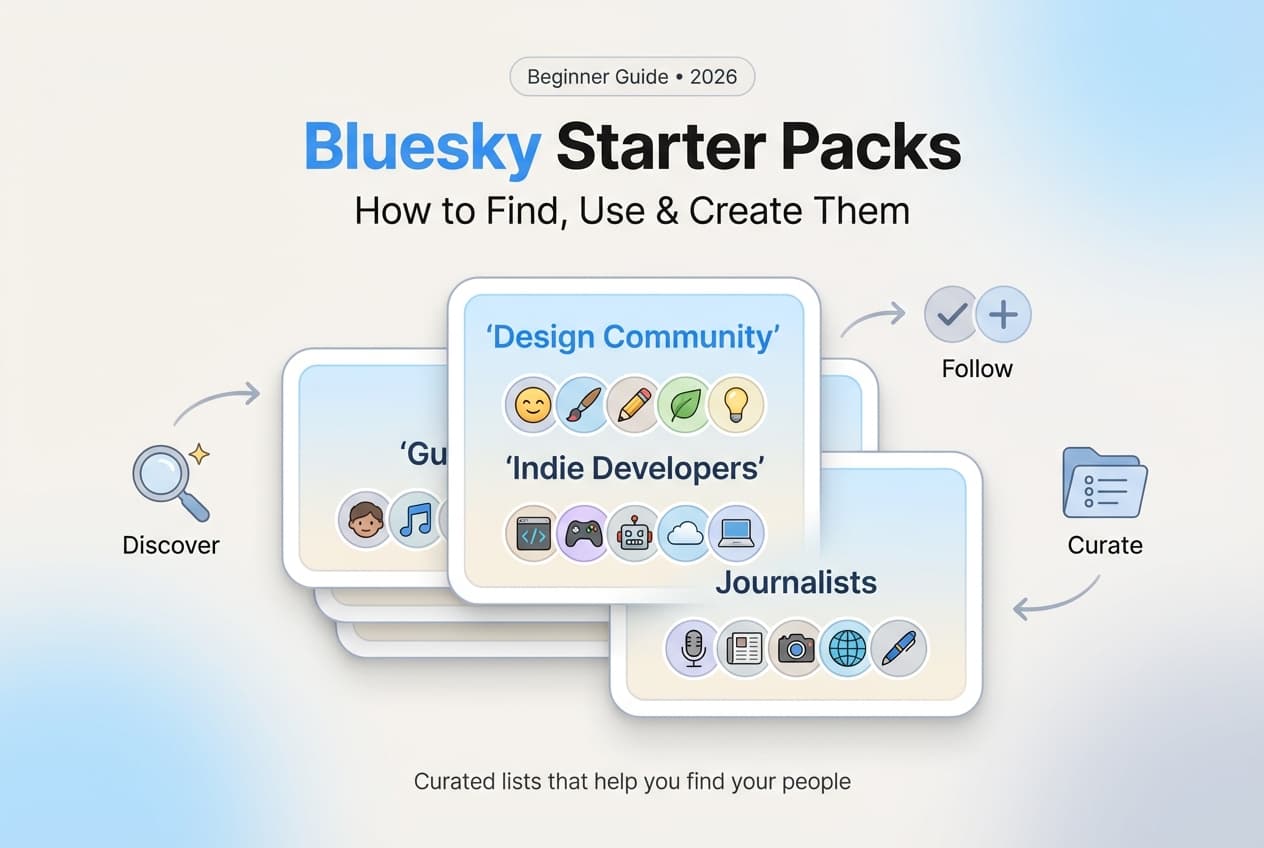
Bluesky starter packs help you find great accounts to follow fast. We show how to find packs, use them, and create your own to get discovered.

Quick answer
Bluesky starter packs are shareable lists of recommended accounts that help new users quickly find and follow people in specific niches.
- •Starter packs can include up to 150 accounts and appear on your Bluesky profile
- •Creating a starter pack for your niche helps you get discovered by new users
- •Share starter pack links on other platforms to drive Bluesky sign-ups
- •Schedule Bluesky content with Schedulala for $9/month; one of the few tools supporting Bluesky
You just joined Bluesky. Your feed is empty. Who should you follow?
This is the cold start problem every new user faces. Starter packs solve it.
Bluesky starter packs are curated lists of accounts bundled together for easy following. One click, and you've got a populated feed full of quality content.
But starter packs aren't just for newcomers. They're also a powerful growth tool for creators who want to get discovered.
Try Schedulala for free
Schedule posts to Bluesky, Twitter, and 8 other platforms from one dashboard.
Get started for free→What Are Bluesky Starter Packs?
The Basics
A starter pack is a curated collection of Bluesky accounts that anyone can create and share. Think of them as "follow lists" with a theme.
Examples include:
- Tech journalists and writers
- Indie game developers
- Data science community
- Chicago sports fans
- Climate scientists
- Photography enthusiasts
Unlike algorithmic recommendations, starter packs are human-curated. Someone who knows a community hand-picked these accounts. That's why they tend to surface higher-quality follows than automated suggestions. For more ways to discover content, check out Bluesky custom feeds.
How to Find Starter Packs
There are several ways to discover starter packs on Bluesky:
1. Search Within Bluesky
Use Bluesky's search function to find starter packs. Search for topics you're interested in plus "starter pack" — like "photography starter pack" or "science starter pack."
People often share their starter packs as posts, so searching surfaces these announcements.
2. Bluesky Directory
Visit blueskydirectory.com/starter-packs to browse categorized starter packs. The directory organizes packs by topic, making it easy to find communities that match your interests.
3. Check Profiles You Follow
Many active Bluesky users create starter packs for their communities. Check the profiles of accounts you already follow — they may have created starter packs listed in their bio or pinned posts.
4. Ask Your Network
Post asking for starter pack recommendations. The Bluesky community is helpful, and you'll often get relevant suggestions from your followers or people who see the post in feeds.
How to Use a Starter Pack
Using a starter pack is straightforward:
Step 1: Open the Starter Pack
Click any starter pack link. You'll see a page showing all the accounts included in the pack, along with a description of the pack's theme.
Step 2: Review the Accounts
Scroll through the list. Each account shows their name, handle, bio, and follower count. Take a moment to see if these accounts match what you're looking for.
Step 3: Follow All or Select
You have two options: click "Follow All" to follow everyone in the pack at once, or individually follow only the accounts that interest you. Both approaches work fine.
Don't feel pressured to follow everyone. Following fewer, more relevant accounts leads to a better feed experience than following hundreds you'll eventually mute.
How to Create Your Own Starter Pack
Creating a starter pack is a great way to contribute to the community and get discovered by new users. Here's how:
Step 1: Go to Your Profile
Open your Bluesky profile by tapping your avatar or navigating to your profile page.
Step 2: Access Starter Packs
Look for the "Starter Packs" tab on your profile (between Lists and Feeds on desktop, or in the menu on mobile). Click "Create new" or the plus button.
Step 3: Add a Name and Description
Give your starter pack a clear, descriptive name that tells people exactly what to expect. Write a short description explaining who these accounts are and why someone might want to follow them.
Step 4: Add Accounts
Search for accounts to include. You can add up to 50 accounts per starter pack. Choose accounts that are active, post quality content, and fit your pack's theme.
Step 5: Share Your Pack
Once created, share the link to your starter pack. Post it on Bluesky, add it to your bio, share it in relevant communities. The more visibility, the more people will use it.
Be specific. "Tech People" is too vague. "iOS App Developers" or "AI Researchers" tells people exactly what they're getting. Specific packs attract the right followers.
Starter Pack Best Practices
For Finding Packs
- Start with packs in your professional field or main interests
- Look for packs created by respected accounts in your niche
- Try multiple packs — you can always unfollow later
- Check the pack creator's own posting history as a quality signal
For Creating Packs
- Only include active accounts that post regularly
- Aim for 15-30 accounts — enough variety without overwhelming
- Update your pack occasionally to remove inactive accounts
- Include accounts at different follower levels, not just big names
- Get permission before adding accounts (a courtesy, not required)
For Getting Included in Packs
- Post consistently about your niche topic — need ideas? See our Bluesky content ideas
- Engage genuinely with your community
- Make your bio clear about what you post about
- Create value — people add accounts that make their packs better
Why Starter Packs Matter for Growth
Starter packs are one of the most underrated growth tools on Bluesky.
When someone uses a starter pack that includes you, they follow you without you doing any outreach. It's passive growth from people who are actively seeking accounts like yours.
The key is getting included in relevant packs. This means being visible, being active, and being genuinely valuable to your community.
For more strategies on building your Bluesky presence, check out our guide on how to grow your Bluesky following.
See It in Action
This is what scheduling a Bluesky post looks like in Schedulala
Starter Pack Ideas by Niche
Looking for inspiration? Here are starter pack ideas for different niches:
| Category | Starter Pack Ideas |
|---|---|
| Professional | SaaS founders, Product managers, UX designers, Data analysts, Marketing professionals |
| Geographic | NYC tech scene, Berlin startups, Australian creators, UK journalists |
| Interest-based | Vinyl collectors, Film photographers, Book reviewers, Coffee enthusiasts |
| Industry | Climate tech, Healthcare innovation, Fintech builders, EdTech founders |
| Creative | Digital artists, Game developers, Musicians, Writers and authors |
Frequently Asked Questions
How many accounts can be in a starter pack?
Bluesky allows up to 50 accounts per starter pack. For best results, aim for 15-30 accounts — enough variety to be useful, but not so many that quality suffers.
Can I edit my starter pack after creating it?
Yes. You can add or remove accounts, update the name, and change the description anytime. It's good practice to periodically review and update your packs.
Do accounts know when they're added to a starter pack?
No, Bluesky doesn't send notifications when someone adds you to a starter pack. Some creators let accounts know as a courtesy, but it's not required.
Can I create multiple starter packs?
Yes. You can create as many starter packs as you want. Some users create several packs for different topics or sub-niches within their expertise.
Are starter packs public?
Yes, all starter packs are public. Anyone can see and use any starter pack if they have the link.
Do starter packs update automatically?
No. If accounts change their handle, go inactive, or leave Bluesky, the pack doesn't update automatically. The creator needs to manually update the pack.
Start Using Starter Packs Today
Starter packs make Bluesky immediately useful. Whether you're a new user building your first feed or a creator looking to grow your audience, they're worth your attention.
Your action plan:
- Find and follow 2-3 starter packs in your niche today
- Create one starter pack featuring accounts you genuinely recommend
- Share your pack and encourage others to use it
Ready to schedule your Bluesky content? Learn how to schedule posts on Bluesky and build consistency alongside your new community.
Try Schedulala for free
Schedule posts to Bluesky, Twitter, and 8 other platforms from one dashboard.
Get started for free→