Bluesky Verification: How to Get Verified on the Decentralized Social Platform
Learn how Bluesky verification works through domain handles and custom feeds. Step-by-step guide to proving your identity on the decentralized platform.

Quick answer
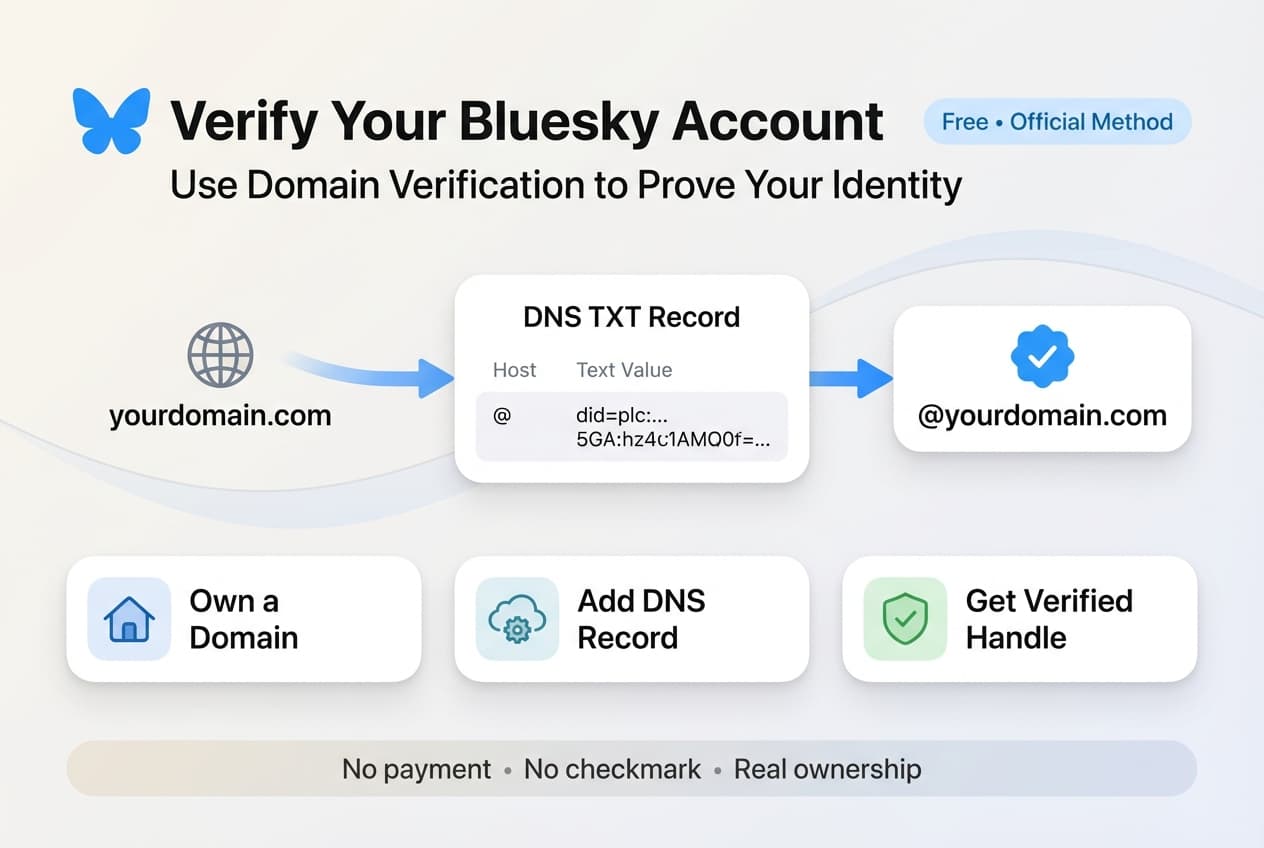
Verify your Bluesky account for free by setting your custom domain as your handle, proving you own the domain.
- •Bluesky verification is free and uses domain-based identity (e.g., yourname.com as your handle)
- •Add a DNS TXT record pointing to your Bluesky DID to verify domain ownership
- •No application process or blue checkmark fees like Twitter/X
- •Domain verification proves identity more reliably than a paid badge system
Bluesky doesn't have blue checkmarks. If you came here expecting a form to fill out or a subscription to buy, I've got news for you: verification on Bluesky works completely differently from what you're used to on other platforms. See our Bluesky scheduling guide.
See It in Action
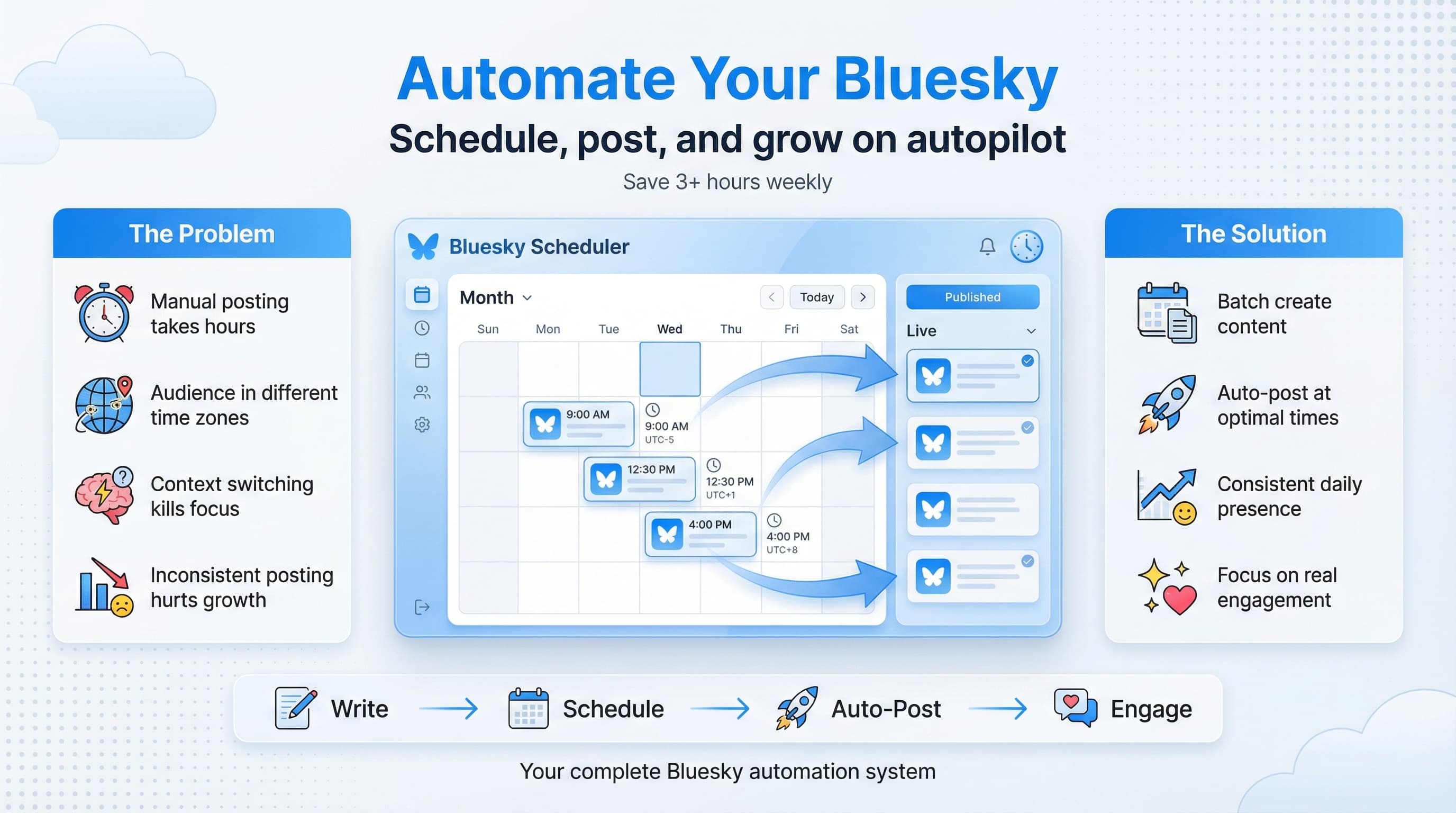
This is what scheduling a Bluesky post looks like in Schedulala
And honestly? It's better this way.
Instead of relying on a centralized authority to declare who's "real" and who isn't, Bluesky uses a system called domain verification. You prove you're legitimate by linking your account to a domain you actually own. No monthly fees. No mysterious approval committees. No paying $8 to get a checkmark that means nothing. Our batch content creation can help.
But here's the thing: most guides on this topic either overcomplicate the technical bits or skip the context entirely. So let's fix that. I'll walk you through exactly how Bluesky verification works, why it matters, and the step-by-step process to verify your own account, whether you're an individual creator, a business, or a journalist trying to establish credibility. Learn more about how to repurpose content.
Try Schedulala for free
Schedule posts to Bluesky, Twitter, and 8 other platforms from one dashboard.
Get started for free→Why Bluesky verification is different from Twitter/X
Let's start with the obvious comparison. On Twitter (now X), verification used to mean something. A blue checkmark indicated that the platform had confirmed your identity, usually because you were a public figure, journalist, or notable organization. Then Elon Musk turned it into a paid subscription, and suddenly anyone with $8 could have a checkmark. The signal became noise. See our scheduling across platforms guide.
Bluesky took a fundamentally different approach. The platform is built on the AT Protocol, which is designed to be decentralized and user-controlled. This philosophy extends to verification. Instead of Bluesky deciding who's worthy of a checkmark, they let you prove your identity through domain ownership. Try our bluesky bio generator.
The logic behind domain verification
Think about it this way: if someone claims to be The New York Times, the easiest way to verify that claim is to check if they control nytimes.com. If they can modify DNS records for that domain, they almost certainly are who they say they are. No corporation is going to let random people edit their domain settings. Learn more about bluesky line break generator.
This approach has several advantages. It's decentralized, meaning Bluesky doesn't have to manually review verification requests. It's tamper-proof, since you can't fake domain ownership without actually controlling the domain. And it's transparent, because anyone can check who owns a domain through WHOIS lookups.
The downside? It requires you to own a domain. If you're just a regular person without a website, traditional domain verification might not be for you. But don't worry, there are other options we'll cover.
Understanding Bluesky handles and how they work
Before we get into the verification process, you need to understand how Bluesky handles work. When you first create an account, you get a handle like @yourname.bsky.social. That ".bsky.social" part is a subdomain of Bluesky's own domain.
But handles on Bluesky aren't permanent or fixed. They're just pointers to your account, and you can change them anytime. More importantly, you can use ANY domain you control as your handle. This is the foundation of Bluesky's verification system.
What your handle actually represents
Your Bluesky handle is essentially a human-readable address for your account. Behind the scenes, your account has a permanent identifier called a DID (Decentralized Identifier) that never changes. The handle is just a convenient way for people to find you.
When you set a custom domain as your handle, you're telling the Bluesky network: "The domain example.com points to my account." The network then checks the domain's DNS records to confirm this is true. If the records match, you get to use that domain as your handle.
This is why domain verification works. Anyone can claim to be example.com, but only the person who controls that domain can add the necessary DNS records to prove it.
| Handle Type | Example | Verification Status | Best For |
|---|---|---|---|
| Default Bluesky | @yourname.bsky.social | Unverified | Casual users, getting started |
| Personal domain | @yourname.com | Domain verified | Creators, professionals |
| Company domain | @yourcompany.com | Domain verified | Businesses, organizations |
| Subdomain | @yourname.company.com | Domain verified | Employees, team members |
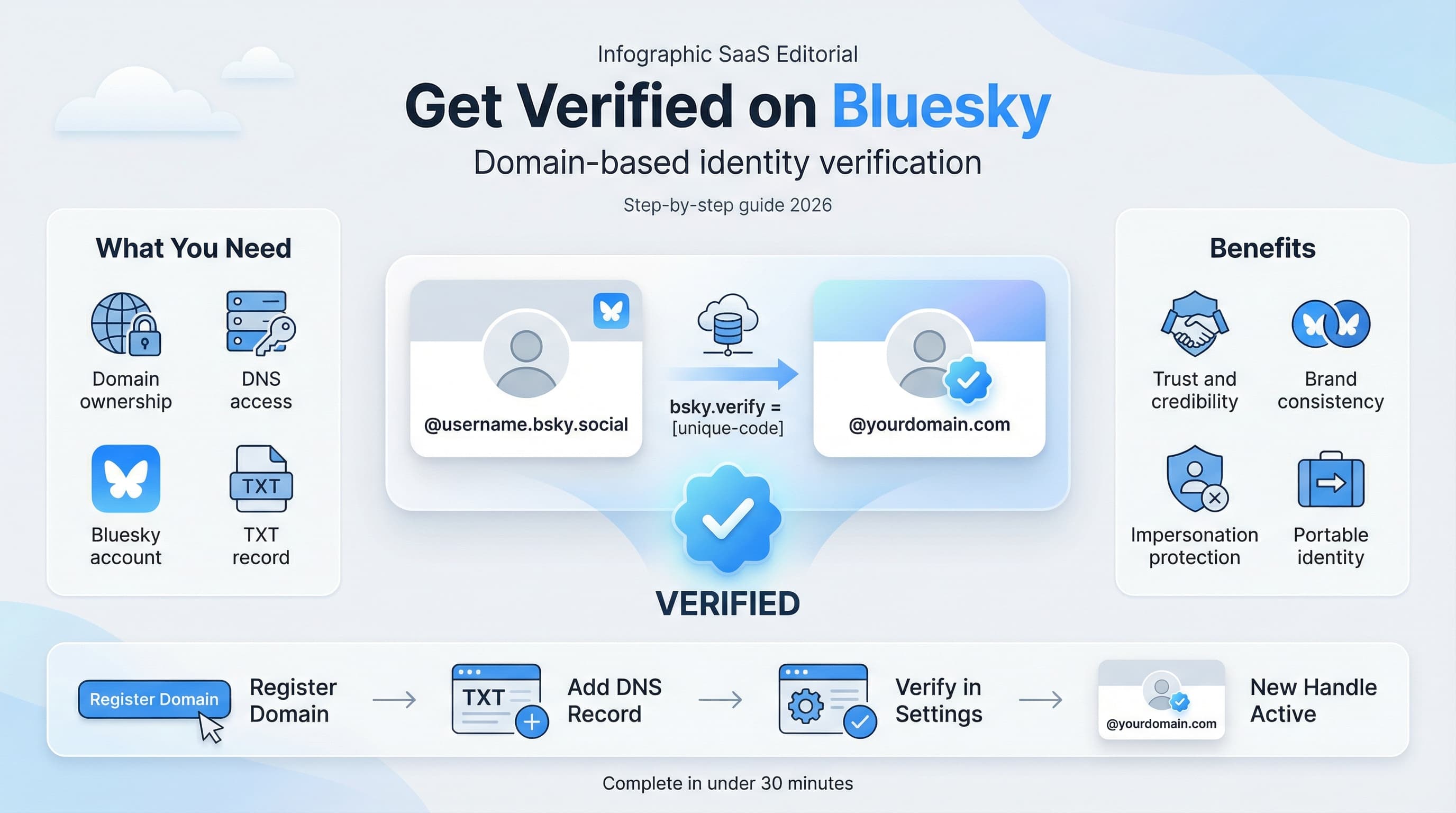
Step-by-step: How to verify your Bluesky account with a domain
Ready to get verified? Here's exactly how to do it. I'll break this down into clear steps, with screenshots and troubleshooting tips for common issues.
Step 1: Get a domain (if you don't have one)
First, you need to own a domain. If you already have a personal website or business domain, you're set. If not, you'll need to register one.
Popular domain registrars include Namecheap, Google Domains (now Squarespace Domains), GoDaddy, Cloudflare Registrar, and Porkbun. Prices typically range from $10 to $20 per year for common extensions like .com or .net. Newer extensions like .io or .dev tend to cost more.
Pick something that represents you. For individuals, your name is usually the best choice. For businesses, use your brand name. Keep it short and memorable since this will become your Bluesky handle.
Step 2: Access your Bluesky settings
Log into Bluesky and navigate to Settings. On the mobile app, tap the menu icon and select Settings. On the web, click your profile picture and choose Settings from the dropdown.
Look for the "Handle" or "Change Handle" option. This is where you'll initiate the verification process. Click on it to see your current handle and options for changing it.
Step 3: Select 'I have my own domain'
Bluesky gives you two options for changing your handle. The first is to choose a different .bsky.social username. The second is "I have my own domain." Select the second option.
You'll be prompted to enter the domain you want to use. Type in your domain name without the @ symbol or any prefixes. Just enter something like "yourname.com" or "yourbusiness.com".
Step 4: Add the DNS record
This is where things get slightly technical, but it's not as scary as it sounds. Bluesky will show you a specific DNS record you need to add to your domain. It'll look something like this:
Type: TXT
Host: _atproto
Value: did=did:plc:abcd1234xyz (your actual DID will be different)
Copy this information exactly. Now you need to add it to your domain's DNS settings through your registrar or hosting provider. Log into wherever you manage your domain (Namecheap, Cloudflare, etc.) and find the DNS settings or Zone Editor.
Add a new TXT record with the host "_atproto" and paste the full DID value that Bluesky provided. Save the record.
Step 5: Verify the domain in Bluesky
Once you've added the DNS record, go back to Bluesky's handle settings and click "Verify." Bluesky will check your domain's DNS records to confirm the TXT record exists and contains your DID.
If everything is set up correctly, your handle will immediately change to your domain. Congratulations, you're now verified on Bluesky!
If verification fails, double-check that you entered the TXT record correctly. Common mistakes include adding "@" or other characters to the host field, copying the DID value incorrectly, or not waiting long enough for DNS propagation.
Alternative verification methods on Bluesky
Domain verification is the gold standard, but it's not the only way to establish credibility on Bluesky. Let's look at some alternatives, especially if buying a domain isn't feasible for you.
GitHub verification
If you're a developer or have a GitHub presence, you can use your GitHub username as verification. Bluesky supports using GitHub Pages domains as handles, so you could become @username.github.io.
This works similarly to custom domain verification. GitHub lets you add custom DNS records to your github.io subdomain, which Bluesky can then verify. It's free and doesn't require buying a domain, though it's most relevant for people with an existing GitHub presence.
Subdomain verification for organizations
If you work for a company or organization that's already verified on Bluesky, they can give you a subdomain handle. For example, if your company is @company.com, you might become @yourname.company.com.
This is particularly useful for journalists, where news organizations can verify their reporters. If you see @journalist.nytimes.com, you can be confident that person actually works for The New York Times.
To set this up, the domain owner needs to configure their DNS to allow subdomains for employee verification. This requires a bit of technical setup on the organization's end, but it provides strong credibility signals for team members.
Community-based verification through feeds
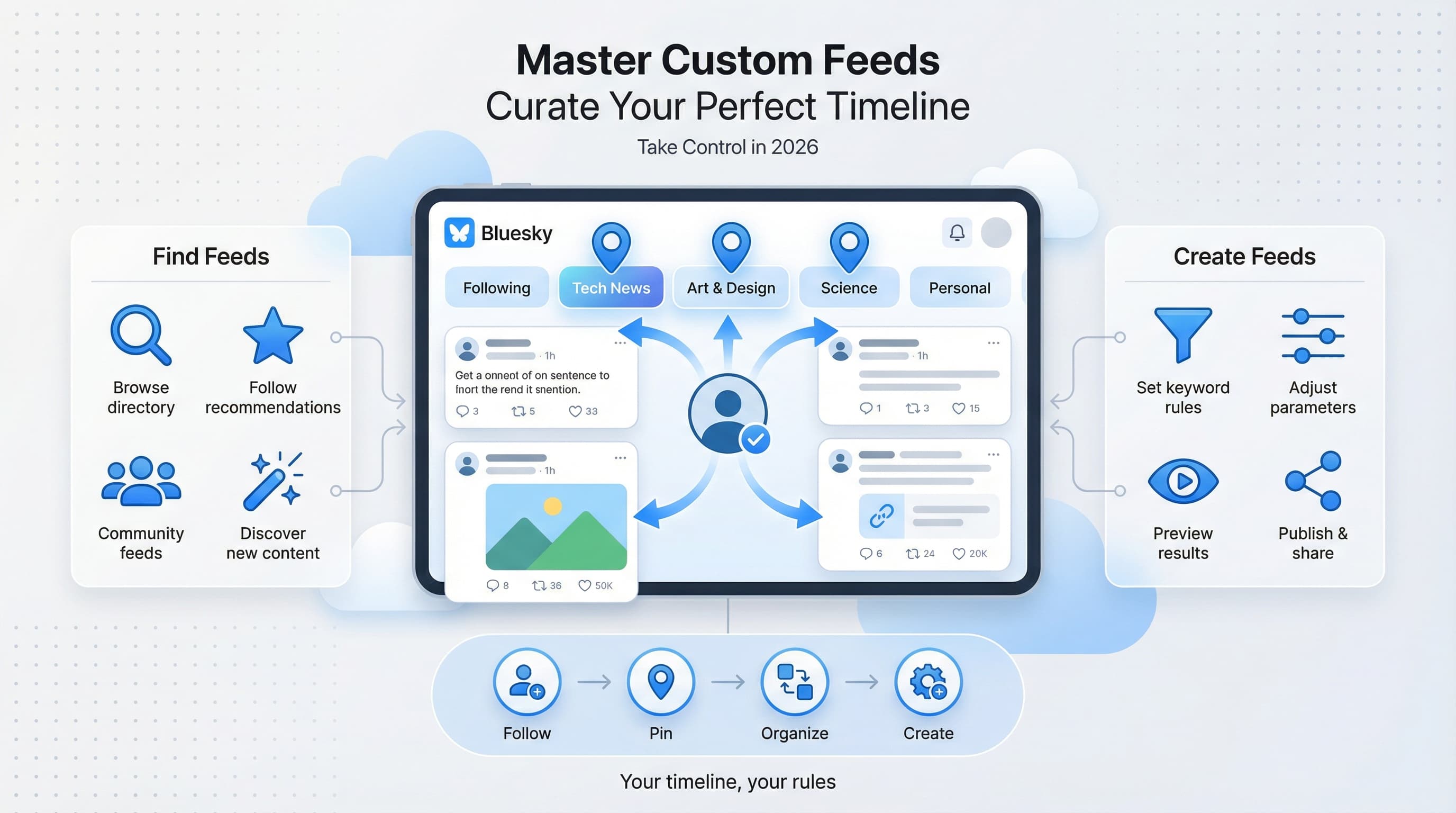
Bluesky has a unique feature called custom feeds, which are algorithmically curated timelines that anyone can create. Some communities have created verification feeds that only include accounts they've manually confirmed as legitimate.
For example, there might be a "Verified Journalists" feed maintained by a trusted organization, or a "Verified Artists" feed curated by an art community. Being included in these feeds provides social proof even if you don't have a custom domain.
This isn't as strong as domain verification, but it's a viable option for people who can't or don't want to set up a custom domain.
Common mistakes to avoid during Bluesky verification
I've seen people struggle with domain verification for reasons that are completely avoidable. Here are the most common pitfalls and how to sidestep them.
Mistake #1: Wrong DNS record type
Bluesky requires a TXT record, not a CNAME or A record. This is a common confusion because different DNS records look similar in the settings panel. Make absolutely sure you're creating a TXT record.
If you accidentally create a CNAME record with the same information, it won't work. Delete it and create a proper TXT record instead.
Mistake #2: Including extra characters in the host field
When adding the DNS record, the host should be exactly "_atproto". Not "_atproto.yourdomain.com" or "@_atproto" or anything else. Just "_atproto".
Some DNS providers automatically append your domain to the host field. So if you enter "_atproto", it might display as "_atproto.yourdomain.com" in the interface. This is usually fine. But if you enter "_atproto.yourdomain.com" and it becomes "_atproto.yourdomain.com.yourdomain.com", that's wrong.
Mistake #3: Impatience with DNS propagation
DNS changes can take up to 48 hours to propagate, though most happen much faster. If verification fails immediately after adding the record, wait 30 minutes and try again. If it still fails after an hour, then start troubleshooting.
You can use tools like whatsmydns.net to check if your TXT record has propagated globally. Search for "_atproto.yourdomain.com" with record type TXT to see if the record is visible.
Mistake #4: Forgetting to renew the domain
Once you're verified with a domain, that domain becomes your identity on Bluesky. If you let the domain expire, you lose your verified handle. Worse, someone else could potentially register the domain and claim to be you.
Set up auto-renewal for any domain you use for identity verification. The small annual cost is worth the security.
Benefits of being verified on Bluesky
So why go through all this trouble? What does verification actually get you on Bluesky?
Credibility and trust
The most obvious benefit is credibility. When your handle is @yourbusiness.com instead of @randomuser.bsky.social, people immediately know you control that domain. For journalists, this is particularly valuable since readers can verify that @journalist.newsoutlet.com actually works for that news organization.
This matters more as Bluesky grows. Impersonation accounts become more common on any platform with significant reach. Domain verification makes impersonation much harder.
Brand consistency
Using your domain as your handle creates consistency across your online presence. Your website, email, and social media all share the same domain. This reinforces your brand every time someone sees your handle.
For businesses, this is especially valuable. Your Bluesky presence becomes an extension of your website rather than a separate identity on a third-party platform.
Portability and independence
Here's something unique to Bluesky: because the platform is built on the AT Protocol, your identity isn't locked to Bluesky itself. If another service builds on the same protocol, your verified domain handle could potentially work there too.
This is the promise of decentralized social media. Your identity travels with you, not controlled by any single platform. Domain verification makes this portable identity more credible.
| Verification Benefit | For Individuals | For Businesses |
|---|---|---|
| Trust signals | People know you're real | Customers trust your brand |
| Impersonation protection | Hard to fake your identity | Protects brand reputation |
| Brand consistency | Professional appearance | Unified online presence |
| Discoverability | Memorable handle | Easy for customers to find |
Verification strategies for different users
Your approach to Bluesky verification should depend on who you are and what you're trying to accomplish. Here's my advice for different types of users.
For individual creators and influencers
Register a personal domain with your name if you haven't already. Something like firstname-lastname.com or even firstnamelastname.com works great. This becomes your verified handle and can also host your portfolio or personal website.
The investment is minimal (under $20 per year) and the credibility boost is significant. As Bluesky grows, having a verified domain handle will distinguish you from the crowd.
For businesses and brands
Use your primary business domain. If you're example.com everywhere else online, be @example.com on Bluesky. This is straightforward and creates instant brand recognition.
Also consider setting up subdomain verification for key team members. Your CEO could be @ceo.example.com and your support team could be @support.example.com. This creates a verified organizational presence.
For journalists and media professionals
Work with your news organization to get a subdomain handle. Being @yourname.newsoutlet.com is powerful verification that you actually represent that outlet. Many major news organizations are already doing this on Bluesky.
If your outlet hasn't set this up yet, advocate for it internally. Point to examples of other news organizations using subdomain verification successfully.
For casual users
Domain verification might be overkill if you're just using Bluesky casually. The default .bsky.social handle works fine for personal use. Focus on building genuine connections and posting interesting content instead of worrying about verification.
That said, if you ever want to establish a more professional presence, getting a personal domain is a good investment regardless of Bluesky.
Managing your verified Bluesky presence
Getting verified is just the start. Now you need to actually use your Bluesky account effectively. Here are some tips for maintaining and growing your verified presence.
Post consistently
Verification means nothing if your account is dead. Post regularly to give people a reason to follow you. Share your expertise, engage with others, and be an active participant in the Bluesky community.
If managing multiple social platforms feels overwhelming, consider using scheduling tools to maintain consistency. Planning your content in advance ensures you stay active even during busy periods.
Cross-promote your verified handle
Update your other social profiles, email signature, and website to include your Bluesky handle. The more places people see @yourdomain.com, the more recognition your verified presence gets.
Add a Bluesky link to your website, especially if the domain matches your handle. This creates a virtuous cycle where visitors to your site discover your Bluesky presence and vice versa.
Monitor for impersonation
Even with domain verification, impersonators might try to create similar handles to confuse people. Periodically search for variations of your handle or name to catch impersonation attempts early.
If you find an impersonator, report them to Bluesky. The platform takes impersonation seriously, especially when it affects verified accounts.
The future of verification on decentralized platforms
Bluesky's approach to verification points toward a broader shift in how online identity might work. Instead of trusting platforms to verify us, we verify ourselves through domain ownership and cryptographic proofs.
This model has interesting implications. As more services adopt similar approaches, your domain becomes your portable identity across the internet. Prove you control a domain once, and that proof works everywhere that recognizes it.
We're still early in this transition. Most people don't own personal domains, and the DNS system wasn't designed for identity verification. But as user-friendly tools emerge and awareness grows, domain-based verification could become the standard way we prove who we are online.
For now, Bluesky is leading this charge in the social media space. Getting verified today puts you ahead of the curve.
Quick verification checklist
Before we wrap up, here's a quick checklist to make sure you have everything you need for successful Bluesky verification.
- Domain registered and under your control
- Access to your domain's DNS settings
- Bluesky account created and logged in
- TXT record with _atproto host and your DID value
- Patience to wait for DNS propagation (up to 48 hours)
- Domain auto-renewal enabled to maintain verification
Try Schedulala for free
Schedule posts to Bluesky, Twitter, and 8 other platforms from one dashboard.
Get started for free→