How to Verify Your Bluesky Account (Domain Verification)
Learn how to verify your Bluesky account using domain verification. Step-by-step guide to setting up a custom handle and proving your identity for free.

Quick answer
Verify your Bluesky account for free by setting a custom domain as your handle through a DNS TXT record.
- •Change your Bluesky handle to your domain (e.g., yourname.com) for free verification
- •Add a DNS TXT record with your Bluesky DID to prove domain ownership
- •No application process, no fees, and no waiting period unlike Twitter/X verification
- •Domain handles serve as a trust signal since anyone can verify domain ownership
Want to verify your Bluesky account? Good news: there are actually two ways to do it.
Unlike Twitter's paid blue checkmark, Bluesky offers free verification through domain handles — plus a newer badge system for notable accounts.
This guide walks you through both options step by step.
Try Schedulala for free
Schedule posts to Bluesky, Twitter, and 8 other platforms from one dashboard.
Get started for free→Two Ways to Verify on Bluesky
Bluesky has two distinct verification systems. Here's how they differ:
| Feature | Domain Handles | Verification Badges |
|---|---|---|
| Cost | Free (+ domain cost) | Free |
| Who can get it | Anyone with a domain | Notable/authentic accounts |
| What it proves | Domain ownership | Identity verification by Bluesky |
| Visual indicator | Custom handle (@you.com) | Blue checkmark badge |
| Since | 2023 | April 2025 |
| How to get it | Self-service DNS setup | Application form |
Domain handles are great for anyone — they prove you own a domain and look professional. Verification badges are for notable figures, journalists, brands, and public accounts that Bluesky proactively verifies.
Option 1: Domain Verification (Custom Handles)
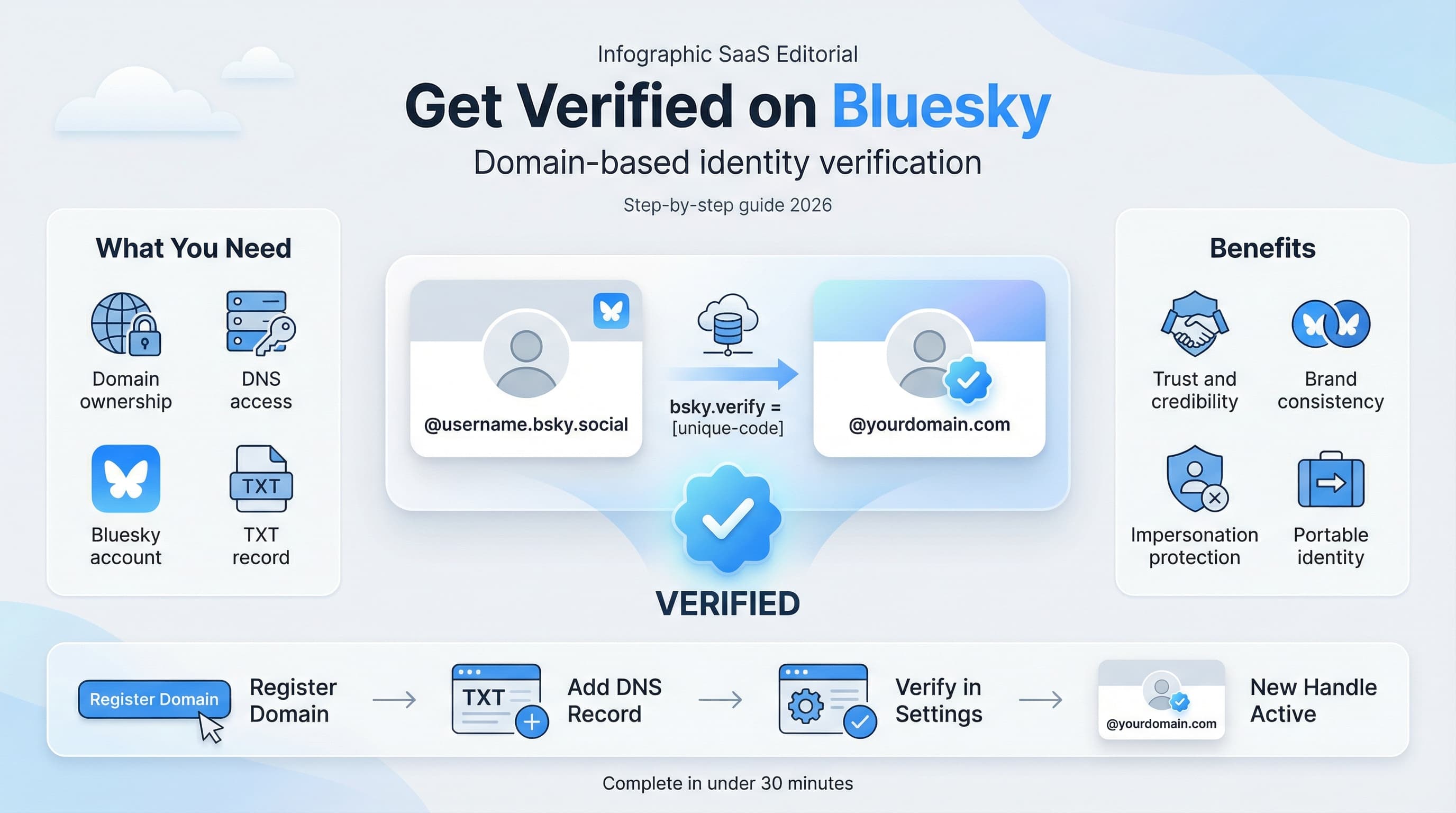
Domain verification lets you use your own domain as your Bluesky handle. Instead of @yourname.bsky.social, you become @yourname.com.
Why Domain Handles Are Powerful
- Actually proves identity — Only the domain owner can set this up
- Completely free — No subscription required
- Can't be faked — DNS records require domain access
- Looks professional — @company.com is more credible than @randomname.bsky.social
What You Need
- A Bluesky account (sign up at bsky.app)
- A domain you own (like yourname.com)
- Access to your DNS settings (through your registrar)
Step-by-Step: Domain Handle Setup
Step 1: Open Bluesky Settings
- Open the Bluesky app or go to bsky.app
- Click on your profile icon
- Go to Settings
- Select Account
- Click Handle
Step 2: Select 'I Have My Own Domain'
You'll see two options. Select "I have my own domain" and click it.
Step 3: Enter Your Domain
Enter the domain you want to use as your handle:
yourname.com— uses your root domainbluesky.yourcompany.com— uses a subdomainyou.yourname.com— personal subdomain
Step 4: Add the DNS Record
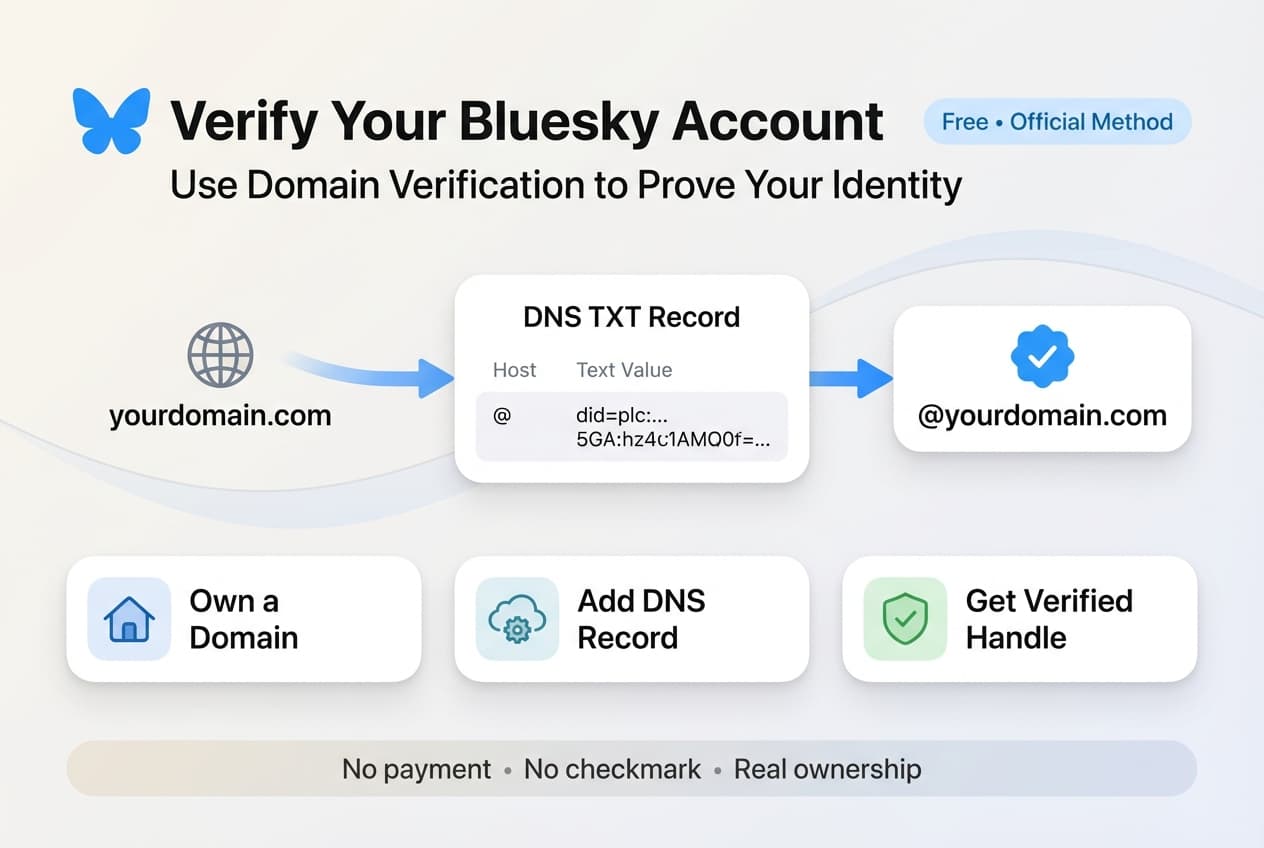
Bluesky will show you a DNS record to add. It looks something like:
Type: TXT
Host: _atproto
Value: did=did:plc:abc123xyz...
Step 5: Configure Your DNS
Log into your domain registrar and add the TXT record:
For Cloudflare: DNS → Add Record → Type: TXT, Name: _atproto, Content: paste the did value
For Namecheap: Domain List → Manage → Advanced DNS → Add New Record
For GoDaddy: My Products → DNS → Add Record
Step 6: Wait for DNS Propagation
DNS changes can take anywhere from a few minutes to 48 hours:
- Cloudflare: Almost instant
- Most registrars: 15-30 minutes
- Slow cases: Up to 24-48 hours
Step 7: Verify in Bluesky
Return to Bluesky's handle settings and click Verify DNS Record. If successful, your handle changes immediately.
Troubleshooting Domain Verification
DNS Record Not Found
- DNS hasn't propagated yet — wait 30 minutes and try again
- Wrong record type — make sure it's TXT, not CNAME or A
- Wrong host name — should be
_atproto(with underscore) - Typo in the value — copy-paste the exact
did=did:plc:...string
Using a Subdomain
If you want to use a subdomain like bsky.yourcompany.com, enter the full subdomain in Bluesky and add the DNS record to: _atproto.bsky as the host.
Multiple Team Members
Each person can use a different subdomain (e.g., jane.company.com, john.company.com). Each requires their own unique DNS TXT record.
Option 2: Verification Badges (Blue Checkmarks)
In April 2025, Bluesky introduced verification badges — the familiar blue checkmarks you see on other platforms. But unlike Twitter/X, these are free and actually verify identity.
How Badge Verification Works
Bluesky proactively verifies notable and authentic accounts. There are two types of badges:
- Standard Badges (Blue) — Verified by Bluesky's team as authentic and notable
- Trusted Verifier Badges (Scalloped) — Verified by organizations like The New York Times for their members
Verification badges are for notable public figures, journalists, brands, organizations, and accounts with significant public interest. You can apply, but Bluesky's moderation team reviews each application.
How to Apply for Badge Verification
To apply for a verification badge or to become a Trusted Verifier:
- Fill out the official verification application form
- Provide information about your account and why you should be verified
- Wait for Bluesky's moderation team to review your application
You can toggle badge visibility in Settings → Moderation → Verification Settings if you prefer not to display your badge publicly.
Domain Handle Examples
Here's what verified domain handles look like in practice:
| Type | Example Handle |
|---|---|
| Personal domain | @sarahsmith.com |
| Company domain | @schedulala.com |
| Personal subdomain | @sarah.smithfamily.com |
| Company team member | @sarah.bigcorp.com |
| Publication | @journalist.nytimes.com |
Should You Verify?
Get a Domain Handle If You...
- Are a business or brand
- Are a creator building a public presence
- Already own a domain
- Want to look more professional
- Plan to use Bluesky seriously for business
Apply for a Badge If You...
- Are a public figure or celebrity
- Are a journalist at a major publication
- Represent a well-known brand or organization
- Have significant public interest in your account
For most users, a domain handle is the way to go — it's free, proves ownership, and you can set it up yourself. Badge verification is for accounts with notable public presence.
See It in Action
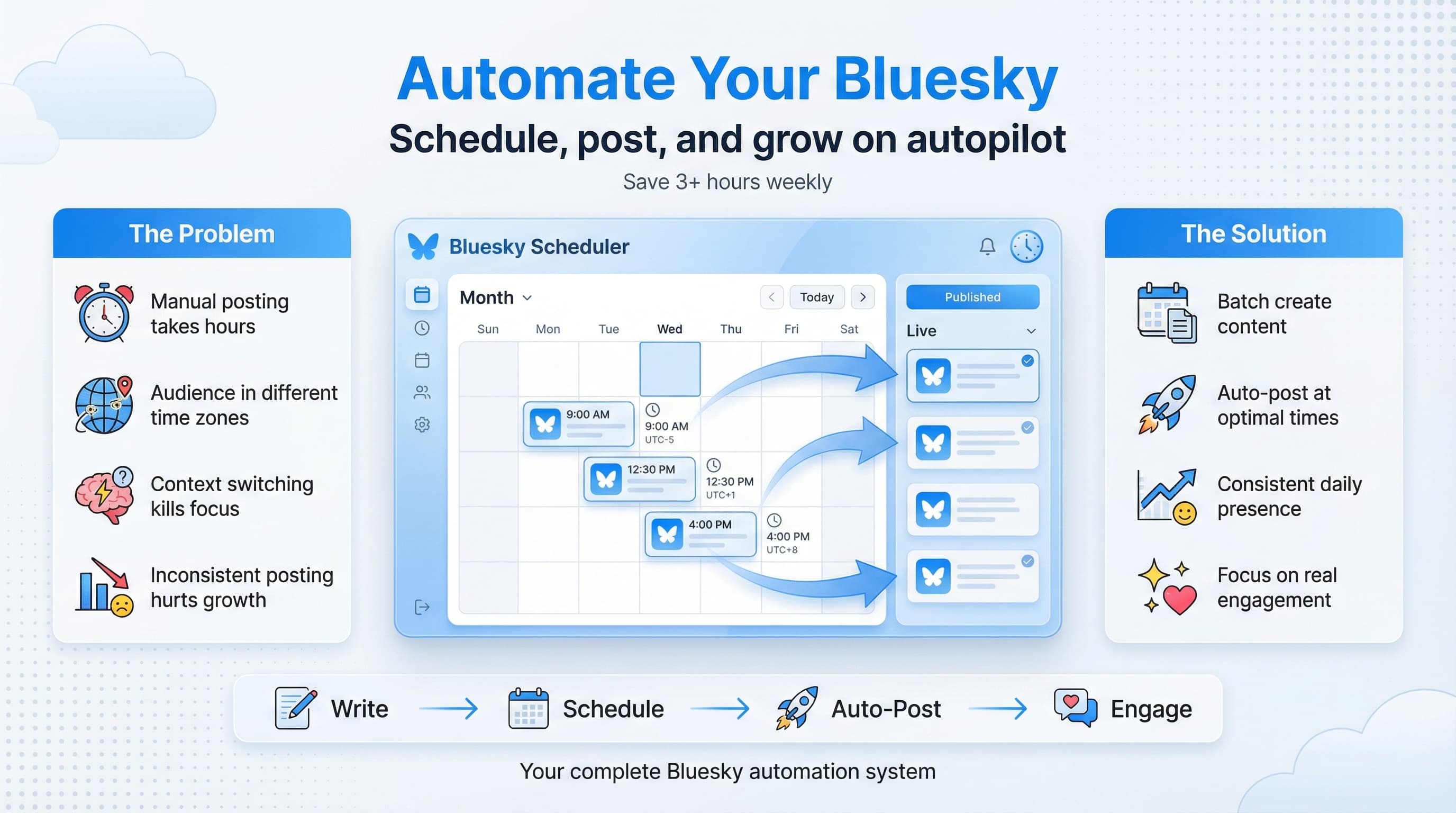
This is what scheduling a Bluesky post looks like in Schedulala
Frequently Asked Questions
Is Bluesky verification free?
Yes. Both domain verification and badge verification are completely free. Domain handles just require you to own a domain (typically $10-15/year).
Can I change my handle back?
Yes. You can switch between your domain handle and a .bsky.social handle at any time in settings.
How long does verification take?
Domain verification takes 5-10 minutes to set up, plus DNS propagation time (minutes to hours). Badge verification depends on Bluesky's review process.
Can multiple people use the same domain?
Yes, using subdomains. @jane.company.com and @john.company.com can both exist, each with their own DNS record.
Does verification help with reach?
Not directly — there's no algorithmic boost. But it improves credibility, which can help grow your following.
Get Verified Today
Whether you choose a domain handle or apply for a badge, verification is one of the easiest ways to boost your Bluesky credibility.
Here's your checklist:
- ✅ Decide: domain handle or badge (or both!)
- ✅ For domain: own a domain and access DNS settings
- ✅ For badge: fill out the application form
- ✅ Start building your presence with consistent content
Once verified, focus on building your presence with valuable content. Need help staying consistent? Schedule your Bluesky posts to keep the momentum going.
Try Schedulala for free
Schedule posts to Bluesky, Twitter, and 8 other platforms from one dashboard.
Get started for free→