Congratulations, Schedulala now has Workspaces
Workspaces are live. Drop each client into their own workspace and Schedulala's composer, calendar, analytics, and inbox all narrow to that client's accounts so you never cross-post again.

Quick answer
Workspaces let you organize Schedulala's accounts by client or persona, with one login. Switch into a workspace and the entire app filters to only that workspace's accounts.
- •Each workspace holds a subset of your connected accounts.
- •Composer, calendar, analytics, and inbox all follow the active workspace.
- •2 workspaces on Personal, 5 on Team, unlimited on Agency.
- •Manage workspaces from the sidebar dropdown or from Settings.
Workspaces are live.
If you've ever managed more than one social presence in Schedulala, you know the moment: you're about to post for a client, you double-check the account selector, and your stomach drops because there are eight chips and only four belong to this client. Workspaces fix that.
Try Schedulala for free
Schedule posts to Bluesky, Twitter, and 8 other platforms from one dashboard.
Get started for free→What a workspace actually is
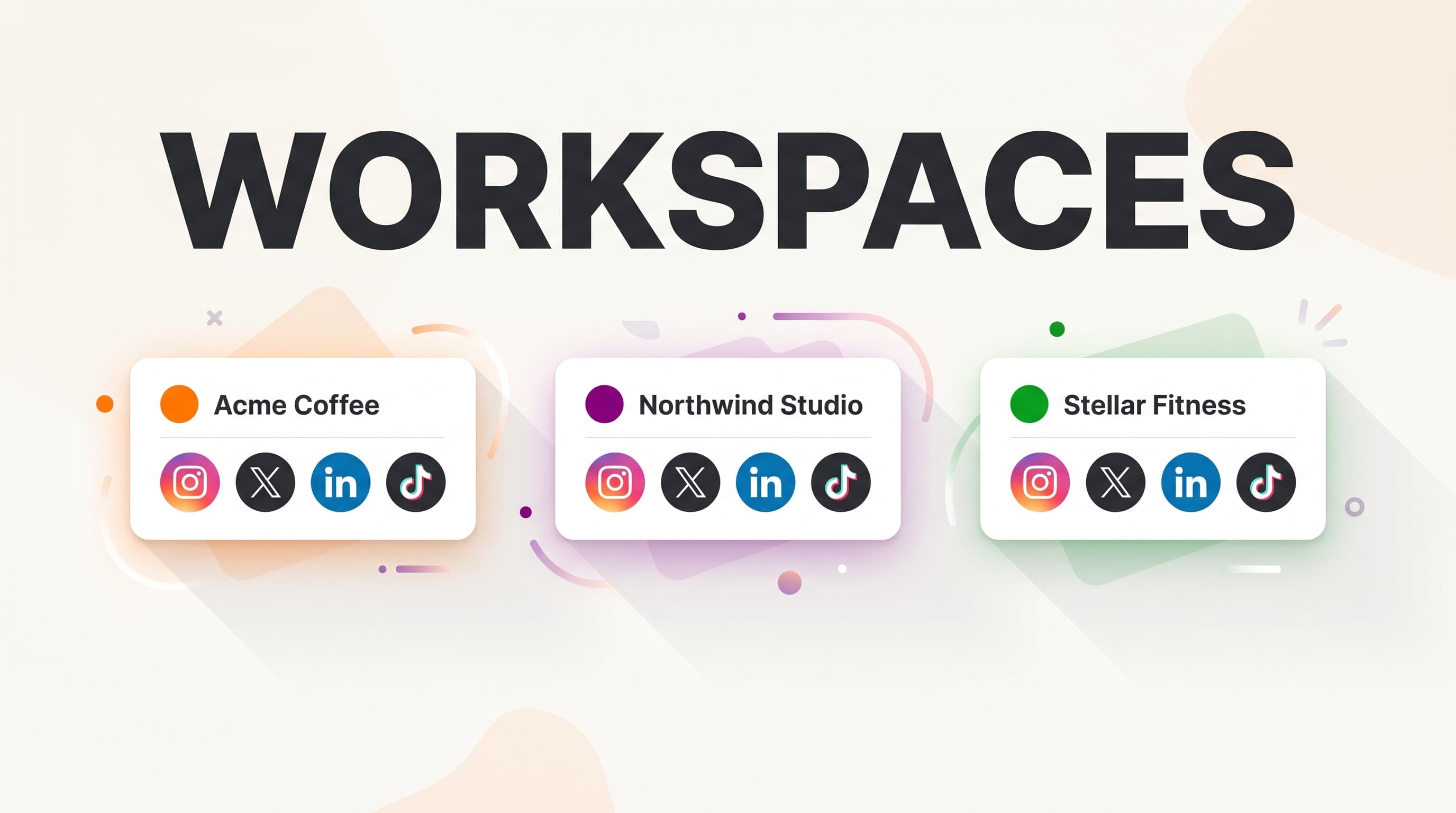
A workspace is a named bucket of your connected accounts. You make one called Acme Coffee, you assign their Instagram, X, LinkedIn page, and TikTok to it. Switch into the Acme Coffee workspace and the rest of Schedulala goes quiet for everyone else. The composer shows only Acme's four accounts. The calendar shows only Acme's posts. Analytics only pull Acme's numbers. Comments and the inbox only surface Acme's mentions and DMs.
Switch into another workspace and the app re-skins to that one. Same login. Same browser tab. Just a different room.
One login, separate worlds
The whole point is that you stop doing the mental tax of remembering which client owns which handle. The app does it. You pick a workspace and post.
Designed for the mistake you can't afford
Posting Client A's content to Client B's Instagram is one of those mistakes that costs more than time. Workspaces make that mistake structurally impossible while a workspace is active. The wrong accounts simply aren't on the screen.
Built on the accounts you already have
You don't reconnect anything. Workspaces sit on top of your existing connections. Make one in 30 seconds, tick the accounts that belong, save, switch in. Done.
How many workspaces do I get?
Workspace counts scale with your plan, because the people who need a lot of them tend to be people running a lot of clients.
- Personal ($9/mo): 2 workspaces. Enough to split a personal account from a business one.
- Team ($18/mo): 5 workspaces. Comfortable for small agencies, freelancers, or anyone juggling a handful of brands.
- Agency ($27/mo): Unlimited workspaces. If you're scaling client work, this is the tier.
Hit your cap and Schedulala will show you a clear upgrade path. No silent fails, no dead ends. The upgrade button takes you straight into the Stripe plan-change screen.
How to create your first workspace
From the sidebar
Look at the top of the left sidebar. There's a dropdown that says Show All Accounts by default. Click it. Click Create new workspace. Give it a name (your client's name works great), tick the accounts that belong to that workspace, save. You'll be switched in automatically.
From Settings
Or open Settings and find the Workspaces section. You'll see all your workspaces in one list with account counts and per-account previews. Edit or delete inline. It's the right place when you have several workspaces to manage at once.
Switching contexts
Once you have more than one workspace, the sidebar dropdown becomes your main switcher. Click the workspace you want and the entire app reflows. Click Show All Accounts at the top of the dropdown to see everything again.
The honest fine print
Workspaces are a visual filter, not a data wall. Backend behavior doesn't change. Your tokens, your scheduled posts, your analytics history, all of it stays exactly the same. We didn't partition anything in the database. The win is purely in how Schedulala behaves on your screen.
That's intentional. The point of workspaces is to make the everyday job of running multiple presences feel calm, not to introduce a new permission model. Everything you already have keeps working, you just get a much cleaner way to look at it.
One more thing
If you've been managing clients in one Schedulala account and feeling the friction, please go make a workspace right now. Two minutes. It will save you hours over the next month and probably one panic moment over the next year.
Thank you to everyone who emailed asking for this. You were right.
Ameer
Try Schedulala for free
Schedule posts to Bluesky, Twitter, and 8 other platforms from one dashboard.
Get started for free→