New Feature: Team Collaboration - Share Social Accounts With Your Team
Schedulala Teams lets you share social media accounts with teammates. Collaborate on content, manage permissions, and keep everyone in sync.

Quick answer
Schedulala Teams lets you invite teammates to shared social media accounts with role-based permissions for content creation and publishing.
- •Share social media accounts across your team without sharing login credentials
- •Role-based permissions control who can draft, schedule, and publish posts
- •Available on the Team plan ($49/month, up to 5 accounts on each platform with 3 team seats)
- •Collaborate on content across all 10 supported platforms from one dashboard
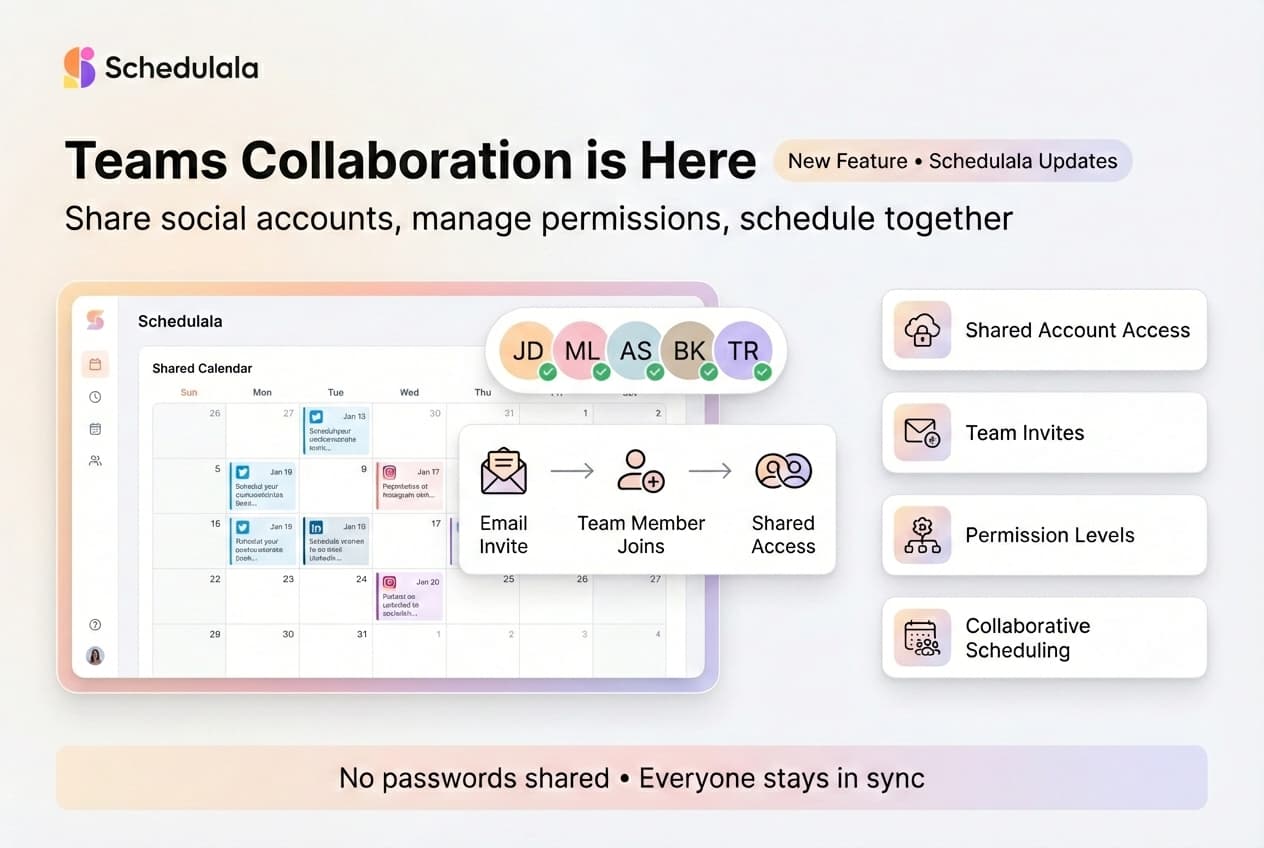
Managing social media as a team just got a lot easier. Schedulala Teams is here.
Now you can share your connected social accounts with teammates, collaborate on content, and schedule posts together — all without sharing passwords.
Try Schedulala for free
Schedule posts to Bluesky, Twitter, and 8 other platforms from one dashboard.
Get started for free→What You Can Do With Teams
Shared Account Access
Invite teammates to access your connected social accounts. Everyone on the team can view, create, and schedule posts to the same accounts.
No more sharing login credentials or passing around passwords. Each team member signs in with their own Schedulala account.
Team Invites & Management
Add team members by email. Remove them when they leave. You control who has access at all times.
Team owners can see all members, manage invitations, and revoke access instantly.
Collaborative Scheduling
Everyone on the team can create and schedule posts. No more bottlenecks waiting for one person to publish everything.
The calendar view shows all scheduled posts across the team, so you always know what's going out and when.
Permission Levels
Different roles for different needs. Team admins can manage members and settings. Editors can create and schedule content. Viewers can see the calendar without making changes.
Pricing
Teams is available on our Team and Agency plans:
- Team Plan ($18/month) — Up to 20 social accounts (2 per platform), team collaboration, priority support
- Agency Plan ($27/month) — Unlimited social accounts, team collaboration, dedicated support
See all pricing details and features.
Both plans include a 7-day free trial. Try Teams before you commit. Learn more about automating your social media workflow.
How to Get Started
If you're on the Team plan, you can start inviting teammates right now:
- Go to your Dashboard
- Click on "Teams" in the sidebar
- Enter your teammate's email address
- Send the invite
Your teammate will receive an email with a link to join your team. Once they accept, they'll have access to your shared accounts.
Check out our other recent features: Pinterest carousel posts and LinkedIn PDF carousels.
Try Schedulala for free
Schedule posts to Bluesky, Twitter, and 8 other platforms from one dashboard.
Get started for free→