YouTube Shorts SEO: The Complete Guide to Optimize for Discovery in 2026
Master YouTube Shorts SEO with proven optimization strategies. Learn keyword research, thumbnail design, and engagement tactics to boost discovery.

Quick answer
Optimize YouTube Shorts for discovery using keyword-rich titles, relevant hashtags, engaging thumbnails, and descriptions with search terms.
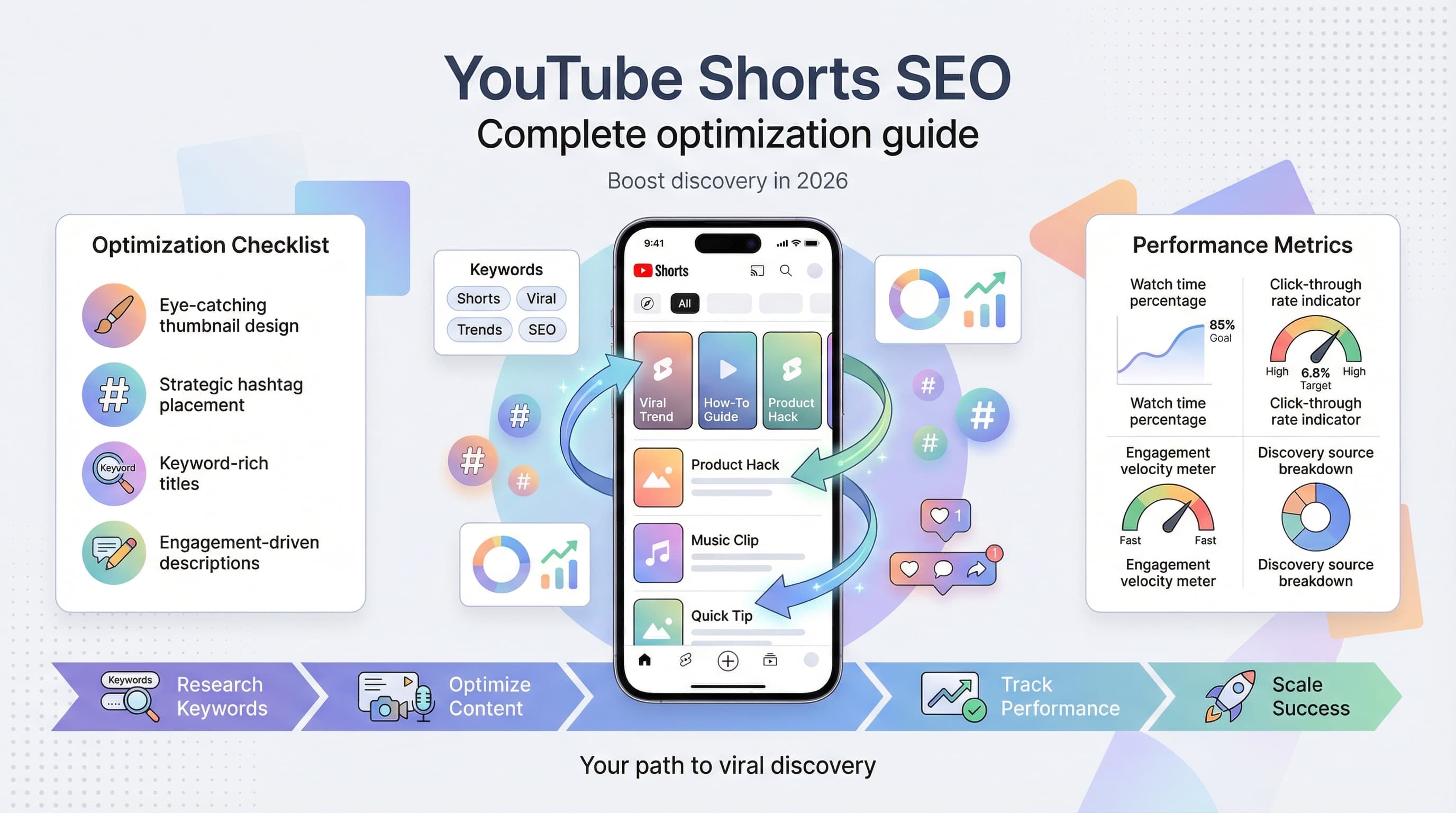
- •Include your target keyword in the Shorts title within the first 40 characters
- •Use 3-5 relevant hashtags including #Shorts for discoverability
- •YouTube indexes Shorts descriptions for search, so include natural keywords
- •Consistent posting (3-5 Shorts per week) signals the algorithm to distribute your content
Your YouTube Short has been live for three days, and it's sitting at 127 views. Try our YouTube scheduling.
See It in Action
This is what scheduling YouTube Shorts looks like in Schedulala
Meanwhile, you're watching creators with similar content pull in 50K+ views on videos that look like they were filmed in five minutes. Our scheduling across platforms can help.
What's the difference? YouTube Shorts SEO.
Try Schedulala for free
Schedule posts to Bluesky, Twitter, and 8 other platforms from one dashboard.
Get started for free→Why YouTube Shorts SEO matters in 2026
The algorithm shift
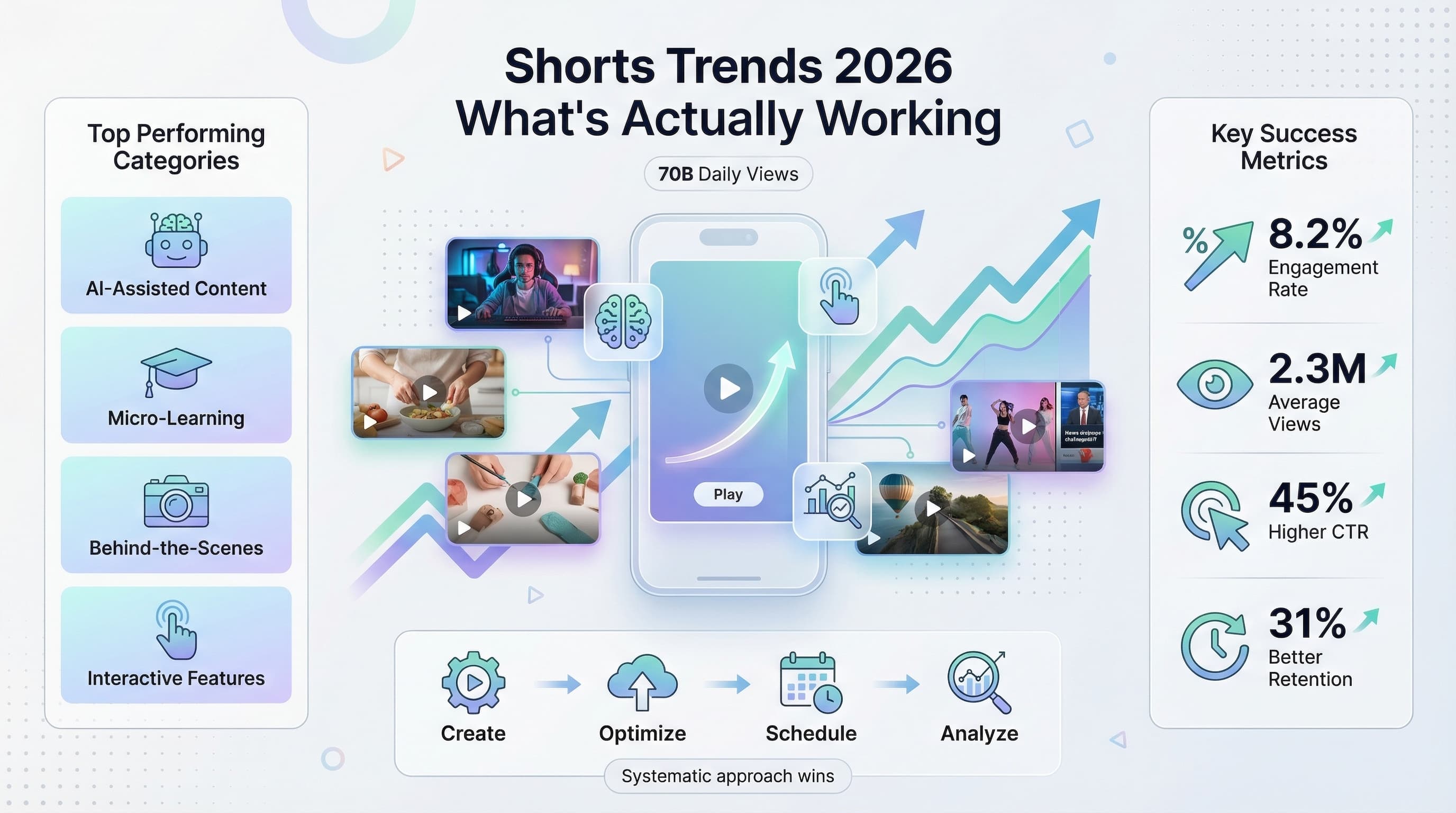
YouTube processes over 2 billion logged-in users monthly, and Shorts generate more than 70 billion daily views. The platform's algorithm has evolved beyond simple view metrics to prioritize discovery signals like watch time percentage, engagement velocity, and search relevance. Learn more about how to repurpose content.
Traditional long-form YouTube SEO tactics don't translate directly to Shorts. The discovery mechanism operates differently, emphasizing immediate engagement and completion rates over traditional ranking factors. Try our batch content creation.
Discovery vs. search
Unlike regular YouTube videos that rely heavily on search traffic, Shorts primarily surface through the Shorts shelf, homepage recommendations, and the dedicated Shorts feed. This means your SEO strategy needs to balance searchability with algorithm-friendly signals. See our best time to post on youtube guide.
The key difference: while long-form videos can succeed purely through search optimization, Shorts need to trigger the recommendation algorithm to achieve massive reach. Learn more about youtube character counter.
Keyword research for YouTube Shorts
Short-form keyword strategy
YouTube Shorts keywords behave differently than traditional YouTube searches. Users discover Shorts through browsing, not intentional searching, so your keyword strategy should focus on trending topics, evergreen entertainment, and quick educational content.
Start with YouTube's autocomplete function. Type your main topic followed by "shorts" and note the suggestions. These represent real user search patterns and current trending combinations.
Use tools like Google Trends to identify rising search terms in your niche. Set the filter to "YouTube Search" and look for queries with steady upward momentum over the past 90 days.
Hashtag research methodology
Unlike Instagram, YouTube hashtags serve as both discovery and categorization tools. Research shows that Shorts with 3-5 relevant hashtags perform better than those with more or fewer tags.
Study your successful competitors' hashtag strategies. Look at their top-performing Shorts and identify common hashtag patterns. Tools like VidIQ or TubeBuddy can show you hashtag performance data and related suggestions.
Mix broad and specific hashtags. Include one trending hashtag (#viral, #fyp), two niche-specific tags (#guitarlessons, #beginnercooking), and one branded hashtag if applicable.
| Keyword Type | Example | Purpose |
|---|---|---|
| Trending | #fyp #viral #trending | Algorithm discovery |
| Niche-specific | #guitarlesson #beginnerpiano | Targeted audience |
| Educational | #howto #tutorial #learn | Search visibility |
| Entertainment | #funny #comedy #satisfying | Broad appeal |
Optimizing titles for maximum click-through
Title structure that converts
YouTube Shorts titles should be front-loaded with your primary keyword and create immediate curiosity. The first 30 characters matter most since mobile screens truncate longer titles.
Use power words that trigger emotional responses: "Secret," "Mistake," "Instantly," "Never," "Always." These words create urgency and curiosity that drive clicks.
Number-based titles consistently outperform generic ones. "5 Guitar Tricks" performs better than "Guitar Tricks to Try." Odd numbers (3, 5, 7) tend to generate more engagement than even numbers.
Title formulas that work
The "Problem + Solution" format works exceptionally well: "Can't Hit High Notes? Try This." It immediately identifies the target audience and promises a solution.
"Before/After" titles create strong visual expectations: "My Hair Transformation in 60 Seconds." These titles work particularly well for tutorials, makeovers, and skill demonstrations.
Question-based titles encourage engagement: "Is This the Best Pizza in NYC?" They naturally invite comments and create discussion, which boosts engagement signals.
Mobile optimization
Since 70% of YouTube watch time happens on mobile devices, test your titles on a phone screen. Titles that look perfect on desktop often get cut off on mobile, losing their impact.
Avoid using brackets, parentheses, or special characters at the beginning of titles. These elements take up valuable character space and don't add click value on mobile screens.
Crafting compelling descriptions
Front-loading essential information
YouTube Shorts descriptions should pack the most important information into the first 125 characters, which is what displays before users need to click "Show More." Include your main keyword and a compelling hook within this space.
Start with a question or statement that complements your video content: "Ever wondered why your plants keep dying?" This creates context for viewers and helps YouTube understand your content topic.
Include a clear call-to-action in the first line. "Comment your biggest mistake below" or "Try this and let me know if it works" encourages immediate engagement.
Strategic keyword placement
Naturally incorporate your target keywords throughout the description without keyword stuffing. YouTube's algorithm has become sophisticated enough to detect and penalize unnatural keyword repetition.
Use semantic keywords and related terms. If your main keyword is "guitar lessons," include related terms like "learn guitar," "beginner chords," and "music tutorial." This helps YouTube understand your content's full context.
Place your most important keyword within the first 25 words of your description. This positioning gives maximum SEO value while maintaining readability.
Engagement drivers in descriptions
Ask specific questions that require more than yes/no answers. Instead of "Do you like this recipe?" try "What's your favorite ingredient to add to pasta?" Detailed questions generate longer comments, which signal engagement to YouTube.
Include timestamps for key moments, even in short videos: "0:15 - The mistake everyone makes" or "0:30 - The game-changing tip." This helps viewers navigate and increases watch time.
Add relevant links to longer-form content, your website, or related resources. This creates a funnel from your Shorts to other content, increasing overall channel engagement.
Thumbnail optimization for Shorts
Custom thumbnails vs. auto-generated
While YouTube auto-generates thumbnails from your Short's frames, custom thumbnails often outperform these defaults by 20-30% in click-through rates. Custom thumbnails allow you to control the visual story and ensure clarity at small sizes.
Design thumbnails specifically for mobile viewing since most Shorts are consumed on phones. Test your thumbnail at 160x90 pixels to ensure text remains readable and the main subject is clearly visible.
Use high contrast colors that stand out against YouTube's interface. Bright backgrounds (yellow, orange, red) tend to perform well, but ensure they align with your brand and content type.
Visual elements that convert
Include faces in thumbnails whenever possible. Human faces, especially those showing emotion, increase click-through rates significantly. Ensure the face takes up at least 30% of the thumbnail space for maximum impact.
Add text overlays that complement your title without repeating it exactly. If your title is "5 Guitar Mistakes," your thumbnail text might say "Avoid These!" or show the number "5" prominently.
Use arrows, circles, or other visual indicators to direct attention to important elements in your thumbnail. These guide the viewer's eye and create focus on your key value proposition.
A/B testing thumbnails
Create multiple thumbnail variations for each Short and monitor their performance over the first 48 hours. YouTube provides click-through rate data that shows which thumbnails are most effective.
Test different emotional expressions, color schemes, and text placements. Small changes like switching from a serious expression to a surprised one can double your click-through rate.
Save high-performing thumbnail elements for future use. If bright yellow backgrounds work well for your audience, incorporate this insight into future designs.
| Thumbnail Element | Best Practice | Avoid |
|---|---|---|
| Text Size | Large, bold, minimal | Small, cluttered fonts |
| Color Contrast | High contrast combinations | Similar tone colors |
| Facial Expression | Clear emotion, eye contact | Neutral or unclear faces |
| Background | Simple, uncluttered | Busy, distracting patterns |
Hashtag strategy and implementation
The 3-5 hashtag sweet spot
Research consistently shows that Shorts with 3-5 hashtags outperform those with more or fewer tags. Too many hashtags dilute your content's focus, while too few limit discoverability across different audience segments.
Structure your hashtags strategically: one broad trending tag, two niche-specific tags, one educational tag, and one community tag. This combination maximizes both reach and relevance.
Place hashtags at the end of your description rather than cluttering the main content. This maintains readability while preserving SEO value.
Trending vs. evergreen hashtags
Balance trending hashtags with evergreen ones. Trending tags provide immediate visibility but lose relevance quickly, while evergreen hashtags maintain long-term searchability.
Monitor trending hashtags daily using YouTube's trending page and Google Trends. Jump on relevant trends within 24-48 hours for maximum impact, but ensure the trend aligns with your content and audience.
Create a hashtag bank for your niche. Maintain a list of 20-30 relevant hashtags that you can mix and match based on each Short's specific focus and current trends.
Hashtag performance tracking
Use YouTube Analytics to track which hashtags drive the most traffic to your Shorts. The Traffic Sources report shows exactly how viewers discover your content, including hashtag performance data.
Create a simple spreadsheet tracking your hashtag combinations and their corresponding view counts, engagement rates, and click-through rates. This data reveals patterns that inform future hashtag strategies.
Test hashtag combinations systematically. Use the same base hashtags with one variable tag to isolate which specific hashtags drive better performance.
Timing and scheduling optimization
Peak engagement windows
YouTube Shorts perform best when published during peak engagement hours, which vary by audience demographics and geography. Generally, 6-9 PM in your target audience's timezone generates the highest initial engagement velocity.
Weekday performance typically peaks Tuesday through Thursday, with Wednesday showing the strongest overall engagement across most niches. Weekend performance varies significantly by content type and audience age.
The first hour after publishing is critical for Shorts success. YouTube's algorithm evaluates initial engagement velocity to determine whether your content deserves broader distribution.
Consistency and frequency
Publish Shorts consistently rather than in sporadic bursts. Daily publishing often outperforms less frequent schedules, but quality should never be sacrificed for quantity.
Maintain a publishing schedule that you can sustain long-term. It's better to publish three high-quality Shorts per week consistently than seven mediocre ones that burn you out after a month.
Use scheduling tools to maintain consistency even when you're busy. Planning and scheduling your Shorts in advance ensures your channel maintains momentum without requiring daily manual uploads.
Seasonal and trending timing
Align your Shorts with relevant seasons, holidays, and trending events in your niche. Plan seasonal content 2-4 weeks in advance to capture search volume as it builds.
Monitor trending topics in your industry and create timely Shorts that add unique value to the conversation. Speed matters with trending content, so develop systems for rapid content creation and publishing.
Track your audience's activity patterns using YouTube Analytics. The "When your viewers are on YouTube" report shows exactly when your specific audience is most active.
Engagement optimization techniques
Hook creation in the first 3 seconds
The first three seconds of your Short determine whether viewers continue watching or scroll away. Create visual or verbal hooks that immediately communicate value: "Here's why your plants are dying" or show a dramatic before/after comparison.
Use pattern interrupts to grab attention. Start with unexpected statements, unusual visuals, or contradictory information that makes viewers pause their scrolling behavior.
Preview your payoff early. If your Short teaches a guitar technique, show the end result in the first few seconds, then explain how to achieve it. This creates investment in watching the full video.
Maintaining viewer retention
Structure your content with micro-reveals every 10-15 seconds. Each segment should provide value while building anticipation for what's coming next. This technique keeps viewers engaged throughout the entire duration.
Use visual variety to prevent viewer fatigue. Change camera angles, zoom levels, or backgrounds every few seconds, even in simple tutorial content. Visual monotony causes viewers to lose interest and scroll away.
End with a strong payoff that delivers on your opening promise. Viewers who feel satisfied with your content are more likely to engage, share, and watch your future Shorts.
Comment engagement strategies
Ask questions that require personal responses rather than simple yes/no answers. "What's your biggest cooking mistake?" generates more engagement than "Do you like cooking?"
Respond to comments within the first few hours after publishing. Early comment engagement signals active community interaction to YouTube's algorithm, boosting your content's reach.
Create comment prompts that encourage detailed responses. Ask viewers to share their experiences, opinions, or tips related to your content topic.
Analytics and performance tracking
Key metrics that matter for Shorts
Watch time percentage is more important than total views for Shorts success. A Short with 1,000 views and 80% retention outperforms one with 10,000 views and 30% retention in algorithm ranking.
Engagement velocity measures how quickly your Short receives likes, comments, and shares after publishing. High engagement velocity in the first hour significantly impacts your content's distribution reach.
Click-through rate from thumbnails indicates how compelling your visual presentation is. Shorts with CTR above 10% typically perform well in YouTube's recommendation system.
Using YouTube Analytics effectively
The "Content" tab in YouTube Analytics shows your top-performing Shorts and their key metrics. Compare successful Shorts to identify patterns in topics, timing, and presentation style.
Traffic sources data reveals how viewers discover your Shorts. Understanding whether your traffic comes from browse features, suggested videos, or search helps inform your optimization strategy.
Audience retention graphs show exactly when viewers drop off. Use this data to identify weak points in your content structure and improve future Shorts.
Performance benchmarking
Establish baseline metrics for your channel: average view count, engagement rate, and retention percentage. Track improvements over time rather than focusing on individual video performance.
Compare your Shorts performance to your long-form content. Many creators find that Shorts drive channel growth and subscriber acquisition more effectively than traditional videos.
Monitor competitor performance to understand industry benchmarks. Tools like Social Blade provide public analytics data for competitive analysis and goal setting.
| Metric | Good Performance | Needs Improvement |
|---|---|---|
| Watch Time % | 70%+ | Below 50% |
| Click-through Rate | 8%+ | Below 4% |
| Engagement Rate | 5%+ | Below 2% |
| Comments per View | 2%+ | Below 1% |
Common YouTube Shorts SEO mistakes
Over-optimization errors
Keyword stuffing in titles and descriptions hurts more than it helps. YouTube's algorithm detects unnatural keyword repetition and may reduce your content's reach. Focus on natural language that serves your audience first.
Using irrelevant trending hashtags for quick views damages your long-term performance. YouTube tracks viewer satisfaction, and audiences who click expecting one type of content but find another will engage negatively.
Copying successful competitors exactly rarely works because YouTube rewards originality. Use competitor research for inspiration, not duplication.
Technical mistakes
Uploading horizontal or square videos as Shorts reduces their effectiveness. YouTube Shorts are designed for vertical 9:16 aspect ratio content, and other formats don't display properly in the Shorts feed.
Ignoring mobile optimization is a critical error since 70% of Shorts views happen on mobile devices. Always test your thumbnails, titles, and video quality on a phone screen before publishing.
Publishing without captions excludes deaf and hard-of-hearing viewers and reduces your content's accessibility score, which impacts algorithm performance.
Content strategy mistakes
Creating Shorts without clear hooks or payoffs leads to poor retention rates. Every Short needs a compelling reason for viewers to watch from start to finish.
Inconsistent posting schedules confuse the algorithm and your audience. YouTube rewards creators who publish regularly and maintain audience expectations.
Neglecting community engagement after publishing limits your content's potential reach. Responding to comments and engaging with viewers signals an active, valuable creator to YouTube.
Advanced SEO strategies for 2026
Cross-platform optimization
Optimize your Shorts for discovery across multiple platforms by creating versions optimized for TikTok, Instagram Reels, and YouTube Shorts simultaneously. Each platform has slightly different algorithm preferences, but core content can be adapted.
Use platform-specific hashtags and descriptions while maintaining consistent branding and messaging. This approach maximizes your content's reach across the short-form video ecosystem.
Track performance across platforms to identify which types of content work best where, then double down on successful formats for each platform.
Series and playlist strategies
Create Short series that encourage binge-watching and subscriber growth. Series like "Day 1 of Learning Guitar" or "Quick Recipe #15" build anticipation and create viewing habits.
Organize related Shorts into playlists to increase overall watch time and session duration. YouTube rewards creators who keep viewers on the platform longer.
Link your Shorts to longer-form content strategically. Use Shorts as trailers or highlights for your main videos to drive traffic to higher-value content.
Community and collaboration
Collaborate with other creators in your niche to expand your reach and tap into new audiences. Cross-promotion in Shorts can be particularly effective for audience growth.
Respond to other creators' Shorts with your own video responses. This creates content connections that YouTube's algorithm recognizes and can boost both videos' performance.
Build community around your Shorts by creating content that responds to viewer requests, comments, and suggestions. Community-driven content often outperforms creator-initiated topics.
Your YouTube Shorts SEO action plan
Week 1: Foundation setup
Audit your existing Shorts performance using YouTube Analytics. Identify your top 3 performing Shorts and analyze what made them successful in terms of topics, timing, and optimization.
Research and compile a list of 30 relevant keywords and hashtags for your niche. Use tools like YouTube autocomplete, Google Trends, and competitor analysis to build this foundation.
Create templates for titles, descriptions, and thumbnail designs that you can customize for each Short. Templates ensure consistency while saving time on optimization.
Week 2-4: Implementation and testing
Implement your new SEO strategies on every new Short you publish. Track performance metrics closely to identify what works best for your specific audience and niche.
Test different publishing times, hashtag combinations, and thumbnail styles. Keep detailed records of what you test and the results to inform future decisions.
Engage actively with your audience by responding to comments quickly and asking engaging questions in your descriptions.
Month 2 and beyond: Optimization and scaling
Analyze your results from the first month and identify the most successful optimization tactics. Double down on strategies that showed clear improvement in views, engagement, or subscriber growth.
Begin creating Short series and connecting your Shorts to longer-form content to maximize their impact on your overall channel growth.
Consider using scheduling tools to maintain consistency and plan content around trending topics and seasonal opportunities.
Try Schedulala for free
Schedule posts to Bluesky, Twitter, and 8 other platforms from one dashboard.
Get started for free→
![YouTube Shorts Script Templates [Free Download] - 15 Proven Templates That Drive Views](/_next/image?url=%2Fblog%2Fyoutube-shorts-script-templates%2Fheader.jpeg&w=3840&q=75&dpl=dpl_6RiKV7dz1EjMEbYgqheh1pc2YPwv)