How to Add Music to YouTube Shorts: The Complete Guide for 2026
Learn how to add music to YouTube Shorts using the app, external editors, and royalty-free sources. Step-by-step guide with tips to avoid copyright strikes.

Quick answer
Add music to YouTube Shorts using the in-app sound picker, uploading with an external editor, or using royalty-free music libraries.
- •YouTube's sound library includes millions of licensed songs and sound effects for Shorts
- •Using copyrighted music from the library is free but may limit monetization on that Short
- •External editors like CapCut and InShot let you add custom audio before uploading
- •Royalty-free sources: YouTube Audio Library, Epidemic Sound, and Artlist
Your YouTube Short is perfect. The lighting hits just right, the timing is flawless, and you nailed that transition on the first try. Then you post it in silence, and it dies with 47 views. Learn more about YouTube scheduling.
Music makes or breaks short-form video content. The right track transforms a decent clip into something people actually want to watch, share, and remember. See our scheduling across platforms guide.
But adding music to YouTube Shorts isn't as straightforward as it should be. Between copyright concerns, audio quality issues, and the limitations of YouTube's built-in tools, creators struggle to get their audio right. This guide walks you through every method, workaround, and trick to add music that elevates your Shorts without getting your content flagged or muted. See our how to repurpose content guide.
Try Schedulala for free
Schedule posts to Bluesky, Twitter, and 8 other platforms from one dashboard.
Get started for free→See It in Action
This is what scheduling YouTube Shorts looks like in Schedulala
Why music matters for YouTube Shorts performance
Before we get into the how, let's talk about the why. Understanding the role music plays in your Shorts will help you make better creative decisions throughout this process. Our batch content creation can help.
The algorithm loves audio
YouTube's recommendation system tracks which sounds are trending. When you use a popular track, your Short gets associated with that audio's momentum. Viewers who engaged with other videos using the same sound are more likely to see yours in their feed. Our best time to post on youtube can help.
This isn't speculation. YouTube's own creator documentation confirms that audio trends influence discovery. A Short using trending audio can see 2-3x more impressions than the same content with generic background music. See our youtube line break generator guide.
Retention and watch time
Music creates emotional hooks. The right beat drop, the perfect lyric sync, or even just an upbeat background track keeps viewers watching longer. And watch time is the metric that matters most for Shorts distribution.
Studies on short-form video show that content with music has 15-25% higher average view duration compared to silent or speech-only content. That extra second or two of watch time compounds into significantly better algorithmic performance.
Brand recognition and consistency
Regular viewers start to associate certain sounds with your content. Whether you use a signature intro sound, consistently pick tracks from a specific genre, or create your own audio, music becomes part of your brand identity.
Think about the creators you follow. Chances are, you can hear their content in your head. That audio association builds loyalty and makes your Shorts instantly recognizable in a crowded feed.
Method 1: Using YouTube's built-in music library
The simplest way to add music to your Shorts is through YouTube's native tools. This method works directly in the YouTube app and gives you access to a massive library of licensed tracks.
Step-by-step process
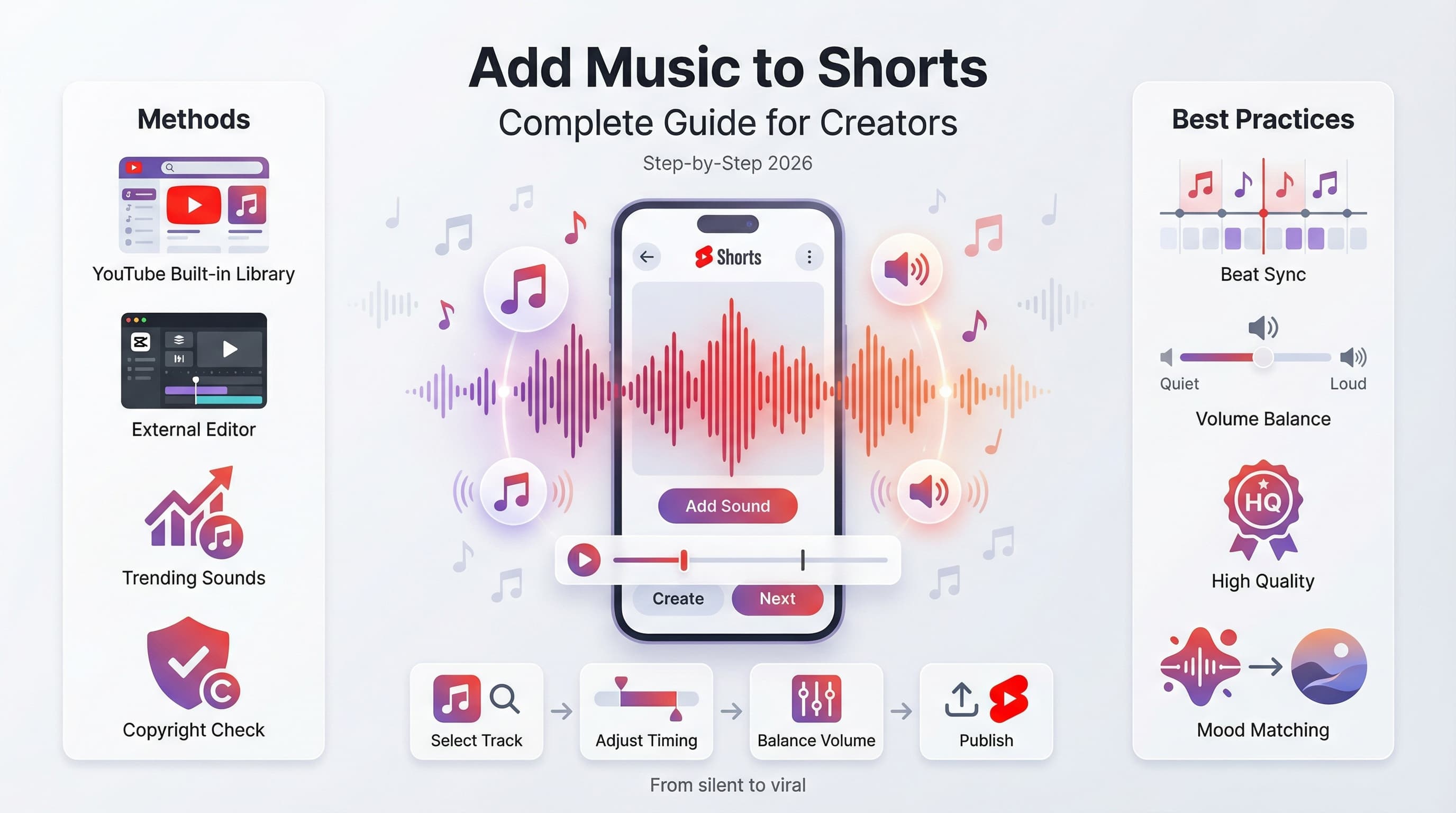
Here's exactly how to add music using YouTube's built-in features:
- Open the YouTube app and tap the + button at the bottom center
- Select "Create a Short"
- Record your video or tap the gallery icon to upload existing footage
- Tap the "Add sound" button (music note icon) at the bottom of the screen
- Browse trending sounds, search for specific songs, or explore by mood and genre
- Select your track and adjust the starting point by dragging the audio waveform
- Tap "Done" to apply the music to your Short
Adjusting music timing and volume
Getting the timing right is where good Shorts become great ones. After adding your track, you can fine-tune several elements:
The audio timeline shows your selected portion of the song. Drag it left or right to start at a different point. Most viral Shorts use the hook or chorus, so spend time finding the most impactful 15-60 seconds of your chosen track.
Volume mixing happens automatically, but you can adjust the balance between your original audio and the added music. Tap the volume icon to see separate sliders for your recorded sound and the music track.
Limitations of the built-in method
While convenient, YouTube's native music tools have some drawbacks:
- Limited editing precision compared to desktop software
- Some popular songs may be restricted in certain countries
- Monetization may be affected depending on the track's licensing
- You cannot layer multiple tracks or add sound effects
- Audio quality can vary, especially after compression
For basic Shorts, these limitations won't matter much. But if you're creating content for a business or building a serious creator presence, you might want more control. That's where external editing comes in.
Method 2: Adding music with external video editors
External editing gives you complete control over your audio. You can layer multiple tracks, add precise sound effects, adjust volume at specific moments, and use music from any source (as long as you have the rights).
Mobile editing options
You don't need a desktop to edit like a pro. These mobile apps handle music addition beautifully:
CapCut remains the gold standard for mobile video editing. It's free, powerful, and includes a built-in music library plus the ability to import your own tracks. The audio editing tools rival desktop software, with keyframe volume control and beat sync features.
InShot offers a simpler interface while still providing solid music features. Great for creators who want quick edits without a learning curve.
VN Video Editor is another free option with professional-grade audio tools. It supports multiple audio tracks and offers precise timeline control.
Desktop editing for maximum control
When you need professional results, desktop software delivers:
DaVinci Resolve is completely free and offers Hollywood-level audio editing capabilities. The Fairlight audio page provides tools that professional sound engineers use. Overkill for most Shorts, but available if you need it.
Adobe Premiere Pro integrates with Adobe's audio tools and offers excellent music syncing features. The Essential Sound panel makes it easy to duck background music when you're speaking.
Final Cut Pro for Mac users provides intuitive audio editing with smart conform features that automatically adjust music to fit your video length.
The external editing workflow
Here's how to add music using an external editor and upload to YouTube:
- Import your video footage into your editing software
- Import your music file (MP3, WAV, or AAC work best)
- Drag the music to an audio track below your video
- Trim the music to match your video length (under 60 seconds for Shorts)
- Adjust volume levels so music doesn't overpower other audio
- Export in 9:16 aspect ratio at 1080x1920 resolution minimum
- Upload directly to YouTube or through the Shorts creation flow
Method 3: Using trending sounds from other Shorts
One of YouTube's smartest features lets you use audio directly from other Shorts. This is how trends spread, and it's completely within YouTube's guidelines.
How to sample audio from existing Shorts
When you find a Short with audio you want to use:
- Tap the spinning disc icon in the bottom right corner of the Short
- You'll see the audio's page with all Shorts using that sound
- Tap "Use this sound" to open it in the Shorts camera
- Record your video with the audio already attached
- The sound plays while you record, making it easy to sync your movements
Finding trending audio
Trending sounds can catapult your content into viral territory. Here's where to find them:
The Shorts feed itself is your best research tool. Spend 15-20 minutes scrolling and note which sounds appear multiple times. If you're hearing the same track repeatedly, it's trending.
YouTube's "Trending" audio section in the Shorts camera shows currently popular tracks. This updates regularly and reflects real-time popularity across the platform.
Cross-platform trending sounds often migrate. A sound that's viral on TikTok will usually hit YouTube Shorts within a few days. Watching trends on other platforms gives you a head start.
Understanding copyright and music licensing
This is where most creators get tripped up. Using the wrong music can get your Short muted, demonetized, or even taken down entirely. Understanding licensing protects your channel and your revenue.
YouTube's music policies explained
YouTube uses Content ID to automatically detect copyrighted music. When your Short contains a recognized track, several things can happen:
- Allowed: The rights holder permits use on YouTube Shorts specifically
- Monetization shared: You can use the music, but ad revenue goes to the rights holder
- Blocked: Your Short gets muted or becomes unavailable in certain regions
- Claimed: A copyright claim appears on your video, potentially affecting your channel standing
Music in YouTube's Shorts library is pre-cleared for use, which is why the built-in method is safest for beginners.
Safe music sources
When using external editors, you need to source your music carefully. Here are legitimate options:
YouTube Audio Library: Free music and sound effects cleared for YouTube use. Available at studio.youtube.com in the Audio Library section.
Epidemic Sound: Subscription service with high-quality tracks specifically licensed for YouTube. Popular among professional creators.
Artlist: Another subscription service with unlimited downloads and a simple licensing structure.
Free Music Archive: Creative Commons music that's free to use, though you'll need to check individual track licenses.
Pixabay Music: Royalty-free tracks that don't require attribution for most uses.
| Source | Cost | Quality | License Type |
|---|---|---|---|
| YouTube Audio Library | Free | Good | YouTube-specific |
| Epidemic Sound | $15/month | Excellent | All platforms |
| Artlist | $17/month | Excellent | All platforms |
| Free Music Archive | Free | Variable | Creative Commons |
| Pixabay Music | Free | Good | Royalty-free |
Advanced techniques for better audio
Basic music addition is just the start. These techniques separate amateur Shorts from professional content.
Beat syncing your cuts
The most satisfying Shorts sync visual cuts to musical beats. This creates a rhythmic flow that keeps viewers engaged.
In CapCut, use the "Beat" feature to automatically mark beat points in your track. Then align your cuts to these markers. The app can even auto-generate cuts synced to the music.
For manual syncing, listen to your track and note the timestamps of major beats. Cut your video at those exact moments. Even simple cuts on the beat feel more polished than randomly timed edits.
Volume automation and ducking
If your Short includes speech, music should get quieter when you talk. This is called "ducking."
Most editing apps offer automatic ducking. In CapCut, enable "Voice enhance" which reduces background music when speech is detected. In Premiere Pro, use the Essential Sound panel's "Duck against" feature.
Manual volume keyframes give you more control. Drop the music to about 20-30% volume during speech, then bring it back up during visual-only moments.
Layering multiple audio elements
A single music track is fine, but layered audio creates depth. Consider combining:
- Background music at low volume for atmosphere
- Sound effects for emphasis (whooshes, impacts, notification sounds)
- Your voice or dialogue as the primary audio
- Ambient sounds for realism (room tone, nature sounds, crowd noise)
Keep total audio layers under four or five. More than that gets muddy and confusing. Each layer should serve a purpose.
Creating audio hooks
The first second of audio matters enormously. Viewers decide to keep watching based on what they hear immediately.
Start with impact. A beat drop, a surprising sound effect, or a compelling voice snippet. Avoid slow intros and gentle fade-ins. Shorts don't have time for buildup.
Some creators record a custom "hook" sound that plays at the start of every Short. This trains their audience to recognize their content instantly, even before visuals register.
Common mistakes to avoid
I've reviewed thousands of Shorts from creators at all levels. These audio mistakes appear constantly, and they're all fixable.
Music too loud
The most common error by far. Creators pick a track they love and crank it up, drowning out everything else. Your music should support your content, not dominate it.
A good baseline: music should be audible but not the first thing viewers notice. If someone asks "what song is that?" you're probably at the right level. If they can't hear your voice at all, turn it down.
Wrong mood mismatch
Upbeat music on a serious tutorial. Sad acoustic guitar on a product reveal. Aggressive trap on a cooking Short. Mood mismatches confuse viewers and undermine your message.
Match your track's energy to your content's purpose. Educational content works with calm, focused music. Entertainment content can go louder and more energetic. Emotional content needs tracks that amplify the feeling you're creating.
Ignoring audio quality
Viewers forgive bad video quality much more easily than bad audio quality. Tinny, distorted, or poorly balanced sound makes your Short feel amateur regardless of how good it looks.
Use high-quality source files (320kbps MP3 minimum). Don't over-compress your export. Test your audio on earbuds, phone speakers, and headphones before publishing.
Using copyrighted music without checking
"I'll just use this song and see what happens" is a risky strategy. Copyright claims accumulate on your channel and can lead to strikes or termination.
Always verify licensing before uploading. YouTube's Creator Studio shows music policies for most tracks. When in doubt, use YouTube's built-in library or properly licensed alternatives.
Forgetting about different viewing contexts
Some viewers watch with headphones in a quiet room. Others watch on mute in public. Many scroll with sound off by default.
Your Short should work with and without sound. Add captions for speech. Use visual storytelling that doesn't rely entirely on audio cues. Make the music enhance your content, not carry it.
Building a music workflow that scales
If you're creating Shorts consistently, you need a system. Searching for music every time you edit wastes hours you could spend creating.
Create a personal music library
Build a folder of tracks you've already cleared and like. Organize by mood, energy level, or content type. When it's time to edit, you're choosing from pre-approved options instead of starting from scratch.
Aim for 20-30 tracks to start. This gives you variety without overwhelming choice. Add new tracks monthly as you discover them.
Template your audio settings
Most editing apps let you save presets. Create templates with your standard music volume level, ducking settings, and audio effects. Apply them instantly to new projects.
This consistency also trains your audience. They'll come to expect a certain audio quality and style from your content.
Batch your music selection
Instead of finding music for each Short individually, dedicate time specifically to browsing and downloading tracks. Thirty minutes of focused music hunting can stock your library for weeks of content.
Track your discoveries in a simple spreadsheet: song name, source, license type, mood tags, and any notes about where it works best.
Platform-specific considerations
YouTube Shorts exists in an ecosystem with TikTok, Instagram Reels, and other short-form platforms. Your audio strategy should account for cross-posting.
Cross-platform music licensing
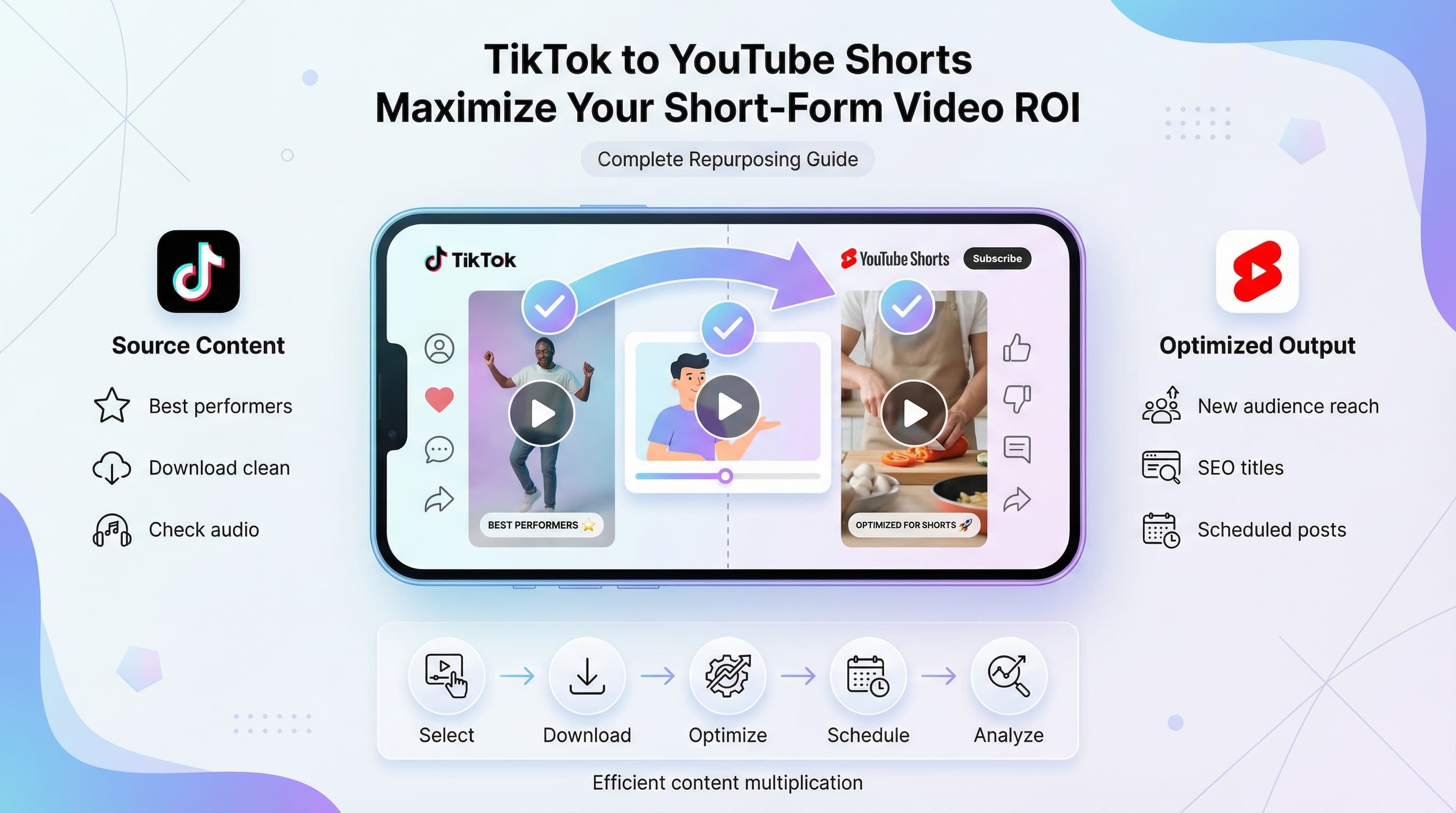
Music licensed for YouTube may not be cleared for other platforms. If you're repurposing Shorts across TikTok and Instagram, you need music that works everywhere.
Subscription services like Epidemic Sound and Artlist provide multi-platform licenses. Royalty-free music from sources like Pixabay typically works anywhere. YouTube's built-in library, however, only covers YouTube.
Platform audio trends differ
Trending sounds aren't always the same across platforms. A song dominating TikTok might not have momentum on YouTube Shorts yet (or ever).
Monitor each platform's trends separately if you're posting everywhere. What works on one platform might fall flat on another due to audience differences.
Audio specs vary slightly
While all platforms compress audio, they do it differently. Test your exported video on each platform before committing to a batch of similar content. Occasionally, a track that sounds great on YouTube will have issues elsewhere.
The bottom line on YouTube Shorts music
Adding music to YouTube Shorts isn't complicated once you understand your options. The built-in method works for most creators and keeps you copyright-safe. External editing gives you more control when you need it. And sourcing music properly protects your channel long-term.
Start with YouTube's native tools. Master beat syncing and volume balance. Build a personal library of cleared tracks. Then systematize your workflow so music selection doesn't slow down your creative process.
The creators seeing real growth on Shorts treat audio as seriously as video. They're not just slapping a trending song on their clips. They're thinking about mood, timing, layers, and how sound shapes viewer perception.
Try Schedulala for free
Schedule posts to Bluesky, Twitter, and 8 other platforms from one dashboard.
Get started for free→