How to Create Bluesky Threads: Step-by-Step Guide (2026)
Create Bluesky threads in 3 steps: write your posts, click reply-to-self, repeat. See formatting tips and examples that get engagement.

Quick answer
Create Bluesky threads by writing your first post, then replying to yourself with each subsequent post to build a connected thread.
- •Bluesky threads are reply chains where each post connects to the previous one
- •Threads get more engagement than single posts because they encourage reading through
- •Schedulala supports scheduling Bluesky threads for $9/month across 12 platforms
- •Keep each thread post under 300 characters (Bluesky's per-post limit)
Threads are one of the most powerful content formats on Bluesky. They let you go deeper than a single 300-character post allows.
You can tell stories, share tutorials, and build authority in your niche.
But if you're new to Bluesky, the threading process isn't immediately obvious. This guide walks you through everything.
Try Schedulala for free
Schedule posts to Bluesky, Twitter, and 8 other platforms from one dashboard.
Get started for free→What Are Bluesky Threads?
A thread is a series of connected posts that appear together as one piece of content.
Each post in the thread is linked to the previous one, creating a continuous reading experience.
Threads Are Perfect For
- Educational content — step-by-step tutorials, how-to guides
- Storytelling — narratives that unfold across multiple posts
- Lists — "10 things I learned" style content
- Deep dives — exploring a topic in detail
- Announcements — sharing news with context
On Bluesky, threads work similarly to Twitter threads. Each post can be up to 300 characters, and you chain them together to create longer-form content.
How to Create a Thread on Bluesky (Native App)
Here's the step-by-step process for creating a thread directly in the Bluesky app.
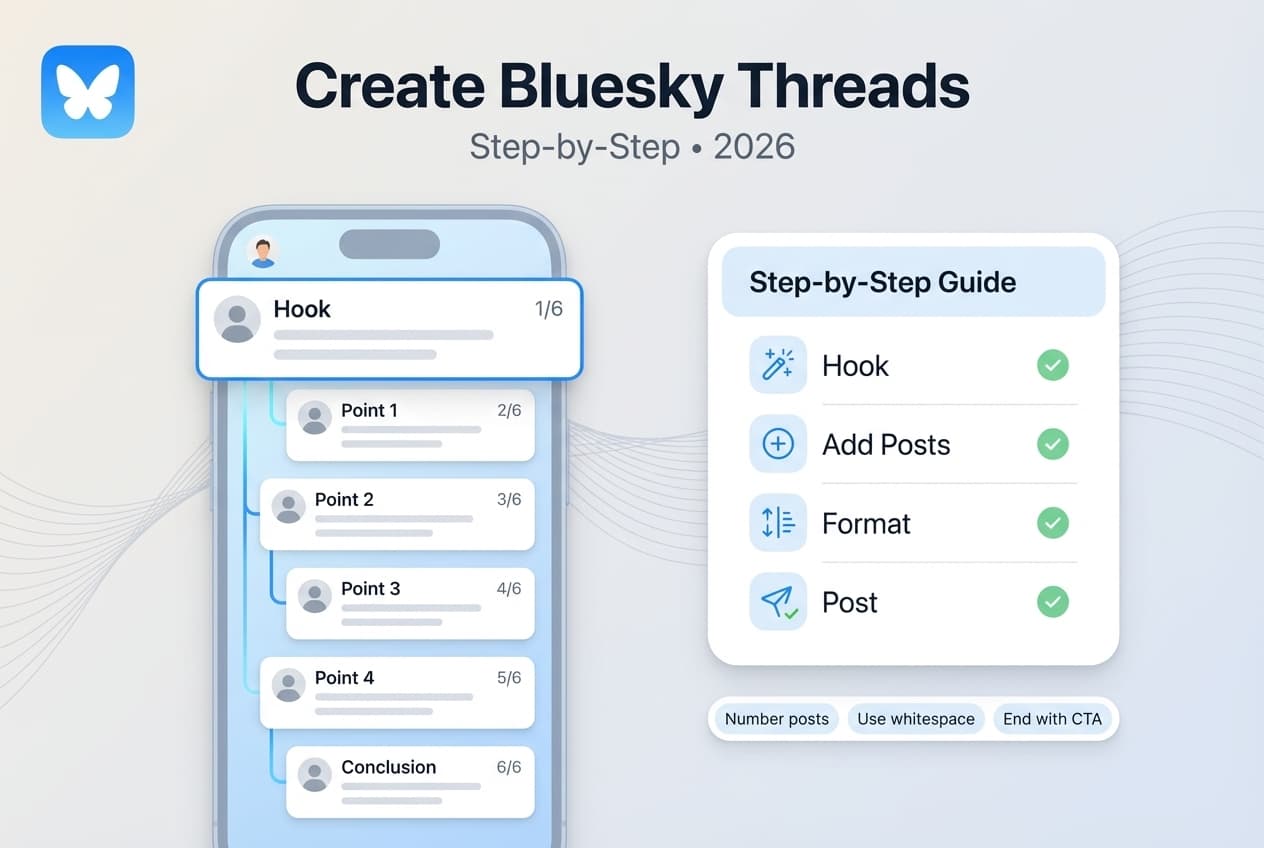
Step 1: Write Your First Post
1. Open Bluesky and tap the compose button (+ icon)
2. Write your first post (up to 300 characters)
3. This is your "hook" — make it compelling enough that people want to read more
Step 2: Add More Posts to the Thread
1. Before posting, look for the "Add to thread" button (usually a + icon below your post)
2. Tap it to add another post to your thread
3. Write your second post
4. Repeat for each additional post in your thread
Step 3: Review Your Thread
Before publishing:
- Read through all posts in order
- Check for typos and clarity
- Make sure the flow makes sense
- Verify each post stands alone but connects to the whole
Step 4: Post Your Thread
1. Tap Post or Post Thread
2. All posts publish simultaneously
3. They appear connected in your profile and in followers' feeds
Thread Formatting Best Practices
Creating a thread is easy. Creating a good thread takes more thought.
Start With a Strong Hook
Your first post determines everything. If it doesn't grab attention, no one reads the rest.
Effective Hooks
- Bold claim: "Most advice about X is wrong. Here's what actually works:"
- Question: "Why do some accounts grow 10x faster? I figured it out:"
- Story opener: "Last year I made a mistake that cost me 10,000 followers. Here's what happened:"
- Promise: "I'm going to teach you X in the next 2 minutes. Let's go:"
Weak Hooks (Avoid These)
- "Thread:" (just labeling it doesn't make people care)
- "Some thoughts on X" (too vague)
- Starting mid-thought without context
Number Your Posts
For threads longer than 3-4 posts, numbering helps readers track progress:
1/8 - [First post content]
2/8 - [Second post content]
...
8/8 - [Final post content]
This tells readers how long the thread is, where they are, and that there's more coming.
Make Each Post Stand Alone
Even though posts are connected, each one should make sense on its own.
- Some readers see posts individually (reposts, search)
- It's easier to quote specific points
- It improves overall readability
Good: "Step 3: Schedule your posts for the week. This takes 30 minutes and saves 5+ hours."
Bad: "And then you do that, which helps with the thing I mentioned."
Use White Space
Walls of text don't get read. Break up your posts with line breaks for better readability.
End With a Clear Conclusion
Your final post should summarize the key point, include a call-to-action (follow, reply, share), and feel like a satisfying ending.
Example Endings
- "That's the whole system. Try it this week and let me know how it goes."
- "TL;DR: [one-sentence summary]. Follow for more like this."
- "Questions? Drop them below. I'll answer everything."
Thread Length: How Long Should Yours Be?
There's no perfect length, but here are guidelines:
| Length | Best For | Notes |
|---|---|---|
| 3-5 posts | Quick tips, simple tutorials | Easy to read, high completion rate |
| 6-10 posts | Detailed guides, stories | Sweet spot for most content |
| 11-15 posts | Deep dives, comprehensive tutorials | Requires strong hook to retain readers |
| 16+ posts | Major topics, epic content | Risk of losing readers; use sparingly |
How to Schedule Bluesky Threads
Creating threads in real-time works, but scheduling gives you more control.
Why Schedule Threads?
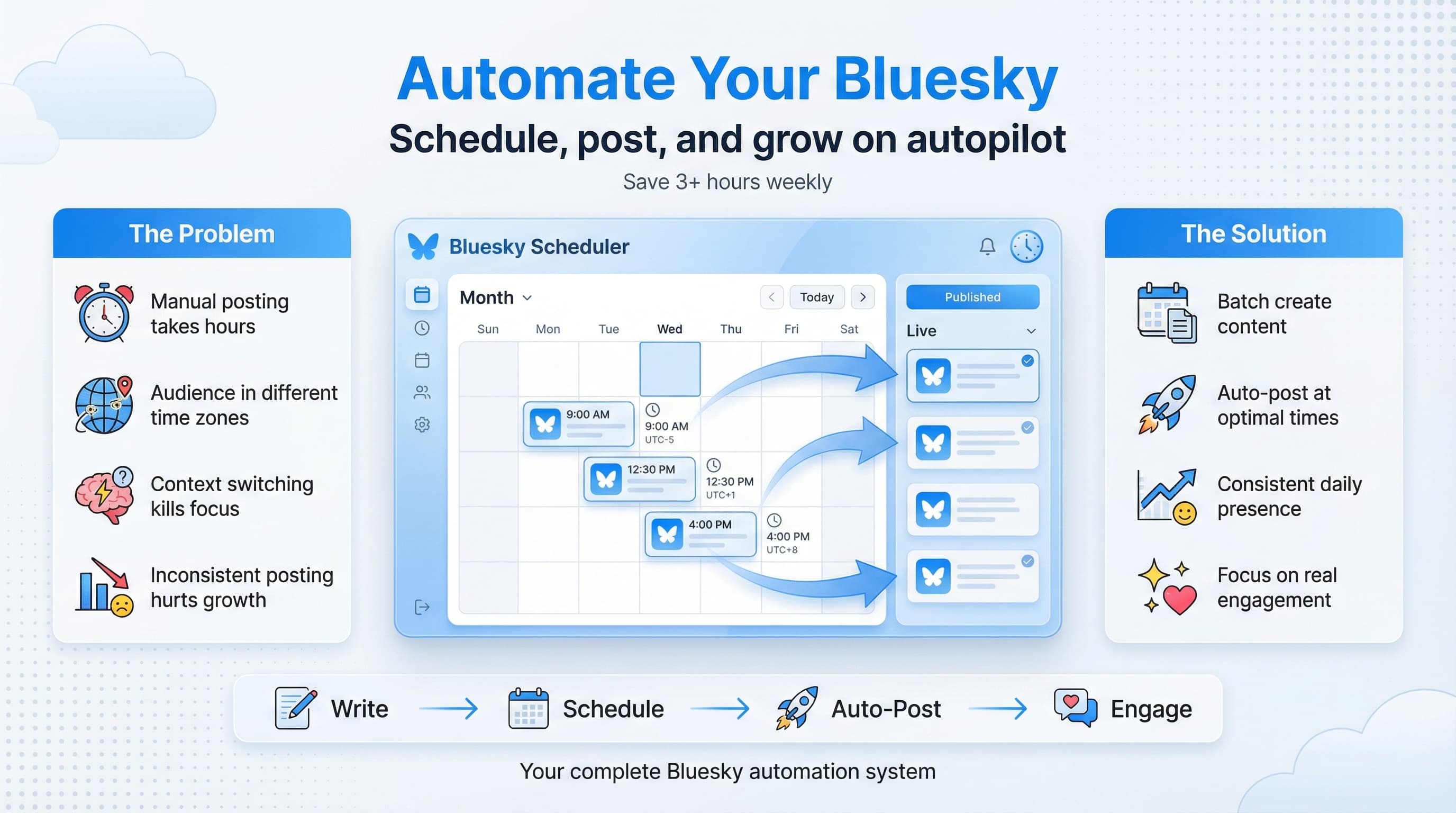
- Write when inspired, post when optimal — Create your thread whenever ideas strike, publish at peak times
- Edit and refine — Scheduled content can be reviewed before posting
- Batch creation — Write multiple threads in one session
- Consistent posting — Maintain a regular thread schedule
Scheduling Thread Limitations
As of early 2026, thread scheduling support varies by tool.
Some schedulers support full thread scheduling (create all posts, schedule as a unit). Others require scheduling each post individually. Some don't support threads yet.
Check your scheduling tool's specific thread capabilities. Tools like Schedulala are adding thread scheduling features. For more options, see our guide on the best Bluesky scheduling tools.
See It in Action
This is what scheduling a Bluesky thread looks like in Schedulala
Thread Ideas for Different Goals
Not sure what to thread about? Here are proven formats:
For Building Authority
"How I Did X" threads: Share a personal accomplishment and break down exactly how you achieved it.
Example: "How I grew from 0 to 5,000 followers in 60 days. Here's exactly what I did:"
"X Lessons from Y" threads: Share wisdom gained from an experience.
Example: "10 lessons from 5 years of freelancing. Some of these took me way too long to learn:"
For Teaching
Step-by-step tutorials: Walk through a process in detail.
Example: "How to set up your Bluesky profile for maximum impact. Step-by-step guide:"
Mistake threads: Share common errors and how to avoid them.
Example: "7 mistakes killing your Bluesky growth (and what to do instead):"
For Engagement
Opinion threads: Share a take and defend it.
Example: "Unpopular opinion: posting daily is overrated. Here's why:"
Question threads: Pose a question and explore it.
Example: "What makes some content go viral while similar content flops? I have a theory:"
For Storytelling
Narrative threads: Tell a story with a beginning, middle, and end.
Example: "The time I almost quit everything. A thread about burnout and recovery:"
Behind-the-scenes threads: Show how something happened.
Example: "Here's exactly how I created my most successful post ever:"
Common Thread Mistakes
Avoid these errors:
6 Mistakes to Avoid
Mistake 1: Weak First Post
If your hook doesn't grab attention, the thread fails immediately. Spend extra time crafting your opener.
Mistake 2: Too Much Filler
Every post should add value. If you're padding to hit a length target, you're doing it wrong.
Mistake 3: No Clear Structure
Readers should know where they are and where the thread is going. Use numbers and clear transitions.
Mistake 4: Forgetting the Ending
Threads that just... stop... feel incomplete. End with a conclusion or call-to-action.
Mistake 5: Not Engaging With Replies
Threads generate questions and discussion. If you don't respond, you waste the engagement opportunity.
Mistake 6: Posting at Bad Times
A great thread posted at 3am gets buried. Post when your audience is active.
Frequently Asked Questions
How many posts can be in a Bluesky thread?
There's no hard limit, but practical limits exist. Threads over 15-20 posts risk losing readers. Most effective threads are 5-12 posts.
Can I add to a thread after posting?
Yes. You can reply to your own thread to add more posts. The new posts will be connected to the thread.
Do threads perform better than single posts?
Threads often get higher engagement because they provide more value. However, a great single post can outperform a mediocre thread. Quality matters most.
Can I schedule threads on Bluesky?
Thread scheduling support is still maturing. Some tools support it fully, others partially. Check your scheduling tool's current capabilities.
Should I number my thread posts?
For threads over 3-4 posts, yes. Numbering (1/8, 2/8, etc.) helps readers track progress and signals how much content to expect.
How do I make my threads more engaging?
Start with a strong hook, provide genuine value, use clear formatting, engage with replies, and end with a clear conclusion. Understanding the Bluesky algorithm can also help you maximize engagement.
Try Schedulala for free
Schedule posts to Bluesky, Twitter, and 8 other platforms from one dashboard.
Get started for free→Start Creating Threads Today
Threads are one of the best ways to build authority and engagement on Bluesky.
They let you share deeper insights than single posts allow.
Your Action Plan
- Pick a topic you know well
- Outline your thread (5-10 key points)
- Write your hook first — make it compelling
- Draft each post, keeping them focused
- Review the whole thread for flow
- Post at an optimal time
- Engage with replies
If you're using Bluesky for business, threads are especially valuable for establishing thought leadership. Check out our Bluesky for business guide for more strategies.