8 Best Metricool Alternatives for Social Media Management in 2024
Discover the best Metricool alternatives for social media scheduling, analytics, and management. Compare features, pricing, and find the perfect tool.

Quick answer
Top Metricool alternatives include Schedulala, Buffer, Later, Hootsuite, and SocialBee, each offering different strengths in scheduling and analytics.
- •Metricool's free plan covers 1 brand with limited analytics; paid plans start at $22/month
- •Schedulala offers 12 platforms for $9/month with unlimited posts (Metricool charges per brand)
- •Buffer is simpler but charges per channel ($6/channel/month each)
- •Schedulala supports Bluesky and Telegram which Metricool does not
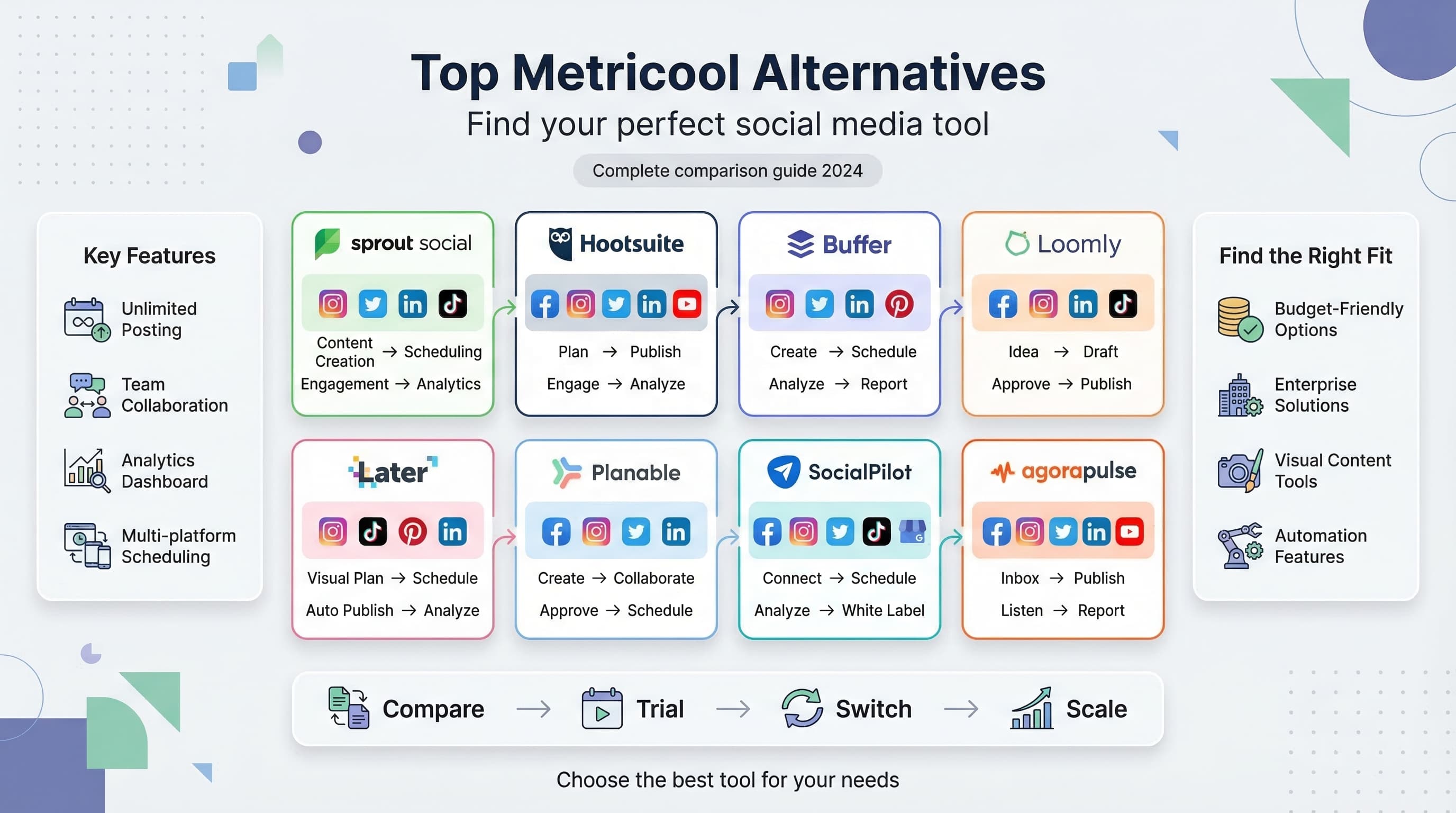
Metricool has served many marketers well, but let's be honest: it's not perfect for everyone. Learn more about Instagram scheduling.
See It in Action
This is what scheduling an Instagram post looks like in Schedulala
Maybe you've hit limitations with their free plan, found their interface confusing, or need features they simply don't offer. Learn more about scheduling across platforms.
What if there's a better social media management tool out there that fits your exact needs and budget? Our scheduling across platforms can help.
Try Schedulala for free
Schedule posts to Bluesky, Twitter, and 8 other platforms from one dashboard.
Get started for free→Why look for Metricool alternatives?
Before diving into alternatives, let's acknowledge what Metricool does well and where it falls short. Understanding these gaps will help you choose the right replacement. See our content calendar guide.
What Metricool gets right
Metricool offers a solid free plan with basic scheduling and analytics. Their platform covers multiple social networks and provides decent reporting features for small businesses just starting out. See our best time to post on instagram guide.
The interface is relatively clean, and they've built a loyal user base over the years. For basic social media management, Metricool can handle the essentials. See our instagram engagement calculator guide.
Where Metricool falls short
The limitations become apparent as you scale. Their free plan restricts you to just 100 posts per month across all platforms. That's roughly three posts per day, which isn't enough for serious marketers.
Advanced features like bulk uploading, team collaboration tools, and detailed analytics require expensive paid plans. Many users also report that their Instagram integration can be unreliable.
Customer support is another pain point. Response times are slow, and the knowledge base lacks depth for complex issues.
1. Schedulala
The best overall Metricool alternative
Schedulala stands out as the most comprehensive alternative to Metricool. Built specifically for modern marketers, it addresses most of the pain points that drive people away from other platforms.
The interface feels intuitive from day one. You can schedule content across all major platforms including Instagram, TikTok, LinkedIn, Twitter, YouTube, Pinterest, Facebook, Threads, and Bluesky. The visual calendar makes it easy to see your entire content strategy at a glance.
What sets Schedulala apart is its approach to bulk scheduling. You can upload hundreds of posts at once using CSV files, which saves hours compared to manual scheduling. The AI-powered optimal posting times feature analyzes your audience data to suggest the best times for maximum engagement.
Key features that matter
- Unlimited posts on the free plan (yes, really unlimited)
- Advanced team collaboration with approval workflows
- Content recycling to automatically repost evergreen content
- Detailed analytics with competitor benchmarking
- RSS feed integration for automatic content curation
- Hashtag suggestions and performance tracking
- White-label options for agencies
There is no free plan: a 7-day free trial (card required), then plans start at $9/month. The ROI becomes obvious when you calculate the time saved on content scheduling and the improved engagement from optimized posting times.
2. Hootsuite
The enterprise-focused option
Hootsuite has been around since the early days of social media management. It's the go-to choice for large enterprises that need robust team management and extensive integrations.
The platform excels at managing multiple team members across different departments. You can set up approval workflows, assign content creation tasks, and maintain brand consistency across all social channels.
Hootsuite's analytics dashboard provides deep insights into social media performance. The reporting features are particularly strong for businesses that need to present detailed ROI data to stakeholders.
However, Hootsuite comes with significant drawbacks. The interface feels outdated compared to newer tools. Many users find it overwhelming, especially small business owners who just want to schedule posts without navigating complex menu systems.
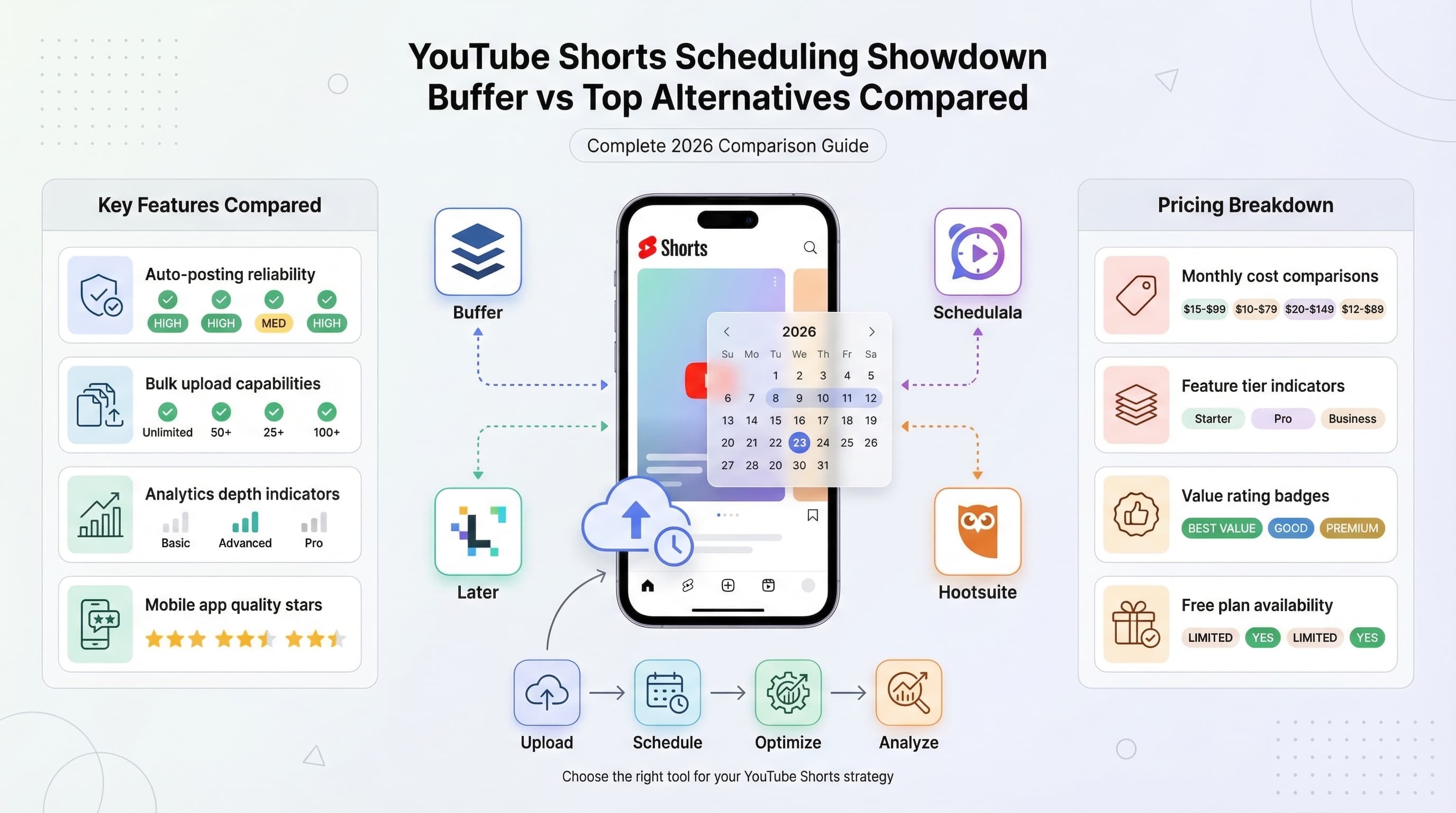
The pricing is also a major barrier. Plans start at $99/month for basic features, making it one of the most expensive options on the market. For that price, you'd expect flawless performance, but users frequently report bugs and slow loading times.
3. Buffer
The user-friendly choice
Buffer built its reputation on simplicity. The platform focuses on making social media scheduling as straightforward as possible, which appeals to beginners and busy entrepreneurs.
The queue-based system is Buffer's signature feature. Instead of scheduling posts for specific times, you set up posting schedules, and Buffer automatically fills the slots with your content. This approach works well for maintaining consistent posting without micromanaging every timestamp.
Buffer's browser extension makes it easy to share content you find while browsing. See an interesting article? Click the Buffer button, add your commentary, and it's queued for posting.
The analytics in Buffer are clean and easy to understand. You get the essential metrics without overwhelming detail, which some marketers prefer over complex dashboards.
But Buffer's simplicity comes at a cost. Advanced features are limited compared to other platforms. There's no content recycling, limited team collaboration tools, and the free plan only allows three social accounts.
Pricing starts at $15/month for the Essentials plan, which includes basic scheduling for eight social accounts. The analytics and team features require higher-tier plans that can get expensive quickly.
4. Sprout Social
The premium professional option
Sprout Social positions itself as the premium choice for serious social media professionals. The platform combines scheduling, analytics, and customer relationship management into one comprehensive suite.
The standout feature is Sprout's social listening capabilities. You can monitor brand mentions, track competitor activity, and identify trending topics in your industry. This intelligence helps inform your content strategy and keeps you ahead of conversations.
Team collaboration features are exceptional. The platform includes task assignment, content approval workflows, and detailed user permissions. Large marketing teams will appreciate the organizational tools and reporting hierarchy.
Sprout Social's analytics go beyond basic engagement metrics. You can track customer sentiment, measure brand awareness, and generate detailed reports that connect social media activity to business outcomes.
The customer service features deserve special mention. Sprout treats social media as a customer support channel, with tools for ticket management and response tracking. This holistic approach makes sense for brands that handle customer inquiries through social platforms.
The major downside is cost. Plans start at $249/month per user, making it one of the most expensive options available. Small businesses and individual marketers will find better value elsewhere.
5. Later
The visual content specialist
Later built its platform around visual content, making it particularly strong for Instagram, Pinterest, and TikTok marketing. The visual content calendar resembles a mood board, which appeals to creative marketers and agencies.
The drag-and-drop interface makes it easy to plan your Instagram feed's aesthetic. You can see how posts will look together and rearrange content to maintain visual consistency. This feature alone has made Later popular with lifestyle brands and influencers.
Later's link-in-bio tool helps drive traffic from Instagram to your website. You can create a landing page that showcases recent posts with clickable links, solving Instagram's limitation on post links.
The platform includes user-generated content tools that help you discover and repost customer photos (with permission). This feature streamlines the process of building social proof and community engagement.
However, Later's focus on visual content means it's less suitable for text-heavy platforms like LinkedIn or Twitter. The analytics are also basic compared to competitors, focusing mainly on engagement metrics rather than business outcomes.
Pricing starts free for up to 30 posts per month, with paid plans beginning at $18/month. The free plan is generous enough for small businesses just getting started with visual content marketing.
6. SocialBee
The content categorization expert
SocialBee takes a unique approach to content management through its category system. You can organize content into different buckets like promotional posts, educational content, and entertainment, then set posting schedules for each category.
This system helps maintain content variety automatically. Instead of manually ensuring you're not posting too many promotional messages, SocialBee's algorithm handles the mix based on your preferences.
The content recycling feature is particularly robust. You can set evergreen posts to recycle automatically after specified intervals, ensuring your best content continues to reach new audiences without manual intervention.
SocialBee includes RSS feed integration and content curation tools that help you discover shareable content in your industry. The browser extension makes it easy to add interesting articles to your posting queue while browsing.
The platform also offers basic design tools for creating simple graphics and quotes, though they're not as sophisticated as dedicated design software.
Team features include content approval workflows and user role management, though they're not as comprehensive as enterprise-focused platforms.
Pricing starts at $24/month for five social profiles, with higher tiers adding more accounts and advanced features. The 14-day free trial gives you time to test the category system thoroughly.
7. CoSchedule
The marketing calendar powerhouse
CoSchedule approaches social media management as part of a broader marketing calendar system. The platform integrates social posting with content marketing, email campaigns, and project management.
The unified calendar view shows all marketing activities in one place, making it easier to coordinate campaigns across different channels. You can see how social posts align with blog publishing, email sends, and other marketing activities.
ReQueue, CoSchedule's content recycling feature, automatically fills gaps in your posting schedule with top-performing content. This ensures consistent posting even when you're busy with other priorities.
The platform includes robust project management tools with task assignments, deadlines, and collaboration features. Marketing teams can manage entire campaigns from conception to completion within CoSchedule.
Social analytics focus on engagement metrics and best posting times, though they're not as detailed as specialized analytics tools. The reporting is sufficient for most small to medium businesses.
CoSchedule's strength is also its weakness. If you only need social media scheduling without broader marketing calendar features, you'll pay for functionality you don't use.
Pricing starts at $39/month for the Social Calendar, with the full Marketing Suite starting at $399/month. The higher-tier plans include advanced project management and team collaboration features.
8. Agorapulse
The customer engagement specialist
Agorapulse combines social media scheduling with strong customer engagement tools. The platform treats social media as a two-way conversation rather than just a broadcasting channel.
The unified inbox collects all social media messages, comments, and mentions in one place. This makes it easy to respond to customer inquiries and engage with your audience across multiple platforms without switching between apps.
Contest and promotion management tools help you run engaging campaigns. You can set up hashtag contests, photo competitions, and giveaways with built-in participant tracking and winner selection.
Social listening features help you monitor brand mentions and industry conversations. While not as advanced as dedicated listening tools, they provide valuable insights for most businesses.
The analytics dashboard includes competitor comparison features, helping you benchmark your performance against industry rivals. This competitive intelligence can inform your content strategy and identify opportunities.
Team collaboration features include task assignment and approval workflows, though they're more basic than enterprise-focused platforms.
Pricing starts at $69/month for the Standard plan, which includes basic scheduling and inbox management for up to three users. Higher tiers add more users and advanced features like social listening.
Choosing the right alternative for your needs
The best Metricool alternative depends on your specific requirements, budget, and growth plans. Let me break down the decision-making process to help you choose wisely.
For small businesses and solopreneurs
If you're just starting out or running a small business, prioritize intuitive interfaces and a trial long enough to test properly. Schedulala has no free plan, but its 7-day free trial (card required) includes unlimited posting, so you can see how it fits your workflow before paying.
Buffer is another solid choice if you prefer simplicity over advanced features. The queue-based system requires minimal setup and maintenance.
For growing marketing teams
As your team grows, collaboration features become essential. Look for platforms with approval workflows, task assignment, and user role management. Schedulala and CoSchedule both offer strong team features without enterprise-level complexity.
Consider how the tool will scale with your business. Schedulala grows with you from free to enterprise, while some alternatives force you to switch platforms as you expand.
For visual-first brands
If Instagram, Pinterest, and TikTok are central to your strategy, Later's visual planning tools provide significant value. The ability to preview your Instagram feed and maintain aesthetic consistency can impact engagement rates.
However, don't sacrifice functionality on other platforms for Instagram-specific features. Schedulala offers strong visual planning while maintaining robust features across all social networks.
For enterprise organizations
Large organizations need advanced analytics, social listening, and extensive integrations. Sprout Social and Hootsuite offer enterprise-grade features but come with corresponding price tags.
Consider whether you truly need every enterprise feature or if a more focused tool like Schedulala with white-label options might serve you better at a fraction of the cost.
| Tool | Best For | Starting Price | Free Plan | Key Strength |
|---|---|---|---|---|
| Schedulala | All businesses | $9/month | No (7-day trial) | Comprehensive features |
| Hootsuite | Enterprise | $99/month | No | Team management |
| Buffer | Beginners | $15/month | Yes (limited) | Simplicity |
| Sprout Social | Large brands | $249/month | No | Social listening |
| Later | Visual brands | $18/month | Yes (30 posts) | Visual planning |
| SocialBee | Content variety | $24/month | No | Content categories |
| CoSchedule | Marketing teams | $39/month | No | Marketing calendar |
| Agorapulse | Customer service | $69/month | No | Unified inbox |
Making the switch: migration tips
Switching social media management tools doesn't have to be painful. Here's how to migrate from Metricool to your chosen alternative without disrupting your posting schedule.
Before you switch
Export your data from Metricool while you still have access. Download analytics reports, save your posting schedule, and document your hashtag strategies. Most platforms don't offer seamless data export, so manual documentation may be necessary.
Screenshot your best-performing posts and their engagement metrics. This historical data will help you maintain content quality on your new platform.
During the transition
Set up your new tool while keeping Metricool active. This parallel approach ensures no gaps in your posting schedule while you learn the new interface.
Start by scheduling content a few days in advance on both platforms, then gradually shift all scheduling to your new tool once you're confident in its reliability.
Take advantage of bulk upload features if available. Tools like Schedulala allow you to upload weeks of content at once, making the transition faster than manual post creation.
After the switch
Monitor your analytics closely for the first month. Ensure your new tool's optimal posting times align with your audience's behavior patterns. You may need to adjust scheduling based on initial performance data.
Explore advanced features gradually rather than trying to use everything immediately. Master basic scheduling first, then add team collaboration, analytics, and automation features as you become comfortable.
Final verdict: the best Metricool alternatives
After testing and comparing these platforms, three clear winners emerge for different use cases:
The social media management landscape continues evolving, but these alternatives address most limitations that drive people away from Metricool. Focus on your specific needs rather than feature checklists, and remember that the best tool is the one your team will actually use consistently.
Start with free trials when available, but don't get stuck in perpetual testing mode. Pick a platform that meets 80% of your needs and commit to using it for at least three months. Consistent execution with a good tool beats perfect features with sporadic usage every time.
Try Schedulala for free
Schedule posts to Bluesky, Twitter, and 8 other platforms from one dashboard.
Get started for free→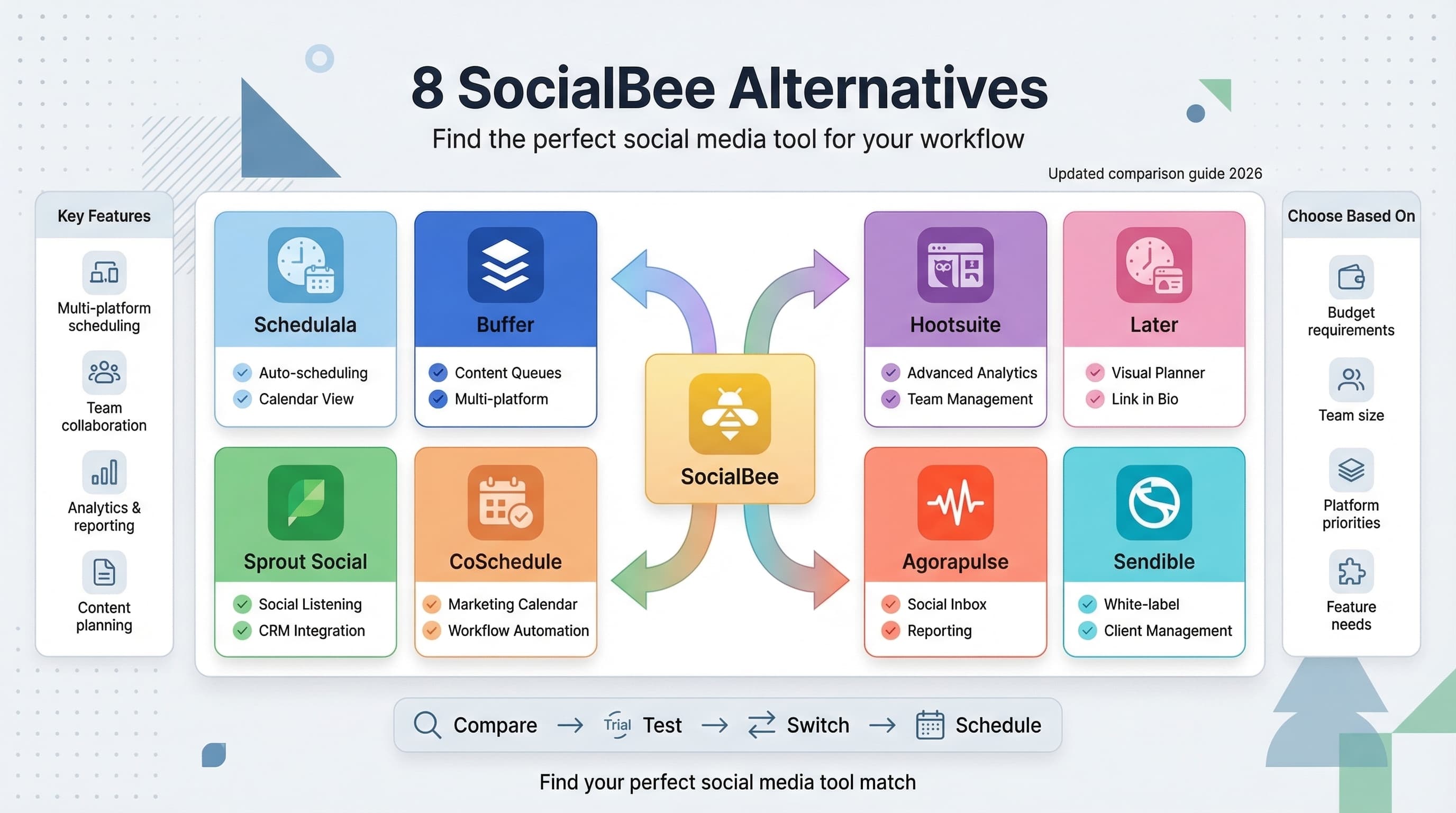
![Why I Switched from Hootsuite [Honest Review + Better Alternatives]](/_next/image?url=%2Fblog%2Fswitch-from-hootsuite%2Fheader.jpeg&w=3840&q=75&dpl=dpl_6RiKV7dz1EjMEbYgqheh1pc2YPwv)