White Label Social Media Tools: Top Options for Agencies in 2026
Compare the best white label social media tools for agencies in 2026, from branded dashboards to client-ready reports.

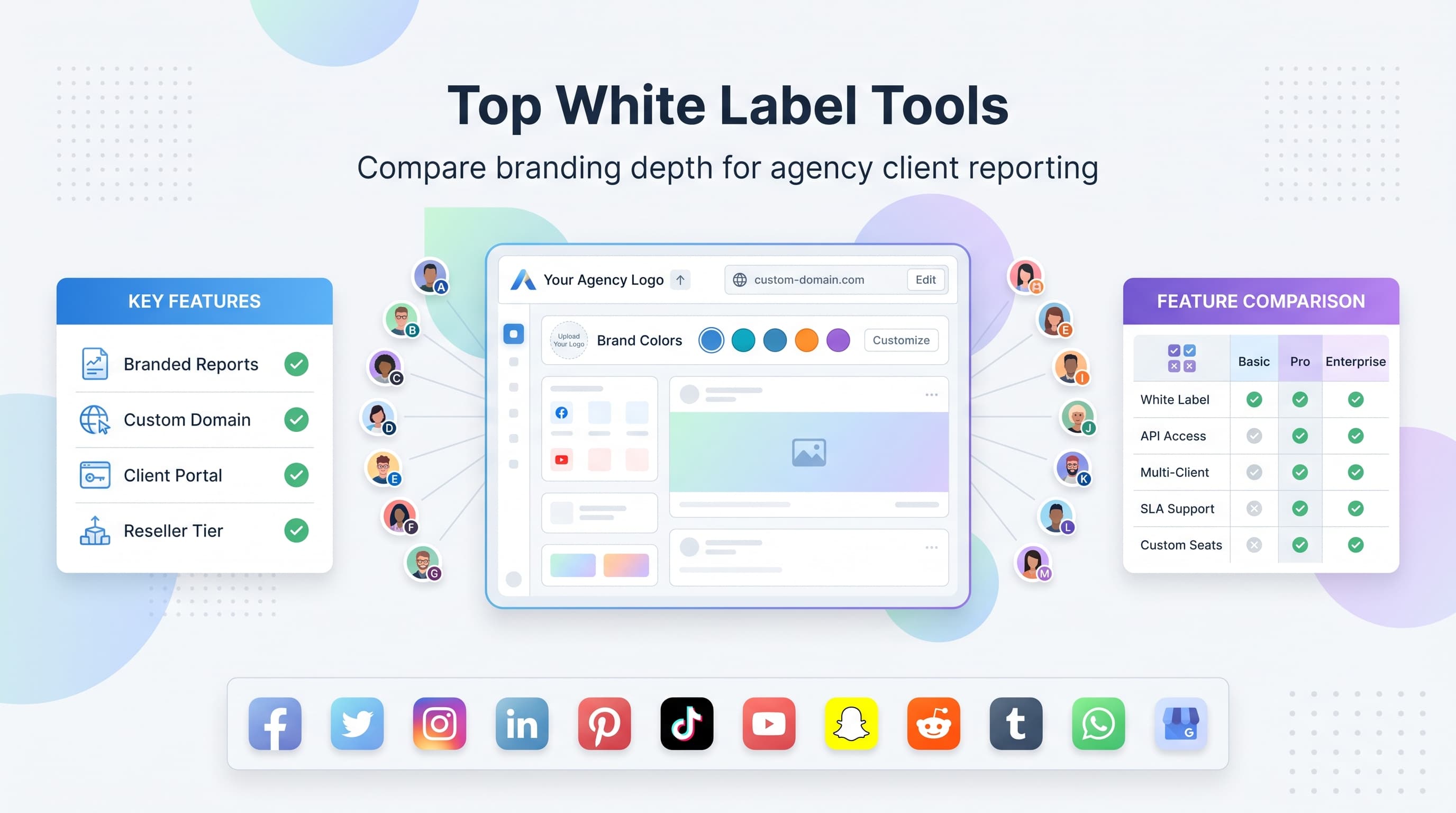
If you run an agency, your clients don't need to know what software sits behind your social media service. They need to see your logo, your colors, and your name on every report, every login screen, and every invoice. That's the whole point of white label social media tools: you get the engine, your client gets your brand. See our cross-platform analytics track 11 guide.
The problem is that "white label" means wildly different things depending on which tool you're looking at. Some platforms let you slap your logo on a client-facing report and call it a day. Others let you put your agency's domain on the login page, strip out all mention of the original software, and even resell the tool under your own pricing. Picking the wrong one means either overpaying for branding depth you don't need, or underbuying and getting caught with a client asking, "Wait, what's SocialWidgetX?" halfway through a pitch meeting. Learn more about reply to comments and.
This list breaks down the agency-focused social media tools that offer real white label features (not just a logo swap), what each one is actually good at, and where the limits show up once you start scaling past a handful of client accounts. Our ai social media post can help.
What "white label" actually means in this category
Before we get into the list, it's worth being precise about what you're shopping for, because vendors use the term loosely. In social media management software, white label usually shows up in one of four tiers:. Try our best time to post on instagram.
- Branded reports only: your logo and colors appear on PDF or shared-link reports, but the dashboard itself still shows the original product name.
- Branded client portal: clients log into a view that shows your agency name, but you (the admin) still see the vendor's branding on your side.
- Custom domain white label: the entire tool runs under a subdomain like reports.youragency.com, with no visible trace of the underlying vendor.
- Full reseller / private label: you can set your own pricing, invoice clients directly through the platform, and the vendor becomes fully invisible, including in support emails.
Most agencies only need tier two or three. Full reseller programs (tier four) tend to come with higher minimum seat counts, longer contracts, and sales calls instead of a sign-up button. Know which tier you actually need before you start comparing price tags, because paying for reseller-grade white labeling when you just want clean client reports is how agencies end up locked into expensive annual contracts they didn't need. See our best time to post on tiktok guide.
Try Schedulala for free
Schedule posts to Bluesky, Twitter, and 8 other platforms from one dashboard.
Get started for free→The top white label social media tools
1. Vista Social
Vista Social built its agency tier specifically around white labeling, and it shows. You can rename the entire platform in client-facing views, upload your own logo and favicon, and set a custom login domain so clients never see the original product name. Their review and listening tools also carry agency branding, which matters if you're pitching reputation management as part of your retainer.
Where it shines: client approval workflows. You can set up multi-stage content approvals (drafter, reviewer, client sign-off) entirely under your own brand, which looks a lot more professional than forwarding screenshots over email. The tradeoff is that the interface has a steeper learning curve than some lighter tools, so budget a week or two to onboard your team properly.
2. Sendible
Sendible has offered white label branding for years and it's one of the more mature implementations on this list. Agencies get a custom domain, the ability to remove all Sendible branding from the dashboard, and branded email notifications sent to clients. It also has one of the stronger reporting builders, with drag-and-drop report widgets you can rearrange to match whatever KPIs a particular client cares about.
The catch: white labeling is gated behind their top-tier plan, not available lower down. If you're a two-person agency managing six clients, you may end up paying for a feature tier built for 15-plus client accounts just to get the custom domain. Worth it if you're already at that scale, premature if you're not.
3. SocialPilot
SocialPilot leans into white label reporting rather than full platform rebranding. Clients receive polished, branded PDF reports and can view a client-only dashboard that hides SocialPilot's name, but the admin-side interface still carries the SocialPilot logo throughout. For agencies whose main white label need is "don't let the client see the vendor name on reports," this is often enough.
It's also one of the more budget-friendly options in this space for agencies managing a moderate number of client accounts, with bulk scheduling and content calendars built for teams juggling multiple brands at once. If your clients never log in directly and you're the only one who touches the dashboard, the lack of full UI rebranding won't matter much.
4. Agorapulse
Agorapulse offers white label reporting and a branded client view, with particular strength in its inbox and engagement tools. If a chunk of your retainer work is community management (responding to comments and DMs across client accounts), Agorapulse's unified inbox makes that part of the job noticeably faster, and you can present those engagement reports under your own branding too.
Full white label (custom domain, zero vendor branding anywhere) requires their agency-tier plan, which also unlocks more granular team permissions. Smaller shops sometimes find the base plans restrict the number of client workspaces more than expected, so check workspace limits against your actual roster before committing to an annual contract.
5. NapoleonCat
NapoleonCat is popular with agencies in Europe and has solid white label reporting plus the option to brand automated moderation rules (auto-hide, auto-reply) that clients can review. Its analytics exports look clean in client decks, and the automation side is genuinely useful for agencies managing high-comment-volume accounts like e-commerce brands.
It's a narrower tool than some others on this list, meaning it does moderation and reporting well but has a smaller feature set around content creation and visual planning. Agencies that need heavy content calendar collaboration sometimes pair it with a separate scheduling tool rather than relying on it alone.
6. Metricool
Metricool's white label features center on its reporting suite, which lets you build branded, automated reports that get emailed to clients on a schedule without you lifting a finger each month. That alone saves agencies hours of manual deck-building every reporting cycle.
Dashboard-level rebranding is more limited than tools like Vista Social or Sendible; clients who log in directly will still see Metricool's own interface elements. If your agency model keeps clients out of the day-to-day dashboard and only shares results, this limitation barely registers.
7. Loomly
Loomly isn't primarily marketed as a white label tool, but its higher plans include custom branding on shared calendars and client approval links, which is often exactly what smaller agencies need: a clean, branded way for clients to review and approve content before it goes live, without the client ever needing a full login.
Because the approval links are the main white label surface area, this works best for agencies whose clients want light-touch oversight (approve or reject posts) rather than full analytics access. If detailed client-facing reporting is your priority, Loomly's white label depth will feel thin compared to dedicated reporting-first tools.
8. Zoho Social
Zoho Social's agency plan includes client-facing branding on its reports and a separate client login that hides most Zoho branding. If your agency already runs on other Zoho products (CRM, invoicing, projects), the integration between them is a genuine advantage: client data, billing, and social reporting can live in one connected system.
Outside the Zoho ecosystem, the appeal narrows. The white label options are solid but not best-in-class next to tools built specifically around agency branding, and the interface has more of a general business-software feel than a social-media-native one.
9. Iconosquare
Iconosquare is primarily an analytics and reporting tool, and its white label strength is in exactly that: detailed, exportable, brandable performance reports that make an agency look sharp in a client meeting. If analytics depth (audience breakdowns, competitor benchmarking, hashtag performance) is the thing your clients care most about, this is a strong complement to whatever tool you use for actual scheduling.
It's not a full scheduling-plus-reporting platform in the way some others on this list are, so most agencies pair it with a separate publishing tool rather than running their whole workflow through it. That two-tool setup adds cost and a bit of workflow friction, which is worth weighing against an all-in-one option.
10. SocialBee
SocialBee offers white label client collaboration features, including branded client portals for content review and approval. Its content categorization system (grouping posts by type and recycling evergreen content on a schedule) is one of its more distinctive features, useful for agencies managing clients with a steady stream of repeatable content like tips, testimonials, or promotions.
White labeling here is more client-collaboration-focused than full platform rebranding; it's less about hiding the vendor name everywhere and more about giving clients a clean, branded space to review and approve what you've planned for them.
Quick comparison
| Tool | White label depth | Best for |
|---|---|---|
| Vista Social | Full rebrand, custom domain | Agencies needing deep approval workflows |
| Sendible | Full rebrand, custom domain | Established agencies with 15+ clients |
| SocialPilot | Branded reports + client dashboard | Budget-conscious teams, no client logins |
| Agorapulse | Branded reports, full rebrand on top tier | Agencies focused on community management |
| NapoleonCat | Branded reports + moderation | High-comment-volume client accounts |
| Metricool | Branded automated reports | Reporting-heavy, low dashboard access |
| Loomly | Branded approval links | Lightweight client approval workflows |
| Zoho Social | Branded reports + client login | Agencies already on Zoho |
| Iconosquare | Branded analytics exports | Deep reporting, pair with a scheduler |
| SocialBee | Branded client portal | Repeatable, categorized content workflows |
Where Schedulala fits into this picture
I'll be straight with you: Schedulala isn't a white label platform. We don't currently offer custom domains or full brand replacement for client-facing dashboards, so if a custom-domain login screen with your agency's name on it is the deciding factor, one of the tools above is the better fit.
What Schedulala is built for is managing a large volume of client social accounts without the pricing headaches agencies run into on other platforms. The Agency plan covers 100 social accounts for $99/month, and those accounts work in any combination: that could be four Instagram accounts and one LinkedIn page per client across 20 clients, or a mix of Facebook, TikTok, Pinterest, and Google Business Profile, spread however your client roster actually looks. There's no per-platform sub-limit forcing you to buy separate "bundles" for each client, and there's no per-seat fee if you add team members to help manage the load.
Every plan, including the entry-level Personal tier at $29/month for 10 accounts, includes unlimited scheduled posts across all 12 supported platforms (Instagram, TikTok, Twitter/X, LinkedIn, YouTube, Facebook, Threads, Bluesky, Pinterest, Telegram, Mastodon, and Google Business Profile). That matters for agencies because client content calendars don't fit neatly into "X posts per month" caps, and getting throttled mid-month because you hit a post limit on a tool your client is paying you to manage is a genuinely bad look.
If your agency's priority is cost-predictable scaling across a lot of client accounts and a lot of platforms, Schedulala is worth a look alongside the white label options above. If branded client logins are non-negotiable, treat Schedulala as your internal scheduling engine and keep a reporting-focused white label tool for the client-facing side; plenty of agencies run exactly that kind of two-tool stack.
Try Schedulala for free
Schedule posts to Bluesky, Twitter, and 8 other platforms from one dashboard.
Get started for free→Common mistakes agencies make when picking a white label tool
Buying reseller-tier features you don't need
Full private-label reseller programs usually come with the highest price tag and the longest contracts. If you have six clients and none of them ever log into the tool themselves, you're paying for a feature you'll never use. Branded reports alone might cover 90% of what your clients actually expect to see.
Not checking per-client workspace limits
A lot of "agency plans" cap the number of client workspaces, brands, or sub-accounts, separate from the social account count. Agencies get burned when they sign an annual contract assuming unlimited client separation, then hit a workspace cap three months in and have to upgrade mid-year at a worse rate.
Ignoring what the client actually sees
White label marketing pages love to show the admin side. Always ask for (or build yourself) a client-facing demo account. Some tools rebrand the report but leave the login page, the email footer, or the mobile app still showing vendor branding. Those gaps are embarrassing to discover in front of a client, not during setup.
Forgetting about platform coverage
A beautifully white labeled tool that doesn't support the platforms your clients actually use is a dead end. Before you get seduced by branding depth, confirm the tool covers every platform on your client roster, not just the big three. Agencies managing a mix that includes Pinterest, Threads, Bluesky, or Google Business Profile should check that explicitly, because support for newer or niche platforms varies a lot between tools.
How to choose: a quick decision framework
Instead of starting with "which tool is best," start with these three questions, in order:
- Do clients ever log in directly? If yes, you need at least a branded client dashboard. If no, branded PDF reports alone might be enough, and that's a much cheaper tier.
- How many client workspaces do you actually run right now, and in 12 months? Buy for the number you'll hit in a year, not the number you have today. Plans that cap workspaces separately from account counts punish growth.
- What does your actual platform mix look like across all clients? List every platform every client uses. Cross-reference that against each tool's supported platform list before you look at pricing at all.
Once you've answered those, you'll usually find the list narrows to two or three realistic options, and the decision becomes a lot less about marketing copy and a lot more about which one actually fits how your agency works day to day.
The bottom line
If you need full custom-domain, zero-trace-of-the-vendor branding, Vista Social and Sendible are the strongest picks on this list. If your clients never log in and you just need polished, branded reports, SocialPilot, Metricool, and Agorapulse all cover that at a lower cost of entry. If community management is the bulk of your retainer work, Agorapulse and NapoleonCat both have an edge there.
And if the real bottleneck in your agency is cost scaling as you add client accounts across a dozen platforms, not branding, it's worth running the numbers on a flat per-account model like Schedulala's Agency plan alongside whichever white label tool you land on for client-facing reporting.
Try Schedulala for free
Schedule posts to Bluesky, Twitter, and 8 other platforms from one dashboard.
Get started for free→