Auto Post to Telegram: Complete Tools and Setup Guide for 2026
Learn how to auto post to Telegram with the best tools and step-by-step setup guide. Automate your channel posting and boost engagement effortlessly.

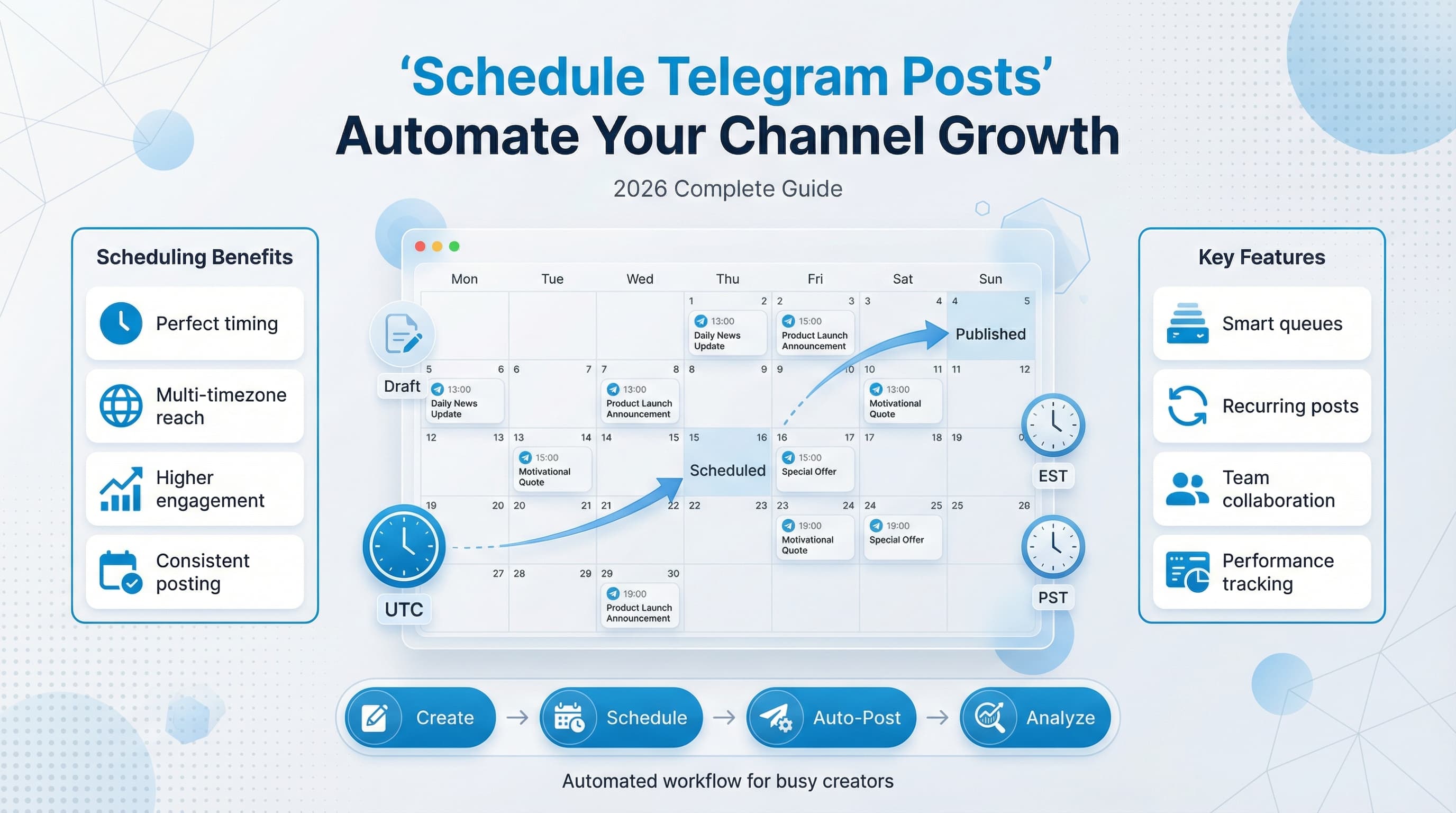
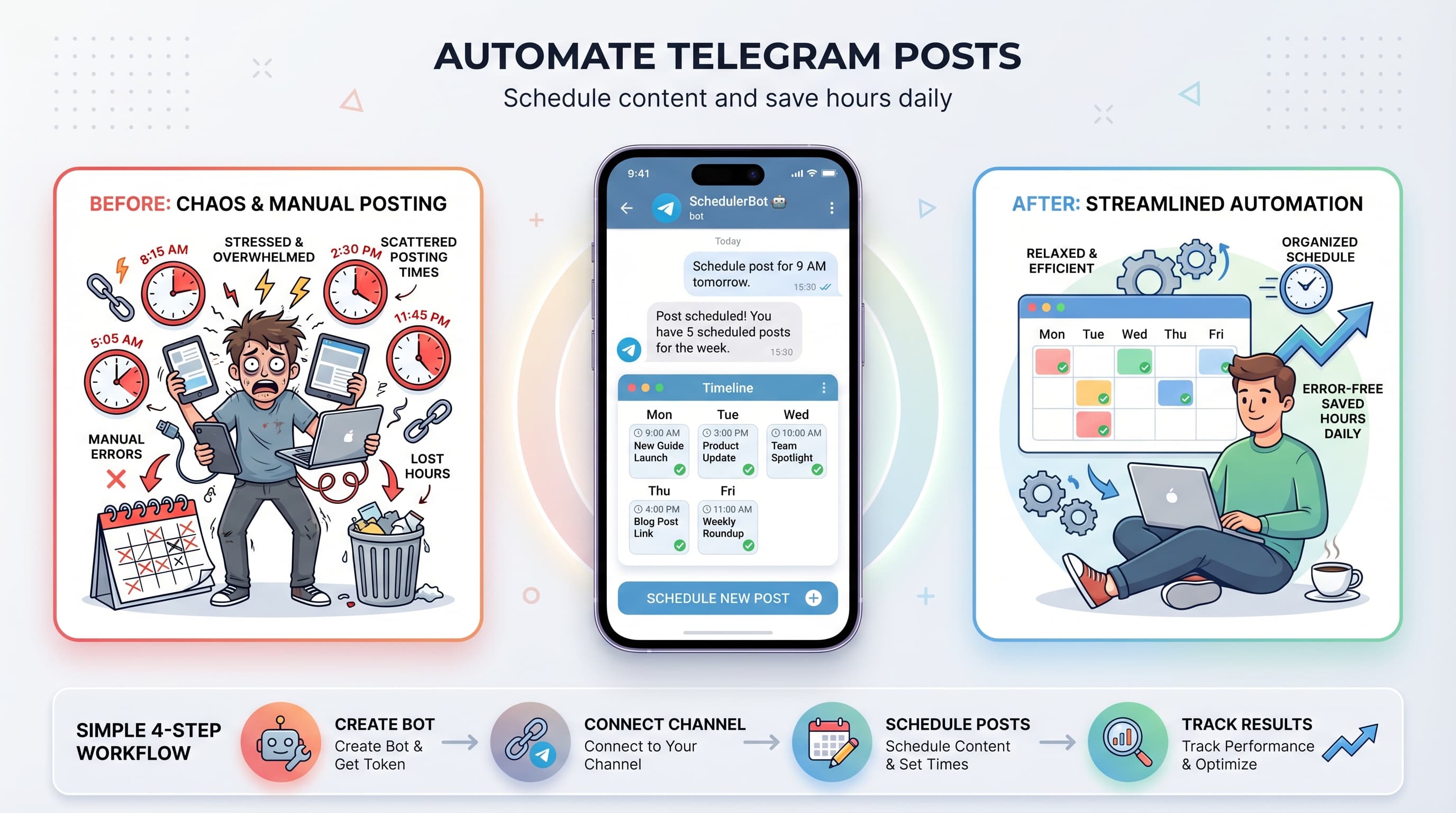
Managing a Telegram channel means posting consistently, and that gets exhausting fast. You're probably spending hours each day crafting posts, timing them perfectly, and trying to keep your audience engaged. Try our Telegram scheduling.
See It in Action
This is what scheduling a Telegram post looks like in Schedulala
What if you could automate the entire process and still maintain that personal touch your followers love? Auto posting to Telegram isn't just possible - it's become essential for serious channel owners who want to scale without burning out. See our scheduling across platforms guide.
Try Schedulala for free
Schedule posts to Bluesky, Twitter, and 8 other platforms from one dashboard.
Get started for free→Why auto posting matters for Telegram channels
Telegram channels thrive on consistency. The algorithm favors channels that post regularly, and your audience expects fresh content at predictable times. Manual posting works when you have five subscribers, but becomes impossible as you scale. See our how to automate bluesky guide.
Consider this: successful Telegram channels post 3-5 times daily. That's 21-35 posts per week you need to time perfectly across different time zones. Without automation, you're either glued to your phone or your engagement suffers. See our scheduling across platforms guide.
The real cost of manual posting
Manual posting doesn't just eat your time - it limits your growth potential. You can't maintain consistent posting when you're sleeping, traveling, or dealing with life. Your competitors using automation will outpost you every single time. Learn more about telegram line break generator.
Plus, manual posting often means posting at convenient times for you, not optimal times for your audience. Auto posting lets you hit those peak engagement windows even when you're unavailable. Try our telegram font generator.
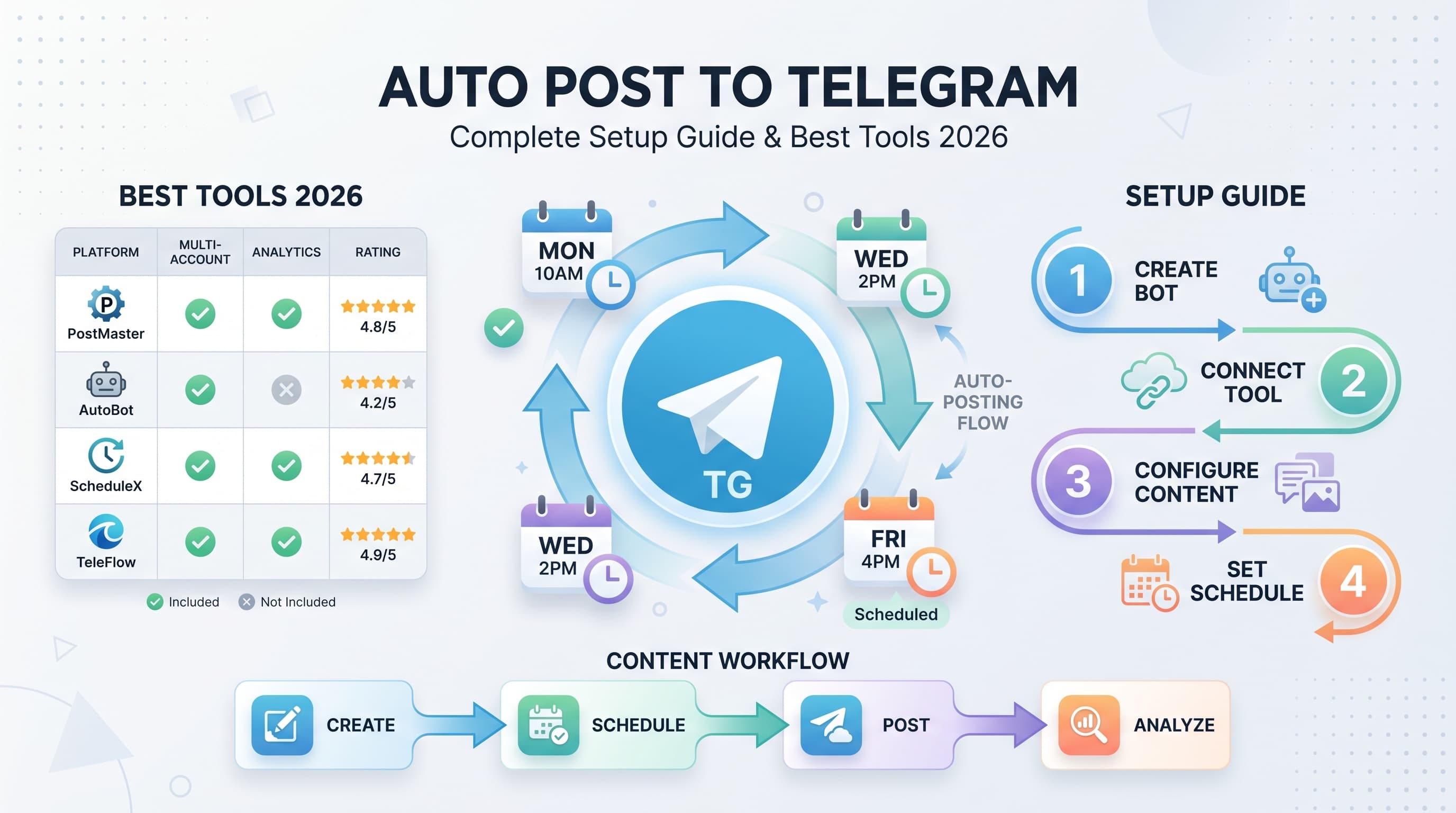
Best tools for auto posting to Telegram
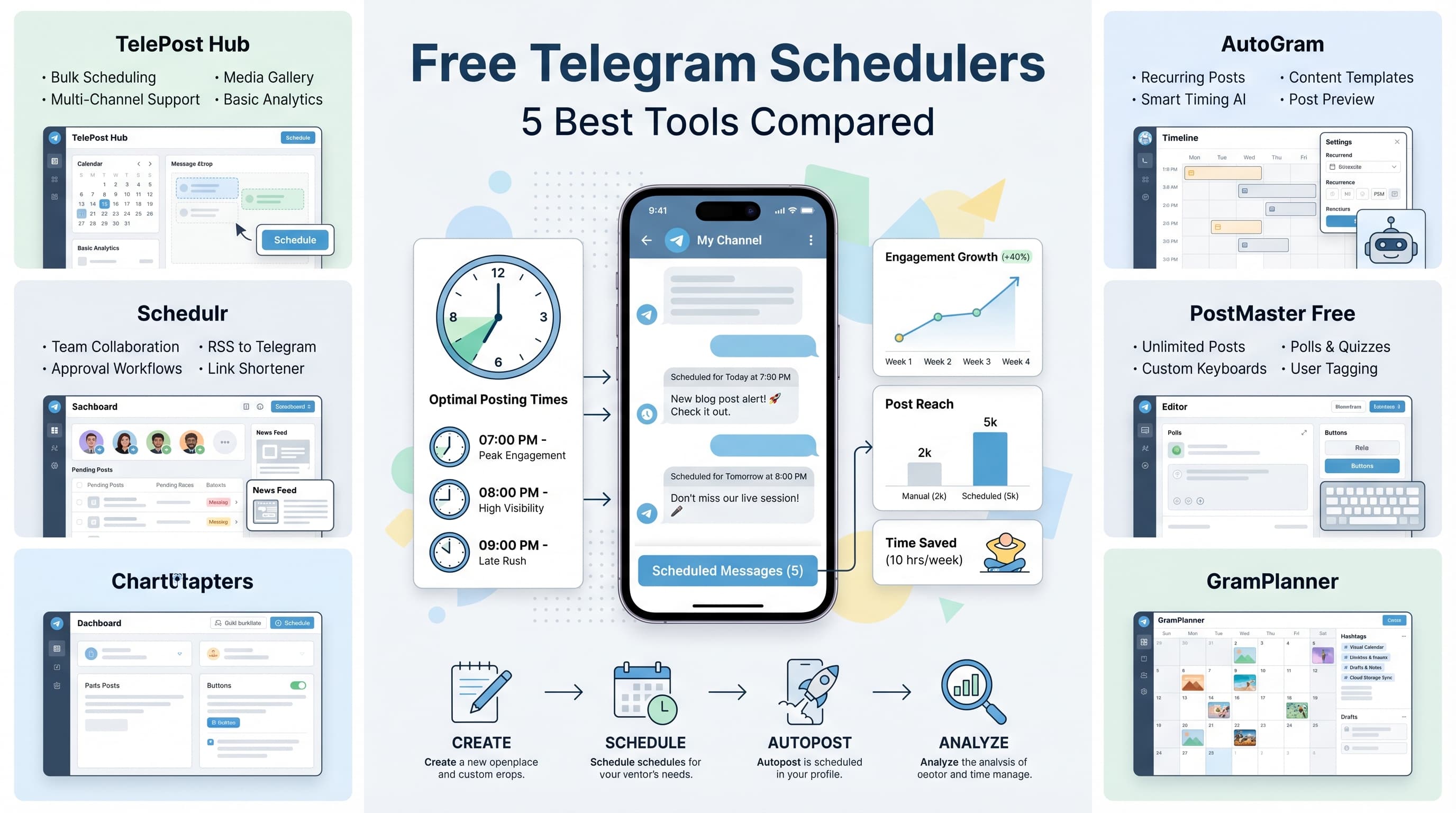
Not all auto posting tools handle Telegram well. The platform has specific requirements and limitations that generic scheduling tools often ignore. Here are the tools that actually work for serious Telegram automation.
1. Schedulala - Best overall for Telegram automation
Schedulala handles Telegram's quirks better than most alternatives. It supports channels, groups, and individual chats with proper formatting preservation. The interface makes bulk scheduling painless, and the analytics show you what's actually working.
What sets Schedulala apart is its understanding of Telegram's unique features. It handles polls, inline keyboards, and media albums correctly. Most competitors treat Telegram like Twitter, which breaks formatting and limits functionality.
- Native Telegram formatting support
- Bulk upload and scheduling
- Cross-platform management
- Detailed analytics and reporting
- Team collaboration features
2. TelePost - Telegram-specific solution
TelePost focuses exclusively on Telegram, which means deep integration with platform features. It's particularly strong for channels that use advanced Telegram functionality like custom keyboards and bot integration.
The downside is the learning curve. TelePost assumes you're already familiar with Telegram's API limitations and doesn't guide newcomers well. It's powerful but not beginner-friendly.
3. Buffer - Good for basic needs
Buffer recently added Telegram support, but it's clearly an afterthought. Basic text posts work fine, but anything advanced will frustrate you. Good if you're already using Buffer for other platforms and only need simple Telegram posting.
The price point is reasonable, but the feature limitations mean you'll outgrow it quickly if your Telegram strategy gets sophisticated.
Step-by-step setup guide for Telegram auto posting
Setting up auto posting requires more than just connecting your account. Telegram's security model means you'll need to handle API access, permissions, and formatting rules carefully. Here's the complete setup process that actually works.
1. Prepare your Telegram account and channels
Before connecting any tool, ensure your Telegram setup supports automation. This means enabling the right permissions and understanding your channel structure.
First, make yourself an admin on any channels or groups you want to automate. The scheduling tool needs posting permissions, which requires admin access. Don't skip this step - it's the most common setup failure.
- Verify admin status on target channels
- Enable 'Post Messages' permission for your account
- Document channel usernames and IDs
- Test manual posting to confirm access
- Set up channel descriptions mentioning automation (optional but recommended)
2. Choose and configure your scheduling tool
Tool selection depends on your specific needs. If you manage multiple platforms, Schedulala offers the best balance of features and usability. For Telegram-only automation with advanced features, TelePost might fit better.
During setup, pay attention to the authentication process. Telegram uses phone number verification, and some tools handle this more smoothly than others. Schedulala's process is particularly streamlined.
- Sign up for your chosen platform
- Complete phone verification process
- Grant necessary permissions
- Connect your channels individually
- Test connection with a scheduled post
3. Set up your posting schedule and content calendar
Random posting kills engagement. Your audience needs to know when to expect content. Start with 2-3 posts daily at consistent times, then adjust based on your analytics.
Most successful Telegram channels post during commute hours (8-9 AM and 6-7 PM local time) and lunch breaks (12-1 PM). But your audience might be different, so test various times and track engagement.
- Analyze your current audience activity patterns
- Start with 2-3 daily posts at consistent times
- Plan content themes for different time slots
- Create a content calendar covering 2-4 weeks ahead
- Set up recurring post templates for regular content types
Advanced automation strategies for Telegram
Basic scheduling is just the beginning. Advanced automation can transform your Telegram channel from a simple broadcast tool into an engagement machine. These strategies separate successful channels from abandoned ones.
Content recycling and evergreen automation
Your best content shouldn't post just once. Create a system for recycling high-performing posts after 30-60 days. Most of your audience won't remember, and new subscribers definitely haven't seen it.
Set up evergreen content categories that automatically rotate. Tips, tutorials, and inspirational content work well for this. Use your scheduling tool's recurring post features to automate the rotation without manual intervention.
- Identify your top 20 posts by engagement
- Create recycling schedules with 45-day gaps
- Set up evergreen content buckets
- Use seasonal content calendars
- Track performance of recycled vs. new content
Cross-platform content adaptation
If you create content for multiple platforms, adapt rather than duplicate. Telegram's longer character limits and formatting options let you expand on Twitter posts or add context to Instagram content.
The key is making each version feel native to its platform. Telegram audiences expect more detail and discussion than Twitter users. Use this to provide deeper value while maximizing your content creation efforts.
Engagement-driven automation
Smart automation responds to audience behavior. Set up conditional posting based on engagement levels. If a post performs exceptionally well, automatically schedule follow-up content on the same topic.
Use polls and questions strategically. Schedule interactive content during high-engagement periods, then follow up with related content based on poll results. This creates conversation threads that boost overall channel activity.
Content formatting and optimization for auto posts
Telegram's formatting options are more powerful than most platforms, but automation tools handle them differently. Understanding these nuances prevents your auto posts from looking robotic or broken.
Telegram-specific formatting best practices
Telegram supports markdown formatting, but not all scheduling tools preserve it correctly. Test your formatting in draft posts before scheduling. Bold, italic, and code formatting can break if your tool doesn't handle markdown properly.
Links in Telegram work differently than other platforms. Preview links automatically generate, which can clutter your post layout. Use text-based links or disable previews strategically to control your post appearance.
- Test all formatting in drafts before scheduling
- Use bold and italic sparingly for emphasis
- Structure longer posts with line breaks and emojis
- Control link previews to avoid visual clutter
- Keep paragraphs short (3-4 lines max)
Media handling in automated posts
Images and videos require special handling in automated posts. File size limits, format restrictions, and upload timing can cause failures. Always have backup text-only versions of media-heavy posts.
Telegram's album feature lets you post multiple images together, but not all automation tools support this correctly. Test media posting extensively before relying on it for important content.
Common mistakes to avoid with Telegram automation
Telegram automation fails spectacularly when done wrong. These mistakes can destroy your channel's engagement and even get you banned from the platform.
Over-automation and losing the human touch
The biggest mistake is automating everything. Your audience can tell when content feels robotic, and Telegram users are particularly sensitive to this. Keep some posts manual, especially responses to current events or community questions.
Set up alerts for comments and mentions so you can respond personally. Automation should handle routine posting, not community interaction. The moment your channel feels like a bot, you've lost your audience.
Ignoring Telegram's rate limits and spam policies
Telegram has strict limits on posting frequency and content duplication. Posting too frequently or repeating content too often can trigger spam filters. Most automation tools don't warn you about these limits.
Respect the platform's unwritten rules. More than 5 posts daily starts looking spammy. Identical content posted across multiple channels can trigger restrictions. Plan your automation within these constraints.
Poor timing and audience mismatch
Automated posting at optimal times only works if you know when your audience is active. Many channels schedule posts based on their own timezone, ignoring where their audience actually lives.
Use Telegram's analytics to understand your audience's activity patterns. If most followers are in Europe but you're scheduling for US hours, your automation is working against you.
Measuring success and optimizing your automation
Automation without measurement is just fancy procrastination. You need systems to track what's working and adjust your strategy based on real data, not assumptions.
Key metrics for Telegram automation success
Views and subscribers are vanity metrics. Focus on engagement rates, comment quality, and click-through rates for links. These indicate whether your automated content actually connects with your audience.
Track posting time performance across different days and hours. Your initial assumptions about optimal timing are probably wrong. Let the data guide your scheduling decisions.
- Monitor engagement rates by posting time
- Track click-through rates on links and calls-to-action
- Measure comment quality and response rates
- Compare automated vs. manual post performance
- Watch subscriber growth patterns related to posting frequency
A/B testing your automated content
Test different post formats, lengths, and styles systematically. Schedule similar content at different times or with different formatting to see what performs better. Most scheduling tools make this testing process easy.
Don't test everything at once. Focus on one variable per test period. This week, test posting times. Next week, test content length. Systematic testing beats random changes.
Scaling your Telegram presence with automation
Once you master single-channel automation, scaling becomes the next challenge. Managing multiple channels or integrating with broader marketing strategies requires different approaches and tools.
Multi-channel management strategies
Running multiple Telegram channels effectively means avoiding content duplication while maintaining efficiency. Create content hierarchies where your main channel gets primary content, and niche channels get adapted versions.
Use tools like Schedulala that support bulk operations across channels. You can schedule similar content to multiple channels simultaneously while customizing for each audience. This saves massive amounts of time.
Integration with broader marketing automation
Telegram automation works best when integrated with your overall marketing stack. Connect your posting schedule with email campaigns, blog publishing, and other social platform strategies.
Set up workflows that automatically create Telegram posts when you publish new blog content or launch new products. This ensures consistent messaging across all your channels without manual coordination.
Try Schedulala for free
Schedule posts to Bluesky, Twitter, and 8 other platforms from one dashboard.
Get started for free→Future-proofing your Telegram automation strategy
Telegram continues evolving, and automation tools must adapt. Building a strategy that survives platform changes and policy updates requires flexibility and the right tool choices.
The platforms that thrive long-term are those that balance automation with authentic engagement. Your automation should amplify your voice, not replace it. Focus on tools and strategies that enhance rather than eliminate human connection.