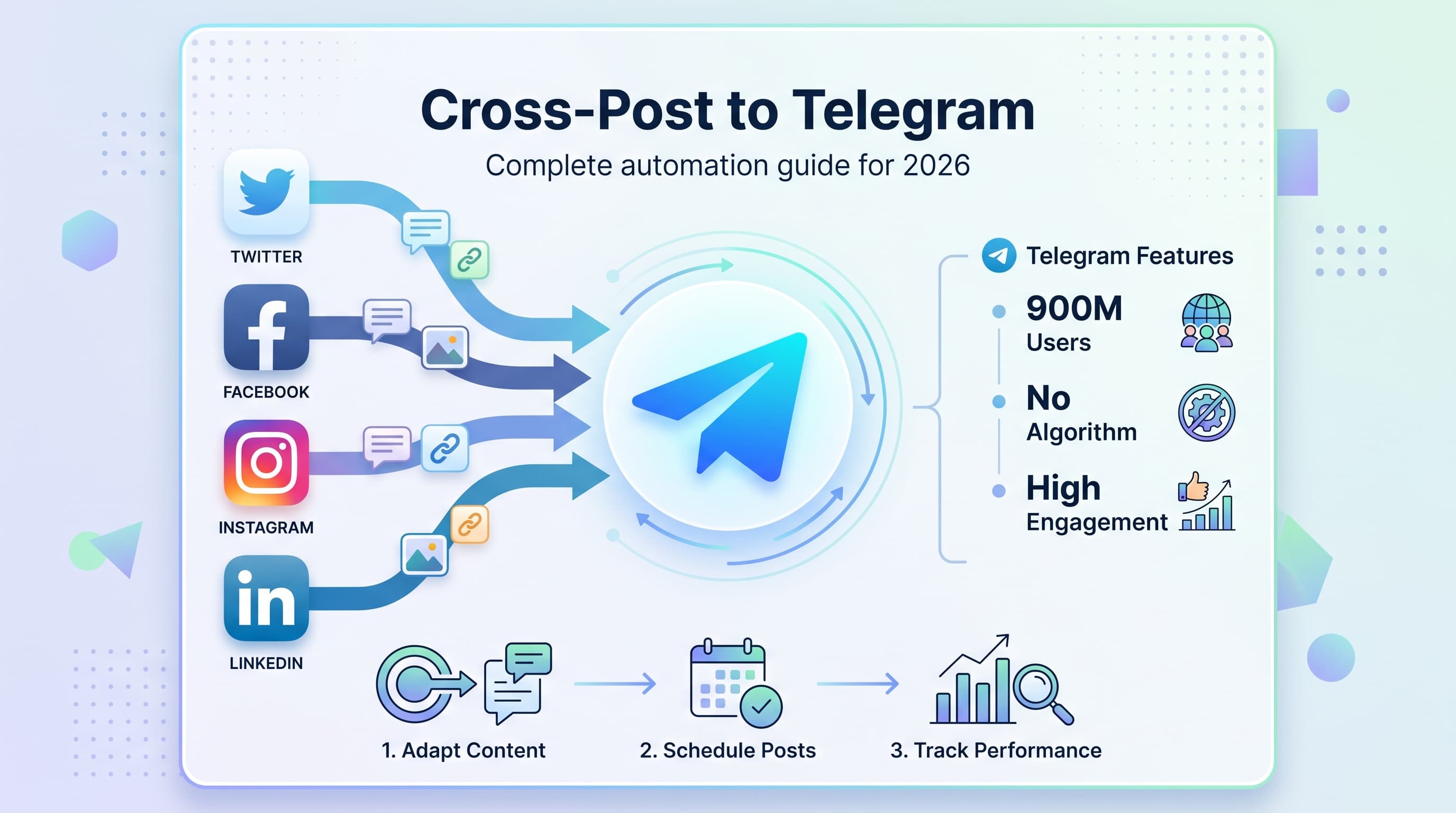
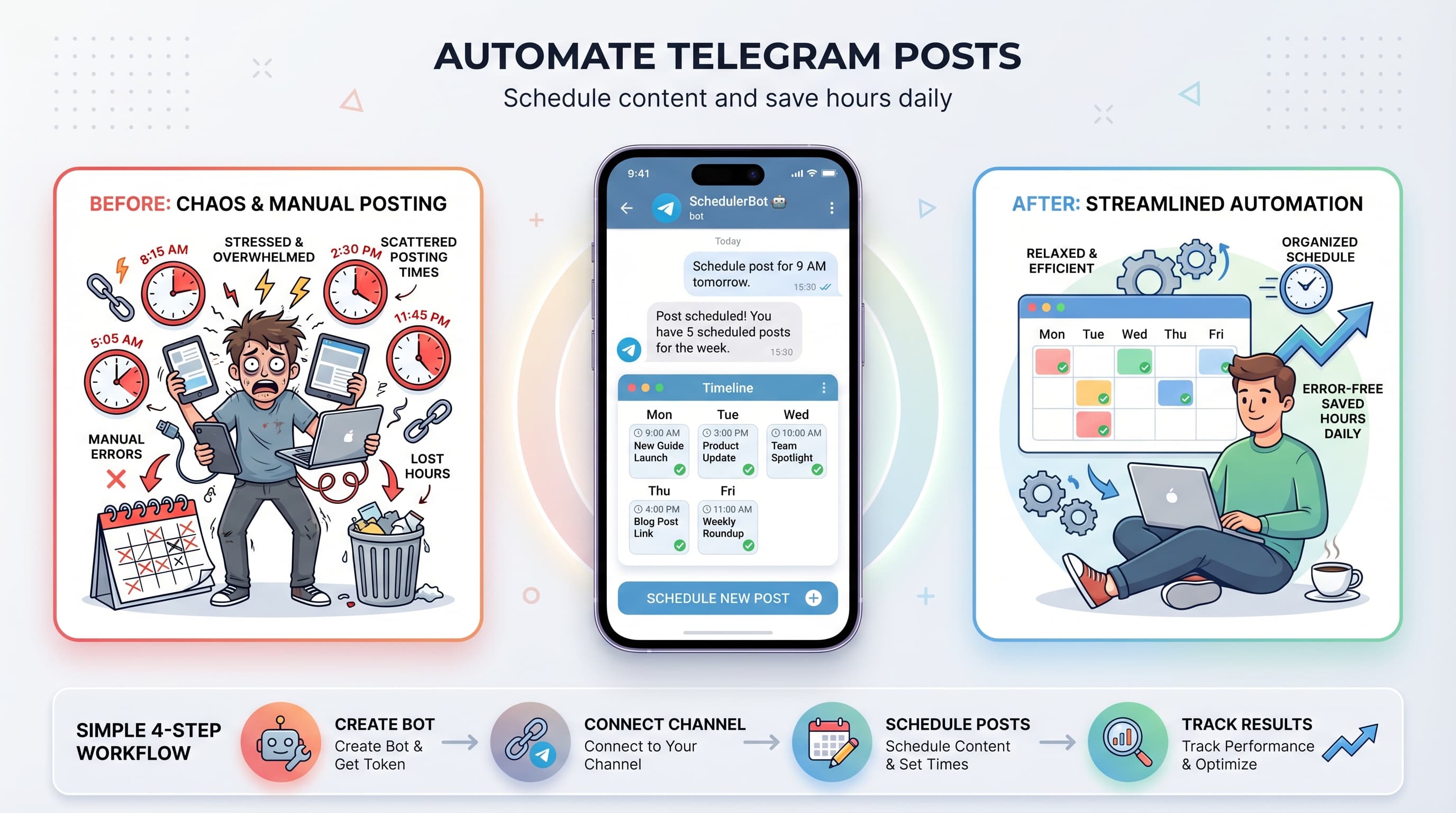
How to Create a Telegram Channel: Complete Step-by-Step Guide for 2026
Learn how to create a telegram channel in minutes. Complete guide with setup tips, privacy settings, and growth strategies for 2026.

Quick answer
Create a Telegram channel in under 2 minutes by tapping New Channel in the Telegram app, setting a name, description, and choosing public or private.
- •Public channels get a shareable t.me/username link; private channels use invite links
- •Add a clear channel description with keywords for discoverability
- •Channels support unlimited subscribers and show view counts on every post
- •Schedule posts to your new channel with Schedulala starting at $9/month
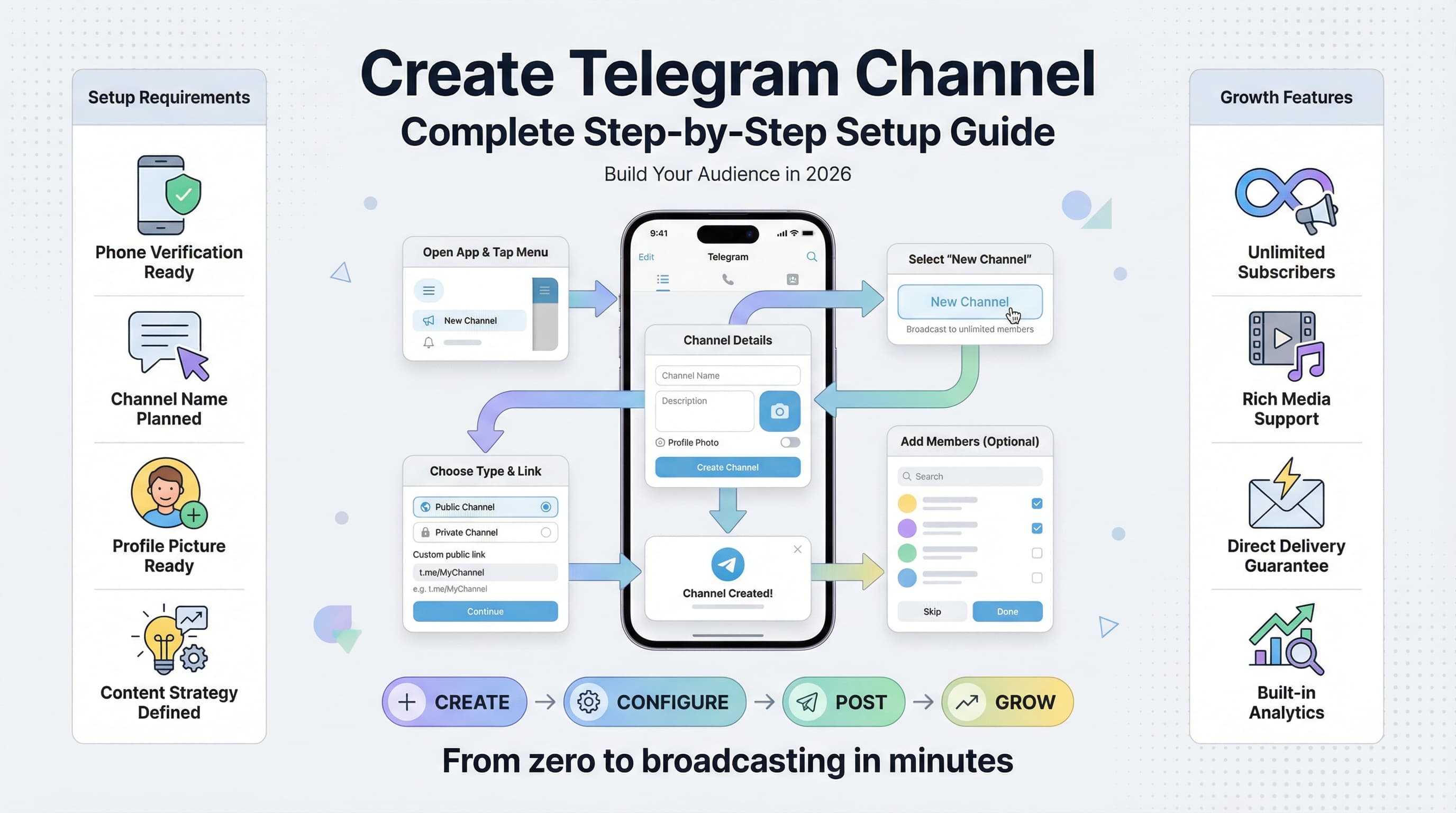
Telegram channels have become one of the most powerful tools for reaching audiences without algorithms getting in the way. See our Telegram scheduling guide.
See It in Action
This is what scheduling a Telegram post looks like in Schedulala
Unlike social media platforms that limit your reach, Telegram delivers your message directly to every subscriber who wants to see it. Try our scheduling across platforms.
Ready to build your own broadcasting powerhouse?
Try Schedulala for free
Schedule posts to Bluesky, Twitter, and 8 other platforms from one dashboard.
Get started for free→What is a Telegram channel and why create one
A Telegram channel is essentially your own broadcasting station. You send messages, and all your subscribers receive them instantly. No complicated algorithms decide who sees your content, and no engagement metrics determine your reach. See our how to automate bluesky guide.
Think of it like having a direct hotline to your audience. When you post something, everyone subscribed gets it. Period. Our how to repurpose content can help.
Channels vs Groups: Key differences
Channels are for broadcasting to many people. Only admins can post, and subscribers can't reply directly in the channel. Groups are for conversations where everyone can participate. See our telegram font generator guide.
If you want to share updates, news, or content with your audience, you need a channel. If you want community discussions, create a group instead. Try our telegram line break generator.
Why Telegram channels work better than other platforms
Instagram might hide your posts from followers. Facebook definitely will. Twitter's algorithm picks favorites. LinkedIn throttles business content unless you pay.
Telegram doesn't play these games. Your subscribers signed up to hear from you, so they get your messages. All of them.
Plus, Telegram supports rich media, long-form text, file sharing, and even live streaming. You can share documents, videos up to 2GB, and create interactive polls.
Requirements before you start
Creating a Telegram channel takes about five minutes, but having the right foundation makes the difference between success and crickets.
What you need
- A Telegram account with a verified phone number
- A clear purpose for your channel
- A channel name that's memorable and searchable
- Profile picture and description ready to go
Choosing your channel concept
Successful Telegram channels have a clear focus. Are you sharing industry news? Teaching a skill? Providing exclusive content? Building a community around your brand?
Vague concepts lead to confused audiences. "John's Random Thoughts" won't attract subscribers. "Daily Marketing Tips for Small Business Owners" will.
The best channels solve a specific problem or fulfill a particular need. Your subscribers should know exactly what they're getting when they join.
Planning your content strategy
Before you create the channel, think about what you'll post and how often. Consistency matters more than frequency. Better to post twice a week reliably than daily for two weeks then disappear.
Consider your content mix. Will you share original posts, curated content, behind-the-scenes updates, or a combination? Having a content framework helps you stay consistent.
Step-by-step channel creation process
Now for the actual creation process. I'll walk you through each step with screenshots and explanations.
Step 1: Access the create channel option
Open Telegram and look for the compose button (usually a pencil icon or plus sign in the bottom right corner). Tap it, then select "New Channel" from the menu.
If you're on desktop, click the menu button (three horizontal lines) in the top left, then choose "New Channel."
Step 2: Set your channel type
Telegram will ask if you want to create a channel or group. Select "Channel" since groups have different features and limitations.
The interface makes this clear, but double-check because switching later requires creating a new channel from scratch.
Step 3: Add basic information
Enter your channel name and description. The name appears in search results and at the top of your channel. Keep it clear and memorable.
The description helps people understand what your channel is about. This text appears when people find your channel in search or when someone shares your channel link.
Step 4: Upload a profile picture
Your channel avatar is the first thing people see. Use your logo, a professional headshot, or an image that represents your channel's topic.
Square images work best. Telegram will crop rectangular images to fit, so make sure important elements are centered.
Step 5: Choose public or private
Public channels can be found in Telegram's search and have a custom username (like @yourchannelname). Private channels are invite-only and accessed through special links.
Most people want public channels for maximum reach. Choose private only if you're creating an exclusive channel for a specific group.
Step 6: Set your channel username
This creates your channel's permanent link: t.me/yourusername. Choose carefully because changing it later breaks existing links people have shared.
Use letters, numbers, and underscores only. No spaces or special characters. Keep it short enough that people can remember and type it easily.
Essential settings and configuration
Creating the channel is just the beginning. The right settings make your channel more discoverable, professional, and engaging.
Channel information settings
Go to your channel settings by tapping the channel name at the top, then selecting "Edit." Here you can modify everything you set during creation, plus access advanced options.
Description optimization
Your channel description is searchable text, so include relevant keywords naturally. Explain what subscribers will get and how often you post.
Good descriptions set expectations: "Daily marketing tips for freelancers and small business owners. New posts every weekday at 9 AM EST."
Privacy and permission settings
In channel settings, you'll find options for comments, forwarding, and member visibility. These affect how people interact with your content.
Comment settings
You can enable comments on channel posts, but they appear in a linked discussion group, not directly in the channel. This keeps the channel clean while allowing interaction.
If you enable comments, Telegram automatically creates a discussion group linked to your channel. You can also link an existing group.
Content protection
The "Restrict saving content" option prevents people from forwarding your messages or saving media. Use this for exclusive content, but know it limits organic growth through shares.
Most channels benefit from allowing forwards since it helps content spread. Only restrict if you have specific reasons.
Admin and notification settings
You can add other admins to help manage your channel. Different admin levels have different permissions, from posting content to managing subscribers.
Channel notifications work differently than personal messages. Subscribers can mute your channel without unsubscribing, so post quality matters more than frequency.
Creating your first post
Your first post sets the tone for everything that follows. It's often the first thing new subscribers see, so make it count.
Welcome post best practices
A good welcome post introduces you, explains what the channel is about, and gives people a reason to stay subscribed. Skip the generic "Welcome to my channel!" messages.
What to include
- Brief introduction of yourself or your brand
- Clear explanation of what subscribers will get
- Posting schedule or frequency
- Any rules or expectations
- A valuable piece of content or resource
Consider pinning your welcome post so new subscribers always see it first. You can pin any message by tapping and holding it, then selecting "Pin."
Post formatting and media
Telegram supports rich text formatting, including bold, italic, and monospace text. Use formatting sparingly for emphasis, not as decoration.
You can add images, videos, documents, audio files, and polls to your posts. Video files can be up to 2GB, which is much larger than most other platforms allow.
Formatting tips
Use line breaks to make long posts more readable. Telegram doesn't have character limits like Twitter, so you can write as much as needed.
Emojis can add personality but don't overuse them. A few well-placed emojis work better than emoji soup.
Growing your channel effectively
Building a Telegram channel audience takes different strategies than growing on Instagram or TikTok. The platform rewards consistency and value over viral content.
Content strategy for growth
Successful Telegram channels focus on utility over entertainment. People subscribe to get value, learn something, or stay informed about topics they care about.
Your content should either solve problems, provide exclusive information, or offer unique perspectives. Generic content that's available everywhere won't retain subscribers.
Content types that work
- Industry news and analysis
- How-to guides and tutorials
- Behind-the-scenes content
- Exclusive resources and tools
- Curated collections of useful links
- Live updates from events or situations
Cross-platform promotion
Most Telegram growth comes from promoting your channel on other platforms. Your existing social media followers, email subscribers, and website visitors are your best initial audience.
Add your Telegram channel link to your bio on all social platforms. Mention it in your content when relevant. Include it in your email signature and on your website.
Promotion strategies
Create "Telegram-exclusive" content that you mention on other platforms. This gives people a reason to join beyond just following you somewhere else.
Share previews or summaries on other platforms, with the full content available only on Telegram. This drives traffic without duplicating everything.
Collaboration and networking
Connect with other Telegram channel owners in your niche. Cross-promotion works well when both channels serve similar audiences without being direct competitors.
Join relevant Telegram groups where your ideal subscribers might hang out. Contribute valuable insights and naturally mention your channel when appropriate. Don't spam.
Using Telegram's discovery features
Telegram's search function helps people find channels by keywords in names and descriptions. Optimize your channel information for relevant search terms your audience might use.
The platform also suggests channels to users based on their interests and activity. Consistent posting and subscriber engagement improve your chances of being recommended.
Advanced features and automation
Once your channel is established, advanced features can help you manage content more efficiently and provide better experiences for subscribers.
Scheduling posts
Telegram's built-in scheduler lets you write posts in advance and publish them automatically. This is perfect for maintaining consistent posting schedules even when you're busy.
To schedule a post, write your message, then tap and hold the send button. Choose "Schedule Message" and set your preferred date and time.
Scheduling best practices
Post when your audience is most active. Check your channel statistics to see when subscribers are online most often.
Consider time zones if you have international subscribers. You might want to post multiple times to reach different regions effectively.
Channel statistics and analytics
Telegram provides detailed analytics for channels with more than 500 subscribers. You can see view counts, shares, subscriber growth, and engagement patterns.
Use these insights to understand what content resonates with your audience. Track which posts get the most views, shares, and reactions to inform your content strategy.
Key metrics to watch
- View rates (what percentage of subscribers see each post)
- Share rates (how often content gets forwarded)
- Subscriber growth and churn
- Peak activity times
- Geographic distribution of your audience
Integrating with other tools
Third-party tools can help you manage multiple channels, cross-post content, and automate routine tasks. Social media scheduling platforms often include Telegram channel support.
If you're managing content across multiple platforms, scheduling tools like Schedulala can help you maintain consistent posting across Telegram and your other channels simultaneously.
Common mistakes to avoid
Learning from others' mistakes saves time and prevents frustration. Here are the most common problems new Telegram channel creators face.
Posting inconsistently
Irregular posting is the fastest way to lose subscribers. People join channels expecting consistent value. Long gaps between posts make subscribers forget about you or assume you've abandoned the channel.
It's better to post twice a week consistently than daily for a month then disappear for three weeks. Set a realistic schedule you can maintain long-term.
Consistency strategies
Batch create content when you have time, then schedule it for regular posting. This smooths out your workload and maintains consistent output.
Start with a conservative posting schedule. You can always increase frequency later, but reducing it disappoints subscribers.
Unclear channel purpose
Channels that try to cover everything appeal to no one. "Lifestyle tips, business advice, food photos, and random thoughts" doesn't give people a clear reason to subscribe.
Pick a focused topic and stick to it. If you want to cover multiple unrelated topics, create separate channels for each one.
Ignoring subscriber feedback
Pay attention to view counts, shares, and any direct feedback you receive. If certain types of posts consistently perform better, that's your audience telling you what they want more of.
You can enable comments through discussion groups or ask subscribers to message you directly with feedback. Don't assume you know what your audience wants without testing.
Over-promoting or under-promoting
Some creators spam their channel links everywhere, annoying potential subscribers. Others create great channels but never tell anyone about them.
Find the middle ground. Promote your channel where it's relevant and valuable, but don't be pushy. Focus on providing value first, promotion second.
Monetization and business opportunities
Telegram channels can become revenue streams through various monetization methods. The platform's direct relationship with subscribers creates unique opportunities.
Direct monetization options
Telegram offers built-in monetization through paid subscriptions for channels. Subscribers pay monthly fees to access exclusive content or ad-free experiences.
You can also accept donations through Telegram's payment system or external platforms like PayPal or crypto wallets.
Subscription model strategies
Offer tiered content with free basic posts and premium exclusive content. This lets you build an audience with free content while monetizing dedicated subscribers.
Premium subscribers might get early access to content, detailed analysis, downloadable resources, or direct access to you.
Indirect monetization
Use your Telegram channel to drive traffic to other revenue sources. This could be your website, online courses, consulting services, or affiliate products.
The key is providing enough value in your free channel content that subscribers trust your recommendations and want to learn more.
Your next steps
Creating a Telegram channel is straightforward, but building a successful one requires consistent effort and clear strategy.
Start by defining your channel's purpose and target audience. Create your channel with optimized settings, post valuable content consistently, and promote it strategically across your other platforms.
Most importantly, focus on providing genuine value to your subscribers. Telegram's direct delivery system rewards creators who consistently serve their audience's needs.
Try Schedulala for free
Schedule posts to Bluesky, Twitter, and 8 other platforms from one dashboard.
Get started for free→