Instagram Broadcast Channels: Complete Guide to Building Your Audience
Master Instagram broadcast channels to grow your audience. Step-by-step setup, content strategies, and tips to maximize engagement with followers.

Instagram broadcast channels have quietly become one of the platform's most powerful features for creators and businesses. If you're still posting to your Stories hoping people will see them, you're missing out on a direct line to your most engaged followers. Learn more about Instagram scheduling.
See It in Action
This is what scheduling an Instagram post looks like in Schedulala
Think of broadcast channels as your own private radio station where only your subscribers can tune in. No algorithm deciding who sees what. No competing with other posts in the feed. Just you, your message, and the people who actually want to hear from you. Try our telegram engagement tips get.
Try Schedulala for free
Schedule posts to Bluesky, Twitter, and 8 other platforms from one dashboard.
Get started for free→What are Instagram broadcast channels?
Instagram broadcast channels are one-to-many messaging tools that let creators send updates directly to their subscribers. Unlike regular posts that get buried in feeds or Stories that disappear, broadcast channels create a dedicated space where your most interested followers can receive your updates. Our how to repurpose content can help.
The feature launched in early 2023 and has grown rapidly. Meta reported that creators using broadcast channels see 3x higher engagement rates compared to regular posts. The reason is simple: only people who actively subscribe will see your messages, creating a highly engaged audience. Learn more about scheduling across platforms.
How broadcast channels work
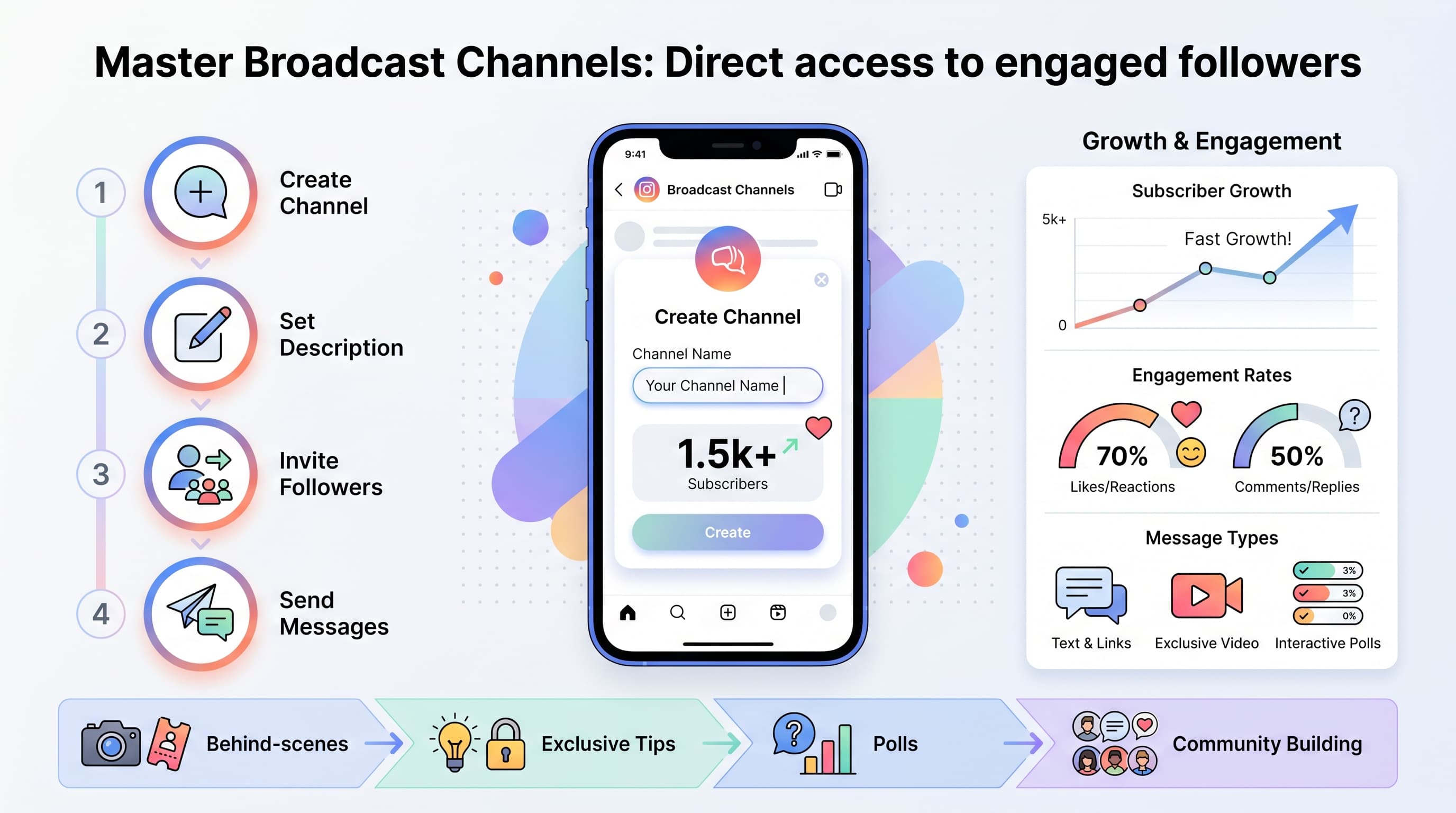
When you create a broadcast channel, Instagram generates a unique link that followers can use to join. As the creator, you can send text, photos, videos, voice notes, and polls to all subscribers at once. Subscribers can react and respond, but they can't send messages to other subscribers. Our best time to post on instagram can help.
This creates a controlled environment where you maintain the conversation flow while still allowing interaction. It's like having a Twitter feed that only your biggest fans can see and engage with. See our instagram engagement calculator guide.
Setting up your Instagram broadcast channel
Creating a broadcast channel takes less than five minutes, but the setup process varies slightly depending on your account type and follower count. Instagram initially limited the feature to creators with larger followings, but it's now available to most users.
1. Check your eligibility
First, make sure you have access to the feature. Open Instagram and go to your DMs. If you see a Create broadcast channel option at the top of your message list, you're good to go. If not, the feature might not be available in your region yet or your account might need more time to qualify.
Instagram typically rolls out features to creator accounts and business accounts first, then expands to personal accounts. Having a verified badge or consistently posting content can help speed up access.
2. Create your channel
Tap Create broadcast channel and you'll see a setup screen. Choose a name that clearly describes what subscribers will get. Behind the scenes, Weekly tips, or Product updates work better than generic names like My channel.
Select your audience type. You can make channels open to all your followers or restrict them to your Close Friends list. Most creators start with all followers to maximize growth, then create separate channels for different content types later.
3. Write your channel description
The description appears when people decide whether to join your channel. Be specific about what they'll receive and how often. Get exclusive fitness tips every Tuesday and Thursday, plus first access to new workout videos tells people exactly what to expect.
Avoid vague descriptions like Updates and more. People subscribe when they understand the value they'll get. Include posting frequency so subscribers know whether to expect daily messages or weekly updates.
4. Send your first message
Your first broadcast message should welcome new subscribers and set expectations. Explain what content they'll receive, ask them to introduce themselves, or share something exclusive right away. This immediate value delivery encourages people to stay subscribed.
Many successful creators send a welcome series over the first week. Message one introduces the channel, message two shares a valuable tip or resource, and message three asks subscribers what content they want most.
Content strategies that work
The most successful Instagram broadcast channels don't just repurpose content from other platforms. They create unique value that subscribers can't get anywhere else. After analyzing hundreds of broadcast channels, several content patterns consistently drive high engagement.
Behind-the-scenes content
Share the process behind your posts, business decisions, or creative work. People love seeing how things actually get made. A food blogger might show grocery shopping for recipe testing, while a fitness creator could share their own workout struggles.
This content works because it's impossible to fake and creates genuine connection. Your broadcast channel becomes the place where followers see the real you, not just the polished final products.
Early access and exclusives
Give broadcast channel subscribers first access to new content, products, or opportunities. This could be sharing new posts 24 hours early, offering discount codes, or letting subscribers vote on upcoming content topics.
The key is making subscribers feel like VIPs. When people get value they can't get elsewhere, they stay engaged and recommend your channel to others. This exclusivity also drives new subscriptions when you mention broadcast-only perks in your regular posts.
Quick tips and micro-lessons
Share bite-sized advice that's too small for a full post but too valuable to skip. A business coach might send daily motivation quotes with personal commentary, while a photographer could share quick editing tricks.
Keep these messages short and actionable. The goal is to provide immediate value that subscribers can use right away. Save longer educational content for your main feed and use broadcast channels for quick wins.
Personal updates and milestones
Share business milestones, personal achievements, or challenges you're facing. This content builds stronger relationships with your most engaged followers. They become invested in your journey and more likely to support your work.
Balance celebration with vulnerability. Share the wins, but also the struggles and lessons learned. This authenticity is what separates broadcast channels from traditional marketing channels.
Growing your subscriber base
Building a broadcast channel subscriber base requires different tactics than growing your main Instagram following. Since people must actively choose to join, you need clear value propositions and strategic promotion.
Promote across your existing content
Mention your broadcast channel in Instagram Stories, feed posts, and Reels. Don't just say Join my broadcast channel - explain what subscribers get. Join my broadcast channel for behind-the-scenes content from every shoot gives people a clear reason to subscribe.
Use the sticker feature in Stories to link directly to your channel. Instagram provides broadcast channel stickers that make joining easy with one tap. Place these strategically when you're sharing content that would appeal to your most engaged followers.
Cross-promote on other platforms
If you have audiences on TikTok, YouTube, or email lists, let them know about your Instagram broadcast channel. People who follow you on multiple platforms are most likely to engage with exclusive content.
Create platform-specific reasons to join. For email subscribers, you might offer more frequent updates. For TikTok followers, you could promise Instagram-exclusive versions of popular videos.
Collaborate with other creators
Partner with creators in your niche to cross-promote broadcast channels. You might do a channel swap where you each promote the other's channel to your subscribers, or create joint content that gets shared in both channels.
This works best with creators who have similar audience sizes and engagement rates. The goal is mutual benefit, not one person getting significantly more value than the other.
| Promotion Method | Conversion Rate | Best For |
|---|---|---|
| Instagram Stories sticker | 15-25% | Regular content creators |
| Feed post mention | 5-10% | Business accounts |
| Cross-platform promotion | 20-30% | Multi-platform creators |
| DM invitations | 40-60% | Small, engaged audiences |
Advanced features and functionality
Instagram broadcast channels offer more than basic text messaging. Understanding all available features helps you create more engaging content and better track performance.
Message types and formats
You can send text messages, photos, videos up to 60 seconds, voice notes, and polls. Each format serves different purposes. Voice notes create intimacy and work well for quick thoughts or reactions. Videos are perfect for tutorials or behind-the-scenes moments.
Polls drive engagement and give you audience insights. Ask subscribers to vote on content topics, product preferences, or simple either-or questions. The results help guide your content strategy while making subscribers feel heard.
Mix formats to keep content interesting. A week might include a text tip on Monday, behind-the-scenes video on Wednesday, and poll on Friday. This variety prevents subscribers from getting bored with repetitive content.
Analytics and insights
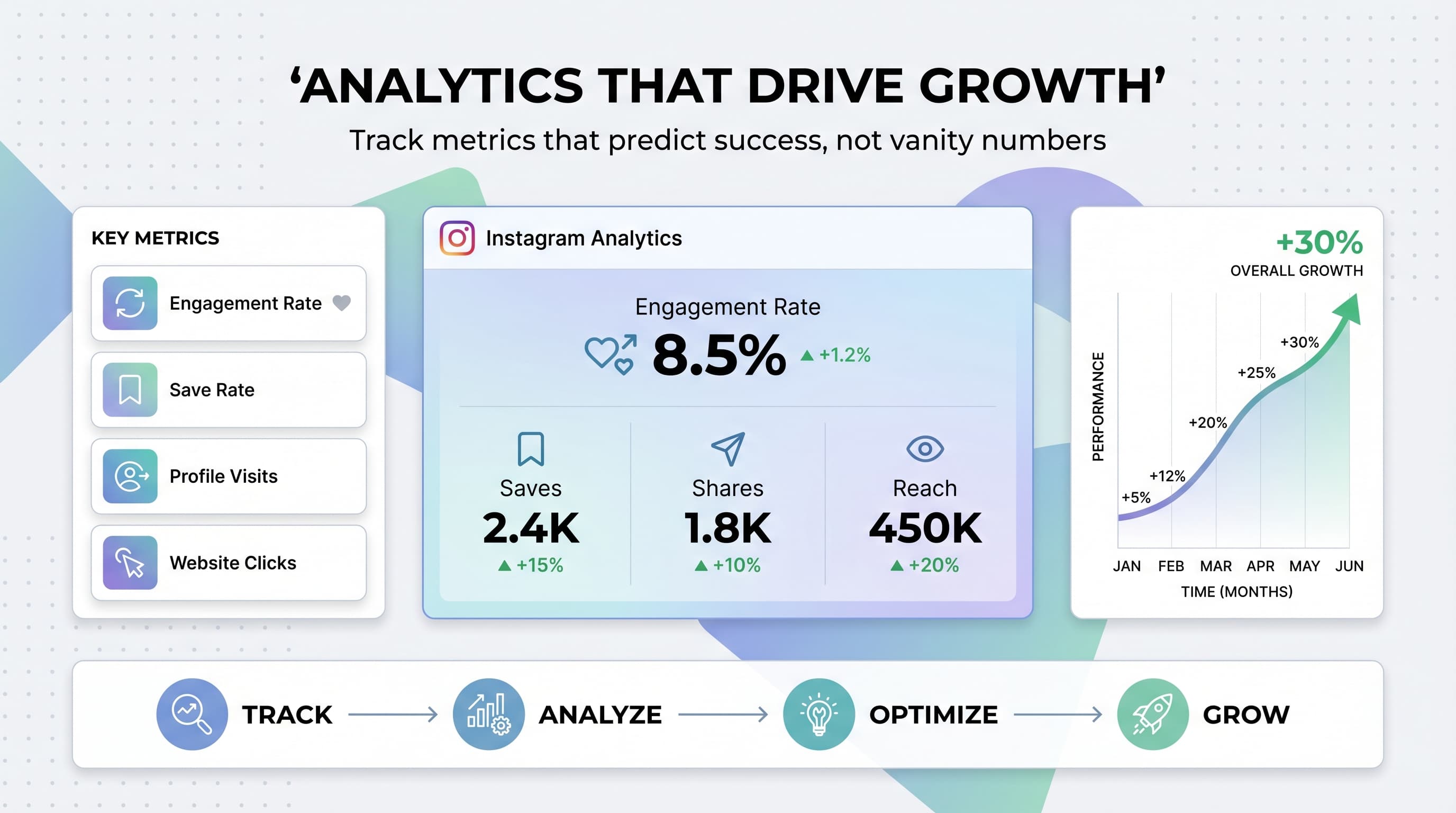
Instagram provides basic analytics for broadcast channels including total subscribers, message views, and engagement rates. Access these through the channel settings menu.
Pay attention to which message types get the highest engagement. If polls consistently outperform text messages, incorporate more interactive content. If voice notes get better responses than videos, adjust your content mix accordingly.
Track subscriber growth patterns to identify your most effective promotion methods. Notice which types of content or promotion lead to subscription spikes, then double down on those tactics.
Moderation and management
As your channel grows, managing subscriber interactions becomes important. You can turn off reactions if conversations become overwhelming, or remove subscribers who consistently post inappropriate responses.
Set clear guidelines in your channel description about acceptable behavior. Most subscribers respect reasonable boundaries when they understand expectations upfront.
Consider designating specific times for responding to subscriber messages. This prevents broadcast channel management from taking over your entire day while still maintaining engagement.
Common mistakes to avoid
Even experienced creators make mistakes when starting broadcast channels. Learning from these common errors saves time and prevents subscriber loss.
Over-messaging subscribers
The biggest mistake is treating broadcast channels like social media feeds. Sending multiple messages daily overwhelms subscribers and leads to high unsubscribe rates. Most successful channels post 2-4 times per week maximum.
Quality matters more than quantity. One valuable message per week builds more loyal subscribers than daily updates with little substance. Respect your subscribers' attention and time.
Making it too promotional
Broadcast channels aren't email marketing lists. Constantly promoting products or services kills engagement. Follow the 80/20 rule: 80% value-driven content, 20% promotional messages.
When you do promote something, make it relevant to your broadcast channel audience. These are your most engaged followers, so they deserve exclusive offers or early access rather than generic sales pitches.
Ignoring subscriber feedback
Subscribers who react and respond to your messages are giving you valuable feedback about what resonates. Ignoring this input means missing opportunities to create better content.
Acknowledge responses when possible and adjust your content based on what subscribers engage with most. This creates a feedback loop that improves your channel over time.
Inconsistent posting schedule
Posting randomly confuses subscribers and reduces engagement. Set expectations in your channel description and stick to them. If you promise weekly updates, deliver weekly updates.
Consistency builds anticipation and helps subscribers know when to expect content. This predictability actually increases engagement rather than making your content boring.
Measuring success and optimization
Success metrics for broadcast channels differ from regular Instagram posts. Focus on engagement quality, subscriber retention, and business impact rather than just vanity metrics.
Key performance indicators
Track subscriber growth rate, message open rates, engagement per message, and subscriber retention over time. A channel with 100 highly engaged subscribers often performs better than one with 1,000 passive subscribers.
Monitor how broadcast channel engagement translates to your main account. Do broadcast channel subscribers comment more on your posts? Do they share your content more frequently? These secondary effects often matter more than direct channel metrics.
A/B testing content types
Test different message formats, posting times, and content themes to optimize performance. Try sending the same message type at different times to find when your audience is most active.
Experiment with message length, visual content frequency, and interaction levels. Some audiences prefer short, quick messages while others engage more with longer, detailed content.
Long-term strategy development
Use broadcast channels to build deeper relationships that support your overall Instagram strategy. Subscribers often become your biggest advocates, sharing your content and recommending your account to others.
Consider how broadcast channels fit into your broader content ecosystem. They work best as part of an integrated approach that includes regular posts, Stories, and other Instagram features.
Try Schedulala for free
Schedule posts to Bluesky, Twitter, and 8 other platforms from one dashboard.
Get started for free→Future of broadcast channels
Instagram continues developing broadcast channel features based on creator feedback and usage patterns. Understanding the platform's direction helps you prepare for upcoming changes and opportunities.
Meta has hinted at monetization features for broadcast channels, including paid subscriptions and exclusive content tiers. This could transform broadcast channels from engagement tools into revenue streams.
Integration with Instagram Shopping and other business features seems likely. Imagine sending product announcements directly to your most engaged followers or offering broadcast channel subscribers special discounts.
Ready to start your broadcast channel?
Instagram broadcast channels offer creators and businesses a direct line to their most engaged followers. Unlike algorithm-dependent posts, broadcast channels guarantee your message reaches subscribers who actively chose to hear from you.
Start with clear expectations, valuable content, and consistent posting. Focus on building genuine relationships rather than chasing subscriber numbers. The creators seeing the biggest success from broadcast channels treat them as community-building tools, not marketing channels.
Remember that broadcast channels work best as part of a comprehensive Instagram strategy. Use them alongside your regular content, Stories, and other features to create multiple touchpoints with your audience.