Telegram Groups vs Channels: Which One Do You Need?
Compare Telegram groups vs channels features, limits, and use cases. Learn which format works best for your community or business in 2026.

Quick answer
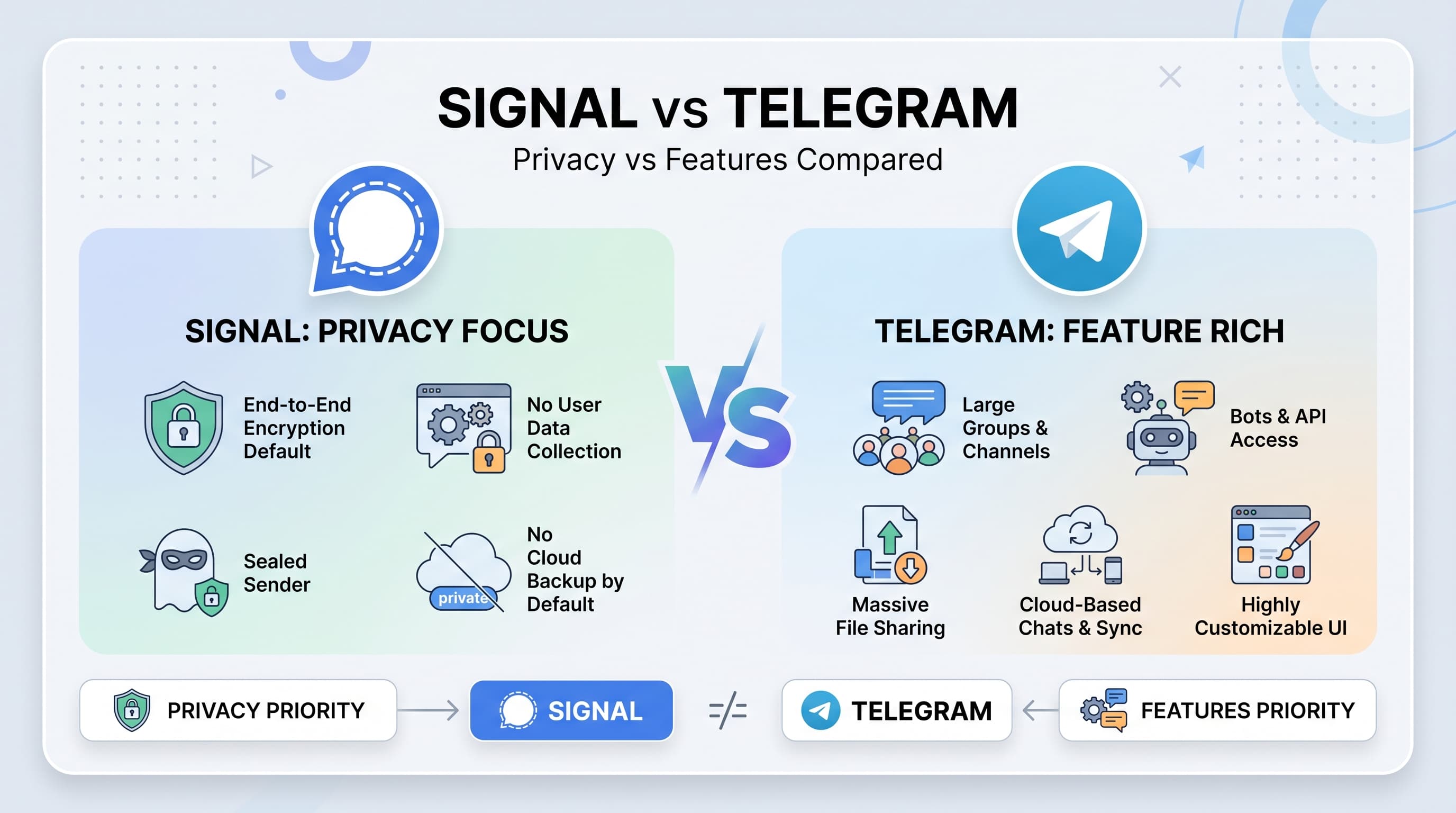
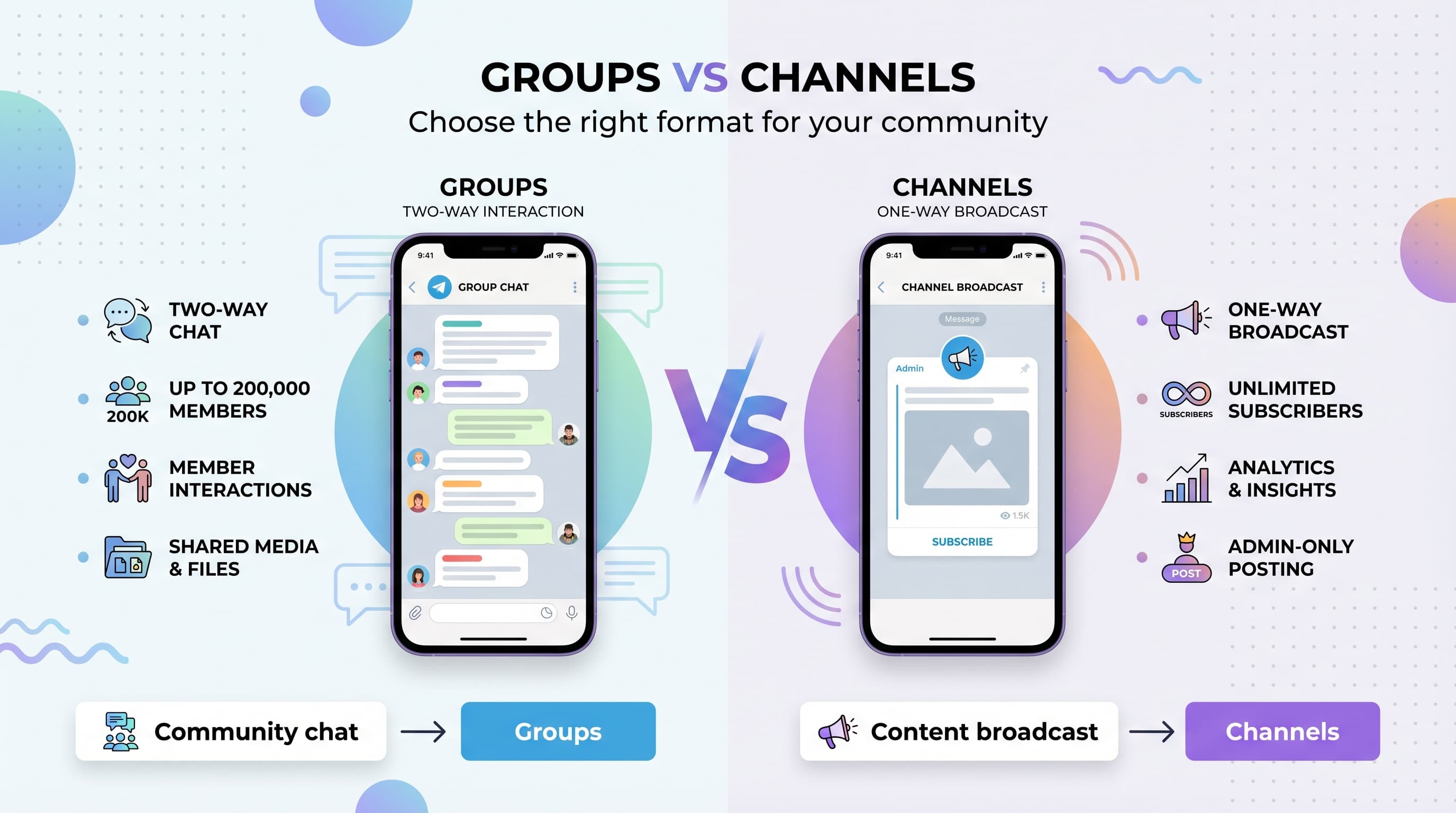
Telegram channels are for broadcasting to unlimited subscribers, while groups support two-way discussions with up to 200,000 members.
- •Channels: one-way broadcast, unlimited subscribers, view counts, no member replies by default
- •Groups: two-way chat, up to 200,000 members, polls, and shared media
- •Use channels for content distribution and groups for community discussion
- •Schedulala supports scheduling to Telegram channels starting at $9/month
You're ready to build your Telegram community, but you're stuck on one crucial decision: group or channel? Our Telegram scheduling can help.
See It in Action
This is what scheduling a Telegram post looks like in Schedulala
Both options look similar on the surface, but they serve completely different purposes. Choose wrong, and you'll find yourself rebuilding your entire community from scratch. See our the best time to guide.
Try Schedulala for free
Schedule posts to Bluesky, Twitter, and 8 other platforms from one dashboard.
Get started for free→What are Telegram groups?
Telegram Groups: Interactive Communities
Telegram groups are chat rooms where every member can send messages, share media, and interact with others. Think of them as digital water coolers where conversations flow freely between participants. See our bluesky content ideas 50 guide.
Groups come in two flavors: regular groups (up to 200 members) and supergroups (up to 200,000 members). Regular groups work perfectly for small teams or friend circles, while supergroups can handle massive communities. See our our guide on how to schedule guide.
- Member limit: 200 (regular) or 200,000 (supergroup)
- Privacy: Private by default, invite-only or public with username
- Message permissions: All members can post by default
- Admin controls: Extensive moderation tools available
- Discovery: Can be found through search if public
What are Telegram channels?
Telegram Channels: Broadcast Platforms
Telegram channels are one-way broadcast tools where admins publish content to subscribers. Members can't send messages (unless you enable comments), making channels perfect for news, announcements, and content distribution. Try our telegram line break generator.
Channels function like radio stations or newsletters. You broadcast your message, and your audience receives it. The focus stays on your content without distracting chatter from subscribers. Try our telegram font generator.
- Subscriber limit: Unlimited members
- Privacy: Public or private options available
- Message permissions: Only admins can post
- Comments: Optional discussion feature
- Analytics: Built-in view statistics for posts
Feature comparison breakdown
| Feature | Groups | Channels |
|---|---|---|
| Member limit | 200/200,000 | Unlimited |
| Who can post | All members | Admins only |
| Member interaction | Full chat capabilities | View only (comments optional) |
| Privacy options | Private/Public | Private/Public |
| Message notifications | All messages notify | Silent by default |
| Analytics | Basic stats | Detailed view counts |
| File sharing | All members | Admins only |
| Voice/Video calls | Yes | No |
| Polls and quizzes | All members create | Admins only |
| Message history | Visible to all | Visible to all |
Member interaction and engagement
The biggest difference between groups and channels lies in how members interact with your content and each other.
Groups: Community-Driven Conversations
Groups thrive on member participation. Every person can start discussions, reply to messages, share photos, and contribute to the community's growth. This creates organic engagement but requires active moderation.
The conversational nature means topics can evolve naturally. A simple question about product recommendations might spawn dozens of replies, creating valuable user-generated content and peer support.
However, active groups can become overwhelming. Members might receive hundreds of notifications daily, leading some to mute the group or leave entirely. This is especially problematic for large communities where conversations move quickly.
Channels: Controlled Content Distribution
Channels keep you in complete control of the messaging. Your content appears without competing voices, ensuring your audience sees exactly what you want them to see.
Subscribers can forward your messages, but they can't reply directly in the channel. This prevents spam, off-topic discussions, and negative comments from derailing your message.
You can enable comments on channel posts, which creates a linked discussion group. This gives you the best of both worlds: broadcast reach with optional interaction.
Size and scalability considerations
Your community size goals should heavily influence your choice between groups and channels.
Groups: Scale Challenges
Regular groups max out at 200 members, making them suitable only for small communities, teams, or exclusive circles. Once you hit this limit, you must upgrade to a supergroup or start fresh.
Supergroups handle up to 200,000 members, but managing large groups becomes increasingly difficult. With thousands of active members, conversations move too fast to follow, important messages get buried, and moderation becomes a full-time job.
Large groups also suffer from notification fatigue. Members often mute busy groups, reducing engagement and making your messages less visible.
The sweet spot for active groups is between 50-500 members. This size maintains manageable conversation flow while providing enough activity to keep members engaged.
Channels: Unlimited Growth Potential
Channels have no subscriber limits, making them perfect for businesses planning significant growth. Whether you have 100 or 100,000 subscribers, channels perform consistently.
The broadcast nature means adding more subscribers doesn't increase complexity. Your workflow stays the same whether you're reaching 1,000 or 1,000,000 people.
Channels also provide better analytics for large audiences. You can track view counts, forward rates, and subscriber growth to optimize your content strategy.
Privacy and discoverability differences
Both groups and channels offer privacy options, but they work differently for content discovery and member management.
Group Privacy Settings
Private groups require invite links or admin approval to join. Members can see the full member list and message history, creating transparency but potentially compromising privacy.
Public groups can be found through Telegram's search function using their username. Anyone can join immediately, making growth easier but reducing exclusivity.
Group admins can restrict who adds new members, preventing spam invites. You can also set up join requests for public groups, giving you approval control while maintaining discoverability.
Channel Privacy Options
Private channels work through invite links only. Subscribers can't see who else follows the channel, providing better privacy for sensitive content or exclusive communities.
Public channels appear in search results and can be shared easily through their username. This makes growth organic, as people can discover and join without needing invite links.
Channel subscribers remain anonymous to each other, which many prefer for business or news content. People can follow without revealing their identity to other subscribers.
Content management and moderation
Managing content and maintaining quality requires different approaches for groups versus channels.
Group Moderation Challenges
Groups need active moderation to prevent spam, off-topic discussions, and inappropriate content. With multiple people posting simultaneously, maintaining quality becomes time-consuming.
You can set member restrictions like slow mode (limiting message frequency), media restrictions, or requiring admin approval for new members. These tools help control chaos but may reduce engagement.
Telegram provides automated moderation bots, but they require setup and ongoing management. Popular options include Anti-Spam Bot and Group Butler, which handle common moderation tasks.
Large groups benefit from multiple moderators across different time zones. This ensures someone can address issues quickly, preventing small problems from becoming major disruptions.
Channel Content Control
Channels give you complete control over published content. Only admins can post, eliminating spam, inappropriate messages, and off-topic content entirely.
You can schedule posts, edit published messages, and delete content as needed. This flexibility lets you maintain professional standards and correct mistakes without losing subscribers.
Multiple admins can contribute content, but you control posting permissions. This allows team collaboration while maintaining quality standards.
Content planning becomes easier with channels since you don't need to compete with member messages for attention. Your posts always appear prominently in subscriber feeds.
Analytics and performance tracking
Understanding your community's engagement helps optimize your content strategy, but groups and channels provide different analytics capabilities.
Group Analytics Limitations
Groups provide basic statistics like member count and join/leave rates, but detailed engagement metrics are limited. You can't see which messages perform best or track member activity levels.
Message reactions and replies give qualitative feedback, but you need manual tracking to identify content patterns. Active groups generate too much data to analyze easily without third-party tools.
Group admins can see member activity in the member list, showing who's active versus inactive. This helps identify your most engaged participants for potential promotion to moderator roles.
Channel Analytics Advantages
Channels provide detailed view statistics for each post, showing how many people saw your content. This data helps identify your most effective content types and posting times.
Forward counts indicate how shareable your content is, while view-to-forward ratios help measure content quality. High forward rates suggest your audience finds value in sharing your posts.
Subscriber growth tracking shows how your audience develops over time. You can correlate growth spikes with specific content or external promotion efforts.
Large channels (over 500 subscribers) get access to more detailed analytics, including subscriber demographics and engagement patterns.
Use case scenarios and recommendations
Your specific goals and audience type should determine whether you choose groups or channels. Here are the most common scenarios and optimal choices.
When to Choose Groups
Customer Support Communities: Groups excel when customers need to help each other. Members can share solutions, troubleshoot together, and build relationships while reducing your support workload.
Hobby and Interest Communities: Photography groups, book clubs, or gaming communities thrive on member interaction. The collaborative nature helps build strong community bonds.
Team Collaboration: Small teams (under 50 people) benefit from group chat features like file sharing, voice calls, and threaded discussions for project coordination.
Educational Discussions: Study groups or course communities work well when students need to discuss concepts, share resources, and collaborate on projects.
Local Community Groups: Neighborhood groups, local business networks, or event planning committees need the interactive features groups provide.
When to Choose Channels
Business Announcements: Company updates, product launches, and official communications work better as broadcasts where you control the message completely.
Content Publishing: Blogs, news sites, or content creators benefit from channel's publishing features and unlimited subscriber capacity.
Marketing Campaigns: Promotional content, special offers, and marketing messages perform better when delivered without competing discussions.
News and Updates: Industry news, weather alerts, or status updates need broad reach without discussion distracting from the information.
Course Content Delivery: Educational content, lesson materials, and structured learning programs work well with channel's organized, chronological format.
Hybrid approaches and creative solutions
You don't have to choose just one format. Many successful Telegram communities use both groups and channels strategically.
Channel + Discussion Group Combo
Create a main channel for announcements and a linked discussion group for member interaction. This gives you broadcast control while allowing community conversation.
Enable comments on channel posts to automatically create discussion threads. Members can discuss specific posts without cluttering your main channel.
Use the channel for premium content and the group for general discussion. This creates value tiers while maintaining community engagement.
Multiple Specialized Groups
Large communities can create topic-specific groups under one umbrella brand. A photography community might have separate groups for beginners, professionals, and equipment discussions.
This approach keeps conversations focused while accommodating different member interests and expertise levels.
Migration and switching considerations
If you choose wrong initially, switching between groups and channels requires careful planning to avoid losing your community.
Group to Channel Migration
Moving from group to channel means losing member interaction capabilities. Announce the change well in advance and explain the benefits (like better content organization or reduced notification spam).
Create your new channel and invite group members before shutting down the group. Some members may prefer the interactive format and choose not to migrate.
Consider keeping both temporarily, using the group for discussions and the channel for announcements, before eventually closing the group if engagement drops.
Channel to Group Migration
Converting channels to groups is technically impossible, so you must create a new group and invite channel subscribers. This process is more disruptive since you're changing from passive consumption to active participation.
Many channel subscribers may not want to join an interactive group, especially if they followed for broadcast content. Expect lower conversion rates during this transition.
Try Schedulala for free
Schedule posts to Bluesky, Twitter, and 8 other platforms from one dashboard.
Get started for free→