Telegram vs Discord: Which Is Better for Communities in 2024?
Compare Telegram vs Discord for community building. Features, pricing, moderation tools, and which platform wins for different community types in 2024.

You need a platform for your community, but can't decide between Telegram and Discord. Both promise to connect your audience, but they work completely differently. Our Telegram scheduling can help.
See It in Action
This is what scheduling a Telegram post looks like in Schedulala
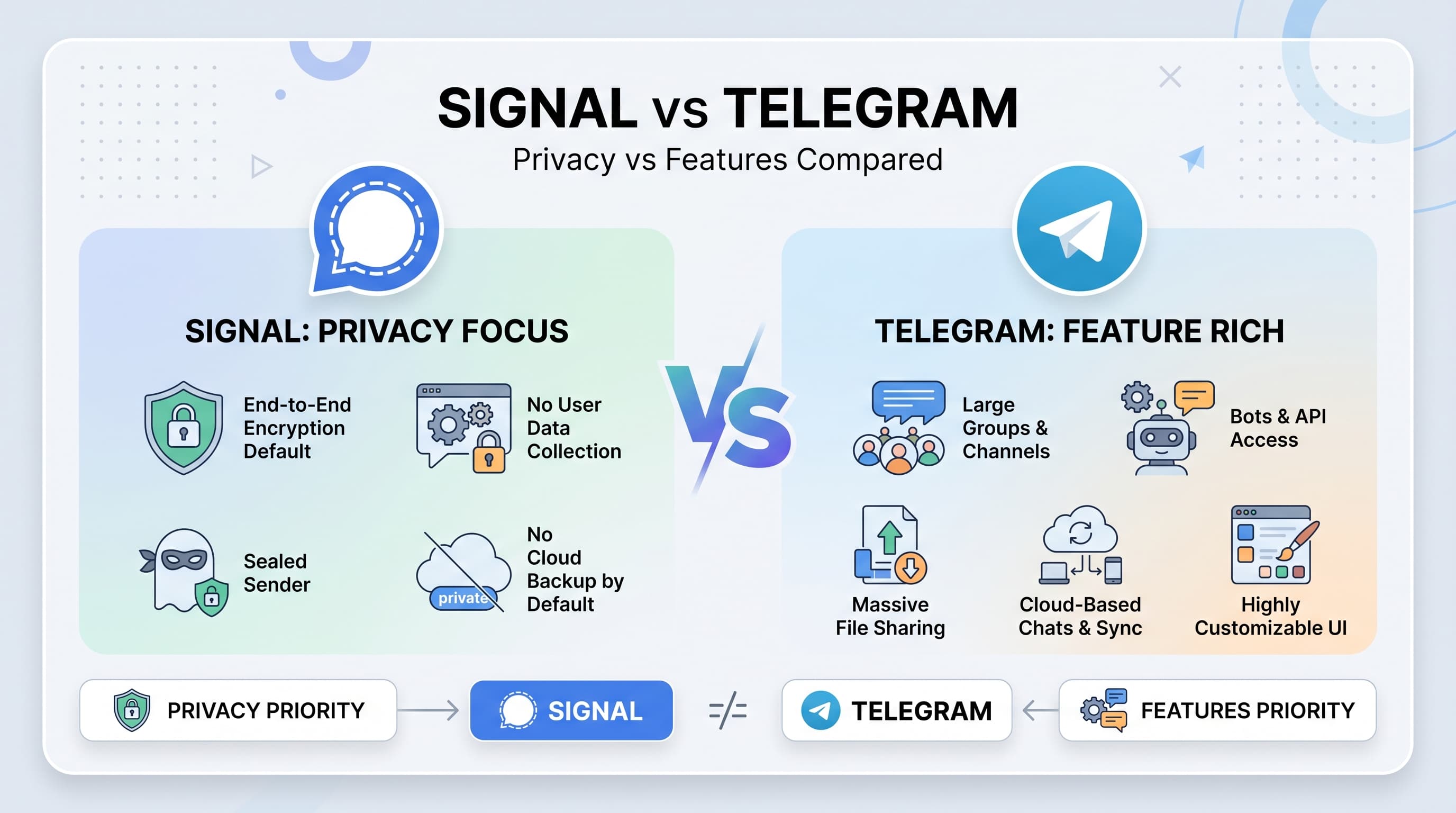
Discord feels like a gaming chatroom that grew up. Telegram acts more like a broadcasting station with chat features. Which one actually builds stronger communities? Our scheduling across platforms can help.
Try Schedulala for free
Schedule posts to Bluesky, Twitter, and 8 other platforms from one dashboard.
Get started for free→Platform overview: What each does best
Discord: The community hub
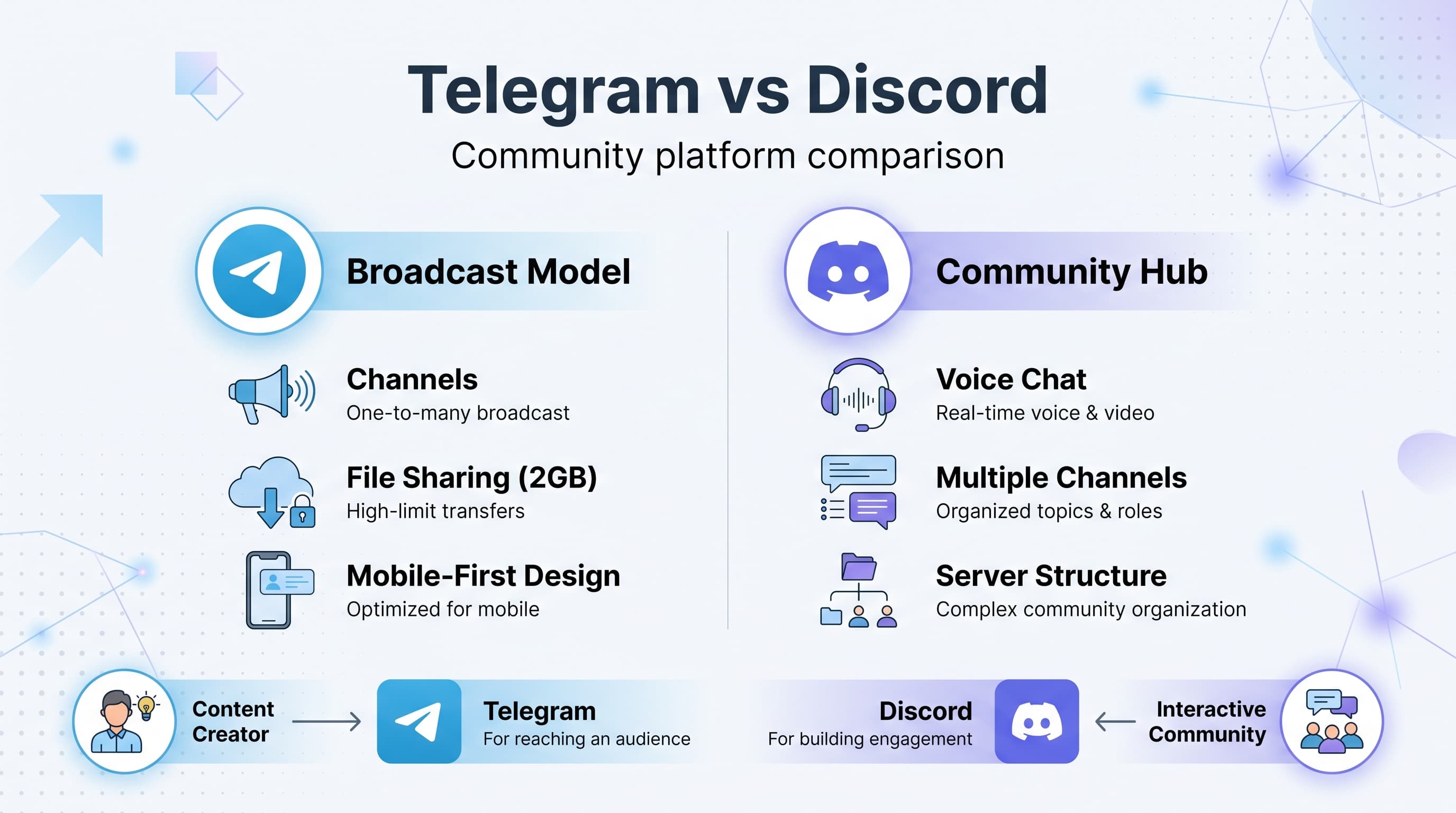
Discord started as a gaming chat platform but evolved into a full community ecosystem. Think of it as Slack for communities rather than businesses. See our how to automate bluesky guide.
Key strengths: Multiple channels per server, voice and video chat, extensive moderation tools, server roles and permissions, bot integrations, thread discussions. Our the best time to can help.
Pricing: Free for most features. Discord Nitro costs $9.99/month for enhanced features like bigger file uploads and HD video. Learn more about telegram font generator.
Best for: Active communities that want ongoing discussions, gaming groups, study groups, hobby communities, and any group that benefits from real-time chat. Learn more about telegram line break generator.
Telegram: The broadcast network
Telegram positions itself as a messaging app with community features. It excels at one-to-many communication rather than many-to-many discussions.
Key strengths: Channels for broadcasting, large group capacity (up to 200,000 members), excellent mobile experience, file sharing up to 2GB, built-in scheduling.
Pricing: Completely free. Telegram Premium costs $4.99/month but focuses on personal messaging features rather than community tools.
Best for: Content creators, news distribution, educational content, large announcement groups, and communities where leaders broadcast to followers.
Feature comparison breakdown
| Feature | Discord | Telegram |
|---|---|---|
| Max members | 800,000 | 200,000 |
| Voice chat | Yes (high quality) | Yes (basic) |
| Video calls | Yes (up to 50) | Yes (up to 1,000) |
| File size limit | 25MB (100MB Nitro) | 2GB |
| Screen sharing | Yes | Yes |
| Message scheduling | No (bots only) | Yes (built-in) |
| Multiple channels | Unlimited | No (single chat) |
| Thread discussions | Yes | No |
| Bot ecosystem | Extensive | Limited |
| Mobile experience | Good | Excellent |
| Desktop app | Yes | Yes |
| Web version | Yes | Yes |
Community structure and organization
The biggest difference between these platforms is how they handle community organization. This affects everything from member engagement to content discovery.
Discord's server structure
Discord organizes communities into servers, and each server contains multiple channels. Think of a server as a building and channels as different rooms.
You can create channels for specific topics: #general-chat, #announcements, #memes, #voice-chat. Members can participate in multiple conversations simultaneously without missing important updates.
Categories group related channels together. A gaming community might have categories like "General Discussion," "Game Channels," and "Voice Channels."
This structure works brilliantly for active communities. Members can follow topics they care about while ignoring channels that don't interest them. New members can browse different channels to find their niche.
Telegram's linear approach
Telegram groups and channels work more like traditional chat rooms. Everything happens in one continuous feed. No separate channels, no categories, just a single stream of messages.
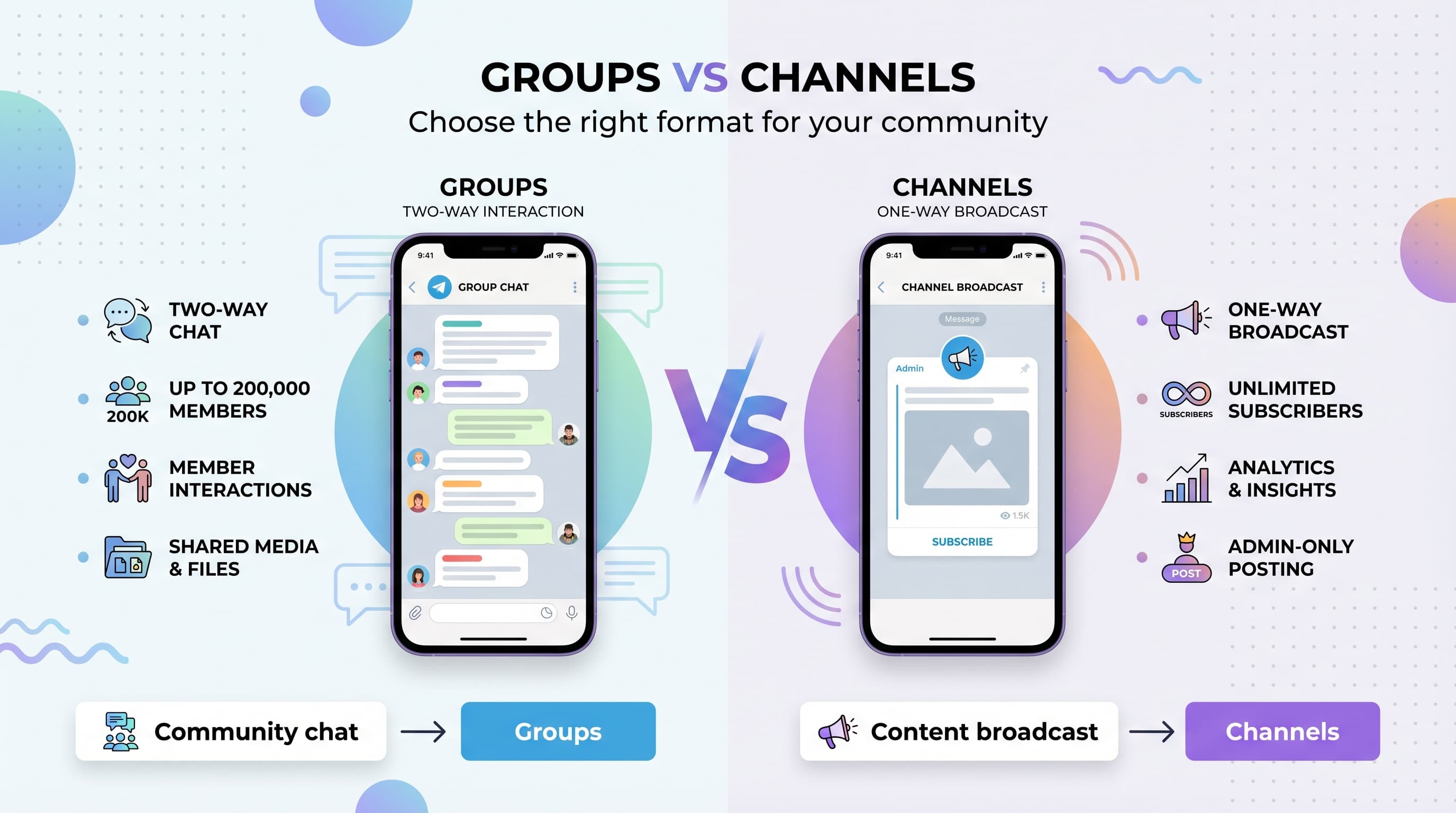
For Telegram channels, admins broadcast messages to subscribers. Members can't reply directly (unless you enable comments). It works like a newsletter with instant delivery.
Telegram groups allow everyone to participate, but all conversations mix together. Topic-specific discussions get buried quickly in active groups.
This simplicity has advantages. New members immediately see all activity. There's no confusion about which channel to use. But it becomes chaotic with heavy usage.
Member engagement and interaction
How your community members actually interact depends heavily on the platform's design. Discord encourages participation while Telegram favors consumption.
Discord's engagement advantage
Discord makes it easy for members to jump into conversations. They can see active channels, join voice chats spontaneously, and participate in multiple discussions.
Thread features let members create focused discussions without cluttering main channels. Someone can ask a detailed question, and the conversation branches into a thread while the main channel continues.
Voice channels create spontaneous interactions. Members can see who's in voice chat and join casually. This builds stronger relationships than text-only platforms.
Reaction emojis and custom emotes add personality. Communities develop inside jokes and culture through custom emoji reactions.
The "recently online" indicator shows community activity levels. Members are more likely to participate when they see others are active.
Telegram's broadcast model
Telegram works better for one-way communication. Admins share content, and members consume it. Engagement happens through reactions and occasional comments.
Telegram channels disable member messages by default. Followers receive updates but can't reply directly. You can enable comments, but they happen in a separate discussion group.
Large group conversations become unwieldy quickly. With hundreds of members, messages flow too fast for meaningful discussions. Important messages get buried.
However, Telegram excels at reaching large audiences instantly. Your message appears on every member's phone immediately, with much higher open rates than email newsletters.
Polls and quizzes work well for simple engagement. Members can vote or answer questions without cluttering the chat with responses.
Moderation and community management
Managing a community becomes critical as it grows. Both platforms offer moderation tools, but Discord provides much more granular control.
Discord's comprehensive moderation
Discord's role system lets you create detailed permission structures. You can assign roles like "Member," "Trusted," "Moderator," and "Admin" with specific permissions for each.
Channel permissions control who can see, write, or manage each channel. You can create private channels for moderators, read-only announcement channels, and channels where only certain roles can post.
Moderation bots like MEE6, Dyno, or Carl-bot automate common tasks: auto-moderation for spam, role assignment, welcome messages, and activity tracking.
Audit logs track all server changes: who deleted messages, banned members, or changed settings. This accountability helps manage large moderation teams.
Slow mode limits how frequently members can send messages in specific channels. Perfect for controlling spam during announcements or events.
Verification levels require new members to have verified phone numbers or wait before participating. This reduces raid attacks and spam accounts.
Telegram's basic controls
Telegram offers admin roles with basic permissions: add/remove members, delete messages, pin messages, and manage other admins. But the system is much simpler than Discord.
Restricted mode lets admins control who can send messages, media, stickers, or polls. Useful for announcement channels or during busy periods.
Anti-spam features automatically detect and limit flooding, but they're not as customizable as Discord's bot-based systems.
Message deletion works for admins, but there's no detailed audit trail. You can delete messages but can't easily track who deleted what.
Slow mode exists but with fewer options. You can set delays between messages, but Discord offers more granular timing controls.
The lack of custom bots means less automation. Most moderation tasks require manual intervention from admins.
Content sharing and media capabilities
Both platforms handle media sharing differently, affecting how your community shares resources, files, and creative content.
Telegram's file sharing advantage
Telegram allows 2GB file uploads on free accounts. You can share high-quality videos, large documents, software files, and entire photo albums without compression.
Cloud storage integration means files stay accessible forever (unless manually deleted). Members can access shared files months later without them expiring.
Media compression is optional. Photos and videos can be sent in original quality, perfect for photography communities or educational content with detailed visuals.
Document preview works for many file types. PDFs, presentations, and text files display inline without requiring downloads.
Voice messages record and play seamlessly. Popular in many regions for quick communication, though less common in Western communities.
Discord's communication focus
Discord limits free uploads to 25MB (100MB with Nitro). Large files require external hosting or cloud storage links.
Screen sharing works excellently for live collaboration, tutorials, or gaming streams. Much smoother than Telegram's implementation.
Voice channels support high-quality audio for discussions, meetings, or casual hangouts. The audio quality surpasses Telegram's voice calls.
Embed previews automatically show previews for links, YouTube videos, and social media posts. Keeps conversations flowing without requiring clicks.
Custom emoji and stickers let communities develop unique visual languages. Members upload custom reactions that become part of server culture.
Mobile experience and accessibility
Most community members access platforms through mobile apps. The mobile experience significantly impacts daily engagement and retention.
Telegram's mobile-first design
Telegram was built for mobile messaging. The interface feels native and responsive on both iOS and Android devices.
Push notifications work reliably and arrive quickly. Members see new messages within seconds, leading to higher engagement rates than email-based communities.
Offline reading lets members scroll through message history without internet connection. Downloaded media stays accessible offline.
Search functionality finds messages, files, and media across all chats quickly. Much faster than Discord's search on mobile devices.
Battery usage stays reasonable even with multiple active chats. The app doesn't drain phone batteries like some alternatives.
Data usage optimization compresses media intelligently and allows settings for different network conditions.
Discord's improving mobile app
Discord's mobile app has improved significantly but still feels like a desktop app squeezed onto phone screens.
Server navigation becomes cumbersome with multiple channels. Switching between channels requires more taps than ideal.
Voice chat works well on mobile. Members can join voice channels while using other apps, perfect for gaming or multitasking.
Push notifications can be inconsistent, especially in active servers with multiple channels. Members might miss important messages.
Message threads are harder to follow on small screens. Desktop threading features don't translate perfectly to mobile interfaces.
However, server discovery and joining works smoothly. New members can explore channels and understand server structure fairly easily.
Privacy and security considerations
Community platforms handle sensitive information and private conversations. Privacy policies and security features affect member trust and platform choice.
Telegram's encryption focus
Telegram offers end-to-end encryption for "Secret Chats" but not for regular groups or channels. Most community activity uses standard encryption (server-to-client).
Self-destructing messages automatically delete after set timeframes in secret chats. Not available in groups or channels where communities operate.
Data storage happens on Telegram's servers worldwide. Messages and files stay accessible across devices but aren't stored locally by default.
Phone number requirement means all accounts link to real phone numbers. This reduces fake accounts but affects anonymity.
Open source clients allow security auditing, but server code remains proprietary. Security researchers can examine the apps but not backend systems.
Discord's transparency approach
Discord uses standard encryption in transit but doesn't offer end-to-end encryption. Messages are readable by Discord if legally required.
Data retention policies are clearly documented. Discord explains what data they collect, store, and share with third parties.
Account creation requires email addresses but not phone numbers. Members can maintain more anonymity than on Telegram.
Two-factor authentication secures accounts against unauthorized access. Strongly recommended for server administrators.
Content moderation uses both automated systems and human review. Discord actively removes harmful content but this requires message access.
Growth and scalability factors
Starting small is easy on both platforms, but scaling to thousands of members reveals different strengths and limitations.
Discord's scaling advantages
Server discovery helps communities grow organically. Discord's public server directory and invite systems make it easier for new members to find relevant communities.
Member onboarding works well with welcome channels, rules screens, and role selection. New members understand server structure and expectations quickly.
Community segmentation through channels means growth doesn't overwhelm existing members. New members can find their niche without disrupting established discussions.
Moderation scales with role systems and bots. Large servers can distribute moderation responsibilities across multiple team members effectively.
Partner program offers benefits for large communities including custom invite URLs, higher quality voice, and promotional opportunities.
Telegram's broadcast scaling
Channel capacity supports up to 200,000 subscribers, perfect for large content distribution or news sharing.
Viral sharing works naturally. Telegram messages forward easily between chats, helping content and communities spread quickly.
Low maintenance requirements mean channels can run with minimal admin involvement. Automated posting and simple moderation needs.
Global reach with strong presence in many countries where Discord has less adoption. Better for international communities.
However, large group discussions become chaotic. Once groups exceed a few hundred active members, conversations become hard to follow.
Integration and automation possibilities
Modern communities need connections to other tools and automated workflows. Bot ecosystems and API access determine what's possible.
Discord's rich ecosystem
Thousands of bots handle everything from moderation to music, games, polls, and custom functionality. Popular options include MEE6, Dyno, Carl-bot, and specialized bots for every niche.
Custom bot development using Discord's comprehensive API lets communities build exactly what they need. Many programming languages have Discord libraries.
Webhook integrations connect Discord to external services. Post updates from GitHub, Twitter, YouTube, or custom applications directly into channels.
Slash commands create custom interactions within Discord. Members can trigger bot functions, search databases, or perform actions without leaving the platform.
Role automation based on member activity, external account connections, or custom criteria. Bots can assign roles automatically as members participate.
Telegram's limited automation
Bot API exists but with fewer capabilities than Discord. Bots can send messages, handle commands, and manage basic interactions.
Custom keyboards let bots create interactive interfaces with buttons and quick replies. Good for polls, menus, or simple user interactions.
Channel management bots can help with posting, scheduling, and basic moderation. But the ecosystem is much smaller than Discord's.
API limitations prevent bots from accessing message history, detailed member information, or advanced moderation features available on Discord.
Third-party integrations are possible but require more custom development work compared to Discord's ready-made solutions.
Use case scenarios: Which platform fits your community
Choose Discord for:
- Gaming communities that need voice chat and real-time coordination
- Study groups with different subjects in separate channels
- Hobby communities where members want ongoing discussions
- Developer communities with channels for different projects or programming languages
- Creative communities where members share work and give feedback
- Any group where member-to-member interaction is important
- Communities that need detailed moderation and role management
- Groups that want extensive bot integrations and automation
Choose Telegram for:
- Content creators broadcasting updates to followers
- News and updates where admins share information one-way
- Educational content delivery with minimal discussion needed
- Large announcements to thousands of subscribers
- File sharing communities that need large upload capabilities
- International communities where Telegram has stronger adoption
- Simple group chats under 100 active members
- Mobile-first communities where most interaction happens on phones
Making the final decision
The choice between Telegram and Discord depends on your community's primary purpose and how members want to interact.
Key decision factors
Community size and activity level: Small, casual groups work fine on Telegram. Large, active communities need Discord's organization features.
Interaction type: Choose Discord for discussions between members. Choose Telegram for broadcasting from admins to followers.
File sharing needs: If you regularly share large files, Telegram's 2GB limit beats Discord's 25MB restriction.
Moderation requirements: Complex communities with multiple moderators need Discord's advanced permission systems.
Mobile vs desktop usage: Telegram works better for mobile-primary communities. Discord suits desktop users better.
Geographic location: Telegram dominates in many countries where Discord has less presence.
Try Schedulala for free
Schedule posts to Bluesky, Twitter, and 8 other platforms from one dashboard.
Get started for free→