YouTube Shorts for Business: The Complete Getting Started Guide for 2026
Learn how to use YouTube Shorts for business growth. Step-by-step guide covers strategy, content creation, optimization, and measuring ROI.

Quick answer
Start with YouTube Shorts for business by creating 15-60 second vertical videos that showcase products, share tips, and build brand awareness.
- •YouTube Shorts reach over 2 billion logged-in users monthly on the Shorts shelf
- •Shorts are vertical (9:16), up to 60 seconds, and can include music from YouTube's library
- •Business accounts can link Shorts to longer YouTube videos and product pages
- •Schedule Shorts with Schedulala for $9/month alongside 11 other platforms
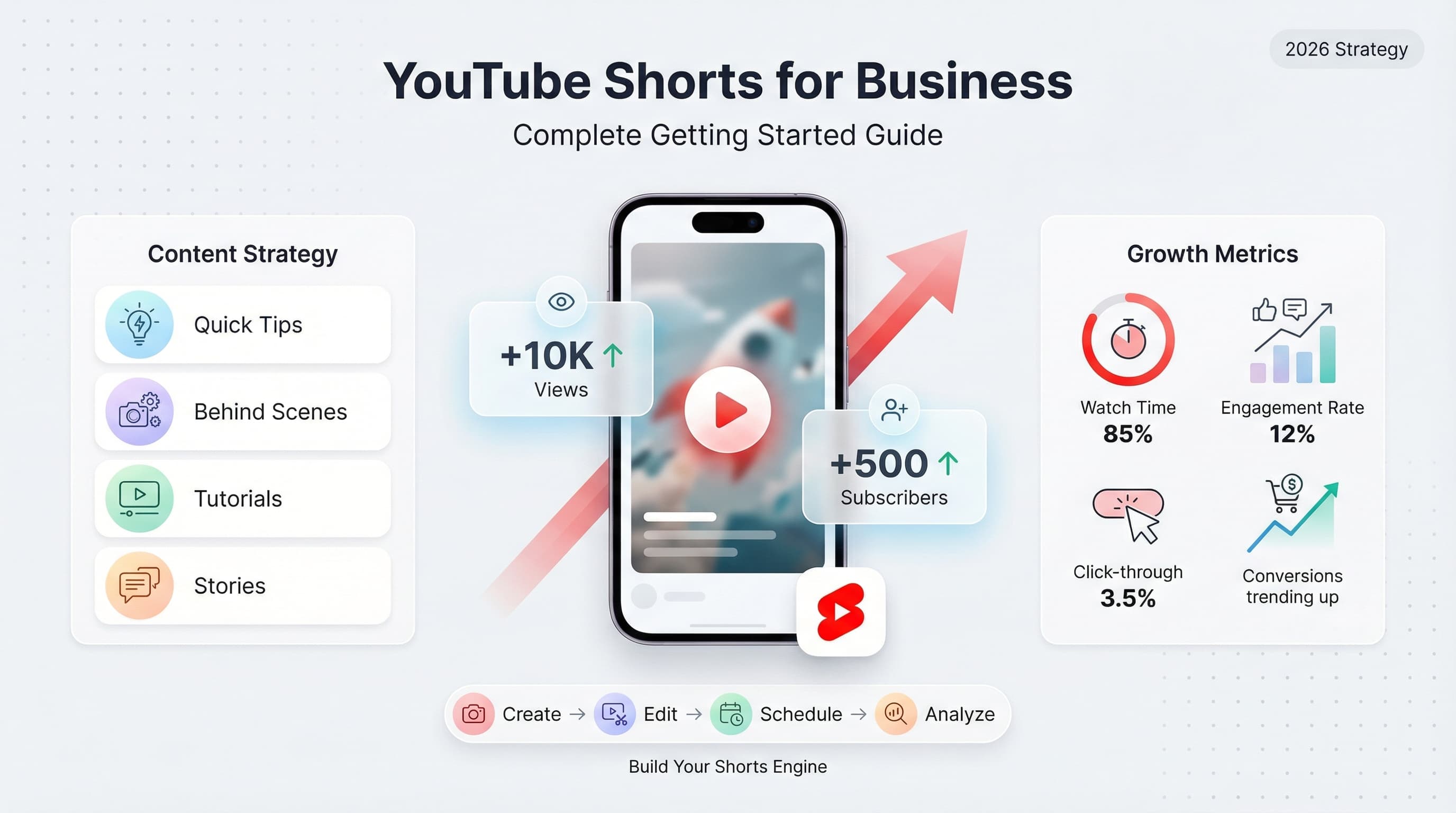
Your competitors are getting millions of views on 60-second videos while you're still debating whether YouTube Shorts is worth your time. The answer is yes, and you're already late to the party. See our YouTube scheduling guide.
YouTube Shorts crossed 70 billion daily views in 2025. That's not a typo. Billion with a B, daily. And businesses that figured out this format early are now dominating their niches while everyone else plays catch-up. Learn more about scheduling across platforms.
Here's the thing: YouTube Shorts isn't just TikTok for YouTube. It's a completely different beast with its own algorithm, audience behavior, and business potential. Get it right, and you've got a free customer acquisition channel that works while you sleep. Get it wrong, and you're shouting into the void. See our youtube shorts ideas 100 guide.
This guide breaks down everything you need to know about using YouTube Shorts for business. We're covering strategy, creation, optimization, and the metrics that actually matter. No fluff, no vague advice, just the stuff that works in 2026. Learn more about how to repurpose content.
Try Schedulala for free
Schedule posts to Bluesky, Twitter, and 8 other platforms from one dashboard.
Get started for free→Why YouTube Shorts matters for business in 2026
Let's start with the numbers because they tell a compelling story. YouTube has over 2.5 billion monthly active users. Shorts now accounts for over 40% of all YouTube watch time. That's not a small feature anymore. It's nearly half the platform. Learn more about best time to post on youtube.
But raw numbers don't pay your bills. Here's what actually matters for businesses:. Try our youtube font generator.
The discovery advantage
YouTube's algorithm treats Shorts differently than regular videos. When you post a Short, YouTube aggressively tests it with audiences who've never heard of you. Your subscriber count barely matters. A business with 50 subscribers can get 100,000 views on a Short if the content resonates.
Compare that to regular YouTube videos where you're competing against established channels with millions of subscribers. Shorts levels the playing field in a way that long-form content simply doesn't.
The search engine connection
Here's something most businesses miss: YouTube is the second largest search engine in the world. When you create Shorts around topics your customers search for, you're building search equity. Those Shorts can rank in both YouTube search and Google search results.
A plumber creating Shorts about "how to unclog a drain" isn't just getting views. They're positioning themselves to appear when local customers search for plumbing help. That's free, perpetual lead generation.
The conversion pathway
Shorts viewers who enjoy your content often explore your channel. They watch your longer videos. They visit your website. They become customers. One viral Short can drive more qualified traffic than months of paid advertising.
The key word there is "qualified." These aren't random eyeballs. They're people who already know they like your content and approach. They're pre-warmed leads arriving at your digital doorstep.
Building your YouTube Shorts strategy
Jumping in without a strategy is how businesses waste three months creating content nobody watches. Before you film anything, you need to answer some fundamental questions.
Define your content pillars
Content pillars are the 3-5 main topics you'll create Shorts about. They should sit at the intersection of what your audience cares about and what positions your business as an authority.
A fitness equipment company might choose:
- Quick workout demonstrations (product in action)
- Form correction tips (educational value)
- Nutrition snippets (adjacent interest)
- Myth-busting content (engagement driver)
- Behind-the-scenes content (brand personality)
Notice how only one pillar directly showcases products. That's intentional. The 80/20 rule applies here: 80% value-driven content, 20% promotional content. Flip that ratio and watch your engagement tank.
Research what's working in your niche
Spend two hours studying your competitors' Shorts. Not to copy them, but to understand what resonates with your shared audience. Look for patterns in:
- Video length (some niches prefer 15-second videos, others do better with full 60-second content)
- Hook styles (question hooks, statement hooks, visual hooks)
- Content formats (tutorials, reactions, transformations, tips)
- Posting frequency (daily, multiple times daily, or several times per week)
- Audio choices (trending sounds vs. original audio vs. voiceover)
Document everything in a simple spreadsheet. After analyzing 50 videos, patterns emerge that inform your own approach.
Set realistic goals and timelines
I need to be honest with you: most businesses won't see meaningful results from Shorts for 90 days. The algorithm needs time to understand your content and find your audience. The first 30 videos are essentially training data.
Reasonable 90-day goals for a new business channel:
| Metric | Conservative Goal | Aggressive Goal |
|---|---|---|
| Total Shorts published | 45-60 videos | 90-120 videos |
| Subscriber growth | 500-1,000 | 2,000-5,000 |
| Average views per Short | 1,000-5,000 | 5,000-20,000 |
| Website click-throughs | 50-100 | 200-500 |
| Qualified leads generated | 10-25 | 50-100 |
These numbers assume you're creating quality content consistently. Posting sporadically or creating mediocre content will produce mediocre results. There's no shortcut here.
Creating YouTube Shorts that actually perform
Strategy without execution is just wishful thinking. Let's get into the mechanics of creating Shorts that capture attention and drive business results.
The hook is everything
You have exactly 1.5 seconds to stop the scroll. That's not an exaggeration. YouTube's internal data shows that viewers decide whether to keep watching in the first two seconds. Your hook determines whether anyone sees the value you provide later.
Hooks that work for business content:
The curiosity gap
"Most people get this completely wrong..." or "There's one thing all successful [X] have in common..." These hooks create an information gap the viewer needs to close. They'll keep watching to fill that gap.
Example for a marketing agency: "The #1 reason your ads aren't converting has nothing to do with your targeting."
The bold claim
"I'll teach you more about [topic] in 60 seconds than most courses cover in a week." Bold claims demand attention. Just make sure you deliver on the promise.
Example for an accountant: "I'll save you $5,000 on taxes in the next 45 seconds."
The pattern interrupt
Start with something visually unexpected or a statement that contradicts common wisdom. "Stop posting content every day. Here's why." The contradiction makes people pause.
Example for a real estate agent: "The worst time to buy a house is when you can afford it." (then explain the nuance)
The direct address
"If you're a [specific person], stop scrolling." Calling out your exact audience creates instant relevance. People who identify with the description feel like you're speaking directly to them.
Example for a business coach: "Small business owners making under $100K, this is for you."
Structure your content for retention
A great hook means nothing if viewers drop off at second 15. You need to structure your Short to maintain interest throughout. Here's a framework that works:
Seconds 0-3: Hook (stop the scroll)
Seconds 3-10: Setup (establish the problem or context)
Seconds 10-45: Value (deliver your main content)
Seconds 45-60: Payoff + CTA (conclusion and next step)
The value section should have multiple "mini-hooks" throughout. These are small curiosity moments that keep viewers engaged. Phrases like "but here's the catch," "the surprising part is," or "what most people don't realize" create micro-curiosity gaps within your content.
Technical requirements for quality Shorts
Technical quality matters more than most businesses realize. A poorly lit, badly framed Short signals "amateur" before you say a word. Here's your technical checklist:
- Aspect ratio: 9:16 vertical (1080x1920 pixels minimum)
- Length: Under 60 seconds (sweet spot is 30-45 seconds for most business content)
- Lighting: Face a window or use a ring light. Avoid overhead lighting that creates shadows.
- Audio: Use a lapel mic or record in a quiet space. Background noise kills watch time.
- Framing: Keep your face in the upper third of the frame. Leave room for captions below.
- Captions: Add them. 80% of Shorts are watched without sound. No captions means no message.
Equipment you actually need
You don't need a Hollywood budget. Here's a realistic equipment list for business Shorts:
| Item | Budget Option | Professional Option |
|---|---|---|
| Camera | Your smartphone (2020 or newer) | iPhone 15 Pro or Sony ZV-E10 |
| Microphone | Boya BY-M1 ($20) | Rode Wireless Go II ($300) |
| Lighting | Window + white poster board | Elgato Key Light ($200) |
| Tripod | Basic phone tripod ($15) | Joby GorillaPod ($80) |
| Editing software | CapCut (free) | Adobe Premiere Rush ($10/mo) |
Total budget option investment: under $50. You can create professional-quality Shorts with just your phone, decent lighting, and a cheap microphone. Don't let equipment anxiety stop you from starting.
Content ideas for business Shorts
"But what do I actually post?" This is where most businesses get stuck. They understand the format but can't generate ideas consistently. Here are proven content formats that work across industries.
The quick tip format
Share one actionable piece of advice in 30-45 seconds. This is the bread and butter of business Shorts. Structure: State the tip, explain why it works, show how to implement it.
Examples: "One email subject line tweak that doubled my open rates" or "The invoice setting that gets you paid faster."
The myth-buster format
Take a common belief in your industry and explain why it's wrong. Controversy drives engagement, and correcting misconceptions positions you as an expert.
Examples: "You don't need 10,000 followers to make money online" or "The '8 glasses of water' rule is completely made up."
The before/after format
Show a transformation. This works for any service-based business. Before and after shots create instant visual interest and demonstrate your capabilities.
Examples: A web designer showing a site redesign, a personal trainer showing client progress, a home organizer showing a closet transformation.
The day-in-the-life format
Show behind-the-scenes content from your work. People are endlessly curious about how businesses operate. This humanizes your brand and builds connection.
Examples: "POV: You're a wedding photographer" or "What running a bakery at 4am looks like."
The reaction format
React to trending topics, competitor content, or common customer questions. This format feels conversational and authentic while positioning you as a thought leader.
Examples: A lawyer reacting to viral legal situations, a financial advisor reacting to money advice on TikTok, a chef reacting to cooking hacks.
The listicle format
Share 3-5 items in a list format. Lists create structure and set expectations for the viewer. They know exactly what they're getting and how long it'll take.
Examples: "3 tools every freelancer needs" or "5 signs your HVAC system needs replacing."
The story format
Tell a quick story from your business experience. Stories are memorable and shareable. A good business story has a challenge, a turning point, and a lesson.
Examples: "The client request that almost bankrupted us" or "How I landed my biggest customer from a cold email."
Building a content calendar
Consistency beats creativity in the Shorts game. A mediocre video posted daily outperforms a brilliant video posted monthly. Build a sustainable content calendar that you can actually maintain.
Here's a sample weekly schedule for a business posting daily:
| Day | Content Type | Goal |
|---|---|---|
| Monday | Quick Tip | Provide immediate value |
| Tuesday | Myth Buster | Drive engagement through controversy |
| Wednesday | Behind the Scenes | Build brand connection |
| Thursday | Listicle | Educational content |
| Friday | Story/Case Study | Social proof and entertainment |
| Saturday | Reaction/Trending | Ride algorithm waves |
| Sunday | FAQ Answer | Address customer questions |
Batch your content creation. Most successful business creators film 5-10 Shorts in a single session, then edit and schedule them throughout the week. This is far more efficient than creating one video at a time.
Optimizing your Shorts for maximum reach
Creating great content is half the battle. The other half is making sure the algorithm understands your content and shows it to the right people.
Title optimization
Your title appears below your Short in the feed and in search results. It should include relevant keywords while remaining engaging.
Weak title: "Business tip"
Strong title: "The pricing mistake that's costing you customers"
Include your primary keyword naturally. If you're targeting "small business marketing," work it into your title: "Small business marketing trick that costs $0."
Description best practices
Yes, people read descriptions on Shorts. Use the first 100 characters wisely because that's what shows before the "more" cut-off. Include:
- A brief summary or hook that extends the title
- Relevant keywords (naturally integrated)
- A call to action (follow for more, comment your thoughts, etc.)
- Relevant hashtags (3-5 maximum, more looks spammy)
Hashtag strategy
Hashtags help YouTube categorize your content. Use a mix of broad and specific tags:
Broad: #Shorts #YouTubeShorts (helps with initial distribution)
Niche: #SmallBusinessTips #MarketingStrategy (reaches target audience)
Specific: #EmailMarketing #LinkedInTips (very targeted reach)
Don't use more than 5 hashtags. Research shows engagement drops when creators use excessive hashtags. Quality over quantity applies here.
Timing your posts
When you post matters, but probably less than you think. YouTube's algorithm will eventually show your content to the right people regardless of posting time. That said, posting when your audience is active gives your content an initial boost.
General best times for business content:
- Weekdays: 12pm-3pm (lunch break browsing)
- Weekdays: 7pm-10pm (evening wind-down)
- Weekends: 10am-12pm (late morning leisure)
Once you have audience data, check your YouTube Analytics to see when your specific viewers are most active. Adjust your posting schedule accordingly.
Converting viewers into customers
Views are vanity metrics unless they drive business outcomes. Here's how to turn Shorts viewers into actual customers.
The subscriber funnel
Your Shorts viewer journey looks like this:
Short View → Subscribe → Long-form Video → Website Visit → Lead → Customer
Each step needs intentional design. End every Short with a reason to subscribe: "Follow for daily marketing tips" or "Subscribe if you want more content like this." Simple, direct calls to action work better than clever ones.
Driving traffic to your website
You can't include clickable links in Short descriptions (only in comments and your channel page). But you can:
- Mention your website verbally in the video
- Add text overlays with your URL
- Direct viewers to the link in your channel bio
- Create longer companion videos with links in descriptions
- Pin a comment with your link (for engaged viewers)
Use a memorable, short URL or a branded link. "Visit schedulala.com/guide" is easier to remember and type than a long URL with tracking parameters.
Lead magnets for Shorts viewers
Offer something valuable in exchange for contact information. A lead magnet should directly relate to your Short's topic.
If your Short is about email subject lines, offer a "50 High-Converting Subject Line Templates" PDF. If it's about pricing strategies, offer a "Pricing Calculator Spreadsheet." The more specific and relevant, the higher your conversion rate.
Building a content ecosystem
Your Shorts should connect to your broader content strategy. Think of them as entry points to deeper engagement.
A smart content ecosystem:
- Shorts introduce topics and hook interest
- Long-form YouTube videos provide comprehensive coverage
- Blog posts offer detailed written guides (great for SEO)
- Email sequences nurture leads toward purchase
- Products or services deliver the complete solution
Each Short should make viewers want to go deeper. Tease the full picture and deliver it through your other content channels.
Measuring what matters
YouTube provides extensive analytics for Shorts. But not every metric matters equally for business goals. Here's what to actually pay attention to.
Watch time percentage
This is the most important metric for Shorts. It measures what percentage of your video viewers watch on average. Above 70% is excellent. Below 50% suggests your content isn't holding attention.
If watch time is low, your hook isn't working or your content loses steam midway. Analyze drop-off points and adjust your approach.
Subscriber conversion rate
How many viewers become subscribers? Check this in YouTube Studio under "Content" > select a Short > "Analytics" > "Audience." A healthy conversion rate is 1-3% of viewers. Below 0.5% means your content isn't compelling enough to follow.
Click-through rate to channel
How many viewers click to your channel page after watching? This indicates interest beyond the single video. Higher rates mean you're building brand recognition, not just video views.
Traffic to external sites
Use UTM parameters to track how many website visitors come from YouTube. Compare this against your total Shorts views to calculate your traffic conversion rate. Even 0.1% means a viral Short could drive thousands of visitors.
The metrics that don't matter (as much)
View counts are satisfying but misleading. A Short with 1 million views and 0 conversions is worth less than a Short with 10,000 views and 50 leads. Focus on bottom-funnel metrics, not vanity metrics.
Like counts and comment counts indicate engagement but don't directly correlate with business outcomes. A controversial Short might get tons of comments from people who'll never buy from you. Engagement is a means to an end, not the end itself.
Common mistakes that kill your Shorts performance
Learning from others' failures is faster than making your own. Here are the mistakes I see businesses make repeatedly with Shorts.
Mistake 1: Making it about you
Nobody cares about your company. They care about their problems. Every Short should answer the viewer's implicit question: "What's in it for me?" Lead with value, not self-promotion.
Fix: Reframe every video idea through the viewer's perspective. Instead of "Our new product feature," try "How to solve [problem] in 30 seconds."
Mistake 2: Ignoring the first three seconds
Businesses often start with logos, intros, or slow build-ups. Viewers are gone before you get to the good stuff. Your hook must appear immediately.
Fix: Start with your most compelling moment. Edit out any intro. Jump straight into value.
Mistake 3: Being too polished
Ironically, overly produced Shorts often perform worse than authentic, slightly rough content. People scroll past obvious ads. They stop for real humans sharing real insights.
Fix: Aim for professional but authentic. Good lighting and audio, yes. Scripted corporate messaging, no.
Mistake 4: Inconsistent posting
Posting five Shorts one week, then nothing for a month confuses the algorithm and loses audience momentum. Consistency compounds over time.
Fix: Set a realistic schedule you can maintain for six months. Three Shorts per week consistently beats daily posting for two weeks then burning out.
Mistake 5: No call to action
Great content without direction leaves value on the table. Viewers enjoyed your Short. Now what? Tell them exactly what to do next.
Fix: End every Short with a specific CTA. Subscribe, comment, check out your website, watch the full video. Make the next step obvious.
Mistake 6: Copying competitors exactly
What works for others might not work for you. Different audiences respond to different approaches. Copying style without understanding substance leads to mediocre imitations.
Fix: Study what works, understand why it works, then adapt it to your unique voice and audience. Be inspired, don't replicate.
Mistake 7: Giving up too early
Most businesses abandon Shorts after a few weeks of disappointing results. They never give the algorithm time to learn their content or give themselves time to improve.
Fix: Commit to 90 days minimum before evaluating. Expect the first 30 videos to be learning experiences. Real momentum builds around video 50-100.
Tools and resources for Shorts creators
The right tools make Shorts creation faster and easier. Here's what successful business creators actually use.
Editing tools
| Tool | Best For | Price |
|---|---|---|
| CapCut | Quick edits, auto captions, templates | Free |
| Adobe Premiere Rush | Professional editing on mobile | $10/mo |
| InShot | Simple cuts and text overlays | Free with paid upgrades |
| Descript | Script-based editing, auto transcription | $12/mo+ |
| VN Video Editor | Advanced features, no watermark | Free |
Scheduling and management
Managing multiple Shorts across a content calendar requires organization. Manual posting is time-consuming and error-prone. Scheduling tools let you batch your work and maintain consistency without daily effort.
Look for features like:
- YouTube Shorts native support
- Calendar view for content planning
- Optimal time recommendations
- Cross-platform posting (if you're repurposing to TikTok, Instagram Reels)
- Team collaboration features
Research and ideation tools
Finding content ideas shouldn't be a struggle. These tools help identify what's trending and what your audience wants to see:
- Google Trends: See what topics are rising in search interest
- AnswerThePublic: Find questions people ask about your topic
- YouTube Search Suggest: Type your topic and see what autocompletes
- vidIQ or TubeBuddy: See competitor analytics and trending tags
- Reddit and Quora: Find real questions your audience asks
Scaling your Shorts strategy
Once you've found what works, it's time to scale. Here's how to produce more content without sacrificing quality or burning out.
Repurposing existing content
You probably have a content goldmine you're not using. Turn existing content into Shorts:
- Blog posts become tip Shorts (one tip per video)
- Long YouTube videos become highlight clips
- Podcast episodes become quotable moments
- Webinar recordings become mini-lessons
- Customer testimonials become social proof Shorts
- Email newsletters become visual explainers
One piece of long-form content can generate 5-10 Shorts. Work smarter, not harder.
Building a content team
At some point, doing everything yourself becomes unsustainable. Consider delegating:
- Video editing: The most time-consuming part. A skilled editor can transform raw footage into polished Shorts for $10-50 per video.
- Scriptwriting: If you struggle with ideas, hire a content strategist to develop scripts you bring to life.
- Scheduling and publishing: A virtual assistant can handle the logistics of posting and engagement.
- Analytics and reporting: Track performance and identify what's working.
Start by delegating the tasks you hate or the ones that don't require your face or expertise. Your time is better spent on strategy and content that needs your personal touch.
Cross-platform distribution
A Short created for YouTube can also work on TikTok, Instagram Reels, and LinkedIn (in some cases). This multiplies your reach without multiplying your effort.
Considerations for cross-posting:
- Remove platform-specific references (don't mention "YouTube" in a TikTok)
- Adjust captions and hashtags for each platform's conventions
- Stagger posting times (don't upload everywhere simultaneously)
- Track which platforms drive the most business value
Your 30-day YouTube Shorts launch plan
Theory is useless without action. Here's a concrete plan to launch your YouTube Shorts strategy in the next 30 days.
Week 1: Foundation
Days 1-2: Research your niche. Watch 50 Shorts from competitors and adjacent creators. Document what works.
Days 3-4: Define your content pillars. Choose 4-5 topics you'll consistently create around.
Days 5-7: Set up your equipment. Optimize your filming space. Test your lighting and audio.
Week 2: First content batch
Days 8-9: Write scripts for your first 10 Shorts. Use proven hook formulas.
Days 10-11: Film all 10 Shorts in one session. Don't overthink, just record.
Days 12-14: Edit your Shorts. Add captions. Prepare titles and descriptions.
Week 3: Launch and learn
Days 15-21: Post one Short daily. Engage with every comment. Note which topics and formats get traction.
Mid-week check: Review initial analytics. Identify your best and worst performer.
Week 4: Iterate and scale
Days 22-24: Create another batch of 10 Shorts based on what's working.
Days 25-28: Continue posting daily. Experiment with posting times.
Days 29-30: Full analytics review. Document learnings. Plan month two.
Final thoughts: making Shorts work for your business
YouTube Shorts isn't a magic bullet. It's a channel that rewards consistency, quality, and strategic thinking. The businesses that win are the ones that treat it seriously, invest in understanding the platform, and commit to showing up even when early results are discouraging.
The opportunity is real. Billions of views happen daily. Your potential customers are scrolling through Shorts right now, looking for solutions you provide. The question isn't whether Shorts works for business. The question is whether you'll put in the work to make it work for your business.
Start with one Short. Then make another. Then ten more. Let the data guide your strategy. Adjust, improve, and scale what works. In six months, you'll look back at these early videos and cringe, but you'll also have an audience, a content engine, and customers who found you through 60-second videos.
The best time to start was a year ago. The second best time is today. So stop reading, start creating, and see what happens when you give YouTube Shorts a real chance.
Try Schedulala for free
Schedule posts to Bluesky, Twitter, and 8 other platforms from one dashboard.
Get started for free→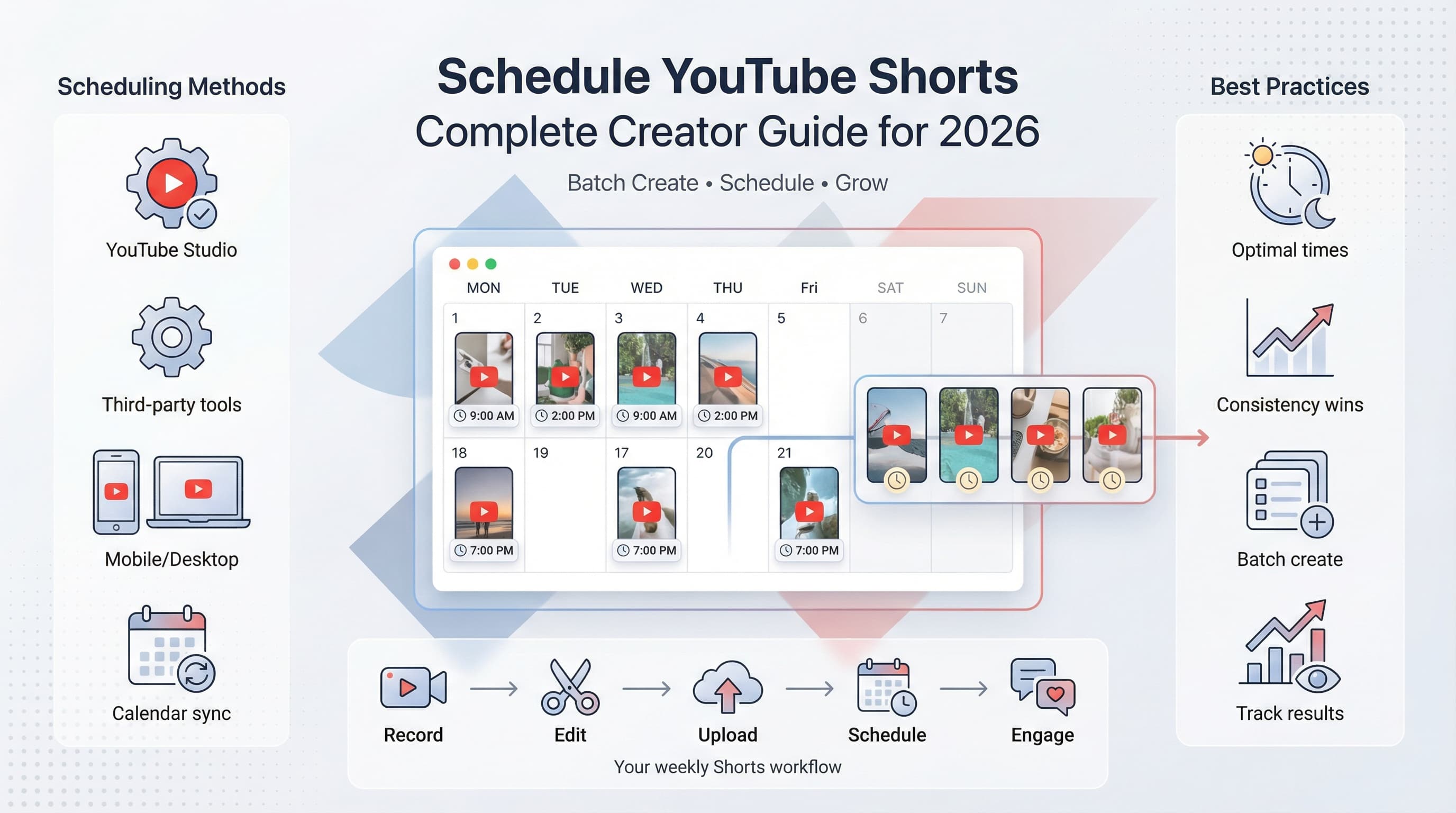
![YouTube Shorts Script Templates [Free Download] - 15 Proven Templates That Drive Views](/_next/image?url=%2Fblog%2Fyoutube-shorts-script-templates%2Fheader.jpeg&w=3840&q=75&dpl=dpl_6RiKV7dz1EjMEbYgqheh1pc2YPwv)