YouTube Shorts Thumbnail: Do You Need One? (Complete Guide for 2026)
Learn whether you need a YouTube Shorts thumbnail, how to add one, and optimization tips to boost your views and click-through rates.

Quick answer
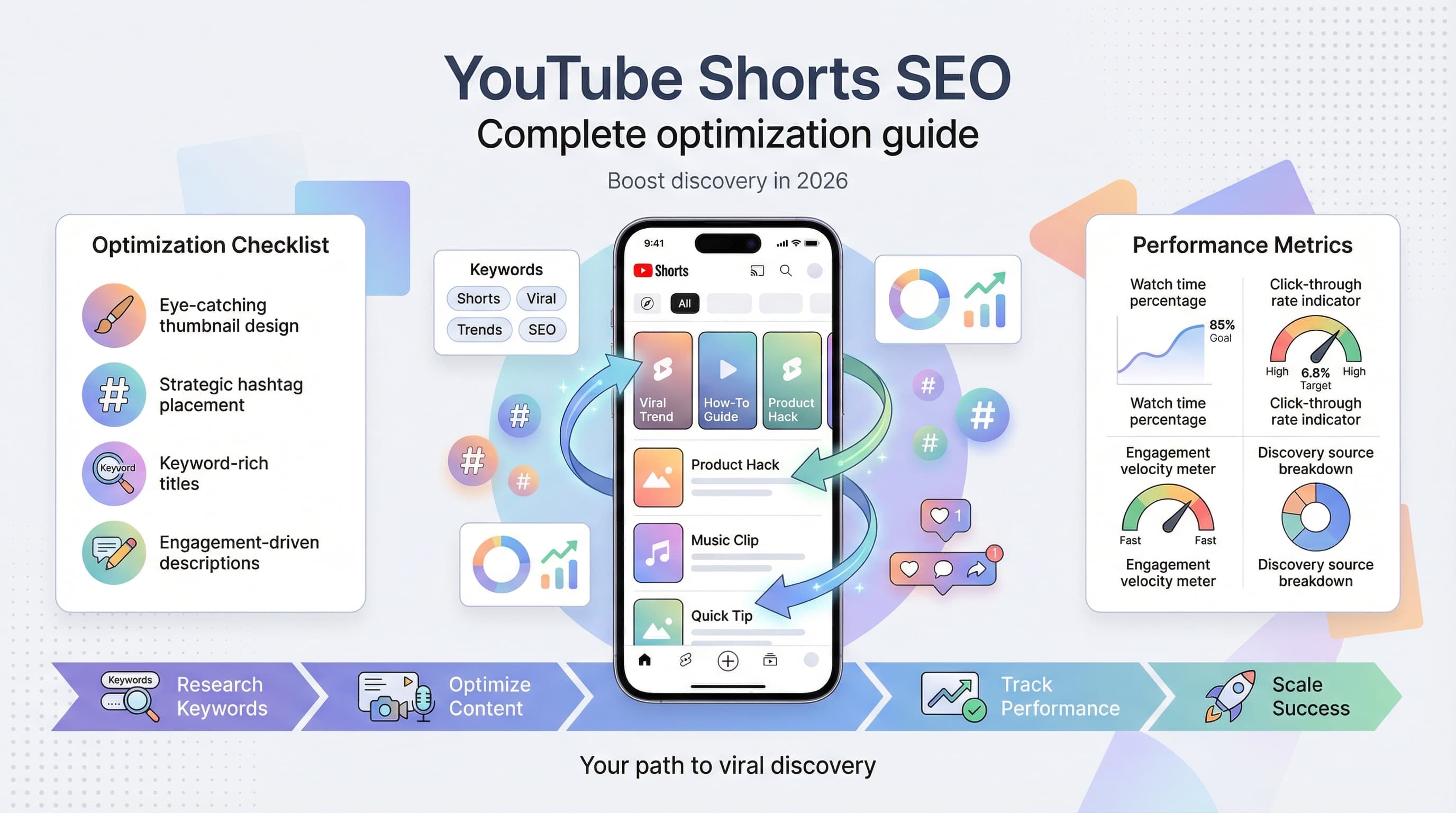
YouTube Shorts now support custom thumbnails that appear in search results and your channel page, though not in the Shorts feed itself.
- •Custom thumbnails show on your channel page and in YouTube search results
- •In the Shorts feed, YouTube auto-selects a frame from the video as the preview
- •Recommended thumbnail size: 1080x1920 pixels (9:16 ratio) for Shorts
- •Use bold text, high contrast, and expressive faces to improve click-through rates

You just uploaded a killer YouTube Short. The content is fire, the hook is perfect, and you are absolutely certain this one is going viral. Then you notice something: YouTube auto-selected the worst possible frame as your thumbnail. Your face is mid-blink. The lighting looks terrible. And now you are wondering if you even need to bother fixing it. Learn more about YouTube scheduling.
Here is the thing about YouTube Shorts thumbnails: they matter way more than most creators realize, but not always in the ways you would expect. Our scheduling across platforms can help.
Should you spend time creating custom thumbnails for every Short? When do thumbnails actually show up? And how do you even add one in the first place? Let us break down everything you need to know about YouTube Shorts thumbnails so you can make an informed decision for your content strategy. Learn more about batch content creation.
Try Schedulala for free
Schedule posts to Bluesky, Twitter, and 8 other platforms from one dashboard.
Get started for free→See It in Action
This is what scheduling YouTube Shorts looks like in Schedulala
Where YouTube Shorts thumbnails actually appear
Before you invest hours creating perfect thumbnails for your Shorts, you need to understand where they actually show up. Spoiler: it is not where most people think. Our content calendar can help.
The Shorts feed (where most views come from)
When someone scrolls through the Shorts feed on mobile or desktop, they see your video playing automatically. No thumbnail. The content starts immediately, which means your first few seconds are your real thumbnail in this context. See our best time to post on youtube guide.
This is where the majority of Shorts views come from. YouTube estimates that over 70% of Shorts consumption happens in the dedicated Shorts feed. So if most viewers never see your thumbnail before watching, why bother with one at all? Try our youtube thumbnail size guide.
Your channel page
When someone visits your channel, they will see thumbnails for all your Shorts in the Shorts tab and potentially in your main video grid. This is where first impressions happen for new visitors checking out your content library.
A channel full of random, auto-selected frames looks unprofessional. A channel with consistent, branded thumbnails looks like someone who takes their content seriously. For creators building a brand (rather than just chasing viral moments), this distinction matters enormously.
Search results and suggested videos
YouTube Shorts can appear in regular search results and sometimes in the suggested videos sidebar. In these placements, thumbnails are visible and directly influence click-through rates.
If your Shorts target specific keywords or evergreen topics, optimized thumbnails become more valuable. A cooking tutorial Short that ranks for "quick pasta recipe" will get more clicks with a mouth-watering thumbnail than a blurry frame of you stirring a pot.
External shares and embeds
When your Short gets shared on social media, messaging apps, or embedded on websites, the thumbnail is often the preview image people see before clicking. A compelling thumbnail can mean the difference between someone scrolling past or tapping to watch.
How to add a custom thumbnail to your YouTube Short
YouTube has updated their thumbnail options for Shorts several times over the years. As of 2026, here is exactly how to add a custom thumbnail to your Short, whether you are uploading from mobile or desktop.
Adding a thumbnail on mobile
Step 1: Record or upload your Short
Open the YouTube app and tap the plus icon to create a new Short. Either record directly in the app or upload a video from your camera roll. Edit as needed with text, filters, music, or effects.
Step 2: Access thumbnail options
After you finish editing and tap "Next," you will reach the details screen. Look for the thumbnail preview near the top of the screen. Tap on it to access your thumbnail options.
Step 3: Choose your thumbnail
You have two options here. First, you can select a frame from your video by scrubbing through the timeline. YouTube will let you choose any moment from your Short as the thumbnail. Second, you can upload a custom image from your device. This is the better option if you want full control over your thumbnail design.
Step 4: Confirm and publish
Once you have selected or uploaded your thumbnail, tap "Select" or "Done." Complete the rest of your video details (title, description, visibility) and publish your Short.
Adding a thumbnail on desktop
Through YouTube Studio
Go to studio.youtube.com and click "Create" then "Upload videos." Select your Short file and wait for it to process. On the details page, scroll down to the thumbnail section. You can either select an auto-generated option, choose a frame from your video, or click "Upload thumbnail" to add a custom image.
Desktop uploads give you slightly more control and make it easier to upload high-resolution custom thumbnails you have created in design software.
Changing a thumbnail after publishing
Edit existing Shorts
Already published a Short with a terrible auto-selected thumbnail? You can change it. Go to YouTube Studio, find your Short in the Content section, click on it to edit, and update the thumbnail. The change will take effect within a few minutes.
This is worth doing for your best-performing Shorts or any content you want to feature on your channel page. Even if the Short already has views, an improved thumbnail can boost future performance through search and browse features.
YouTube Shorts thumbnail specifications
Getting the technical details right ensures your thumbnails look crisp and professional across all devices and placements.
| Specification | Requirement |
|---|---|
| Aspect ratio | 9:16 (vertical) |
| Recommended resolution | 1080 x 1920 pixels |
| Minimum resolution | 640 x 1136 pixels |
| File formats | JPG, PNG, GIF (static) |
| Maximum file size | 2MB |
| Color space | sRGB recommended |
Unlike regular YouTube video thumbnails (which are horizontal at 16:9), Shorts thumbnails match the vertical format of the content. This is important if you are repurposing thumbnails from other platforms or using templates designed for long-form content.
When you should definitely use custom thumbnails
Not every Short needs a custom thumbnail. But certain situations make the extra effort absolutely worthwhile.
You are building a brand
If you are trying to establish a recognizable presence on YouTube, consistent thumbnails help. They create visual cohesion across your channel and make your content instantly identifiable. Think about creators you follow: you probably recognize their thumbnails before you even read the title.
Branded thumbnails might include your logo, consistent colors, a particular style of text overlay, or your face in a signature pose. The specifics matter less than the consistency.
Your Shorts target search traffic
Creating Shorts around specific keywords like "how to tie a tie" or "quick workout routine"? These have the potential to rank in search results long after the initial push from the Shorts feed. Optimized thumbnails increase click-through rates from search, directly impacting your views.
For search-focused Shorts, thumbnails should clearly communicate what the video delivers. Show the end result, use relevant imagery, and consider text that reinforces the topic.
You are cross-promoting content
Using Shorts to drive traffic to your long-form videos, products, or other platforms? Thumbnails help establish context and trust when viewers encounter your content outside the Shorts feed.
When someone shares your Short in a group chat or on Twitter, the thumbnail is doing heavy lifting to convince people to click. Make sure it represents your content well.
The auto-selected frame is genuinely bad
Sometimes YouTube's algorithm picks the worst possible moment. Mid-blink faces, blurry transitions, or frames where nothing interesting is happening. If the auto-thumbnail actively hurts your content, take two minutes to select a better frame or upload a custom image.
When thumbnails matter less (or not at all)
Being strategic about where you invest your time is part of being an efficient creator. Here are situations where thumbnail optimization is probably not worth the effort.
Experimental or testing content
Throwing something at the wall to see if it sticks? Testing a new format or topic? Skip the custom thumbnail. If the content does not perform, you have not wasted time on a thumbnail nobody will see. If it does perform, you can always update the thumbnail later.
Trending topics with short lifespans
Jumping on a trend that will be irrelevant in 48 hours? Your energy is better spent creating and posting quickly than perfecting a thumbnail. Speed matters more than polish for trend-based content.
High-volume posting strategies
Some creators post multiple Shorts daily. At that volume, creating custom thumbnails for every video is not sustainable unless you have a team or highly efficient templates. Focus thumbnails on your best or most strategic content.
YouTube Shorts thumbnail best practices
When you do create custom thumbnails, these principles will help them perform better.
Design for the small screen
Shorts thumbnails appear tiny in most contexts. Bold colors, high contrast, and simple compositions work best. Avoid fine details, small text, or complex imagery that becomes muddy at small sizes.
Before finalizing any thumbnail, view it at roughly the size it will appear in search results or on your channel page. If it does not pop at that size, simplify.
Use faces strategically
Human faces draw attention, especially faces showing strong emotions. If your Short features you or another person, a thumbnail with an expressive face often outperforms other options. Surprise, excitement, curiosity, and confusion all work well.
That said, do not force it. If your Short is about a product review or a landscape, a forced selfie thumbnail will feel disconnected from the content.
Create visual curiosity
The best thumbnails make people want to know more. Show an unexpected result, a before/after tease, or something slightly unusual. Give viewers a reason to wonder what happens in the video.
Avoid giving away the punchline or conclusion in your thumbnail. If people feel like they have already gotten the payoff, they have less reason to click.
Keep text minimal and large
If you add text to your thumbnail, keep it to three or four words maximum. Make the text large enough to read on a phone screen. Use high contrast between text and background so it remains legible.
Common text elements include the topic, a key number or statistic, or a provocative phrase. "500 likes" or "Gone wrong" can add context without overwhelming the visual.
Maintain brand consistency
Develop a thumbnail style and stick with it. This might mean using the same font, color palette, border style, or layout across all your Shorts. Consistency builds recognition over time.
Create a simple template in Canva, Figma, or your preferred design tool. Having a starting point makes thumbnail creation much faster and ensures consistency without extra thought.
Common thumbnail mistakes to avoid
Even well-intentioned thumbnail efforts can backfire. Here are the pitfalls to watch out for.
Clickbait that does not deliver
Misleading thumbnails might get clicks, but they tank your watch time and damage audience trust. YouTube's algorithm prioritizes engagement metrics beyond just clicks. If people click and immediately swipe away, your content gets shown to fewer people.
Your thumbnail should create curiosity, not make false promises. The content needs to deliver on whatever the thumbnail implies.
Too much information
Cramming multiple elements, long text, and competing visuals into a tiny thumbnail creates visual noise. Viewers cannot process it quickly, so they scroll past. Simplicity wins in the thumbnail game.
Ignoring the vertical format
Repurposing horizontal thumbnails or not considering the 9:16 aspect ratio leads to awkward cropping or wasted space. Design specifically for vertical display from the start.
Inconsistent quality
Having some Shorts with polished custom thumbnails and others with terrible auto-selected frames creates a jarring experience on your channel page. Either commit to consistent thumbnails or accept consistent auto-selection. The middle ground looks sloppy.
Tools for creating YouTube Shorts thumbnails
You do not need professional design skills to create effective thumbnails. These tools make it accessible for any creator.
Canva
Canva offers free templates specifically sized for YouTube Shorts thumbnails. The drag-and-drop interface makes it easy to customize colors, text, and imagery. The free tier covers most needs, while the Pro version unlocks more templates and features.
Adobe Express
Formerly Adobe Spark, this tool provides professional-quality templates and easy resizing options. It integrates well if you already use other Adobe products.
CapCut
Since many creators already use CapCut for editing Shorts, using its export features to capture specific frames or create thumbnail graphics keeps everything in one workflow.
Figma
For creators who want more design control, Figma offers powerful features with a learning curve. It is free for individual use and excellent for creating reusable templates.
The best tool is whichever one you will actually use consistently. A simple Canva template you use for every video beats elaborate Figma designs you abandon after two weeks.
Streamlining your Shorts workflow with scheduling
Creating thumbnails is one piece of a larger Shorts strategy. Efficient creators batch their content creation, including thumbnail design, and schedule everything in advance.
With tools like Schedulala, you can upload your Shorts with custom thumbnails, schedule them for optimal posting times, and manage your content calendar across multiple platforms. This approach lets you separate creation time from publishing time, reducing the daily pressure of coming up with content on the spot.
Batch-creating five to ten Shorts in one session (thumbnails included) and scheduling them throughout the week is far more sustainable than trying to create and post daily. Your content quality stays higher because you are not rushing, and you can maintain consistent posting even during busy periods.
The verdict: do you need a YouTube Shorts thumbnail?
Let me give you a direct answer: you do not strictly need custom thumbnails for Shorts, but they help more than most creators assume.
For the Shorts feed itself, your first few seconds are your real thumbnail. But for channel browsing, search results, and external shares, actual thumbnails matter. If you are building a brand, targeting search traffic, or want your channel to look professional, invest in consistent thumbnails.
If you are experimenting, chasing trends, or posting high volume, focus your thumbnail effort on your best content and let the rest slide. The 80/20 rule applies here: perfect thumbnails on everything is not realistic for most creators.
Your time is limited. Spend it where it matters most: creating content that hooks viewers in the first second. But do not completely ignore thumbnails either. They are one more lever you can pull to maximize your content's reach.
Try Schedulala for free
Schedule posts to Bluesky, Twitter, and 8 other platforms from one dashboard.
Get started for free→
![YouTube Shorts Script Templates [Free Download] - 15 Proven Templates That Drive Views](/_next/image?url=%2Fblog%2Fyoutube-shorts-script-templates%2Fheader.jpeg&w=3840&q=75&dpl=dpl_6RiKV7dz1EjMEbYgqheh1pc2YPwv)