Best Instagram Scheduler: Top 10 Tools [2026]
Compare the best Instagram scheduler tools in 2026. Find the perfect scheduling app for posts, Stories, and Reels with our detailed review.

Quick answer
The best Instagram schedulers in 2026 are Schedulala, Later, Buffer, Hootsuite, and Sprout Social, ranked by features, pricing, and API access.
- •Schedulala offers unlimited posts across 12 platforms for $9/month with Meta-approved API access
- •Later starts at $25/month for 1 user; Buffer starts at $6/channel/month
- •Hootsuite starts at $99/month; Sprout Social starts at $199/month per seat
- •Only Meta-approved tools can auto-publish Reels, carousels, and Stories
![Best Instagram Scheduler: Top 10 Tools [2026]](/_next/image?url=%2Fblog%2Fbest-instagram-scheduler%2Fheader.jpeg&w=3840&q=75&dpl=dpl_6RiKV7dz1EjMEbYgqheh1pc2YPwv)
Instagram scheduling tools have become essential for anyone serious about their social media presence. With over 2 billion monthly active users, posting consistently on Instagram can make or break your brand's visibility. Try our Instagram scheduling.
See It in Action
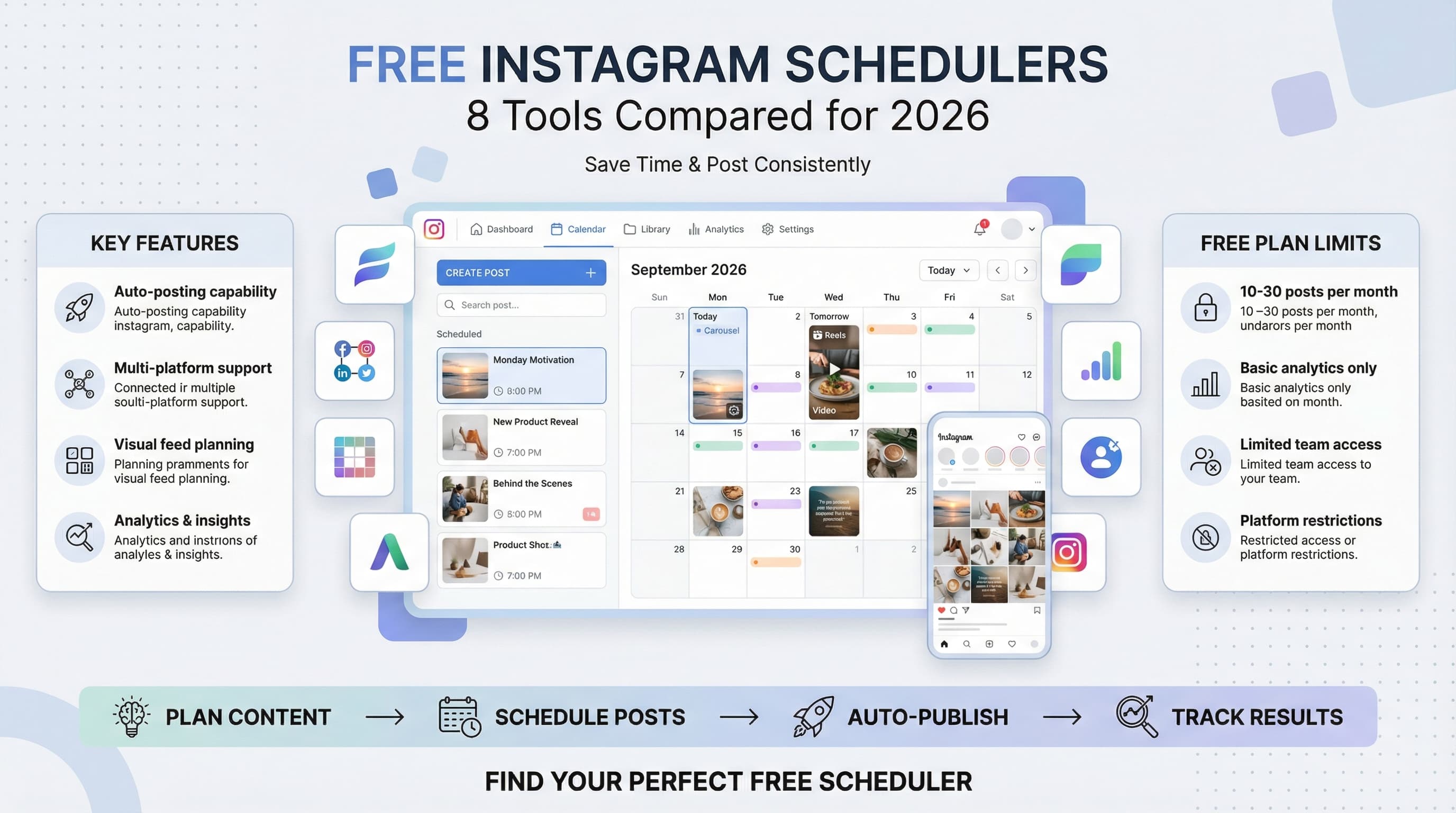
This is what scheduling an Instagram post looks like in Schedulala
But here's the problem: manually posting to Instagram multiple times a day is exhausting and inefficient. You need a reliable Instagram scheduler that handles the heavy lifting while you focus on creating amazing content. Try our social media scheduling tools.
Which Instagram scheduling tool actually delivers on its promises without breaking your budget or overwhelming you with unnecessary features? Learn more about how to repurpose content.
Try Schedulala for free
Schedule posts to Bluesky, Twitter, and 8 other platforms from one dashboard.
Get started for free→What makes an Instagram scheduler worth your money
Not all Instagram schedulers are created equal. After testing dozens of platforms, we found that the best tools share several key characteristics that separate them from the competition. Try our content calendar.
Essential features to look for
First, native Instagram publishing is non-negotiable. Tools that require push notifications for every post create more work, not less. You want true automation that publishes posts, Stories, and Reels without any manual intervention. Our best time to post on instagram can help.
Visual content preview is equally important. Instagram is a visual platform, so you need to see exactly how your posts will appear in the feed before they go live. Grid preview functionality helps maintain a cohesive aesthetic that keeps followers engaged. Our instagram engagement calculator can help.
Analytics integration rounds out the must-have features. Without performance data, you're scheduling posts in the dark. The best schedulers provide detailed insights about engagement rates, optimal posting times, and content performance trends.
1. Schedulala
Best overall Instagram scheduler for small businesses
Schedulala tops our list because it solves the biggest pain point in Instagram scheduling: actually getting your posts published automatically. While many competitors still rely on push notifications, Schedulala uses Instagram's official API to publish posts, Stories, and Reels without any manual intervention.
The platform's visual content calendar makes it incredibly easy to see your posting schedule at a glance. You can drag and drop posts to different time slots, bulk upload content, and maintain a consistent posting rhythm without the usual scheduling headaches.
What sets Schedulala apart is its focus on multi-platform publishing. You can simultaneously schedule content to Instagram, TikTok, LinkedIn, Twitter, and other platforms from a single dashboard. This saves hours of time if you're managing multiple social media accounts.
The analytics dashboard provides actionable insights about your Instagram performance. You'll see which posts generate the most engagement, optimal posting times for your audience, and growth trends that help inform your content strategy.
| Feature | Schedulala | Competitors |
|---|---|---|
| Auto-publish posts | ✓ Yes | Most require notifications |
| Stories scheduling | ✓ Yes | Limited availability |
| Reels scheduling | ✓ Yes | Often missing |
| Multi-platform | ✓ 8+ platforms | Usually 3-5 platforms |
| Visual calendar | ✓ Drag & drop | Basic calendar views |
| Analytics | ✓ Detailed insights | Basic metrics only |
Pricing starts at $29/month for up to 5 social accounts, making it competitive with other professional-grade schedulers. The free trial gives you full access to test all features before committing to a paid plan.
2. Buffer
Most user-friendly interface for beginners
Buffer has been a staple in social media scheduling for over a decade, and their Instagram integration remains solid for basic scheduling needs. The platform excels in simplicity, making it an excellent choice for social media beginners or small teams just getting started with scheduled posting.
The browser extension is particularly useful for content curation. You can schedule Instagram posts directly from web pages, which streamlines the content discovery and scheduling process. This feature works especially well for businesses that regularly share industry news or curated content.
Buffer's analytics provide clear, easy-to-understand reports about your Instagram performance. While not as detailed as some competitors, the data presentation is clean and focuses on the metrics that matter most: engagement, reach, and follower growth.
However, Buffer still uses push notifications for Instagram posts rather than true auto-publishing. This means you'll need to manually approve each post from your phone, which defeats the purpose of automation for busy entrepreneurs and marketing teams.
Buffer's pricing starts at $5/month for basic features, but you'll need the $15/month plan for Instagram scheduling. The Essentials plan includes scheduling for 8 social accounts and basic analytics. Higher-tier plans add team collaboration features and more detailed reporting.
3. Hootsuite
Enterprise-grade scheduling with advanced team features
Hootsuite positions itself as the enterprise solution for social media management, and their Instagram scheduling capabilities reflect this focus on large organizations. The platform handles high-volume posting across multiple Instagram accounts with robust approval workflows and team collaboration features.
The content library system is particularly impressive for large teams. You can store thousands of images, videos, and templates in organized folders, making it easy for team members to access approved brand assets when creating Instagram posts.
Hootsuite's Instagram analytics go beyond basic engagement metrics to include competitive analysis and industry benchmarking. This level of detail helps enterprise clients understand their performance relative to competitors and industry standards.
The downside is complexity and cost. Hootsuite's interface can overwhelm smaller teams with features they don't need. The learning curve is steep, and the pricing reflects its enterprise positioning, making it overkill for most small and medium-sized businesses.
Plans start at $99/month for the Professional plan, which includes 10 social accounts and basic analytics. Enterprise plans with advanced features can cost several hundred dollars monthly, putting Hootsuite out of reach for many small businesses.
4. Later
Visual-first scheduling with excellent grid preview
Later built its reputation as the visual Instagram scheduler, and the grid preview feature remains one of the best in the industry. You can see exactly how your posts will look in your Instagram feed, making it easy to maintain a cohesive aesthetic that keeps followers engaged.
The drag-and-drop visual calendar makes rearranging your content schedule intuitive and fast. You can quickly move posts around to optimize your posting rhythm or accommodate last-minute changes without starting from scratch.
Later's media library includes a built-in image editor with basic tools for resizing, cropping, and adding text overlays. While not as powerful as dedicated design tools, it's convenient for quick edits without leaving the platform.
The platform also offers a link-in-bio tool that turns your Instagram bio link into a clickable landing page featuring your recent posts. This helps drive traffic from Instagram to your website or online store more effectively than a single static link.
However, Later still relies on push notifications for Instagram post publishing rather than true automation. You'll receive mobile notifications when posts are ready to publish, requiring manual approval from your phone. This limitation becomes frustrating for users who want complete automation.
Later offers a free plan for up to 30 posts per month across all social platforms. Paid plans start at $18/month for 150 posts per month, with higher tiers adding team features and advanced analytics.
5. Sprout Social
Premium scheduling with comprehensive social listening
Sprout Social combines Instagram scheduling with powerful social listening and customer service features. This makes it an excellent choice for brands that need to monitor mentions, respond to comments, and manage customer relationships alongside their scheduled content.
The Instagram scheduling interface is clean and intuitive, with excellent preview capabilities for posts, Stories, and Reels. You can see exactly how your content will appear across different Instagram placements before publishing.
What sets Sprout Social apart is its unified inbox that consolidates Instagram comments, direct messages, and mentions from other social platforms into a single stream. This makes it much easier to stay on top of audience engagement and respond promptly to customer inquiries.
The analytics are comprehensive, including detailed audience demographics, optimal posting times, and engagement trends. The reporting tools are particularly strong for agencies and larger businesses that need to demonstrate ROI to stakeholders.
Sprout Social's main drawback is the premium pricing that puts it out of reach for many small businesses. The feature set is impressive, but the cost-per-user model can quickly become expensive for growing teams.
Plans start at $249/month for up to 5 social profiles, making Sprout Social one of the more expensive options. The Standard plan includes basic scheduling and analytics, while higher tiers add advanced listening and reporting features.
6. Creator Studio (Meta)
Free official tool with basic scheduling capabilities
Meta's Creator Studio is the official free scheduling tool for Instagram and Facebook. Since it comes directly from Instagram's parent company, you get native publishing capabilities without third-party limitations or API restrictions.
The scheduling interface is straightforward, allowing you to upload content, write captions, add hashtags, and set publish times. You can schedule regular posts, IGTV videos, and Reels, though Stories scheduling isn't available.
Creator Studio provides basic analytics including reach, impressions, and engagement data. While not as comprehensive as dedicated analytics platforms, it offers enough insight to track your Instagram performance trends and identify top-performing content.
The major limitation is that Creator Studio only works with Instagram and Facebook. If you manage multiple social platforms, you'll need additional tools for complete scheduling coverage. The interface also lacks advanced features like bulk uploading, content calendar views, and team collaboration tools.
Creator Studio is completely free, making it attractive for bootstrapped startups and individual creators. However, the limited feature set means most growing businesses will eventually need a more robust scheduling solution.
7. CoSchedule
Content marketing calendar with Instagram integration
CoSchedule approaches Instagram scheduling from a content marketing perspective, integrating social posts with blog content, email campaigns, and other marketing activities in a unified calendar view. This makes it excellent for businesses with comprehensive content strategies.
The marketing calendar shows how your Instagram posts align with product launches, blog publications, and other campaign activities. This bird's-eye view helps ensure your social media content supports broader marketing objectives rather than existing in isolation.
CoSchedule's ReQueue feature automatically refills your Instagram posting schedule with your best-performing content. This helps maintain consistent posting frequency even when you're busy with other projects or experiencing creative blocks.
The platform includes project management features that help marketing teams coordinate Instagram campaigns with other deliverables. You can assign tasks, set deadlines, and track progress on content creation and approval workflows.
However, CoSchedule's Instagram scheduling features aren't as robust as dedicated social media tools. The visual preview capabilities are limited, and the interface feels designed for marketers rather than social media specialists.
CoSchedule pricing starts at $29/month for the Social Calendar, which includes basic Instagram scheduling. The Marketing Suite starts at $399/month and adds advanced project management and campaign coordination features.
8. Sendible
Agency-focused scheduler with white-label options
Sendible targets digital marketing agencies and freelancers managing Instagram accounts for multiple clients. The platform's strength lies in its client management features and white-label customization options that help agencies maintain their brand identity.
The Instagram scheduling interface includes approval workflows that let you submit posts to clients for review before publishing. This reduces back-and-forth communication and ensures client satisfaction with scheduled content.
Sendible's reporting features are particularly strong for agencies that need to demonstrate value to clients. You can generate branded reports showing Instagram growth metrics, engagement improvements, and campaign performance data.
The platform supports bulk scheduling and content recycling, which helps agencies manage high-volume posting requirements across multiple client accounts efficiently. You can upload dozens of posts at once and set up automated recycling schedules for evergreen content.
For individual businesses or small teams, Sendible's agency-focused features may be unnecessary complexity. The interface assumes you're managing multiple client accounts, which can feel overwhelming for single-business use cases.
Plans start at $29/month for up to 12 social accounts, with higher tiers adding more accounts and advanced agency features. The white-label option requires the higher-priced plans starting at $89/month.
9. Socialbee
Content categorization with evergreen recycling
Socialbee's unique approach to Instagram scheduling revolves around content categories and automated recycling. You can organize your Instagram posts into different categories like promotional content, educational posts, user-generated content, and inspirational quotes.
The recycling feature automatically republishes your evergreen Instagram content at set intervals, helping maintain posting consistency without constantly creating new content. This is particularly useful for businesses with limited content creation resources.
Socialbee includes a content curation tool that suggests relevant posts from RSS feeds and other sources. While you'll need to customize this content for Instagram, it provides inspiration and starting points when you're experiencing creative blocks.
The platform also offers basic image editing tools and a Canva integration that streamlines the visual content creation process. You can design Instagram posts without leaving the scheduling platform, though the editing capabilities are fairly basic.
Socialbee's Instagram analytics are limited compared to specialized social media tools. You'll get basic engagement metrics, but deeper insights require integration with external analytics platforms.
Pricing starts at $19/month for up to 5 social accounts, making Socialbee one of the more affordable options. The Pro plan at $39/month adds team features and advanced recycling options.
10. Agorapulse
Comprehensive social media management with strong Instagram features
Agorapulse rounds out our list with a comprehensive approach to Instagram management that goes beyond basic scheduling. The platform combines content scheduling with robust community management tools and detailed analytics reporting.
The Instagram scheduling interface is intuitive and includes excellent preview capabilities for posts, Stories, and Reels. You can see exactly how your content will appear in the Instagram feed and make adjustments before publishing.
Agorapulse excels in Instagram community management with features for monitoring mentions, responding to comments, and tracking hashtag performance. The unified inbox consolidates all Instagram interactions, making it easier to engage with your audience consistently.
The analytics dashboard provides detailed Instagram insights including audience demographics, optimal posting times, and content performance trends. The competitive analysis feature lets you benchmark your performance against similar accounts in your industry.
The platform's comprehensive feature set comes with a steeper learning curve than simpler scheduling tools. New users may feel overwhelmed by the number of options and settings available.
Plans start at $79/month for up to 10 social accounts, positioning Agorapulse in the premium pricing tier. The Medium plan includes advanced analytics and team features, while higher tiers add more accounts and enterprise capabilities.
Key factors to consider when choosing your Instagram scheduler
Publishing method: Auto-publish vs push notifications
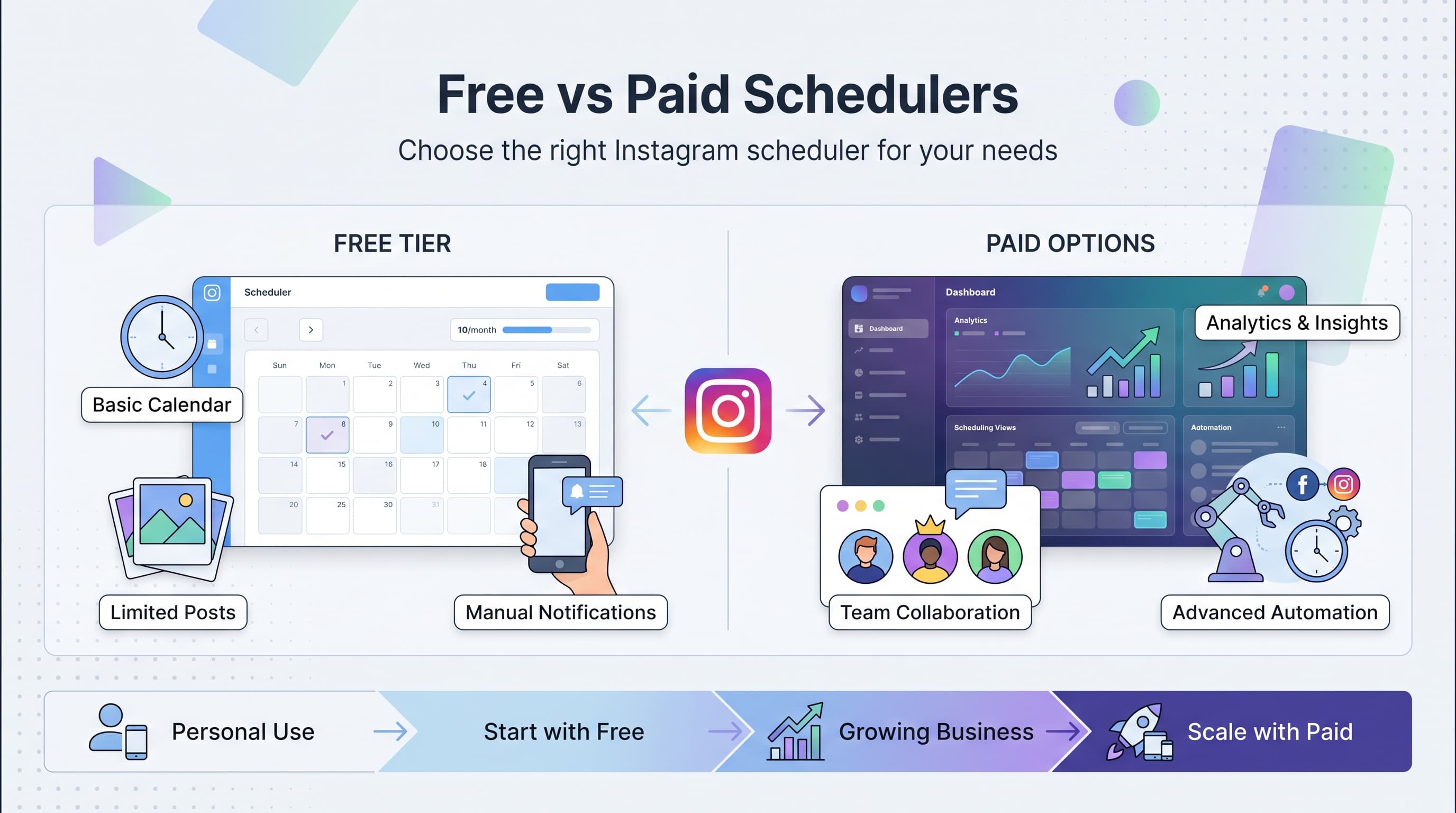
This is the most important distinction between Instagram schedulers. Tools that offer auto-publishing use Instagram's official API to publish your content automatically at scheduled times. You don't need to do anything – posts, Stories, and Reels go live exactly when you planned.
Push notification schedulers send alerts to your phone when it's time to publish. You then need to open the app and manually approve each post. This defeats the purpose of automation and becomes especially problematic when you're traveling, in meetings, or sleeping during optimal posting times.
Always choose auto-publishing tools like Schedulala, Sprout Social, or Hootsuite if you want true Instagram automation. Push notification tools like Buffer and Later create more work, not less.
Content types: Posts, Stories, and Reels support
Instagram content goes far beyond regular feed posts. Stories and Reels often generate higher engagement rates and reach more followers than traditional posts. Your scheduler should support all Instagram content types to maximize your platform presence.
Stories scheduling is particularly valuable because Instagram Stories disappear after 24 hours. Missing your optimal posting window means missing your audience entirely. Reels scheduling has become equally important as Instagram prioritizes video content in the algorithm.
Some schedulers support advanced Story features like polls, questions, and swipe-up links, while others only handle basic image and video Stories. Consider your Story strategy when evaluating different platforms.
Visual planning and grid preview
Instagram is a visual platform where aesthetic consistency drives follower growth and engagement. Your scheduler should provide grid preview functionality that shows how your posts will look in your Instagram feed before they're published.
The best visual planning tools let you drag and drop posts to different positions in your schedule, making it easy to maintain color balance, content variety, and overall aesthetic appeal. This is especially important for lifestyle, fashion, and retail brands where visual consistency is crucial.
Look for schedulers that offer different grid view options – some show 3×3 grids like Instagram's mobile app, while others provide larger grid views for better planning visibility.
Common Instagram scheduling mistakes to avoid
Even with the right scheduling tool, many businesses make preventable mistakes that hurt their Instagram performance. Here are the most common pitfalls and how to avoid them.
Over-scheduling and audience fatigue
More posts don't always mean better results. Instagram's algorithm favors engagement over frequency, so posting mediocre content multiple times daily can actually hurt your reach. Your audience will become fatigued and start ignoring your posts.
Focus on quality over quantity. Most successful Instagram accounts post 1-2 high-quality posts daily rather than flooding followers' feeds with average content. Use your scheduler's analytics to find the optimal posting frequency for your specific audience.
Ignoring optimal posting times
Scheduling posts at convenient times for you rather than optimal times for your audience reduces engagement and reach. Your followers might be most active at 7 PM, but if you're scheduling posts at 9 AM because it's convenient, you're missing opportunities.
Most Instagram schedulers provide optimal posting time recommendations based on when your audience is most active. Use this data to inform your scheduling decisions, even if it means posting outside business hours.
Set-and-forget mentality
Scheduling tools should save time, not replace engagement. Many businesses schedule their content and then ignore Instagram entirely, missing comments, direct messages, and opportunities to interact with their audience.
Build engagement monitoring into your routine. Check Instagram daily for comments and messages, even when your content is being published automatically. Social media success requires both consistent posting and active community engagement.
Instagram scheduling trends for 2026
Instagram scheduling continues evolving as the platform introduces new features and changes its algorithm priorities. Understanding these trends helps you choose a scheduler that will remain relevant and effective.
AI-powered content optimization
The most advanced Instagram schedulers now incorporate AI features that analyze your content performance and suggest optimizations. These tools can recommend the best posting times, suggest hashtags, and even predict which content types will perform best for your audience.
AI caption generation is becoming more sophisticated, helping businesses create engaging post descriptions more efficiently. However, human oversight remains essential to ensure brand voice consistency and authenticity.
Enhanced video scheduling capabilities
Instagram's continued emphasis on video content has pushed scheduling platforms to improve their video handling capabilities. Modern schedulers support longer video uploads, better compression, and scheduling for Instagram TV (IGTV) and Reels simultaneously.
Some platforms now offer basic video editing features, allowing you to trim, crop, and add captions to videos without leaving the scheduling interface. This streamlines the content creation and publishing workflow significantly.
Cross-platform integration
The best Instagram schedulers increasingly support multiple social platforms, allowing you to adapt and publish content across Instagram, TikTok, LinkedIn, Twitter, and other networks from a single interface. This multi-platform approach saves time and ensures consistent brand messaging.
Advanced integration features automatically resize and reformat content for different platform requirements, reducing the manual work required to maintain a multi-channel social media presence.
Our final verdict: Which Instagram scheduler wins
After testing and comparing these Instagram scheduling tools, Schedulala emerges as the clear winner for most businesses. The combination of true auto-publishing, comprehensive multi-platform support, and intuitive visual planning makes it the most practical choice for busy entrepreneurs and marketing teams.
Buffer remains excellent for beginners who prioritize simplicity over automation, while Hootsuite and Sprout Social serve enterprise clients with complex needs and larger budgets. Later excels for visual brands that need advanced grid planning capabilities.
The right Instagram scheduler depends on your specific needs, budget, and content strategy. Consider starting with a free trial of your top choices to see which platform feels most intuitive and meets your workflow requirements.
Remember that no scheduling tool can replace good content and genuine audience engagement. Use these platforms to save time on the mechanical aspects of Instagram management so you can focus on creating content that truly resonates with your followers.
Try Schedulala for free
Schedule posts to Bluesky, Twitter, and 8 other platforms from one dashboard.
Get started for free→![Instagram Story Scheduler: Best Tools [2026] - Schedule Stories Like a Pro](/_next/image?url=%2Fblog%2Finstagram-story-scheduler-best-tools-2026%2Fheader.jpeg&w=3840&q=75&dpl=dpl_6RiKV7dz1EjMEbYgqheh1pc2YPwv)