Free Instagram Scheduler: 8 Options That Work in 2026
Compare the best free Instagram scheduler tools in 2026. Find the perfect solution to automate your Instagram posts without breaking the bank.

Quick answer
Free Instagram scheduler options include Meta Business Suite (fully free), Schedulala's free trial, and Buffer's free plan (limited to 3 channels).
- •Meta Business Suite is 100% free and supports feed posts, Stories, and Reels scheduling
- •Buffer's free plan covers 3 channels with 10 scheduled posts per channel
- •Schedulala offers a free trial with unlimited posts, then $9/month for one account on each platform on 12 platforms
- •Most free schedulers limit post volume, platforms, or features like carousel scheduling
Posting consistently on Instagram takes hours every week. You're either glued to your phone waiting for peak hours or scrambling to remember what you wanted to share. See our Instagram scheduling guide.
See It in Action
This is what scheduling an Instagram post looks like in Schedulala
Free Instagram schedulers solve this problem by letting you plan and automate your posts without spending a dime. Try our batch content creation.
But which free tools actually work, and what limitations should you expect? Our how to automate bluesky can help.
Try Schedulala for free
Schedule posts to Bluesky, Twitter, and 8 other platforms from one dashboard.
Get started for free→What Makes a Good Free Instagram Scheduler
Not all free Instagram schedulers are created equal. Some require you to manually publish every post, while others handle everything automatically. Here's what separates the useful tools from the time-wasters:. Try our scheduling across platforms.
Essential Features to Look For
- True auto-posting (not just notifications)
- Multiple post formats (photos, carousels, Reels)
- Basic analytics to track performance
- Content calendar view for planning
- Bulk upload capabilities
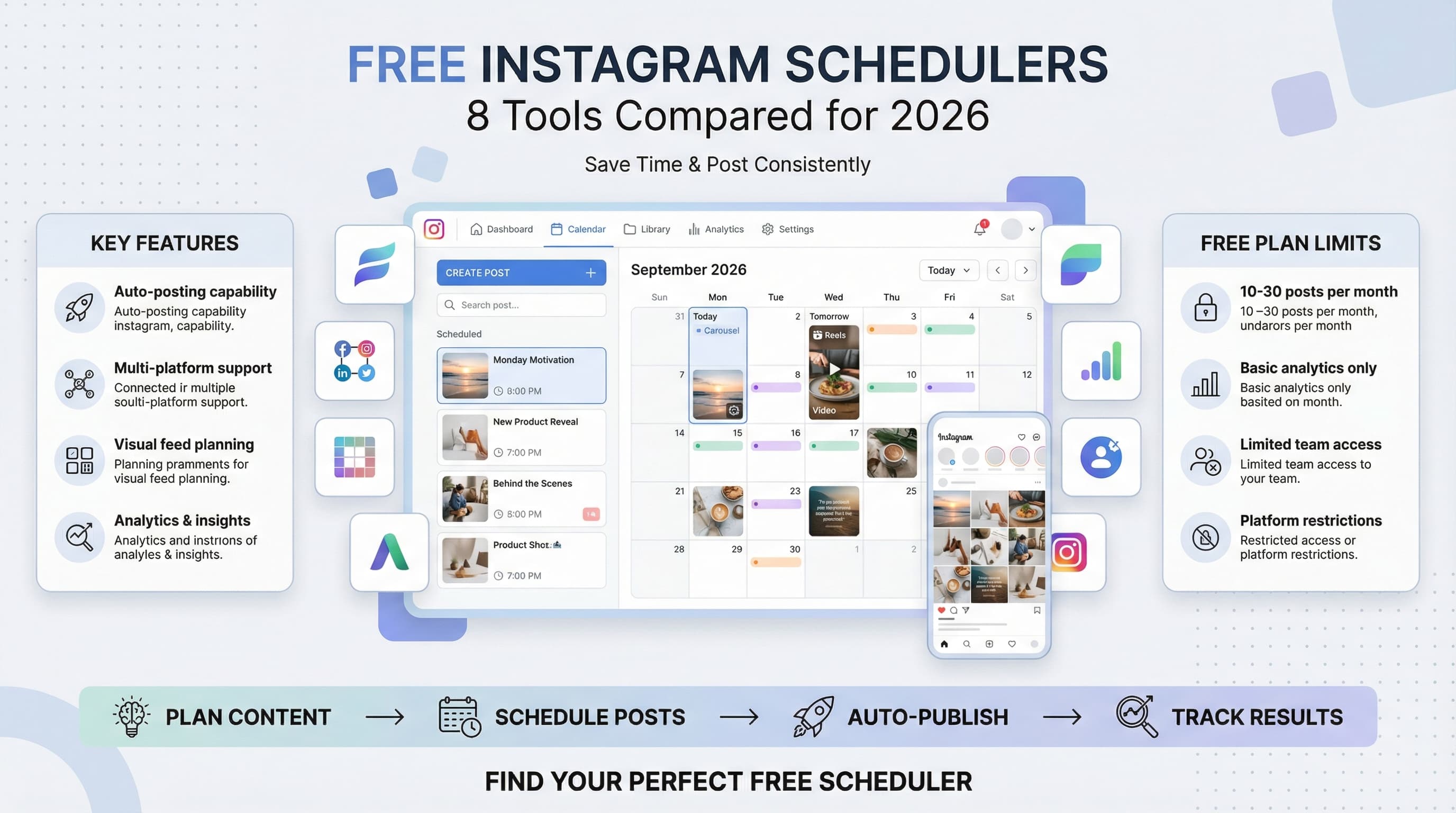
The biggest difference between free and paid tools usually comes down to post limits. Free plans typically allow 10-30 scheduled posts per month, which works fine for small businesses and personal brands just getting started. See our best time to post on instagram guide.
Instagram's API restrictions also mean that some features like auto-posting Stories or commenting aren't available on free plans. You'll need to upgrade to access advanced automation features. Try our instagram engagement calculator.
The 8 Best Free Instagram Schedulers
After testing dozens of tools, these eight stand out for actually delivering value without requiring a credit card. Each has different strengths depending on your specific needs.
1. Schedulala
Schedulala does not have a permanent free plan. You get a 7-day free trial (card required), and after that plans start at $9/month with unlimited scheduled posts across multiple platforms including Instagram. The interface is clean and intuitive, making it easy to plan content weeks in advance.
What sets Schedulala apart is its focus on multi-platform scheduling. You can create content once and adapt it for Instagram, Twitter, LinkedIn, and other networks simultaneously. Every plan includes analytics and a content calendar view.
| Free Plan Features | Limitations |
|---|---|
| 25 posts/month | Analytics are basic |
| Multiple platforms | No advanced AI features |
| Auto-posting | Single user only |
| Content calendar | Limited template library |
The tool excels at batch content creation. You can upload multiple images, write captions for each, and schedule them all at once. This workflow saves hours compared to posting manually or using tools that require individual post creation.
2. Later
Later pioneered visual Instagram scheduling and remains one of the strongest free options. Their free plan allows 10 posts per month per platform, with Instagram, Facebook, Twitter, and Pinterest support.
The visual content calendar is Later's biggest strength. You can see exactly how your Instagram feed will look before publishing, drag and drop to rearrange posts, and maintain a cohesive aesthetic. The media library automatically saves all your uploaded content for future use.
Later's browser extension lets you save images from anywhere on the web directly to your content library. This feature alone saves considerable time when curating visual content for Instagram.
- Visual feed preview shows your grid layout
- Hashtag suggestions based on your content
- Basic analytics for post performance
- Auto-posting for Instagram (requires business account)
The main limitation is the 10-post monthly limit, which fills up quickly if you post daily. Later also adds a small watermark to scheduled posts on the free plan.
3. Buffer
Buffer's free plan connects three social accounts and allows 10 scheduled posts per account monthly. While this might seem limiting, the quality of Buffer's features makes up for the quantity restrictions.
Buffer's strength lies in its posting optimization. The platform analyzes when your audience is most active and suggests optimal posting times. Even on the free plan, you get access to these insights, which can significantly improve engagement rates.
The content creation tools include a simple image editor, caption templates, and hashtag recommendations. Buffer also provides detailed analytics showing which posts perform best, helping you refine your content strategy over time.
| Buffer Free Features | Monthly Limits |
|---|---|
| 3 social accounts | 10 posts per account |
| Posting time optimization | Basic analytics only |
| Simple image editor | No team collaboration |
| Performance insights | Limited scheduling window |
Buffer's mobile app is particularly well-designed, making it easy to schedule content on the go. You can create posts directly from your phone's camera roll, edit images, write captions, and schedule everything without switching apps.
The platform also offers excellent customer support, even for free users. Their help center includes detailed guides and video tutorials for maximizing Instagram engagement.
4. Hootsuite
Hootsuite's free plan supports three social profiles with 5 scheduled posts per month. While the post limit is restrictive, Hootsuite compensates with professional-grade features that paid alternatives often lack.
The dashboard design is built for efficiency. You can monitor multiple Instagram accounts, schedule posts, and respond to comments all from one interface. This unified approach saves time switching between different tools and platforms.
Hootsuite's content curation features help solve the "what to post" problem. The platform suggests trending topics in your industry, finds relevant articles to share, and even recommends optimal hashtags based on your niche.
- Unified dashboard for multiple accounts
- Content curation and topic suggestions
- Basic social listening capabilities
- Team collaboration features (limited)
The 5-post monthly limit makes Hootsuite impractical as a primary scheduling tool, but it works well as a supplementary platform for managing multiple Instagram accounts or handling client work.
5. Planoly
Planoly focuses exclusively on visual platforms like Instagram and Pinterest. Their free plan allows 30 uploads per month for Instagram, making it one of the more generous options for content-heavy accounts.
The visual planning interface is Planoly's standout feature. You can arrange your Instagram grid exactly how you want it to appear, preview different layouts, and ensure every post contributes to your overall aesthetic. This level of visual control is crucial for brands where Instagram feed appearance matters.
Planoly automatically generates hashtag suggestions based on your images using AI analysis. The platform examines your photos and recommends relevant hashtags that could improve discoverability. This feature alone can boost engagement significantly.
The content calendar shows your scheduled posts alongside important dates and events, helping you plan seasonal content and avoid scheduling conflicts. You can also create and save caption templates for consistent brand voice across posts.
| Planoly Free Benefits | Restrictions |
|---|---|
| 30 uploads monthly | Instagram and Pinterest only |
| Visual grid planning | Limited analytics |
| AI hashtag suggestions | No auto-posting |
| Caption templates | Single user account |
One significant limitation is that Planoly's free plan doesn't include auto-posting. You'll receive push notifications when it's time to publish, but you need to manually post each piece of content.
6. Creator Studio (Meta)
Meta's Creator Studio is completely free with unlimited posting to Instagram and Facebook. Since it's Instagram's official tool, you get access to features that third-party platforms can't offer.
Creator Studio provides the most comprehensive Instagram analytics available for free. You can track follower growth, engagement rates, reach, impressions, and audience demographics. The insights go deeper than most paid tools, showing you exactly when your audience is online and which content performs best.
The scheduling interface supports all Instagram post types including photos, carousels, videos, Reels, and IGTV. You can schedule posts up to 75 days in advance, giving you flexibility for long-term content planning.
- Unlimited scheduled posts
- Advanced Instagram analytics
- Support for all post formats
- Direct integration with Instagram features
- Cross-posting to Facebook automatically
The main drawback is that Creator Studio only works with Instagram and Facebook. If you need to manage other social platforms, you'll need additional tools. The interface is also less intuitive than dedicated scheduling platforms.
7. Crowdfire
Crowdfire's free plan allows 10 scheduled posts per month across three connected accounts. What makes Crowdfire unique is its content discovery engine that finds relevant articles, images, and trends to share with your audience.
The platform analyzes your Instagram account and suggests content ideas based on your niche and audience interests. This feature is particularly valuable for accounts that struggle with consistent content creation or need inspiration for posts.
Crowdfire also includes basic social listening features, monitoring mentions of your brand or relevant keywords across social platforms. You can respond to conversations and engage with potential followers directly from the dashboard.
The analytics dashboard tracks follower growth, engagement patterns, and optimal posting times. While not as detailed as Creator Studio, it provides enough data to optimize your Instagram strategy effectively.
| Crowdfire Features | Free Plan Details |
|---|---|
| Content discovery | 10 posts/month |
| Social listening | 3 connected accounts |
| Engagement tracking | Basic analytics |
| Posting optimization | Limited support |
The content curation features work best for accounts in popular niches like fitness, food, or travel where there's plenty of trending content to share. B2B or highly specialized accounts might find fewer relevant suggestions.
8. SocialBee
SocialBee offers a 14-day free trial of their full platform, followed by a limited free plan with 10 posts per month across five social profiles. The trial period gives you access to advanced features like content recycling and audience targeting.
SocialBee's content categorization system is its most valuable feature. You can organize posts into different categories (promotional, educational, entertaining) and set the platform to automatically maintain your desired content mix. This prevents your feed from becoming too salesy or one-dimensional.
The platform includes advanced scheduling options like posting at different times for different time zones, avoiding weekends, and recycling evergreen content automatically. These features are typically only available on expensive enterprise tools.
During the free trial, you also get access to team collaboration features, detailed analytics, and integration with design tools like Canva. This makes it easy to create, schedule, and track content performance all in one place.
- Content categorization and mixing
- Advanced scheduling rules
- Team collaboration tools
- Integration with design platforms
- Content recycling automation
After the trial ends, the free plan becomes quite limited, but the trial period gives you enough time to schedule several weeks of content and evaluate whether the paid features are worth the investment.
Comparing Free vs Paid Features
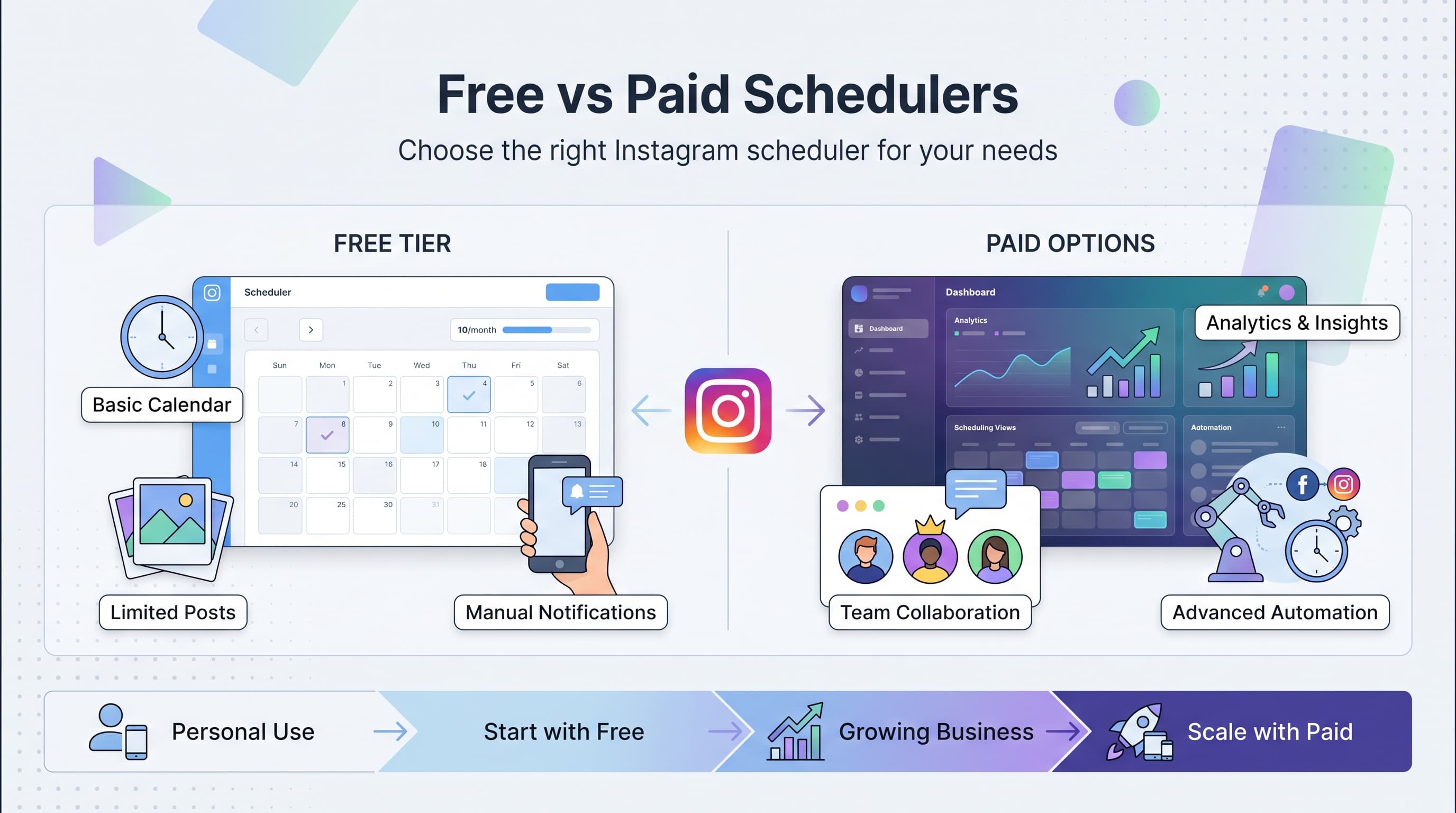
Understanding what you sacrifice with free Instagram schedulers helps set realistic expectations and determines when upgrading makes sense for your business.
| Feature | Free Tools | Paid Tools |
|---|---|---|
| Monthly post limits | 10-30 posts | Unlimited posts |
| Analytics depth | Basic metrics | Advanced insights |
| Team collaboration | Single user | Multiple users |
| Auto-posting | Limited/none | Full automation |
| Customer support | Help docs only | Priority support |
| Content creation | Basic tools | Advanced editors |
| Platform integrations | Few options | Extensive library |
When Free Tools Work Best
- Personal brands posting 2-3 times per week
- Small businesses with limited social media budgets
- New accounts testing different content strategies
- Side projects or hobby accounts
- Content creators focusing on one or two platforms
Most free tools become limiting once you hit 10-15 posts per month or need features like team access, advanced analytics, or extensive automation. The upgrade decision usually comes down to time savings versus cost.
Getting the Most from Free Instagram Schedulers
Smart strategies can help you maximize the value of free scheduling tools and work around their limitations effectively.
Batch Content Creation
Since most free tools limit monthly posts, make each one count by planning content in batches. Spend one day per month creating all your Instagram content, writing captions, and scheduling posts. This approach ensures consistent quality and maximizes your limited post allowance.
Use content pillars to maintain variety within your post limits. For example, alternate between educational posts, behind-the-scenes content, and promotional material. This strategy prevents your feed from becoming repetitive despite posting less frequently.
Multiple Platform Strategy
Leverage free tools that support multiple platforms to get more value from each scheduled post. Create content once and adapt it for Instagram, Twitter, LinkedIn, and Facebook simultaneously. This approach effectively multiplies your posting capacity across platforms.
Tools like Schedulala and Buffer excel at cross-platform posting, letting you maintain presence on multiple networks without exceeding individual post limits on any single platform.
Content Recycling
Maximize your best-performing content by recycling it strategically. Use your free tool's analytics to identify top posts, then create variations or updates to share again months later. This approach extends the life of successful content without requiring new creation.
- Update statistics in educational posts
- Create carousels from popular single images
- Turn successful posts into Reels or Stories
- Reframe content for different audience segments
Combining Multiple Free Tools
There's no rule against using multiple free scheduling tools simultaneously. You could use Later for visual planning and feed preview, Creator Studio for detailed analytics, and Schedulala for cross-platform posting. This combination gives you more monthly posts and diverse feature access.
The key is choosing tools that complement rather than duplicate each other's strengths. Avoid overlap that creates extra work without additional value.
Common Mistakes with Free Instagram Schedulers
Avoiding these pitfalls will help you get better results from whichever free tool you choose.
Over-Scheduling Low-Quality Content
The biggest mistake is treating scheduling tools like content creation magic wands. Just because you can schedule posts doesn't mean you should fill every available slot with mediocre content. Quality beats quantity, especially when working within post limits.
Focus on creating fewer, high-impact posts rather than maxing out your monthly allowance with filler content. Your audience and engagement rates will thank you.
Ignoring Optimal Posting Times
Many users schedule posts at convenient times for themselves rather than when their audience is most active. Use your chosen tool's analytics or Instagram Insights to identify peak engagement windows, then schedule accordingly.
Even if it means scheduling posts for 2 AM your local time, posting when your audience is online dramatically improves engagement rates and content performance.
Forgetting About Engagement
Automated posting doesn't mean automated engagement. The most successful Instagram accounts respond quickly to comments, engage with followers' content, and participate in conversations. Scheduling posts is just the beginning of your Instagram strategy.
Set aside time daily to check your scheduled posts for comments and engage authentically with your community. This human touch is what free automation can't replace.
Alternative Approaches to Consider
While dedicated scheduling tools are popular, they're not the only way to manage Instagram posting efficiently.
Native Instagram Features
Instagram's built-in draft feature lets you prepare posts in advance, even though you can't schedule automatic publishing. Create multiple drafts during content creation sessions, then publish manually when needed. This approach works well for accounts posting less than daily.
Instagram also offers Creator Studio integration for business accounts, providing some scheduling capabilities without third-party tools. While less convenient than dedicated schedulers, it's completely free and unlimited.
Content Batching Without Scheduling
Some successful Instagram accounts skip scheduling entirely, instead batching content creation and posting manually at optimal times. This approach requires more discipline but offers maximum flexibility and authentic timing.
Use your phone's reminder system to prompt posting at peak engagement times. While not automated, this method costs nothing and maintains the spontaneous feel many audiences prefer.
Hybrid Approach
Combine scheduled evergreen content with real-time posting for trending topics and timely engagement. Use your free scheduling tool's monthly allowance for consistent foundational content, then add manual posts for current events, user-generated content responses, and trending hashtags.
This hybrid strategy maintains consistency while preserving authenticity and responsiveness to current events.
Future of Free Instagram Scheduling
The landscape of free Instagram scheduling tools continues evolving as platforms compete for users and Instagram updates its API capabilities.
Increasing API Restrictions
Instagram periodically tightens API access, which can limit what third-party tools can do automatically. Features that work today might require manual intervention tomorrow. This uncertainty makes relying too heavily on any single free tool risky for business accounts.
The trend toward API restrictions also means free tools may become more limited over time, with advanced automation features reserved for paid plans or official Instagram tools.
AI Integration
Newer scheduling tools are incorporating AI for caption writing, hashtag optimization, and content suggestions. While these features currently appear mostly in paid plans, competition may bring AI assistance to free tiers over time.
AI-powered scheduling could eventually analyze your audience engagement patterns and automatically optimize posting times without manual intervention.
The key is building content creation skills that aren't dependent on any specific tool. Focus on understanding your audience, creating valuable content, and engaging authentically. These fundamentals remain constant regardless of which scheduling platform you use.
Final Verdict
Each free Instagram scheduler serves different needs, but three stand out as the most practical options for most users.
The right choice depends on your posting frequency, platform needs, and feature priorities. Start with Schedulala for versatility, Creator Studio for Instagram focus, or Later for visual planning. You can always switch or combine tools as your needs evolve.
Remember that scheduling tools are just one part of Instagram success. Consistent, valuable content and authentic engagement with your community matter more than which scheduler you choose.
Try Schedulala for free
Schedule posts to Bluesky, Twitter, and 8 other platforms from one dashboard.
Get started for free→![Instagram Story Scheduler: Best Tools [2026] - Schedule Stories Like a Pro](/_next/image?url=%2Fblog%2Finstagram-story-scheduler-best-tools-2026%2Fheader.jpeg&w=3840&q=75&dpl=dpl_6RiKV7dz1EjMEbYgqheh1pc2YPwv)
![Best Instagram Scheduler: Top 10 Tools [2026]](/_next/image?url=%2Fblog%2Fbest-instagram-scheduler%2Fheader.jpeg&w=3840&q=75&dpl=dpl_6RiKV7dz1EjMEbYgqheh1pc2YPwv)