The Content Repurposing Checklist That Actually Maximizes ROI
A step-by-step content repurposing checklist to turn one piece of content into weeks of posts across 12 platforms without burning out.

You spent six hours on a blog post. It got 40 views and three likes on the one Instagram carousel you made from it. Meanwhile, somewhere on the internet, a creator turned the exact same idea into a blog post, five TikToks, a LinkedIn carousel, a Twitter thread, a YouTube Short, and a newsletter, and got results from all of it. See our Instagram scheduling guide.
See It in Action
This is what scheduling an Instagram post looks like in Schedulala
The difference isn't talent. It's a system. Content repurposing done right isn't about slapping the same caption on every platform and hoping. It's a checklist you run every time you create something worth more than one post. Try our scheduling across platforms.
This guide gives you that checklist, plus the thinking behind each step so you can adapt it to your brand instead of copying it blindly. Our content calendar can help.
Try Schedulala for free
Schedule posts to Bluesky, Twitter, and 8 other platforms from one dashboard.
Get started for free→Why most repurposing efforts fail
Before the checklist, let's talk about why this goes wrong for most teams. Usually it's one of three things: they repurpose too late (content is already stale by the time it gets reformatted), they repurpose everything identically (same text, different platform, zero native feel), or they never measure which repurposed version actually performed, so they repeat the same mistakes next month. Learn more about telegram engagement tips get.
A good repurposing checklist solves all three. It bakes repurposing into the creation process instead of treating it as an afterthought, it forces you to adapt formatting per platform, and it closes the loop with a measurement step so your system gets smarter over time. See our best time to post on instagram guide.
Phase 1: Audit your content before you repurpose a single thing
1. Pull your top performing content from the last 90 days
Open your analytics, whether that's your blog's Google Analytics, your Instagram Insights, or your scheduling platform's reporting view, and sort by engagement rate, not just raw reach. A post with 2,000 views and a 1% engagement rate is less valuable to repurpose than one with 500 views and a 12% engagement rate. The second one has proven it resonates, it just hasn't reached enough people yet. Try our instagram engagement calculator.
2. Identify the content with the longest shelf life
Not everything deserves to be repurposed. A post about a flash sale from March has no business becoming a November Instagram carousel. Look for evergreen content: how-to guides, frameworks, opinions on industry debates, lists, and case studies. These age well and give you months of reuse instead of a single news cycle.
3. Flag content with a clear single idea
The best source content for repurposing has one strong, extractable idea, not five mediocre ones crammed into a single piece. If your blog post covers 'ten tips for email marketing,' you already have ten pieces of standalone content. If it's a rambling 2,000-word opinion piece with no clear thesis, it's harder to chop up cleanly. When you're creating new content going forward, write with repurposing in mind: clear sections, numbered points, and quotable one-liners.
Phase 2: Extract the reusable pieces
4. Break the content into atomic units
An atomic unit is the smallest piece of your content that still delivers value on its own. A 1,500-word blog post might contain five atomic units: a hook, a surprising stat, a step-by-step process, a common mistake, and a quotable takeaway. Each of those can become its own post, slide, or script instead of forcing the whole article into a single caption.
5. Match each unit to a format, not a platform
This is where most people go wrong. They think platform first ('I need a TikTok') instead of format first ('this unit works as a talking-head video'). Think in formats: short video, carousel, text post, infographic, thread, and audio clip. Once you know the format, picking the right platforms for it gets much easier.
6. Rewrite the hook for every single version
The hook is the one thing you should never copy and paste. A LinkedIn hook needs to read like a sharp observation from a peer. A TikTok hook needs to create curiosity in under two seconds. A Pinterest pin description needs to be search-friendly and keyword-rich. Reusing the body of your content is fine. Reusing the exact same hook across platforms is lazy and it shows.
Phase 3: Platform-native reformatting checklist
Here's where the actual checklist work happens. For each piece of pillar content, run it through this platform breakdown. You don't need to hit all 12 platforms every time, pick the ones where your audience actually lives, but this covers the full range so you can mix and match.
| Platform | Best repurposed format | What to change |
|---|---|---|
| Carousel or Reel | Visual hierarchy, swipe-worthy hook on slide one | |
| TikTok | 15-45 second talking or demo video | Fast pacing, on-screen text, trending audio |
| Text post or document carousel | Professional framing, personal angle on the data | |
| Twitter/X | Thread | Break into numbered tweets, one idea per tweet |
| YouTube | Short or long-form explainer | Fuller narrative, chapter markers for long-form |
| Native video or link post | Conversational tone, community-style caption | |
| Threads | Text-first conversation starter | Opinion-driven, invites replies |
| Vertical graphic pin | SEO-optimized title and description, keyword-rich | |
| Telegram | Channel update or digest | Direct, newsletter-style summary |
| Bluesky | Short text post or thread | Casual, community-first tone |
| Mastodon | Text post | No algorithm chasing, straightforward value |
| Google Business Profile | Update or offer post | Local, action-oriented language |
Phase 4: Sequence and schedule, don't dump it all at once
7. Spread repurposed versions across weeks, not days
One of the biggest repurposing mistakes is publishing every version of a piece within the same 48 hours. Your audience overlaps across platforms more than you think, and seeing the same idea five times in two days reads as spam, not strategy. Space it out: blog post this week, LinkedIn version next week, short-form video two weeks out, Pinterest pin a month later when you're doing a seasonal push.
8. Build a repurposing calendar alongside your content calendar
This is where a scheduling tool earns its keep. Instead of manually remembering 'I should turn that February blog post into a carousel in April,' build the repurposing step into your calendar from day one. With Schedulala, you can queue the native blog post, the LinkedIn carousel, the Twitter thread, and the Pinterest pin all at once, time-staggered across a month, across all 12 supported platforms, without juggling five separate scheduling tabs.
9. Batch the reformatting work, not the posting
Set aside one afternoon a week for repurposing production: writing captions, resizing graphics, cutting video clips. Then load everything into your scheduler and let it publish on the sequence you built in step 7. Batching the work but staggering the output gives you efficiency without the spammy burst problem.
Phase 5: Measure, then feed it back into the system
10. Track each version separately, not just the original
If you only look at how the original blog post performed, you're missing most of the picture. Track engagement on the LinkedIn version, the TikTok cut, the Pinterest pin, individually. You'll often find the repurposed version outperforms the original by a wide margin, which tells you something useful about where your audience actually prefers to consume that type of content.
11. Double down on the formats that win, retire the ones that don't
After a few repurposing cycles, patterns show up. Maybe your how-to content crushes it as carousels but falls flat as video. Maybe your opinion pieces do better as Threads posts than LinkedIn posts. Use this data to skip low-performing format and platform combinations in future cycles instead of repeating them out of habit.
The quick-reference repurposing checklist
Print this out, pin it above your desk, or drop it into your content operations doc. This is the condensed version of everything above.
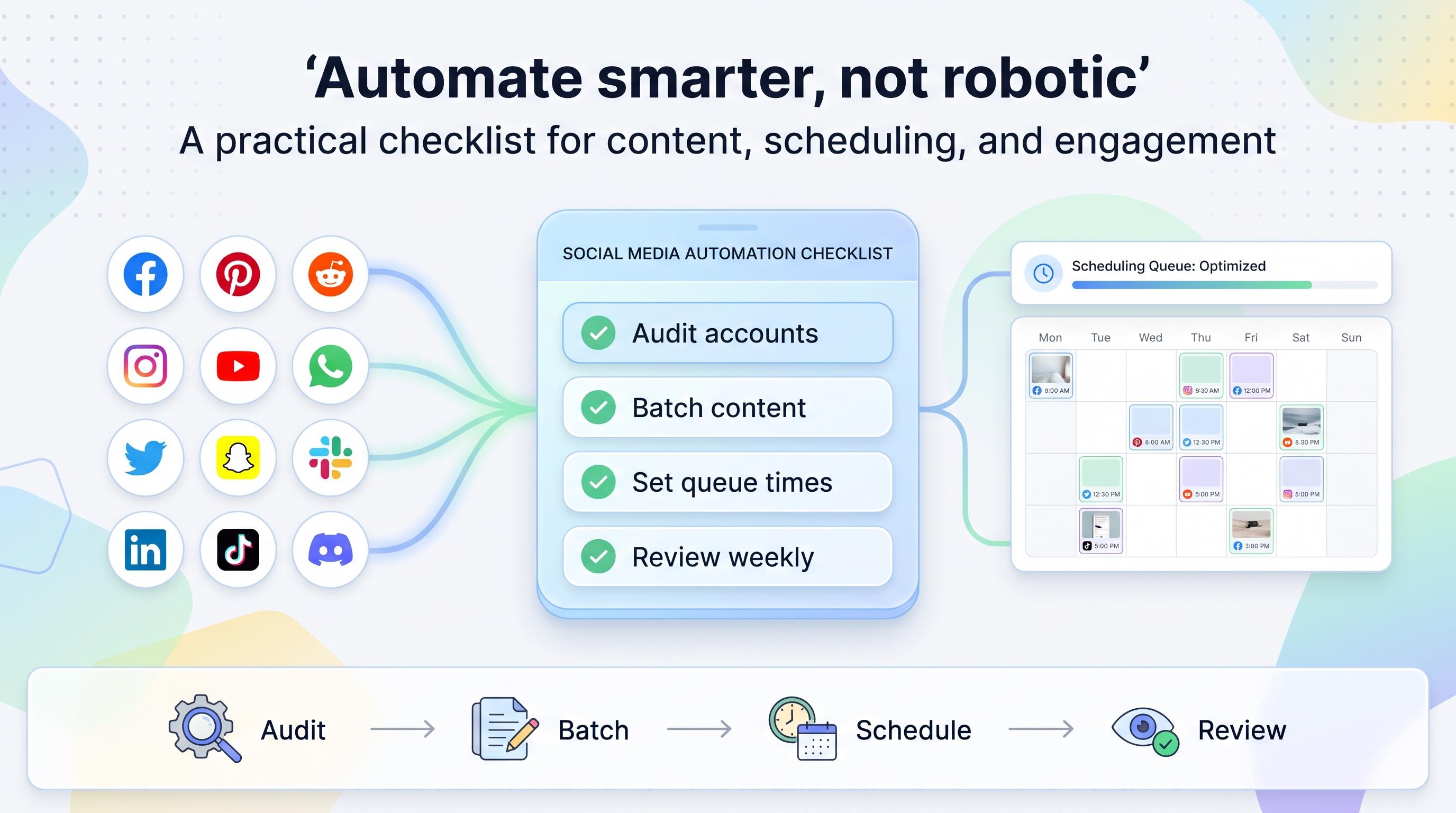
- Pull top-performing content from the last 90 days, sorted by engagement rate
- Flag content with evergreen potential, not time-sensitive content
- Identify content with one clear, extractable idea
- Break the piece into atomic units (hook, stat, process, mistake, quote)
- Match each unit to a format before choosing a platform
- Rewrite the hook for every single version, every time
- Reformat visuals natively for each platform's dimensions
- Build a repurposing calendar alongside your content calendar
- Stagger publishing across weeks instead of dumping everything at once
- Batch the production work, schedule the staggered output
- Track each repurposed version's performance individually
- Feed the results back into your next content brief
Common repurposing mistakes to avoid
- Posting identical copy everywhere: a caption written for LinkedIn rarely works verbatim on TikTok or Pinterest.
- Repurposing stale content: if the data or news angle has expired, don't resurrect it just because you have the asset.
- Ignoring platform dimensions: stretched or cropped visuals look unprofessional and get deprioritized by algorithms.
- Skipping the measurement step: without tracking each version separately, you're guessing instead of improving.
- Publishing everything in one burst: it fatigues your audience and makes your brand look like it's just recycling content for the sake of it.
- Forgetting niche platforms: Threads, Bluesky, and Mastodon audiences often respond well to repurposed content precisely because they see less of it compared to saturated feeds on Instagram or Twitter/X.
Why the right tool makes the checklist sustainable
A checklist is only as good as your ability to actually execute it week after week. The biggest reason repurposing systems die is operational friction: switching between a dozen native apps, re-uploading the same video five times, losing track of which version went where.
Schedulala handles this by supporting all 12 platforms from one dashboard, with unlimited scheduled posts on every plan, including the entry-level Personal plan at $29/month for 10 social accounts. Those accounts aren't locked to specific platforms either. If your repurposing strategy means five Instagram accounts for different product lines and five Pinterest boards, that's a valid combination. If it means one account on each of ten platforms, that works too. There's no per-channel fee buried in the pricing and no seat limit forcing you to pay more just to add a team member who handles the repurposing calendar.
For agencies running repurposing checklists across multiple client accounts, the Agency plan at $99/month covers 100 social accounts, which is enough headroom to run this exact system for a dozen clients without juggling separate logins or spreadsheets.
Try Schedulala for free
Schedule posts to Bluesky, Twitter, and 8 other platforms from one dashboard.
Get started for free→A simple example to steal
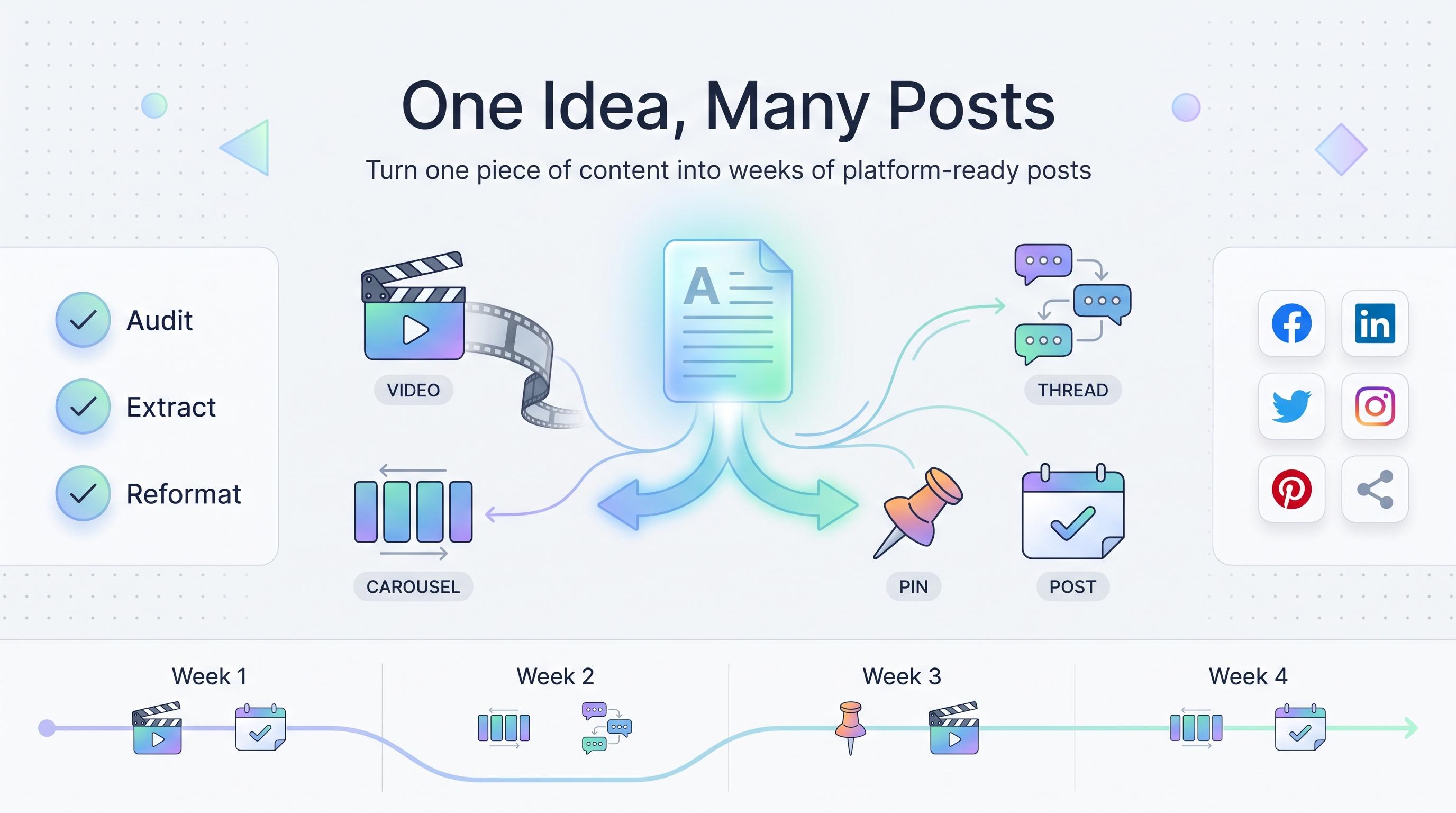
Say you publish a blog post titled '5 email subject line formulas that doubled our open rate.' Here's how one piece turns into a month of content using the checklist above:
- Week 1: Publish the original blog post and a LinkedIn text post summarizing the main finding with a link back.
- Week 2: Turn each of the 5 formulas into a single Instagram carousel, one formula per slide, with a strong hook slide.
- Week 3: Cut a 30-second TikTok or Reel demonstrating formula number one in action, with before-and-after subject lines on screen.
- Week 4: Build a Pinterest pin titled 'Email subject line formulas that work' with keyword-optimized description, and post a Twitter/X thread breaking down all 5 formulas as numbered tweets.
- Week 6: Drop a quick Threads post asking which formula people are going to try, driving conversation instead of just broadcasting.
One idea, five distinct content experiences, spread over six weeks, each tracked individually to see which format actually drove the most email sign-ups or clicks.
The bottom line
Repurposing is not a hack for lazy content creators. It's a discipline that respects how differently people consume information across platforms, while still protecting your time by not forcing you to generate brand-new ideas every single day.
Try Schedulala for free
Schedule posts to Bluesky, Twitter, and 8 other platforms from one dashboard.
Get started for free→