How to Schedule Instagram Posts: Complete Guide for 2026
Learn how to schedule Instagram posts effectively. Complete guide covering native tools, third-party platforms, and best practices for 2026.

Quick answer
Schedule Instagram posts using Meta Business Suite (free) or third-party tools like Schedulala for cross-platform scheduling and automation.
- •Meta Business Suite is free and supports feed posts, Stories, and Reels scheduling
- •Third-party tools add features like bulk scheduling, cross-posting, and AI captions
- •Schedulala supports Instagram scheduling via Meta's official API for $9/month with unlimited posts
- •Schedule feed posts, Reels, Stories, and carousels in advance to save hours weekly
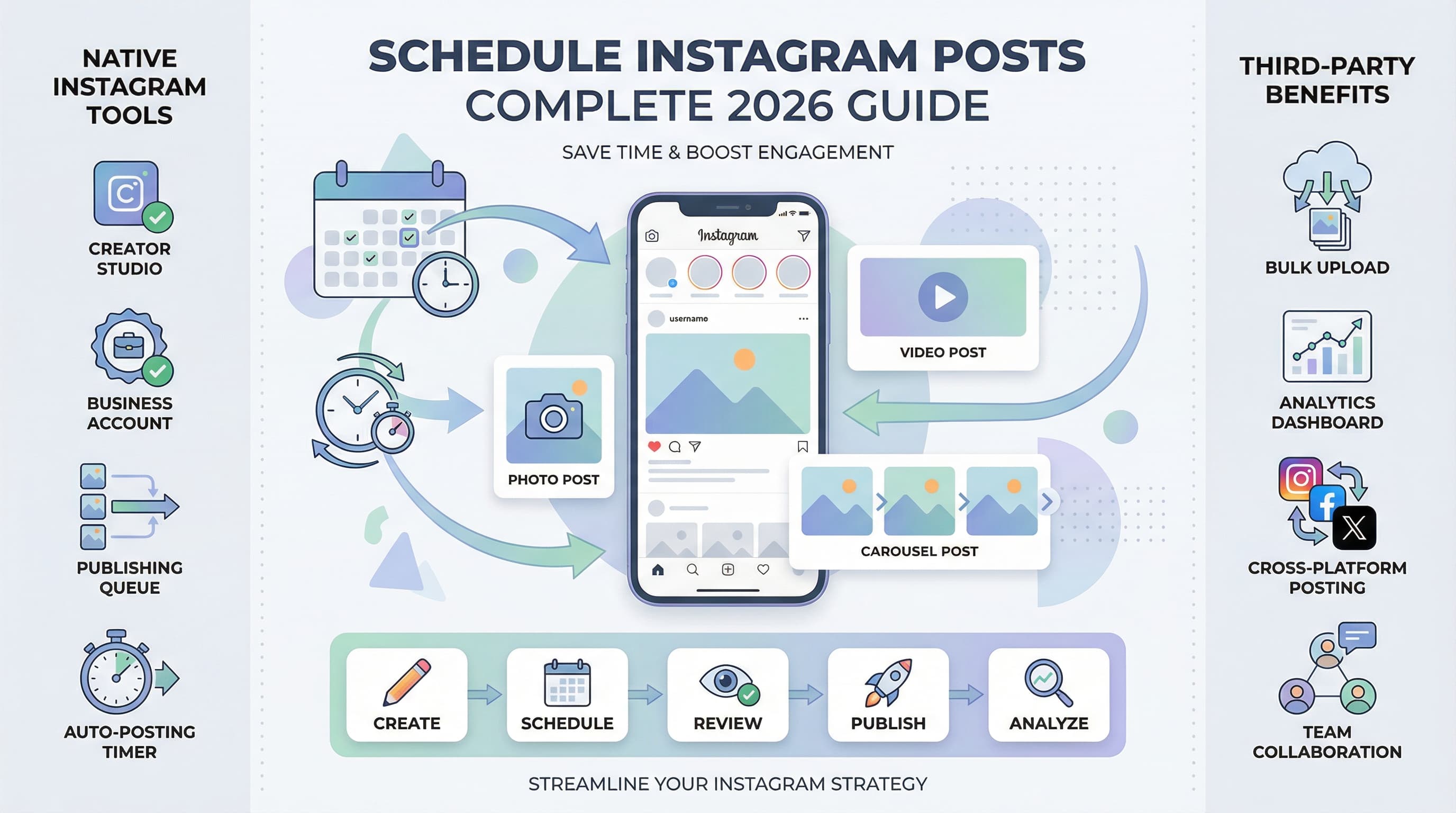
Instagram scheduling has transformed from a luxury to an absolute necessity for anyone serious about their social media presence. Learn more about Instagram scheduling.
See It in Action
This is what scheduling an Instagram post looks like in Schedulala
Whether you're managing a personal brand, running a business, or handling multiple client accounts, manually posting content throughout the day simply doesn't scale. See our scheduling across platforms guide.
But with Instagram's evolving features and countless third-party tools promising to revolutionize your workflow, how do you choose the right approach for your specific needs? Our scheduling across platforms can help.
Try Schedulala for free
Schedule posts to Bluesky, Twitter, and 8 other platforms from one dashboard.
Get started for free→Why Instagram scheduling matters in 2026
Instagram's algorithm rewards consistent posting and optimal timing. Users who post regularly at peak engagement hours see 67% higher engagement rates compared to sporadic posters. The platform processes over 95 million photos daily, making consistent visibility crucial for cutting through the noise. Learn more about batch content creation.
Time zone complexity
If your audience spans multiple time zones, scheduling becomes even more critical. A fashion brand targeting both East Coast and West Coast audiences might need to post the same content at different times to maximize reach. Our best time to post on instagram can help.
International brands face an even bigger challenge. A single post might perform well in New York at 8 AM but flop completely when that same 8 AM hits in Tokyo. See our instagram engagement calculator guide.
Content planning benefits
Scheduling forces you to plan content in advance, leading to more cohesive brand storytelling. Instead of scrambling for daily posts, you can develop themed weeks, coordinate product launches, and align Instagram content with broader marketing campaigns.
This strategic approach often results in higher-quality content because you're not creating under pressure. You have time to perfect captions, source better images, and ensure each post serves a specific purpose in your overall strategy.
The mental bandwidth savings alone justify scheduling. Creative professionals report that batching content creation and scheduling frees up mental space for strategy and engagement, rather than constantly worrying about when to post next.
Instagram's native scheduling options
Instagram offers several built-in scheduling features, though they come with specific requirements and limitations. Understanding these native options helps you decide whether they meet your needs or if third-party tools are necessary.
Creator Studio scheduling
Meta's Creator Studio remains the primary native scheduling tool for Instagram. Available for business and creator accounts, it allows you to schedule feed posts, IGTV videos, and Reels up to 75 days in advance.
The interface feels clunky compared to modern scheduling tools, but it's reliable and free. You can add captions, location tags, and even schedule carousel posts. However, you cannot schedule Stories through Creator Studio, which limits its usefulness for comprehensive content strategies.
One major advantage: since it's Instagram's own tool, there are no API limitations or approval processes. Your scheduled content publishes exactly as intended without any third-party interference.
Mobile app scheduling limitations
Instagram's mobile app doesn't offer true scheduling, only draft saving. You can prepare posts and save them as drafts, but you still need to manually publish them. This defeats the purpose of scheduling for most users.
The draft feature works well for content preparation, especially when you want to write captions on your phone but aren't ready to post immediately. However, it's not a scheduling solution.
Business account requirements
To access any native scheduling features, you need either a business or creator account. Personal accounts cannot schedule posts through Instagram's tools, period.
Converting to a business account is free and takes about two minutes, but it does change how your profile appears to followers. You'll gain access to analytics and promotional features alongside scheduling capabilities.
| Feature | Creator Studio | Mobile Drafts | Third-party Tools |
|---|---|---|---|
| Feed posts | Yes | Draft only | Yes |
| Stories | No | No | Yes |
| Reels | Yes | Draft only | Yes |
| Bulk upload | Limited | No | Yes |
| Analytics | Basic | No | Advanced |
| Team access | Limited | No | Yes |
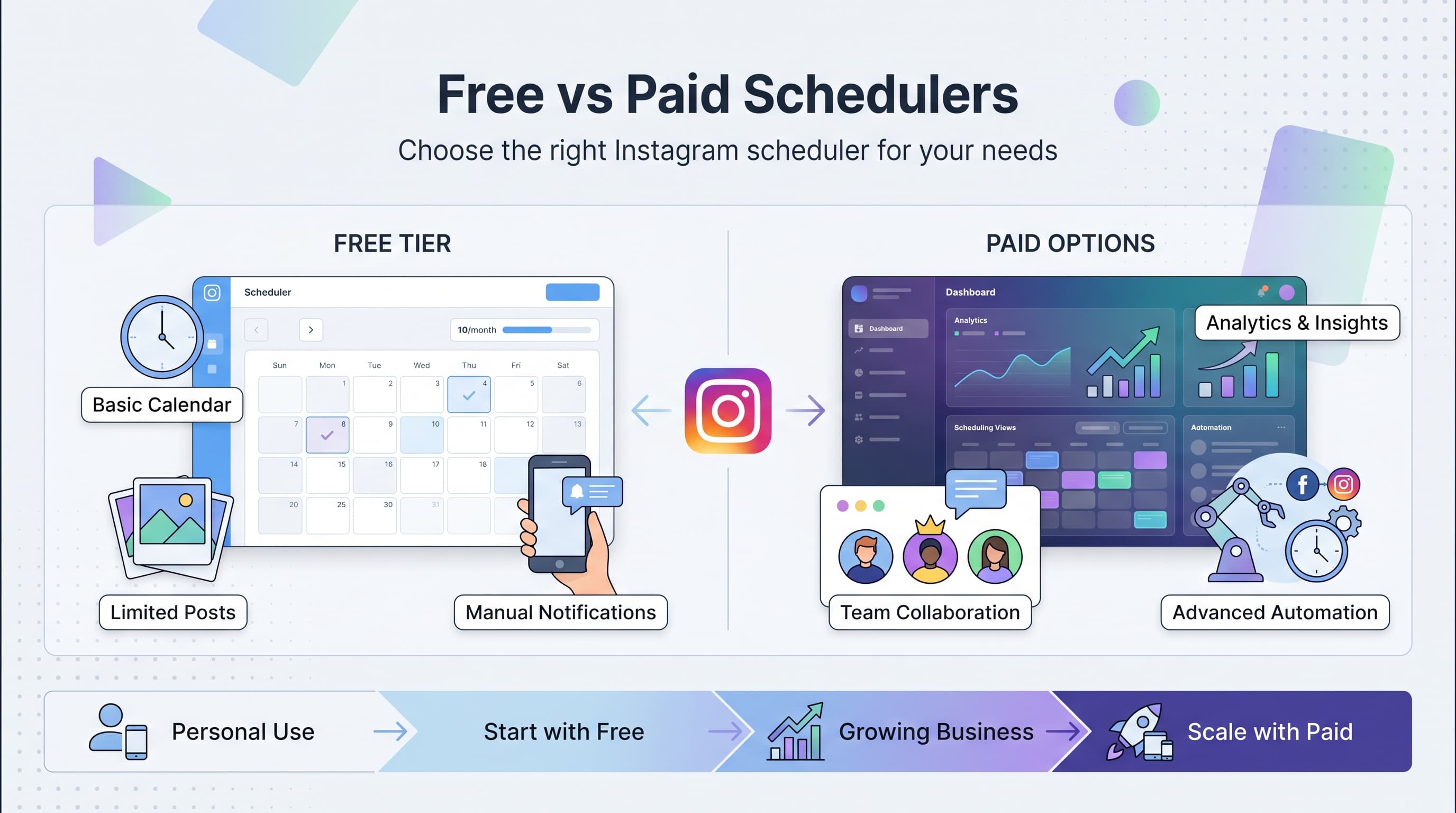
The biggest limitation of native scheduling is the lack of advanced features. You cannot A/B test captions, automatically optimize posting times, or manage multiple accounts efficiently. For individual users posting occasionally, native tools suffice. For serious content creators or businesses, they feel restrictive.
Third-party scheduling platforms
Third-party Instagram scheduling tools offer features and flexibility that Instagram's native options simply cannot match. These platforms have invested years in developing sophisticated interfaces, analytics, and workflow optimizations.
Platform approval process
Instagram requires third-party scheduling tools to undergo an approval process before they can auto-publish content. Approved platforms can post directly to your feed without requiring manual intervention.
Unapproved tools can only send push notifications when it's time to post, forcing you to manually complete the publishing process. This defeats the scheduling purpose and creates a frustrating user experience.
Always verify that your chosen platform is approved for Instagram auto-publishing. Most reputable tools clearly advertise this capability, but some budget options still rely on manual publishing workarounds.
Advanced scheduling features
Professional scheduling platforms offer features like optimal timing suggestions based on your audience's activity patterns. These algorithms analyze when your followers are most active and suggest posting times likely to maximize engagement.
Bulk uploading capabilities allow you to prepare weeks of content in a single session. You can upload multiple images, write captions in advance, and schedule everything at once. This batch approach significantly reduces daily content management time.
Content calendar visualization helps you see upcoming posts at a glance, identify gaps in your posting schedule, and ensure balanced content variety. Some platforms even flag potential issues, like posting too many similar content types in sequence.
Team collaboration features
Multi-user access allows team members to collaborate on content creation, approval workflows, and publishing schedules. Marketing teams can assign roles like content creator, approver, and publisher to maintain quality control while distributing workload.
Comment and revision tracking ensure that feedback gets incorporated and nothing falls through the cracks during the content approval process. This is particularly valuable for agencies managing multiple client accounts.
Analytics integration
Third-party platforms often provide more detailed analytics than Instagram's native insights. They track engagement patterns, optimal posting times for your specific audience, and content performance across different post types.
Some platforms integrate with Google Analytics or other marketing tools, allowing you to track how Instagram traffic converts into website visits, email signups, or sales. This data proves Instagram's business value beyond vanity metrics.
The learning curve for third-party tools varies significantly. Some prioritize simplicity and can be mastered in minutes, while others offer extensive customization options that require more time to fully utilize. Consider your technical comfort level and available time for learning new software.
Integration capabilities matter if you use other marketing tools. The best scheduling platforms connect with email marketing software, CRM systems, and e-commerce platforms to create seamless marketing workflows.
Step-by-step scheduling process
Effective Instagram scheduling requires a systematic approach that balances consistency with flexibility. This process works regardless of which scheduling tool you choose, though specific interface details will vary.
Step 1: Audit your current posting patterns
Before scheduling anything, analyze your existing posting habits and their performance. Use Instagram's native analytics or a third-party tool to identify when your audience is most active and which content types generate the best engagement.
Look at your posting frequency over the past month. Are you posting consistently, or do you have gaps followed by posting bursts? Inconsistent posting confuses the algorithm and reduces your content's visibility.
Identify your best-performing posts from the last 90 days. Look for patterns in timing, content type, caption style, and hashtag usage. These insights inform your scheduling strategy.
Step 2: Define your content pillars
Content pillars are 3-5 themes that represent your brand and provide posting structure. For example, a fitness coach might use workout tips, nutrition advice, client transformations, personal motivation, and behind-the-scenes content as pillars.
Assign percentages to each pillar based on your audience's interests and your business goals. The fitness coach might allocate 40% workout tips, 25% nutrition, 20% client features, 10% personal content, and 5% behind-the-scenes.
Having defined pillars prevents you from randomly creating content and ensures variety in your scheduled posts. It also makes content creation more efficient because you know what types of posts to prepare.
Step 3: Create a content calendar template
Design a weekly posting schedule that balances your content pillars with optimal posting times. If you're posting daily, designate specific days for specific pillar content.
Consider your audience's weekly patterns. B2B content often performs better on weekdays, while lifestyle content may peak on weekends. Adjust your calendar accordingly rather than following generic advice.
Build flexibility into your template for timely content, trending topics, or promotional campaigns. Reserve 20% of your posting slots for spontaneous content that responds to current events or opportunities.
Step 4: Batch content creation
Set aside dedicated time blocks for creating multiple pieces of content simultaneously. Batching is more efficient than creating content piece by piece and helps maintain visual consistency.
During batching sessions, create content for 1-2 weeks in advance. This timeline provides enough buffer to handle unexpected schedule changes while preventing content from becoming stale or outdated.
Organize your created content by pillar and intended posting date. Use clear file naming conventions that indicate the content type, date, and any special notes about timing or context.
Step 5: Write and optimize captions
Caption writing often takes longer than image creation, so dedicate focused time to this task. Write captions when you're mentally fresh and can craft engaging, error-free copy.
Keep a running list of caption ideas, questions, and hooks that align with your brand voice. Having this resource available speeds up the writing process and ensures consistency across posts.
Include calls-to-action in your captions that encourage specific behaviors like commenting, sharing, or visiting your profile. Clear CTAs increase engagement and help achieve your posting goals.
Step 6: Research and compile hashtags
Create hashtag groups for different content types and rotate them to avoid appearing spammy. Research hashtags regularly because popularity and effectiveness change over time.
Use a mix of popular hashtags (100k+ posts), medium hashtags (10k-100k posts), and niche hashtags (under 10k posts) to maximize discoverability while avoiding oversaturated tags.
Save effective hashtag combinations in your scheduling tool or a separate document for easy copy-pasting. This saves time during the scheduling process and ensures you don't forget proven hashtag sets.
Step 7: Upload and schedule content
Upload your prepared content to your chosen scheduling platform, matching images with their corresponding captions and hashtags. Double-check that each piece of content aligns with your planned posting schedule.
Review how your scheduled content appears in calendar view. Look for good variety in content types, appropriate spacing between promotional posts, and alignment with your content pillar percentages.
Set up notifications or reminders to review scheduled content before it publishes. This allows you to make last-minute adjustments for trending topics or changed circumstances.
Step 8: Monitor and adjust
Track the performance of your scheduled content compared to manually posted content. Look for differences in engagement rates, reach, and audience response to determine if scheduling impacts performance.
Adjust your posting times based on actual performance data rather than general recommendations. Your audience's behavior might differ from industry averages, requiring customized timing strategies.
Regularly review and update your content calendar template based on what you learn from performance data and audience feedback.
Best practices for scheduled content
Successful Instagram scheduling goes beyond simply automating your posts. These best practices ensure your scheduled content maintains authenticity, engagement, and strategic value.
Maintain authentic engagement
Scheduling posts doesn't mean you can ignore your account after publishing. Respond to comments quickly and engage with your audience's content to maintain authentic relationships.
Set aside specific times daily for engagement activities, separate from your content creation and scheduling tasks. Treat engagement as seriously as content creation because it directly impacts your content's algorithmic performance.
Use scheduling as a tool to free up time for genuine interaction, not as a way to completely automate your Instagram presence. The most successful accounts combine efficient scheduling with authentic human engagement.
Balance scheduled and spontaneous content
Reserve 20-30% of your posting schedule for spontaneous, timely content that responds to trends, news, or unexpected opportunities. This balance keeps your account feeling fresh and responsive.
When major events happen in your industry or relevant trending topics emerge, be prepared to pause or reschedule planned content to make room for timely posts that capitalize on current interest.
Stories work particularly well for spontaneous content because they don't disrupt your carefully planned feed aesthetic while allowing real-time engagement with current events or behind-the-scenes moments.
Quality control processes
Implement a review process for scheduled content, especially if multiple team members contribute to content creation. Nothing damages credibility faster than scheduled posts with typos, broken links, or inappropriate timing.
Create checklists for common errors like incorrect hashtags, missing calls-to-action, poor image quality, or captions that don't match the visual content. Standardizing your review process reduces mistakes.
Schedule content at least 24 hours before publishing to allow time for final reviews and adjustments. Last-minute scheduling often leads to errors and missed optimization opportunities.
Cross-platform coordination
If you post on multiple social platforms, coordinate your scheduling to avoid overwhelming followers who follow you everywhere while ensuring each platform gets optimized content for its specific audience and format requirements.
Adapt content for each platform rather than posting identical content everywhere. Instagram posts might emphasize visual storytelling, while Twitter versions focus on key quotes or statistics from the same core message.
Stagger cross-platform posting by a few hours to capture different audience activity patterns and avoid appearing robotic with simultaneous posting across all channels.
Content variety strategies
Alternate between different content formats in your scheduled posts. Follow a pattern like photo, video, carousel, Reel to provide variety and cater to different audience preferences.
Vary your caption lengths and styles. Mix short, punchy captions with longer storytelling posts, questions that encourage comments, and educational content that provides value.
Plan seasonal and holiday content well in advance, scheduling it early to avoid the rush when everyone posts similar content. Being first with holiday-related posts often generates better engagement.
Hashtag rotation strategy
Avoid using the exact same hashtag combination repeatedly, as Instagram may reduce your content's visibility for what it perceives as spammy behavior. Create 5-10 different hashtag sets for each content type and rotate them.
Monitor hashtag performance regularly and update your rotation sets based on which hashtags actually drive engagement and discovery for your content.
Include a mix of branded hashtags (your own), community hashtags (relevant to your niche), and trending hashtags (currently popular) in each set to maximize different types of discovery.
Scheduling different content types
Each Instagram content format has unique characteristics that affect how and when you should schedule it. Understanding these differences helps you optimize your scheduling strategy for maximum impact.
Feed posts scheduling
Traditional Instagram feed posts remain the cornerstone of most content strategies. These posts benefit from consistent timing and appear in followers' main feeds, making scheduling timing crucial for visibility.
Single image posts work well for daily content and can be scheduled reliably. They load quickly, work well in all connection speeds, and allow followers to focus on your message without distraction.
Carousel posts generate higher engagement rates but require more strategic timing. Since people need to swipe through multiple images or videos, schedule these during times when your audience has more attention to devote to your content.
Stories scheduling challenges
Instagram Stories disappear after 24 hours and appear at the top of the app, making timing less critical than feed posts. However, many scheduling tools don't support automatic Story publishing, limiting your options.
When you can schedule Stories, spread them throughout the day rather than posting all at once. This maintains your presence in followers' Story feeds and increases the chances that different audience segments will see your content.
Interactive Story elements like polls, questions, and quizzes perform better when your audience is actively using the app and likely to engage immediately. Schedule these during peak activity periods identified in your analytics.
Reels scheduling strategy
Instagram Reels get significant algorithmic promotion and can be scheduled through most platforms. However, Reels perform best when they capitalize on current trends, making long-term scheduling challenging.
Create a buffer of evergreen Reels content that remains relevant regardless of trending topics. Schedule these as backup content while reserving flexibility for trend-based Reels that need immediate publishing.
Reels often perform well at different times than static posts because people consume video content during different mindsets and time periods. Test various scheduling times specifically for Reels rather than using your standard posting schedule.
IGTV and video content
Longer-form video content requires more viewer attention and often performs better when scheduled for times when people have more leisure time to consume content, such as evenings and weekends.
Create compelling thumbnails and titles for scheduled video content since these elements significantly impact whether people choose to watch. Unlike spontaneous videos, scheduled content allows time to perfect these crucial first impression elements.
Consider your video's topic and target audience when scheduling. Educational content might work better during weekday lunch breaks, while entertainment content could perform better during weekend relaxation time.
| Content Type | Best Scheduling Times | Preparation Time | Engagement Pattern |
|---|---|---|---|
| Single Photos | Peak audience hours | 5-10 minutes | Quick, immediate |
| Carousels | High attention periods | 15-30 minutes | Extended, thoughtful |
| Reels | Evening entertainment hours | 30-60 minutes | Viral potential |
| IGTV | Weekend leisure time | 2-4 hours | Deep engagement |
| Stories | Throughout the day | 5-15 minutes | Immediate, casual |
The preparation time required for different content types affects how far in advance you can realistically schedule them. Simple photo posts can be prepared weeks ahead, while trend-based Reels might need same-day creation and scheduling.
Analytics and optimization
Effective Instagram scheduling requires ongoing analysis and optimization based on actual performance data rather than assumptions or generic best practices. Your audience's behavior is unique and requires customized timing strategies.
Key metrics to track
Engagement rate remains the most important metric for scheduled content because it indicates how well your timing aligns with audience activity. Calculate engagement rate by dividing total engagement (likes, comments, shares, saves) by total followers.
Reach and impressions reveal whether your scheduled posts are getting algorithmic distribution. If scheduled content consistently gets lower reach than manually posted content, your timing might need adjustment.
Save rate indicates content quality and value. High-quality scheduled content should maintain similar save rates to manually posted content. Declining save rates might indicate that scheduling is affecting your content quality or relevance.
A/B testing posting times
Test different posting times systematically by scheduling identical or very similar content at different times and comparing performance. Run these tests for at least two weeks to account for weekly pattern variations.
Test one variable at a time to get clear results. If you change both posting time and content type simultaneously, you won't know which factor influenced the performance difference.
Document your testing results in a spreadsheet or analytics tool to identify patterns over time. What works during one season or trending period might not work later, requiring ongoing testing.
Audience insights analysis
Instagram's native audience insights show when your followers are most active, broken down by day and hour. Use this data as a starting point for scheduling, but don't treat it as gospel since it shows when people are online, not necessarily when they're most likely to engage.
Third-party analytics tools often provide more detailed timing insights, including optimal posting times based on your historical performance rather than just audience online activity.
Consider time zone distribution of your audience when analyzing optimal posting times. If you have significant followers in multiple time zones, you might need multiple posting times or need to choose times that work reasonably well for your largest audience segments.
Performance comparison methods
Compare scheduled content performance to manually posted content over the same time periods to identify any systematic differences. This helps you understand whether scheduling itself impacts your content's performance.
Track performance across different content pillars to see if certain types of content work better when scheduled versus posted manually. Educational content might schedule well, while personal behind-the-scenes content might perform better when posted spontaneously.
Monitor comment quality and engagement depth, not just quantity. Scheduled posts should generate similar comment quality to manual posts if your timing and content strategy are effective.
Seasonal and trending adjustments
Audience behavior changes seasonally, requiring scheduling adjustments throughout the year. Summer vacation periods might shift optimal posting times, while holiday seasons could change content preferences.
Major events in your industry or trending topics can temporarily shift audience attention and engagement patterns. Build flexibility into your scheduling strategy to capitalize on these opportunities.
Review and update your scheduling strategy quarterly based on accumulated performance data and any significant changes in your audience demographics or behavior patterns.
The most successful Instagram schedulers treat their strategy as an ongoing experiment rather than a set-and-forget system. Regular analysis and optimization based on actual data leads to much better results than following generic scheduling advice.
Common scheduling mistakes to avoid
Even experienced Instagram users make scheduling mistakes that hurt their engagement and growth. Learning from these common errors helps you develop a more effective scheduling strategy from the start.
Over-scheduling and losing authenticity
The biggest mistake is treating Instagram like a billboard rather than a social platform. Scheduling every single post and never engaging spontaneously makes your account feel robotic and disconnected from current events.
Your audience can often tell when content is scheduled versus posted in real-time, especially if you never respond to comments quickly or react to current events. Balance scheduled content with authentic, timely interactions.
Avoid scheduling content so far in advance that it becomes irrelevant or insensitive due to changing circumstances. Keep some flexibility for adjusting or canceling scheduled content when necessary.
Ignoring time-sensitive content
Scheduling holiday greetings, event promotions, or time-sensitive announcements without considering when they actually need to be published creates awkward timing that confuses your audience.
Be especially careful with scheduled content during crisis situations or major news events. A cheerful promotional post scheduled during a serious news cycle can damage your brand reputation.
Create systems for reviewing and potentially pausing scheduled content when unexpected events occur that might make your planned posts inappropriate or tone-deaf.
Neglecting engagement after posting
Scheduling posts and then ignoring your account defeats the purpose of social media marketing. The first few hours after posting are crucial for engagement, which directly impacts algorithmic distribution.
Set notifications or calendar reminders to check your account shortly after scheduled posts go live. Respond to early comments quickly to encourage more engagement and signal to Instagram that your content is worth showing to more people.
If you're scheduling posts outside your normal active hours, plan to check the account periodically to maintain authentic engagement patterns.
Poor hashtag management
Using the exact same hashtag combinations for all scheduled posts triggers Instagram's spam detection and reduces your content's reach. Create variety in your hashtag strategy even when scheduling content in advance.
Failing to research hashtag relevance and current popularity leads to using outdated or inappropriate hashtags in your scheduled content. Review and update your hashtag lists regularly.
Including hashtags that are completely unrelated to your content just because they're popular damages your credibility and can result in shadowbanning or reduced visibility.
Inconsistent brand voice
When multiple team members create scheduled content without clear brand voice guidelines, your account's personality becomes inconsistent and confusing to followers.
Scheduled content that doesn't match your brand's established tone, style, or values stands out awkwardly in your feed and can confuse or alienate existing followers.
Create detailed brand voice documentation and review processes to ensure all scheduled content maintains consistency with your established personality and messaging strategy.
Technical and formatting errors
Scheduling platforms sometimes compress images differently than manual uploads, potentially reducing visual quality. Always preview how your content will appear before scheduling and adjust image resolution if necessary.
Caption formatting can break during the scheduling process, especially with line breaks, special characters, or emoji. Preview your scheduled content to ensure captions appear exactly as intended.
Link tracking and UTM parameters sometimes break in scheduled posts, affecting your ability to measure traffic and conversions from Instagram. Test your links before scheduling and verify they work after posting.
The most successful Instagram accounts use scheduling as a tool to enhance their strategy, not replace human judgment and authentic engagement. Avoid these common mistakes by treating scheduling as one component of a comprehensive social media approach.
Advanced scheduling strategies
Once you've mastered basic Instagram scheduling, advanced strategies can significantly improve your efficiency and results. These techniques require more sophisticated planning but offer substantial benefits for serious content creators and businesses.
Multi-account management
Managing multiple Instagram accounts efficiently requires coordinated scheduling strategies that maintain each account's unique voice while maximizing your time efficiency.
Create distinct content calendars for each account that align with their specific audiences and goals, but batch similar tasks across accounts. For example, write all captions for all accounts during dedicated writing sessions rather than switching between accounts constantly.
Use scheduling tools that allow account switching or multi-account views to streamline your workflow. Some platforms let you duplicate and modify content across accounts, saving time when you have related but distinct audiences.
Stagger posting times across accounts if they serve similar audiences to avoid competing with yourself for attention. If followers overlap between your accounts, space posts by several hours to maximize visibility for each piece of content.
Campaign coordination
Advanced scheduling involves coordinating Instagram content with broader marketing campaigns across email, advertising, website updates, and other social platforms.
Plan Instagram content that supports your sales funnel by scheduling posts that warm up audiences before product launches, nurture interest during campaigns, and maintain engagement after promotions end.
Create content series that build anticipation for major announcements, with each scheduled post revealing more information and driving toward a specific launch date or call-to-action.
Coordinate Instagram scheduling with email marketing schedules to reinforce messages across channels without overwhelming your audience with simultaneous communications.
Seasonal content planning
Plan and schedule seasonal content months in advance to avoid last-minute rushes and ensure your content stands out from competitors who wait until the last minute.
Create evergreen seasonal content that can be reused and updated annually, building a library of holiday and seasonal posts that require minimal annual modification.
Research and plan for industry-specific seasonal trends that affect your audience but might not be obvious to outsiders. For example, tax professionals need content scheduled around tax season, while fitness accounts should plan New Year's resolution content.
Schedule seasonal content early enough to capture early interest but not so early that it feels premature. Most seasonal content performs best when scheduled 1-2 weeks before the relevant season or holiday.
Cross-platform content adaptation
Advanced scheduling involves adapting core content ideas across multiple social platforms with platform-specific optimizations while maintaining message consistency.
Create master content themes that can be adapted for Instagram posts, Stories, Reels, and other platforms with different formats, captions, and hashtags optimized for each platform's audience and algorithm.
Use scheduling tools that allow cross-platform posting with customizations for each platform rather than posting identical content everywhere, which reduces engagement and appears lazy to followers who follow you on multiple platforms.
Automated workflow integration
Integrate Instagram scheduling with other business workflows using automation tools like Zapier to create seamless content distribution systems.
Set up automated triggers that schedule Instagram posts when you publish new blog content, launch new products, or reach other business milestones, ensuring Instagram stays updated without manual intervention.
Create automated backup systems that schedule evergreen content if your regular posting schedule gets disrupted, maintaining consistency even when you can't actively manage your account.
| Strategy Level | Time Investment | Tools Needed | Potential ROI |
|---|---|---|---|
| Basic scheduling | 2-4 hours/week | Free tools | 2x efficiency |
| Multi-account | 4-8 hours/week | Paid platforms | 3x efficiency |
| Campaign integration | 6-10 hours/week | Marketing suite | 4x efficiency |
| Full automation | 10-15 hours setup | Advanced tools | 5x efficiency |
Advanced scheduling strategies require significant upfront investment in planning and tool setup, but they pay dividends in long-term efficiency and results. Start with basic scheduling and gradually implement advanced techniques as your needs and skills develop.
Team collaboration and workflow
Instagram scheduling becomes more complex but potentially more powerful when multiple team members are involved. Effective collaboration requires clear processes, defined roles, and the right tools to prevent conflicts and maintain quality.
Role definition and permissions
Establish clear roles for team members involved in Instagram content creation and scheduling. Common roles include content creators, copywriters, graphic designers, approvers, and publishers.
Content creators generate ideas and raw materials but might not have final approval authority. Copywriters craft captions and hashtags but need visual assets from designers. Approvers review content for brand compliance before publishing.
Publishers handle the final scheduling and posting, ensuring technical details like optimal timing and proper formatting are executed correctly. This role separation prevents bottlenecks and ensures quality control.
Use scheduling platforms that offer granular permission settings, allowing team members to access only the features and accounts relevant to their roles. This prevents accidental posts and maintains security.
Content approval workflows
Implement systematic approval processes that balance quality control with efficiency. Overly complex approval chains slow down content creation, while insufficient review leads to errors and brand inconsistencies.
Create approval checklists that reviewers use to evaluate scheduled content consistently. Include items like brand voice compliance, factual accuracy, visual quality, caption effectiveness, and appropriate timing.
Set clear timelines for approval processes, with specific deadlines for each stage. Content creators need to know when to submit materials, approvers need specific timeframes for review, and publishers need advance notice for scheduling.
Use commenting and revision features in scheduling platforms to maintain clear communication throughout the approval process. This prevents misunderstandings and ensures feedback gets implemented correctly.
Asset management systems
Organize visual assets, copy templates, and brand materials in shared systems that all team members can access easily. Poor asset management leads to wasted time searching for materials and inconsistent content quality.
Create standardized naming conventions for files and folders that make sense to all team members. Include relevant information like creation date, content type, campaign association, and approval status in file names.
Maintain libraries of approved visual elements like logos, color palettes, fonts, and graphic templates that team members can use without seeking additional approval for basic brand compliance.
Version control becomes crucial when multiple people edit the same content. Use tools that track changes and allow reverting to previous versions if edits go wrong or approval is withdrawn.
Communication protocols
Establish clear communication channels and protocols for team coordination around Instagram scheduling. Different types of communication require different channels and urgency levels.
Use dedicated Slack channels, project management tools, or communication features within scheduling platforms to keep Instagram-related discussions organized and accessible to relevant team members.
Create escalation procedures for urgent issues like needing to cancel scheduled content due to breaking news or discovering errors in approved content before it publishes.
Schedule regular team meetings to review Instagram performance, discuss strategy changes, and address workflow issues before they become major problems.
Performance accountability
Track individual and team performance metrics related to Instagram scheduling and content creation. This helps identify training needs, workflow bottlenecks, and opportunities for improvement.
Measure both efficiency metrics (how quickly content moves through the workflow) and quality metrics (engagement rates, error frequency, brand compliance) to ensure that speed doesn't come at the expense of quality.
Create feedback loops where team members can suggest workflow improvements based on their daily experience with the scheduling process. Front-line team members often identify inefficiencies that managers miss.
Celebrate successes and learn from mistakes as a team rather than blaming individuals for errors. Instagram scheduling involves many moving parts, and systemic improvements usually work better than individual corrections.
Effective team collaboration in Instagram scheduling requires ongoing refinement and adaptation as team size, tools, and strategies evolve. Regular process reviews and team feedback sessions help maintain efficient workflows that support high-quality content creation.
The future of Instagram scheduling
Instagram scheduling continues evolving as the platform introduces new features, algorithm changes, and integration capabilities. Understanding upcoming trends helps you prepare for changes and take advantage of new opportunities.
AI-powered optimization
Artificial intelligence increasingly influences scheduling tools, offering automated optimization suggestions based on your historical performance data and audience behavior patterns.
AI algorithms can analyze your content performance across thousands of data points to suggest optimal posting times, content types, and even caption styles that are likely to generate better engagement for your specific audience.
Smart scheduling features automatically adjust posting times based on real-time audience activity, seasonal changes, and trending topics, removing much of the guesswork from timing optimization.
However, AI optimization works best when combined with human judgment and strategic thinking. The most effective approach combines AI insights with authentic brand voice and genuine audience understanding.
Enhanced Instagram API capabilities
Instagram continues expanding API capabilities for approved scheduling platforms, enabling more sophisticated automation and integration features that weren't previously possible.
New API features may include advanced Story scheduling, automatic hashtag suggestions, and deeper analytics integration that provides more detailed performance insights for scheduled content.
Cross-platform integration improvements allow scheduling tools to coordinate Instagram posting with other social media platforms, email marketing systems, and e-commerce platforms more seamlessly.
Enhanced security and authentication features ensure that scheduling tools maintain proper access controls while providing expanded functionality for legitimate business use cases.
Commerce integration evolution
Instagram's shopping features continue expanding, with scheduling tools adapting to support product tagging, shopping Stories, and automated product promotion campaigns.
Future scheduling platforms may offer inventory-aware posting that automatically promotes products based on stock levels, seasonal demand, and sales performance data.
Integration with e-commerce platforms will likely become more sophisticated, allowing scheduled posts to automatically update with current pricing, availability, and promotional offers.
Video and interactive content growth
As Instagram continues prioritizing video content and interactive features, scheduling tools are adapting to support more complex content types and engagement mechanisms.
Advanced video scheduling may include automatic thumbnail generation, caption synchronization, and performance optimization based on video content analysis.
Interactive content scheduling could expand to include polls, quizzes, and other engagement features that currently require manual posting, making it easier to maintain audience interaction even with scheduled content.
The most successful Instagram schedulers adapt gradually to new features and capabilities while maintaining focus on their core audience and business goals. Technology should enhance your strategy, not dictate it entirely.
Final recommendations
Instagram scheduling success depends on finding the right balance between automation and authentic engagement, efficiency and quality, consistency and flexibility.
Start simple and scale gradually
Begin with basic scheduling for your most consistent content types, then gradually add advanced features as you master the fundamentals. Trying to implement complex scheduling workflows immediately often leads to mistakes and frustration.
Focus on scheduling 60-70% of your content while maintaining spontaneity for 30-40%. This balance provides consistency benefits while preserving the authentic engagement that makes Instagram social media rather than just media.
Choose tools based on your specific needs
Evaluate scheduling platforms based on your actual requirements rather than feature lists. A solo content creator needs different capabilities than a marketing agency managing dozens of client accounts.
Consider factors like your team size, budget, technical skill level, and growth plans when selecting scheduling tools. The best platform for you is the one you'll actually use consistently and effectively.
Remember that scheduling is a means to an end, not an end in itself. The goal is building meaningful relationships with your audience and achieving your business objectives, not just automating your posting process.
Successful Instagram scheduling requires ongoing attention, regular optimization, and the flexibility to adapt when circumstances change. Treat it as a dynamic part of your marketing strategy rather than a set-and-forget system.
Try Schedulala for free
Schedule posts to Bluesky, Twitter, and 8 other platforms from one dashboard.
Get started for free→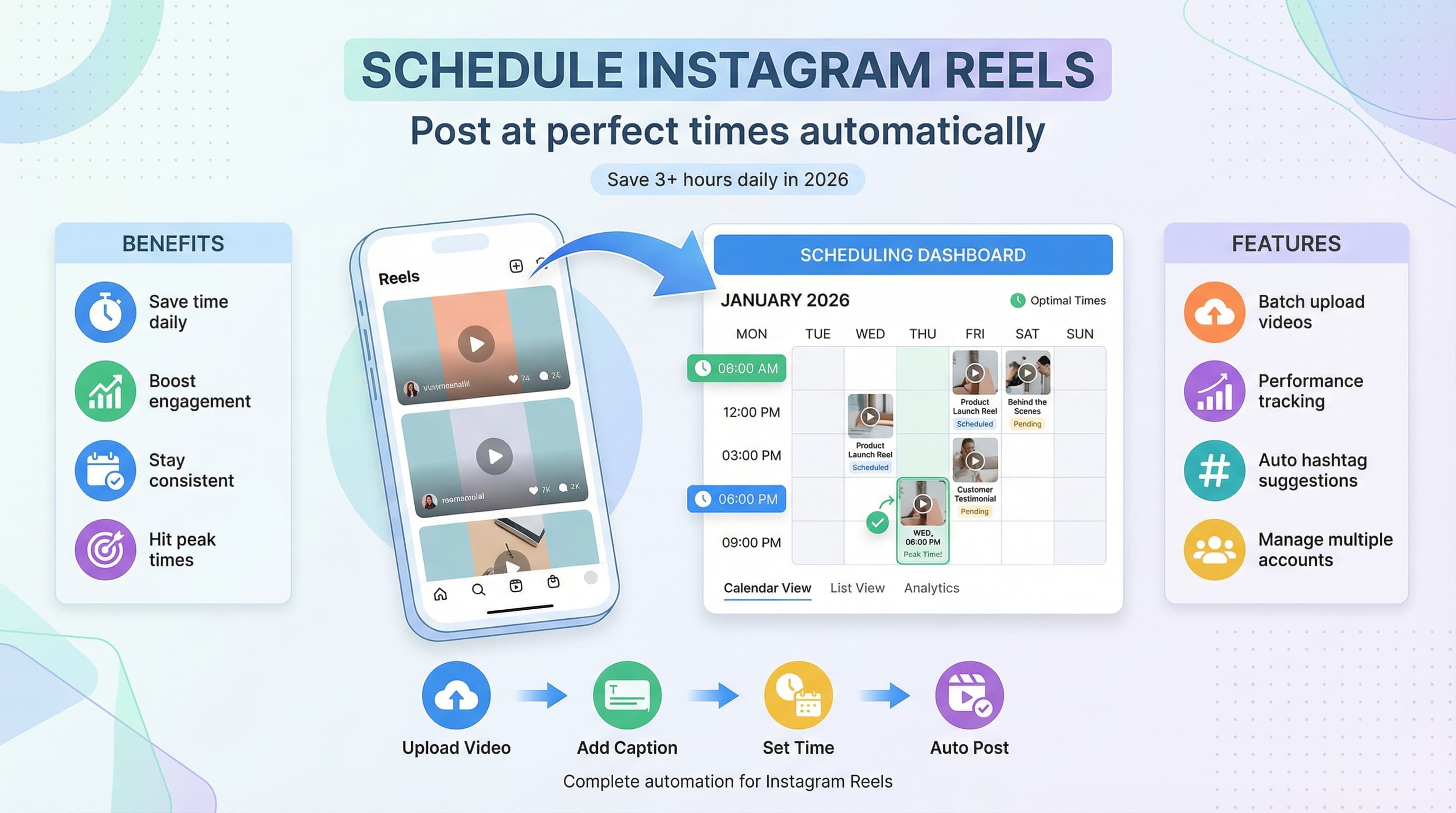
![Instagram Story Scheduler: Best Tools [2026] - Schedule Stories Like a Pro](/_next/image?url=%2Fblog%2Finstagram-story-scheduler-best-tools-2026%2Fheader.jpeg&w=3840&q=75&dpl=dpl_6RiKV7dz1EjMEbYgqheh1pc2YPwv)