How to Schedule Instagram Reels in Advance: Complete Guide for 2026
Learn how to schedule Instagram reels in advance with step-by-step instructions, tools comparison, and pro tips to save time and boost engagement.

Quick answer
Schedule Instagram Reels in advance through Schedulala's Meta-approved API or through Instagram's native scheduling in the app.
- •Instagram Reels can be up to 90 seconds long and support trending audio
- •Meta's Creator Studio and third-party tools like Schedulala support Reels scheduling
- •Schedulala is Meta-approved and supports Reels scheduling for $9/month with unlimited posts
- •Scheduling Reels in advance lets you batch-create content and post at optimal times
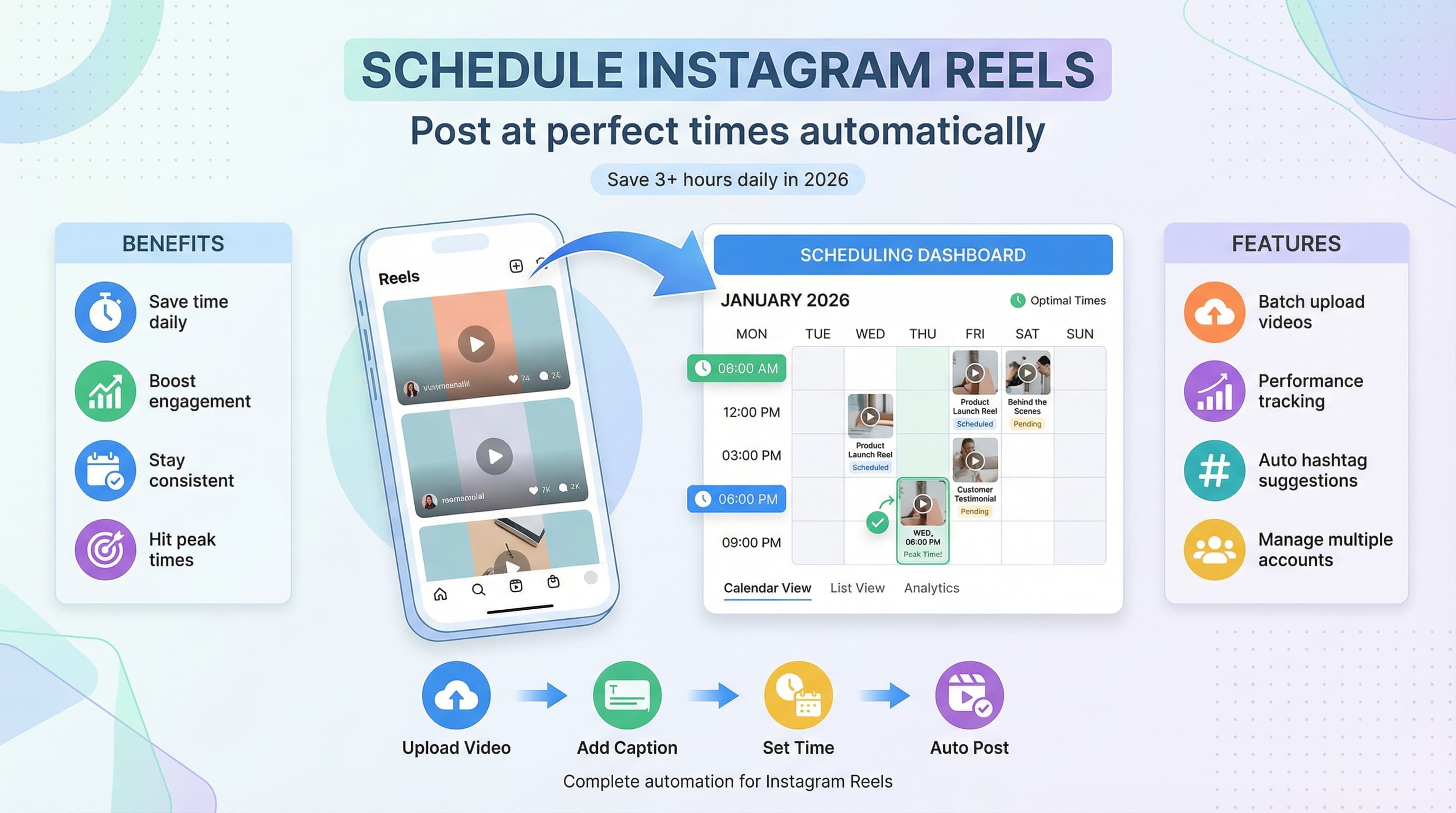
Posting Instagram Reels at the perfect time every day sounds great in theory. In practice, it means setting alarms, interrupting meetings, and frantically uploading content while your audience is online. Try our Instagram scheduling.
See It in Action
This is what scheduling an Instagram post looks like in Schedulala
The solution? Schedule your Instagram Reels in advance and reclaim your time while maintaining a consistent posting schedule. Learn more about scheduling across platforms.
But here's the catch: Instagram doesn't offer native scheduling for Reels. So how do content creators and businesses post dozens of Reels without being glued to their phones 24/7? Try our batch content creation.
Try Schedulala for free
Schedule posts to Bluesky, Twitter, and 8 other platforms from one dashboard.
Get started for free→Why Schedule Instagram Reels Instead of Posting Live
Before we dive into the how, let's address the why. Scheduling Instagram Reels isn't just about convenience, though that's a massive benefit. It's about building a sustainable content strategy that actually works. Try our scheduling across platforms.
Time Management Benefits
The average content creator spends 3-4 hours daily on social media tasks. When you schedule Reels in advance, you can batch content creation and focus on other important aspects of your business or personal life. Our best time to post on instagram can help.
Instead of dropping everything to post at 7 PM when your audience is most active, you can schedule that Reel during your content creation session and be present for dinner with your family. Our instagram engagement calculator can help.
Consistency Wins Every Time
Instagram's algorithm favors accounts that post consistently. But life happens. You get sick, travel, or have busy work periods. Scheduled content ensures your posting schedule stays intact even when you can't be online.
Accounts that post Reels consistently (at least 3-4 times per week) see 67% higher engagement rates than sporadic posters. Scheduling makes this consistency achievable without burning out.
Strategic Timing Without the Stress
Your audience might be most active at 6 AM or 11 PM. Scheduling lets you hit these optimal times without setting weird alarms or staying up late. You can analyze your Instagram Insights, identify peak activity hours, and schedule accordingly.
Instagram's Native Scheduling Options
Instagram does offer some built-in scheduling features, but they come with significant limitations that most creators find frustrating.
Instagram Creator Studio
Instagram's Creator Studio (now part of Meta Business Suite) allows basic post scheduling, but Reels scheduling is limited. You can schedule regular video posts, but the specific Reels format with its unique editing features and placement in the Reels feed requires different handling.
The interface is clunky, and you lose access to many of Instagram's creative tools when scheduling through Creator Studio. Plus, it only works for business and creator accounts, leaving personal accounts out in the cold.
Meta Business Suite Limitations
Meta Business Suite expanded scheduling capabilities, but it still falls short for Reels. You can schedule video content, but it doesn't always post with the Reels-specific features like trending audio, effects, or proper Reels feed placement.
Many users report that videos scheduled through Meta Business Suite appear as regular video posts instead of Reels, missing out on the increased reach and engagement that Reels typically provide.
Best Tools for Scheduling Instagram Reels
Since Instagram's native options fall short, third-party scheduling tools have stepped up to fill the gap. Here are the most effective options for scheduling Reels in 2026.
Schedulala: Comprehensive Social Media Management
Schedulala offers robust Instagram Reels scheduling with proper formatting and placement. The platform handles video uploads, maintains quality, and ensures your content posts as actual Reels rather than regular video posts.
Key features include bulk upload capabilities, hashtag suggestions, optimal timing recommendations, and detailed analytics. You can schedule weeks of Reels content in a single session, complete with captions, hashtags, and custom thumbnails.
The visual calendar view makes it easy to see your posting schedule at a glance and adjust timing based on performance data. Plus, Schedulala supports multiple Instagram accounts, perfect for agencies or creators managing several profiles.
Later: Visual Content Calendar
Later specializes in visual content scheduling and offers solid Reels scheduling capabilities. Their drag-and-drop calendar interface makes planning content visually appealing and intuitive.
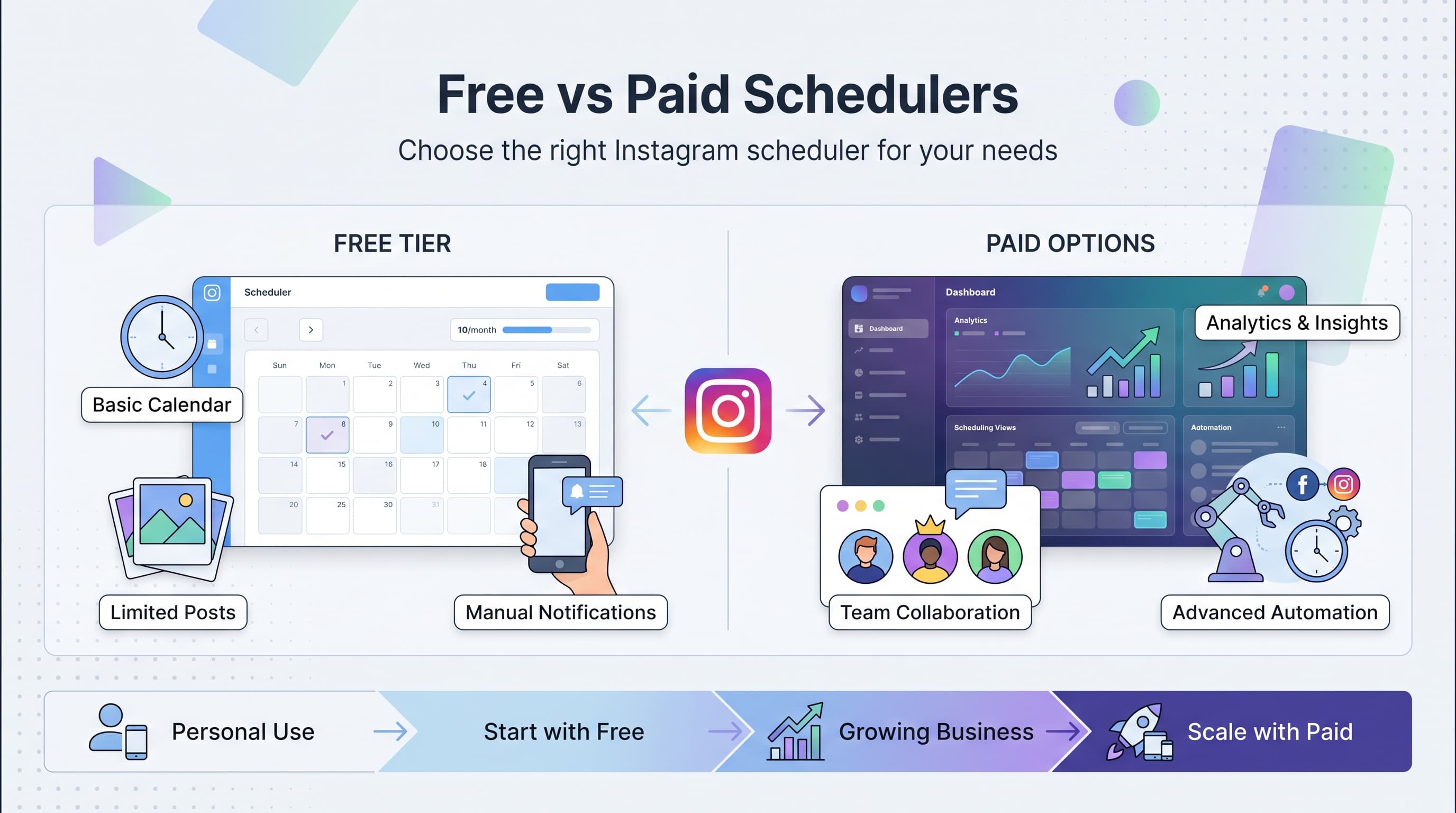
Later's auto-posting for Reels requires their paid plans, and the free version only provides notifications to post manually. However, their hashtag suggestions and visual planning tools are excellent for content strategy.
Hootsuite: Enterprise-Level Features
Hootsuite offers Instagram Reels scheduling as part of their comprehensive social media management platform. Best suited for larger businesses or agencies managing multiple client accounts.
The learning curve is steeper than other options, and pricing reflects the enterprise focus. However, their analytics and team collaboration features are top-notch for professional use.
| Tool | Reels Auto-Post | Free Plan | Best For |
|---|---|---|---|
| Schedulala | Yes | Limited | Creators & Businesses |
| Later | Paid Only | Manual Posting | Visual Planners |
| Hootsuite | Yes | No | Enterprises |
| Buffer | Limited | Basic | Simple Scheduling |
Step-by-Step Guide to Scheduling Instagram Reels
Ready to start scheduling? Here's the complete process from content creation to automated posting.
Step 1: Prepare Your Reel Content
Before scheduling, create and edit your Reels content. Use Instagram's editing tools, CapCut, or your preferred video editor to add effects, transitions, and trending audio.
Save the final video to your phone or computer in high quality (1080x1920 pixels minimum). Keep file sizes under 100MB for best upload performance across scheduling platforms.
Pro tip: Create multiple Reels in batches during dedicated content creation sessions. This approach is more efficient than creating content one piece at a time.
Step 2: Choose Your Scheduling Tool
Sign up for your preferred scheduling platform. Most tools offer free trials, so you can test their Reels posting capabilities before committing to a paid plan.
Connect your Instagram account through the platform's authentication process. This typically involves logging into Instagram and granting posting permissions to the scheduling tool.
Verify that your account is properly connected by checking the platform's account settings or dashboard.
Step 3: Upload and Schedule Your Reel
Navigate to the content creation or scheduling section of your chosen tool. Look for options like "Create Post," "New Content," or "Schedule Post."
Upload your Reel video file and select Instagram as the target platform. Choose "Reels" as the post type if the tool offers different Instagram content formats.
Add your caption, hashtags, and any location tags. Most scheduling tools offer hashtag suggestions and save frequently used hashtag groups for efficiency.
Step 4: Set Your Posting Time
Choose your desired posting date and time. Consider your audience's active hours and time zones if you have followers in multiple regions.
Many scheduling tools offer "optimal timing" suggestions based on your account's historical performance data. These recommendations can improve your Reels' initial engagement.
Double-check the time zone settings to ensure your Reel posts when intended. A common mistake is scheduling in the wrong time zone and missing peak engagement hours.
Step 5: Review and Confirm
Preview your scheduled Reel to ensure everything looks correct. Check the video quality, caption formatting, hashtags, and posting time.
Save or confirm the scheduled post. Most platforms will show your scheduled content in a calendar view or pending posts section.
Set up notifications if available, so you can verify successful posting and engage with early comments to boost the algorithm's response.
Advanced Scheduling Strategies
Basic scheduling is just the beginning. These advanced strategies help maximize your Reels' performance and streamline your content workflow.
Batch Content Creation
Set aside specific days for content creation and schedule multiple Reels at once. Many successful creators film 10-15 Reels in a single session, then schedule them throughout the week.
This approach ensures consistent posting even during busy periods and allows you to capitalize on trends while they're still relevant. When you spot a trending audio or challenge, create multiple variations and schedule them for optimal times.
Use content themes for different days (Monday Motivation, Tutorial Tuesday, etc.) to create anticipation and make batch creation easier.
Strategic Timing Based on Analytics
Review your Instagram Insights monthly to identify when your audience is most active. Look for patterns in your top-performing Reels and note their posting times.
Test different posting times for similar content and compare performance. A fitness creator might find that workout Reels perform better at 6 AM, while recipe Reels succeed at 5 PM.
Consider global audiences if you have international followers. You might schedule different content for different time zones or find sweet spots that work across multiple regions.
Content Series and Campaigns
Plan content series that build anticipation over multiple days or weeks. Schedule teaser Reels, main content, and follow-up posts to create comprehensive campaigns.
For product launches or events, schedule supporting Reels that build excitement leading up to the main announcement. This sustained engagement often performs better than single-post promotions.
Use consistent hashtags and visual elements across series posts to help audiences follow along and improve your content's discoverability.
Common Mistakes When Scheduling Instagram Reels
Even with the right tools and strategies, creators often make scheduling mistakes that hurt their Reels' performance. Here are the most common pitfalls and how to avoid them.
Poor Video Quality After Upload
Many scheduling tools compress video files during upload, resulting in blurry or pixelated Reels. Always preview your scheduled content to ensure quality meets Instagram's standards.
Upload videos in the highest quality possible and check your scheduling tool's compression settings. Some platforms offer quality preferences in their settings menu.
If your scheduled Reels consistently look worse than manually uploaded content, consider switching scheduling tools or adjusting your video export settings.
Missing Trending Audio and Effects
Scheduling tools can't always replicate Instagram's trending audio and current effects. Reels posted through third-party tools might miss these algorithmic advantages.
For trend-sensitive content, consider manual posting or using scheduling tools that better integrate with Instagram's creative features.
Monitor your scheduled Reels to ensure they post with the intended audio and effects. If something's missing, you can quickly edit the post after it goes live.
Ignoring Time-Sensitive Content
Some content becomes irrelevant quickly. Scheduling a "Happy Monday" Reel for Wednesday or referencing current events days after they've passed makes your content feel stale.
Review your scheduled content regularly and adjust timing for time-sensitive posts. Build flexibility into your content calendar for breaking news or trending topics.
Use evergreen content for most scheduled posts and save time-sensitive material for manual posting when you can ensure relevance.
Over-Scheduling Without Engagement
Posting scheduled content without monitoring engagement is a missed opportunity. The first hour after posting is crucial for algorithmic success.
Set notifications for when your Reels go live and engage with early comments. This interaction signals to Instagram that your content is worth showing to more people.
Even scheduled content needs human interaction. Reply to comments, like responses, and engage with your audience to maximize reach.
Optimizing Your Scheduled Reels for Maximum Reach
Scheduling is just the first step. To maximize your Reels' performance, you need to optimize every element for Instagram's algorithm and your audience's preferences.
Hashtag Strategy for Scheduled Content
Use a mix of trending, niche, and branded hashtags in your scheduled Reels. Research hashtags when creating content, not when scheduling, to ensure they're still relevant at posting time.
Create hashtag groups in your scheduling tool for different content types. This saves time and ensures consistent hashtag strategies across similar posts.
Avoid banned or flagged hashtags that could limit your Reels' reach. Many scheduling tools offer hashtag analysis to help identify problematic tags.
Caption Optimization
Write captions that encourage engagement through questions, calls-to-action, or controversial (but appropriate) statements. Scheduled posts need to work harder to generate initial engagement.
Include relevant keywords in your captions to improve discoverability. Instagram's search function increasingly considers caption text when showing content to users.
Keep captions concise but engaging. The first line should hook viewers since it's what they see before clicking "more."
Thumbnail Selection
Choose compelling thumbnails that stand out in the Reels feed. Many scheduling tools let you select custom thumbnails rather than using the first frame of your video.
Test different thumbnail styles and analyze performance. Bright, high-contrast images often perform better in mobile feeds.
Ensure thumbnails accurately represent your content. Misleading thumbnails might get clicks but hurt long-term engagement and follower trust.
Measuring Success: Analytics for Scheduled Reels
Scheduling content without measuring results is like shooting arrows in the dark. Here's how to track and improve your scheduled Reels' performance.
Key Metrics to Track
Monitor reach, engagement rate, saves, and shares for your scheduled Reels. Compare these metrics to manually posted content to ensure your scheduling tool isn't hurting performance.
Track audience retention graphs to see where viewers drop off in your Reels. This data helps you improve future content regardless of how it's posted.
Pay attention to profile visits and follower growth from scheduled Reels. These metrics indicate whether your content attracts genuine interested viewers.
Comparing Scheduled vs Manual Performance
Run tests posting similar content both ways to identify any performance differences. Some creators find manual posting slightly outperforms scheduled content due to immediate engagement.
If scheduled Reels consistently underperform, investigate potential causes like compression issues, timing problems, or missing features.
Document your findings and adjust your scheduling strategy based on actual performance data rather than assumptions.
Using Data to Improve Scheduling
Identify your best-performing posting times and focus scheduled content during these windows. Your audience's active hours might differ from general "best times" advice.
Analyze which content types work best when scheduled versus posted manually. Educational content might schedule well, while trending challenges might need real-time posting.
Adjust your content calendar based on performance patterns. If certain days consistently underperform, redistribute that content to better-performing time slots.
| Metric | Good Performance | Needs Improvement | Action Required |
|---|---|---|---|
| Reach Rate | 15%+ | 8-15% | Under 8% |
| Engagement Rate | 5%+ | 2-5% | Under 2% |
| Average Watch Time | 60%+ | 30-60% | Under 30% |
| Profile Visits | 3%+ | 1-3% | Under 1% |
Building a Sustainable Reels Schedule
The goal isn't just to schedule Reels, but to build a content system that grows your audience without burning you out. Here's how to create a sustainable approach.
Content Planning and Batching
Plan your Reels content monthly, create weekly, and schedule daily. This approach provides structure while maintaining flexibility for trending topics and spontaneous content.
Dedicate specific times to content creation and stick to them. Many successful creators film all their weekly Reels in 2-3 hour sessions, then schedule everything at once.
Keep a running list of content ideas so you're never starting from scratch. When inspiration strikes, note it down for your next creation session.
Balancing Scheduled and Spontaneous Content
Schedule 70-80% of your Reels and leave room for spontaneous trending content. This balance ensures consistency while allowing you to capitalize on viral moments.
Use scheduled content for evergreen topics like tutorials, behind-the-scenes content, and educational posts. Save manual posting for time-sensitive trends and breaking news.
Review your scheduled content weekly and adjust based on current events, trends, or audience feedback.
Creating Content Systems
Develop templates and formats that make content creation faster. Whether it's tutorial formats, product showcase styles, or day-in-the-life templates, systems speed up production.
Build a content library of music, hashtag groups, and visual elements you can reuse. This preparation makes scheduling sessions more efficient.
Consider repurposing long-form content into Reels. Blog posts, podcast episodes, and YouTube videos can provide source material for multiple scheduled Reels.
Final Verdict: Making Reel Scheduling Work for You
Scheduling Instagram Reels transforms content creation from a daily scramble into a strategic advantage. The right tools and approach free up your time while maintaining the consistency that Instagram's algorithm rewards.
Start with one scheduling tool, master the basics, then expand your strategy as you see results. Remember that scheduling is a means to an end, not the end itself. The goal is building genuine connections with your audience while managing your time effectively.
Try Schedulala for free
Schedule posts to Bluesky, Twitter, and 8 other platforms from one dashboard.
Get started for free→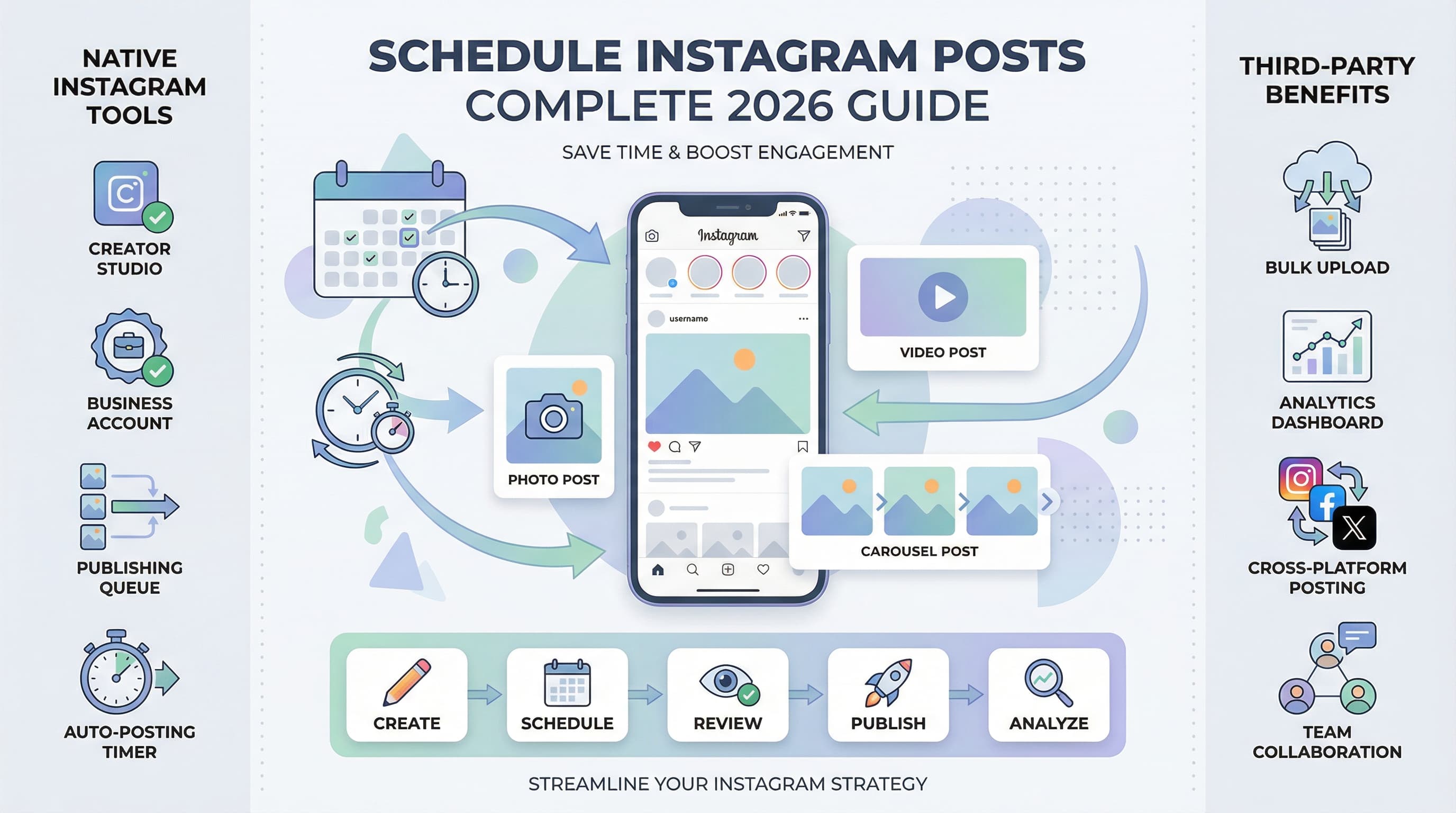
![Instagram Story Scheduler: Best Tools [2026] - Schedule Stories Like a Pro](/_next/image?url=%2Fblog%2Finstagram-story-scheduler-best-tools-2026%2Fheader.jpeg&w=3840&q=75&dpl=dpl_6RiKV7dz1EjMEbYgqheh1pc2YPwv)