Social Media Swipe File: 500 Post Ideas You Can Steal Today
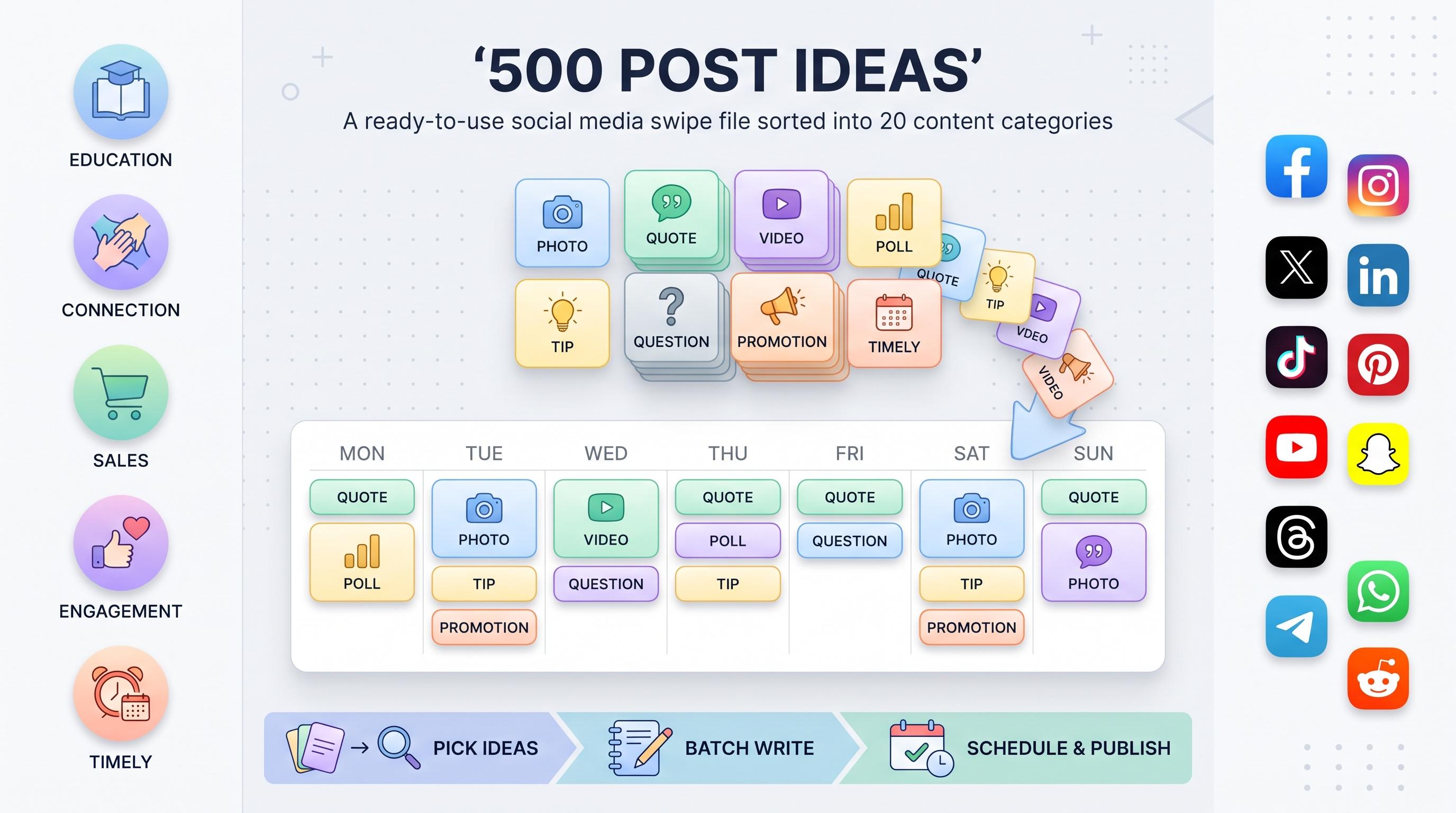
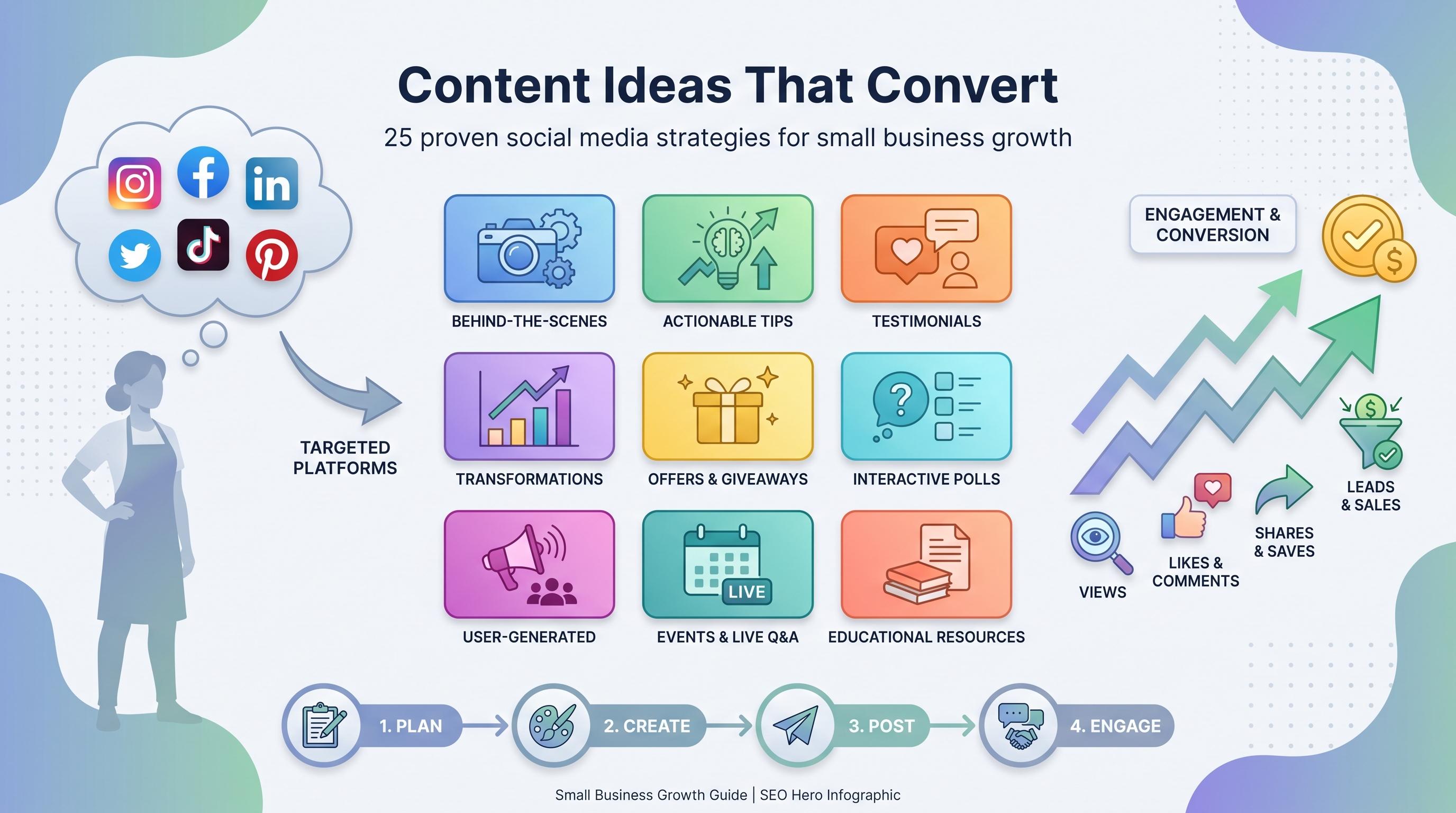
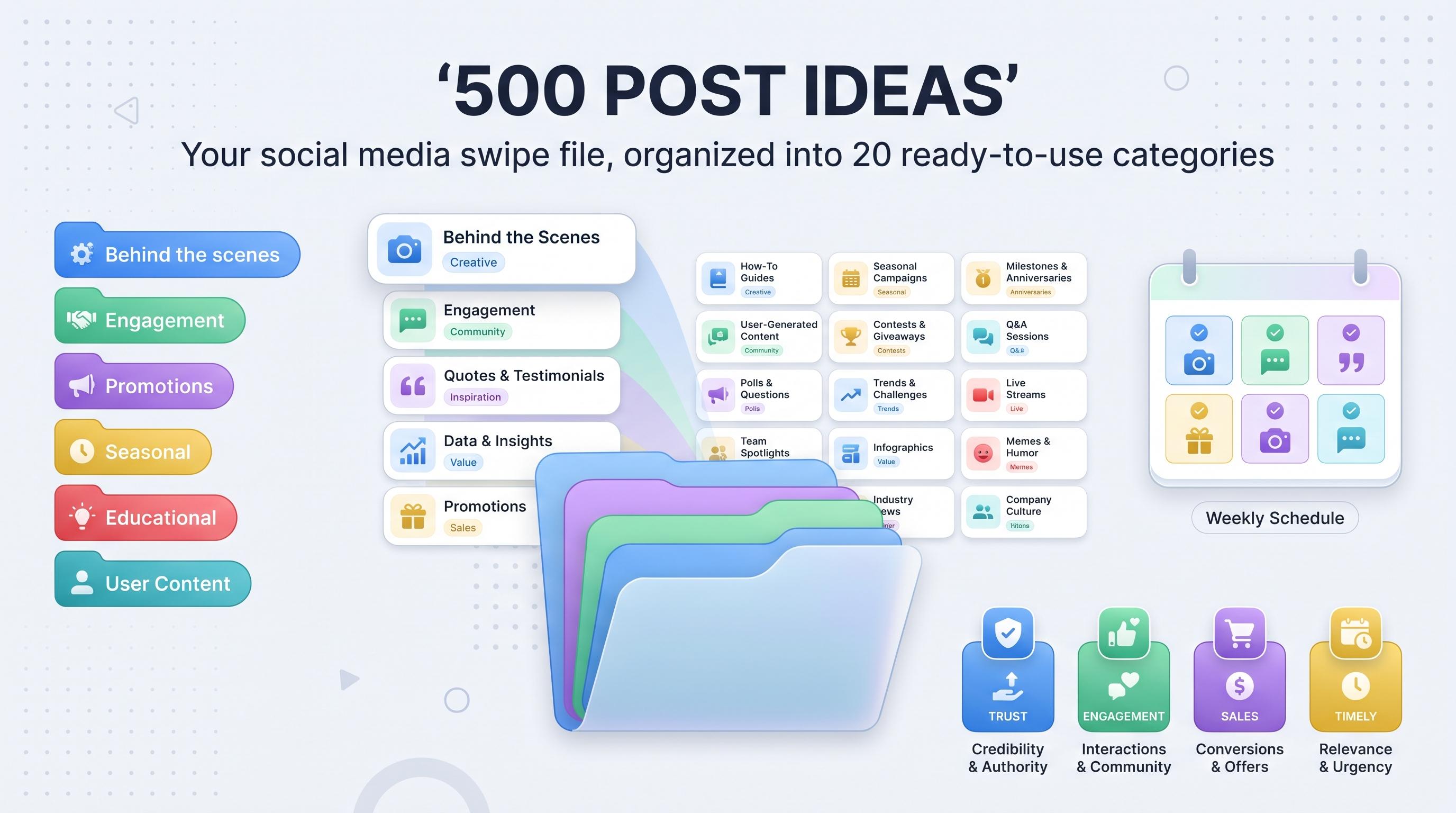
Steal this social media swipe file with 500 post ideas across 20 categories, organized and ready to adapt, batch create, and schedule.

Staring at a blank caption box at 4:47 on a Friday is not a personality trait. It is a sign that your content planning process has a hole in it. Try our Instagram scheduling.
See It in Action
This is what scheduling an Instagram post looks like in Schedulala
Every social media manager hits the wall eventually. The brand's tone is dialed in, the audience is growing, and then one Tuesday you open your scheduling tool and your mind goes completely blank. You've posted the product shots. You've posted the quote graphics. Now what? See our social media swipe file guide.
That's exactly what a swipe file solves. It's a running collection of post angles and formats you can pull from whenever inspiration doesn't show up on its own, which, let's be honest, is most of the time. This one has 500 ideas split into 20 categories, so you're not just getting a random dump, you're getting an organized system you can actually use week after week. Try our social media content buckets.
What a swipe file actually is (and isn't)
A swipe file is not a library of posts you copy word for word. It's a reference bank of formats and angles proven to work, which you then rewrite in your own voice with your own product, your own data, and your own customers in the examples. Copywriters have used swipe files for decades to study what makes an ad or email convert. Applying the same idea to social content just makes sense. Our content calendar can help.
The 500 ideas below are organized into 20 categories of 25 each, grouped into four broader buckets: trust and connection, engagement and conversation, sales and authority, and timely or evergreen content. Skim the category names first, grab whatever fits your brand this week, and swap in your own specifics. You don't need to use all 500. You need enough variety that you're never stuck again. Learn more about best time to post on instagram.
Try Schedulala for free
Schedule posts to Bluesky, Twitter, and 8 other platforms from one dashboard.
Get started for free→Part 1: trust and connection content (125 ideas)
This is content that makes people feel like they know you. It doesn't sell anything directly, but it's usually the content that gets the most comments, saves, and DMs, because people trust brands that feel like actual people. See our instagram engagement calculator guide.
1. Behind-the-scenes content
Behind-the-scenes posts work because they're the opposite of the polished product shots your audience scrolls past without thinking. Show the mess, the process, the real workday, and people slow down.
- A day in the life at your company
- Candid photo from a team meeting
- Office or workspace tour
- How a product gets made, step by step
- Unboxing new equipment or supplies
- Introducing a new team member
- What your work-from-home setup looks like
- A mistake you made and what you learned from it
- What a normal Monday morning actually looks like
- Packing and shipping orders in real time
- Testing a new product before launch
- How a big decision got made internally
- A brainstorming session, photos included
- The tools and software you use every day
- A peek at a weekend or late-night shift
- Office pet moments
- Lunch with the team
- Sneak peek of something launching soon
- How you actually handle a customer complaint
- An experiment that flopped and the lesson from it
- Your founder's early morning routine
- What's written on the office whiteboard right now
- A vendor or supplier visit
- Setting up for an event or trade show
- A bloopers reel from the past year
2. Storytelling and personal content
This category is slower to write and faster to connect. One honest story about a hard decision usually outperforms ten product posts in a row.
- Your founder's origin story
- Why you actually started the company
- A turning point in your business history
- A personal lesson learned from a failure
- An employee's growth story over the years
- The hardest decision you've had to make as a brand
- A customer story that changed how you operate
- Reflecting on a company anniversary
- What this year taught you, in plain terms
- A letter to your past self, business edition
- The story behind your brand name or logo
- A business model change and why it happened
- Overcoming a specific obstacle, told in full
- What you'd do differently if you started over
- A mentor who shaped how your company works
- A team member's career journey inside the company
- The moment you landed your first customer
- A risk you took that paid off, or didn't
- The personal values behind the brand
- A day you almost gave up
- How a mistake turned into your best feature
- The story behind your best-selling product
- A community member who inspired a change you made
- Where you started versus where you are now
- What success actually looks like for your team
3. User-generated content and testimonials
This is the content that does the selling for you, because it comes from someone with nothing to gain by saying nice things about you. Always get permission before reposting, and credit the original person.
- A screenshot of a customer review
- A repost of a customer's photo using your product
- A short video testimonial clip
- A case study highlight with real numbers
- A customer spotlight feature
- A before and after submitted by a customer
- A great comment turned into a graphic
- A roundup of recent star ratings
- A repost of a customer's unboxing video
- Survey results straight from your audience
- A compilation from a tag-us style challenge
- A repost of fan art or community creations
- A customer FAQ answered publicly
- A shoutout to a long-time loyal customer
- A carousel of multiple reviews side by side
- A mention from a partner or influencer, reposted
- A community member's win, celebrated publicly
- A "why I switched to this brand" story
- A real customer's side-by-side comparison
- Poll results shared back with the community
- A thank-you post featuring real customer names
- A creative or unexpected use case from a customer
- A kind DM screenshot, shared with permission
- A repost from a user's own feed, fully credited
- A "customer of the month" feature
4. Community and spotlight content
This category points the camera at other people, not your product. It costs you almost nothing to make and tends to build the kind of loyalty that doesn't show up in a single post's metrics but shows up in retention.
- Employee of the month feature
- A customer spotlight interview
- A shoutout to a partner or collaborator
- Your involvement in a local community event
- A cause or charity your brand supports
- Announcing the winner of a community challenge
- A "meet the team" series post
- A recap of a volunteer day
- An event you're hosting or attending
- A shoutout to a highly engaged follower
- A feature on a small business partner
- A spotlight on an affiliate or ambassador
- A "faces behind the brand" post
- A thank-you to followers on a follower milestone
- A recap of a community Q&A session
- A feature on a local vendor or supplier
- A "thank you for 10,000 followers" style post
- A user-submitted question answered publicly
- Celebrating the results of a community poll
- Announcing a guest takeover of your account
- Announcing a collaboration with another brand
- A customer appreciation week post
- A feature on a resource the community built together
- A spotlight on a specific niche within your audience
- A "you asked, we answered" community post
5. Quotes and inspiration content
Quote posts are easy to write off as filler, but they work because they're fast to consume and easy to share. Just make sure the quote connects to something your audience actually cares about, not generic motivation for the sake of it.
- A quote from your founder
- An inspirational quote tied to your industry
- A customer quote turned into a graphic
- A "words we live by" post
- A Monday motivation quote
- A quote from a book relevant to your audience
- A team member's favorite quote
- A quote paired with a relevant statistic
- "This quote changed how we work" post
- An industry leader's quote with your commentary added
- A quote about overcoming challenges
- An encouraging message tied to your audience's goals
- A quote series building toward a theme over several posts
- A quote from a podcast you'd recommend
- A recurring "quote of the week" feature
- An affirmation-style post for your specific niche
- A quote about the value of showing up consistently
- A historical quote applied to a modern problem
- A quote pulled directly from a testimonial
- A short original saying unique to your brand
- A quote about creativity or trying new things
- A quote tied to a seasonal theme
- A Monday motivation post for your audience's goals
- A quote about the value of community
- A closing thought to end the week
Part 2: engagement and conversation content (125 ideas)
These formats exist to get a reaction. They're built for comments, shares, and the kind of back-and-forth that tells the algorithm (and your audience) that your account is worth checking in on regularly.
6. Polls, questions, and engagement prompts
These should take someone three seconds to respond to. The lower the effort to reply, the higher the response rate, which is exactly why they work so well for pulling your audience into the comments.
- This or that poll
- Caption this photo
- Finish the sentence prompt
- "Tell us in the comments" question
- A quick quiz about your industry
- Rate this on a scale of 1 to 10
- Fill in the blank post
- Would you rather poll
- Opinion check: agree or disagree
- Guess the product or feature game
- "What's your biggest challenge with [topic]" question
- Two truths and a lie about your brand
- "What's your go-to [product or method]" question
- Word association game
- A weekly check-in question
- An unpopular opinion discussion starter
- A ranking poll, rank these options
- "What would you add" suggestion post
- A survey with results shared later
- An emoji reaction request
- "Show us your setup" prompt
- A debate starter with two valid viewpoints
- A trivia question with the answer revealed the next day
- "Tag someone who needs to see this" post
- Kicking off a community challenge
7. Myth-busting and opinion content
This is where you take a stance. It's uncomfortable at first if your brand has only ever posted safe, neutral content, but opinion posts consistently outperform the neutral stuff because people react to conviction.
- "Myth: X. Fact: Y" post format
- Debunking a common misconception in your industry
- "Here's what nobody tells you about [topic]" post
- A hot take on an industry practice
- "I disagree with this popular advice" post
- Correcting misinformation you've seen online
- "The truth about [common belief]" post
- Challenging a long-held assumption in your industry
- "Why we stopped doing [common practice]" post
- Explaining why a popular trend is overrated
- Clarifying confusion around pricing or process
- "What people get wrong about [your industry]" post
- Addressing a common objection head on
- "This doesn't get talked about enough" post
- Taking a stance on a divisive topic in your field
- "Why we do things differently" explainer
- Calling out a bad practice common in your industry
- "The real cost of cutting corners" post
- Explaining why cheaper isn't always better
- Addressing a frequently asked skeptical question
- "What I'd tell my younger self about [topic]" post
- An unpopular but true industry observation
- Factually addressing a common competitor claim
- "Stop doing this" direct advice post
- Clarifying a confusing policy or term in plain language
8. Humor and relatable content
Humor is the fastest way to earn a follow from someone who wasn't planning to engage with your brand today. It also ages the fastest, so lean on it, but don't make it the whole personality.
- A relatable meme about your industry's daily struggles
- A POV-style relatable post
- Monday mood meme
- A lighthearted customer service story
- "Things only [your audience] understands" post
- Self-deprecating brand humor
- An office humor moment
- A seasonal humor tie-in
- A caption contest with a funny photo
- "We've all been there" relatable post
- A playful jab at a common stereotype in your industry
- A funny customer interaction, shared with permission
- A meme format adapted to your niche
- "When the deadline hits" style post
- Expectation versus reality, played for laughs
- A funny take on a common complaint
- An office pet humor post
- "Things that stress us out" relatable list
- A playful poll about everyday struggles
- A humorous take on a trending topic
- Owning up to a funny typo or mistake
- "Why Mondays are hard" relatable post
- A light-hearted look back at your early, rough product
- A funny behind-the-scenes outtake
- "Tag a friend who does this" relatable post
9. List and roundup content
Lists are easy to skim and easy to save, which makes them one of the most reliably high-performing formats on nearly every platform. They're also some of the fastest posts to write once you have a topic.
- Top 10 tools for your industry
- Best of the month roundup
- Books every person in your audience should read
- Roundup of customer favorite products
- Weekly roundup of helpful resources
- Top mistakes to avoid
- Best tips from your community this month
- Roundup of industry statistics
- Gift guide list post
- "5 things we loved this week" post
- Accounts worth following in your niche
- Roundup of upcoming events
- A checklist-style list post
- "7 signs you need [product or service]" list
- Roundup of recent press mentions or features
- List of frequently asked questions
- Best practices list for a common task
- Roundup of team favorite moments this year
- List of common myths in your industry
- "3 ways to save time on [task]" list
- Roundup of recent customer success stories
- List of seasonal must-haves
- Top reasons customers choose you
- Roundup of new features released this quarter
- List of resources for beginners
10. FAQ and objection-handling content
These posts answer the question people are typing into Google (or your DMs) before they buy. If you're already answering the same question over and over in support tickets, that's a post waiting to happen.
- "Is this worth the money" post
- "How long until I see results" post
- "What if it doesn't work for me" post
- Shipping and returns FAQ
- "Do I need experience to use this" post
- Addressing the "too good to be true" concern
- "What happens after I sign up" walkthrough
- Cancellation policy explained simply
- "Can I upgrade or downgrade later" post
- Addressing a common hesitation before purchase
- "What makes you different" post
- Addressing security or privacy concerns
- "What support do I actually get" explainer
- A common technical question answered
- "Will this work for my specific situation" post
- Refund policy explained clearly
- "How do I get started" step-by-step post
- Addressing a price objection with a value breakdown
- "What's the catch" transparency post
- A common onboarding question answered
- "Can I try it before I buy" explainer
- Addressing a common misconception about your industry
- "What if I need help" support options post
- Explaining your guarantee in plain terms
- Top 5 questions from new customers, answered
Part 3: sales and authority content (125 ideas)
This is the content that actually moves people toward buying, without feeling like a straight-up ad. It works best when it's mixed in with everything else, not posted five times in a row.
11. Promotional and sales content
There's a reason sales posts get a bad reputation: most brands post nothing but sales posts. Used sparingly, and framed around a real deadline or benefit, they still convert.
- Limited-time discount announcement
- New product launch teaser
- Flash sale countdown post
- Bundle deal highlight
- "Last chance" reminder post
- Price drop announcement
- Free shipping threshold reminder
- Referral program promotion
- Loyalty program perks explained
- Exclusive subscriber discount
- Seasonal sale announcement
- Product restock announcement
- Gift guide featuring your own products
- "Why now is the best time to buy" post
- A values-based comparison against doing nothing
- An upsell or cross-sell suggestion post
- A reminder post for carts left behind
- Announcing a feature now included at no extra cost
- Early bird pricing announcement
- End-of-season clearance post
- A plan comparison post
- "Here's exactly what's included" breakdown post
- A savings calculator style post
- Bundle versus individual purchase comparison
- Countdown to launch day, as a short series
12. Product feature highlights
Most customers only use a fraction of what they're paying for. Feature spotlights remind existing customers why they signed up and show prospective ones exactly what they'd be getting.
- Feature spotlight carousel
- "Did you know you can do this" post
- Tutorial on an underused feature
- New feature announcement
- Before and after an update to a feature
- Customer favorite feature highlight
- "How this feature saves you time" post
- A feature use case for a specific audience segment
- Integration spotlight
- Mobile versus desktop feature comparison
- Feature FAQ post
- "5 features you're probably not using" list
- A sneak peek at the feature roadmap
- Behind the design of a specific feature
- A customer request that became a feature
- Feature demo video
- Side-by-side feature comparison chart
- "This feature alone is worth it" post
- A seasonal use case for a feature
- Power user tips for advanced features
- Accessibility feature highlight
- Security or privacy feature explainer
- Feature bundle highlight
- "What's new this month" feature recap
- Announcing a feature being retired, with the alternative
13. Comparison content
Comparisons work because people are already comparing their options in their head. Meeting them there with a clear, factual breakdown makes the decision easier, and makes you the one framing it.
- Your product versus doing the task manually
- A feature comparison chart
- "This versus that" decision helper
- DIY versus a professional service
- Old method versus new method
- Budget option versus premium option
- Comparing two real customer use cases
- "What's the difference between X and Y" explainer
- Before and after switching providers
- A side-by-side pricing breakdown, fully factual
- Time saved with versus without your product
- Two popular approaches in your industry, compared
- "Which one is right for you" quiz-style post
- Comparing seasonal options
- Comparing your plan tiers
- Comparing results from two different strategies
- "We tested both so you don't have to" post
- Comparing customer satisfaction across two options
- In-house versus outsourced, compared
- Manual tracking versus automated tracking
- Short-term versus long-term results
- Comparing common tools in your space
- Comparing two trending techniques
- The cost of doing nothing versus taking action
- Beginner versus expert approach, compared
14. Industry news and commentary
This is where you build authority. Being first (or just fast) to break down what a piece of industry news actually means for your audience makes you the account they check for context.
- A breaking news summary with your take
- A new regulation explained for your audience
- Highlights from a recent industry report
- Commentary on a competitor's product launch
- "What this news means for you" post
- Analysis of a new study or survey
- A reaction to a platform algorithm change
- Commentary on an industry award or recognition
- "Here's what's changing in [industry]" post
- A summary from an expert roundtable
- A conference or event recap
- Explaining the impact of a new technology
- A policy change, broken down simply
- A market trend analysis post
- "What we're watching this quarter" post
- Commentary on economic factors affecting your industry
- Key takeaways from a panel discussion
- A prediction for your industry next year
- A response to a viral industry article
- Explaining a new buzzword everyone's using
- A recap of a webinar you hosted or attended
- "3 things that surprised us this month" post
- Commentary on supply chain or logistics news
- An analysis of a competitor's strategy shift
- A roundup of what experts are saying about a topic
15. Educational and how-to content
This is usually the backbone of a content calendar, and for good reason. It's the content people screenshot, save, and come back to, which signals to every platform's algorithm that it's worth showing to more people.
- A step-by-step tutorial on using your product
- "5 mistakes beginners make" post
- A glossary post explaining industry jargon
- A quick tip carousel
- A "how to" checklist
- Myth versus fact post
- A 60-second explainer video
- A comparison of two methods
- A beginner's guide to a specific topic
- Advanced tips for power users
- Common questions, answered in a single post
- A breakdown of an industry statistic
- "What I wish I knew before starting" post
- A step-by-step screenshot walkthrough
- A troubleshooting guide for a common issue
- An explainer on a recent industry change
- "Do this, not that" comparison
- A checklist for choosing a product or service
- An infographic explaining a process
- A short definition series, one term per post
- An explainer on the factors behind your pricing
- A guide to getting started with your tool
- Data-backed tips with sources cited
- A recurring weekly tip series
- An "ask me anything" style educational thread
Part 4: timely and evergreen content (125 ideas)
The last chunk covers content tied to the calendar, content that recycles older material, and content built around moments worth celebrating. These are great for filling gaps when you're planning a month out.
16. Trending and timely content
Timely content is a double-edged sword. It can get you a spike in reach, but it ages fast and can look out of touch within a week. Use it to supplement your calendar, not replace it.
- A reaction to a trending meme format
- Commentary on breaking industry news
- A tie-in with a trending audio or sound
- "Our take on" a viral story
- A response to a trending hashtag challenge
- A seasonal trend prediction post
- A respectful reaction to a competitor's news
- A holiday-themed trend adaptation
- A pop culture crossover post
- A weather-related timely post
- "This week in [industry]" roundup
- Answering a trending question from forums
- A tie-in to an awards show or major event
- A back-to-school or new year timely post
- A sports event tie-in
- A viral trend adapted to your niche
- A breaking news reaction video
- "What everyone's talking about" summary
- A trend forecast for next quarter
- Tying a current event to your product
- A reaction to a new platform feature
- Commentary on a viral statistic
- An early adopter's take on new technology
- "Is this trend actually worth it" opinion post
- A reaction to a shift happening in your industry right now
17. Seasonal and holiday content
Build this category out months ahead of time. Seasonal content is predictable, which means it's one of the easiest categories to batch and schedule in advance.
- New Year goal-setting post
- Valentine's Day tie-in
- A spring refresh or cleaning tie-in
- A summer prep checklist
- Back-to-school promotion
- Halloween-themed post
- Thanksgiving or gratitude post
- Black Friday or Cyber Monday prep
- Holiday gift guide
- New Year's Eve recap or reflection
- An Earth Day or sustainability tie-in
- Mother's Day or Father's Day tie-in
- A Pride Month feature
- A Small Business Saturday tie-in
- An end-of-quarter recap post
- A summer vacation tie-in
- A winter holiday closing hours announcement
- A tax season tie-in, if relevant
- A graduation season post
- A Labor Day or long weekend post
- A fall seasonal product highlight
- A business launch anniversary post
- A tie-in to a day recognized in your industry
- A note about an unusual calendar date like a leap year
- "Our year in numbers" annual recap
18. Before and after content
Before-and-after posts are one of the highest performing formats because the result is visible without reading a single word. Whenever you have real proof of change, this format is worth the extra effort.
- Product transformation before and after
- Customer results before and after, with permission
- A workspace makeover before and after
- A skill improvement before and after
- A website redesign before and after
- A packaging redesign comparison
- Old logo versus new logo
- Year one versus year five
- Team size then versus now
- A process improvement before and after
- A client project before and after
- "Then versus now" for your industry overall
- Before and after a specific feature was added
- A room or space makeover, if relevant to your niche
- Before and after a specific technique was applied
- A seasonal before and after
- Before and after in terms of time or money saved
- Before and after customer satisfaction scores
- Before and after social proof growth
- Draft versus final product
- Before and after a training or course
- Renovation or build progress over time
- Before and after a rebrand
- Old way versus new way of doing a task
- Before and after a 30-day challenge
19. Milestone and celebration content
Milestones give you permission to brag a little without it feeling like bragging, because you're sharing a moment, not just a sales pitch.
- Company anniversary post
- Follower count milestone celebration
- A general revenue or growth milestone
- Product launch anniversary
- Employee work anniversary
- A customer milestone, like their 100th order
- Award or recognition announcement
- Press feature celebration
- Team growth milestone
- New office or location announcement
- Partnership milestone announcement
- A five-star review milestone
- A certification or accreditation achieved
- A community milestone, like 10,000 members
- A units-sold milestone
- Years-in-business recap
- "We did it" team celebration post
- A compilation of customer success milestones
- A new market or region launch
- An app download milestone
- A compilation of positive media mentions
- An industry ranking or list inclusion
- A recap of a successful event
- A charity fundraising milestone
- "Look how far we've come" retrospective
20. Repurposed content
This is the category that saves the most time, because none of it requires new ideas. It just requires turning one piece of content you already made into several smaller ones built for social.
- Turn a blog post into a carousel
- Turn a podcast clip into a short video
- Turn a webinar into multiple short clips
- Turn a customer testimonial into a quote graphic
- Turn a long caption into a thread
- Turn FAQ page content into individual posts
- Turn email newsletter content into a post
- Turn a case study into a carousel summary
- Turn a stats-heavy report into an infographic
- Turn a how-to guide into a step-by-step video
- Turn a Q&A session into individual question posts
- Turn a presentation into slide-style posts
- Turn an old top-performing post into an updated version
- Turn a customer interview into quote snippets
- Turn a product description into a feature highlight
- Turn a review into a shareable graphic
- Turn a long video into short clips for other platforms
- Turn a comment thread into a discussion post
- Turn a past event recap into a highlight reel
- Turn a press release into a social-friendly announcement
- Turn internal training material into educational content
- Turn a research study into bite-sized facts
- Turn a post that performed well into an updated repost
- Turn user feedback into a "here's what you said" post
- Turn a year-end report into a recap carousel
How to actually use a swipe file (without it becoming clutter)
A swipe file only helps if you actually open it. Here's a process that keeps it useful instead of becoming another bookmarked tab you forget about.
- Pick five ideas a week. Don't try to plan a month in one sitting, pick one idea from five different categories and build just that week's content from it.
- Rewrite every item in your own voice. None of the 500 ideas above should ever be posted as written. They're prompts, not captions.
- Add your own numbers. Generic educational posts get ignored. Posts with your own data, your own customer count, your own actual results get saved.
- Track what repeats well. If a before-and-after post outperforms everything else for three months straight, lean into that category more, and pull less from the ones that flop.
- Batch create by category. Shooting five behind-the-scenes photos in one afternoon is faster than shooting one photo five separate days.
A simple cadence to build around
If you're not sure how often to pull from each bucket, here's a starting point for a typical five-post week. Adjust based on what your own engagement data tells you after a month or two.
| Day | Content bucket | Example idea |
|---|---|---|
| Monday | Trust and connection | Behind-the-scenes photo of the week's setup |
| Tuesday | Sales and authority | Feature highlight or educational tip |
| Wednesday | Engagement | Poll or myth-busting post |
| Thursday | Timely or evergreen | Repurposed clip from last month's webinar |
| Friday | Trust and connection | Customer spotlight or quote post |
Common mistakes people make with a swipe file
Mistake 1: Posting ideas word for word
If your audience has seen "5 mistakes beginners make" from ten other accounts, yours won't stand out just because it's finally your turn. The angle matters less than the specifics you fill it with.
Mistake 2: Only pulling from one or two buckets
A feed that's 80 percent promotional content burns out an audience fast. A feed that's 80 percent humor never converts anyone. The mix is the point.
Mistake 3: Never updating the file
This list is a starting point, not a finished product. Add your own winning formats to it as you find them, and retire the categories your audience consistently ignores.
Turning 500 ideas into an actual content calendar
Having ideas is step one. Getting them posted consistently, on the right platforms, at the right times, is the part that actually moves metrics. This is where most people fall off, because batching ideas on a Sunday afternoon and then manually posting each one throughout the week just doesn't scale.
Schedulala covers 12 platforms: Instagram, TikTok, Twitter/X, LinkedIn, YouTube, Facebook, Threads, Bluesky, Pinterest, Telegram, Mastodon, and Google Business Profile. Every plan includes unlimited scheduled posts, so you can batch out an entire month from this swipe file without worrying about hitting a cap partway through.
Pricing is a flat account count you can split however you want, not a per-platform limit. The Personal plan is $29 a month for 10 social accounts, Team is $49 a month for 25 accounts, and Agency is $99 a month for 100 accounts. Those 10, 25, or 100 accounts can be any mix of platforms, so 10 accounts could be ten Instagram profiles for ten clients, or one account on each of ten different platforms. Pay annually and you get two months free on any plan.
There's a 7-day free trial if you want to test it with your own content calendar before committing (a card is required to start it, so you can cancel before you're charged if it's not a fit).
Try Schedulala for free
Schedule posts to Bluesky, Twitter, and 8 other platforms from one dashboard.
Get started for free→The short version
You don't need 500 new ideas every month. You need a system you return to when the usual ones run dry, which is most weeks for most people managing social accounts on top of everything else.
- Pull from all four buckets (trust, engagement, sales, timely) so your feed doesn't feel one-note.
- Rewrite every idea with your own numbers, your own customers, your own voice.
- Batch create by category instead of jumping between formats day to day.
- Track what performs and update this file with your own winners.
- Use a scheduling tool to turn the batch into a calendar instead of a pile of drafts.
Bookmark this list, come back to it monthly, and you'll never post "just checking in!" out of desperation again.
Try Schedulala for free
Schedule posts to Bluesky, Twitter, and 8 other platforms from one dashboard.
Get started for free→