Social Media Swipe File: 500 Post Ideas Organized Into 20 Content Categories
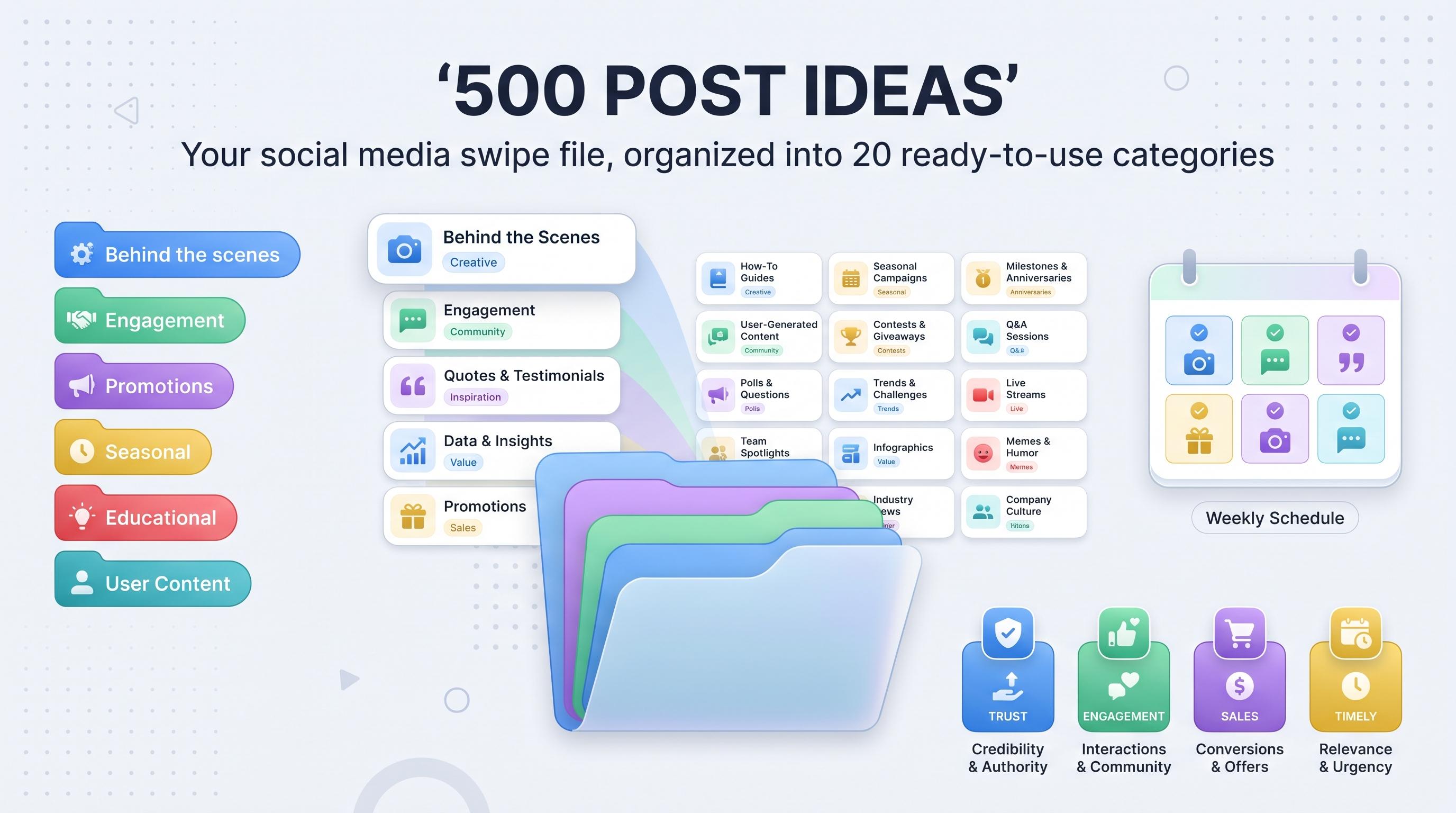
Grab this social media swipe file with 500 post ideas across 20 categories so you never stare at a blank content calendar again.

It's 11pm, your content calendar has a blank slot for tomorrow, and the only idea you've got is "check out our latest post" with a stock photo attached. If that's a weekly occurrence for you, the problem isn't your creativity. It's that you don't have a big enough bank of ideas to pull from when your brain is tired. Try our Instagram scheduling.
See It in Action
This is what scheduling an Instagram post looks like in Schedulala
That's what a swipe file fixes. Below are 500 post ideas split into 20 categories, so instead of scrolling a wall of text hoping something clicks, you can jump straight to the section that matches your brand and grab something you can adapt in ten minutes. Learn more about content calendar.
These aren't generic filler prompts. They're organized by what the post is actually trying to do, whether that's building trust, selling something, or just getting people to comment. Take what fits, skip what doesn't, and bookmark this for the next time your calendar is staring back at you empty. See our scheduling across platforms guide.
Try Schedulala for free
Schedule posts to Bluesky, Twitter, and 8 other platforms from one dashboard.
Get started for free→What a social media swipe file actually is
Copywriters have kept swipe files for close to a century: folders of headlines, ads, and hooks that worked, pulled out whenever a blank page needed filling. The idea didn't start on social media, it just moved there. A swipe file is a running collection of proven post concepts and formats you can reference instead of inventing something from zero every single time. Try our social media content buckets.
A content calendar and a swipe file aren't the same thing. The calendar is your schedule, the swipe file is the raw material that feeds it. Think of this list as your pantry and your calendar as the meal plan. You still have to cook (write the actual caption), but you're never standing in front of an empty fridge wondering what's for dinner. Learn more about best time to post on instagram.
How to use this list without getting overwhelmed
500 ideas is a lot, and trying to use all of them this month is a fast way to burn out and post content that doesn't sound like you. Here's a simpler approach:. See our instagram engagement calculator guide.
- Scan the 20 categories below and pick the 5 to 6 that genuinely fit your brand and audience
- Pull 15 to 20 specific ideas from those categories and write them down somewhere you'll actually look again
- Assign each idea to a content pillar or a day of the week so there's a pattern, not a scramble
- Batch-write captions for all of them in one sitting instead of writing one post a day
- Load the finished batch into a scheduler so it publishes automatically while you focus on everything else
Connection and trust: ideas that make people like you
These categories build the relationship before you ever ask for a sale. They're also the cheapest content you'll ever make because most of it requires zero production, just a phone and the stuff you're already doing.
1. Behind-the-scenes content
Showing the mess behind the polish builds trust faster than another perfectly lit product shot. People follow accounts, not logos, and the unpolished version of your business is usually more interesting than the curated one.
- A day in the life of someone on your team
- Packing orders or prepping for a shipment
- The tools or software you actually use daily
- A mistake you made this week and what you learned from it
- Your real workspace or desk setup, no staging
- Unboxing new inventory or supplies
- A meeting that didn't go the way you planned
- What a typical Monday looks like for your team
- The rough first draft before the polished final version
- Setting up for an event, shoot, or launch
- A time-lapse of a project from start to finish
- Introducing a new team member
2. User-generated content and testimonials
Nothing sells like someone else saying it for you. Repost customer content, screenshot reviews, and highlight tags as often as you can find them.
- Screenshot of a five-star review with a short caption of context
- A customer photo reposted with permission and a thank you
- "You asked, we answered" response pulled from a real DM
- A before-and-after submitted by a customer
- A customer's own unboxing clip
- A comment screenshot turned into a simple graphic
- "Why they chose us" short testimonial clip
- A client result broken down into real numbers
- A repost of a tag with a personal reply added
- A roundup of the week's best customer posts
- A case study condensed into a carousel
- A customer FAQ answered on video
3. Founder and personal posts
People connect with people. A face and a real story outperforms a logo on most platforms, especially LinkedIn and Instagram, where the algorithm rewards anything that looks like a human talking to other humans.
- Why you actually started the company
- A failure you're genuinely glad happened
- Something you believed at 22 that you don't believe anymore
- A decision you almost didn't make
- The hardest year in business and what got you through it
- Your actual morning routine, not the aspirational version
- A book or podcast that changed how you work
- Something you'd tell your past self
- A hot take on your industry
- The weirdest customer request you've ever gotten
- What you do when you're not working
- A milestone post marking year one, year five, or customer number 1,000
4. Community spotlight posts
Turning the camera on your audience instead of your product builds loyalty, and it gives you content you didn't have to come up with yourself.
- Customer or member of the month feature
- A shoutout to someone who helped you this month
- A quick Q&A with a loyal follower
- A repost of fan art or fan content
- A recap of your "we asked our community" poll results
- Highlighting a local business you partner with
- A follower milestone thank-you post
- A thread of the best comments from last week
- Feature on someone using your product in a creative way
- A "this follower inspired this post" callout
Education and authority: ideas that make people trust you
This group does double duty. It positions you as the expert in your space and it's some of the most shareable, saveable content you'll post, which helps it keep showing up in feeds long after you publish it.
5. How-to and educational content
The single most reliable content category on every platform. People save and share things that teach them something, and that signal tells the algorithm to keep showing it to more people.
- A step-by-step tutorial using your product
- A common mistake and how to avoid it
- A myth versus fact post about your industry
- "Here's what I wish I knew before starting this"
- A glossary post explaining jargon in your niche
- A checklist for a common task your audience faces
- A comparison of two methods or tools
- A 30-second tip that's immediately useful
- An explainer carousel breaking down a complex topic
- A seasonal how-to, like prepping for a busy season
- A troubleshooting guide for a common problem
- A resource roundup of tools, templates, or links worth bookmarking
6. Data and stats posts
A specific number stops the scroll better than almost anything else. It doesn't have to be your own research, though it hits harder when it is.
- A surprising statistic from your industry
- Your own data: "we analyzed X and found Y"
- A chart comparing a before-and-after trend
- "X% of people don't know this" post
- Survey results pulled straight from your audience
- A prediction backed by real numbers
- A year-over-year comparison graphic
- A cost breakdown or ROI example
- A benchmark post comparing average versus top performers
- A number that genuinely shocked even you
7. FAQ and myth-busting posts
You already know the questions. Customers ask them in DMs, comments, and sales calls every week. Turn the five most common ones into five separate posts instead of one long FAQ page nobody reads.
- The question you get asked most, answered in full
- "People think X, but actually Y"
- A rapid-fire FAQ carousel
- Debunking an outdated rule in your industry
- "Can you actually..." question answered honestly
- The one thing customers always get wrong
- A myth you believed before working in this industry
- Clearing up confusion about pricing or process
- Answering a question straight out of your DMs
- "No, that doesn't work. Here's what actually does."
8. Industry news and commentary
This is where you prove you're paying attention. A quick, opinionated take on something happening in your field builds authority faster than a polished explainer ever will.
- Your take on a recent industry headline
- A new tool or platform update explained simply
- "Here's what this change actually means for you"
- A reaction to a competitor's move, kept tasteful
- A trend you're seeing and what it signals
- A prediction for next quarter or next year in your space
- Explaining a new regulation or policy change in plain language
- "Everyone's talking about this, here's the short version"
- A roundup of this week's industry news
- Your disagreement with a popular opinion
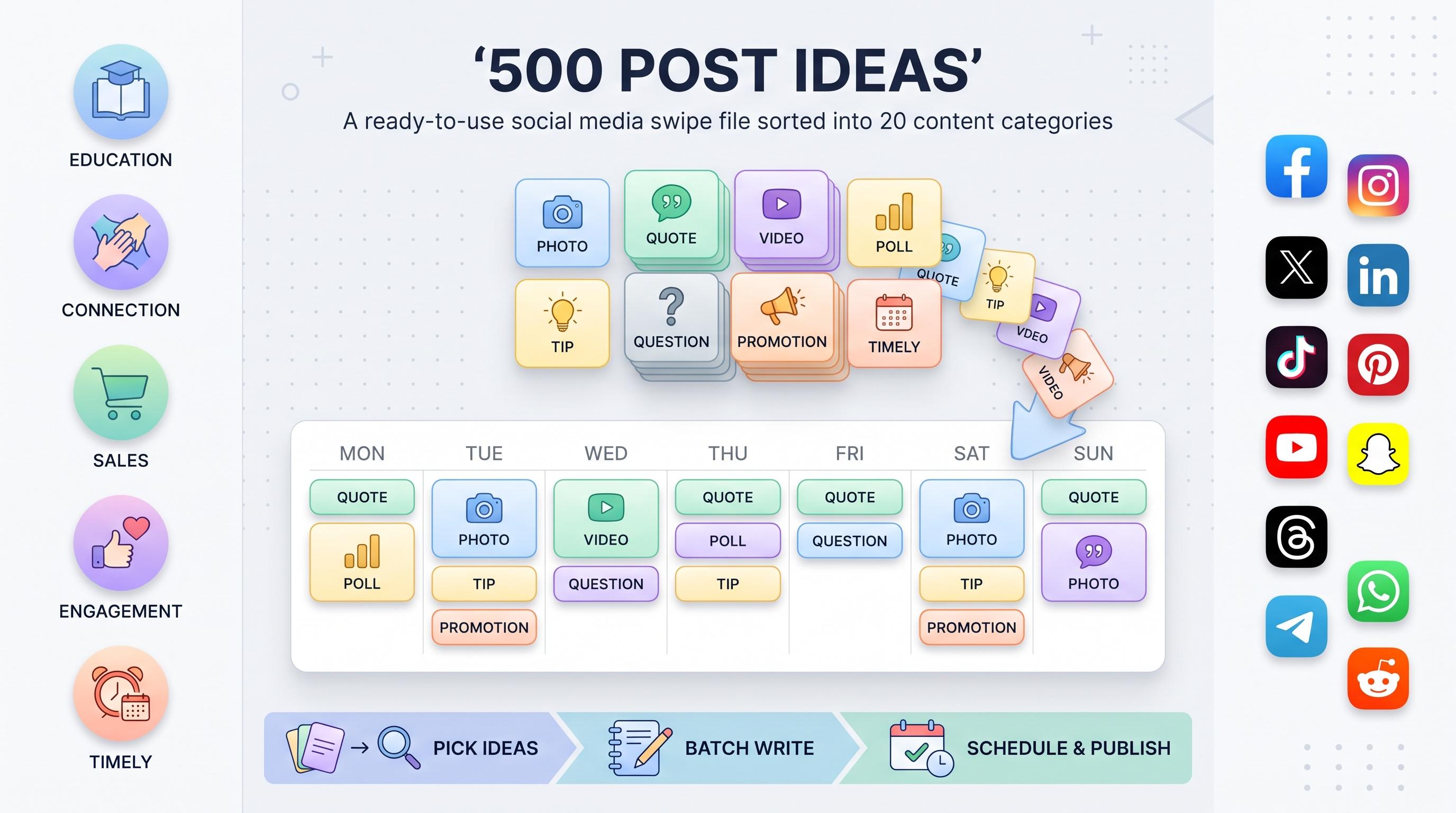
| Day | Content pillar | Example idea from this list |
|---|---|---|
| Monday | Education | How-to tutorial using your product |
| Tuesday | Connection | Behind-the-scenes clip from the week |
| Wednesday | Engagement | This-or-that poll on a hot topic |
| Thursday | Sales | Feature highlight or customer result |
| Friday | Entertainment | Meme or relatable quote post |
| Saturday | Timely | Trend-jacked or seasonal post |
| Sunday | Community | Follower spotlight or UGC repost |
Sales and conversion: ideas that make people buy
Not every post needs to sell, but some do. These categories let you promote without sounding like you're only there to take money, because they're built around proof and context instead of just "buy now."
9. Promotional and sales posts
There's nothing wrong with directly asking people to buy, as long as it's not the only thing you ever post. A healthy mix is somewhere around one promotional post for every four or five non-promotional ones.
- Limited-time offer announcement
- "Last call" reminder post
- New product or feature launch
- Price drop or bundle deal highlight
- "Here's exactly what you get" breakdown
- Comparison of using your product versus doing it yourself
- Restock announcement
- Early access or waitlist opening
- Seasonal sale countdown
- "This is for you if..." targeted promo
- A feature highlight most people never notice
- A use-case post: this type of customer loves it because of this
10. Before and after / transformation posts
Transformation content is one of the highest-performing formats on visual platforms because the proof is right there in the image, no explanation needed.
- A literal before-and-after photo or screenshot
- A client transformation story
- "90 days ago versus today" progress post
- Workflow before using your product versus after
- A revenue or metric before-and-after
- A space or project transformation
- "I used to think X, now I do Y" personal shift
- Problem, solution, result story arc
- A side-by-side comparison graphic
- A customer's journey condensed into one post
11. Collaboration and partnership posts
Partnering with another brand puts you in front of their audience for free, and it makes your feed feel bigger than a single business.
- A co-branded post with a partner business
- Guest takeover announcement
- Affiliate or referral partner spotlight
- Joint giveaway with another brand
- "We teamed up with this brand to bring you this"
- Cross-promotion shoutout
- Interview with a partner or vendor
- Behind-the-scenes of a collaboration shoot
- Recap of a joint event or webinar
- Thank-you post to a long-term partner
12. Repurposing and evergreen content ideas
You've already created the hardest part, the original idea. These are ways to squeeze three or four more posts out of something you made once, months ago.
- Turn your best blog post into a carousel
- Pull a stat from an old post and recreate it visually
- Re-share a top performer with a fresh caption
- Turn a podcast clip into three separate social posts
- Convert a customer email into a post
- Quote graphic pulled from an old newsletter
- Recut an old video into a short-form clip
- Combine three old tips into one listicle post
- Update an old "best of" post with new picks
- Turn each FAQ page answer into its own individual post
Try Schedulala for free
Schedule posts to Bluesky, Twitter, and 8 other platforms from one dashboard.
Get started for free→Engagement and entertainment: ideas that make people comment
These exist for one reason: to get people to stop scrolling and actually interact. Comments and replies tell the algorithm your content is worth showing to more people, so this group is worth more than it looks on paper.
13. Engagement and question posts
Simple, low-effort for you, but they do the heavy lifting of signaling your post as worth engaging with.
- "This or that" simple choice post
- Fill-in-the-blank caption
- "Unpopular opinion" starter
- A question only people in your niche would understand
- "Tag someone who needs to see this"
- A caption contest
- "What would you do in this situation" post
- Rate this on a scale of 1 to 10
- "Drop this emoji if you agree" post
- Would-you-rather, industry edition
- Ask for feedback on a new idea before launching it
- "Finish this sentence" prompt
14. Interactive content: polls and quizzes
Built-in features like polls and quizzes on Instagram Stories, Threads, and LinkedIn make this category almost too easy to skip.
- A simple two-option poll on a hot topic
- A "which one are you" personality-style quiz
- Multiple-choice trivia about your industry
- Guess the answer before we reveal it
- A slider poll asking how confident people are in something
- "Rank these in order" post
- A quiz testing how much people know about a topic
- A spot-the-difference visual puzzle
- A prediction poll about what happens next
- An A/B choice with results revealed in the next post
15. Humor and meme posts
Humor builds more loyalty than most brands give it credit for. It doesn't have to be laugh-out-loud funny, just relatable enough that someone sends it to a coworker.
- A relatable meme about your industry's daily struggle
- A POV-format meme
- A customer service story, told for laughs
- A trending meme template adapted to your niche
- "Nobody: / Us:" format
- A self-deprecating joke about a common mistake
- A caption-this photo
- A reality-versus-expectation meme
- A running inside joke made public for your community
- An office or team inside joke shared openly
16. Quote and inspiration posts
Overused when generic, but genuinely effective when the quote actually ties back to something specific about your brand or industry.
- A quote from a customer, framed as inspiration
- A founder's personal mantra
- An industry leader quote with your own commentary added
- Monday motivation tied directly to your niche
- A lesson disguised as a quote graphic
- A "saving this for when I need it" style post
- A mini pep talk for your audience's biggest struggle
- A quote that challenges a common belief
- A negative stat reframed into a positive message
- A short affirmation tied to your brand's values
Timely and format-specific: ideas that ride the moment
The last group covers posts tied to a specific moment, a specific format, or a story arc that unfolds over time. They tend to get bigger reach because they're attached to something already getting attention.
17. Trend-jacking and seasonal content
Speed matters here more than anywhere else. A trend-jacked post that goes out a week late is just a regular post.
- Jumping on a trending audio or format quickly
- A holiday tie-in relevant to your niche
- "New year, new..." post in January
- A back-to-school angle if it fits your audience
- An awareness day or month tie-in
- A weather-based post, like first snow or a heat wave
- Commentary from an industry conference or event
- A trending hashtag adapted to your brand
- Participating in a challenge everyone's doing
- An end-of-year recap or "year in review" post
18. Storytelling and brand narrative posts
A single big story told across a few posts instead of one caption keeps people coming back to see what happens next.
- The origin story, told in three parts across separate posts
- A turning-point moment in the company's history
- "Here's a story you haven't heard" post
- A customer story told like a mini movie
- The behind-the-scenes of your biggest win
- A failure story with the lesson saved for the end
- "This almost didn't happen" post
- A story serialized across a full week
- The person behind one specific product or feature
- A letter written to your past or future customers
19. Listicle and roundup posts
Lists are easy to skim, easy to save, and easy to write. They're also the format you're reading right now, so clearly the format works.
- "5 things we learned this month"
- A top products or services roundup
- Best tools in your niche, not just your own
- "3 mistakes beginners make"
- A weekly roundup of your top customer questions
- "Our top 5 posts this quarter, and why they worked"
- A gift guide or seasonal picks list
- "7 things nobody tells you about this industry"
- The team's favorite resources list
- "If you only do 3 things this month, do these"
20. Video-specific content ideas
Some ideas only work as video, and they tend to get the best reach precisely because most accounts still don't post enough of it.
- A quick tutorial filmed on a phone, no editing required
- A day-in-the-life vlog-style clip
- A talking-head answer to a common question
- A product demo under 30 seconds
- A reaction video to a trend or news item
- A time-lapse of a process
- A split-screen before-and-after video
- A text-on-screen listicle video
- A customer testimonial clip
- A highlight reel from a live Q&A
Common mistakes people make with a content swipe file
A swipe file only works if you use it right. Here's where most people lose the benefit before they even get started:
- Treating it as a script instead of a starting point. Copy-pasting an idea word for word loses your voice fast, adapt it instead
- Saving ideas but never actually scheduling time to write them, which means the file just sits there unused
- Trying to use every category at once instead of picking the handful that genuinely fit the brand
- Never retiring an idea that's flopped twice already, some formats just don't work for your audience and that's fine
- Forgetting to adapt ideas to each platform's format, a post that works on LinkedIn usually needs rewriting for Threads
- Letting the swipe file replace strategy entirely instead of supporting it, ideas still need a goal behind them
That first one trips up more people than any other. A swipe file idea like "behind-the-scenes of a mistake you made" is a shape, not a sentence. Fill it in with your actual voice, your actual mistake, your actual tone. If you sound like a template, people scroll past, no matter how good the underlying idea is.
Turning 500 ideas into a month of posts in one sitting
Here's the actual workflow that makes this list useful instead of just a bookmark you never revisit. Block 90 minutes. Pick 20 to 25 ideas spread across 5 or 6 categories. Draft captions for all of them in one batch, staying in the same mental mode instead of jumping between a funny meme and a serious data post every five minutes. Then load the finished batch into a scheduler and queue the entire month.
The slow part of this process usually isn't the writing, it's the part where you log into six or seven different apps to manually post the same thing with slightly different formatting each time. That's exactly the part a scheduling tool is built to remove. With Schedulala, you queue a month of posts once and it publishes across all 12 platforms, Instagram, TikTok, Twitter/X, LinkedIn, YouTube, Facebook, Threads, Bluesky, Pinterest, Telegram, Mastodon, and Google Business Profile, on schedule, while you go back to running the business.
Every plan includes unlimited scheduled posts, so you're never rationing how many of these 500 ideas you actually use in a month because of a posting cap. The account count is also flat and usable however you want: 10 accounts on the Personal plan can be 10 Instagram profiles for 10 clients, or one account on each of 10 different platforms, or any mix in between.
| Plan | Price | Social accounts | Scheduled posts |
|---|---|---|---|
| Personal | $29/month | 10 | Unlimited |
| Team | $49/month | 25 | Unlimited |
| Agency | $99/month | 100 | Unlimited |
Billed annually, each plan works out to two months free: Personal runs $290/year, Team $490/year, and Agency $990/year. There's no free tier, but there's a 7-day free trial if you want to load a batch of these 500 ideas in and see how the queue works before committing to a plan.
Your swipe file, your rules
You don't need all 500 of these ideas. You need the 20 or 30 that actually sound like your brand when you say them out loud. Pick your strongest category, mine it for a week of posts, then branch into a second one once the first starts to feel repetitive.
- Start with the categories closest to what you already post well, then expand from there
- Batch your writing instead of creating one post a day under pressure
- Retire ideas that don't land after two honest attempts
- Mix pillars across the week instead of running five education posts in a row
- Let a scheduler handle the publishing so the idea bank is the only thing you have to think about
If you only take one thing from this list, take the mix. The accounts that grow steadily aren't the ones posting the single best idea they ever had. They're the ones rotating through connection, education, sales, entertainment, and timely content so consistently that running out of ideas stops being a monthly crisis.
Try Schedulala for free
Schedule posts to Bluesky, Twitter, and 8 other platforms from one dashboard.
Get started for free→