AI Image Generator for Social Media Posts: Complete Guide to Creating Stunning Visual Content
Discover the best AI image generators for social media. Learn how to create engaging visual content that boosts engagement and saves time.

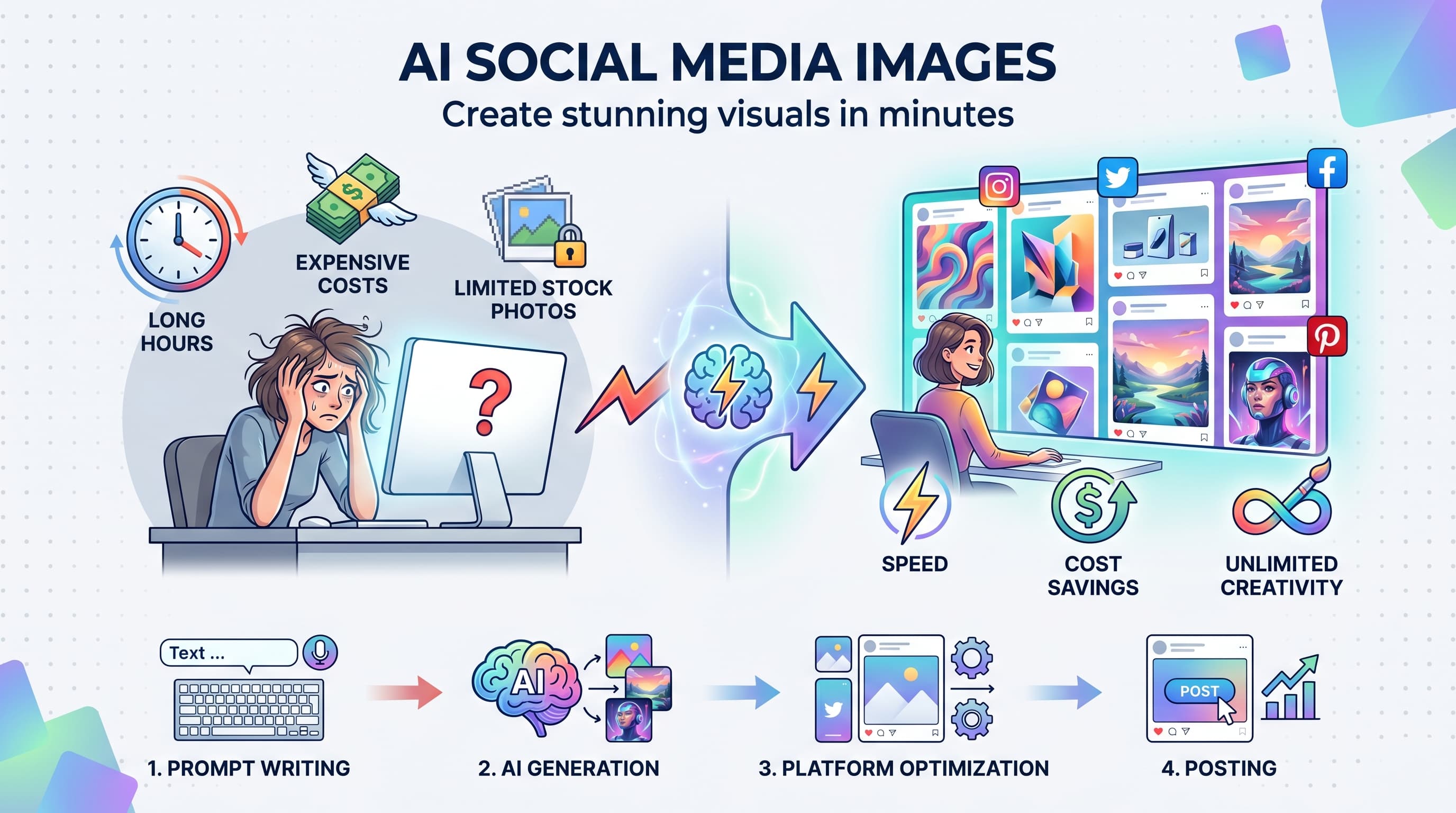
Creating fresh visual content for social media feels like running on a hamster wheel. You post, engagement drops, and suddenly you need ten more images by tomorrow. Learn more about LinkedIn scheduling.
See It in Action
This is what scheduling a LinkedIn post looks like in Schedulala
AI image generators have completely changed this game. Instead of spending hours searching stock photo sites or hiring designers, you can create custom visuals in minutes. The results? Content that actually looks original and matches your brand perfectly. See our cross-platform analytics track 9 guide.
Try Schedulala for free
Schedule posts to Bluesky, Twitter, and 8 other platforms from one dashboard.
Get started for free→Why AI image generators work for social media
Traditional content creation takes forever. You brief a designer, wait for revisions, then discover the image doesn't work for Instagram's aspect ratio. AI generators solve this by letting you iterate instantly. Our batch content creation can help.
Speed advantage
Generate 10 variations of an image concept in under five minutes. Test different styles, colors, and compositions without waiting for designer availability. Our chatgpt for social media can help.
This speed matters because social media algorithms favor fresh content. When you can create new visuals daily, your posts stay relevant and engaging. See our best time to post on linkedin guide.
Cost efficiency
Professional design services cost $50-200 per image. Stock photos add up quickly at $10-30 each. AI generators typically cost $10-30 monthly for unlimited generations. See our linkedin character counter guide.
Small businesses and creators can suddenly afford the same visual quality as bigger brands. The playing field gets more level when everyone has access to professional-looking imagery.
Customization control
Stock photos often feel generic because hundreds of other accounts use the same images. AI generators create unique visuals that nobody else has.
You control every detail through prompts. Want your brand colors? Specific mood? Particular style? Just describe it and iterate until perfect.
Best AI image generators for social media
Different platforms excel at different content types. Here's what actually works for social media creators, based on real testing and community feedback.
1. Midjourney
The quality king. Midjourney produces the most photorealistic and artistic images. Perfect for lifestyle brands, food content, and fashion posts.
Best for: Instagram posts, Pinterest pins, high-end brand content
Pricing: $10/month for 200 generations
Downside: Requires Discord, steeper learning curve for beginners
2. DALL-E 3
Excellent at following detailed prompts and creating consistent character styles. Great for creating branded mascots or character-based content series.
Best for: Character consistency, infographics, educational content
Pricing: $20/month through ChatGPT Plus
Bonus: Integrated with ChatGPT for prompt refinement
3. Stable Diffusion
The customizable option. Open-source with thousands of specialized models for different styles. Technical users love the control and cost efficiency.
Best for: Custom styles, unlimited generation, specific niches
Pricing: Free (self-hosted) or $9/month via Stability AI
Learning curve: Higher technical requirements
4. Adobe Firefly
Built for commercial use with fewer copyright concerns. Integrates seamlessly with Creative Suite for post-processing and refinement.
Best for: Commercial brands, agencies, users already in Adobe ecosystem
Pricing: Included with Creative Suite subscriptions
Advantage: Commercial-safe training data
| Platform | Best For | Monthly Cost | Ease of Use |
|---|---|---|---|
| Midjourney | Artistic quality | $10 | Medium |
| DALL-E 3 | Prompt following | $20 | Easy |
| Stable Diffusion | Customization | Free-$9 | Hard |
| Adobe Firefly | Commercial use | $20+ | Easy |
Writing effective prompts for social media images
Generic prompts create generic images. The difference between amateur and professional-looking AI content comes down to prompt specificity and understanding what works for each platform.
1. Start with the subject
Be specific about your main subject. Instead of 'person drinking coffee,' try 'young professional woman in business casual outfit holding a white ceramic mug in a modern office.'
Include demographic details when relevant. Age ranges, clothing styles, and settings help create more targeted content for your audience.
Example: 'Millennial man in workout clothes' vs 'Athletic 30-year-old male in black athletic wear and running shoes'
2. Define the style
Style keywords dramatically change output quality. Popular options for social media include 'clean minimal style,' 'modern photography,' 'bright and airy,' or 'magazine quality.'
Brand-specific styles work well too. Try 'Apple advertising style' or 'Instagram lifestyle photography' to match recognizable aesthetics.
Style categories that work:
- Photography styles: Portrait, lifestyle, product, street photography
- Art styles: Watercolor, digital art, minimalist illustration
- Brand styles: Corporate, startup, luxury, wellness, tech
3. Specify lighting and mood
Lighting makes or breaks social media images. 'Golden hour lighting' creates warm, engaging content. 'Soft natural light' works for wellness and lifestyle brands. 'Bright studio lighting' suits product shots.
Mood descriptors guide emotional impact. 'Energetic and inspiring,' 'calm and peaceful,' or 'professional and trustworthy' help AI understand your brand voice.
4. Include platform requirements
Each platform has optimal visual characteristics. Instagram favors bright, high-contrast images. LinkedIn prefers professional, clean aesthetics. TikTok works with bold, attention-grabbing visuals.
Add platform-specific keywords like 'Instagram-worthy,' 'LinkedIn professional,' or 'TikTok viral style' to optimize for each channel.
Platform-specific AI image strategies
What works on Instagram bombs on LinkedIn. Each platform has unique visual languages, audience expectations, and algorithm preferences. Here's how to optimize AI-generated content for each major platform.
Instagram optimization
Instagram algorithms favor bright, colorful content with strong visual contrast. Images should look polished but authentic, avoiding obviously artificial elements.
Aspect ratios: Square (1:1) for feed posts, vertical (4:5) for better mobile display, stories (9:16)
Color strategy: Bright, saturated colors perform better. Include whites and light backgrounds for clean aesthetic. Maintain consistent color palette across posts.
Prompt additions: 'Instagram aesthetic,' 'bright natural lighting,' 'high contrast,' 'mobile-friendly composition'
Content types that work: Lifestyle shots, behind-the-scenes moments, product flatlays, inspirational quotes on branded backgrounds
LinkedIn professional content
LinkedIn users expect polished, professional visuals that convey expertise and authority. Avoid overly casual or lifestyle-focused imagery.
Visual style: Clean, modern, corporate-friendly. Think business magazine quality rather than social media casual.
Colors: Professional color palettes. Blues, grays, and whites perform well. Avoid overly bright or neon colors.
Prompt additions: 'Professional photography style,' 'corporate environment,' 'business casual,' 'conference room quality lighting'
Content focus: Office environments, professional situations, team collaboration, industry-specific imagery
TikTok and short-form video
TikTok images need to grab attention instantly. Think bold, unexpected, or trend-based visuals that encourage engagement and sharing.
Aspect ratio: Vertical (9:16) is essential for TikTok, Reels, and Shorts
Visual approach: Bold colors, dramatic lighting, unconventional angles, trend-aware aesthetics
Prompt additions: 'TikTok viral style,' 'dramatic lighting,' 'bold composition,' 'Gen Z aesthetic,' 'trending visual style'
Tip: Study current TikTok trends and incorporate popular visual elements into your prompts
Pinterest discovery optimization
Pinterest functions as a visual search engine. Images need clear focal points, readable text overlays, and strong vertical orientation.
Aspect ratio: Vertical (2:3 or 1000x1500 pixels) performs best
Text strategy: Leave space for text overlays. Pinterest users save images with helpful information.
Prompt additions: 'Pinterest style,' 'vertical composition,' 'text overlay space,' 'magazine layout,' 'DIY aesthetic'
Content types: How-to visuals, recipe images, home decor, fashion inspiration, infographic-style layouts
Step-by-step workflow for creating social media images
Random image generation leads to inconsistent branding and wasted time. This proven workflow helps you create cohesive, on-brand content efficiently.
1. Plan your content series
Before generating individual images, map out your content themes for the week or month. This ensures visual consistency and prevents random, disconnected posts.
Create a simple content calendar noting the mood, style, and key visual elements for each post. This planning step saves hours of revision later.
Questions to answer: What's your brand's visual personality? Which colors represent your brand? What emotions should your content evoke?
2. Create your base prompts
Develop 3-5 base prompt templates that capture your brand style. These templates become your starting point for all image generation.
Template example: '[Subject], [brand color palette], modern minimalist style, bright natural lighting, professional photography, [platform specific]'
Save these templates in a document for quick access. Consistency in prompting creates consistency in output.
3. Generate multiple variations
Always generate 4-6 variations of each concept. AI output varies significantly between generations, and having options prevents settling for mediocre results.
Test different style keywords, lighting descriptions, or composition instructions. Small prompt changes create dramatically different results.
Variation strategy: Keep the subject consistent but modify style, lighting, background, or mood descriptors
4. Refine and iterate
Use your best generation as a starting point for refinement. Add specific details about elements you like, or remove aspects that don't work.
Most AI platforms allow you to build on previous generations. Use this feature to incrementally improve rather than starting over.
Refinement prompts: 'Make the lighting brighter,' 'Change background to white,' 'Add more contrast,' 'Make it more professional'
5. Post-process for platform optimization
AI generates square images by default. Use tools like Canva, Photoshop, or even free options like GIMP to resize for different platforms.
Add brand elements like logos, text overlays, or consistent filters to maintain visual identity across all your content.
Quick edits that make a difference: Adjust brightness/contrast, crop to platform ratios, add subtle brand watermarks
6. Test and measure performance
Track which AI-generated images perform best. Note the prompt elements, styles, and subjects that drive highest engagement.
Use platform analytics to identify patterns. Do lifestyle images outperform product shots? Do bright colors beat neutral tones?
Metrics to track: Engagement rate, reach, saves/shares, click-through rate (for posts with links)
Common mistakes to avoid
These mistakes kill the effectiveness of AI-generated social media content. Avoid them to create images that actually perform well.
Over-prompting complex scenes
Cramming too many elements into one prompt creates confusing, cluttered images. Social media users scroll fast and need clear focal points.
Instead of: 'Young woman drinking coffee while working on laptop in busy cafe with plants and artwork and other customers'
Try: 'Young woman holding coffee mug, clean cafe background, natural lighting, minimalist style'
Ignoring brand consistency
Generating random images without style guidelines makes your feed look chaotic. Audiences unfollow accounts that lack visual coherence.
Develop brand guidelines for your AI generation: preferred color palettes, lighting styles, mood descriptors, and subject types. Stick to them.
Using obviously artificial elements
AI-generated hands, text, and complex objects often look wrong. Audiences spot these immediately and it hurts credibility.
Avoid prompts with: Detailed hand positions, readable text, complex logos, multiple faces in close-up, intricate patterns
Safe alternatives: Simple poses, clean backgrounds, single subjects, geometric shapes, natural textures
Skipping platform optimization
Square images work on Instagram but fail on TikTok. Professional corporate imagery bombs on casual platforms.
Always generate or crop images to match platform requirements. This small step dramatically improves performance.
Advanced techniques for better results
Once you master basic AI image generation, these advanced strategies will set your content apart from other creators using generic prompts.
Style reference mixing
Combine style references from different sources to create unique aesthetics. Mix 'Wes Anderson cinematography' with 'modern minimalism' for distinctive results.
Reference specific photographers, artists, or brands in prompts. 'Annie Leibovitz portrait style' or 'Apple product photography' gives AI clear direction.
Effective combinations: Film photography + modern subject matter, vintage color palettes + contemporary scenes, fine art styles + commercial products
Negative prompting
Tell AI what NOT to include to avoid common problems. Negative prompts prevent unwanted elements and improve consistency.
Common negative prompts: 'no text, no logos, no cluttered backgrounds, no artificial lighting, no distorted faces'
Platform-specific negatives help too: 'no corporate look' for casual platforms, 'no overly bright colors' for professional content
Aspect ratio optimization
Generate images in the exact dimensions needed for each platform to avoid cropping important elements later.
Key ratios: Instagram feed (1:1), Instagram stories (9:16), LinkedIn posts (1.91:1), Pinterest pins (2:3), Twitter headers (3:1)
Consider composition when specifying ratios. Vertical images need different subject positioning than horizontal ones.
Seasonal and trend incorporation
Update your base prompts seasonally to stay relevant. Summer prompts should feel bright and energetic, winter prompts cozy and warm.
Monitor visual trends on your target platforms and incorporate trending elements into prompts. This helps your content feel current and discoverable.
Trend research: Save high-performing posts from your niche, analyze common visual elements, test similar styles in your prompts
Integrating AI images with your content strategy
AI-generated images work best as part of a broader content strategy, not as random standalone posts. Here's how to integrate them strategically.
Content pillar support
Map AI images to your content pillars. If education is a pillar, create consistent visual styles for how-to posts, tips, and tutorials.
Develop visual templates for each content type. Quote posts get one style treatment, behind-the-scenes content gets another.
This systematic approach makes your feed cohesive while reducing decision fatigue about what to create.
Campaign coordination
Use AI to create cohesive visual campaigns across multiple posts. Plan color schemes, style elements, and mood before generating individual images.
Product launches, seasonal campaigns, or educational series benefit from coordinated visual identity that AI can deliver consistently.
Cross-platform adaptation
Generate master images, then create platform-specific versions. Start with your primary platform's requirements, then adapt for others.
This approach ensures consistency across platforms while optimizing performance for each channel's unique characteristics.
Try Schedulala for free
Schedule posts to Bluesky, Twitter, and 8 other platforms from one dashboard.
Get started for free→Measuring success and optimization
Creating great AI images means nothing without measuring their impact and optimizing based on performance data.
Performance tracking setup
Tag AI-generated content consistently so you can analyze performance separately from other content types. Use your scheduling platform or spreadsheet to track generation methods.
Key metrics: Engagement rate, reach, impressions, saves (Instagram/TikTok), shares, click-through rate
Compare AI content performance to stock photos, original photography, and graphics to understand what works best for your audience.
A/B testing strategies
Test different AI platforms for the same content concept. Generate similar images using Midjourney and DALL-E, then compare performance.
Test style variations: realistic vs. illustrated, bright vs. moody, simple vs. detailed. Document which styles drive better engagement.
Testing timeline: Run tests for at least one week to account for algorithm variations and audience behavior patterns
Optimization based on data
Build a database of high-performing prompts and visual elements. Note which keywords, styles, and subjects consistently drive engagement.
Refine your base prompt templates monthly based on performance data. Remove elements that don't resonate, double down on what works.
Track seasonal performance patterns. Images that work in summer might fail in winter, requiring prompt adjustments.
![Social Media Proposal Template [Free Download] - Win More Clients](/_next/image?url=%2Fblog%2Fsocial-media-proposal-template%2Fheader.jpeg&w=3840&q=75&dpl=dpl_6RiKV7dz1EjMEbYgqheh1pc2YPwv)