Pinterest Idea Pins: The Complete Creator Guide for 2026
A complete guide to Pinterest Idea Pins: what they are, how to make them, and proven tips to boost reach and saves in 2026.

If you searched "Pinterest Idea Pins" hoping for a straightforward how-to, you probably ran into some confusing, contradictory info. That's because Pinterest retired the Idea Pin as a separate tab and label, folding the format into standard Pins that support multiple pages and video. The strategy that made Idea Pins work, though, never left. It just moved under a new name. See our Pinterest scheduling guide.
See It in Action
This is what scheduling a Pinterest post looks like in Schedulala
This guide walks through what Idea Pins were, what they turned into, and exactly how to build this kind of multi-page, story-driven content today so it actually gets seen. Whether you're a food blogger, a small ecommerce shop, or a coach trying to turn browsers into buyers, this is the format Pinterest still rewards most in 2026. Try our scheduling across platforms.
Try Schedulala for free
Schedule posts to Bluesky, Twitter, and 8 other platforms from one dashboard.
Get started for free→What Pinterest Idea Pins actually were (and what they became)
Idea Pins launched as Pinterest's answer to Instagram Stories and TikTok: a multi-page, mostly vertical, mostly video format designed to be consumed inside the app rather than clicked away from. Unlike a normal Pin, an Idea Pin could have up to 20 pages, layered text, stickers, music, and no outbound link at the time it originally shipped. See our batch content creation guide.
Over the past couple of years, Pinterest simplified its content types. Idea Pins as a distinct format were phased out, and their functionality (multiple pages, video, in-app storytelling) got merged into the standard Pin creation flow. That means today you don't pick "Idea Pin" from a menu. You just create a Pin, add a video or multiple images/pages, and Pinterest treats it the same way it used to treat Idea Pins, often with better distribution than a single static image. Learn more about bluesky content ideas 50.
Why does this matter for you as a creator? Because if you're still hunting for a separate "Idea Pin" button, you're wasting time. The skill set and content strategy carry over directly. You're still building short, scroll-stopping, multi-step visual stories. You just publish them through the regular Pin creator now. Try our best time to post on pinterest.
Why this format still deserves your time
Static, single-image Pins still work, especially for product photography and infographics. But multi-page and video Pins tend to get more time-on-screen, and Pinterest's own algorithm favors content that keeps people in the app longer. That's not a Schedulala opinion, that's just how every recommendation-driven feed behaves. Learn more about pinterest font generator.
There are three concrete reasons to build this kind of content instead of only posting single images.
- More real estate to sell your idea. A five-page tutorial Pin can show a before, a process, and an after. A single image can't do that.
- Higher save rates. Multi-step content (recipes, tutorials, checklists) is exactly the type of thing people save to come back to later, and saves are one of the strongest engagement signals on Pinterest.
- Longer shelf life. Pinterest isn't a real-time feed like Twitter/X. A well-made multi-page Pin can keep pulling in impressions for months, sometimes years, after you publish it.
I'd also add a fourth, less talked-about reason: this format forces you to think in sequences instead of single frames. That's a genuinely useful skill that transfers to Reels, TikToks, and carousel posts on other platforms too. Build a five-page Pinterest story once, and you've basically got the storyboard for a short video somewhere else.
Step-by-step: creating a multi-page Idea Pin-style Pin
1. Pick a topic with a clear beginning, middle, and end
This format rewards sequences. "5 mistakes killing your houseplants," "how I organized my pantry in one weekend," or "3 outfits from one blazer" all have a built-in structure: setup, steps, payoff. A single flat fact ("here's a cute mug") doesn't have anywhere to go across multiple pages, so it makes a weak choice for this format.
Before you open the app, write your topic as a one-sentence promise. "By the end of this Pin, you'll know how to X." If you can't finish that sentence, pick a different topic.
2. Storyboard before you film or design
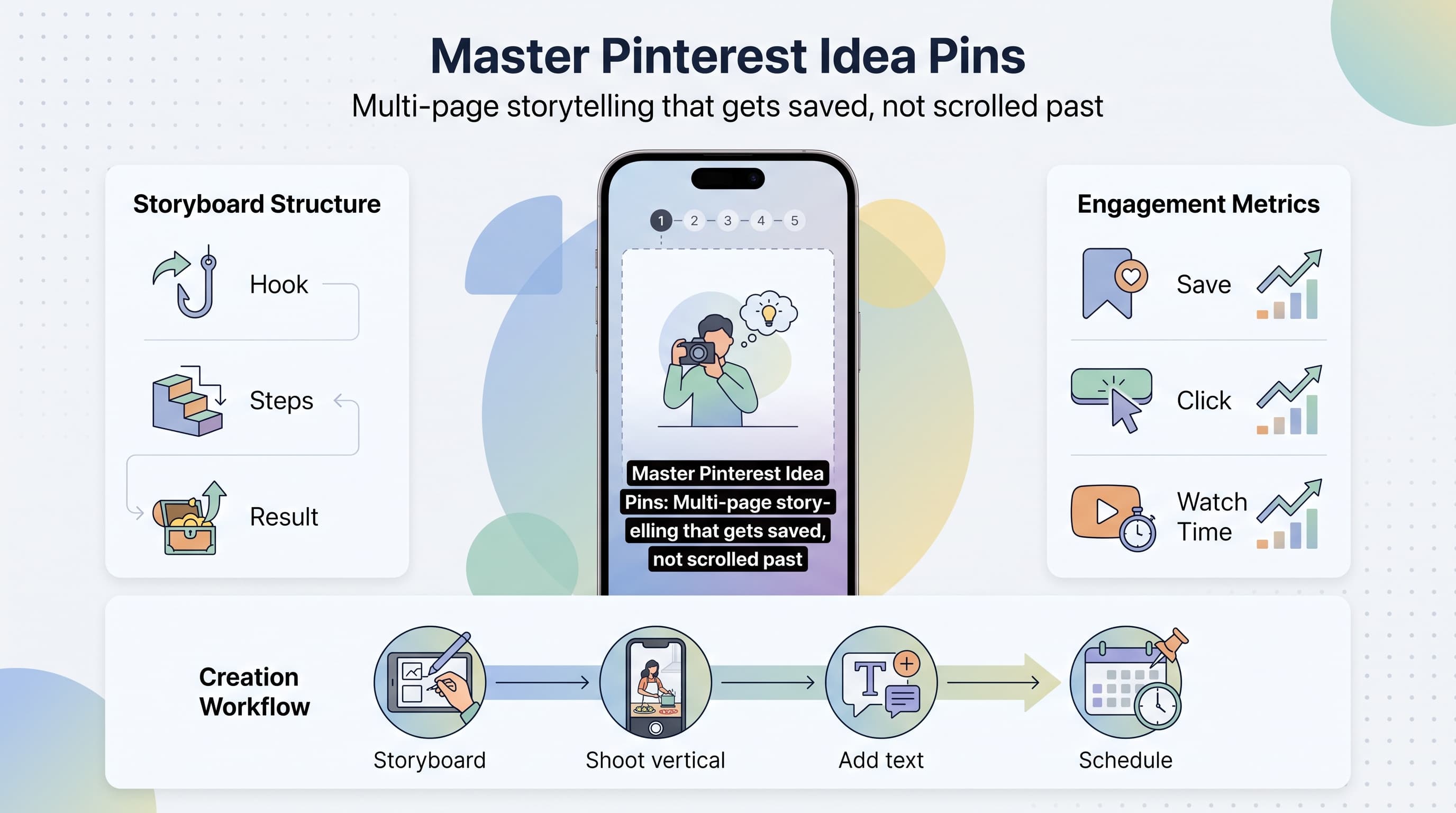
Open notes on your phone and write one line per page. A typical structure looks like this: hook, problem, step one, step two, step three, result, call to action. That's seven pages, which sits right in the sweet spot: long enough to deliver real value, short enough that people finish it.
Don't skip this step. Most weak multi-page Pins are weak because the creator started shooting or designing before deciding what each page needs to say. A five-minute storyboard fixes 80% of pacing problems.
3. Nail the first three seconds
Pinterest users scroll fast, so your first page or first few seconds of video need to state the payoff, not build up to it. "This one tweak doubled my sourdough rise" beats "So today I want to talk about bread" every time.
Text overlays help a lot here. Even if someone has sound off (most people browsing Pinterest do), a bold headline on page one tells them exactly what they're about to get.
4. Shoot vertical, keep it bright and simple
Vertical 9:16 video and images perform best because they fill the mobile screen, which is where most Pinterest browsing happens. Natural light or a simple ring light beats a dim room every single time, and busy backgrounds compete with your subject for attention.
You don't need studio gear. A phone, a window, and a clean surface will get you 90% of the way to professional-looking content for tutorials, recipes, and product demos.
5. Add text overlays on every page
Treat text overlays as subtitles for the sound-off crowd. Each page should have a short line that summarizes what's happening, even if it's obvious from the visual. This does double duty: it helps accessibility, and it helps Pinterest's search and recommendation systems understand what your content is about, since text on screen can factor into how content gets categorized and surfaced.
6. Write a keyword-rich title and description
Pinterest is a visual search engine first, social platform second. Your title and description should read like something a person would actually type into search: "easy weeknight dinner ideas for picky eaters" rather than something vague like "yum!" Include your target keyword naturally in the title, then use the description to add two or three related phrases people might search.
Don't keyword-stuff. One clear keyword phrase in the title, a couple of related terms woven into a natural sentence in the description, and a relevant, working link back to your site (a blog post, product page, or landing page) is the whole formula.
7. Add a strong final page or call to action
The last page of a multi-page Pin is where people decide whether to follow you, click your link, or scroll away and forget you exist. Give them a reason to do something: "Save this for later," "Full recipe on the blog," or "Follow for more weeknight dinners." A specific ask outperforms a vague sign-off almost every time.
Idea Pin format vs. other Pinterest content types
It helps to see how the multi-page, story-style format stacks up against the other content you can publish on Pinterest. Here's a quick side-by-side.
| Format | Best for | Pages/length | Typical shelf life |
|---|---|---|---|
| Standard static Pin | Product shots, quotes, infographics | 1 image | Long, but lower engagement over time |
| Video Pin (single video) | Demos, quick tips, transformations | One video, up to a few minutes | Long, strong for saves |
| Multi-page Pin (former Idea Pin format) | Tutorials, recipes, step-by-step guides | 2 to 20 pages | Long, often the strongest saves-to-impressions ratio |
| Carousel of static images | Before/after, product lineups | Multiple images, swipeable | Moderate |
Notice a pattern? Nearly everything that performs well on Pinterest has some version of sequence built in, whether it's a video with a beginning and end or a multi-page tutorial. If your current Pinterest strategy is 100% single static images, adding just one multi-page or video Pin per week is a reasonable place to start.
Content ideas by niche
Food and recipe creators
Turn a single recipe into a 6-page sequence: ingredients, prep step, cook step, the tricky part explained, plating, final dish. Include the exact measurements as text overlays so people can screenshot the page instead of leaving to find the recipe, then link the full written recipe in the description for the people who do want more detail.
Home and DIY
Before/during/after sequences are practically built for this format. Show the messy starting point, the middle steps (even the mistakes), and the finished result. People save home content obsessively because they're planning projects months in advance, which plays directly into Pinterest's long content lifespan.
Fashion and beauty
"5 ways to wear one item," get-ready-with-me sequences, and side-by-side product comparisons all work well. Keep lighting consistent across pages so the sequence feels cohesive rather than like five unrelated photos stitched together.
Coaches, educators, and service businesses
Turn a common client question into a mini-lesson: "3 signs your resume is getting rejected before a human even sees it," broken into a hook page, three problem pages, and a page pointing to your lead magnet or booking link. This format is genuinely underused by service-based businesses, and that's exactly why it stands out when you do it.
Ecommerce and product sellers
Show the product in use, not just sitting on a white background. A 4-page sequence of "unboxing, first use, the result, why it's worth it" builds more trust than a single product photo ever will, and it gives you natural places to answer objections a shopper might have.
Common mistakes that quietly kill performance
- Front-loading a slow intro. If page one is just your logo or a generic "hey guys," you've already lost the scroll-happy audience.
- Horizontal video or images. Cropped, letterboxed content on a vertical feed looks unfinished and gets scrolled past.
- No text overlays. Most people browse Pinterest with sound off. If your point only lives in the audio, most viewers miss it entirely.
- Vague titles. "My fave things!" tells Pinterest's search system nothing. "5 budget-friendly desk organization ideas" tells it exactly who to show the Pin to.
- Forgetting the link. A gorgeous tutorial Pin with no destination link is a dead end. Always link somewhere useful: a blog post, a product page, a landing page.
- Posting once and never again. Pinterest rewards consistency more than virality. A steady drip of new Pins beats one big burst followed by silence.
Keeping up a consistent posting rhythm
The biggest reason creators fall off Pinterest isn't a lack of ideas, it's inconsistency. Multi-page and video Pins take longer to produce than a quick static image, so it's tempting to batch them and then forget to actually publish on schedule. That's where scheduling tools earn their keep.
With Schedulala, you can batch-create a week or a month of multi-page and video Pinterest content in one sitting, then let it publish automatically at the times your audience is actually active. Schedulala covers all 12 major platforms, including Pinterest, Instagram, TikTok, YouTube, Facebook, Threads, Bluesky, LinkedIn, Twitter/X, Telegram, Mastodon, and Google Business Profile, so if you're repurposing your Pinterest sequence into a Reel or a TikTok (and you should be), you can schedule everything from one dashboard instead of hopping between five different native apps.
Every Schedulala plan includes unlimited scheduled posts, even on the entry-level Personal plan. There's no cap that punishes you for being consistent, which matters a lot for a platform like Pinterest where frequency is a real ranking factor.
| Plan | Price | Social accounts | Posts |
|---|---|---|---|
| Personal | $29/month ($290/year) | 10 accounts, any combination | Unlimited |
| Team | $49/month ($490/year) | 25 accounts, any combination | Unlimited |
| Agency | $99/month ($990/year) | 100 accounts, any combination | Unlimited |
That "any combination" detail matters more than it sounds like on paper. Your 10 accounts on the Personal plan don't need to be split evenly across platforms. If Pinterest and Instagram are your two priorities, you could run five Pinterest boards and five Instagram accounts, or eight and two, or whatever mix actually fits your business. There's no per-platform sub-limit forcing you into some pre-set bundle.
Schedulala runs on a 7-day free trial (a card is required to start it), which is enough time to batch a week of multi-page Pins, schedule them, and see how the workflow feels before committing to a plan.
Try Schedulala for free
Schedule posts to Bluesky, Twitter, and 8 other platforms from one dashboard.
Get started for free→How to measure whether it's working
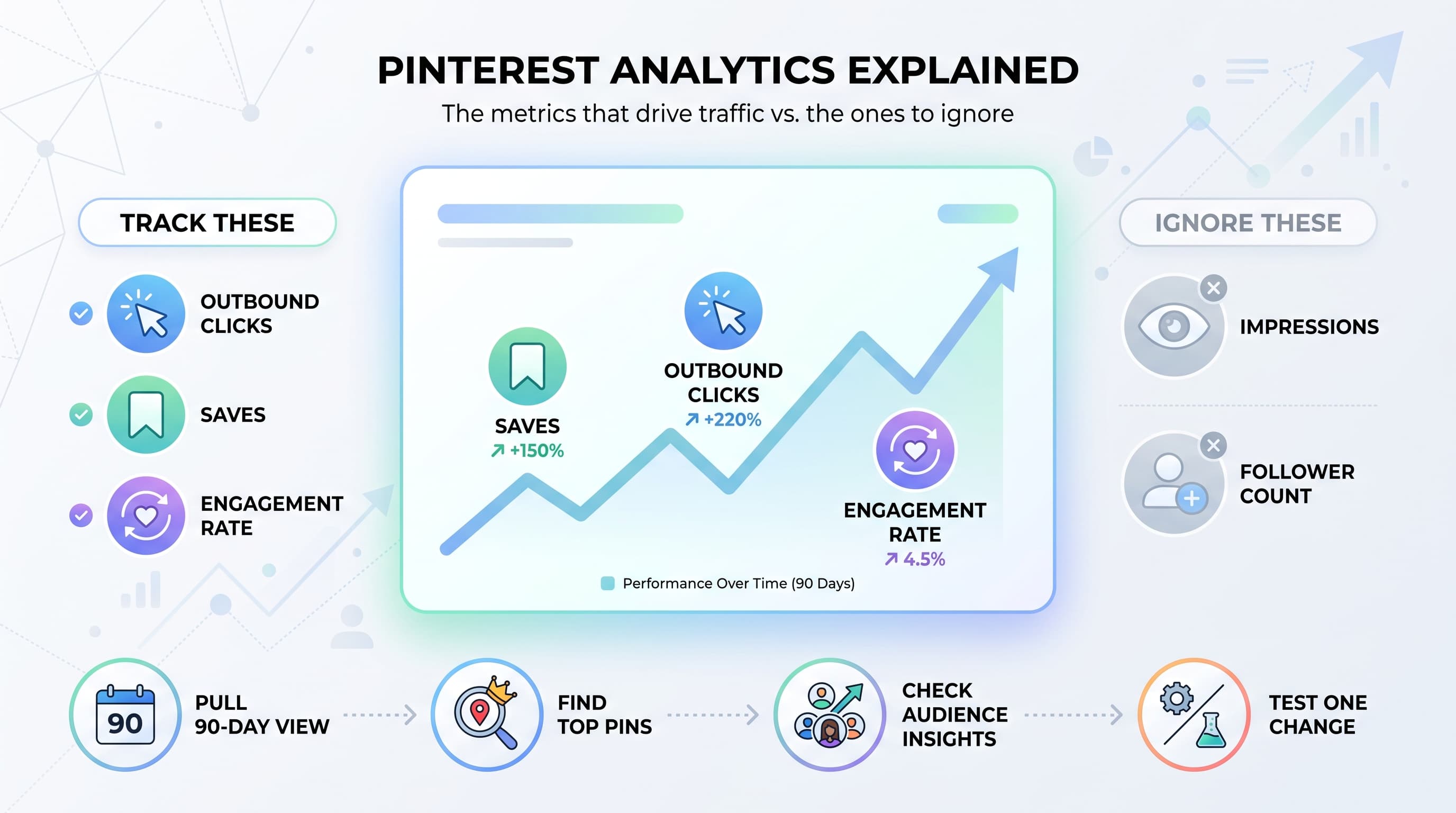
Don't judge a multi-page Pin by its first 48 hours. Pinterest content builds momentum over weeks, sometimes months, as it gets shown to new audiences searching related terms. The three metrics worth watching are saves, outbound clicks, and average watch time on video pages.
Saves tell you the content was useful enough to bookmark for later, which is the single strongest signal that you nailed the topic and format. Outbound clicks tell you whether your call to action and link actually converted interest into traffic. Watch time on video-based pages tells you whether people made it through your whole sequence or bailed on page two.
If saves are high but clicks are low, your content is valuable but your call to action is weak, tighten up that last page. If watch time drops off early, your hook isn't strong enough or your pacing is too slow in the middle. Treat each Pin like a small experiment and adjust the next one based on what the data actually shows, not on gut feeling.
A simple weekly workflow you can copy
Here's a realistic weekly routine that keeps a Pinterest content engine running without eating your whole week.
- Monday: Pick one topic from your list of client questions, comments, or best-performing blog posts.
- Tuesday: Storyboard the sequence in five to seven pages, then shoot or design the raw pieces.
- Wednesday: Add text overlays, write the keyword-rich title and description, and pick the destination link.
- Thursday: Repurpose the same footage or images into a Reel or TikTok script.
- Friday: Batch-schedule both the Pinterest sequence and the repurposed video across your accounts for the following week.
That's one solid multi-page Pin and one repurposed short video per week, produced from a single piece of raw content. Do that for eight weeks and you'll have a real library of evergreen Pinterest content working for you in the background.
The bottom line
Pinterest Idea Pins as a named, standalone feature are gone, but everything that made them work is alive and well inside the standard Pin creator: multi-page storytelling, vertical video, and content built to keep people scrolling instead of clicking away. If you build with a clear hook, a real sequence, honest text overlays, and a specific call to action, the format still performs the way it did when it had its own tab.
Try Schedulala for free
Schedule posts to Bluesky, Twitter, and 8 other platforms from one dashboard.
Get started for free→