Pinterest Keywords Strategy: How to Research and Use Keywords to Get Found
Learn how to research and place Pinterest keywords to boost pin visibility. A practical guide to Pinterest SEO that actually moves the needle.

Pinterest isn't a social network. It's a visual search engine that happens to have a follow button, and if you're treating it like Instagram, you're leaving a huge amount of traffic on the table. Learn more about Pinterest scheduling.
The people who win on Pinterest aren't the ones with the prettiest graphics (though that helps). They're the ones who figured out what people actually type into that search bar and built their pin titles, descriptions, and boards around those exact words. That's Pinterest keyword strategy, and it's the single biggest lever you can pull for organic reach on the platform. Our scheduling across platforms can help.
This guide walks through where Pinterest keywords come from, how to find the ones your audience is actually searching, and exactly where to put them so Pinterest's algorithm knows what to do with your pins. Try our pinterest content strategy what.
Try Schedulala for free
Schedule posts to Bluesky, Twitter, and 8 other platforms from one dashboard.
Get started for free→Why keywords matter more on Pinterest than almost anywhere else
On most platforms, discovery is driven by follower graphs and engagement velocity. Pinterest is different. A huge chunk of impressions come from search and from Pinterest's recommendation engine matching pin content to what a user has searched, saved, or browsed in the past. A pin from a small account with zero followers can outrank a pin from a huge account if it's more relevant to the query. See our scheduling across platforms guide.
That's why Pinterest content has a long shelf life compared to a tweet or an Instagram post. A well-optimized pin about "fall porch decor ideas" can keep getting impressions eighteen months after you posted it, because Pinterest is still matching it to searches for that exact phrase every October. Learn more about best time to post on pinterest.
The catch is that Pinterest's algorithm reads text, not images. It uses computer vision to understand some visual elements, but the words you attach to a pin (title, description, board context, even the file name) do most of the heavy lifting for how your content gets categorized and surfaced. Skip the keyword work and you're relying on luck. Try our pinterest bio generator.
How to research Pinterest keywords
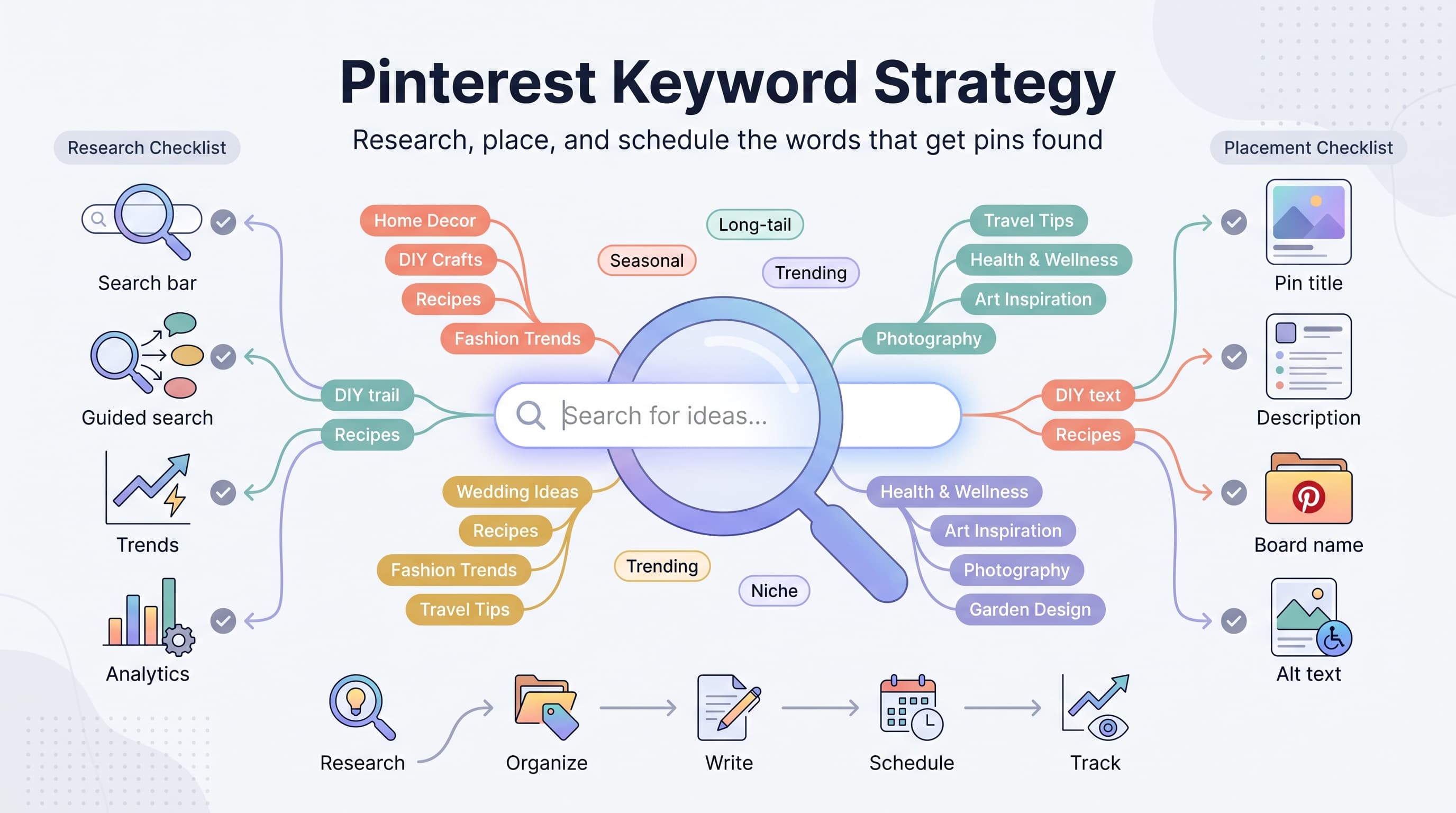
1. Start with Pinterest's own search bar
Type a broad term related to your niche into the search bar and don't hit enter. Pinterest's autocomplete will show you the exact phrases people are typing, which is a direct window into real search behavior.
Search "meal prep" and you'll likely see suggestions like "meal prep for beginners," "meal prep containers," "meal prep ideas for weight loss," and "meal prep on a budget." Each of those is a keyword opportunity you can build a pin or board around, and they're far more specific (and less competitive) than the root term.
2. Use guided search pills
After you run a search, Pinterest shows a row of colored pills underneath the search bar, sometimes called "guided search." These are related subcategories Pinterest thinks are connected to your query, and they're gold for finding keyword variations you wouldn't think of on your own.
Click into a few of those pills, then look at the new pills that appear. This is a fast way to build a whole keyword cluster in about five minutes.
3. Check Pinterest Trends
Pinterest Trends (trends.pinterest.com) shows search volume trajectories for terms over time, including seasonal spikes. It's especially useful for planning content calendars, since Pinterest search behavior skews seasonal and forward-looking. People search for "Christmas gift ideas" in September and October, not December, because they're planning ahead.
Use Trends to figure out when to start publishing seasonal content. As a rule of thumb, aim to have holiday or seasonal pins live 45 to 90 days before the actual event.
4. Study competitor and top-performing pins
Search your main keyword and open the top few pins that show up. Look at their titles and, where visible, the board they're pinned to. Repetition across multiple top pins is a strong signal that a phrase carries real weight in Pinterest's algorithm for that topic.
You're not copying anyone's content here, just reverse-engineering the vocabulary Pinterest associates with strong performance in your niche.
5. Mine your own analytics
If you already have an active account, Pinterest Analytics will show you which search terms are driving impressions to your existing pins. This is the most reliable keyword data you'll get because it's tied to your actual content and audience, not a generic estimate.
Sort by top pins over the last 90 days and note the search terms feeding each one. Double down on the phrases that are already working.
Building a Pinterest keyword framework
Random keyword hunting gets you scattered results. A simple framework keeps your research organized and reusable.
Start with three tiers of keywords for your niche:
- Head terms — broad, high-volume, high-competition ("home decor", "healthy recipes")
- Body terms — more specific, moderate competition ("budget home decor ideas", "healthy dinner recipes for families")
- Long-tail terms — highly specific, lower volume, low competition, high intent ("small apartment decor ideas on a budget", "healthy 20 minute dinner recipes for kids")
Your board names and top-level content should map to head and body terms. Your individual pin titles and descriptions should lean heavily on long-tail terms, because that's where a smaller account or a brand new pin actually has a shot at ranking.
Build a running spreadsheet with columns for the keyword, the tier, the related board, and a note on seasonality. It sounds basic, but most creators never do this and end up rewriting the same generic description for every pin, which wastes the biggest SEO lever Pinterest gives you.
Where to actually place your keywords
Finding keywords is only half the job. Where you put them determines whether Pinterest's algorithm picks them up at all.
1. Pin title
Pin titles have a 100-character limit and they're one of the most heavily weighted fields for search relevance. Lead with your primary keyword phrase, keep it readable, and avoid keyword stuffing ("Home decor home decor ideas for home decorating" reads like spam and gets treated like it).
2. Pin description
You get up to 500 characters in the description field. Write two to three natural sentences that describe what the pin actually delivers, and weave in two or three related keyword variations, not just your exact-match term repeated. Pinterest rewards natural language over keyword lists.
A useful pattern: state what the content is, who it's for, and one specific detail. "A step-by-step small kitchen renovation guide for renters on a tight budget, including three paint colors that make a galley kitchen feel bigger."
3. Board titles and descriptions
Boards act as a category signal. A board titled "Small Kitchen Ideas" with a description that mentions renters, budgets, and rentals reinforces every pin saved to it. Vague board names like "Inspo" or "Faves" waste this signal entirely.
4. Profile name and bio
Your profile name field (not just your display name, but the searchable field in settings) and bio are both indexed. Include your core niche keyword once, naturally, so your whole account has topical relevance beyond individual pins.
5. Image file name and alt text
Before you upload, rename your image file from "IMG_4021.jpg" to something like "small-kitchen-ideas-renters.jpg." Then use the alt text field to add a slightly longer, natural-language description with your keyword. This is a smaller signal than title and description, but it's free and it also helps accessibility, so there's no reason to skip it.
Keyword placement at a glance
| Location | Character limit | SEO weight | Best use |
|---|---|---|---|
| Pin title | 100 characters | High | Primary keyword, front-loaded |
| Pin description | 500 characters | High | Primary + 2-3 related keywords in natural sentences |
| Board title | No hard limit (keep short) | Medium-high | Head or body term for the category |
| Board description | 500 characters | Medium | Context and related keyword variations |
| Profile bio | 160 characters | Medium | One core niche keyword, stated naturally |
| Alt text | No hard limit | Low-medium | Descriptive sentence with keyword, doubles as accessibility |
Seasonal and evergreen keyword strategy
Pinterest search behavior splits cleanly into two buckets: evergreen and seasonal. Treating both the same way is one of the most common strategy mistakes.
Evergreen keywords ("easy weeknight dinners," "capsule wardrobe basics") get steady search volume year-round. These deserve your best, most polished pin designs because they'll keep earning impressions for months or years without any extra work from you.
Seasonal keywords ("Halloween costume ideas," "back to school outfits," "Mother's Day gifts") spike hard around a specific window and then go quiet. The trick is publishing early. Pinterest needs time to index and start distributing a pin, so if you post a Halloween pin on October 25th, you've missed most of the search volume. Aim for 6 to 10 weeks ahead of the actual date for most seasonal content, and closer to 3 months for big planning-heavy events like weddings or major holidays.
A practical way to manage this without losing your mind is batching seasonal content well in advance and scheduling it to go out automatically at the right lead time. This is where a scheduling tool earns its keep. If you're running a content calendar across Pinterest and other platforms, planning seasonal Pinterest pins two to three months ahead alongside your regular content means you're never scrambling the week before a holiday hits.
See It in Action
This is what scheduling a Pinterest post looks like in Schedulala
Common Pinterest keyword mistakes
Mistake 1: Keyword stuffing
Cramming every variation of a keyword into a title or description in a way that reads unnatural doesn't help, and Pinterest's spam detection has gotten better at catching it. Write for a human first, keyword second.
Mistake 2: Only targeting head terms
Chasing "home decor" or "recipes" without any long-tail specificity means you're competing against massive established accounts for the exact same phrase. Long-tail keywords are how newer or smaller accounts actually get traction.
Mistake 3: Ignoring board structure
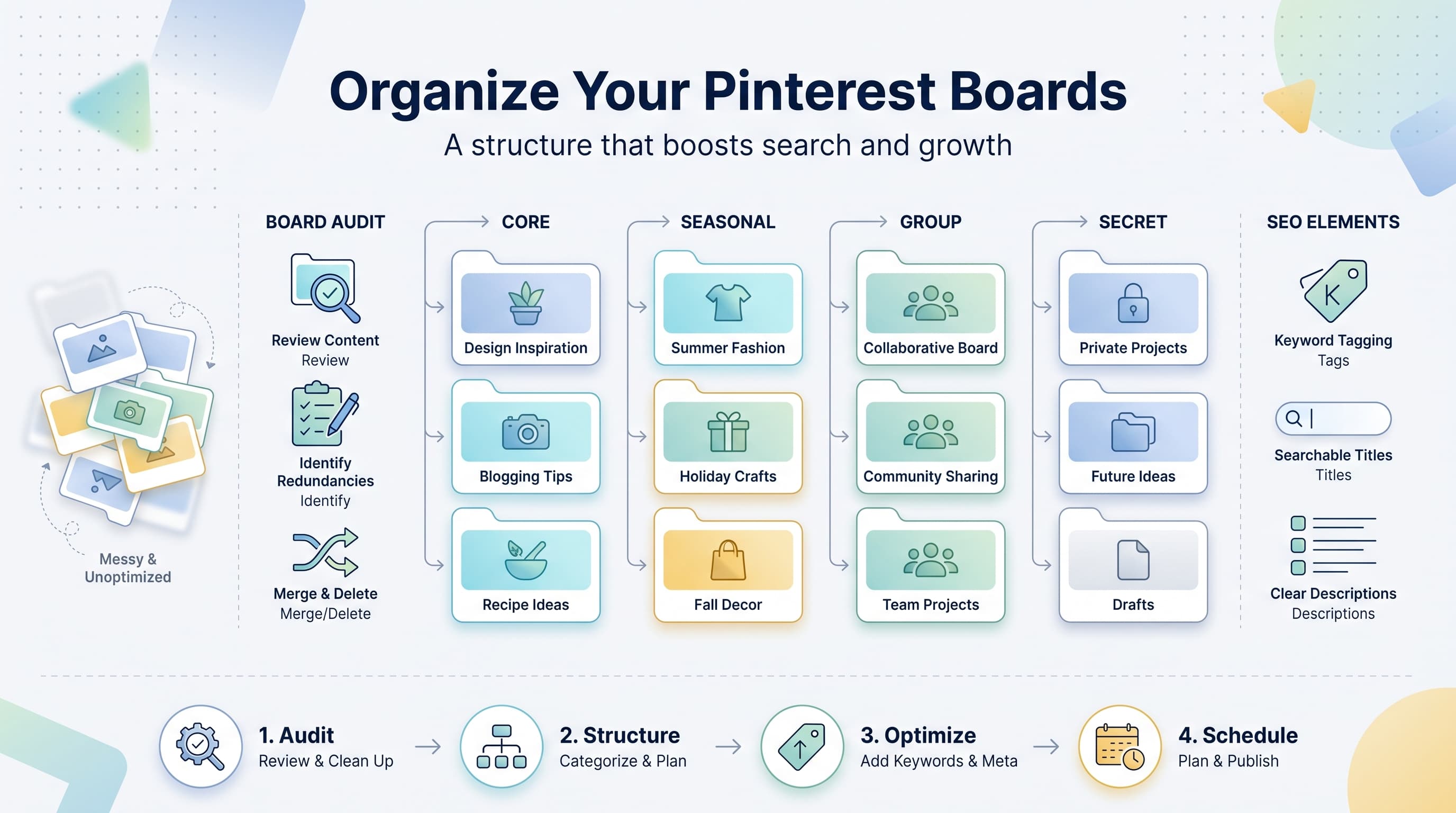
A profile with fifteen boards named after inside jokes or vague vibes gives Pinterest nothing to work with. Every board should have a clear, keyword-relevant name and description tied to a real topic your audience searches for.
Mistake 4: Reusing the exact same description on every pin
It's tempting to copy-paste the same generic description across every pin to save time, but that flattens your keyword coverage. Each pin should have a description tailored to what that specific image or link delivers.
Mistake 5: Publishing seasonal content too late
As covered above, this is one of the most common and most avoidable mistakes. Build your seasonal calendar backward from the event date, not forward from today.
Turning keyword research into a repeatable workflow
The hardest part of Pinterest keyword strategy isn't the research, it's the consistency. Most people do a solid round of keyword research once, apply it to a handful of pins, and then quietly slip back into generic titles and descriptions three weeks later because there's no system holding the habit in place.
A simple fix is separating research from execution. Do a monthly keyword refresh (30 to 45 minutes checking Pinterest Trends, guided search, and your own analytics), log everything into your keyword spreadsheet, and then write titles and descriptions for a batch of pins in one sitting using that list. Batching this way keeps your language sharp and your keyword coverage intentional instead of improvised on the fly.
Once the pins are written, scheduling them out over the right time window matters just as much as the words themselves. Consistent publishing volume signals to Pinterest that your account is active, and spacing pins out (rather than dumping twenty pins in one day) tends to get steadier distribution. Using a scheduling tool to queue up a month or two of optimized pins at once means the keyword work you did upfront actually gets used the way you intended, on the right day, at the right lead time, without you having to remember to log in and post manually.
If you're managing Pinterest alongside other platforms, this is also where consolidating your workflow pays off. Schedulala covers all 12 major platforms, including Pinterest, Instagram, TikTok, LinkedIn, and Threads, with unlimited scheduled posts on every plan (even the entry-level Personal plan at $29/month for 10 social accounts). Those accounts aren't locked to specific platforms either, so if your Pinterest strategy needs five boards worth of pin accounts and a couple of Instagram profiles, that's a mix you can build without hitting some arbitrary per-platform ceiling.
Try Schedulala for free
Schedule posts to Bluesky, Twitter, and 8 other platforms from one dashboard.
Get started for free→A simple monthly Pinterest SEO checklist
- Search your top 5 niche head terms and note new autocomplete and guided search suggestions
- Check Pinterest Trends for any upcoming seasonal spikes in the next 90 days
- Pull your top-performing pins from analytics and note the search terms driving impressions
- Update or create board titles and descriptions to reflect current keyword findings
- Write fresh, keyword-specific titles and descriptions for your next batch of pins
- Schedule seasonal pins with the appropriate lead time (6 to 12 weeks depending on the occasion)
- Review any pins with low impressions and rewrite the title and description with a more specific keyword
The bottom line
Pinterest keyword strategy isn't complicated, it's just neglected. Most creators spend their time on the visual design of a pin and almost none on the words attached to it, even though the words are what get the pin in front of the right search in the first place.
Find your keywords through the search bar, guided search pills, Pinterest Trends, and your own analytics. Sort them into head, body, and long-tail terms. Put the right ones in your pin titles, descriptions, board names, and alt text. Plan seasonal content with real lead time. Do that consistently, on a monthly cadence, and Pinterest's algorithm starts doing a lot of the discovery work for you.
Try Schedulala for free
Schedule posts to Bluesky, Twitter, and 8 other platforms from one dashboard.
Get started for free→